Productivity Monitoring Feedback
“Easy tracking of employee productivity. Seamless transition from person to person on the back end. Easy to update.”
We’ve updated our Subprocessor List, effective October 6, 2026. Please review the update to our Data Processing Addendum
Take complete control of how work gets done across every device.
*No credit card required · 14-day free trial · Cloud and on-premise available
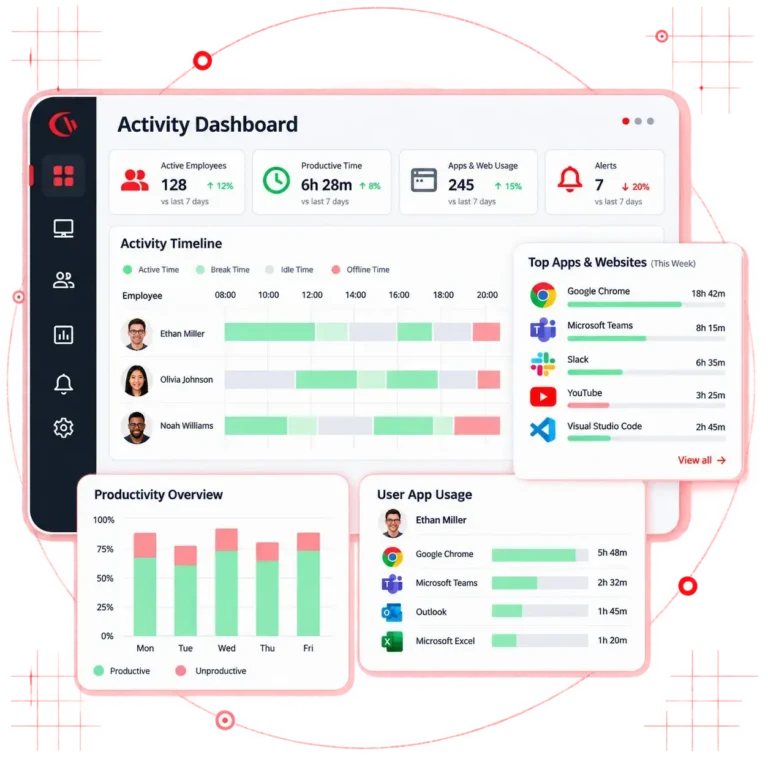
Employee monitoring software is a tool that is used by organizations operating in various industries to get workforce analytics. It helps them get visibility into their employees’ productivity by monitoring how they are spending their time on company devices, the websites & apps they use, their active time vs. idle time, file transfers and AI tool usage, and then turns this activity data into insightful dashboards and audit-ready reports.
You may also see this category called staff monitoring software or workforce monitoring software. The terms describe the same thing: monitoring software for employees that records work activity on company-owned devices and reports it centrally. Vendors differ far more on deployment and depth than on the label.
✅ The CurrentWare Advantage: Unlike most EMS tools that are cloud-only, ActivTrak, Insightful, the CurrentWare suite, or console can run on the infrastructure of your choice – on-premise, cloud, or hybrid.
Ranges reflect reported customer outcomes and published industry research. Your figures depend on headcount, licence spend and current visibility.
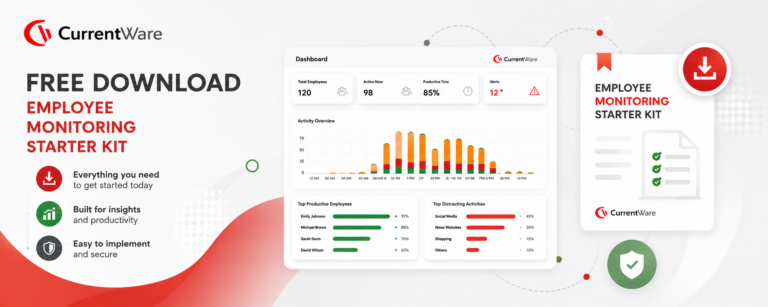
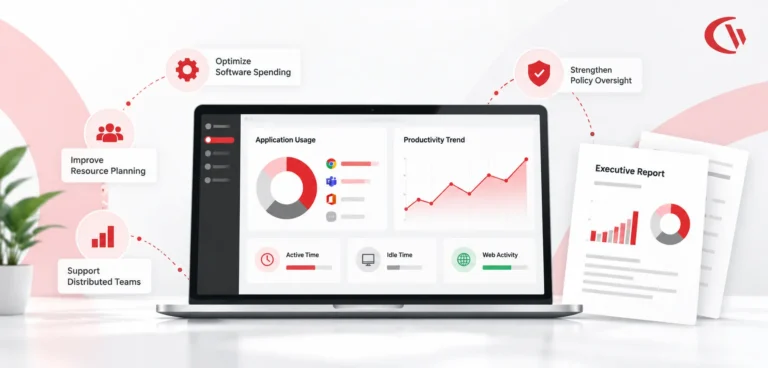
From real-time web and internet usage to application activity, active versus idle time, screenshots, and file transfers, every user-activity signal reports into one console – so IT, HR, and security all work from the same data.
See which sites and apps your team is using, who’s on them, and for how long, across remote, hybrid, and in-office devices.
Separate genuine work from open-but-forgotten windows. Track schedule adherence for shift-based and service teams without any guesswork.
Spot trends by user, app, or location at a glance. Get summaries delivered automatically to your inbox on whatever schedule works for you.
Keep it off for day-to-day monitoring and turn it on only when you need it. Target specific teams, users, or investigations to capture context when policy calls for it.
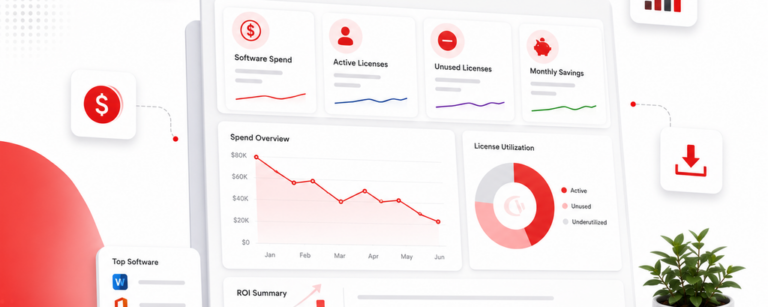
Cut wasteful spending with confidence. Pull up usage reports that show finance and IT exactly what’s being paid for and never touched, so you can trim licenses you don’t need.
Stay ahead of issues before they escalate. Set alerts for excessive idle time, off-schedule activity, or policy breaches, and pair monitoring with web filtering and device control across the Suite.
| Module | What it does | Activity monitoring | Web & app control | Device control / DLP | Power & logon |
|---|---|---|---|---|---|
| BrowseReporter | Workforce analytics, productivity & user-activity monitoring, screenshots | ✓ | – | – | – |
| BrowseControl | Web filtering and application blocking | – | ✓ | – | – |
| AccessPatrol | USB / device control and data loss prevention | – | – | ✓ | – |
| enPowerManager | Remote power control with logon/logoff & attendance tracking | – | – | – | ✓ |
| CurrentWare Suite | All four modules, one console | ✓ | ✓ | ✓ | ✓ |
Your employees are already using ChatGPT, Copilot, and Gemini, often through personal accounts nobody signed off on. CurrentWare gives you a clear picture of which AI tools are in play, who’s using them, and how often. More importantly, it helps you put sensible guardrails in place before sensitive data quietly walks out the door.
You might be surprised what’s running in your environment. CurrentWare surfaces every AI tool employees are reaching for across browsers and apps, including the unofficial ones they turn to when the approved option feels too slow or limited.
Not everyone on your team uses AI the same way. See which departments are leaning on it heavily, what they’re using it for, and how often, so you can make smarter decisions about licenses, figure out who actually needs training, and show leadership what the productivity impact looks like in real numbers.
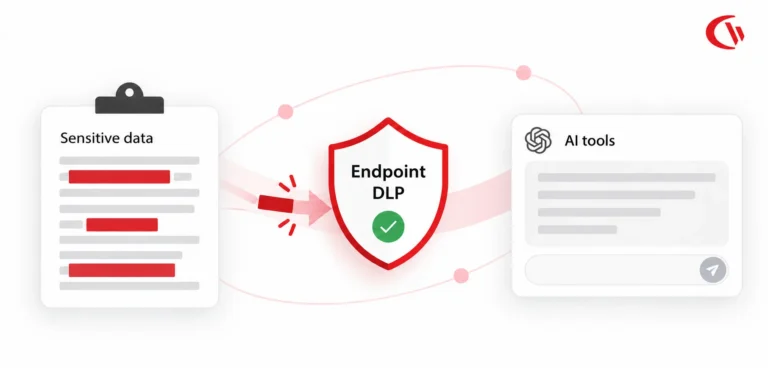
Visibility is just the start. Pair monitoring with BrowseControl and AccessPatrol to catch or outright block sensitive files and data being uploaded or transferred into AI tools. It’s a practical layer of protection that doesn’t require you to ban AI altogether.
When compliance reviews or investigations come around, you’ll want a clear, defensible record of AI activity. CurrentWare keeps that log for you, with the retention controls your auditors will actually ask for.
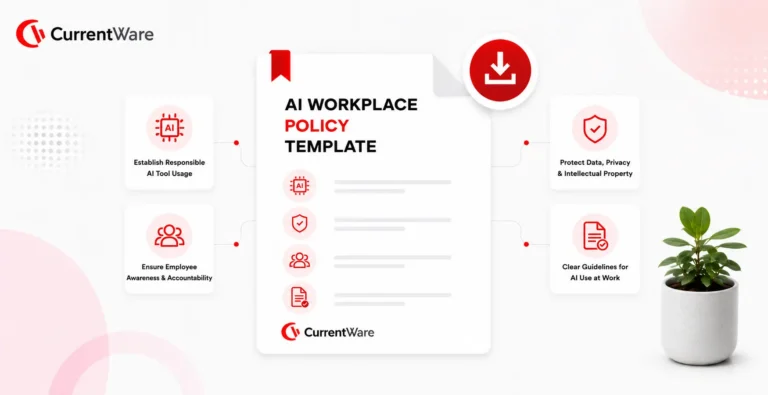
Download our free AI Workforce Monitoring Policy template for governing workplace AI use, defining approved tools, acceptable-use and data-handling rules, monitoring scope, and employee disclosure, aligned with privacy regulations such as GDPR and CCPA/CPRA and emerging AI governance standards.
Gauge actual AI usage per department to match paid AI seats, to reduce spend in the licences nobody opened this quarter.
From installation to insights, getting workforce analytics with Employee Monitoring Software is a 4-step process:
Configure what is monitored, who can see the reports, and how long it is retained. Ensure your employees know they are being monitored, and use our free monitoring policy template.
Install the agent on-premise, in your own cloud or on VDI.
Categorize multiple users by team, configure the monitoring agent to run only within working hours, add a do-not-track list, and categorise apps and sites as productive or unproductive by role.
Use activity, idle time, licence and AI usage reports to review & reassign workload, reclaim spend, evidence compliance and support fair performance reviews.
Every employee activity monitoring software capability in BrowseReporter, in one place: activity, web and application monitoring, screenshots, idle-time tracking, and reporting.
Track websites visited, searches, and time spent online across your workforce.
Report time spent in each application across users, teams, and departments.
Capture screenshots on a schedule or trigger for visual context during reviews.
AI-assisted OCR extracts and indexes text from screenshots, so you can search captured screens by keyword, user, group, and date.
Separate active work from idle time for accurate, fair productivity data.
Detect mouse-jiggler and idle-spoofing tools that fake on-screen activity.
Turn raw activity into clear, shareable productivity and usage reports.
See which users and applications consume the most network bandwidth.
Monitor macOS endpoints alongside Windows from a single console.
The agent keeps recording employee activity even when a device leaves the organisation network, then syncs to the console on reconnect.
Ensure team managers get visibility into their respective teams only. Restrict screenshots and raw activity to named investigators.
Exclude banking, medical or union sites and non-working hours from collection entirely, which supports UK GDPR data minimisation.
Replace hunches with documented activity. Idle time and usage patterns make performance conversations fact-based, surface workload problems early, and tell you whether the answer is coaching or escalation.
Confirm whether internet, application, AI-tool, and removable-device policies are actually being followed. Pair BrowseReporter with BrowseControl and AccessPatrol to block unsafe sites, catch insider threats early, and stop data leaving on USB drives.
Stay audit-ready with retained activity logs, controlled data retention, and on-demand evidence for investigations. Configure monitoring to support frameworks like HIPAA, SOC 2, PCI DSS, and GDPR – and prove what happened when a regulator or auditor asks.
Spot bottlenecks and underused software, then redesign workflows on real data instead of anecdotes – including a clear read on remote versus in-office output.
Turn app usage into smarter licence decisions. Find unused seats and cut or renegotiate them with real usage data.
Compare output across teams, locations, and work models. See how remote and in-office productivity compare before setting a return-to-office policy.
Offer monitoring across multiple client tenants with separate data and reporting for each. See the MSP programme.
| Capability | CurrentWare | ActivTrak | Teramind | Insightful | Hubstaff |
|---|---|---|---|---|---|
| True on-premise deployment | Yes | No, cloud only | Yes | Limited | No |
| Self-managed cloud tenant and VDI | Yes | No | Partial | No | No |
| Web filtering and app blocking in same console | Yes | Alarms and blocking | Yes | No | No |
| USB and removable device control / DLP | Yes | No | Yes | No | No |
| No keystroke logging | No keylogger | No keylogger | Keylogging available | No keylogger | No keylogger |
| Mouse jiggler and idle-spoof detection | Yes | Alarm-based | Yes | Partial | No |
| OCR search across screenshots | Yes | No | Yes | No | No |
| AI and shadow AI usage reporting | Yes | Yes | Partial | Partial | No |
| Remote power and logon attendance tracking | Yes | No | No | No | No |
| Published USD, GBP and CAD pricing | Yes | USD | USD | USD | USD |
| Starting price per user per month | ~$12 | Quote-led tiers | From ~$15 | From ~$8 | From ~$7 |
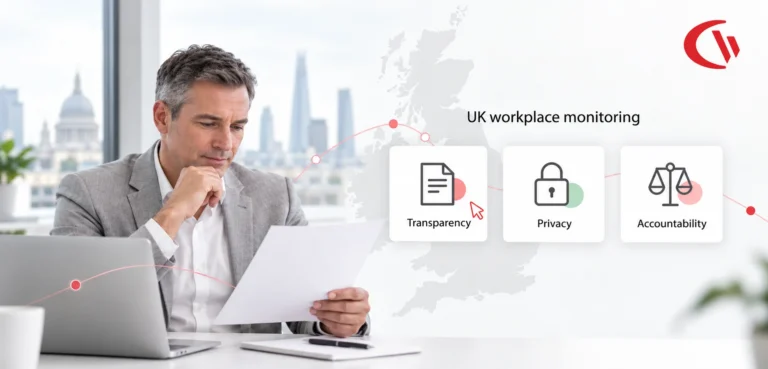
This is where employee monitoring stops and employee surveillance in the workplace begins, and it is the difference between a rollout that survives a works council, union discussion or ICO review and one that does not. Employees are more likely to accept monitoring when they clearly understand its limits.
| We do not collect | Controls you keep |
|---|---|
| ❌ Keystrokes. There is no keylogger in CurrentWare | ✅ Screenshots off by default, enabled per group or investigation only |
| ❌ Webcam video or microphone audio | ✅ Role-based console access so managers see only their own team |
| ❌ The body of personal email or private messages | ✅ Configurable retention windows to match your data governance schedule |
| ❌ Activity on personal devices you have not enrolled | ✅ Data residency in the US, UK, Canada or your own datacentre |
| ❌ Anything outside configured working hours when schedules are set | ✅ Full audit trail of every administrator action in the console |
| ❌ Sites and applications you place on the do-not-track list | ✅ Employee-facing transparency reporting where your policy allows it |
Most platforms make you send employee data to their cloud. CurrentWare doesn’t have to. Run it on-premise, in your own cloud tenant, or across VDI – and combine that control with a console that’s genuinely simple to stand up and a fair per-user price.
Your servers, your rules
Best for regulated industries – government, healthcare, legal, finance, manufacturing. Monitoring data never leaves your control.
Fast to stand up
Lower infrastructure overhead with automatic updates to new versions and features, while keeping full visibility.
Citrix, Azure, AWS, GCP
Combine cloud scalability with control over hosting and retention across enterprise and virtual desktop environments.
| Environment | Supported | Deployment method | Notes |
|---|---|---|---|
| Windows 10 / 11 | Yes | GPO, Intune, RMM, manual MSI | Full feature set including screenshots and OCR search |
| Windows Server | Yes | GPO, manual MSI | Terminal Server and multi-session supported |
| macOS | Yes | MDM, manual package | Activity, application and web monitoring |
| Citrix / Azure Virtual Desktop / AWS WorkSpaces | Yes | Golden image | Per-session user attribution |
| Offline and off-network endpoints | Yes | Cached local collection | Syncs to console on reconnect |
| Personal or BYOD devices | By choice only | Not enrolled by default | CurrentWare does not monitor devices you have not enrolled |
Notice, lawful-basis and data-residency rules differ by jurisdiction, so employee monitoring software UK buyers must satisfy is not configured the same way as employee monitoring software Canada or US teams deploy. These are general guidelines, not legal advice. Please check with your counsel before deploying.
ECPA plus state notice rules
Monitoring company-owned devices for legitimate business purposes is generally lawful, but notice requirements now vary by state.
Written notice states
Connecticut and Delaware require notice before electronic monitoring. New York requires notice at hire.
State privacy laws
CCPA/CPRA in California, plus Illinois BIPA where biometrics are involved.
Sector rules
HIPAA, PCI DSS, SOX, CJIS and CMMC where regulated data is handled.
How CurrentWare helps
US data residency or on-premise hosting, do-not-track exclusions, role-based access, retention controls and a policy template.
UK GDPR, DPA 2018 and ICO expectations
The ICO expects monitoring to be lawful, necessary and proportionate, with workers told what is collected and why.
Lawful basis
Usually legitimate interests, supported by a legitimate interests assessment.
DPIA
Required for systematic monitoring of workers. Document scope, necessity and mitigations.
Data minimisation
Collect only work-related activity, restrict to working hours, keep retention short and defined.
How CurrentWare helps
UK or EU data residency, on-premise option, monitoring schedules, exclusion lists, configurable retention and subject-access-friendly reporting.
PIPEDA, provincial law and Ontario policy duty
Monitoring must be reasonable, proportionate and disclosed. Several provinces add their own obligations.
Federal
PIPEDA applies to federally regulated employers and commercial activity.
Provincial
Alberta, British Columbia and Quebec have substantially similar private-sector laws.
Ontario
Employers with 25 or more employees must maintain a written electronic monitoring policy under the Working for Workers Act.
Quebec
Law 25 adds consent, privacy impact assessment and breach notification duties.
How CurrentWare helps
Canadian data residency or on-premise hosting from a Toronto-based vendor, plus a written policy template you can adapt for Ontario.
Discover how organizations use CurrentWare’s employee monitoring software to improve visibility, strengthen compliance efforts, and manage employee activity more effectively.
CurrentWare works alongside the identity, security, and directory tools you already use, including support for SAML, OIDC, and CEF standards. Cloud connectors are on the way.
Tailored controls that help you meet industry standards, boost efficiency, and protect sensitive data across remote and in-office teams.
HIPAA-ready controls to protect PHI with USB management and insider-threat visibility.
Cybersecurity and policy enforcement aligned to NIST 800-171 and CMMC.
Keep client data protected, billable hours productive, and software costs in check.
Productivity monitoring and internet visibility for both the shop floor and back office.
Enforce access policies and protect sensitive financial data with audit-ready trails.
CIPA-compliant web filtering to qualify for E-Rate and keep students safe online.
Track unproductive web browsing and idle time to detect time-wasting
Deliver the monitoring, data-loss prevention, and web filtering your clients need, now with faster deployment, and easier management.
Refer to this checklist before taking the final vendor call. If a platform cannot answer these questions clearly, you may run into problems a few months after deployment.
Days 1 to 30
Days 31 to 60
Days 61 to 90
Join 100,000+ professionals across 55 countries.
Across the whole CurrentWare Suite.
90% of reviewers would recommend BrowseReporter (average likelihood to recommend: 9 out of 10).
Everything a buyer in the US, UK, or Canada needs to evaluate, deploy, and justify employee monitoring software.
Three common pressures push teams to look for employee monitoring tools.
The first is distributed work. When employees work from home, in the office, or across different countries, managers lose many of the everyday signals they used to rely on. It becomes easier to make decisions based on assumptions or anecdotes.
The second is cost control. Software spending has grown for years, and finance teams are increasingly asking for proof that licenses are actually being used before they renew them.
The third is risk. Insider incidents, USB data transfers, and uncontrolled AI use can all create risks that a firewall cannot detect.
Employee monitoring can help address all three with the same set of activity data. The same record can show a manager who is overloaded, help finance find unused licenses, and alert security when someone copies 4GB of data to a personal drive at 6pm during their notice period.
Most platforms can capture the following information from managed, company-owned devices:
What a responsible platform does not capture is just as important.
CurrentWare does not use a keylogger, record webcams or microphones, read personal message content, or monitor devices that have not been enrolled.
Some vendors offer keylogging, but that can create serious issues with works councils, unions, and employee privacy, particularly in the UK, Canada, and the EU.
Raw activity data is not enough. You need to turn it into information that helps people make better decisions.
Four metrics provide much of the value.
Attendance tells you that a computer was on. Active time gives you a better idea of when work was actually happening.
The difference between the two can point to scheduling issues, problems with tools, or employees who are genuinely overloaded.
An application can be useful for one team and a distraction for another.
That is why productivity categories need to be set by team or group. If everyone gets the same classification, the data can quickly become misleading. Employees will also have good reason to question it.
A team can have an average utilisation rate that looks fine while hiding a bigger problem.
For example, two people might be working at 130% while three others are at 60%. The spread tells you much more than the average.
Connect application usage data with procurement data and you can quickly see which licenses are being used and which are not.
This is often one of the easiest ways to find savings, and you can usually start seeing the results within the first month.
The difference comes down to purpose and how much data you collect.
Monitoring should collect only the work-related information needed for a clear business purpose.
Employees should know what is being collected and why. Access should be limited to people who need the information, and data should be deleted according to a set schedule.
Surveillance takes a different approach. It collects as much information as possible, gives employees little or no visibility into what is being collected, and may keep that data indefinitely.
This difference matters.
UK GDPR requires monitoring to be necessary and proportionate. Ontario requires a written policy. Connecticut, Delaware, and New York have notice requirements.
If you cannot clearly explain what your monitoring does, what it does not do, and why you need it, the deployment can quickly run into problems.
Monitoring company equipment for legitimate business purposes is generally allowed under federal law, but state requirements are becoming stricter.
Connecticut and Delaware require advance written notice of electronic monitoring. New York requires notice when an employee is hired. California adds CCPA/CPRA requirements around employee personal information, while Illinois BIPA applies when biometric identifiers are involved.
Industry regulations such as HIPAA, PCI DSS, CJIS, and CMMC can also bring additional requirements for logging and access controls.
UK GDPR and the Data Protection Act 2018 apply to employee monitoring.
In practice, this means identifying a lawful basis for monitoring, often legitimate interests supported by a documented assessment. You may also need a Data Protection Impact Assessment for systematic worker monitoring.
Employees should be told clearly what information is collected and why. Collection should be limited to work activity during working hours, and you should have a defined retention period.
The ICO treats covert monitoring as an exceptional measure.
Data residency in the UK or EU is also often a procurement requirement. This is one reason on-premise deployment can be a strong option for UK buyers.
PIPEDA applies to federally regulated employers and commercial activity. Similar provincial privacy rules apply in Alberta, British Columbia, and Quebec.
Ontario employers with 25 or more employees must have a written electronic monitoring policy under the Working for Workers Act.
Quebec’s Law 25 also introduces requirements around consent, privacy impact assessments, and breach notifications.
Across Canada, one question keeps coming up: is the monitoring reasonable? In other words, is it proportionate to a genuine business need, and were employees told about it?
None of this is legal advice. Speak with legal counsel about the requirements that apply in each jurisdiction where you employ people.
This is one of the decisions teams often revisit after buying monitoring software, so it is worth getting right from the start.
On-premise deployment works well for regulated organizations and companies with contractual data residency requirements.
You control the database, backups, and retention. The trade-off is that you need a server and someone to manage it.
Vendor-hosted cloud is usually the quickest option to set up and requires less maintenance.
The trade-off is that your activity data sits in a third-party environment.
With self-managed cloud, the monitoring console runs in your own Azure, AWS, or GCP environment.
You get the flexibility of cloud deployment while keeping more control over data residency and retention. This can be a good fit for enterprise buyers in the UK and Canada.
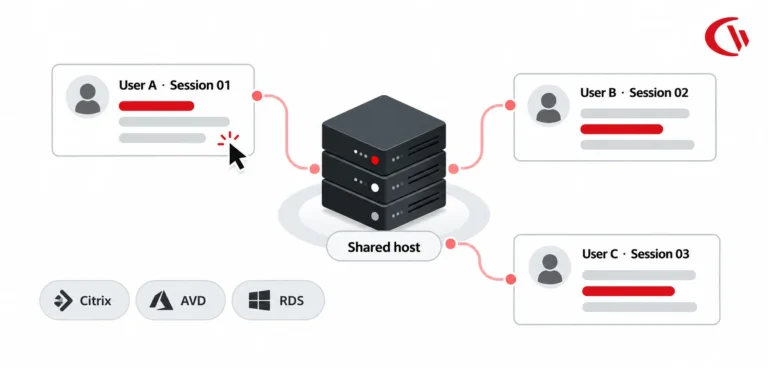
VDI matters if your organization uses Citrix or Azure Virtual Desktop.
Before buying, check how the platform attributes activity to users. Some platforms report activity against the session host instead of the individual user.
These problems usually come down to policy and configuration rather than the technology itself.
That is why how you roll out monitoring can matter more than the number of features on a vendor’s list.
Start with your 18-point checklist, but do not stop at the demo. If you are still building a shortlist, our roundup of the best employee monitoring software compares 11 employee monitoring tools on features, pricing and deployment. Then test the four things that matter most in a real trial.
First, deploy the agent the same way you plan to deploy it after purchase, such as through GPO or Intune. Do not rely on a manual installation if that is not how your team will roll it out.
Second, check how the vendor defines idle time against a real workday. Include situations such as meetings where an employee is working from a second device.
Third, check macOS support if your organization has Mac users. Make sure the Mac experience actually matches what is available on Windows. Claims of feature parity do not always hold up in practice.
Fourth, export the raw data and see whether you can use it to build your own dashboard. If you cannot, you may end up relying entirely on whatever reports the vendor decides to offer in the future.
For pricing, ask for a per-user price in your currency and a written volume pricing schedule.
If a vendor only provides a quote without a published rate card, the price may change based on how much they think you need the software.
Start with the policy, not the software.
Clearly explain what you collect, why you collect it, who can access it, and how long you keep it.
Get employee acknowledgement in writing and include the policy in your onboarding process.
Train managers separately. Make it clear that the data is meant to help with workload, coaching, and business decisions, not to create employee league tables.
Start with a pilot group and include at least one person who is skeptical of the idea. Their feedback can reveal problems that supporters may overlook.
Keep screenshots turned off unless there is a specific investigation that requires them.
Where your policy allows it, give employees visibility into their own activity data. Helping people spot and correct issues themselves is usually easier than dealing with an escalation later.
After 90 days, review your configuration. Remove anything you collected but never actually used.
Different industries need different things from employee monitoring software.
Healthcare organizations need HIPAA-aligned access logs and may prefer on-premise storage.
Legal services need reliable time and matter attribution.
Financial services need retention and supervision records.
Manufacturing organizations may need shop-floor shift tracking and USB controls.
Government and state law enforcement organizations may need CJIS and CMMC alignment, along with controls that keep data within the required jurisdiction.
Schools and libraries may get more value from category filtering than detailed productivity analytics.
Managed service providers need clear separation between different customers and their data.
The underlying activity data can be similar across all these industries. What changes is how you configure and use it. That is why a broader suite can become more useful than individual point tools when a second requirement enters the picture.
Set your baseline before deployment. Then, after 90 days, look at four numbers:
If none of these numbers changed, look at your configuration and how managers are using the data before blaming the software.
And when you report the results, put them in terms of money saved or recovered.
That is the version of the story a CFO is most likely to use when deciding whether to renew.

Start with the fundamentals, compare the monitoring methods available to you, then go deeper on the ones that matter for your compliance program. Ready to see it running? Book a demo and we’ll walk your team through it.
The plain-English definition — what it collects, how the agent works, and where the legal and privacy lines sit before you deploy.
Activity, web, application, screenshot, email, and device monitoring compared — with guidance on which to switch on for your use case.
Track email activity for compliance evidence and insider-threat investigations, with retention controls that keep the scope defensible.
Learn how to monitor employees responsibly while protecting privacy, maintaining transparency, and building workplace trust.
Learn what employee monitoring can improve—and where privacy, trust, and compliance risks need careful consideration.
Learn how to check whether monitoring software is running on a work computer — and what employers can legally see.
14-day free trial, no credit card. Cloud or on-premise — your data stays where you put it.
Time a user was demonstrably interacting with an application or page, as opposed to having it open.
Time with no input or focus for a defined threshold. Configurable, and the definition should be published to staff.
Collection of endpoint activity metadata for security and audit purposes. More on UAM.
Interpretation layer built on activity data: trends, benchmarks, capacity and utilisation.
Use of AI tools that IT has not approved, usually through personal accounts, creating unlogged data exposure.
Threat originating from a person with legitimate access, whether malicious, negligent or compromised.
Data Protection Impact Assessment. Required under UK GDPR for systematic monitoring of workers.
The physical or jurisdictional location where monitoring data is stored. Frequently a UK and Canadian procurement requirement.
Sites, applications or time windows excluded from collection entirely to support data minimisation.
Hardware or software that simulates input to fake activity. Detectable, and a signal of a management problem.
Whether a worker was active during their scheduled shift, derived from logon and activity data.
Using application usage data to identify and reclaim unused paid seats. More on licence optimisation.
USD, CAD & GBP (£) pricing available · billed per user
Helpful guides, templates, checklists, and planning resources to support your monitoring strategy and rollout.
Employee monitoring software is a tool that tracks and analyzes employee activity on company systems, devices, and applications during work. It provides visibility into productivity, security risks, and compliance by capturing activity data such as application usage, web access, and work patterns. Organizations use it to improve operational efficiency, protect sensitive data, and support workforce accountability.
Employee monitoring software works by installing an agent on employee devices that records activity data and sends it to a centralized dashboard for analysis. It tracks events like application usage, login times, and file activity, then converts this data into reports, alerts, and productivity insights. Modern platforms also use analytics to identify trends, anomalies, and potential risks without requiring constant manual oversight.
Employee monitoring software tracks work related digital activity such as websites visited, applications used, login/logout times, file transfers, and device usage. Some tools also capture screenshots or generate behavioral insights based on activity patterns. The goal is to provide visibility into productivity and security while avoiding unnecessary collection of personal or unrelated data.
Yes, employee monitoring software is legal in most jurisdictions when implemented correctly, but it must comply with data protection and labor laws. Regulations like GDPR and similar frameworks require a lawful basis, transparency, and proportionality in monitoring practices. Employers must inform employees about what is being monitored and ensure the monitoring is necessary for legitimate business purposes.
You can monitor employees without invading privacy by focusing on transparency, necessity, and minimal data collection. Clearly communicate what is monitored, limit tracking to work-related activities, and avoid intrusive methods like personal communications or off-hours tracking. Privacy-first monitoring prioritizes aggregated insights, role-based access, and strict data retention policies to balance visibility with employee trust.
The best employee monitoring software for remote teams is one that provides visibility into productivity, supports compliance, and respects employee privacy. Look for solutions that offer real-time activity insights, remote device monitoring, flexible deployment (cloud or on-prem), and policy-based controls. Platforms that combine monitoring with workforce analytics and security features are typically better suited for distributed teams.
You should look for features such as activity tracking, productivity analytics, real-time dashboards, alerts for suspicious behavior, and detailed reporting. Strong solutions also include role-based access controls, data protection safeguards, and integration with IT and security systems. Deployment flexibility, scalability, and compliance support are equally important depending on whether your goal is productivity tracking, security enforcement, or both.
Companies use employee monitoring software to improve productivity, reduce inefficiencies, protect sensitive data, and support workforce accountability through measurable insights. It helps identify workflow bottlenecks, detect insider threats, ensure compliance with policies, and optimize resource utilization. Monitoring also supports data-driven decision making by providing measurable insights into workforce performance and system usage.
The main risks include privacy concerns, employee distrust, and potential legal exposure if monitoring is excessive or non-compliant. Overly intrusive tracking can harm morale and lead to reputational damage. Organizations must balance business needs with employee rights by ensuring monitoring is proportionate, transparent, and aligned with legal requirements.
You implement employee monitoring by defining clear objectives, establishing policies, and selecting a compliant solution aligned with your IT environment. Deployment typically involves installing agents on endpoints, configuring monitoring rules, and setting access controls. Successful implementation also includes employee communication, legal review, and ongoing governance to ensure transparency and accountability.
Employee monitoring software measures productivity by analyzing active time, application usage, task patterns, and work output signals. It distinguishes between active and idle time, identifies high and low efficiency activities, and generates productivity scores or trends. Advanced tools translate this data into actionable insights, helping organizations quantify performance and identify improvement opportunities.
You should choose on-premise deployment if you need full control over data and infrastructure, especially in highly regulated environments. Cloud deployment is better for scalability, faster setup, and reduced IT overhead. Many organizations adopt cloud or hybrid models to balance security, flexibility, and operational efficiency depending on their compliance and infrastructure requirements.
Yes, employee monitoring software can track the use of AI tools like ChatGPT, Copilot, or Gemini by monitoring application usage, browser activity, and URL access. It can show when and how frequently these tools are used, helping organizations assess adoption patterns, productivity impact, and potential data security risks.
Employee monitoring software is suitable for both small businesses and large enterprises. Small businesses use it to improve efficiency and manage limited resources, while enterprises rely on it for scalability, compliance, and security. Enterprise employee monitoring software adds what larger deployments need — VDI support, role-based access, SSO and longer retention — while employee monitoring software for small businesses is judged mainly on how fast one person can deploy and administer it. Modern solutions are designed to scale with organizational size, offering flexible pricing and deployment options to match different business needs.
Each of these answer different questions. While MDM configures, and enrolls devices, EDR hunts malware, DLP blocks sensitive data from leaving your organization, and UEBA flags any anomaly. Employee monitoring shows you how your employees’ work time is actually spent on company devices- the websites they visited, the apps they used, their idle time vs. productive time, etc. They are used as complements to employee monitoring, not as supplements.
Not when configured carefully. Impact may increase with screen capture frequency but not with monitoring itself. BrowseReporter runs quietly and tracks activities in the background. Screenshots are optional and triggered only on the defined conditions rather than running continuously. Slowdowns only happen due to aggressive screen capturing intervals, aging hardware, or several agents competing at once.
AI systems that evaluate workers or make employment decisions are considered high-risk under Annex III and require documentation, transparency, and human oversight. These obligations were deferred to December 2, 2027. Workplace emotion recognition is banned outright. Activity reporting that does not automate decisions about employees generally falls outside the high-risk category.
Check installed programs, background processes, browser extensions, and startup items. On Windows, you can use Task Manager, while macOS users can check Activity Monitor. Management profiles, corporate certificates, and proxy settings can also be indicators. Many organizations display login notices too, since transparency is a legal requirement in some jurisdictions and a good practice everywhere.
No. Mouse jigglers create cursor movement without matching application activity, which can stand out in usage reports. VPNs can hide traffic from network inspection, but they do not hide activity from an agent already running on the computer. Incognito mode only clears local browsing history. Each workaround can still leave its own detectable pattern.
It depends on how it is implemented. A transparent, team-level reporting used to balance workloads and support coaching can improve both productivity and morale. Covert or purely punitive tracking can damage trust and encourage employees to game the metrics. Privacy-controls, clear communication, business-hours-only monitoring, and transparency about what is collected help keep monitoring useful without hurting workplace culture. It is important to let the employees know their devices are being monitored to avoid any backlash.
The difference comes down to how monitoring is configured and used. Lightweight monitoring focuses on metadata such as app and website usage, active time, and productivity categories, with employees aware of what is being collected. Heavy surveillance involves continuous content capture without notice. BrowseReporter’s screenshot capture is optional, can be triggered by specific conditions, and has automatic retention limits.
Incognito browsing and private messages can still be visible, but passwords are not. BrowseReporter tracks browsing activity independently of the browser, so incognito activity can still appear in reports. Private messages may also appear in triggered screenshots. Since BrowseReporter does not capture keystrokes, passwords are not recorded.
No Credit Card Required
Join thousands of businesses using CurrentWare to enhance security and productivity