
HRIS Integration with BambooHR
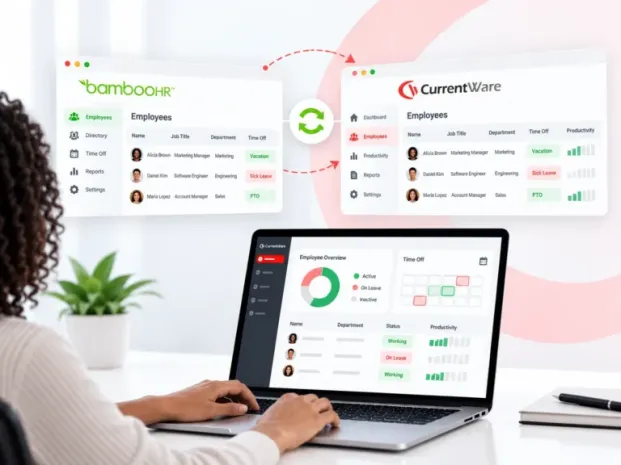
Sync employee details and approved time off from BambooHR, so your productivity reports show who’s really at work.
- More accurate reports
- Better-informed decisions
- Less manual upkeep
- Set up in minutes

Eliminate the guesswork
Your HR system knows who’s present and who’s on leave. Your productivity reports don’t. When approved time off never reaches CurrentWare, an employee on vacation can look inactive, and someone has to keep two systems in step by hand.
| Option A | Report without leave data | Time off shows up as inactivity, often misleading managers | ✕ Misread reports |
|---|---|---|---|
| Option B | Update records manually | Accurate until forgotten. Every new hire, role switch, and vacation means another edit | ✕ Manual upkeep |
| Option C | Sync records with Bamboo HR | Employee details and approved time off sync automatically | ✓ HRIS Integration |

Connect in 4 simple steps
Setting up takes minutes from the new HRIS tab under Integrations. You don’t need developers or custom scripts.
Step 1: Go to the HRIS tab under Integrations and select BambooHR.
Step 2. Sign in to your BambooHR account through a secure, guided authentication flow.
Step 3. Choose which employee fields to sync and how often: every 2, 4, 8 or 24 hours.
Step 4. Match Windows usernames to employees, one at a time or in bulk with import and export.
That’s all you have to do. From here on, CurrentWare stays synced with BambooHR on its own. Hit ‘Sync Now’ whenever you need an immediate update.
Built for accurate reporting
Leave-aware reports
Approved time off appears right alongside productivity data, so an absence is never mistaken for inactivity.
Current employee data
Names, job titles, teams and departments stay up to date without manual edits.
Your choice of fields
Decide exactly which employee fields come across from BambooHR.
Auto sync + Sync Now
Schedule syncs every 2, 4, 8 or 24 hours, or update on demand
Connection status and logs
See your last successful sync and spot failed connections fast.
One-way and safe
CurrentWare reads from BambooHR and never writes changes back, so your HR system stays the source of truth.
Your HR data, synced automatically.
Connect BambooHR once, and the people data behind your reports matches your HR system.
| Employee details | Approved time off |
|---|---|
| First and last name | Vacation |
| Job title | Sick leave |
| Team, group and department | Personal days |
| Employee ID | PTO |
Only approved time off syncs. Pending, declined or cancelled requests stay in BambooHR.
One sync, three wins.
Visibility for everyone at every level.
| Managers | Decide on the full picture | Review productivity with approved leave in view, so you coach on real performance gaps, not vacation days. |
|---|---|---|
| HR teams | One source of truth | Keep BambooHR as the system of record. Org changes made there show up in CurrentWare automatically. |
| IT admins | Set it and forget it | Connect in minutes, schedule the sync, and stop maintaining employee records by hand. |

Time off, counted correctly.
Approved leave syncs from BambooHR and shows up as time-off hours in the reports managers already use. A full day off counts as 8 hours and a half day as 4, so you can see at a glance why Thursday looks quiet.
Where you’ll see it:
- Utilization Summary, with a new Time Off column
- Schedule Adherence
- Supported Utilization Reports