


Product Comparisons
Block ransomware & unauthorized apps before they execute
Allow only approved applications are allowed to run. Enforce strict compliance across high-regulation industries. Improve workforce productivity by blocking non-work applications.
*No credit card required · 14-day free trial · Easy setup
700+ organizations trust CurrentWare's employee monitoring software for visibility & control
Why Application Allowlisting Is Your Files Ultimate Cyber Defense
Modern threats bypass signature-based antivirus every day. Application Control stops them at the only moment that matters
Prevent Zero-Day Exploits
Block unknown malware before any signatures exist. Your endpoints stay secure even against brand-new threats.
Stop Ransomware at the Source
Ransomware relies on unauthorized encryption tools. If it can’t run, it can’t encrypt.
Reduce Alert Fatigue
No algorithms. No guesswork. Only trusted, verified applications run – everything else is denied by default.
Exceed Compliance Requirements
Supports NIST 800-53 & 800-171, PCI DSS, CIS Controls, and Australian Essential Eight (ACSC).
Cut Attacks by 85%
Organizations using allowlisting experience dramatically fewer security incidents compared to antivirus-only environments.
Zero Trust Enforcement
Implement Zero Trust at the endpoint with default-deny policies that ensure complete application control.
What You Can Do with Application Allowlisting
Built for security teams who need visibility, precision, and complete control.
Allowlist Trusted Applications
Approve applications using digital signatures, file hashes, publisher certificates, and trusted paths.
- Digital signatures
- File hashes
- Publisher certificates
- Trusted paths
Block Unauthorized Software
Prevent portable executables, unsanctioned IT tools, unauthorized installers, and malicious scripts.
- Portable executables
- Unsanctioned IT tools
- Malicious scripts
- .exe, .bat, .ps1, .dll files
Real-Time Execution Control
Every execution attempt is verified, logged, and allowed or blocked instantly.
- Instant verification
- Complete audit trails
- Real-time logging
- Transparent monitoring
Intelligent Policy Automation
Policies stay up-to-date as software evolves with automatic updates and patch integration.
- Automatic vendor trust
- Certificate-based approval
- Patch management
- Zero manual effort
How It Works
A powerful but simple Zero Trust execution model that protects your entire organization.
Discover & Inventory All Software
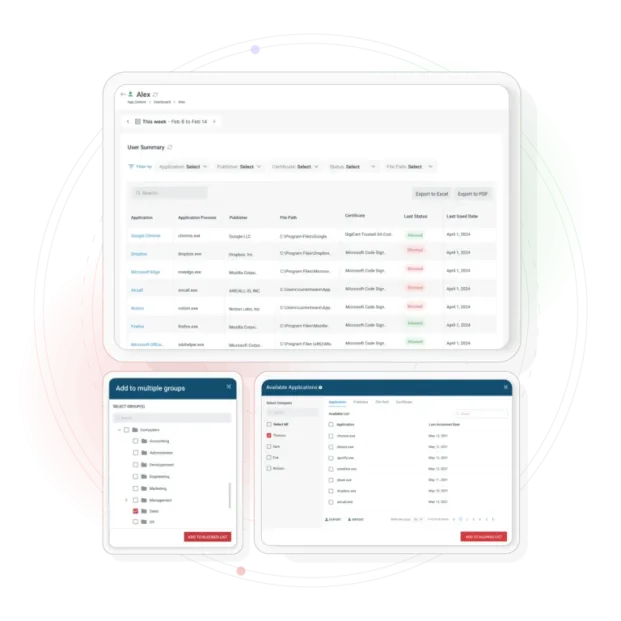
Automatically map every application, script, and process running in your environment.
Create Allowlist Policies
Approve trusted applications with granular control by department, machine, user groups.
Enforce 'Default Deny' Execution
If it’s not approved, it doesn’t run—period. Complete protection against unknown threats.
Monitor Events & Adjust Policies
Real-time logs show blocked executions, attempted unauthorized apps.
Why Organizations Choose CurrentWare
Key capabilities designed to maintain accurate workforce productivity insights in remote and hybrid environments.
Enterprise-Grade Protection
Deploy scalable application control without the overhead of legacy tools
Fast Implementation
Get started with a pilot deployment in hours, not weeks.
Hybrid & Remote Ready
Centralized console with full visibility across all endpoints,remote or on-site.
Built for IT Teams
Simple to administer. Clear alerts. Minimal disruption to workflows.
Compare alternatives
Switching From Another Web Filter? See How BrowseControl Compares
Side-by-side breakdowns of BrowseControl against Cisco Umbrella, Zscaler, WebTitan, and other filtering and monitoring tools, covering features, deployment, and pricing.
- Product Comparisons
WebTitan Alternatives
- Product Comparisons
Veriato Alternatives
- Product Comparisons
Teramind Alternatives
- Product Comparisons
SafeConsole Alternative
- Product Comparisons
ManageEngine Alternative
- Product Comparisons
InterGuard Alternative
- Central Web Console
Insightful Alternatives
Trusted by teams across the United States, Canada & the United Kingdom
Join 100,000+ professionals across 55 countries.


What customers say about CurrentWare
4.7 / 5
90% of reviewers would recommend BrowseControl (average likelihood to recommend: 9 out of 10).
Solutions That Work Across Industries
Tailored controls that help you meet industry standards, boost efficiency, and protect sensitive data across remote and in-office teams.
Healthcare
HIPAA-ready controls to protect PHI with USB management and insider-threat visibility.
Government
Cybersecurity and policy enforcement aligned to NIST 800-171 and CMMC.
Legal Services
Keep client data protected, billable hours productive, and software costs in check.
Manufacturing
Productivity monitoring and internet visibility for both the shop floor and back office.
Financial Services
Enforce access policies and protect sensitive financial data with audit-ready trails.
Schools & Libraries
CIPA-compliant web filtering to qualify for E-Rate and keep students safe online.
Small Business Employee Productivity
Track unproductive web browsing and idle time to detect time-wasting
Built to Support Your Compliance Program
Discover how organizations use CurrentWare’s employee monitoring software to improve visibility, strengthen compliance efforts, and manage employee activity more effectively.
- CMMC Compliance →

CMMC
Endpoint Restriction to Protect CUI & FCI
- NIST 800-171 Compliance →

NIST 800-171/53
Protect Controlled Unclassified Information
- ISO 27001 Compliance →

ISO 27001
Increase the Maturity of Your ISO27K ISMS
- HIPAA Compliance →

HIPAA
HIPAA protects sensitive patient data
- Cyber Essentials Compliance →

Cyber Essentials
Critical Security Controls For Your Assessment
- GDPR Compliance →

GDPR
EU’s data protection and privacy law
- NERC CIP Compliance →

NERC CIP
Protect TCAs & BCSI From Insider Threats
- CIPA Compliance for Education →

CIPA for Education
Qualify for the FCC’s E-Rate Program
Pick & Plug Into Your Existing Stack
CurrentWare works alongside the identity, security, and directory tools you already use, including support for SAML, OIDC, and CEF standards. Cloud connectors are on the way.
- Tested & supported
- Generic standards (SAML, OIDC, CEF)
- On the roadmap (Cloud)


Keep reading
Articles
- Workforce Productivity
Workforce Activity and Application Usage Reports
Successful executive leadership goes beyond monitoring employees' every move; it also needs a clear, factual picture of digital workflows, which…
- Compliance
UK Workplace Monitoring Laws & Compliance Guide
Learn how UK employers can monitor workers lawfully under UK GDPR, the DPA 2018, ICO guidance, and proportionate-monitoring principles.
- Data Loss Prevention
How to Prevent Sensitive Data Pasting into AI Tools
Learn how endpoint DLP, web filtering, and application controls help prevent employees from pasting sensitive data into ChatGPT and other…
- Employee Monitoring
Citrix & AVD Multi-Session User Tracking Guide
Learn why Session-ID mapping matters in Citrix, Azure Virtual Desktop, and RDS separating user activity, idle time, policies, and audit…
- Product Updates
CurrentWare Cloud Update: Sync HRIS, Redact Data, Block Files
Our latest cloud release offers three new capabilities that are focused on one goal: to protect the data you can’t…
- Employee Monitoring
Scalable Employee Monitoring for Growing Teams
The fast-growing company does not have a large IT team, resources dedicated to security, or weeks to deploy an enterprise…


Get Started with Application Allowlisting Today
Maximize your defenses. Minimize your attack surface. Block malicious software before it ever has the chance to run.
No Credit Card Required
Frequently asked
Application Control Software
-
Allowlisting (default-deny) blocks every application except those you explicitly approve. Blocklisting lets everything run except the specific programs you block. BrowseControl supports both: the App Blocker for blocklisting, and Application Allowlisting for Windows.
-
With Application Allowlisting on, any executable that isn’t approved is blocked, including portable apps run from USB drives or downloads. Approved apps can be defined by name, publisher, file path, or digital certificate. Path rules let you trust specific folders only. The App Blocker can also block specific programs by name. AccessPatrol can stop the USB drive from being usable in the first place.
-
Yes. Application policies are set per group, so IT staff and standard users can have different rules. Groups can be imported and kept in sync from Active Directory security groups or Microsoft Entra ID.