Data Loss Prevention Software
CurrentWare’s data loss prevention software protects sensitive data against theft. Configure endpoint security policies to prevent your users from transferring data to unsanctioned cloud storage sites and portable storage devices.
Trusted By:
& many more
Trusted by:
and more
Why Use Data Loss Prevention (DLP) Software?
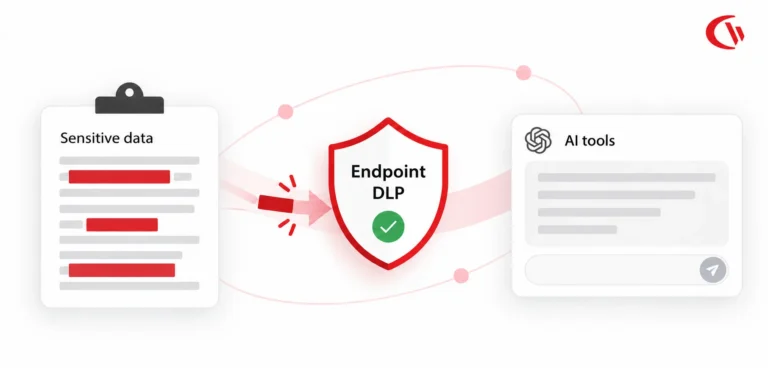
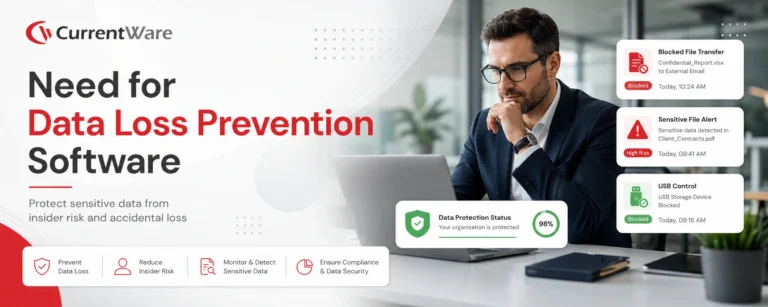
Data loss prevention software protects sensitive data such as PII, PHI, EHRs, and intellectual property from being shared outside the corporate network.
Without DLP software an organization risks losing the sensitive data of their customers to a trusted insider transferring their information to a USB flash drive. With DLP software these risks can be mitigated by enforcing security policies that restrict sensitive data from being exfiltrated from the network.
Technical safeguards are required by data security and privacy frameworks such as GDPR, HIPAA, SOX, ITAR, and PIPEDA. DLP software provides critical security controls to help meet regulatory compliance requirements.
Over 64% of financial services companies have 1,000+ sensitive files open to every employee.1
Without data loss prevention measure in place, stealing these sensitive files is as simple as a transfer to a USB flash drive.
70% of consumers believe that businesses aren’t doing enough to secure their personal information.2
DLP software protects sensitive personal information by preventing data leakage to key egress points.
63% of employees have brought data from their previous employer to their current employer.3

The best data loss prevention software protects intellectual property against insider data theft.
USB Activity Reports
- Monitor file operations history on USB devices, cell phones, and cameras for high-risk behavior and data mismanagement.
- Collect evidence of data exfiltration, attempts to use unauthorized USB devices, and peripheral device usage.
- Trace an end-user’s peripheral device usage across all of your organization’s endpoints.
Computer Usage Reports
- Detect the presence of shadow IT and end-users engaging in high-risk web browsing.
- Timestamped reports of logins and logoffs alert security teams to off-hours access.
- Monitor bandwidth usage for anomalous spikes in traffic to detect the presence of large file transfers.
First Choice Health Prevents Data Leaks & Meets HIPAA Compliance
“We never have to worry about what may happen when someone plugs a device into one of our machines. AccessPatrol has made our lives easy; we just set it, forget it, and it works!”
How to Prevent Data Leakage With CurrentWare
The CurrentWare Suite provides critical security controls for protecting your network, endpoints,
and sensitive data against a variety of high-risk activities.
Block & Audit Removable Storage Devices
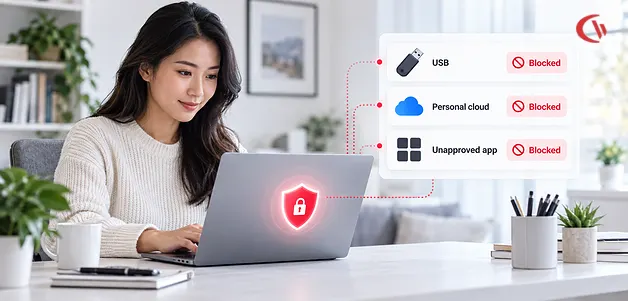
Control who can use portable storage devices and set USB security policies to limit what devices are allowed. Monitor data transfers and other file operations to removable media.
Prevent Data Leaks to Cloud Storage
Use web filtering and application blocking policies to stop unauthorized cloud storage use. Protect sensitive corporate data from being uploaded to unsanctioned file sharing sites.
Protect Sensitive Data Against Malware
Stuxnet and other malicious software can be spread by infected USB flash drives. Block high-risk websites and USB devices in your network to protect data against malware.
Audit User Activity for Insider Threat Risks
Monitor the internet and application use of users for high-risk, anomalous, or inappropriate activity. Receive automated alerts straight to your inbox when unwanted events occur.
Granularly Restrict Data Transfers
Go beyond simply blocking unauthorized USB devices; keep data safe from trusted devices, too. Block file transfers to portable storage devices based on file extension and file name.
Block High-Risk Network Ports
Block unused TCP/UDP ports to reduce the attack surface of your network. Mitigate the threat of data leakage over FTP, SFTP, IRC, and other high-risk network ports.
Assign Granular Device Permissions
CurrentWare’s data loss prevention software policies can be customized to fit the needs of each user, computer, and organizational unit in your environment.
Data Loss Prevention for Remote Workers
CurrentWare is the best data loss prevention software for remote workers. The client agent ensures that security policies are enforced even when endpoints leave the network.
Data Loss Prevention Features
Block Endpoint Devices
Protect your network from endpoint attacks by restricting device access.
Block Malicious Websites
Prevent users from accessing malicious websites that are susceptible to malware attacks.
Report on Endpoint Activity
Report on file transfer and endpoint devices that were connected to your network.
Temporary Access to Endpoint Devices
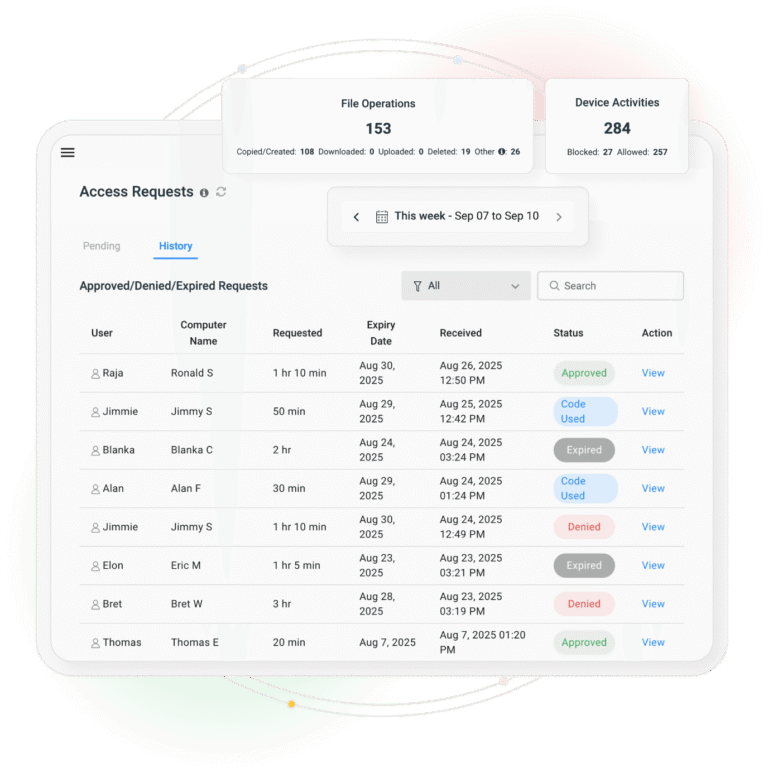
Use the Access Code Generator to provide temporary access to endpoint devices.
Endpoint Device Permissions
Control how files can be modified through endpoint devices. Configure read-only, no access, or full access policies.
Block Smartphones and Tablets
Prevent users from connecting iPhones, iPads, Android devices, and more.
Turn Internet Off
Turn the Internet off completely to prevent online file transfers or uploads.
Block Computer Programs
Prevent users from using unauthorized or malicious computer programs.
Device Control Software That Goes Beyond USB Devices
USB storage drives are not the only devices that can be used to steal sensitive data.
The wide variety of peripherals you can control with AccessPatrol make it the best device control and
data loss prevention software for preventing insider data theft.
Storage Devices
| USB |
|
| DVD/CD |
|
| Floppy |
|
| Tape |
|
| External Hard drive |
|
| SD Card |
|
| MM Card |
|
Wireless Devices
| Bluetooth |
|
| Infrared |
|
| Wifi |
|
Communication Ports
| Serial |
|
| Parallel |
|
Imaging Devices
| Scanners |
|
| Cameras, Webcams, Others |
|
Others
| Printers |
|
| USB Ethernet Adapter |
|
| Sound Cards |
|
| Portable Devices (iPhones, Mobiles) |
|
| Network Share |
|
Case Study
Viking Yachts Protects Sensitive Information From a Departing Employee
“CurrentWare saved us a lot of time and money. If we didn’t have AccessPatrol we would have never known what was going on. I cannot thank all of you enough for this software.”
Discover Our Products
Starting at $3.99 USD user/month
Employee Monitoring
BrowseReporter is a versatile employee monitoring software to track productivity and efficiency. Easily monitor web browsing and application usage with intuitive user activity reports.
✓ Make informed decisions with user activity monitoring
✓ Detailed evidence of web activity, the perfect tool for enforcing internet use policies
✓ Automatically capture screenshots of employee desktops
Web Filtering
BrowseControl is an easy-to-use website blocking software for restricting internet access.
Enforce internet use policies, block distracting websites, and improve internet security with granular internet access control policies.
✓ Block websites based on URLs and content categories
✓ Prevent users from running certain programs
✓ Control internet access with allow and block lists
Device Control
AccessPatrol is a data loss prevention and USB control software to protect sensitive data against theft to portable storage devices.
Block USB devices and other peripherals to mitigate the threat of USB malware and data leakage.
✓ Block USB devices, network storage, & other peripherals
✓ Get alerts of USB file transfers and device use
✓ Block file transfers based on name and filetype
PC Power Manager
enPowerManager is an effective solution for remotely managing PC power policies across an enterprise to conserve energy and reduce costs.
With a simple click of the mouse computers can be remotely shutdown or booted automatically at different times during the day.
✓ Remotely schedule and manage computer power states
✓ Configure advanced power policies for all users
✓ Track logon, startup, and shutdown activities
Employee Monitoring, Web Filtering, PC Power Management, & Device Control Software
Improve employee productivity, data security, and business intelligence with advanced awareness and control over how technology is used in your organization.
Each solution operates from the same central console, allowing you to easily manage the entire CurrentWare Suite from the convenience of a web browser.
✓ Get advantageous pricing when you purchase all four solutions
✓ Seamlessly add new solutions without redeploying the clients
✓ Includes BrowseReporter, BrowseControl, AccessPatrol, and enPowerManager
Flexible Deployment Options
On-Premises | Remote Workers | Self-Managed Cloud
Improve Productivity & Security in 3 Simple Steps
Download the Free Trial
Get started today with a free fully-functional 14-day trial of the CurrentWare Suite. No credit card required to sign up!
Deploy the Software
Install the Console & Server on a computer, server, or a cloud platform of your choice. Then deploy the Clients to your users’ computers.
Manage your Users
Organize your users/computers with AD sync or configure custom policy groups. Apply policies and run on their computer activities.
DLP Software Frequently Asked Questions
Can I Use Your Data Loss Prevention Software With Remote Workers?
Yes. CurrentWare’s data loss prevention software solutions support a variety of deployment options that allow you to control USB devices, block websites, and monitor user activity no matter where they are.
To learn more about using data loss prevention with remote workers, visit this article:
How to Set Up Data Loss Prevention Software for Remote Teams
Are There Any Limits to the Free Trial?
The free trial of our data loss prevention software is fully functional. You can deploy it on up to 10 computers for 14 days. If you need more time or more computers to properly evaluate the best data loss prevention software for your organization, reach out to our support team.
Will My Employees Know They Are Being Monitored?
As with any CurrentWare Suite product, your organization is in control of how visible the data loss prevention software is.
The CurrentWare software client operates in stealth mode by default.
In stealth mode, the CurrentWare software client is not visible in the system tray or control panel of the user’s computer. Your users will not be able to uninstall the program or stop it without administrator privileges.
If you would like your users to be aware that they are being monitored, you can choose to show the CurrentWare software client in their system tray by enabling it in the client software settings.
AccessPatrol does not disclose when its USB activity monitoring feature is active. When your employees attempt to use an unauthorized USB device they can be presented with an optional warning message.

When BrowseControl blocks a website you can choose to show a warning message, redirect to another website, or simply have the connection fail.
When monitoring user activity with BrowseReporter you can choose to enable the End-User Reports feature to provide users with access to their activity data. You can also display optional notifications that periodically remind them that they are being monitored.
Does CurrentWare Have Access to Employee Data?
No. CurrentWare’s user activity monitoring and data loss prevention solutions do not send your user’s computer usage data to CurrentWare. They are installed and managed by your organization.
All of the data collected by CurrentWare’s software is stored on a database that is installed in your organization’s network or on a virtual machine provided by a cloud service provider of your choice.
For more information please refer to our Terms of Service
What is Data Loss Prevention (DLP)?
Data loss prevention (DLP) is a set of tools and processes that prevent confidential data from being leaked, deleted, or misused.
DLP tools work to detect and prevent sensitive data from leaving the network. To protect the confidentiality and security of data, DLP software stops employees and other end-users from copying sensitive data to unauthorized USB drives.

The security policies defined by DLP software helps to prevent end users from accidentally or maliciously sharing data that could put the organization at risk.
Can I Set Unique Device Restrictions for Different Computers or Users?
Yes. You can assign unique security policies for each computer, user, department, or other organizational unit (OU) in your company.
To do this, CurrentWare’s data loss prevention software allows you to create group folders with separate policies. This feature is perfect for restricting users while providing greater access for trusted administrators.
In terms of device control, you can also use the access code generator to temporarily grant access to all peripherals or use the device scheduler to automatically allow/block devices at specific times.
In terms of internet and application restriction, you can use the internet scheduler and app blocker scheduler to temporarily allow access to blocked websites and applications at specific times.
Can I Block Specific File Types from Being Transferred?
Yes. CurrentWare’s device control and data loss prevention software AccessPatrol has the ability to prevent your end-users from copying specific files to their storage devices. These file transfer restrictions can be configured based on the file name or file extension.
The file transfer blocking feature can also be used on devices that are on the Allowed List. This lets you provide access to company-authorized USB devices while still protecting the sensitive data in your network against exfiltration to portable storage hardware.
Who Uses This Data Loss Prevention Software?
CurrentWare has a global client base across a variety of industries including government, healthcare, finance, nonprofit, and manufacturing.
CurrentWare’s customers use our computer monitoring, web filtering, and endpoint security solutions to protect their business against time theft, data leakage, and web-based threats by monitoring and controlling computer usage.
Learn more by reading our data loss prevention software customer case studies.
How Can I Start Protecting Sensitive Data?
- Download & install CurrentWare
Download the files for your free data loss prevention software trial. On the administrator’s computer, run CurrentWare.exe to begin the installation of the endpoint security solutions. - Deploy the security software clients
Deploy the CurrentWare software client (cwClientSetup.exe) on all the computers you want to control. You can deploy the software client with a local install or by using Active Directory, SCCM, or our built-in remote deployment tool. - Monitor & control your endpoint devices
After the installation, you will see all of your user’s computers on the CurrentWare Console. From this console, you can generate detailed reports on your user’s activities and assign data loss prevention policies to protect data against insider security threats.
Is This a Cloud Product?
The CurrentWare Suite can be deployed on-premises or on a cloud platform of your choice. Both deployment option are compatible with remote workers with a few configuration changes.
Learn More:
Secure your network and protect your sensitive data with CurrentWare
1 2021 Data Risk Report – Varonis. https://info.varonis.com/hubfs/docs/research_reports/2021-Financial-Data-Risk-Report.pdf.
2 2020 Data Attack Surface Report – Arcserve https://info.arcserve.com/en/the-2020-data-attack-surface-report.
3 2019 Global Data Exposure Report – Code42 https://www.code42.com/news-releases/code42-global-data-exposure-report/.