
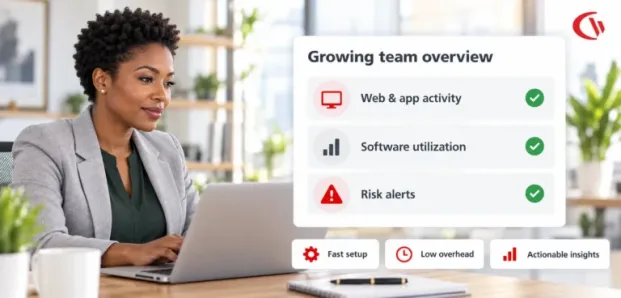

The fast-growing company does not have a large IT team, resources dedicated to security, or weeks to deploy an enterprise workforce analytics solution. Despite all this, organizations demand intelligence on how their workforce leverages the tools that they employ, where the bottlenecks lie, and how effective they are at safeguarding the organization’s data. That creates a difficult balancing act.
Conventional employee monitoring solutions tend to add significant complexity with complicated setups, invasive tracking tools, multiple dashboards, and mountains of data to figure out. For a growing business, it may lead to more busywork and less visibility.
Today, employee monitoring is taking a different path. Rather than registering each mouse click, keystroke, or screen change as an indicator of productivity, lightweight workforce analytics capture meaningful activity indicators, including application usage, web activity, application usage, security settings, and actionable insights.
This approach can help small and mid-sized businesses answer practical questions:
- Which applications are employees actually using
- Which SaaS subscriptions are underutilized?
- Are non-business websites consuming significant work time?
- Are employees spending substantial time in meetings that traditional idle tracking misclassifies?
- Are unauthorized applications or removable devices creating security exposure?
- Can new employees automatically inherit the correct IT policies?
- Can IT generate useful reports without maintaining a complicated monitoring infrastructure?
The goal is not to watch employees more closely. It is to give lean IT teams enough reliable information to make better technology, security, and workforce decisions.
What Is Lightweight Employee Monitoring?
Lightweight employee monitoring is a workforce analytics methodology that emphasises actionable insights, minimal management requirements, and proportional monitoring rather than continuous surveillance.
Traditional User Activity Monitoring (UAM) solutions can include powerful features such as keystroke logging, browser activity monitoring, webcam recording and full-screen recording, as well as in-depth, granular behaviors. Although these features can have their place, they also present real challenges around employee privacy, storage and compliance.
For instance, an organization looking to eliminate SaaS waste doesn’t require a screenshot of an employee launching an application. Instead, they require the ability to see whether it’s used, how often it is used, and if they have the right number of licenses. Likewise, if a security team is researching an employee who uploaded information illicitly, they may want the contents of USB devices and file transfers instead of a video of an employee’s desktop.
This distinction is crucial as employers consider adoption of workplace AI-enabled tools in the context of the new requirements of the EU AI Act. The EU AI Act’s high-risk category encompasses some AI systems in the employment and worker management spheres, including systems for worker monitoring or performance evaluation, but it would be mistaken to categorize every workplace monitoring tool as automatically high risk or covered by the same obligations.
The State of Workforce Analytics in 2026
Workforce analytics is now at the crossroads of productivity, IT asset management, cybersecurity, and people experience. Companies are facing multiple overlapping challenges. Employees have a greater number of SaaS tools than ever before Remote endpoints are living outside the traditional network perimeters Generative AI has introduced yet another new category of apps that will be sold without formal IT approval.
Flexera’s own State of ITAM research has indicated significant amounts of technology waste. In its 2023 research, Flexera found some 32% of SaaS spend was either estimated to be wasted or under utilized, and much more in desktop and other types of software. A recent Flexera research continues to show tangible savings to be realized from waste reduction.
Here are the current ongoings reflecting the state of workforce analytics 2026:
1. Productivity Loss From Unrestricted Internet Access
Unlimited internet access may lead to lost productivity, but it also makes your workplace vulnerable to security risks. A data snapshot from Spiceworks illustrates the impact of web filtering, security, and productivity and estimates that workers in organizations that have no internet controls can lose 26 days each year to non-business sites.
The specific impact differs widely by business, role, industry, and acceptable-use policy. The more useful takeaway for SMBs is that allowing users to browse freely can present a quantifiable business challenge, as well as elevate the risk of visiting malicious, inappropriate, or risky sites.
2. SaaS and Software Waste
SaaS subscriptions can accumulate quietly after buying ten licenses for a project, and a further fifteen when recruiting staff; a company might end up keeping licenses for ex-staff and suddenly find a number of seats go largely unused.
Workforce analytics based on these usage patterns. Rather than making assumptions on renewal on an annual basis, IT can assess what is really being used by the business and which licenses are actually executing the business process. This makes employee activity information a cost reduction tool.
3. Shadow AI and Data Security
Generative AI introduces another visibility challenge. Employees can utilize AI through browsers, personal accounts, extensions, or third-party apps without the aid of IT. IBM’s research has found shadow AI to be a major breach-cost driver. IBM’s 2025 research determined that one in five of the organizations studied had a breach that involved shadow AI, while organizations with high shadow AI levels saw an average breach cost that was roughly $670,000 higher than organizations with little to no shadow AI.
The lesson for SMBs is not that all AI integrations should be blocked, but that businesses need to define an acceptable-use policy, decide what AI integrations are acceptable, be aware of where sensitive data may be input and, where appropriate, control apps or access to websites.
Step-by-Step Guide to Implementing Workforce Analytics
A robust employee monitoring program does not have to become an IT project that takes months to roll out. In a new or small organization the goal should be to start with a very narrow use case, create policy, automate the admin and only expand when the business has a real need.
Step 1: Establish Non-Invasive Policies
The first step is deciding what not to monitor. Keystroke logging, constant screen capture, webcam monitoring, and other forms of inspection can introduce additional risks to privacy and employee relations that are not worth the information that can still be obtained more simply. Workplace insights using location awareness can also share valuable workforce insights without device tracking via GPS. Approved signals or identifiers can help track office, remote, and hybrid work environments while limiting the collection of unnecessary location data.
Make the program transparent. Employees should understand in advance what is being monitored, how it’s being monitored, where the data will go, what will be done with the information, how long information is stored, and what that information can and cannot be used for.
Step 2: Automate Identity and User Provisioning
As a business expands, adding new employees manually quickly becomes unmanageable. For instance, an IT admin has to manually create all of the accounts for each employee, add each one to the required policies, and change group membership as necessary. For 10 employees, this may be manageable. For 100 or 500 employees, this is tedious and prone to mistakes. Directory integration solves much of this administrative burden.
CurrentWare’s Version 12.0.0 introduced Microsoft Entra ID user and group synchronization, allowing administrators to import users and groups and map them to policies. The feature is designed to reduce manual user administration and policy errors.
This supports a more scalable onboarding model:
- Create the employee in the organization’s identity directory.
- Add the employee to the appropriate security or departmental group.
- Synchronize the directory with the monitoring platform.
- Automatically apply the relevant policies.
- Review exceptions rather than manually configuring every user.
Step 3: Implement Low-Noise Telemetry
More data does not necessarily lead to better analytics. Faulty monitoring can produce false positives, idle-time reports, and dashboards that are always in need of being analyzed. Meeting-aware telemetry is a good example. An employee will sit through an hour-long meeting in a Microsoft Teams or Zoom call with no mouse movement or keystrokes. An unsophisticated solution might mark that as idle even though the employee is actively engaged.
This can be corrected by an Idle Exclusion List, through which approved applications and websites can be excluded from calculating idleness. This will help to differentiate inactive time from useful time, which involves meetings, presentations, training, calls, etc.
Step 4: Scale Only What You Need
A growing organization should not have to purchase an enormous software package simply because it may need one feature in the future. A modular approach allows IT teams to address the most urgent problem first.
✅ Phase 1: Web security > Deploy web filtering and application controls to reduce exposure to malicious, inappropriate, or distracting content.
✅ Phase 2: Workforce analytics > Introduce application, website, bandwidth, and active-versus-idle reporting.
✅ Phase 3: Data protection > Add USB controls, device restrictions, and file-transfer monitoring.
✅ Phase 4: Operational efficiency > Introduce power management and automated endpoint policies.
This approach reduces implementation risk while allowing the monitoring program to evolve alongside the business.
CurrentWare: Modular Architecture for Lean IT
CurrentWare leads its platform as a solution comprising workforce analytics, web filtering, application control, USB/device management, DLP, and PC power management. This architecture is also relevant to organizations that prefer not to manage separate products for each endpoint-management need. It has a single web console and integrations with directory environments.
The four capabilities are:
1. BrowseReporter: The BrowseReporter tracks employees’ internet usage and provides different types of reports on it, which include employee productivity reports, active versus idle reports, and website and app activity report on it. For software optimization companies, usage data can identify rarely used software or software that does not have common adoption patterns. This information can then support license-renewal decisions.
2. BrowseControl: BrowseControl provides web filtering and application-control capabilities. It can enable policies to block certain categories of sites, configure application controls, configure scheduled time, and control the use of the internet. This offers SMBs a real-world single point of endpoint protection, with the addition of a standalone web-filtering setup.
3. AccessPatrol: AccessPatrol focuses on USB and removable-device control.
It enables organizations to block unauthorized devices, publish an approved-device policy, prevent files from being transmitted, and create DLP reports. This is especially true when your workers are working remotely, and company devices routinely leave the standard office.
4. enPowerManager: enPowerManager provides centralized PC power-management capabilities. IT administrators can: Schedule shutdowns and pause and resume boot delays, track power states, manage logon and logoff logs, and automatically apply power policies to endpoints. If your business owns many Windows PCs, these controls may also help you contribute to energy savings and standardize your operation.
Transparent, SMB-Friendly Economics
Cost predictability is an important consideration for growing organizations.
CurrentWare pricing is significantly different from older pricing references. The 2026 public pricing of CurrentWare starts at about $6/user/month for individual modules with certain modules, while Browse Reporter and Access Patrol have much higher standalone pricing depending on the offering. The current public suite pricing also exceeds the older $14/user/month number cited in some older materials.
For comparison, ActivTrak’s current public pricing page lists paid workforce plans beginning at $10 per worker/month, with higher tiers at $15 and $17 per worker/month. Pricing structures and included capabilities differ, so comparing only the headline price can be misleading.
The more useful comparison for an SMB is total operating cost.
Conclusion: Make Monitoring Easier, Not Heavier
As your growing business enters 2026, employee monitoring doesn’t necessarily mean a huge array of cameras and equipment to burden your overburdened IT team. An approach that is more sustainable involves transparent policy, at-the-edge identity management, low-noise telemetry, modular launching and real-world endpoint controls.
Using workforce analytics can allow organizations to track software waste, monitor application adoption, improve web and endpoint security, monitor employee device activity, support off-boarding controls, and buy the technology the organization actually uses, not what was assumed.
In the end, the goal of employee monitoring should be to make your life in the workplace easier, not to have your employees believe that every hour of their shift is being observed. As the benefits of transparent, proportional, and meaningful workforce analytics extend to visibility and ensuring business priorities align, organizations on the growth path can maintain that crucial trust as they prepare to digitalize the workplace.
Frequently asked
Frequently Asked Questions:
-
Expanding teams need scalable and friction-free deployment options, which makes CurrentWare an ideal solution due to its flexible modular design, native Active Directory and Microsoft Entra ID integration for user sync, and transparent pricing starting at $5.00 to $6.00 per user/month. Teams can even begin with lightweight productivity monitoring through BrowseReporter and scale out to web filtering or endpoint DLP as security and compliance requirements grow.
-
CurrentWare is frequently rated as one of the easiest products to use (4.8/5 on Capterra, 4.5/5 on G2, and it also boasts G2 badges for “Easiest to Do Business With” and “Easiest Setup”). Validated user reviews show that office managers without any technical experience and a single IT admin are able to get the platform set up and running with dashboards in less than 1 hour with our included live chat, phone, and email support.
-
Employee monitoring software for SMBs must eliminate enterprise bloat by offering predictable per-user pricing, direct cost recovery features, and zero-friction maintenance. CurrentWare is purpose-built for SMBs, delivering built-in Cost Insights and Workforce Cost Summary dashboards that pinpoint underutilized software licenses, alongside automated scheduled reporting that delivers metrics directly to departmental managers’ inboxes without requiring ongoing IT management.
-
Effortless employee monitoring software is quickly deployed with user-friendly installation, a user-centric interface that simplifies adoption, and robust automation workflows without the need to install and configure servers. Current Ware provides effortless employee monitoring software with a Web Console that guides you through installation, alert-based reporting templates for faster policy creation, and pre-installed online browsing reports that remove background internet to deliver defensible productivity metrics.


