

Generative AI has transitioned from a novel innovation to a critical workplace productivity tool. Employees are rapidly adopting various generative AI tools, including Microsoft’s Copilot, ChatGPT (OpenAI), Claude (Anthropic), etc., to code, summarise, interpret, answer questions, and accelerate tedious business processes.
However, this productivity gain comes with an insidious privacy pitfall. It only takes a second to copy and paste information from a corporate application into a generative-AI prompt, turning the operating system clipboard into a largely undetectable exfiltration channel. An employee could copy source code from their latest IDE, steal customer data from a CRM, copy the latest financials from a spreadsheet, or even a confidential business document from their internal application into a public (or compromised) generative AI service.
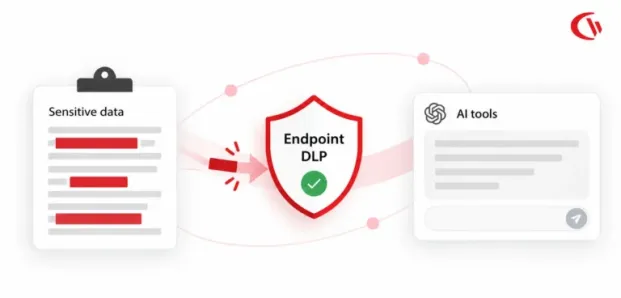
This is why protecting confidential information from being cut and pasted into generative AI models is a primary security control strategy. Policy control may be most effective at the point of action on the employee device while they continue to use AI, but in order to succeed, it will require endpoint DLP, web filtering, application control, data categorization, and zero-trust access policies. A more focused approach includes sensitive data discovery, risky behavior monitoring and policy exceptions that allow authorized business use of generative AI.
In this blog, we’ll explore ways to prevent sensitive data from being copied and pasted into generative AI tools.
Key Takeaways
- Your employees can expose sensitive information by pasting source code, customer records, credentials, or financial data into AI prompts, often bypassing traditional file-based security controls.
- The 2025 LayerX report found that 77% of enterprise GenAI users paste corporate data into GenAI prompts, highlighting the need for stronger endpoint security.
- Identify which AI tools employees use, including unapproved services, and understand adoption across departments before deciding where controls are needed.
- Define which data employees can share with AI tools, require approved business accounts, and communicate the consequences of violating data-handling rules.
- Blocking every AI tool can encourage employees to find workarounds. Provide authorized alternatives with appropriate security, identity, and data governance controls.
- Web filtering restricts access to unauthorized AI websites, while application allowlisting helps prevent unapproved desktop AI applications and local AI models from running.
- Use risk-based alerts and keyword triggers to flag potentially sensitive data being pasted into AI tools so security teams can investigate suspicious activity.
- Restrict browser uploads and control transfers to USB drives and other removable storage to address data leakage paths that clipboard protection alone cannot cover.
- Focus on high-risk events, with role-based access, transparent policies, and limited data retention, instead of relying on invasive, continuous surveillance.
- Endpoint DLP, web filtering, application controls, AI usage visibility, and event-based auditing work together to reduce the risk of sensitive data exposure while allowing employees to use approved AI tools.
Why Copy and Paste Is the AI Blind Spot
Copying and pasting sensitive data into a generative AI platform generates a file-less data loss path that basic security measures cannot detect. Unlike uploading a file, there is no file name, file header, or typical MIME type for many security controls to view when clipboard data is copied. An employee could copy source code, customer data, credentials, or sensitive financial data from an enterprise application and paste it directly into the AI prompt.
This is why an endpoint clipboard is a critical security checkpoint. Information once pasted may be sent on to an AI service that may choose to process, log or store the information as per its policies and confidentiality agreements. Without endpoint DLP controls, you cannot see what sensitive information your employees are submitting.
What the Research Says on Sensitive Data Copying and Pasting into Generative AI Tools
New cybersecurity findings show how quickly employees can pipe sensitive information into public and consumer AI tools in their day-to-day work. As per the 2025 LayerX Enterprise AI and SaaS Data Security Report, 77% of enterprise GenAI users paste their corporate data into a GenAI prompt, a robust sign that the clipboard is fast becoming a channel of choice for exfiltrating data.
Here is the frequency and potential impact of this behaviour:
- Daily leakage: LayerX estimates that employees using personal AI accounts share an average of 14 pastes per day, including three that contain sensitive corporate information.
- Sensitive prompts: According to the Harmonic Security GenAI Data Exposure Report, which examined a volume of over 1 million enterprise GenAI prompts, 4.37% of those prompts included sensitive enterprise data.
- Shadow AI costs: In the IBM Cost of a Data Breach Report, 20% of data breaches involved shadow AI, and on average organizations saw an increase of $670,000 in costs to contain breaches involving shadow AI. 97% of organizations that experienced AI-related breaches did not have access controls in place.
This demonstrates that organizations should not restrict endpoint DLP for generative AI to just file uploads. By monitoring and preventing clipboard behavior, they can prevent data from being sent to untrusted AI providers while still providing access to AI tools.
How to Prevent Employees from Pasting Sensitive Data into AI Tools
Blocking ChatGPT and other generative AI sites to stop sensitive data from moving to the wrong AI destination. A layered endpoint security plan can include clear policies for acceptable use, web filtering, app allowlisting, and endpoint DLP controls. These controls work directly on managed devices, so they can protect data whether the user is in the office, working from home, or elsewhere.
Step 1: Discover Shadow AI Usage Across the Fleet
Find out what AI tools employees are using. This requires visibility. IT teams can monitor which AI tools are being used by their employees with CurrentWare’s AI Usage Insights and the centralized AI Usage Dashboard to monitor unauthorized AI applications, the most common AI services accessed and departmental usage.
Step 2: Formalize an Enforceable AI Acceptable Use Policy
An AI acceptable-use policy is critical to managing how AI technology is utilized by employees. Establish which types of information can and cannot be shared with AI technology. You can start drafting your own policies with CurrentWare’s AI Workplace Policy Template.
Key requirements should include:
- Data classification: Prohibit entering confidential PII, PHI, source code, financial information, and privileged documents into public AI tools.
- Approved accounts: Require business AI activity to use authorized enterprise accounts with appropriate data protection controls.
- User warnings: Provide real time notifications when employees attempt to access or use an unapproved AI service.
Step 3: Provide an Approved Enterprise AI Alternative
Just blocking access to a public service pushes employees to find other routes around security controls. Offer acceptable options, such as an on-site corporate deployment of the AI within the employee productivity environment. Having an officially sanctioned platform gives the employee an authorized means of using the technology and allows IT to implement more robust security, identity, and data governance safeguards.
Step 4: Filter Unsanctioned AI Websites and Domains
Web filtering can limit communication with consumer AI services, prohibited translation services, and other programs that may send information out.
Domain blocking also needs to be strategic and well thought out, as certain AI providers may split consumer and business services into a single domain. Use vendor-specific tenant limitations, if available, or look for AI systems that explicitly state their enterprise domains.
Step 5: Enforce Zero-Trust Application Allowlisting
Local LLMs and standalone AI applications are unaffected by web filtering. Zero-trust application allowlisting adds an extra layer of security by allowing only trusted applications and blocking all others. This prevents employees from downloading unauthorized AI software that could access local files or run on private and corporate data.
Step 6: Detect and Alert on AI Paste Events
The clipboard is also worth defending with endpoint controls. Security teams can set up alerts for abnormal copy-paste behaviour when using AI tools – especially if the copied data contains sensitive information, such as customer details, project information, financial data, or the use of API keys.
Risk-based alerts enable IT and compliance teams to investigate suspicious activity quickly without relying on constant surveillance or blind keystroke logging.
Step 7: Restrict File Uploads and Endpoint Transfers
Clipboard protection alone won’t stop all stolen information. Anti-exfiltration controls for files using hard drives or thumb drives are also needed. Browse Control can block uploads via the browser, and AccessPatrol can stop transfers to and from hard drives and thumb drives. Organizations may also deploy enterprise-wide endpoint data loss prevention policies to prevent files from being staged or transferred for potentially malicious AI training.
Step 8: Use Event Triggered, Privacy Conscious Auditing
AI security does not mean monitoring your employees 24/7. It is all about context. A constant keystroke recorder can reveal passwords, private chats, and other information irrelevant to your audit. Instead, choose an event based audit that gathers further proof only when a high risk event occurs.
Role-based access, transparent monitoring policies, limited retention, and carefully defined triggers can help security teams investigate AI-related data loss events while maintaining a more privacy conscious approach to employee monitoring.
Comparing AI Security Controls: Where Each Defense Works
Securing generative AI workflows requires different layers of security across the network, browser, and endpoint. The table below outlines how common defense mechanisms compare when protecting sensitive corporate data:
| Security Control | Pasted Text in Web AI | Browser File Uploads | Desktop AI & Local LLMs | Off-Network / Offline Devices | Employee Privacy Impact |
| Endpoint Controls (CurrentWare) | Detected & alerted via clipboard and keyword triggers | Blocked via web upload controls | Blocked via zero-trust app allowlisting | Fully enforced on-device (on or off network) | Low (event-triggered, no keyloggers) |
| Network DLP & CASBs | Often missed (requires TLS/SSL inspection) | Protected on managed networks | Limited visibility | Blind when off-VPN | Low to Moderate |
| Browser-Extension DLP | Detected or blocked within browser | Detected within browser | No visibility or control | Active only in supported browsers | Moderate (browser-only scope) |
The Limits of Endpoint Controls
Apart from the technical controls in place that prohibit employees from transmitting sensitive company information, employees could transmit it in other ways, like taking a photo of their computer screens, taking notes on their cell phones or verbally sharing it with someone else. While technical controls can minimize the chances of employees leaking sensitive company information, they cannot cover all the possible ways in which they could leak it. Companies should have multiple levels of security against other non-network-based threats.
How CurrentWare Protects Enterprise Data from AI Leaks
Watch your current and future AI attack surface with adaptable, lightweight, operationally resilient, and sovereign solutions. CurrentWare is a policy-enabled endpoint protection platform that guards enterprises against generative AI data leakage via five pillars:
Explore: Learn about Shadow AI and identify usage per department. To gain insight into which of these AI platforms are being used and how, examine the AI Usage Insights dashboard to find out what platforms your teams are using and what prompt content they‘re viewing.
Block: Prevent access to AI sites with BrowseControl’s daily updated category filters and display automated AUP prompts. Demand application allowlisting to block DIY desktop AI wrappers and local LLMs.
Detect: Create a real-time alert system for AI paste activity and a keyword-based tracker so that the security team has immediate insight and context to respond within minutes.
Limit: Endpoint data loss prevention protects data at the endpoint. Use AccessPatrol to stop data from leaving your organization and ensure it does not make it to unauthorized USB drives, removable drives, or cloud storage providers.
Audit: Ensure compliance with BrowseReporter with event-triggered screenshot capture, OCR keyword search and role-based access for defensible investigation trails, without invasive keystroke logging.
Conclusion
One of the scarier data security risks is copy-pasting unstructured data into public AI chatbots, because memory-host clipboard data can circumvent file-oriented network controls. Rather than requiring a universal blockade that slows progress, IT teams can counter with endpoint protection measures, including shadow AI detection, zero-trust application allowlisting, extensive web filtering, and event-based detection.
With safe clipboard and authorized business apps, businesses can enjoy the benefits of productive generative AI deployments while keeping corporate endpoints safe.
Frequently asked
Frequently Asked Questions:
-
Yes. Endpoint data leakage prevention (DLP) and web filtering tools will recognize when a user attempts to paste personally identifiable information or intellectual property into an approved AI destination and block it. They can also block access to the generative AI destination entirely and send real-time notifications that sensitive information, such as login information, customer data, or confidential project information, is being pasted in the open. This way, IT can control AI data usage at the endpoint, rather than trying to prevent it everywhere.
-
Yes. When you have a personal ChatGPT account (Free or Plus), your conversations are used to improve our models, subject to your preferences for data control. You can turn off the “Improve the model for everyone” toggle. When you turn off the toggle, new conversations will not be used to improve the model.
For organizations that handle sensitive or protected data, it is important not to assume everyone should use the same secure AI account. Instead, employees should use the company-approved AI service and follow its data policies. -
In some countries, employers can monitor AI use on company devices and networks, although the parameters on that depend on privacy, employment and electronic communication laws. For instance, electronic communications privacy laws may impose restrictions on workplace monitoring, such as requiring transparency, proportionality, lawful use, data minimisation, and data retention limits. Companies should communicate what AI activity they track, and for what purpose, via revised acceptable-use policies and employee monitoring policies.
-
Total bans on generative AI are rarely the best approach. Employees could also bypass restrictions by using their own devices or apps to access unapproved AI tools, creating shadow AI activity that’s harder for IT to detect and monitor. Companies should restrict unapproved consumer AI tools and provide employees with approved, enterprise-grade alternatives.
Enterprises can use a secure AI environment and endpoint DLP along with web filtering, application controls, and explicit acceptable-use policies to prevent sensitive data from being exposed, all while allowing for use of AI to boost worker productivity. Using this approach, you can allow AI use but not at the expense of your sensitive data.


