
10 Best Insightful Alternatives & Competitors in 2026
Digital risk, insider threats, and regulatory scrutiny are increasing and many companies are discovering that Insightful is not designed for every organization or every use case. As a result, decision makers are actively evaluating Insightful alternatives that offer deeper employee monitoring, stronger security controls, and better compliance alignment.
This guide explores the 10 best Insightful alternatives and competitors in 2026, compares their capabilities, and helps you choose the right platform based on your organization’s size, risk profile, and compliance needs.
What Insightful Does?
Insightful is primarily known for time tracking and productivity analytics. It helps teams understand application usage, active vs idle time, and productivity trends, particularly for remote and distributed workforces.
While this works well for basic performance insights, Insightful was not built as a security or compliance platform. Organizations operating in regulated industries, or those handling sensitive data, often find gaps around data loss prevention (DLP), access control, insider threat detection, and audit readiness.
Why Companies Look for Insightful Alternatives?
Businesses typically begin searching for Insightful competitors due to the following limitations:
- Lack of Built in Data Loss Prevention (DLP)
Insightful does not natively control USB devices, file transfers, or sensitive data exfiltration, capabilities increasingly required for SOC 2, ISO 27001, and HIPAA compliance. - Limited Compliance ReadinessGartner research consistently shows that workforce analytics tools must support audit trails, access governance, and policy enforcement, not just reporting.
- Cloud Only DeploymentMany enterprises, law firms, and regulated organizations require on premise or hybrid deployments, which Insightful does not offer.
- Productivity Without ContextProductivity metrics without behavioral and security context can lead to false positives and poor decision making
- Not Designed for Insider Threat DetectionInsightful tracks time, but it does not detect risky behavior such as unauthorized access, data hoarding, or policy violations.
Insightful Alternatives & Competitors
| Tool Name | Core Features | Pricing | Deployment | Best For | Rating (Capterra) |
|---|---|---|---|---|---|
| CurrentWare | Activity tracking, USB/device control, DLP, web filtering | ~$12/user/month* | Cloud & On-Prem | SMBs, Regulated Orgs | ~4.8 / 5 |
| Hubstaff | Time tracking, payroll, GPS, screenshots | ~$7.99–$25/user/mo* | Cloud | Remote & SMBs | ~4.5 / 5 |
| Time Doctor | Time tracking, screenshots, alerts | ~$7–$19/user/mo* | Cloud | SMBs & Remote Teams | ~4.4 / 5 |
| ActivTrak | App tracking, reports | Per-user | Cloud | SMB–Mid-market | 4.4 |
| Proofpoint | DLP, insider risk | Enterprise pricing | Cloud | Large enterprises | 4.6 |
| Teramind | UEBA, forensic logs, policies | Starts ~$14+/user/mo* | Cloud & On-Prem | Enterprise | ~4.6 / 5 |
| DeskTime | Time tracking, app usage | $6.5 per user/month | Cloud | Small Teams | ~4.3 / 5 |
| Toggl Track | Manual timers, reports | $9 per user | Cloud | Freelancers | 4.7 |
| InterGuard | DLP, screenshots | Per-user | Cloud & On-Prem | Mid-market | 4.3 |
| Kickidler | Screen recording, activity logs | Custom | Cloud & On-Prem | SMBs | ~4.4 / 5 |
Top Insightful Alternatives in 2026
1. CurrentWare
CurrentWare is a productivity, security, and compliance focused employee monitoring platform designed for organizations that need more than time tracking. It is widely used by SMBs, enterprises, law firms, healthcare providers, and regulated teams. Unlike Insightful, CurrentWare combines productivity analytics with data protection, access control, and compliance ready monitoring
CurrentWare vs Insightful
CurrentWare has Best-in-Class DLP & USB control whereas Insightful lacks it. CurrentWare offers both on premise and hybrid deployment. CurrentWare is an undisputed leader in compliance mapped monitoring (SOC 2, ISO 27001, HIPAA) and it offers contextual productivity analytics.
Top Features
- User activity monitoring (apps, web, file usage)
- USB and device control
- Web & application blocking
- Insider risk visibility
- Compliance ready audit trails
Pros
- Strong security + productivity balance
- Compliance aligned architecture
- Flexible deployment
- Modular pricing
- Enterprise grade controls
Cons
- No GPS tracking
- More powerful than needed for freelancers
Pricing Model
$12 onwards, Modular, per user licensing
2. Hubstaff
Hubstaff is a time tracking and workforce management tool best known for screenshots and GPS tracking. It is commonly used by remote teams and service businesses that prioritize billing accuracy over security.
Hubstaff vs Insightful
Hubstaff is better at time based billing whereas ans has limited security and compliance controls as compared to Insightful.
Top Features
- Time tracking
- Real-time Screenshots
- GPS tracking for field team management
- Payroll integrations
Pros
- Easy to use
- Strong billing features
- Affordable
Cons
- Weak security controls
- Not compliance-ready
3. Time Doctor
Time Doctor focuses on employee productivity and accountability, offering screenshots and activity tracking. It’s popular with SMBs managing remote teams, but lacks deeper data protection capabilities.
Time Doctor vs Insightful
Although Time Doctor offers Similar productivity depth, it is slightly better in reporting than Insightful. No DLP or compliance controls are available in Time Doctor.
Key Features
- Time tracking
- Screenshots
- Productivity reports
Pros
- Simple setup
- Remote friendly
- Simplifies payment processes and client invoicing
Cons
- No insider threat detection
- Limited compliance support
4. ActivTrak
ActivTrak provides workforce analytics and productivity insights, emphasizing dashboards and trends. It suits mid market organizations but remains analytics centric.
ActivTrak vs Insightful
ActivTrak offers stronger analytics than Insightful. ActivTrak has limited security controls. ActivTrak is best for large, hybrid teams needing trend analysis, while Insightful suits distributed teams requiring project-level, or time-tracking capabilities.
Top Features
- App usage analytics
- Productivity scoring
- Team dashboards
Pros
- Clean interface
- Strong analytics
- Easy adoption
Cons
- Cloud only
- No DLP
5. Proofpoint
Proofpoint is an enterprise cybersecurity platform offering advanced DLP and insider risk management. It is used by large enterprises with mature security programs.
Proofpoint vs Insightful
Proofpoint has enterprise grade security. Proofpoint does not focus on productivity tracking whereas productivity is Insightful’s main offering.
Top Features
- Advanced email security
- AI powered threat detection
- Enterprise grade DLP capabilities
Pros
- Best-in-Class DLP
- Top tier Email Protection
- Offers a centralized dashboard for each services
- Multi layered threat detection
Cons
- Very expensive
- Complex to deploy
6. Teramind
Teramind is a security-first employee monitoring platform built for insider threat detection and compliance enforcement.
Teramind vs. Insightful
Teramind offers security driven employee monitoring. Insightful specializes in workforce productivity analytics. Teramind has security teams, compliance environments, it is best for remote teams and productivity tracking.
Key Features
- User Activity Monitoring (UAM)
- Screen Recording & Live View
- User Behavior Analytics (UEBA)
Pros
- Advanced DLP
- Session recording
- Strong compliance alignment
Cons
- Steep learning curve
- Higher cost
7. DeskTime
DeskTime is an automatic time tracking software that’s all about simplicity and having a builtin Pomodoro timer. It’s mostly used by SMBs, design agencies, and remote teams looking for an Insightful alternative with productivity tracking that just works in the background.
Desktime Vs Insightful
DeskTime is simpler and focuses heavily on splitting time into buckets that are either ‘productive’, ‘unproductive’, or ‘neutral’, but it does this automatically, whereas Insightful is more in depth and allows for manual project mapping
Key Features
- Time tracking that’s simple and completely automatic
- It also tracks document titles
- Absence calendar & shift scheduling
- Built-in Pomodoro timer to increase focus
Pros
- Requires zero user input
- The dashboard visual and easy to read
- The shift scheduling feature is one of the highlights
- They offer a free “lite” plan for individual users
Cons
- One major downside is the lack of security and compliance tools.
- It also falls short when it comes to project budgeting and financial tracking
8. Toggl Track
Toggl Track is one of the most frictionless time tracking tools. Its UI/UX are really engaging and it has a massive library of software integrations.
It’s especially popular with creatives, software developers and independent contractors who need to log their billable hours with precision.
Toggl Track vs Insightful:
Toggl Track does things traditionally, it requires users to start and stop timers manually whereas Insightful is all about automated background monitoring.
Key Features
- One click timers.
- More than 100 integrations, including the likes of Slack and Jira etc.
- Billable hours & revenue tracking
Pros
- The UI/UX is one of the best
- It’s employee friendly
- Great for tracking project profitability
- The free tier includes a lot of features
Cons
- Users have to start the timer manually
- It doesn’t give you any insight into what apps or websites are actually being used
9. InterGuard
InterGuard is a cloud based endpoint monitoring tool popular with distributed teams, schools and SMBs that need to closely monitor their web traffic.
It provides deeper surveillance capabilities such as keystroke logging and detailed screen recording, making it more suitable for environments that require strict monitoring and compliance-level oversight.
InterGuard vs Insightful:
InterGuard is more firmly in the security space than Insightful, it’s got web filtering, data loss prevention and remote file deletion features that Insightful just doesn’t offer.
Key Features
- Keystroke logging
- Web content filtering
- Email and chat monitoring
- Remote endpoint lockdown
Pros
- The endpoint surveillance is quite comprehensive
- You can remotely delete files on compromised devices
- Granular email and chat monitoring
- Configure alerts for suspicious activities
Cons
- The user interface is outdated
- Customer support process is cumbersome
10. Kickidler
Kickidler is an employee monitoring tool that includes live grid view screen monitoring and remote desktop control. It’s popular with IT support teams, remote managers and highly structured operational teams.
Kickidler vs Insightful:
Kickidler’s has some advanced features like it can warn employees of violations and even allows you to take over an employee’s mouse and keyboard remotely in an emergency.
Key Features
- Live multiple screen grid view
- Remote desktop control
- Video history of sessions
- Autokick, automatic notifications if someone doesn’t adhere.
Pros
- It’s for IT teams that need to troubleshoot remotely
- The live grid view is a time saver
- The autokick feature
- Available for OnPremise and Cloud
Cons
- Requires a lot of server storage
- Grid view monitoring is like micromanaging and might lead to privacy violations
How to Choose the Right Insightful Alternative in 2026
When evaluating an alternative to Insightful, companies should consider factors like security requirements, deployment flexibility, analytics capabilities, and overall cost to ensure the solution aligns with their compliance needs and workforce monitoring goals.
- Security & Compliance NeedsOrganizations that must enforce strict security policies or meet regulatory requirements should prioritize solutions with built-in data protection. For these you can choose tools with DLP and access control (CurrentWare, Teramind, Proofpoint).
- Deployment FlexibilityOn premise is essential for regulated industries. Industries such as finance, healthcare, and government often require on-premise solutions to maintain full control over sensitive data.
- Scalability & Analytics DepthEnterprises benefit from tools with advanced dashboards and detailed workforce insights. These capabilities help teams to track productivity trends and make data-driven decisions at scale.
- Budget & Use Case
Freelancers and small teams lean toward affordable tools like Toggl Track.
Why CurrentWare Is the Best Insightful Alternative
CurrentWare goes beyond visibility to deliver actionable control, aligning with Forrester’s recommendation that workforce analytics platforms must actively reduce risk, not just report on it.
Which Insightful Alternative Is Best for Your Team Size?
The best Insightful alternatives for employee monitoring depends on your team size, as different platforms are designed to meet the needs of freelancers, growing SMBs, or large enterprises with complex monitoring and compliance requirements.
Here are few good suggestions –
- Freelancers / Small teams: Toggl Track, DeskTime
- Remote first / Billing focus: Hubstaff, Time Doctor
- Security & compliance focus: CurrentWare, Teramind
- Large enterprises: CurrentWare, Proofpoint
Upgrade from Insightful to Real Workforce Control
Get Productivity Analytics + Built-In Data Protection with CurrentWare.
Frequently asked
Your Questions, Answered
-
Absolutely, tools like DeskTime, Toggl Track and Hubstaff are offering free plans for small teams. For the mid-sized to big teams, CurrentWare is a highly competitive and affordable option.
-
CurrentWare and Hubstaff are both top notch for tracking productivity and billable hours in remote teams, but if you need to secure remote corporate devices, CurrentWare is the best option. Their endpoint DLP and web filtering helps to keep your data safe.
-
Yes, if you need to keep data secure then CurrentWare, Teramind and Proofpoint are top alternatives. CurrentWare is exceptionally good at stopping data from being copied onto USB devices or exfiltrated over the web.
-
CurrentWare, Teramind and Kickidler all offer on premise deployment options. Whether it’s for compliance or security reasons, keeping your data in house is a top priority for a lot of businesses and CurrentWare, is an undisputed choice for it due to its Best-in-Class customer support.
-
Insightful is great for productivity and time tracking, but if you need to meet super strict enterprise compliance standards (like HIPAA, GDPR or SOC2), a platform like CurrentWare would be the best fit.
Best Hubstaff Alternatives in 2026 (Ranked by Use Case & Price)
Hubstaff is best known for time tracking, activity levels, and GPS tracking for remote teams. It works well for freelancers, agencies, and distributed teams that primarily want to track hours and attendance.
But as teams scale, compliance requirements increase, or security risks become more real, many organizations realize Hubstaff is not built for deeper productivity analytics, employee monitoring, or data protection. That’s why more companies are actively looking for Hubstaff alternatives in 2026, one that balances visibility, trust, compliance, and cost.
This guide breaks down the best Hubstaff competitors, ranked by use case and functionality.
Why Companies Look for Hubstaff Alternatives
Hubstaff as a platform is narrow by design. Common reasons due to which companies switch from Hubstaff include:
- Limited employee monitoring depth
Hubstaff focuses on time and activity levels, but lacks advanced user activity monitoring, insider risk detection, or behavioral context. - No built in compliance or security controls
Organizations subject to SOC 2, ISO 27001, HIPAA, or internal audits often need controls Hubstaff simply doesn’t provide. - Over reliance on screenshots and activity percentages
Screenshots alone don’t explain why productivity drops or where risk exists. - Not ideal for hybrid or on prem environments
Many teams need on premise deployment or stricter data residency controls. - Costs scale quickly with team size
For larger teams, Hubstaff’s per user pricing can become expensive relative to value delivered.
Top Hubstaff Alternatives Compared
Explore the Best alternatives to Hubstaff, and find the right solution based on your monitoring depth, compliance needs, and team size.
| Tool Name | Primary Use Case | Core Features | Pricing | Deployment | Best For | Rating (Capterra) |
|---|---|---|---|---|---|---|
| CurrentWare | Productivity + Employee Monitoring + Compliance Adherence | Activity tracking, DLP, web/app control | $12 Per user | Cloud & On Prem | SMBs, regulated orgs, Enterprises | 4.8 |
| Insightful | Time & productivity tracking | App tracking, screenshots, reports | $7 Per user | Cloud | Remote teams | 4.6 |
| Toggl Track | Time tracking | Manual timers, reports | $9 Per user | Cloud | Freelancers | 4.7 |
| DeskTime | Productivity analytics | App usage, screenshots | $7 Per user | Cloud | SMBs | 4.5 |
| Time Doctor | Workforce analytics | Time tracking, screenshots | $7 Per user | Cloud | Remote teams | 4.5 |
| Teramind | Insider threat detection | DLP, session recording | $69 Per month | Cloud & On Prem | Enterprises | 4.6 |
| Clockify | Time tracking | Timers, reporting | $8 Per user | Cloud | SMBs | 4.7 |
| TimeCamp | Time & billing | Time tracking, invoicing | $8 Per user | Cloud | Agencies | 4.6 |
| ActivTrak | Productivity analytics | App usage, insights | $10 Per user | Cloud | Mid market | 4.6 |
| Monitask | Time tracking | Screenshots, activity levels | Per user | Cloud | Small teams | 4.4 |
10 Best Hubstaff Alternatives in 2026
Drive Deeper to understand software similar to Hubstaff for productivity tracking, employee monitoring, and enterprise compliance.
1. CurrentWare
CurrentWare is a productivity and employee monitoring platform, designed specifically for organizations that need more than just basic visibility and data security. It’s a tool that’s widely used by businesses like SMBs, healthcare providers, professional organizations, and Government and Government agencies, and any organization that needs monitoring that’s both effective and defensible.
Key Features
- Monitoring of user activity, including apps, websites, and file usage
- Built in data loss prevention (USB control, file transfer monitoring) to keep sensitive data secure
- Productivity controls to help reduce online distractions and shadow IT
- A set of productivity analytics based on realtime insights (not just activity percentages)
- Deployment options that range from cloud to fully on premise, depending on your organization’s compliance needs
Pros
- Offers a much deeper level of visibility into what employees are doing without relying on screenshots
- Strong alignment with compliance needs like SOC 2, ISO 27001, HIPAA, and internal audits
- Monitoring focused on behavior and context, not constant screen capture
- Flexibility in deployment options for organizations
Cons
- No GPS tracking, and that’s by design, for reasons of privacy and relevance
- Too overwhelming for solo freelancers or gig workers
Pricing Model
Per user pricing model with modular licensing, so teams only pay for what they really need.
2. Insightful
Insightful is all about time tracking and productivity analysis in remote and hybrid teams. It’s a popular choice with companies that want to see how their teams are performing without leaning towards security and compliance.
Key Features
- Automatic time tracking and activity categorization
- Productivity trends and team performance reports
- Idle time and application usage reports
Pros
- Clean, easy to use interface
- Useful productivity reports for managers
Cons
- Limited security and compliance capabilities
- Only available in the cloud
3. Toggl Track
Toggl Track offers manual time logging with tags, projects, and billing reports, integrating well with tools like Asana for freelancers and small teams tracking billables. It lacks monitoring depth.
Key Features
- Manual time tracking with tags and projects
- Reporting for billing and client work
- Strong integrations with project tools
Pros
- Free plan and simple interface.
- Strong for invoicing small projects.
Cons
- No employee monitoring or visibility into work behavior
- Productivity enforcement or analytics will not be available
4. DeskTime
DeskTime is about automatic time tracking, with some basic productivity labeling. It’s a good choice for small teams that want a monitoring tool without much complexity.
With features such as screenshots, URL tracking, and document title monitoring, it helps you stay informed about your team’s progress and work patterns throughout the day.
Key Features
- Automatic time tracking
- Productivity and idle time scoring
- Screenshot capture options
Pros
- Quick setup and affordable for starters.
- Offline tracking support.
- Simple productivity metrics for managers to work with
Cons
- Limited depth in analytics and reporting
- screenshot centric approach
5. Time Doctor
Time Doctor is one of those tools that’s similar to Hubstaff in a lot of ways, time tracking, activity levels and screenshots. It’s a great choice for remote teams who want to keep an eye on things.
Key Features
- Time tracking with activity monitoring
- Screenshot capture and idle time detection
- Payroll and attendance integrations
Pros
- Familiar experience for Hubstaff users
- Built with remote teams in mind
- Good for attendance and basic payroll.
Cons
- Can feel a bit intrusive to employees
- Limited support for compliance and audits
6. Teramind
Teramind is an enterprise security, insider threat detection, and data protection platform in which everyday productivity tracking seems complex.
Choose Teramind over Hubstaff if data loss prevention is a priority, as it offers more advanced controls for monitoring and protecting sensitive information.
Key Features
- Advanced user behavior analytics
- Powerful DLP and policy enforcement
- Insider threat detection and forensics
Pros
- Strong security and DLP capabilities
- Advanced analytics for risk detection
Cons
- Expensive and complex
- Complex functionality for most SMBs and small teams
7. Clockify
Clockify is a popular free alternative to Hubstaff for basic time tracking, especially for startups and small teams. It is commonly used by remote teams, freelancers, and businesses for monitoring work hours across projects to improve productivity.
Key Features
- Manual and automatic time tracking
- Project and team reporting
- Timesheets
Pros
- Generous free tier, which is great for small teams
- Fast and simple setup
Cons
- No employee monitoring features
- No productivity enforcement
8. TimeCamp
TimeChamp is a tool that blends time tracking with billing and invoicing, making it a popular choice for agencies and service based businesses. Choose Timechamp over Hubstaff for better billing workflows and client invoicing rather than pure activity monitoring.
Key Features
- Time tracking with client billing
- Invoicing and budgeting tools
- Project based reporting
Pros
- Strong client billing support
- Easy to understand reports
Cons
- Limited monitoring depth
- Not built for security focused teams
9. ActivTrak
ActivTrak is a tool all about productivity insights, without screenshot capture. It’s for organizations that want visibility into how their teams are working, without compromising on employee privacy.
Key Features
- Productivity analytics and focus time reports
- Application and website usage tracking
- Team benchmarks and trends
Pros
- Pretty good approach to employee monitoring
- Privacy friendly approach
Cons
- No built in way to enforce or block certain actions
- It’s only available in the cloud
10. Monitask
Monitask is built for small teams that don’t need a lot but want to keep an eye on what their team members are doing.
It offers better screenshot monitoring and app usage tracking than Hubstaff. It’s Actionable reporting making it a practical choice for startups or small businesses that just need accountability without micromanaging.
Key Features
- Tracks time and takes screenshots
- Gives some basic metrics to gauge productivity
- Gives a quick summary of team activity
Pros
- Relative fair pricing
- Clean, straightforward reporting interface
- Automatic time tracking with screenshots
Cons
- Not designed for big teams who are looking to scale
- Not a lot of depth to their analytics or reporting
How to Choose the Best Hubstaff Alternative for Your Company
Ask these questions before switching:
- Do you need time tracking only, or deeper productivity insights?
- Are compliance and data security important?
- Do you need on premise deployment?
- Are screenshots acceptable, or do you prefer behavior based analytics?
- Will pricing scale sustainably as your team grows?
Why CurrentWare Is the Best Hubstaff Alternative
Hubstaff tells you how long someone worked. CurrentWare helps you understand how work actually happens, and whether it’s secure, compliant, and productive.
That difference matters as teams grow, compliance becomes non negotiable, and leadership needs real answers instead of surface level metrics.
-
Contextual productivity analytics
Instead of relying on screenshots or raw activity percentages, CurrentWare provides meaningful productivity insights based on application usage, website activity, and behavioral patterns. Managers can see where time is going, what tools drive outcomes, and where bottlenecks or distractions appear, without constant oversight.
-
Built in data protection
Unlike Hubstaff, which focuses mainly on tracking time, CurrentWare includes native data protection features such as device control, application restrictions, and file activity visibility. This helps organizations reduce insider risk and accidental data exposure without deploying multiple separate security tools.
-
Compliance ready monitoring
CurrentWare is designed for organizations that must meet audit and compliance requirements. Its monitoring capabilities align with frameworks like SOC 2, ISO 27001, and HIPAA, making it easier to demonstrate policy enforcement, access control, and oversight during audits, something Hubstaff is not built to support.
-
Flexible deployment options
While Hubstaff is cloud only, CurrentWare supports both cloud and on premise deployments. This flexibility is critical for regulated industries, hybrid environments, or organizations with strict data residency and control requirements.
-
Lower total cost of ownership
Because CurrentWare combines productivity monitoring, employee monitoring, and data protection in a single platform, organizations avoid the cost and complexity of managing multiple tools. Over time, this results in lower operational overhead, faster implementation, and better value compared to paying separately for time tracking, security, and compliance solutions.
“The reports are very easy to understand and the fact that they can be emailed to you on a schedule is amazing, and have made finding productivity killers VERY easy. Customer support has been fantastic every time I’ve had to reach out to them; I highly recommend them!”
“BrowseReporter is simple to use and provides our company with the information we were looking for. Having BrowseReporter installed has prevented any internet abuse. This was exactly what we wanted!”
Hubstaff Tracks Time. We Protect Your Business.
Get Real Workforce Analytics with CurrentWare
Conclusion
Hubstaff works well for basic time tracking, but it isn’t built for the realities of modern, compliance driven, hybrid organizations.
If you’re looking for the best Hubstaff alternative in 2026, the right choice depends on your priorities, productivity, security, cost, or compliance.
For teams that need more than hours and screenshots, CurrentWare offers the most complete and future ready alternative.
Frequently asked
Your Questions, Answered
-
Most companies tend to outgrow the basic time tracking features that Hubstaff provides once they get to a certain size. At that point, they need something more than just hours worked or screenshots, they want insights into how people are working, potential risks, and whether everyone is following the rules. And then there’s the issue of compliance, being able to pass an audit is a big deal, and some tools are just better suited to this than others. And of course there’s the cost, while Hubstaff’s per user pricing might seem reasonable at first, it can get pretty steep as the team gets bigger.
-
Yes, especially if all you need is the bare minimum time tracking functionality. Tools like Clockify, Toggl Track, and Monitask tend to be pretty affordable, often with free or low cost plans that are perfect for freelancers and small teams. However, these cheaper options often sacrifice some of the more advanced features that make up the ‘full package’. Really though, the question shouldn’t be “is it cheaper” but “does it offer real value as the company grows and expands”.
-
For teams that are spread out all over the world, tools like Insightful and Time Doctor are sometimes preferred as they focus on giving managers a clear view of what’s going on across all those different locations. They provide the time tracking you’d expect, as well as some insights into how people are working and performance trends, all without you having to micromanage everything. Some teams do handle sensitive client information, in which case they’re probably more interested in tools that also handle security and compliance issues on top of productivity insights.
-
If you’re not just looking for a time tracking tool but something that tracks activity and maybe even security and compliance issues, then tools like CurrentWare and Teramind are worth a look. These ones can do a bit more, tracking application usage, web activity and keeping data safe, so they can be a good fit for teams that are trying to balance keeping an eye on what people are doing with keeping their data safe.
-
Mostly, yes. Hubstaff lets you export historical data via CSV reports, which you can then bring over and archive with a new system. While not every tool does this with one click, most companies keep their records for audits, billing and whatnot, so it’s usually not a problem to switch over. Also do be sure to grab your data before cancelling with Hubstaff and check if your new tool can import it properly.
-
For enterprises, it’s not just about tracking time, it’s about getting a lot of different things right, like employee productivity, keeping the data safe, compliance and regulations, policy adherence and so on. For such use cases, tools like Teramind are often preferred, especially when you’re worried about insider threats. CurrentWare, is preferred by organization that prioritize security and privacy, and need a cost effective solution that works well in regulated environments.
The Best GFI EndPointSecurity Alternatives
GFI EndPointSecurity has been discontinued!
Try a free trial of AccessPatrol, the best alternative to GFI EndPointSecurity.
- Stop Data Theft to Removable Storage Devices
- USB Activity Dashboards & Reports
- Off-Network Protection

Learn About AccessPatrol, the Best GFI EndPointSecurity Alternative
Intuitive & Flexible USB Blocking Software
Protect sensitive data with AccessPatrol’s device control solutions.
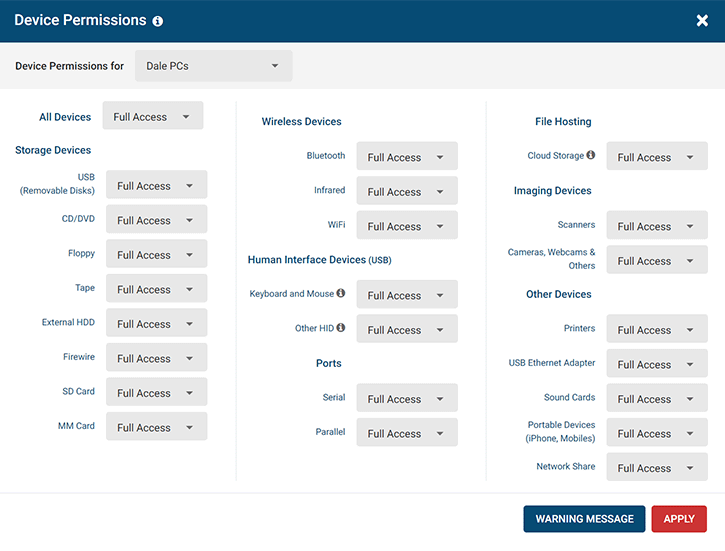
Block or limit the use of a USB port based on storage devices, wireless connectivity, communication ports, imaging devices, and other peripherals.
Device control policies can be uniquely configured for each user, endpoint, and department.
- Easily block USBs, optical media, mobile devices, SD cards, and other removable media
- Disable wireless connections through Bluetooth devices, infrared, and WiFi
- Block employees from using scanners, printers, and cameras to steal sensitive data
Monitor USB Activity for Suspicious and High-risk Behaviour
AccessPatrol’s device control features include a USB activity monitor for increased visibility into high-risk data transfers. Receive real time email alerts when employees violate your endpoint security policies Audit file operations reports to see files that have been copied, created, deleted, or renamed on removable media devices Review USB activity logs to trace data breaches back to their source
Prevent the Use of Untrusted Removable Devices
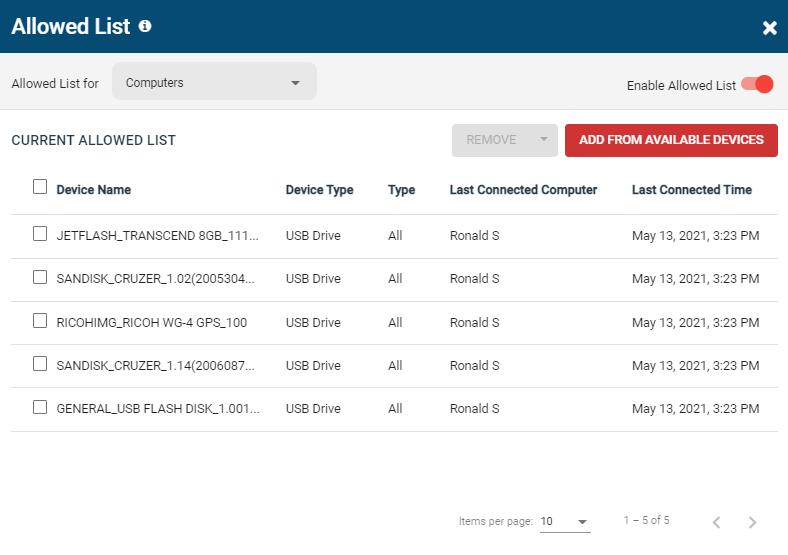
AccessPatrol’s device control solutions give you the features you need to ensure data protection against portable devices.
- Effortlessly block all peripheral devices that fall outside of your allowed devices lists
- Provide greater USB access to tech support and other trusted users
- Temporarily grant time-limited access to blocked devices using the Access Code Generator
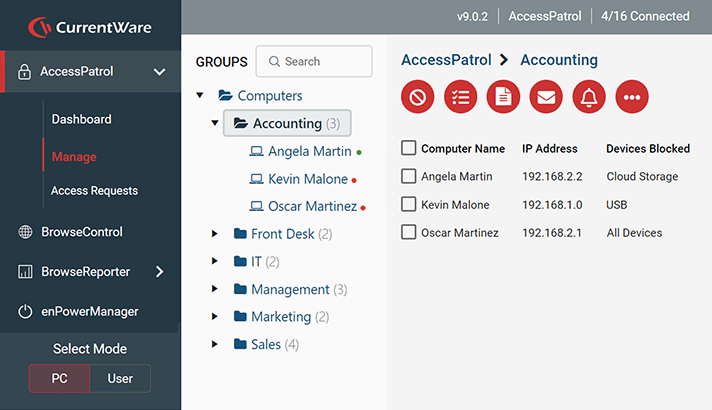
Centralized USB Management for Scalable Device Control
AccessPatrol’s centralized monitoring and management console lets you implement device control policies from the convenience of a web browser.
- Precise and Granular Control: Control portable devices based on groups of users or computers
- Active Directory Sync: Use Active Directory sync to import your existing organizational units
- Protect Remote Devices: Device control policies travel with laptops, allowing you to easily enforce security policies for remote teams
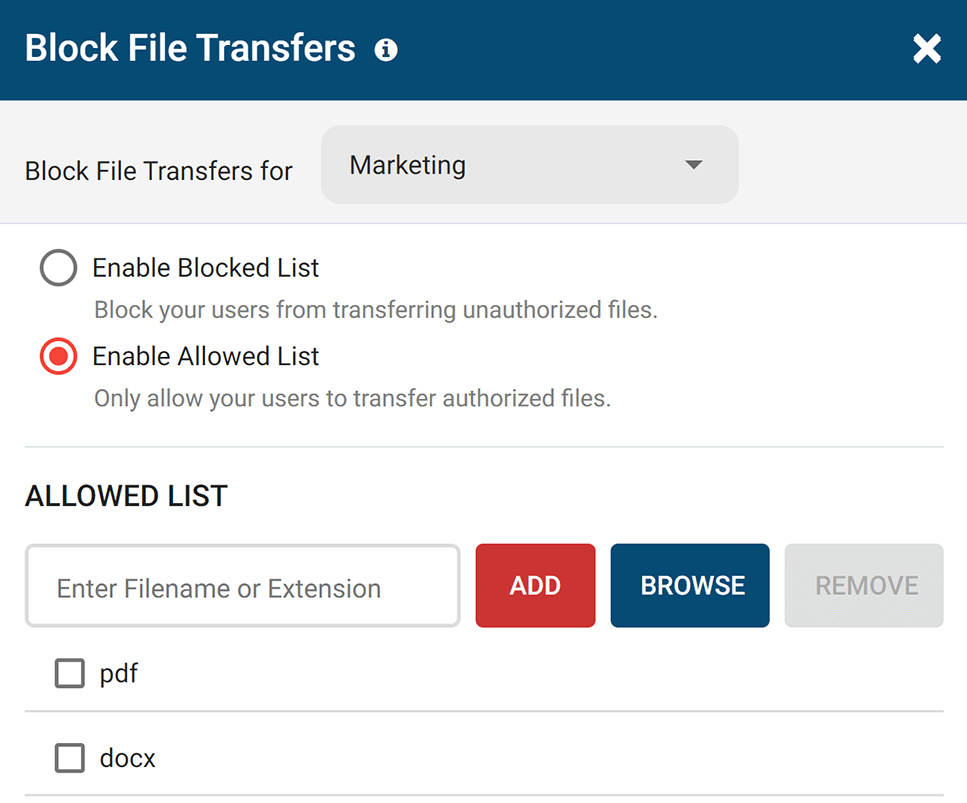
Restrict File Transfers to Storage Devices
With AccessPatrol’s USB file transfer blocking feature you can prevent files from being transferred to portable storage devices based on their filename or extension.
- Allowed List: Limit what files can be transferred to storage devices based on file extensions and keywords in filenames
- Block File Transfers: Prevent file transfers between storage devices and PCs, even on trusted storage devices
- Renamed File Extension Blocking: AccessPatrol uses file signatures to detect the original file extension of a file, preventing users from renaming files to bypass your DLP policies
Try AccessPatrol for Free
Fully functional. Easy to use. $12/user/month. *For on-prem pricing, contact sales
What Happened to GFI EndPointSecurity?
GFI EndPointSecurity has reached End of Engineering (EoE)
“End of Engineering: No new releases, minor releases, defect logging or defect fixes for affected products. Customers can continue to use EoE products unencumbered and add/subtract user licenses as necessary. Customer Support will continue to respond to issues and use reasonable efforts to assist customers, but no new, tested corrections will be generated. Latest versions of software and fixes remain available for download.”
– GFI end-of-engineering announcement
What Does End-of-Engineering Mean for Existing GFI EndPointSecurity Users?
No more security & compatibility updates
Using GFI EndPointSecurity on a computer running Windows 10 version 1803 or later causes a fatal Blue Screen of Death (BSoD) error to occur.
Error: UNEXPECTED_KERNEL_MODE_TRAP because of FLMGR.SYS
Businesses that follow cybersecurity best practices need a GFI EndPointSecurity alternative that is regularly updated to remain compatible with the latest version of Windows.
“The latest version of EndPointSecurity supports Windows operating systems up to Windows 10 version 1709. Due to the End of Engineering status of the product, this issue will not be fixed.” – GFI
Reduced customer support
Support for GFI EndPointSecurity has been greatly scaled back. Without reliable customer support, GFI users have struggled without a solution to their problems.
“They’ve essentially gotten rid of everyone, moved to a model where there is a support team who supports multiple companies and doesn’t provide working solutions.”
“I had a ticket open for 2 months that was never addressed. We just gave up and moved away from GFI.”
“I have had a ticket open with them for 7 weeks now that affects a production system we need for PCI compliance, but they don’t seem to care” – Spiceworks Community
Try AccessPatrol for Free
Fully functional. Easy to use. $12/user/month. *For on-prem pricing, contact sales
See What Our Customers Have to Say
Expand your capabilities with CurrentWare's award-winning productivity and security software




CASE STUDY
Viking Yachts Stops Departing Employee From Stealing Intellectual Property
CurrentWare saved us a lot of time and money. If we didn’t have them we would have never known what was going on. I cannot thank them enough for this software; being able to audit removable drives is invaluable.
Protect Your Sensitive Data With the CurrentWare Suite
Centralized Management for Scalable Data Protection
Implement data security policies from the convenience of a central management server. Easily monitor and control your entire workforce in just a few clicks.
- Monitor & control each managed endpoint device from a central management console
- Place users/PCs in their own policy groups to apply a unique security policy to them
- Integrate with Active Directory to import & sync your Windows users to the CurrentWare Console
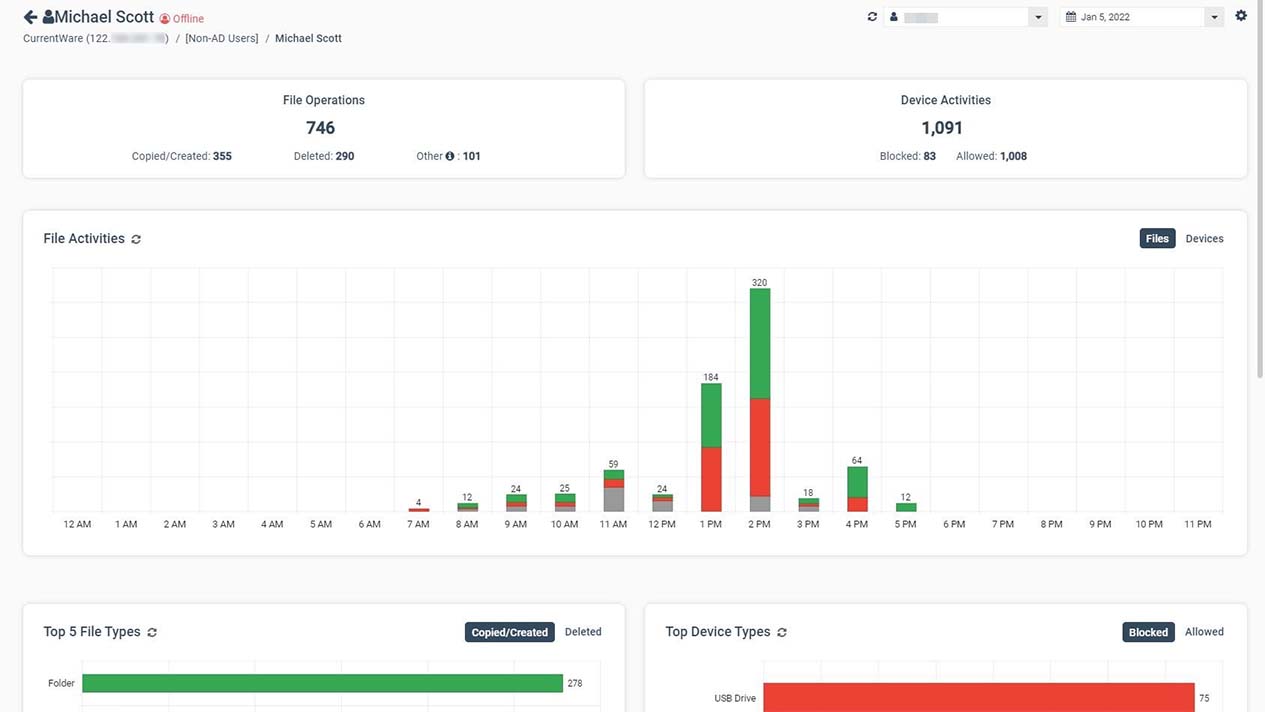
Protect Sensitive Data Against Theft to Insider Threats
Use CurrentWare’s data loss prevention solutions to protect sensitive customer data, intellectual property, trade secrets, and personally identifiable information against data breaches to insider threats.
- Collect evidence of data exfiltration and potential data breaches
- Prevent the use of unauthorized USB storage devices
- Endpoint DLP features trace user activity across all of your organization’s endpoints
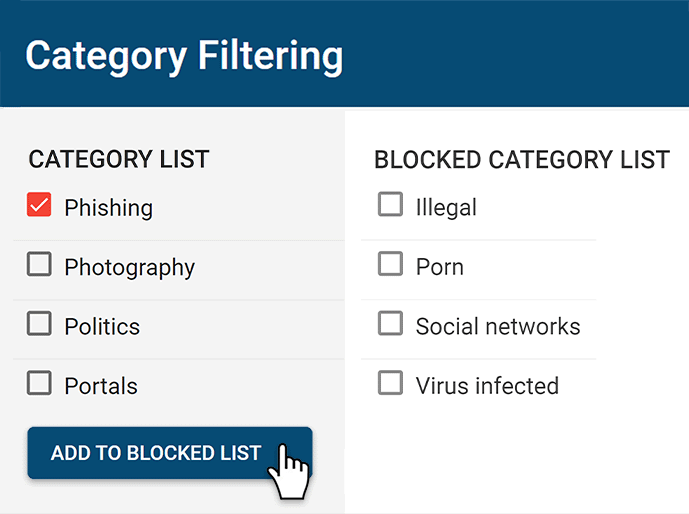
Restrict Access to Cloud Services
Having sensitive data stored on cloud services is a significant data loss risk. Control access to cloud apps and websites with CurrentWare.
- Block malicious insiders from accessing cloud applications
- Effortlessly block millions of websites across 100+ URL categories
- Take control over data movement by blocking data egress points

Monitor User Devices for Events That Pose Security Risks
Data loss prevention depends on complete visibility into how your user accounts are interacting with your systems. CurrentWare helps provide visibility into risky behavior with intuitive user activity reports.
- Get alerts of high-risk data movement to USB devices
- Monitor network traffic on endpoints for attempts to access high-risk websites and other policy violations
- Alert your network administrator, IT department, and other trusted users when high-risk events occur
CurrentWare Suite — Choose Your Solution
Get all 4 modules for the best value or choose the exact solutions you need
Get Advanced Activity Insights
BrowseReporter is a versatile computer activity monitoring software to track productivity, web browsing, and app use.
- Make informed decisions
- Enforce company policies
- Improve productivity
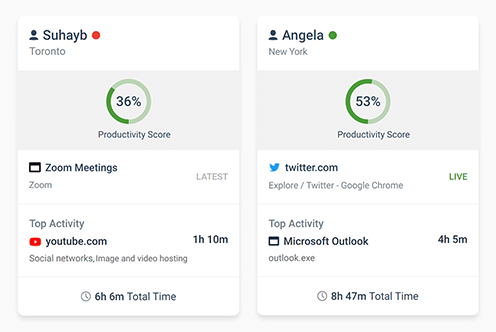
Block Harmful Websites
BrowseControl is an easy-to-use website blocking software for restricting internet access.
- Block URLs & categories
- Block unwanted apps
- Website allow & block lists
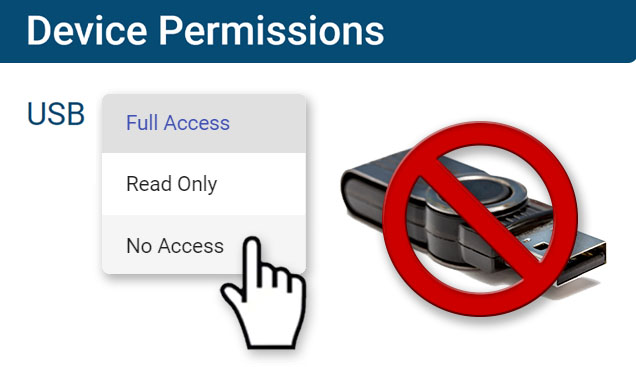
Stop Data Theft to USB Devices
AccessPatrol is USB control software to protect sensitive data against theft to portable storage devices.
- Block USB devices
- USB file activity alerts
- Block file transfers
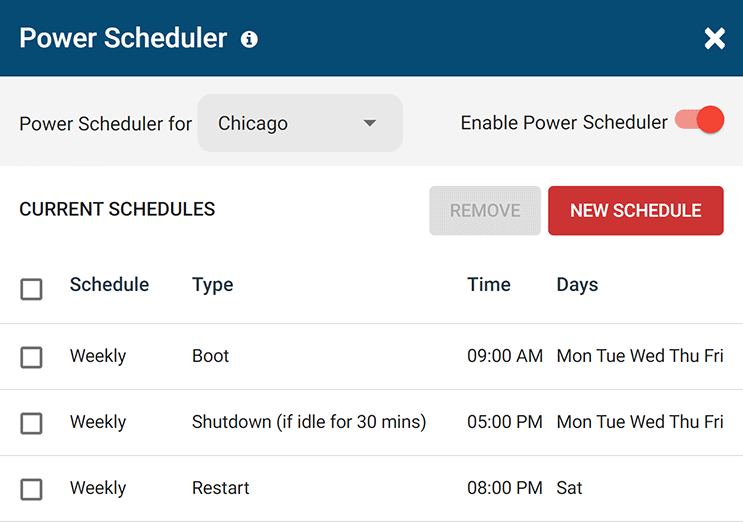
Control PC Power States
enPowerManager is a remote PC power manager for centrally managing power settings across all endpoints.
- Track logon and logoff times
- Log PC power event history
- Remotely shutdown PCs
Flexible Deployment Options
With CurrentWare’s cybersecurity, web filtering, data loss prevention, and user activity monitoring solutions you’re in complete control of how your data is stored, secured, and retained. Your employees’ data cannot be accessed by CurrentWare.
On Premises
Keep Control of Your Data
Install the management software on a standard computer, then deploy the client software to your users’ computers
Remote Workers
Monitor & Manage on Any Network
Connect your remote employees’ computers to the management software with simple port forwarding rules
Self-Managed Cloud & VDI
Citrix, Azure, AWS, GCP, and More!
Enjoy the scalability and availability of the cloud alongside the security, control, and flexibility of our on-premises solution
CASE STUDY
First Choice Health Protects Medical Data & Meets HIPAA Compliance
With CurrentWare we’re certain we’re meeting today’s cybersecurity standards whilst maintaining immediate, reliant access to patient records so we can keep delivering a high-quality service to our clients.
CurrentWare’s Key Features
Transparent & Stealth Modes
Run silently in the background or provide notice of monitoring
Reports DLP Activity Reports
Track file transfers, storage device use, file operations, and more
Central Web Console
Save time with a central admin console; optionally integrate Active
Directory OUs or security groups
Platform Security
Protect your CurrentWare console with 2FA, passwords, privilege management, and more
Internet Off Offsite Management
Extend onsite security policies to computers running outside the corporate network
SQL Server Supported
Database scaled for enterprise and large business operations using
Microsoft SQL Server
Get Started Today With a Free Trial
Fully functional. Easy to use. $12/user/month. *For on-prem pricing, contact sales
See How CurrentWare Compares to Other Vendors
See How CurrentWare Compares to Other Workforce Monitoring Vendors
Internet Restriction
Data Loss Prevention
Forcepoint Alternatives & Competitors
Trying to find an affordable and easy-to-use alternative to Forcepoint?
This article will compare CurrentWare’s internet monitoring, web filtering, and DLP solutions to Forcepoint so you can choose the right fit for your organization.
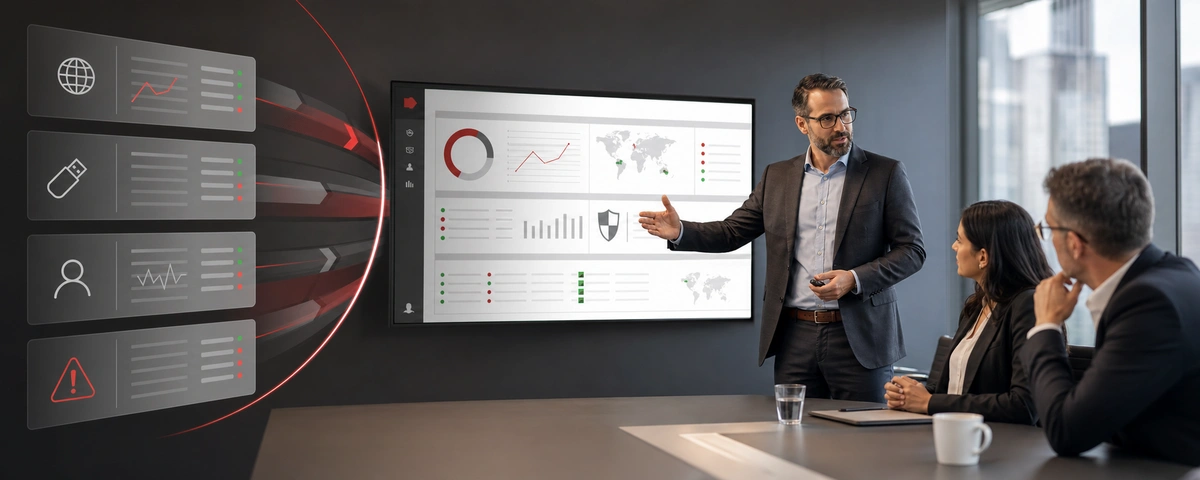
Why Choose CurrentWare’s Forcepoint Alternatives?
Fair Pricing
CurrentWare provides easy-to-use web filtering for a fraction of the cost of Forcepoint
Stellar Support
We’re with you every step of the way—Reach us by phone, email, or live chat
Get What You Need
Each CurrentWare solution can be purchased individually to best fit your needs
Learn More About CurrentWare
Benefits of CurrentWare
See what you can do with the capabilities of the CurrentWare Suite
Try the Demo Console
Get a feel for the console & dashboards before you deploy our software
Case Studies & Reviews
Don’t just take our word for it—Hear what our customers have to say!
When To Use CurrentWare vs. Forcepoint
Forcepoint (formerly Websense) makes excellent internet security products.
CurrentWare’s BrowseControl includes category-based filtering to block access to known malicious websites while Forcepoint’s Web Security products include added security features such as real-time malware detection.
But what if you simply want to start blocking inappropriate websites, known malicious websites, and distractions in the workplace? A dedicated web security package makes that process way more complex and expensive than it needs to be.
If you’re looking for a straightforward web filter that lets you start blocking websites in just a few clicks, you’ll love CurrentWare’s web filter BrowseControl.
This page will compare the key features between the CurrentWare Suite and Forcepoint’s product portfolio so you can make the best choice for your business.
| Use CurrentWare if | Use Forcepoint if |
|---|---|
| You need an easy-to-use solution for web filtering and internet monitoring | You have a dedicated system administration team to manage the solution |
| You need a simple, standalone solution for URL filtering and monitoring employee internet use | You have the budget and user base required to justify it |
| You need a light weight solution with minimal system requirements | You want to buy an entire group of products with advanced web security features (sandboxing, data forensics, malware detection, etc.) |
Compare CurrentWare vs. Forcepoint Features
Compare the key features of CurrentWare and Forcepoint to choose the right fit for you
CurrentWare’s BrowseControl provides the best Forcepoint alternatives for blocking websites. Both solutions provide essential endpoint security management features including the ability to block security threats such as known malicious websites.
CurrentWare’s web filtering and internet security tools help businesses maintain a secure and productive online environment. With customizable filters, you can block access to inappropriate or non-work-related websites, reducing distractions and safeguarding sensitive data.
Additionally, CurrentWare’s web filtering features prevent employees from accessing malicious sites, helping to protect your organization from cybersecurity threats. By offering detailed reports on web activity, CurrentWare gives you the insights needed to ensure compliance, improve productivity, and minimize risks associated with internet usage in the workplace.
Forcepoint’s key advantage is that it goes beyond URL databases with sandboxing, real-time threat intelligence, and Cloud Access Security Broker (CASB) functions.
Both companies offer a partner program for Managed Service Providers and resellers.
CurrentWare offers a robust employee monitoring solution that helps businesses boost productivity and ensure compliance. With tools for tracking web usage, application activity, screen monitoring, and USB device access, CurrentWare provides comprehensive insights into employee performance.
Its real-time monitoring and detailed reporting capabilities enable managers to identify productivity trends, optimize workflows, and address potential issues promptly.
Whether you’re managing remote teams or ensuring adherence to company policies, CurrentWare’s intuitive interface and customizable features make it the ideal solution for streamlined, effective employee monitoring.
CurrentWare’s DLP capabilities include USB control to prevent data leaks to removable media devices, web category filtering to block web-based data egress points, and user activity monitoring to identify high-risk user behavior such as attempts to use blocked peripheral devices.
CurrentWare’s data loss prevention (DLP) tools help safeguard sensitive information from theft and leaks. With features like device control, file transfer monitoring, and real-time alerts, you can prevent data breaches and ensure compliance with industry regulations. By restricting the transfer of sensitive data via USB drives, external storage, or cloud services, CurrentWare minimizes the risk of data theft.
Forcepoint’s data loss prevention tools provide excellent visibility and control over network-level data leakage. It can track data transfers over email, the web, and mobile devices to identify when sensitive data such as PII leaves the network.
While Forcepoint’s web filter does not have a dedicated cloud storage category, Forcepoint DLP can analyze files sent to cloud applications such as OneDrive.
Thanks to its simple interface and setup process, getting started with CurrentWare is easy—whether or not you’re an experienced system administrator. CurrentWare offers a variety deployment options that suit the installation needs of organizations of all sizes.
Forcepoint’s key advantage is its ability to be deployed at the network level, forcing newly connected devices to adhere to the network’s internet use policies. CurrentWare is an agent-based solution that must be deployed to each endpoint you’d like to manage.
Even the best alternatives to Forcepoint need to have a reliable technical support team to ensure that its customers get the service they need to make the most of their internet management solutions.
CurrentWare’s support team is available by phone, live chat, and email from 8:00 AM – 6:00 PM EST, Monday to Friday to ensure your business is covered. We also maintain an onboarding guide and a knowledge base full of helpful articles and training videos to ensure critical information is available 24/7.
| CurrentWare | Forcepoint | |
|---|---|---|
| ✅ | Allow URLs & Domains | ✅ |
| ✅ | Block URLs & Domains | ✅ |
| ✅ | Category Filtering | ✅ |
| ✅ | User-level Policies | ✅ |
| ✅ | Computer-level Blocking | ✅ |
| ✅ | Block Applications | ✅ |
| ✅ | Custom Warning Message | ✅ |
| ✅ | Scheduled Blocking | ✅ |
| ❌ | CASB | ✅ |
| ❌ | Sandboxing | ✅ |
| ✅ | Internet Quota & Timer | ✅ |
| ✅ | Enforce Google SafeSearch | ❌ |
| ✅ | Port Filtering | ✅ |
| ❌ | Real-time Threat Intelligence | ✅ |
| ✅ | Filter HTTPS Websites | ✅ |
| ✅ | SSL Decryption | ✅ |
| ✅ | Block File Downloads | ✅ |
| ✅ | Block File Transfers to Cloud Storage | ✅ |

CASE STUDY
Web Filtering Software Keeps Students & School Systems Safe From Internet-Based Threats
Exposing students to the digital world comes with a responsibility to protect them. Students love BrowseControl because it gives them a safe working environment and prevents potential bad actors from interrupting their educational experience.
See What Our Customers Have to Say
Expand your capabilities with CurrentWare's award-winning productivity and security software
Not Satisfied With Your Vendor?
Switch to Us & Get a Discount
Make the switch to CurrentWare today to save up to 25% on your first year!
See How CurrentWare Compares to Other Workforce Monitoring Vendors
Internet Restriction
Data Loss Prevention
Best Endpoint Protector Alternative for Data Loss Prevention
Looking for Netwrix Endpoint Protector alternatives for preventing data loss that’s flexible, intuitive, and fairly priced?
CurrentWare has the USB control, web filtering, and user activity monitoring capabilities you need to protect data—at a fraction of the cost!
No credit card required
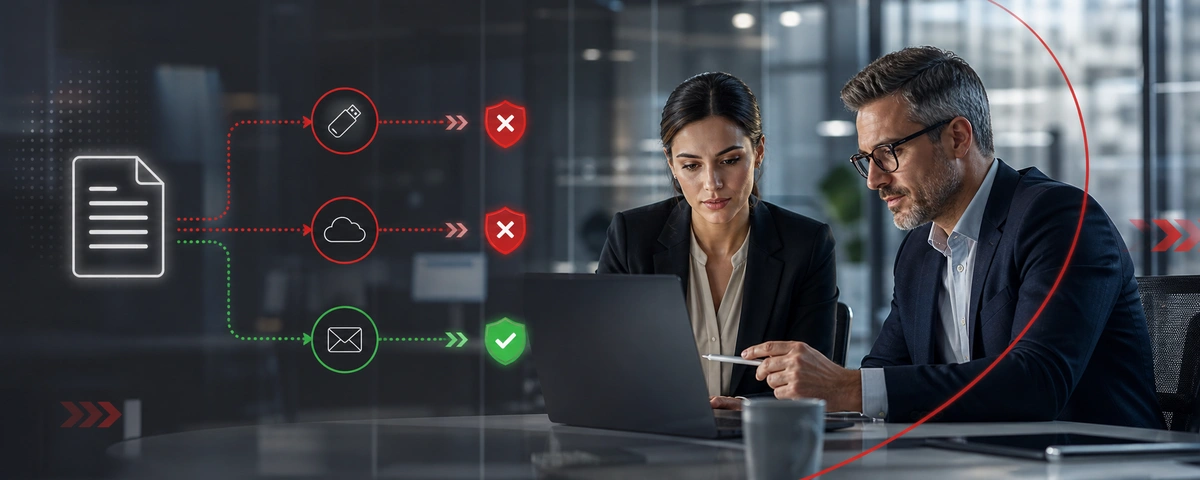
Why Choose CurrentWare’s Alternatives to Endpoint Protector?
Accessible Pricing
CurrentWare provides licensing options that are accessible to small teams
Stellar Support
We’re with you every step of the way. You can reach us by phone, email, or live chat.
Capabilities
CurrentWare’s monitoring, DLP, and web filtering keep you productive and secure
Learn More About CurrentWare
Benefits of CurrentWare
See what you can do with the capabilities of the CurrentWare Suite
Try the Demo Console
Get a feel for the console & dashboards before you deploy our software
Case Studies & Reviews
Don’t just take our word for it—Hear what our customers have to say!
Find a Data Loss Prevention Software for Your Needs
CurrentWare and Netwrix Endpoint Protector (formerly Endpoint Protector by CoSoSys) both provide endpoint security and data loss prevention solutions, but they differ in scope and accessibility.
The main difference between CurrentWare and Endpoint Protector is that CurrentWare is designed exclusively for Windows and offers optional modules for web filtering, user activity monitoring, and remote PC power management alongside its USB control solution.
In contrast, Endpoint Protector supports Windows, macOS, and Linux but requires a minimum of 150 licenses and at least two modules, making it more suited for large enterprises compared to CurrentWare’s flexible and cost-effective pricing.
| Use CurrentWare’s Endpoint Protector alternatives if… | Use Endpoint Protector by Netwrix if… |
|---|---|
| You’d like an advantageously priced USB control solution for Windows | You need advanced DLP features such as deep content inspection, eDiscovery, and email monitoring |
| You need greater insights into user activity such as high-risk internet and application usage | You require UI and customer support in languages other than English |
| You’d like to proactively prevent your users from accessing high-risk cloud storage sites | You’re searching for a DLP solution for a multi-OS environment with Mac or Linux computers |
Compare CurrentWare vs. Netwrix Endpoint Protector Features
Compare the key features of CurrentWare and Endpoint Protector to choose the right fit for you
The CurrentWare Suite include AccessPatrol, a USB security and USB activity monitoring software solution for preventing theft to portable storage devices.
These security features make the CurrentWare Suite the perfect solution for meeting cybersecurity compliance requirements for USB devices.
Both Endpoint Protector and CurrentWare’s AccessPatrol provide comprehensive peripheral control capabilities across a variety of devices. Both solutions allow you to granularly apply unique device control policies based on groups of users and computers.
Learn More: Devices You Can Control With AccessPatrol
Endpoint Protector’s core feature set is built around advanced DLP features such as deep packet inspection to break encryption for the purpose of directly inspecting content for sensitive information as it leaves the network.
Which features are available in Endpoint Protector depends on the modules purchased; they have separate modules for device control, content-aware protection, enforced encryption, and eDiscovery.
CurrentWare’s DLP capabilities include USB control to prevent data leaks to removable media devices, web category filtering to block web-based data egress points, and user activity monitoring to identify high-risk user behavior such as attempts to use blocked peripheral devices.
CurrentWare’s data loss prevention (DLP) tools help safeguard sensitive information from theft and leaks. With features like device control, file transfer monitoring, and real-time alerts, you can prevent data breaches and ensure compliance with industry regulations. By restricting the transfer of sensitive data via USB drives, external storage, or cloud services, CurrentWare minimizes the risk of data theft.
While Endpoint Protector is an excellent DLP tool, its lack of monitoring features leave a significant gap in your data loss prevention strategy—detecting insider threats.
Without clear visibility into employee computer activity your organization is at risk of data loss to high-risk computer usage such as using unauthorized applications and visiting malicious websites.
CurrentWare offers a robust employee monitoring solution that helps businesses boost productivity and ensure compliance. With tools for tracking web usage, application activity, screen monitoring, and USB device access, CurrentWare provides comprehensive insights into employee performance.
Its real-time monitoring and detailed reporting capabilities enable managers to identify productivity trends, optimize workflows, and address potential issues promptly.
Whether you’re managing remote teams or ensuring adherence to company policies, CurrentWare’s intuitive interface and customizable features make it the ideal solution for streamlined, effective employee monitoring.
Web filtering is an essential component of any DLP strategy. Blocking high-risk websites such as unauthorized cloud storage services and malicious websites ensures that data is not leaked to these egress points.
Unfortunately, Endpoint Protector’s web filtering capabilities are limited. While the Content Aware Protection module can be used to deny access to URLs and domains this method of web filtering is not scalable as you must manually add new websites as they emerge.
CurrentWare’s web filter BrowseControl includes a web category filtering database with millions of URLs across hundreds of categories including social media, file hosting, and virus-infected sites.
CurrentWare’s web filtering and internet security tools help businesses maintain a secure and productive online environment. With customizable filters, you can block access to inappropriate or non-work-related websites, reducing distractions and safeguarding sensitive data.
Additionally, CurrentWare’s web filtering features prevent employees from accessing malicious sites, helping to protect your organization from cybersecurity threats. By offering detailed reports on web activity, CurrentWare gives you the insights needed to ensure compliance, improve productivity, and minimize risks associated with internet usage in the workplace.
Thanks to its simple interface and setup process, getting started with CurrentWare is easy—whether or not you’re an experienced system administrator. CurrentWare offers a variety deployment options that suit the installation needs of organizations of all sizes.
Both CurrentWare and Endpoint Protector can be deployed on-premises or on a self-managed cloud server through cloud service providers such as Amazon Web Services and Google Cloud Platform.
Endpoint Protector also offers a Software-as-a-Service model where they manage server deployment and maintenance for an added cost.
Due to Endpoint Protector’s minimum order quantity of 150 licenses and 2 modules it is not the best data loss prevention solution for small businesses.
In terms of setup and deployment, Endpoint Protector’s greatest strength is its near 1:1 feature parity between Windows, Mac, and Linux, whereas CurrentWare is only available for Windows machines. This operating system diversity makes Endpoint Protector a great option for multi-OS environments.
Even the best alternatives to Endpoint Protector need to have a reliable technical support team to ensure that its customers get the services they need to make the most of their data loss prevention solutions.
CurrentWare’s support team is available by phone, live chat, and email from 8:00 AM – 6:00 PM EST, Monday to Friday to ensure your business is covered. We also maintain an onboarding guide and a knowledge base full of helpful articles and training videos to ensure critical information is available 24/7.
| CurrentWare | Endpoint Protector | |
|---|---|---|
| ✅ | USB Storage | ✅ |
| ✅ | External HDDs | ✅ |
| ✅ | Tape | ❌ |
| ✅ | CD/DVD | ✅ |
| ✅ | iPhones/iPads/iPods | ✅ |
| ✅ | Smartphones/Tablets | ✅ |
| ✅ | Digital Cameras | ✅ |
| ✅ | Media Players (MP3 Players) | ✅ |
| ✅ | Memory Cards (SD/MM) | ✅ |
| ✅ | Printers | ✅ |
| ✅ | Floppy Drives | ✅ |
| ✅ | Webcams | ✅ |
| ✅ | WiFi Network Cards | ✅ |
| ✅ | FireWire | ✅ |
| ❌ | Thunderbolt | ❌ |
| ❌ | Biometric Devices | ✅ |
| ✅ | Sound Cards | ✅ |
| ✅ | Bluetooth Devices | ✅ |
| ✅ | Serial Ports | ✅ |
| ✅ | Parallel Ports | ✅ |
| ✅ | Network Share | ✅ |
| ✅ | HID (Keyboards, Mice, etc) | ✅ |
| ✅ | USB-to-Ethernet | ✅ |
| ✅ | Infrared Dongle | ✅ |
CASE STUDY
Viking Yachts Stops Departing Employee From Stealing Intellectual Property
CurrentWare saved us a lot of time and money. If we didn’t have them we would have never known what was going on. I cannot thank them enough for this software; being able to audit removable drives is invaluable.
See What Our Customers Have to Say
Expand your capabilities with CurrentWare's award-winning productivity and security software
Endpoint Protector Reviews
✔️ Endpoint Protector Pros
Granularity & Compatibility
Endpoint Protector has compatibility with all major operating systems. Endpoint Protector’s granularity on who or which computer gets what policies makes it easy to apply Endpoint Protector to many use cases.
Source: Capterra Reviewer, 2021
The best part of endpoint protector is that it works on all three platforms i.e., Windows, MAC, and Linux. Also, there is a single pane from which you can manage everything.
Source: G2 Reviewer, 2022
In the Mac space, CoSoSys is probably the market leader, because of the level of detail that they’ve put into the platform is very significant.
Source: PeerSpot Reviewer, 2021
🟡 Mixed Reviews
Support
The after-sales service is not that great. We faced some issues with the solution and want some customization for the same but [we were] not getting support.
Source: G2 Reviewer, 2022
Technical support has been fantastic. They get back to me quickly. They’re willing to schedule video conferencing so that I can share my screen. They’re willing to bring on a level-two support technician to look at the details. They’re able to supply everything for me support-wise.
Source: PeerSpot Reviewer, 2021
There is a language issue occasionally and you have to over explain things, but it depends at the end of the day what type of solution you are looking for and what their commercials look like.
Source: Comment on /r/sysadmin, 2019
❌ Endpoint Protector Cons
Complexity
The learning curve is pretty steep to get the policies setup correctly. Make sure you team has someone to set this up and have the machine to host the software. That was the only piece we were missing is we had to scramble to find a machine powerful enough to host the solution.
Source: G2 Reviewer, 2020
The initial setup was complex…It took more than a month to deploy because I had to source all of the equipment. They have a very good “how-to” document on deploying the software but once we got to that point, it was not the software causing a problem but rather, it was a hardware compatibility issue.
Source: PeerSpot Reviewer, 2021
Get Started Today With a Free Trial
Fully functional. Easy to use. $12/user/month. *For on-prem pricing, contact sales
CurrentWare vs Endpoint Protector Pricing
CurrentWare Pricing
The CurrentWare Suite is a cost effective solution for tracking the computer usage of your team members. CurrentWare offers fair prices and honest value to keep their employee monitoring software solutions accessible to companies of all sizes.
CurrentWare’s solutions can be purchased individually for the greatest flexibility or as a full suite for the best value.
When purchased individually, the cost of BrowseReporter, AccessPatrol starts at $12/user/month and BrowseControl at $12 /user/ month (paid annually). The full CurrentWare Suite includes all 4 modules starting at $20 per user per month (paid annually).
Discounts Available:
- Pricing breaks are available for businesses that sign up for multi-year plans or have future growth planned and can commit to bulk orders.
- Volume license discounts are available starting for as low as 100 users, with discounts increasing depending on the number of licenses, and the length of the contract term.
- Educational organizations and nonprofits may qualify for a 10% license discount.
- Not satisfied with a competing vendor? Make the switch to CurrentWare today and you may save up to 25% on your first year!
Endpoint Protector Pricing
Pricing for Endpoint Protector is not publicly available as it varies widely based on system requirements, the quantity of licenses, and the modules you select. To get accurate Endpoint Protector pricing you must schedule a meeting with a member of their sales team.
Here’s what we know about Endpoint Protector pricing:
- The Gov.uk Digital Marketplace has Netrix Endpoint Protector listed at £17.82 a user (~USD $22.60)
- Insight lists a single license of Netrwix Endpoint Protector for Windows at CAD $18.99 (~USD $13.53)
- The entry-level package is 150 licenses with a minimum of two Endpoint Protector modules
- To gain access to all of Endpoint Protector’s features you must purchase additional modules
- An SC Magazine article from 2013 states this for 250 users: “With a price starting at $8,250 for the appliance (with just the Device Control module), and up to $14,850 for the appliance, Device Control and Content Aware Protection…this product can become quite pricey fast.”. The price of Endpoint Protector has likely risen since 2013, though their licensing model may have changed as well.
- A review from 2021 notes that “For what it’s doing, the cost is somewhat high for us…” – Ray Grau, Interactive Developer at Customer Communications Group, Inc.
- Another review from 2021 indicates that Endpoint Protector may not offer advantageous pricing for long-term commitments beyond one year: “It would be helpful if they offered discounted pricing for long-term contracts to serve customers who are interested in committing for periods of three years, five years, or longer.” – Salachour Ebaratgar, IT Manager, Marketing Services Firm with 51-200 Employees
Not Satisfied With Your Vendor?
Switch to Us & Get a Discount
Make the switch to CurrentWare today to save up to 25% on your first year!
See How CurrentWare Compares to Other Workforce Monitoring Vendors
Internet Restriction
Data Loss Prevention
Best Acronis DeviceLock DLP Alternative for Data Loss Prevention & User Activity Monitoring
Looking for DeviceLock alternatives for preventing data loss that’s flexible, intuitive, and fairly priced?
CurrentWare has the USB control, web filtering, and user activity monitoring capabilities you need to protect data—at a fraction of the cost!

Why Choose CurrentWare’s DeviceLock Alternatives?
Fair Pricing
CurrentWare provides activity insights and DLP for a fraction of the cost of InterGuard
Stellar Support
We’re with you every step of the way. You can reach us by phone, email, or live chat.
Capabilities
CurrentWare’s monitoring, DLP, and web filtering keep you productive and secure
Learn More About CurrentWare
Benefits of CurrentWare
See what you can do with the capabilities of the CurrentWare Suite
Try the Demo Console
Get a feel for the console & dashboards before you deploy our software
Case Studies & Reviews
Don’t just take our word for it—Hear what our customers have to say!
Find a Data Loss Prevention Tool For Your Needs
Acronis DeviceLock DLP and CurrentWare are both solutions for protecting sensitive data against theft and leakage, offering a similar set of core features. The main difference between CurrentWare and DeviceLock is that CurrentWare offers modular purchasing options for their DLP, UAM, and web filtering tools, whereas DeviceLock no longer offers modules/add-ons for DeviceLock DLP core.
| Use CurrentWare’s DeviceLock alternatives if… | Use DeviceLock if… |
|---|---|
| You want to avoid DeviceLock’s steep prices and reduce costs with CurrentWare’s advantageous pricing | You need a DLP solution for MacOS |
| You appreciate an easy-to-navigate central console with modern dashboards | You’d prefer a SaaS solution |
| You need a new solution to replace the user activity tracking functionality lost from the end-of-life of add-ons for Acronis DeviceLock DLP | Your use case for DLP requires advanced features such as data shadowing and clipboard control |
Compare CurrentWare vs. Acronis DeviceLock DLP Features
Compare the key features of CurrentWare and DeviceLock to choose the right DLP solution for your company
Peripheral Control
The CurrentWare Suite include AccessPatrol, a USB security and USB activity monitoring software solution for preventing theft to portable storage devices. AccessPatrol can be purchased as a standalone module or be used alongside the other modules in the CurrentWare Suite.
These security features make the CurrentWare Suite the perfect solution for meeting cybersecurity compliance requirements for USB devices.
Both DeviceLock DLP and CurrentWare’s AccessPatrol provide comprehensive peripheral control capabilities across a variety of devices. Both solutions allow you to granularly apply unique device control policies based on groups of users and computers.
Learn More: Devices You Can Control With AccessPatrol
Data Loss Prevention
CurrentWare’s DLP capabilities include USB control to prevent data leaks to removable media devices, web category filtering to block web-based data egress points, and user activity monitoring to identify high-risk user behavior such as attempts to use blocked peripheral devices.
CurrentWare’s data loss prevention (DLP) tools help safeguard sensitive information from theft and leaks. With features like device control, file transfer monitoring, and real-time alerts, you can prevent data breaches and ensure compliance with industry regulations. By restricting the transfer of sensitive data via USB drives, external storage, or cloud services, CurrentWare minimizes the risk of data theft.
Employee Monitoring
Acronis has completed the end-of-life process for Acronis DeviceLock DLP add-ons, including Acronis DeviceLock User Activity Monitor. While this section compares CurrentWare vs Acronis DeviceLock for UAM, you are no longer able to purchase the add-on necessary to adequately monitor user activity with DeviceLock DLP.
Without clear visibility into employee computer activity your organization is at risk of data loss to high-risk computer usage such as using unauthorized applications and visiting malicious websites.
CurrentWare offers a robust employee monitoring solution that helps businesses boost productivity and ensure compliance. With tools for tracking web usage, application activity, screen monitoring, and USB device access, CurrentWare provides comprehensive insights into employee performance.
Its real-time monitoring and detailed reporting capabilities enable managers to identify productivity trends, optimize workflows, and address potential issues promptly.
Whether you’re managing remote teams or ensuring adherence to company policies, CurrentWare’s intuitive interface and customizable features make it the ideal solution for streamlined, effective employee monitoring.
Web Filtering
Web filtering is an essential component of any DLP strategy. Blocking high-risk websites such as unauthorized cloud storage services and malicious websites ensures that data is not leaked to these egress points.
Unfortunately, DeviceLock’s web filtering capabilities are limited. While DeviceLock can control access to some data transfer and social networking services, it lacks the granular URL filtering and web content categorization abilities needed to be an effective web filtering solution.
CurrentWare’s web filtering and internet security tools help businesses maintain a secure and productive online environment. With customizable filters, you can block access to inappropriate or non-work-related websites, reducing distractions and safeguarding sensitive data.
Additionally, CurrentWare’s web filtering features prevent employees from accessing malicious sites, helping to protect your organization from cybersecurity threats. By offering detailed reports on web activity, CurrentWare gives you the insights needed to ensure compliance, improve productivity, and minimize risks associated with internet usage in the workplace.
Setup & Deployment
Thanks to its simple interface and setup process, getting started with CurrentWare is easy—whether or not you’re an experienced system administrator. CurrentWare offers a variety deployment options that suit the installation needs of organizations of all sizes.
Both CurrentWare and DeviceLock can be deployed on-premises or on a self-managed cloud server through cloud service providers such as Amazon Web Services and Google Cloud Platform.
In terms of setup and deployment, DeviceLock’s greatest strength is its cross-platform combability across Windows and Mac, whereas CurrentWare is currently only available for Windows machines. That said, DeviceLock’s MacOS agent does not have full feature parity with its Windows equivalent.
Customer Support
Even the best alternatives to Acronis DeviceLock DLP need to have a reliable technical support team to ensure that its customers get the services they need to make the most of their data loss prevention solutions.
CurrentWare’s support team is available by phone, live chat, and email from 8:00 AM – 6:00 PM EST, Monday to Friday to ensure your business is covered. We also maintain an onboarding guide and a knowledge base full of helpful articles and training videos to ensure critical information is available 24/7.
| CurrentWare | DeviceLock | |
|---|---|---|
| ✅ | USB Storage | ✅ |
| ✅ | External HDDs | ✅ |
| ✅ | Tape | ✅ |
| ✅ | CD/DVD | ✅ |
| ✅ | iPhones/iPads/iPods | ✅ |
| ✅ | Smartphones/Tablets | ✅ |
| ✅ | Digital Cameras | ✅ |
| ✅ | Media Players (MP3 Players) | ✅ |
| ✅ | Memory Cards (SD/MM) | ✅ |
| ✅ | Printers | ✅ |
| ✅ | Floppy Drives | ✅ |
| ✅ | Webcams | ✅ |
| ✅ | WiFi Network Cards | ✅ |
| ✅ | FireWire | ✅ |
| ❌ | Thunderbolt | ❌ |
| ✅ | Sound Cards | ✅ |
| ✅ | Bluetooth Devices | ✅ |
| ✅ | Serial Ports | ✅ |
| ✅ | Parallel Ports | ✅ |
| ✅ | Network Share | ✅ |
| ✅ | HID (Keyboards, Mice, etc) | ✅ |
| ✅ | USB-to-Ethernet | ✅ |
| ✅ | Infrared Dongle | ✅ |
CASE STUDY
Viking Yachts Stops Departing Employee From Stealing Intellectual Property
CurrentWare saved us a lot of time and money. If we didn’t have them we would have never known what was going on. I cannot thank them enough for this software; being able to audit removable drives is invaluable.
CurrentWare vs DeviceLock Pricing
CurrentWare Pricing
The CurrentWare Suite is a cost effective solution for tracking the computer usage of your team members. CurrentWare offers fair prices and honest value to keep their employee monitoring software solutions accessible to companies of all sizes.
CurrentWare’s solutions can be purchased individually for the greatest flexibility or as a full suite for the best value.
When purchased individually, the cost of BrowseReporter, AccessPatrol starts at $12/user/month and BrowseControl at $6 /user/ month (paid annually). The full CurrentWare Suite includes all 4 modules starting at $20 per user per month (paid annually).
Discounts Available:
- Pricing breaks are available for businesses that sign up for multi-year plans or have future growth planned and can commit to bulk orders.
- Volume license discounts are available starting for as low as 100 users, with discounts increasing depending on the number of licenses, and the length of the contract term.
- Educational organizations and nonprofits may qualify for a 10% license discount.
- Not satisfied with a competing vendor? Make the switch to CurrentWare today and you may save up to 25% on your first year!
DeviceLock Pricing
Pricing for DeviceLock DLP is not publicly available from Acronis. To get accurate DeviceLock pricing you must schedule a meeting with a member of their sales team.
Here’s what we know about Acronis DeviceLock DLP pricing:
- Insight.com lists Acronis DeviceLock Core for USD $19.99 per endpoint per year for under 50 licenses
- Shi.ca lists Acronis DeviceLock Core for CAD $30 per endpoint per year for under 50 licenses
CASE STUDY
Metromont Protects Their Assets & Increases User Awareness of USB Security Risks
CurrentWare lets us see which employees are trying to use unauthorized USB devices so we can take corrective action.
Thankfully, the software’s warnings when blocking a USB device have made our stance on random storage devices perfectly clear.
See What Our Customers Have to Say
Get Started Today With a Free Trial
Fully functional. Easy to use. Install in minutes.
End-of-Life for Acronis DeviceLock Add-ons & DeviceLock Discovery DLP
As of March 01, 2023, Acronis DeviceLock add-ons and DeviceLock Discovery DLP are no longer available for purchase. This greatly diminishes the capabilities of DeviceLock DLP as only DeviceLock Core is available.
Organizations that want to transition to an actively maintained USB control solution must find an alternative to DeviceLock, such as AccessPatrol DLP and USB Control software.
Below is Acronis’ official end-of-life statement for DeviceLock DLP add-ons and DeviceLock Discovery.
Acronis DeviceLock DLP has been a modular data loss prevention (DLP) product comprised of core context-aware component for controlling data flows across peripheral devices and ports – Acronis DeviceLock Core, and additional add-on components that extended Acronis DeviceLock DLP functionalities with content-aware controls, DLP for network channels, data discovery, etc.
Due to changing market demands, technologies, and the company focus, Acronis has completed the end-of-life process for Acronis DeviceLock DLP add-ons and DeviceLock Discovery.
The following offerings are no longer available:
- Acronis DeviceLock NetworkLock
- Acronis DeviceLock ContentLock
- Acronis DeviceLock User Activity Monitor
- Acronis DeviceLock Search Server
- DeviceLock Discovery
The end of sales became effective on the 1st of March, 2023.
Acronis provides self-service support for DeviceLock add-ons and DeviceLock Discovery and will continue to do so until the end of March 2025. Any customers that benefit from these functionalities will be able to use them until the end-of-life date.
About DeviceLock’s Discontinued Add-Ons
DeviceLock NetworkLock was a separately licensed component that added contextual-level control of user network communications via the Internet through company email, personal webmail, instant messaging services, social networks (like Facebook, Google+, Twitter), web surfing, FTP file transfers, and cloud-based file sharing services like Dropbox, SkyDrive, and Google Drive.
DeviceLock ContentLock was a separately licensed component that added the capability to look inside files and other data objects (like emails and webmails, chats, blog posts, etc.) for sensitive information like social security numbers, credit card numbers, bank account numbers, or other user-definable information and to make block-or-allow decisions based on policies regarding file contents.
DeviceLock User Activity Monitor was a separately licensed component that monitored end-user activity by video capturing a user’s computer screen and recording all keystrokes and information about the processes and applications running and used during the recording.
DeviceLock Search Server was a separately licensed component that provided a full-text search of logged data. This functionality was especially useful when searching for shadow copies of documents based on their contents.
DeviceLock Discovery was a separately licensed component that helped network administrators and security personnel locate specific types of content stored within and outside the limits of the corporate network. Discovering unwanted content was essential to protecting the company’s intellectual property, controlling employee activities, and administering computer networks.
Get Started Today With a Free Trial
Fully functional. Easy to use. Install in minutes.
See How CurrentWare Compares to Other Workforce Monitoring Vendors
Internet Restriction
Data Loss Prevention
Cisco Umbrella Alternative for Web Security & Internet Traffic Monitoring
Looking for an easy-to-use Cisco Umbrella alternative to stop employees from visiting dangerous, inappropriate, and distracting websites?
Both Cisco Umbrella (formerly OpenDNS Enterprise) and CurrentWare can monitor and control internet use—which should you choose?
We will compare the features of Cisco Umbrella to CurrentWare’s Cisco Umbrella alternatives so you can choose the right fit for your company.
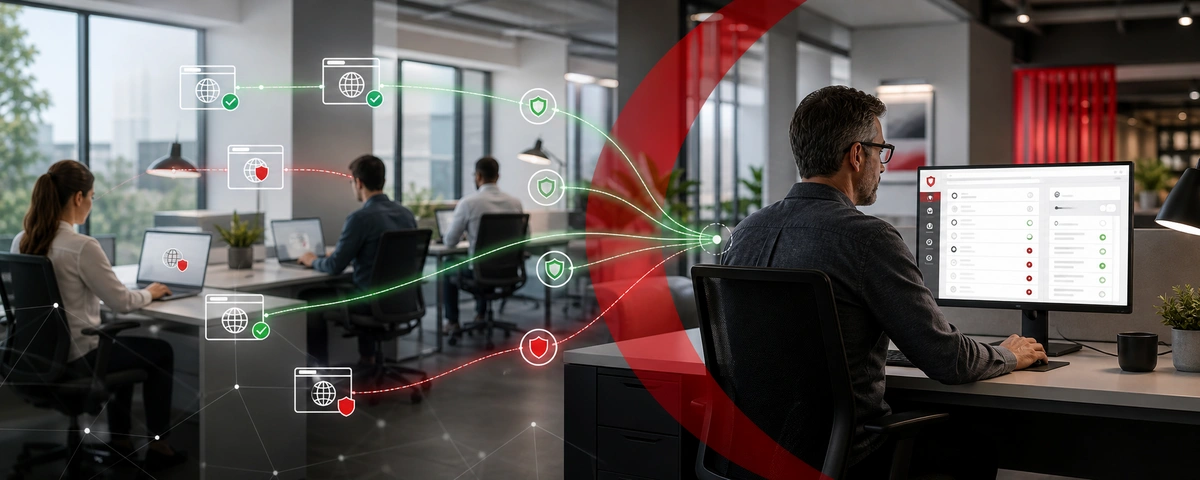
Find a Web Security Solution For Your Needs
| When to Use CurrentWare’s Cisco Umbrella Alternatives | When to Use Cisco Umbrella |
|---|---|
| You need a cost-effective and easy-to-use filtering solution for blocking and monitoring internet access | You want to consolidate multiple network security tools with advanced features (IPS, CASB, SWG, etc) into a single Secure Access Service Edge (SASE) |
| You need to gain visibility and control over locally run executable apps | You need cloud DNS filtering services with full SSL inspection for inspecting encrypted traffic in your network |
| You’d like an intuitive and flexible solution for controlling internet access, protecting sensitive data, and monitoring employee computer use | You need a comprehensive solution with advanced protection against web security threats beyond the benefits of a web filter |
Compare CurrentWare vs. Cisco Umbrella Features
Review Cisco Umbrella vs CurrentWare’s Cisco Umbrella alternatives so you can choose the right fit for your company.
Web Security
CurrentWare’s web filtering and internet security tools help businesses maintain a secure and productive online environment. With customizable filters, you can block access to inappropriate or non-work-related websites, reducing distractions and safeguarding sensitive data.
Additionally, CurrentWare’s web filtering features prevent employees from accessing malicious sites, helping to protect your organization from cybersecurity threats. By offering detailed reports on web activity, CurrentWare gives you the insights needed to ensure compliance, improve productivity, and minimize risks associated with internet usage in the workplace.
If you need a basic web filter for content filtering, BrowseControl is one of the top alternatives to Cisco Umbrella. If you need advanced threat protection Cisco Umbrella goes beyond internet filtering and blocks malware with real time deep analysis of web pages.
Employee Monitoring
CurrentWare offers a robust employee monitoring solution that helps businesses boost productivity and ensure compliance. With tools for tracking web usage, application activity, screen monitoring, and USB device access, CurrentWare provides comprehensive insights into employee performance.
Its real-time monitoring and detailed reporting capabilities enable managers to identify productivity trends, optimize workflows, and address potential issues promptly.
Whether you’re managing remote teams or ensuring adherence to company policies, CurrentWare’s intuitive interface and customizable features make it the ideal solution for streamlined, effective employee monitoring.
Data Loss Prevention & Cybersecurity
Monitoring and restricting USB file transfers is critical for protecting data against insider theft. CurrentWare’s AccessPatrol lets you restrict the use of a wide variety of peripheral devices including external storage hardware, Bluetooth, WiFi, and printers.
While Cisco Umbrella has excellent DNS security options, it lacks USB control features. For comprehensive protection you can combine the cloud based service of Cisco Umbrella with CurrentWare’s endpoint security solutions. This will ensure that both your endpoints and networks are secure.
CurrentWare’s DLP capabilities include USB control to prevent data leaks to removable media devices, web category filtering to block web-based data egress points, and user activity monitoring to identify high-risk user behavior such as attempts to use blocked peripheral devices.
CurrentWare’s data loss prevention (DLP) tools help safeguard sensitive information from theft and leaks. With features like device control, file transfer monitoring, and real-time alerts, you can prevent data breaches and ensure compliance with industry regulations. By restricting the transfer of sensitive data via USB drives, external storage, or cloud services, CurrentWare minimizes the risk of data theft.
Setup & Deployment
Thanks to its simple interface and setup process, getting started with CurrentWare is easy—whether or not you’re an experienced system administrator. CurrentWare is easy to deploy and offers a variety deployment options that suit the installation needs of organizations of all sizes.
That said, CurrentWare is only available for the Windows operating system. Companies searching for MacOS web security solutions will benefit from Cisco Umbrella’s roaming clients for Mac or other solutions.
Customer Support
Even the best Cisco Umbrella competitors have to have a reliable technical support team to ensure that their customers get the services they need to integrate the filtering solution.
CurrentWare prides itself on its high-quality support offerings. Our support team is knowledgeable, readily available, and here to assist you every step of the way.
Cisco Umbrella has paid support tiers. Pricing is not publicly available, though they do provide a support packages datasheet with more information.
| CurrentWare | Cisco Umbrella | |
|---|---|---|
| ✅ | URL Filtering | ✅ |
| ✅ | Block Sites via IP Addresses | ✅ |
| ✅ | Scheduled Blocking | ✅ |
| ❌ | SSL Traffic Inspection | ✅ |
| ✅ | Block File Transfers to Cloud Storage | ✅ |
| ✅ | Block File Downloads | ✅ |
| ✅ | Time-Based Controls | ✅ |
| ✅ | Port Filtering | ✅ |
| ✅ | Block Applications | ⚠️ Cloud Apps Only |
| ✅ | Category Filtering (malicious domains, adult content, phishing URLs, etc) | ✅ |
| ✅ | User Group Policies | ✅ |
| ✅ | Computer Group Policies | ✅ |
| ✅ | Custom Block Pages | ✅ |
| ✅ | Manage Offsite Users | ✅ |
| ❌ | Antimalware Scanning | ✅ |
| ✅ | Enforce Google SafeSearch | ✅ |
CASE STUDY
Web Filtering Software Keeps Students & School Systems Safe From Internet-Based Threats
Exposing students to the digital world comes with a responsibility to protect them. Students love BrowseControl because it gives them a safe working environment and prevents potential bad actors from interrupting their educational experience.
See What Our Customers Have to Say
Expand your capabilities with CurrentWare's award-winning productivity and security software
Not Satisfied With Your Vendor?
Switch to Us & Get a Discount
Make the switch to CurrentWare today to save up to 25% on your first year!
CurrentWare’s Advantageous Pricing
Why pay thousands of dollars for Cisco Umbrella when you simply want to restrict internet access and monitor employee web browsing and application usage?
The full CurrentWare Suite starts at a cost-effective $20 per user per month. Individual modules start at $12 per user per month..
Education & Nonprofit Discounts
CurrentWare offers educational and nonprofit organizations 10% off of any of the products in the CurrentWare Suite.
Volume Licensing
Volume-based licensing starts as low as 100 users to provide advantageous pricing for any business that needs to manage multiple devices.
Deals for Managed Service Providers
CurrentWare’s managed service providers and resellers get advantageous pricing on their licenses
Prepurchase Discounts
Pricing breaks are available for businesses that sign up for multi-year plans, or have future growth planned and can commit to bulk orders.
Get Started Today With a Free Trial
Fully functional. Easy to use. Install in minutes.
Cisco Umbrella Packages & Pricing
Looking for Cisco Umbrella pricing? Unfortunately there is no Cisco Umbrella cost publicly listed on their website. Potential Cisco Umbrella customers will need to request a quote from Cisco Systems Inc directly to get an accurate view of Cisco Umbrella pricing.
There are four distinct Cisco Umbrella packages: DNS Security Essentials, DNS Security Advantage, SIG Essentials, and SIG Advantage.
The DNS Security Essentials package of Cisco Umbrella focuses on basic DNS layer web filtering by domain or category; it does not include support for URL filtering. To get URL filtering you will need to upgrade to their SIG (secure internet gateway) plans.
Cisco Umbrella also offers a DNS Monitoring Package that provides free, recursive DNS services with real-time reporting and categorization.
Cisco Umbrella has paid support tiers. Pricing is not publicly available, though they do provide a support packages datasheet with more information.
This section will further compare the other features between CurrentWare’s Cisco Umbrella alternative and Cisco’s various DNS protection and secure internet gateway plans.
| CurrentWare | Cisco Umbrella | |
|---|---|---|
| ❌ | Full SSL inspection | ❌ |
| ✅ | Web filtering by domain or category | ✅ |
| ❌ | DNS Filtering | ✅ |
| ✅ | Custom block/allow lists of domains | ✅ |
| ✅ | Custom block/allow lists of URLs | ❌ |
| ❌ | Block files based on AV Engine and malware defense | ❌ |
| ❌ | Sandboxing | ✅ |
| ✅ | Cloud app discovery | ⚠️ Partial Support |
| ❌ | Scan and remove malware from cloud-based file storage apps | ❌ |
| ✅ | Block domains with malware, phishing sites, botnet, or other high risk items | ✅ |
| ✅ | Block specific IPs, ports, and protocols | ❌ |
| ❌ | Layer 7 protection including an Intrusion Prevention System | ❌ |
| ❌ | In-line DLP inspection and blocking capabilities | ❌ |
| ❌ | Remote browser isolation | ❌ |
| ✅ | Create policies and generate reports by network, device, and user | ✅ |
| ✅ | Customize block pages | ✅ |
Get Started Today With a Free Trial
Fully functional. Easy to use. $12/user/month. *For on-prem pricing, contact sales
See How CurrentWare Compares to Other Workforce Monitoring Vendors
Internet Restriction
Data Loss Prevention
Get Started Today With a Free Trial
Fully functional. Easy to use. $12/user/month. *For on-prem pricing, contact sales
Frequently asked
Frequently Asked Questions:
-
CurrentWare’s software client collects user activity data independent of the browser’s browsing history.
Internet browsing data will remain intact for use in reports and dashboards even if the user deletes their web browsing history in their browser or uses a private browsing function such as Incognito Mode On Google Chrome, Private Browsing On Mozilla Firefox, and InPrivate Browsing Window On Microsoft Edge.
-
No, CurrentWare cannot access your employee’s computer monitoring data. CurrentWare’s software does not send your user’s computer usage data to CurrentWare. They are installed and managed by your organization.
All of the data collected by CurrentWare’s software is stored on a database that is installed in your organization’s data center or cloud services provider.
With CurrentWare’s on-premises & self-managed cloud deployment options, you’re in complete control of your data.
- Sensitive employee data stays secured to your standards rather than being sent to a third party.
- Maintain data localization and residency compliance requirements by keeping employee data exactly where it needs to be.
- Retain auditable records of user activity for as long as you need
For more information please refer to our Terms of Service.
-
The CurrentWare Suite can be deployed on-premises or on a cloud services provider of your choice. Both deployment option are compatible with remote workers with a few configuration changes.
Learn More:
-
Yes. CurrentWare’s MSPs and resellers get advantageous pricing on their licenses. We also offer NFR licenses that our partners can use to familiarize themselves with the CurrentWare Suite.
Register for our managed service provider (MSP) or reseller programs today and grow your business with our employee monitoring, web filtering, device control, and remote PC power management software solutions.
-
Yes. CurrentWare’s computer monitoring software allows you to monitor remote workers through a variety of deployment options such as an offsite mode that works without access to the internet, connecting through a VPN, port forwarding, or by installing it on a cloud platform of your choice.
-
The free trial for all of CurrentWare’s computer monitoring software solutions are fully functional. You can deploy it on up to 10 computers for 14 days. If you need more time or more computers to properly evaluate CurrentWare in your organization, reach out to our sales team.
-
CurrentWare’s solutions can be purchased individually for the greatest flexibility or as a bundle for the best value.
When purchased individually, the cost of BrowseReporter, AccessPatrol starts at $12/user/month and BrowseControl at $6 /user/ month (paid annually).
Volume license discounts are available starting for as low as 100 users, with discounts increasing depending on the number of licenses.
There are additional discounts available for educational organizations, non-profits, managed services providers, and for businesses that pre-purchase multiple year plans.
Looking for a quote? Contact our sales team here.
-
CurrentWare is committed to the security of its platform, its users and their data.
- All of the data collected by CurrentWare’s solutions is stored in your organization’s data center or cloud service provider; the data is not sent to CurrentWare.
- The web console cannot be accessed without a username and password. For an added layer of authentication security you can enable two-factor authentication.
- You can selectively enable/disable what data is tracked and delete old records automatically.
For a complete overview of the security measures that CurrentWare has in place, check out the CurrentWare platform security overview page.
-
Cisco Umbrella (OpenDNS Umbrella) is an enterprise-grade network security platform and cloud delivered firewall for protecting a corporate network against various online threats such as phishing sites. It was formerly called OpenDNS Enterprise before Cisco acquired OpenDNS in 2015.
The Cisco Umbrella global network provides multiple security features to help businesses better protect their networks, data, and employees from web-based threats such as malware, ransomware and phishing.
Cisco Umbrella is best used as a DNS-level internet security solution. To simply block access to malicious sites and enforce internet security policies you can consider Cisco Umbrella competitors such as BrowseControl web filtering software and other security solutions.
Ready to give CurrentWare a try?
Fully functional. Easy to use. No credit card required.
No Credit Card Required
All subscriptions include ongoing updates and direct support from our team.
Best Alternatives to Kaspersky Endpoint Security for Business
Looking for the best Kaspersky alternatives for web control, USB device control, and user activity monitoring?
CurrentWare has the user activity tracking, web filtering, and data loss prevention security solutions you need to keep your business running securely and productively—at a fraction of the cost!
We offer fair prices and honest value to keep our products accessible to companies of all sizes.

Not Satisfied With Your Vendor?
Switch to Us & Get a Discount
Make the switch to CurrentWare today to save up to 25% on your first year!
Compare CurrentWare vs Kaspersky Key Features
Employee Monitoring
This section will compare the employee monitoring software features of CurrentWare to Kaspersky Endpoint Security.
CurrentWare’s employee monitoring software gives you the internet and application usage data you need to track employee performance, monitor remote workers, and ensure that employees are following your acceptable use policy.
Last updated January 2023
Web Filtering
This section will compare the web content filtering features of CurrentWare to Kaspersky Endpoint Security.
CurrentWare’s internet and application blocking software BrowseControl is a fantastic Kaspersky alternative for controlling employee internet use. It allows you to proactively block undesirable websites and applications to help keep your workforce secure and productive.
NOTE: Kaspersky Web Control is only available in the Kaspersky Endpoint Security Cloud Plus plan. On Windows workstations this component is unavailable if it is installed on a computer that runs on Microsoft Windows for file servers.
Last updated January 2023
Data Loss Prevention & Cybersecurity
This section will compare the data loss prevention and cybersecurity features of CurrentWare to Kaspersky Endpoint Security.
Monitoring and restricting USB file transfers is critical for protecting sensitive data against insider theft. CurrentWare’s AccessPatrol lets you restrict the use of a wide variety of peripheral devices including external storage hardware, Bluetooth, WiFi, and printers.
Note: Kaspersky’s USB device control features are only available in Kaspersky Endpoint Security Cloud Plus
Last updated January 2023
Setup & Deployment
Getting started with CurrentWare is easy. CurrentWare offers a variety deployment options that suit the installation needs of organizations of all sizes.
Last updated January 2023
Customer Support
Even the best vendors need to have a reliable support team to ensure that their customers get the services they need to make the most of their security solutions. This section will compare the customer support options of Kaspersky to CurrentWare’s Kaspersky alternatives.
*Kaspersky’s technical support availability varies based on whether or not you purchase a Maintenance Service Agreement (MSA). There are 4 MSA support tiers, with higher tiers offering faster response times.
Kaspersky’s Support Tiers:
- Standard Support: 10 am to 5 pm (ET) Monday – Friday
- MSA Start: 9 am to 7 pm (ET) Monday – Friday
- MSA Plus/Business/Enterprise: 24 x 7 x 365
Last updated January 2023
| CurrentWare | vs. | Kaspersky Endpoint Security |
|---|---|---|
| ✅ | Reports & Alerts | ✅ |
| ✅ | Remote Screen Capture | ❌ |
| ✅ | Scheduled Monitoring | ❌ |
| ✅ | Productive vs. Unproductive Time | ❌ |
| ✅ | Track Local Software Usage | ✅ |
| ✅ | Search Query Reports | ❌ |
| ✅ | Track File Transfers To/From Network Share Drives | ❌ |
| ✅ | Track Downloads/Uploads | ❌ |
| ✅ | Idle Time Tracking | ❌ |
| ✅ | Remote vs In-Office Tracking | ✅ |
| ✅ | Bandwidth Usage Tracking | ❌ |
| ✅ | URL Category Tracking | ✅ |
| ✅ | Audit Logons | ✅ |
CASE STUDY
Viking Yachts Stops Departing Employee From Stealing Intellectual Property
CurrentWare saved us a lot of time and money. If we didn’t have them we would have never known what was going on. I cannot thank them enough for this software; being able to audit removable drives is invaluable.
See What Our Customers Have to Say
Expand your capabilities with CurrentWare's award-winning productivity and security software
Get Started Today With a Free Trial
Fully functional. Easy to use. $12/user/month. *For on-prem pricing, contact sales
Compare CurrentWare vs Kaspersky Endpoint Security Pricing
CurrentWare Pricing
CurrentWare’s Kaspersky alternatives are a cost effective solution for tracking the computer usage of your team members. CurrentWare offers fair prices and honest value to keep their products accessible to companies of all sizes.
CurrentWare’s solutions can be purchased individually for the greatest flexibility or as a full suite for the best value.
When purchased individually, the cost of BrowseReporter, AccessPatrol starts at $12/user/month and BrowseControl at $6 /user/ month (paid annually). The full CurrentWare Suite includes all 4 modules starting at $20 per user per month (paid annually)
Discounts Available:
- Pricing breaks are available for businesses that sign up for multi-year plans or have future growth planned and can commit to bulk orders.
- Volume license discounts are available starting for as low as 100 users, with discounts increasing depending on the number of licenses, and the length of the contract term.
- Educational organizations and nonprofits may qualify for a 10% license discount.
- Not satisfied with a competing vendor? Make the switch to CurrentWare today and you may save up to 25% on your first year!
Kaspersky Endpoint Security Pricing (10 Users)
- Endpoint Security Cloud: $535 USD/year
- Endpoint Security Cloud Plus: $820 USD/year
- Endpoint Security for Business Select: $595 USD/year
- Endpoint Security for Business Advanced: $1020 USD/year
*Pricing based on 10 users for 1 year; current as of November 2022.

CASE STUDY
Boston Centerless Scales Production & Secures Their Remote Workforce
CurrentWare has been nothing but supportive of us since we started. This is probably one of the best systems that we’ve ever invested in.
Once we got CurrentWare installed it opened the door for remote work for us; we could control the equipment and make sure our people were being productive and safe.
Why Choose CurrentWare’s Alternatives to Kaspersky?
Affordable Pricing
Get USB control, web filtering, and user activity monitoring at a fraction of the cost
Deals for MSPs
CurrentWare’s MSPs and resellers get advantageous pricing on their licenses
Monitor User Activity
Go beyond basic browsing data with insights into idle time, URLs, and categories

Customizable Solutions
Purchase the Exact Solutions You Need
Why pay for more features than you need? Each CurrentWare solution can be purchased individually, giving you access to the key features you need without paying for the features you don’t.
Get Started Today With a Free Trial
Fully functional. Easy to use. $12/user/month. *For on-prem pricing, contact sales
Use BrowseControl for Web Protection From Online Threats
BrowseControl’s internet security features include a web category filtering database to effortlessly block millions of websites across 100+ content categories. Easily block users from accessing social media, online storage, porn, games, known virus-infected websites, and more!
Block malicious websites on all your devices and as as many users as you need from the convenience of a central web console.
Enforce Acceptable Computer Use Policies
- Policy Reminders: Redirect users from restricted websites to your internet use policy or a custom block page
- Block Websites: Prevent access to websites that go against your acceptable computer use policies
- Non-Compliance Alerts: Combine BrowseControl with BrowseReporter internet use monitoring software to get alerts of policy violations

Block Bandwidth Hogs to Improve Network Availability
- Block Bandwidth Hogs: Block Netflix, Amazon Prime Video, and other unproductive bandwidth hogs
- Restrict Unproductive Sites: Reduce unproductive web browsing to ensure bandwidth availability for work tasks
- Discretionary Access: Selectively allow access to high-bandwidth sites on an as-needed basis

Reduce Distractions to Improve Employee Productivity
- Improve Focus: Block distracting websites and apps to keep your users focused on their tasks
- Custom Internet Policies: Apply different policies for group of users or computers to avoid bottlenecks
- Control Tech Use: Combine with BrowseReporter computer monitoring software for advanced awareness and control over technology usage

Protect Your Business From Compliance & Liability Risks
- Prevent Software Piracy: Use the app blocker to prevent employees from launching specific applications
- Block Inappropriate Content: Prevent users from accessing pornographic, hateful, or crude websites at work or school
- Meet Compliance Requirements: Control internet use to secure your network against web-based threats and data loss to cloud storage sites/apps

Protect Against Web Security Threats
- Download Blocker: Block file downloads such as executables, zipped files, and videos from the internet
- Internet Off: Block the entire internet from being browsed for specific computers or employees
- Malware Protection: Block malicious and high-risk websites with our frequently updated category filtering database

Prevent Data Theft & Leakage
- Cloud DLP: Block unsanctioned cloud storage apps and sites to prevent employee data theft
- Port Filtering: Block ports used for FTP, SCP, SFTP, etc. to prevent data from leaving the network
- Block High-Risk Sites: Block other potential data egress points such as personal email platforms, torrenting sites, etc

Get Started Today With a Free Trial
Fully functional. Easy to use. $12/user/month. *For on-prem pricing, contact sales

Real-Time Employee Computer Activity Dashboards & Reports
Improve business intelligence with advanced insights into web browsing, app usage, bandwidth consumption, productivity, and more!
- Identify productivity leaks
- Enforce company policies
- Detect software waste
Try Our Kaspersky Alternatives for Free
Fully functional. Easy to use. Install in minutes.
CurrentWare’s Key Features
Transparent & Stealth Modes
Run silently in the background or provide notice of monitoring
Reports DLP Activity Reports
Track file transfers, storage device use, file operations, and more
Central Web Console
Save time with a central admin console; optionally integrate Active
Directory OUs or security groups
Platform Security
Protect your CurrentWare console with 2FA, passwords, privilege management, and more
Internet Off Offsite Management
Extend onsite security policies to computers running outside the corporate network
SQL Server Supported
Database scaled for enterprise and large business operations using
Microsoft SQL Server
CurrentWare Suite — Choose Your Solution
Get all 4 modules for the best value or choose the exact solutions you need
Get Advanced Activity Insights
BrowseReporter is a versatile computer activity monitoring software to track productivity, web browsing, and app use.
- Make informed decisions
- Enforce company policies
- Improve productivity
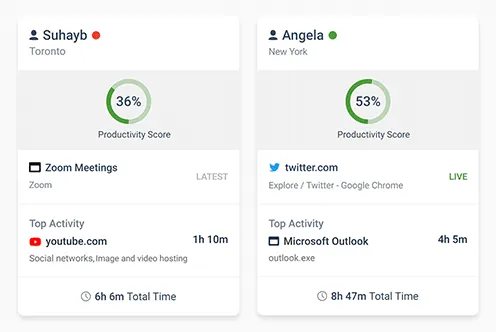
Block Harmful Websites
BrowseControl is an easy-to-use website blocking software for restricting internet access.
- Block URLs & categories
- Block unwanted apps
- Website allow & block lists
Stop Data Theft to USB Devices
AccessPatrol is USB control software to protect sensitive data against theft to portable storage devices.
- Block USB devices
- USB file activity alerts
- Block file transfers
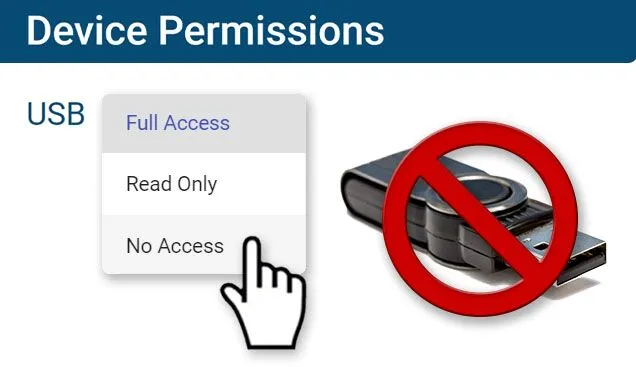
Control PC Power States
enPowerManager is a remote PC power manager for centrally managing power settings across all endpoints.
- Track logon and logoff times
- Log PC power event history
- Remotely shutdown PCs
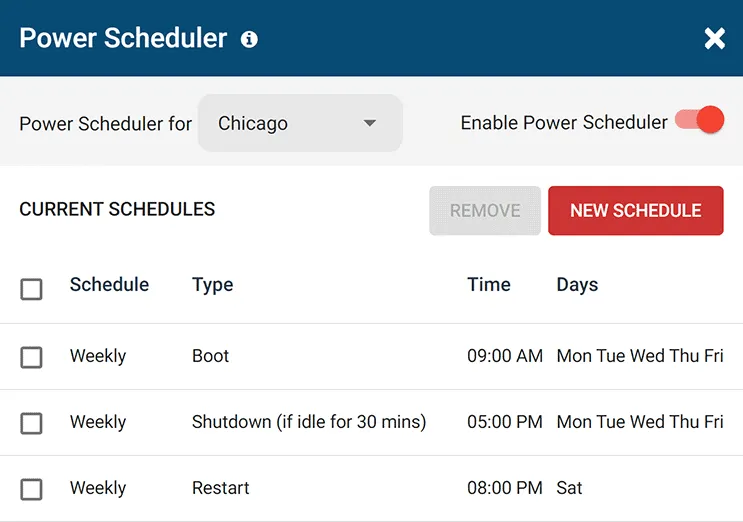
What Happened to Kaspersky?
“The company Kaspersky Lab has faced controversy over allegations that it has engaged with the Russian Federal Security Service (FSB) to use its software to scan computers worldwide for material of interest—ties which the company has actively denied.
The U.S. Department of Homeland Security banned Kaspersky products from all government departments on 13 September 2017, alleging that Kaspersky had worked on secret projects with Russia’s Federal Security Service (FSB).
In October 2017, subsequent reports alleged that hackers working for the Russian government stole confidential data from the home computer of a National Security Agency contractor in 2015 via Kaspersky antivirus software.
Kaspersky denied the allegations, stating that the software had detected Equation Group malware samples which it uploaded to its servers for analysis in its normal course of operation.” – Wikipedia

What is Kaspersky Endpoint Security?
Kaspersky Endpoint Security is an endpoint security software to protect endpoint devices such as workstations used in businesses.
The software includes features for application control, device control, web control, web activity monitoring, device use monitoring, and application monitoring.
The CurrentWare Suite is the best Kaspersky competitor for blocking websites, preventing a data breach to USB devices, and monitoring the internet usage of your users.
Try Our Kaspersky Alternatives for Free
Fully functional. Easy to use. Install in minutes.
See How CurrentWare Compares to Other Vendors
See How CurrentWare Compares to Other Workforce Monitoring Vendors
Internet Restriction
Data Loss Prevention
Best Alternatives to K9 Web Protection For School & Business Internet Control
Need to monitor internet usage and block websites in your business, school, or library?
Try a free trial of BrowseControl and BrowseReporter, the best alternatives to K9 Web Protection for business.
BrowseControl Web Filter & BrowseReporter Internet Monitoring Software
Alternatives to GFI WebMonitor
Enforce Computer Use Policies
An employee computer use policy helps ensure that your team members are aware of their responsibilities, but it’s not enough.
To make your policies truly effective you need visibility into which employees are visiting high-risk, inappropriate, or unproductive websites.
Learn more →
Find Bandwidth Hogs On Your Network
Are bandwidth upgrades necessary, or is an employee’s misuse of the internet what’s causing bottlenecks?
With CurrentWare’s bandwidth monitoring features you can identify bandwidth hogs in your network, then block them to reduce unnecessary strain on your network’s bandwidth.
Learn more →
Manage Employee Productivity
While occasional web surfing might be okay so long as employees are getting their work done, workplace internet abuse can be a serious detriment to employee productivity.
The productivity insights provided by employee computer monitoring software allows you to identify inefficiencies so you can optimize work processes.

Protect Your Business From Liability Risks
Detect Software Piracy
Ensure only legitimately licensed software is being used on company computers.
Stop Workplace Harassment
Collect evidence of employees accessing pornographic, hateful, or crude websites at work.

Improve Visibility of Remote Workers
Identify poor performers, improve visibility into employee productivity, and provide high-performers an opportunity to demonstrate their efforts.
Using BrowseReporter’s productivity by location reports you can analyze employee productivity trends to see where they thrive and verify attendance.
Learn more →
Save Money on Unused Software
36% of desktop software & 29% of SaaS spend is underutilized or wasted!
Track SaaS and desktop software usage to uncover insights into what applications can be decommissioned, consolidated, or reduced
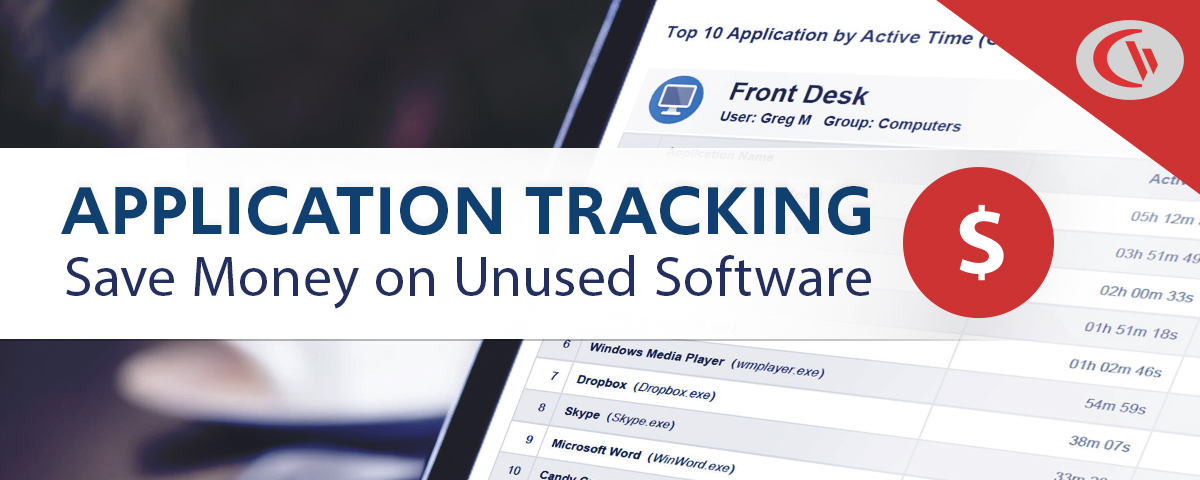
Get Started Today With a Free Trial
Fully functional. Easy to use. $12/user/month. *For on-prem pricing, contact sales
Flexible Deployment Options
With CurrentWare’s cybersecurity, web filtering, data loss prevention, and user activity monitoring solutions you’re in complete control of how your data is stored, secured, and retained. Your employees’ data cannot be accessed by CurrentWare.
On Premises
Keep Control of Your Data
Install the management software on a standard computer, then deploy the client software to your users’ computers
Remote Workers
Monitor & Manage on Any Network
Connect your remote employees’ computers to the management software with simple port forwarding rules
Self-Managed Cloud & VDI
Citrix, Azure, AWS, GCP, and More!
Enjoy the scalability and availability of the cloud alongside the security, control, and flexibility of our on-premises solution
Replace K9 Web Protection Today
Fully functional. Easy to use. Install in minutes.
See What Our Customers Have to Say
Expand your capabilities with CurrentWare's award-winning productivity and security software
CASE STUDY
Web Filtering Software Keeps Students & School Systems Safe From Internet-Based Threats
Exposing students to the digital world comes with a responsibility to protect them. Students love BrowseControl because it gives them a safe working environment and prevents potential bad actors from interrupting their educational experience.
What is K9 Web Protection?
K9 Web Protection was a software product developed by Blue Coat, Inc. to filter and restrict Internet access. The software was adopted by businesses to restrict employees from wasting time on unproductive websites and to prevent users from accessing malware.
What Happened to K9 Web Protection?
K9 was sold in 2016 to Symantec and is now being subjected to “end-of-life” status, meaning that updates and support will no longer be available. The “end-of-life” status will commence on June 30th, 2019.
The official “end-of-life” statement for K9 Web Protection from Symantec
“We’re immensely grateful for the loyalty of our K9 Web Protection customers. For years, many of you have been using the award-winning K9 application to protect your computers, children, and organizations from spyware, malware, adult content and other threats and risky interactions. We’ve worked together to make the Internet a much safer place for our families and communities.
On August 1, 2016, Blue Coat, Inc. (K9’s parent company) was acquired by cybersecurity leader Symantec™. As can be imagined Blue Coat and Symantec had a handful of similar products and unfortunately, it didn’t make sense to maintain two competing products. it was decided to “end-of-life” K9 Web Protection and focus corporate and customer attention on Symantec’s line of Norton™ products.
Effective immediately, K9 Web Protection is no longer available for purchase or download. Technical Support for K9 will end on June 30, 2019. Until then, support for K9 can reached via email at DL-ECS-K9TechnicalSupport@symantec.com. We’ve also created an uninstall tool should you need help removing the application from your computer.”
What Does End-of-Life Mean for Existing K9 Web Protection Users?
K9 Web Protection is discontinued
“K9 Web Protection is no longer available for purchase or download.”
“We’ve also created an uninstall tool should you need help removing the application from your computer.”
It is clear from this statement that K9 is obsolete as web browsers and filtering technologies have advanced since 2019.
No more security & compatibility updates
“Technical support for K9 will end on June 30, 2019.”
This statement is particularly alarming for users that have implemented K9 into their network as they will no longer receive support if they run into any bugs or issues. Customer support is critical for any software product as bugs need to be resolved and customers often need a hand in configuring the software settings.
Replace K9 Web Protection Today
Fully functional. Easy to use. Install in minutes.
Shady Maple Skyrockets Employee Productivity With BrowseControl & BrowseReporter

Shady Maple found CurrentWare during a significant period of growth in their company. As their number of employees grew, Shady Maple knew that they needed an employee productivity solution that was scalable.
Their old ways of managing employee internet abuse – manually checking each employee’s computer individually and hoping that they didn’t clear out their web history – would no longer be sustainable.
Since implementing CurrentWare’s internet monitoring and web filtering software, Shady Maple’s productivity has skyrocketed. Thanks to the central console Shady Maple could review the internet browsing data of their entire workforce from a single device. CurrentWare’s ease of use and automated reporting made the solution accessible for use by managers, HR, and IT personnel alike.
The robust CurrentWare client agent maintained the integrity of browsing data even when employees deleted their browser’s web history, providing Shady Maple with accurate and actionable information about employee browsing habits.
Commonly abused websites and applications were effortlessly blocked from being accessed. Employees that needed access to blocked content for legitimate work purposes could be readily exempted from the content filtering policies.
Thanks to CurrentWare, Shady Maple’s network performance has dramatically improved and their workforce has regained focus on their core tasks. The HR department suddenly gained the ability to present tangible evidence of disinclination to employees who had been underperforming.
Being able to identify negative browsing trends and put a stop to them within a couple of hours has meant that our employees are focused on the job almost all of the time. We have become an extremely efficient workforce.

Kevin Porsche
IT Admin, Shady Maple
| BEFORE CURRENTWARE | AFTER CURRENTWARE |
|---|---|
| Network Congestion Employee internet abuse drains the available bandwidth, harming the productivity & efficiency of the entire organization. | Fast & Stable Internet Employee internet use is monitored for abuse. Bandwidth hogs are blocked and staff are coached on acceptable use policies. |
| Excessive Cyberloafing Actively disengaged employees waste excessive amounts of time on unproductive websites, sneakily hiding their browsing habits. | Focused Employees Records of unproductive web browsing gave the HR department the insights they needed to diagnose performance issues. |
| Inefficient Management Each employee’s computer is manually checked for evidence of misuse, wasting valuable time. Evidence of internet abuse is easily hidden. | More Time For Core Tasks Effortless management from CurrentWare’s central console increases efficiency, allowing saved time to be invested where it matters most. |
Replace K9 Web Protection Today
Fully functional. Easy to use. Install in minutes.
Computer Monitoring & Internet Management Features
Central Web Console
Save time with a central admin console; optionally integrate Active
Directory OUs or security groups
Platform Security
Protect your CurrentWare console with 2FA, passwords, privilege management, and more
Internet Off Offsite Management
Extend onsite security policies to computers running outside the corporate network
SQL Server Supported
Database scaled for enterprise and large business operations using
Microsoft SQL Server
Get Started Today With a Free Trial
Fully functional. Easy to use. $12/user/month. *For on-prem pricing, contact sales
See How CurrentWare Compares to Other Workforce Monitoring Vendors
Internet Restriction
Data Loss Prevention
Try CurrentWare for Free
Fully functional. Easy to use. Install in minutes
The Best GFI WebMonitor Alternatives
GFI WebMonitor has been discontinued!
Try a free trial of CurrentWare’s GFI WebMonitor alternatives today.
- Track Employee Productivity
- Enforce Internet Use Policies
- Block Inappropriate & Malicious Websites
BrowseControl Web Filter & BrowseReporter Internet Monitoring Software
Alternatives to GFI WebMonitor
Enforce Computer Use Policies
An employee computer use policy helps ensure that your team members are aware of their responsibilities, but it’s not enough.
To make your policies truly effective you need visibility into which employees are visiting high-risk, inappropriate, or unproductive websites.
Learn more →
Find Bandwidth Hogs On Your Network
Are bandwidth upgrades necessary, or is an employee’s misuse of the internet what’s causing bottlenecks?
With CurrentWare’s bandwidth monitoring features you can identify bandwidth hogs in your network, then block them to reduce unnecessary strain on your network’s bandwidth.
Learn more →
Manage Employee Productivity
While occasional web surfing might be okay so long as employees are getting their work done, workplace internet abuse can be a serious detriment to employee productivity.
The productivity insights provided by employee computer monitoring software allows you to identify inefficiencies so you can optimize work processes.
Protect Your Business From Liability Risks
Detect Software Piracy
Ensure only legitimately licensed software is being used on company computers.
Stop Workplace Harassment
Collect evidence of employees accessing pornographic, hateful, or crude websites at work.
Improve Visibility of Remote Workers
Identify poor performers, improve visibility into employee productivity, and provide high-performers an opportunity to demonstrate their efforts.
Using BrowseReporter’s productivity by location reports you can analyze employee productivity trends to see where they thrive and verify attendance.
Learn more →
Save Money on Unused Software
36% of desktop software & 29% of SaaS spend is underutilized or wasted!
Track SaaS and desktop software usage to uncover insights into what applications can be decommissioned, consolidated, or reduced
Get Started Today With a Free Trial
Fully functional. Easy to use. $12/user/month. *For on-prem pricing, contact sales
Flexible Deployment Options
With CurrentWare’s cybersecurity, web filtering, data loss prevention, and user activity monitoring solutions you’re in complete control of how your data is stored, secured, and retained. Your employees’ data cannot be accessed by CurrentWare.
On Premises
Keep Control of Your Data
Install the management software on a standard computer, then deploy the client software to your users’ computers
Remote Workers
Monitor & Manage on Any Network
Connect your remote employees’ computers to the management software with simple port forwarding rules
Self-Managed Cloud & VDI
Citrix, Azure, AWS, GCP, and More!
Enjoy the scalability and availability of the cloud alongside the security, control, and flexibility of our on-premises solution
CASE STUDY
Web Filtering Software Keeps Students & School Systems Safe From Internet-Based Threats
Exposing students to the digital world comes with a responsibility to protect them. Students love BrowseControl because it gives them a safe working environment and prevents potential bad actors from interrupting their educational experience.
See What Our Customers Have to Say
Expand your capabilities with CurrentWare's award-winning productivity and security software
Get Started Today With a Free Trial
Fully functional. Easy to use. $12/user/month. *For on-prem pricing, contact sales
How to Manage Employee Internet Use With CurrentWare
Restrict Employee Internet Access BrowseControl is the best web filter for blocking internet sites at work Block websites based on category, URL, domain, or IP address Customize internet restrictions for each user, device, or department Schedule unique internet restrictions throughout the day
Monitor Employee Internet Use
BrowseReporter is the best employee monitoring software for tracking internet use
- See how much time is spent on unproductive web browsing
- Compare active time vs idle time to see which websites are being actively browsed and which are in the background
- Noisy data such as CDNs and advertisements are filtered out; the reports show actual employee internet usage
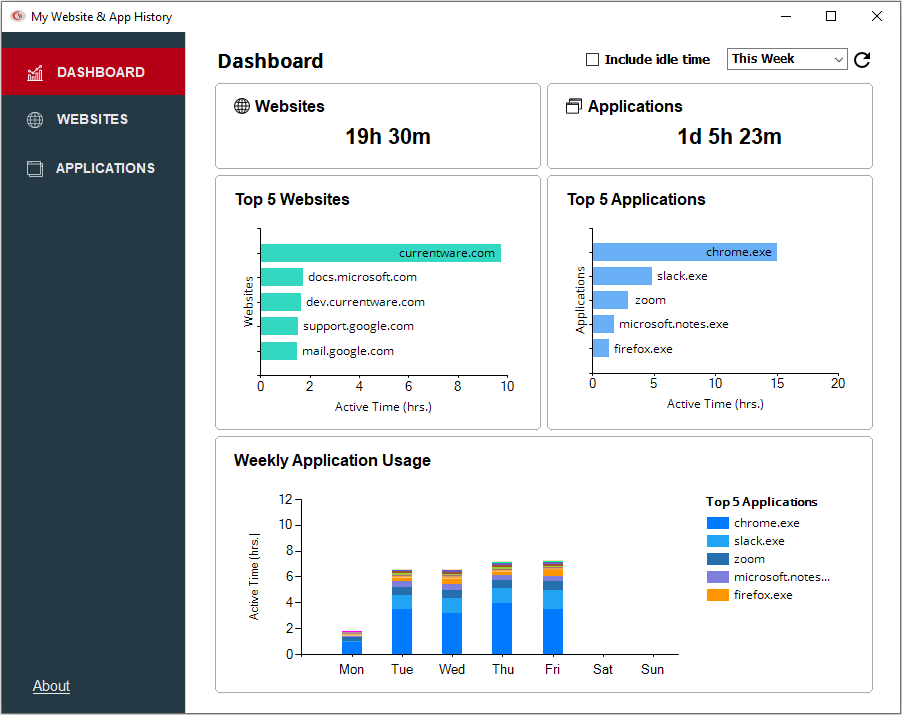
Empower Employees to Self-Monitor
With BrowseReporter’s End-User Reports feature your employees have on-demand access to their user activity data
- Allow employees to benefit from the same insights that will be used by managers and human resources
- Increase employee autonomy by allowing them to self-manage their internet and application usage
- Improve transparency of employee monitoring by showing employees exactly what data is being tracked
Manage Your Remote Workforce
CurrentWare’s employee internet management solutions allow you to monitor and restrict the internet usage no matter where your employees work
- Use the Productivity by Location report to compare productivity between time spent at home and in the office
- Use the offsite mode to continue monitoring and restricting internet access when portable devices leave the network
- Updates to internet restriction policies will sync with offsite devices once they reconnect to the server
CASE STUDY
Shady Maple Transforms Their Productivity With Internet Filtering and Monitoring Software
Being able to identify negative browsing trends and put a stop to them within a couple of hours has meant that our employees are focused on the job almost all of the time. We have become an extremely efficient workforce.
Real-Time Employee Computer Activity Dashboards & Reports
Improve business intelligence with advanced insights into web browsing, app usage, bandwidth consumption, productivity, and more!
- Identify productivity leaks
- Enforce company policies
- Detect software waste
Get Started Today With a Free Trial
Fully functional. Easy to use. $12/user/month. *For on-prem pricing, contact sales
What Happened to GFI WebMonitor?
GFI WebMonitor has reached End of Life (EoL) as of January 1, 2020.
“Based on the current product trending in the market and customer feedback, we have decided to initiate End of Life (EOL) for the GFI WebMonitor product.
Products reach EOL for several reasons, including changing market demands, technology innovation and development driving changes in the product, the product naturally maturing over time, etc. While this is an established part of a product life cycle, GFI recognizes that EOL product life milestones must be clearly stated to allow you and your customers to plan accordingly with your business operations.
GFI WebMonitor will not be offered within GFI Unlimited effective January 1, 2020.”
What Does End-of-Life Mean for Existing GFI WebMonitor Users?
No more security & compatibility updates
Now that GFI WebMonitor has reached End-of-Life, it is no longer being provided with critical security and compatibility updates. The most recent update was version 11, which was released on December 5, 2017.
Internet browsers such as Google Chrome, Internet Explorer, and Mozilla Firefox are constantly releasing updates. Any web filtering and internet monitoring products need to be continuously updated to effectively prevent web threats and manage internet activity.
Businesses that follow cybersecurity best practices also need a GFI WebMonitor alternative that is regularly updated to remain compatible with the latest version of Windows.
Reduced customer support
Support for GFI WebMonitor has been greatly scaled back. Without reliable customer support, GFI users have struggled to find a solution to their problems.
“They’ve essentially gotten rid of everyone, moved to a model where there is a support team who supports multiple companies and doesn’t provide working solutions.”
“I had a ticket open for 2 months that was never addressed. We just gave up and moved away from GFI.”
“I have had a ticket open with them for 7 weeks now that affects a production system we need for PCI compliance, but they don’t seem to care” – Spiceworks Community
CurrentWare Suite — Choose Your Solution
Get all 4 modules for the best value or choose the exact solutions you need
Get Advanced Activity Insights
BrowseReporter is a versatile computer activity monitoring software to track productivity, web browsing, and app use.
- Make informed decisions
- Enforce company policies
- Improve productivity
Block Harmful Websites
BrowseControl is an easy-to-use website blocking software for restricting internet access.
- Block URLs & categories
- Block unwanted apps
- Website allow & block lists
Stop Data Theft to USB Devices
AccessPatrol is USB control software to protect sensitive data against theft to portable storage devices.
- Block USB devices
- USB file activity alerts
- Block file transfers
Control PC Power States
enPowerManager is a remote PC power manager for centrally managing power settings across all endpoints.
- Track logon and logoff times
- Log PC power event history
- Remotely shutdown PCs
CurrentWare’s Key Features
Transparent & Stealth Modes
Run silently in the background or provide notice of monitoring
Reports DLP Activity Reports
Track file transfers, storage device use, file operations, and more
Central Web Console
Save time with a central admin console; optionally integrate Active
Directory OUs or security groups
Platform Security
Protect your CurrentWare console with 2FA, passwords, privilege management, and more
Internet Off Offsite Management
Extend onsite security policies to computers running outside the corporate network
SQL Server Supported
Database scaled for enterprise and large business operations using
Microsoft SQL Server
Get Started Today With a Free Trial
Fully functional. Easy to use. $12/user/month. *For on-prem pricing, contact sales
See How CurrentWare Compares to Other Vendors
See How CurrentWare Compares to Other Workforce Monitoring Vendors
Internet Restriction
Data Loss Prevention
ActivTrak vs Teramind Employee Monitoring Software
Searching for an employee monitoring solution?
This page will compare the differences between Teramind, ActivTrak, and CurrentWare so you can make the best choice for your organization.

Why Choose CurrentWare’s Alternatives to ActivTrak and Teramind?
Accessible Pricing
CurrentWare provides licensing options that are accessible to small teams
Stellar Support
We’re with you every step of the way. You can reach us by phone, email, or live chat.
Windows 7 Support
Neither ActivTrak nor Teramind support Windows 7, leaving a blind spot on legacy systems
Get Started Today With a Free Trial
Fully functional. Easy to use. $12/user/month. *For on-prem pricing, contact sales
Learn More About CurrentWare
Benefits of CurrentWare
Try the Demo Console
Case Studies & Reviews
Find an Employee Monitoring Software Solution for Your Needs
Teramind, ActivTrak, and CurrentWare are all suitable as employee monitoring and productivity management tools.
The main difference between these employee monitoring tools is that Teramind’s feature set focuses on user activity monitoring for insider threat prevention, ActivTrak emphasizes workforce analytics to optimize business processes, and CurrentWare combines the key features of both solutions to provide a powerful and fairly priced alternative.
| Use CurrentWare’s alternatives if… | Use Teramind if… | Use ActivTrak if… |
|---|---|---|
| You need greater control over the websites accessible to employees | You need complete visibility into each and every input from employees including emails, keystrokes, private messages, and clipboard data | You want to directly integrate your monitoring solution with third-party business intelligence tools |
| You want to avoid Teramind and ActivTrak’s steep subscription prices and reduce costs with CurrentWare’s advantageous pricing | You need to capture live audio and video recordings of employee computer activity | You need to monitor employees on macOS and/or Chromebooks |
| You need an easy-to-use solution for internet filtering, insider threat detection, and employee monitoring | You need to identify content through OCR and keywords | Your use case for monitoring is more focused on high-level workforce analytics rather than granular user activity insights |
| You need a lightweight solution for Windows machines with minimal system requirements | You need to monitor employees on macOS |
Compare Key Features of ActivTrak, Teramind, and CurrentWare
This section will compare the key features of each employee monitoring software solution so you can choose the right fit for your company.
Employee Monitoring
ActivTrak, Teramind, and CurrentWare are powerful employee monitoring software solutions to help you keep track of your remote workforce.
They all allow you to monitor user activity including measuring employee productivity, detecting insider threats, and measuring app usage.
CurrentWare offers a robust employee monitoring solution that helps businesses boost productivity and ensure compliance. With tools for tracking web usage, application activity, screen monitoring, and USB device access, CurrentWare provides comprehensive insights into employee performance.
Its real-time monitoring and detailed reporting capabilities enable managers to identify productivity trends, optimize workflows, and address potential issues promptly.
Whether you’re managing remote teams or ensuring adherence to company policies, CurrentWare’s intuitive interface and customizable features make it the ideal solution for streamlined, effective employee monitoring.
Web Filtering
CurrentWare’s BrowseControl provides the best alternatives to ActivTrak and Teramind’s web filtering features. BrowseControl makes blocking websites such as Google Drive, pornography sites, and distracting websites as easy as a few clicks with its Category Filtering feature.
While ActivTrak is not designed to be web filtering software, for an extra $2 USD user/month you can get the “Screen Details” add-on that adds screenshots, alarms, additional web activity details (title bars, URLs, subpages), and the website blocking function.
Teramind’s web filtering capabilities are more robust than ActivTrak, though they fall short of CurrentWare’s BrowseControl as it lacks the ability to block websites based on category; you can only block specific websites.
CurrentWare’s web filtering and internet security tools help businesses maintain a secure and productive online environment. With customizable filters, you can block access to inappropriate or non-work-related websites, reducing distractions and safeguarding sensitive data.
Additionally, CurrentWare’s web filtering features prevent employees from accessing malicious sites, helping to protect your organization from cybersecurity threats. By offering detailed reports on web activity, CurrentWare gives you the insights needed to ensure compliance, improve productivity, and minimize risks associated with internet usage in the workplace.
Data Loss Prevention
CurrentWare’s data loss prevention features make it an excellent alternative to ActivTrak and Teramind for protecting sensitive information from being illicitly transferred to portable storage devices, cloud storage services, and other egress points.
CurrentWare’s DLP capabilities include USB control to prevent data leaks to removable media devices, web category filtering to block web-based data egress points, and user activity monitoring to identify high-risk user behavior such as attempts to use blocked peripheral devices.
CurrentWare’s data loss prevention (DLP) tools help safeguard sensitive information from theft and leaks. With features like device control, file transfer monitoring, and real-time alerts, you can prevent data breaches and ensure compliance with industry regulations. By restricting the transfer of sensitive data via USB drives, external storage, or cloud services, CurrentWare minimizes the risk of data theft.
ActivTrak’s USB security features are limited to USB activity alarms that require an additional $2 PUPM. ActivTrak does not provide reports or dashboards to audit USB activity.
Data loss prevention is one of Teramind’s greatest assets; the platform provides advanced DLP features such as OCR, email monitoring, and printed document tracking.
Setup & Deployment
Thanks to its simple interface and setup process, getting started with CurrentWare is easy—whether or not you’re an experienced system administrator. CurrentWare offers a variety deployment options that suit the installation needs of organizations of all sizes.
While ActivTrak is compatible with both MacOS and Windows, they only provide support for Agents running on OS versions that are capable of receiving up-to-date security patches from their vendors. For this reason ActivTrak is not suitable for environments that need to monitor devices whose operating systems have reached end-of-support/end-of-life status.
While Teramind offers macOS support, it has limited functionality compared to its Windows-based counterpart. Teramind on Mac is also only supported on macOS 15 (Sequoia), macOS 14 (Sonoma), macOS 13 (Ventura), macOS 12 (Monterey), macOS 11 (Big Sur), macOS 10.15 (Catalina) and macOS 10.14 (Mojave).
The following features are NOT supported in Teramind’s Mac agent:
- Behavior Policies and Rules – Agent Schedule
- Email Monitoring
- Instant Messengers Monitoring
- Social Media Monitoring
- Camera Usage Monitoring
- Search Monitoring
- Console Commands Monitoring
- Audio Recording
- Remote Update from the Computers page (on-premise deployments)
- Automatic Agent Updates for cloud hosted customers can be enabled by request
Customer Support
ActivTrak, Teramind, and CurrentWare provide several customer support channels to ensure that their customers get the most out of their platforms.
CurrentWare Customer Support
CurrentWare’s live customer support is focused on core North American business hours of 8am-6pm EST, Monday to Friday. Outside of those hours, their training videos and knowledge base provide critical guidance for deploying and troubleshooting their solutions.
Teramind Customer Support
Teramind’s on-premise and private cloud (AWS, Azure, etc.) deployments are eligible for 24×7 follow-the-sun support and an Enterprise SLA, providing peace of mind for organizations that need high support availability for their employee monitoring software.
ActivTrak Customer Support*
ActivTrak’s support hours vary based on whether you stick with their Standard support tier that is included with all of their paid subscription plans or if you opt to pay extra for their Premier or Signature support plans.
ActivTrak’s Standard support tier includes 24×7 access to onboarding and educational resources as well as live chat, email support & scheduled calls for active support cases.
Their Premier support tier adds faster response times, on-demand coaching sessions, and technical configuration and tuning once per year.
Their Signature support tier includes the Premier tier’s perks alongside a dedicated technical account manager, annual health checks, priority ticket routing, a dedicated customer success manager, guided onboarding and 1:1 support, a tailored customer success plan, and up to 10 hours of integration support.
ActivTrak’s support hours are:
- Live Chat: Standard (M-F 8 a.m. – 6 p.m. CT) / Premier (M-S 8 a.m. – 6 p.m. CT) / Signature (24×7)
- Email operating hours and response times: Monday through Friday (8 a.m. – 6 p.m. CT), Standard < 12 hours / Premier < 8 hours / Signature < 2 hours
| Feature | CurrentWare | ActivTrak | Teramind |
|---|---|---|---|
| Stealth & Transparent Modes | ✅ | ✅ | ✅ |
| Bandwidth Usage Tracking | ✅ | ❌ | ✅ |
| Search Keyword Monitoring | ✅ | ❌ | ✅ |
| Internet & App Usage | ⚠️ Requires Add-On or Professional Plan For URL & Title Bar Tracking | ✅ | ✅ |
| Idle Time Tracking | ✅ | ✅ | ✅ |
| Employee Productivity Score | ✅ | ✅ | ✅ |
| User Logon & Shutdown Tracking | ✅ | ❌ | ✅ |
| Track File Transfers To/From Network Share Drives | ✅ | ❌ | ✅ |
| Track Downloads/Uploads | ✅ | ❌ | ✅ |
| Remote vs In-Office Insights | ✅ | ✅ | ✅ |
| Geolocation Insights (City/Region/Country) | ✅ | ❌ | ✅ |
| Web Category Tracking | ✅ | ✅ | ✅ |
| USB Activity Reports | ✅ | ✅ ⚠️ Alarms Only, No Historical Data Paid Add-On | ✅ |
| Email Reports & Alerts | ✅ | ✅ | ✅ |
| Computer Screen Capture | ✅ | ✅ | ✅ |
| Monitor Remote Employees | ✅ | ✅ | ✅ |

CASE STUDY
From Hunch to Hard Evidence—How CurrentWare Informs HR Investigations
CurrentWare strikes the perfect balance between monitoring and trust. It’s easy to set up, and employees go about their work without noticing it.
When needed, we have the data to ensure resources are used properly.
See What Our Customers Have to Say
Expand your capabilities with CurrentWare's award-winning productivity and security software
ActivTrak vs Teramind Reviews
ActivTrak Reviews
✔️ ActivTrak Pros
Ease of Use
Once the initial client deployment and setup is complete, ActivTrak is easy to use for novice and advanced users alike.
“What I liked most about it is the ease of deployment and the stealth of the service, it is almost undetectable which makes it the perfect tool for the consulting services we offer as a company.”
Source: Capterra Reviewer, 2020
Level of Insights
ActivTrak’s detailed reports and key features provide insights into a variety of metrics, making it suitable as a traditional employee monitoring tool, time tracking software, user behavior analytics, and keeping track of employee performance.
“ActivTrak is well suited for companies looking to monitor the remote staff productivity and performance rather than sitting in front of the cams and watching many users at the same time to evaluate work efficiency”
Source: TrustRadius Reviewer, 2023
“I would recommend this to anyone who wants to make sure their employees are working at their best. It is an effective tool to weed out the ones who are more of a hindrance to a company.”
Source: Trustpilot Reviewer, 2018
❌ ActivTrak Cons
Billing & Renewal Management
“ActivTrak has absolutely no reliable option to cancel a subscription, once it is ongoing. Furthermore – apparently they, not the customer, decide when the subscription plan should be upgraded cost-wise…
ActivTrak cancellation practices actually breach European Union laws – in failing to provide easily accessible cancellation option”
Source: Trustpilot Review, 2023
“As a customer, it is disheartening to observe a SaaS provider insisting on renewing when the customer does not want to do so. It is imperative for them to enhance their billing policy, as adopting a confrontational stance ultimately benefits no one.”
Source: Trustpilot Review, 2023
“Product never worked well or synced to devices. We asked to cancel midway through the contract as we had not used it at all for 5 months and they held firm, charging us in full even though they knew we were not using it.
Not great service. Just do right by your clients. Why hold our feet to the fire for a few bucks. Bad business culture to do that when you know we were not using it.”
Source: Trustpilot Review, 2022
Teramind Reviews
✔️ Teramind Pros
Functions & Features
Teramind stands out for its robust feature set and versatility. Many reviewers praise its capabilities across various use cases.
Teramind is a fantastic tool for monitoring user activity/productivity but can also be used to help when troubleshooting IT issues.
Teramind allows us to monitor productivity across all employees and with the built-in policies, rules and alerts we are able to detect any anomalies in behaviour that could lead to potential data loss.
The product allows us to monitor/classify web traffic and also improve internal support, using the tool to assist in troubleshooting and resolve issues which would have taken a lot longer without Teramind.
Source: G2 Review, 2024
Our organization has received mulitple benefits from using Teramind and its features. It monitors activity quite capably and provides real-time insights into what employees are doing on their computers.
That kind of awareness and visibility allows us to identify and prevent threats while also monitoring employee productivity and compliance.
Source: G2 Review, 2023
The real-time monitoring capabilities have been incredibly helpful in keeping track of my team’s progress, and the user-friendly interface makes it easy to navigate and customize alerts. Secure data handling is also a big plus for me, as I work with sensitive client information.
What I appreciate most about Teramind is that it provides valuable insights into my team’s productivity and helps me make informed decisions to improve efficiency.
Source: G2 Review, 2023
Teramind allows us to monitor new and current employees and go back and review past activity from people that are no longer with our organization; this has proven invaluable at times.
Teramind has allowed us to bring people on board and not have to worry about having someone sit and babysit the users to make sure they are not fooling around or doing things incorrectly; we can use the reporting to give us results, and go back and view the way the people work to make corrections.
Source: G2 Review, 2023
🟡 Teramind Mixed Reviews
Customer Support
Reviews of Teramind’s customer support is polarized. Some commend their expertise and responsiveness, while others report delays and unaddressed issues.
Buyer beware. The platform is very advanced from the looks of it but since I have signed up 2 weeks ago, the system hasn’t tracked time or tasks properly and after spending hours on remote sessions, chat and email support, the system is still not working and when I request additional support they have no record of all of the tickets, meetings, etc.
As a new customer, this experience has been horrible. Again the platform may be advanced but all that technology doesn’t do any good if you can’t use it and support can’t support you.
Source: G2 Review, 2020
While Teramind’s features are impressive, I encountered occasional glitches in the system which disrupted workflow. However, their customer support team was incredibly responsive and worked tirelessly to resolve the issues promptly.
Despite the hiccups, their dedication to customer satisfaction shines through, making them a trustworthy partner in enhancing workplace efficiency.
Source: G2 Review, 2024
Ease of Use
Teramind’s steep learning curve and resource-intensive nature can pose challenges, especially for less tech-savvy users. But once familiarized, its extensive monitoring capabilities are highly effective.
The things we dislike about Teramind are for some users, it is sometimes difficult to understand all features.
Teramind comes with lots of features which is sometimes not used in our companies. Price could be better for small organization.
Source: G2 Review, 2023
Very easy to get the hang of the software. The support team is also very useful and ready to help. The software itself is very user-friendly and has a great flow to it.
Source: G2 Review, 2023
A lot of data is captured to work with, but takes a while to setup…There is an incredible learning curve to get up to speed.
A step by step procedure would help greatly and I would prefer better ways to process mass record classifications on categories.
Source: G2 Review, 2023
❌ Teramind Cons
Cost of Ownership/Price
While Teramind’s advanced features justify its cost for some use cases, small organizations or those scaling their user base often find the costs prohibitively high.
[I dislike] the cost, I see that it is a bit high based on the number of clients that one can have, since the higher the number of employees the cost becomes abysmal
Source: G2 Review, 2024
The cost is high, per user seems really high, I would like to add this to all 300 users but costs too much
Source: G2 Review, 2023
The only thing that is a little cumbersome is the pricing as we’ve grown quite large.
Source: G2 Review, 2023
The pricing package could be better. Plans for smaller organizations would be nice to have.
Source: G2 Review, 2023
Software Bugs
Reviews of Teramind have noted issues such as disconnects, crashes, and inconsistent functionality, eroding confidence in their dependability for mission-critical operations.
Unfortunately, while extremely helpful it is not perfect. The application disconnects or stops monitoring randomly, also it might be a challenge to troubleshoot it for non-tech savvy employees that are working remotely.
Source: G2 Review, 2022
Sometimes it crashes and it takes time to get back up
Source: G2 Review, 2023
Software stopped working when it needed an update
Source: G2 Review, 2023
We used it for one employee on a mac and it wasn’t functioning most of the time.
Source: G2 Review, 2023
The reveal application is very inconsistent and it keeps disconnecting or not connecting when attempting to log in making it frustrating to employees at times, but this is only with the reveal agent application.
Source: G2 Review, 2023
Get Started Today With a Free Trial
Fully functional. Easy to use. $12/user/month. *For on-prem pricing, contact sales
Compare ActivTrak vs Teramind Pricing

At a price range of $14-32 USD user/month on an annual contract, Teramind is by far the most expensive of the three employee monitoring solutions.
Even ActivTrak’s most basic paid plan starts at a staggering $10 user/month.
To unlock the full capabilities of ActivTrak’s platform you’re forced to spend $19 user/month and purchase several add-ons ranging from an additional $1-3 user/month!
For only $20 user/month you can access the entire CurrentWare Suite with all of its user activity monitoring, web filtering, USB device control, and PC power management capabilities.
If you only need to monitor web browsing, app usage, employee productivity, and bandwidth use you can get CurrentWare’s BrowseReporter as a standalone module starting at only $12 user/month.
CurrentWare Pricing
CurrentWare’s ActivTrak and Teramind alternatives are a cost effective solution for tracking the computer usage of your team members. CurrentWare offers fair prices and honest value to keep their products accessible to companies of all sizes.
CurrentWare’s solutions can be purchased individually for the greatest flexibility or as a full suite for the best value.
When purchased individually, the cost of BrowseReporter, AccessPatrol starts at $12/user/month and BrowseControl at $6 /user/ month (paid annually). The full CurrentWare Suite includes all 4 modules starting at $20/user/month.
Discounts Available:
- Pricing breaks are available for businesses that sign up for multi-year plans or have future growth planned and can commit to bulk orders.
- Volume license discounts are available starting for as low as 100 users, with discounts increasing depending on the number of licenses, and the length of the contract term.
- Educational organizations and nonprofits may qualify for a 10% license discount.
- Not satisfied with a competing vendor? Make the switch to CurrentWare today and you may save up to 25% on your first year!
ActivTrak Pricing
ActivTrak offers four pricing plans for its employee monitoring and time-tracking software. Each plan requires an annual contract commitment.
In addition to these plans, ActivTrak offers annual subscription add-ons for priority support, extended data history, additional monitoring capabilities, and the ability to use the data ActivTrak collects with other tools.
ActivTrak Free Plan ($0)
Their free plan is best for time tracking and visibility across very small teams or for companies that want to test out ActivTrak over an extended period of time with a small sample size. It is limited to 3 users and 30 days of data history.
ActivTrak Essentials Plan ($10 USD PUPM)
Their Essentials plan (formerly called “Advanced”) is best for basic employee monitoring for small companies. It includes unlimited users, 6 months of data storage, USB device and file transfer detection, and basic employee productivity tracking.
For this tier, full URL & title bar visibility is not available without also purchasing their Screen Details add-on, which is an additional $2 PUPM and must be purchased for every license you have.
ActivTrak Essentials Plus Plan ($15 USD PUPM)
Their Essentials Plus plan is best for enhanced monitoring for mid-to-large organizations. It adds activity trend analysis by user and team, full URL and title bar visibility, automated work hour policy violation alerts (“exception reporting”), and productivity goal-setting and tracking.
ActivTrak Professional Plan ($19 USD PUPM)
Their Professional plan (formerly called “Premium”) is best for productivity management and workforce planning. It provides 12 months of data history and adds additional features such as location policy adherence, a variety of productivity dashboards, personal insights for employees, capacity planning, and technology usage tracking.
ActivTrak Add-Ons
ActivConnect—$3 USD per user/month
- Export & query data
- App integrations
- BI starter templates for Power BI, Google Data Studio, Tableau
Screen Details—$2 USD per user/month
- Screenshots & Screen Views
- Alarms: App terminations, pop-ups, screenshots
- Web activity detailed title bars, URLs and subpages
- Website Blocking
Data History—$1 USD per user/month
- Extends ActivTrak’s data retention
- 1-year increments (max 3 years)
Teramind Pricing
Teramind has three pricing tiers for their employee computer tracking software.
- Starter – Starting price of $14 USD per user per month
- UAM – Starting price of $28 USD per user per month
- DLP – Starting price of $32 USD per user per month
- Enterprise – Custom pricing
Their Starter tier includes includes limited user activity monitoring and behavior rules. It’s designed to focus on screen recording and live view, website and apps tracking.
Their User Activity Monitoring (UAM) tier focuses on auditing and forensics with additional computer monitoring features such as email monitoring, online meeting tracking, SIEM integration, file transfers tracking, keystroke monitoring, print monitoring, regular expression support, anomaly detection, and OCR.
Their Data Loss Prevention (DLP) tier is designed with content-based data exfiltration prevention in mind. It further builds on the UAM tier with the addition of clipboard monitoring and a series of data protection features such as content based rules, malicious activity blocking, data exfiltration prevention, and data fingerprinting.
Teramind also provides an Enterprise plan that is designed for the most demanding enterprises and government organizations. It includes premium support, an SLA, professional services, and customizations.
Teramind is available as a cloud based solution or as an on-premises solution.
Not Satisfied With Your Vendor?
Switch to Us & Get a Discount
Make the switch to CurrentWare today to save up to 25% on your first year!
See How CurrentWare Compares to Other Workforce Monitoring Vendors
Internet Restriction
Data Loss Prevention
Best ActivTrak Alternatives & Competitors in 2026
Employee productivity and workforce visibility have become mission critical tools for modern businesses. While ActivTrak has long been the go to choice for basic workforce analytics and productivity monitoring, many organisations are realising its limitations, especially when it comes to real security, genuine compliance and keeping a close eye on insider risk. This has created a demand for ActivTrak alternatives that offer more robust controls, broader applications and more flexible deployment options.
Businesses in super-regulated sectors like healthcare, government or professional services are slowly coming to the realisation that ActivTrak just isn’t up to handling all the monitoring use cases. This has led IT teams, security chiefs, HR departments and compliance managers to start looking for alternatives to ActivTrak that actually meet security and compliance requirements.
This guide compares the top ActivTrak alternatives and competitors in 2026, with a focus on use cases, strengths, pricing models, and ideal organisation size, to help you make a confident decision and choose the right tool for your organisation.
Why Businesses Look for ActivTrak Alternatives
ActivTrak works well for basic productivity insights, but many organizations outgrow it. IBM’s 2025 report reports a global average breach cost of $4.4M
Common reasons companies seek an alternative to ActivTrak include:
- Limited security and insider risk visibility
ActivTrak focuses mainly on productivity metrics, not on detecting advanced threats or preventing data misuse. - Lack of compliance ready controls
Organisations in regulated industries like healthcare, government or finance often need audit grade evidence, access controls, and policy enforcement that ActivTrak just can’t provide. - Restricted deployment options
ActivTrak is only available in the cloud, which can be a problem for organisations that need on premise or hybrid deployments. - Insufficient granular controls
A lot of teams need application blocking, device access controls or deny by default enforcement which are limited or unavailable in ActivTrak.
Comparison of the Best Competitors ActivTrak
| Tool Name | Primary Use Case | Core Features | Pricing | Deployment Type | Best For | Rating (Capterra/G2) |
|---|---|---|---|---|---|---|
| CurrentWare | Productivity + Security + Compliance | Activity tracking, USB/device control, DLP, web filtering | ~$12/user/mo* | Cloud & On-Prem | SMBs, Regulated Orgs | ~4.8 / 5 |
| Insightful | Workforce analytics | Automatic time & activity tracking | ~$8–$15/user | Cloud | SMBs, Remote Teams | ~4.6/ 5 |
| Hubstaff | Time tracking & productivity | Time tracking, payroll, GPS, screenshots | ~$7.99–$25/user/mo* | Cloud | Remote & SMBs | ~4.5 / 5 |
| Time Doctor | Productivity tracking | Time tracking, screenshots, alerts | ~$7–$19/user/mo* | Cloud | SMBs & Remote Teams | ~4.4 /5 |
| Teramind | Security + insider threat | UEBA, forensic logs, policies | Starts ~$14+/user/mo* | Cloud & On-Prem | Enterprise | ~4.6 / 5 |
| InterGuard | Compliance Monitoring | Activity logs, DLP, alerts | Quote Based | Cloud & On-Prem | Enterprise | ~4.3/5 |
| Controlio | Behavioral Monitoring | Screen capture, activity logs | 6.67$/per user/per month | Cloud | SMBs | ~4.4/5 |
| DeskTime | Productivity Tracking | Time tracking, app usage | 6.5$ per user/per month | Cloud | Small Teams | ~4.3/5 |
| Veriato | Insider risk + monitoring | User activity, risk scoring, alerts | ~$15–$25+/user/mo* | Cloud & On-Prem | Mid/Enterprise | ~4.2 / 5 |
| Kickidler | Visual Monitoring | Screen recording, activity logs | Custom | Cloud & On-Prem | SMBs | ~4.4/5 |
Top 10 ActivTrak Alternatives in 2026
Explore the detailed features and compliances of leading alternatives to Activtrack in market and choose the best for your organization.
1. CurrentWare
CurrentWare is a trusted choice for government, healthcare, and professional services where data sovereignty is a priority. It is an employee monitoring, productivity analytics, endpoint control platform designed for organizations that need visibility and enforcement, not just reporting. It is widely used by IT, security, HR, and compliance teams across regulated and hybrid environments.
CurrentWare is a strong ActivTrak alternative for organizations that prioritize security, compliance readiness, and actionable control.
Why CurrentWare Is the Best ActivTrak Alternative
Unlike ActivTrak, CurrentWare combines productivity insights with real enforcement, allowing teams to detect risk, restrict access, and generate audit ready evidence from a single platform.
Compliance Standards that CurrentWare Helps Address
CurrentWare’s platform supports organizations pursuing compliance with major security frameworks, such as:
- HIPAA (Health Insurance Portability and Accountability Act): Safeguards patient PHI (Protected Health Information) by giving detailed audit trails and strict endpoint controls that protect sensitive healthcare data.
- ISO/IEC 27001: Provides core info sec controls plus audit ready activity logs to help meet ISO 27001.
- NIST SP 800-171 & 800-53: Helps meet US fed cybersecurity required for protecting controlled unclassified information with activity logging, access control, audit trails and remote monitoring.
- CMMC (Cybersecurity Maturity Model Certification): Helps implement baseline security controls needed for DoD contracts like USB/device control and continuous monitoring.
- Cyber Essentials & CIPA: Gives protections that help with compliance for education and small business environments.
- GDPR (General Data Protection Regulation): While employee monitoring must be done carefully, CurrentWare’s privacy by design features (role based access, data minimisation, retention policies) support data protection principles that are in line with GDPR requirements.
These compliance controls are critical not just for regulated industries (healthcare, finance, government) but for any organization serious about data protection and audit readiness
According to Gartner,compliance monitoring solutions are increasingly evaluated not just for reporting, but for real-time detection, incident response, and risk mitigation capabilities highlighting the importance of tools that combine productivity, security and compliance visibility into a single platform.
Key Features
- Comprehensive user activity monitoring (UAM):CurrentWare captures detailed user activity across applications, websites, files, and devices, giving IT, HR, and security teams continuous visibility into how work systems are actually used across onsite and remote environments.
- Endpoint level monitoring across work environments:
The platform monitors user behavior on desktops and laptops, including application usage, website access, file interactions, and device activity, providing centralized visibility across hybrid and distributed teams. - Privacy first and policy driven monitoring:
CurrentWare is designed with configurable privacy controls, role based access, and policy driven monitoring, allowing organizations to implement transparent, ethical monitoring aligned with internal policies and regional regulations. - Productivity analytics and workforce insights:
CurrentWare transforms raw activity data into actionable productivity insights, helping managers identify work patterns, underutilization, distraction trends, and operational inefficiencies, without relying solely on time-based metrics. - Built in data protection and access controls:
The platform includes integrated controls such as USB and peripheral device management, application and website restrictions, and policy enforcement to reduce data exposure and mitigate insider risk without deploying separate DLP tools. - Visual evidence and investigation support:
CurrentWare provides optional screenshot capture and activity evidence that supports incident investigations, compliance audits, and HR reviews, allowing teams to validate events with facts instead of assumptions. - Flexible deployment for regulated environments:
Available in both cloud and on-premise deployments, CurrentWare supports organizations with strict data residency, security, or regulatory requirements that cloud only monitoring tools cannot meet.
Pros
- Unified productivity + security platform
- Compliance friendly reporting
- Granular policy enforcement
- Flexible deployment models
Cons
- Not a “plug-and-forget” tool (designed for control)
- Requires admin configuration for advanced policies
Pricing Model
Starts at $12 per user per month
2. Insightful
Insightful focuses on workforce analytics and productivity optimization. It is commonly adopted by SMBs and remote first teams that want high level productivity insights without deep security controls.
Insightful is often chosen over ActivTrak by teams prioritizing workforce analytics over enforcement.
Key Features
- Workforce productivity analytics:
Insightful automatically tracks user activity and time spent across applications and websites, delivering clear dashboards that help teams visualize productivity patterns. - Automatic time categorization:
The tool intelligently categorizes applications and websites as productive, neutral, or unproductive. - Real time reporting & alerts:
Insightful delivers live insights and customizable alerts to help managers identify workflow bottlenecks, idle time spikes, and patterns that indicate under or over utilization.
Pros
- Powerful workforce analytics
- Automatic categorization
- Easy to set up and scale
- Responsive insights for managers
Cons
- Limited security enforcement
- Not ideal for regulated compliance
3. Hubstaff
Hubstaff is best known for time tracking and workforce management. It is a popular ActivTrak alternative for distributed teams that bill by hours.
Hubstaff is suitable for organizations focused on attendance and billing, not compliance. It is a strong choice for companies that need GPS based location tracking with desktop activity monitoring.
Features:
Automatic time tracking:
Hubstaff logs employee work hours automatically based on active application and window focus, reducing manual start/stop errors.
GPS and location tracking:
Designed for mobile and field teams, Hubstaff tracks GPS locations alongside timestamps to support time-card accuracy and site verification.
Project and task integration:
Hubstaff integrates with common project management and billing tools (like Asana, Jira, and QuickBooks), making it easier to align time logs with deliverables and invoices.
Pros
- Strong for remote workforce tracking
- GPS and location tracking
- Integrates with HR & payroll
- Simple onboarding & UI
Cons
- Limited security controls
- No robust enforcement policies
4. Time Doctor
Time Doctor provides basic productivity monitoring and attendance insights. It is frequently used by small teams and agencies. Compared to ActivTrak, it delivers deeper task-level visibility, enabling more accurate measurement of time spent on specific tasks.
Key Features:
Accurate time & activity tracking:
Time Doctor precisely captures active work time, idle time, and interruptions, helping teams gain insights into how time is actually used.
Distraction detection & alerts:
The platform detects distractions (e.g., social media, non work websites) and provides alerts to help users maintain focus.
Supporting visual evidence:
Time Doctor optionally captures screenshots and activity logs that help managers confirm reported time against real usage.
Web & app usage insights:
The tool generates reports showing detailed application and website usage, highlighting trends that indicate distraction or workflow inefficiencies.
Performance dashboards:
Managers can view team performance summaries, detailed time allocation charts, and productivity trends through customizable dashboards.
Pros
- Detailed time tracking
- Screenshots for accountability
- Team performance reporting
Cons
- Feature depth vs. price
- Manual reconciliation sometimes needed
5. Teramind
Teramind is an enterprise grade insider threat and user activity monitoring platform. It offers deep behavioral analytics and DLP capabilities.
Teramind is often selected by enterprises needing advanced threat detection, though it can be complex and costly.
Key Features:
Multi channel behavior capture:
The platform captures activity from desktops, servers, and virtual environments using session video recording, keystroke logging, social media monitoring, and file tracking.
Privacy conscious monitoring:
Teramind supports revealed or covert agent deployment with granular privacy controls to balance security needs with employee privacy policies.
Productivity & risk analytics:
Beyond productivity insights, Teramind identifies user behavior risk patterns, performance bottlenecks, and anomalous activities using advanced analytics.
Pros
- Strong threat detection and compliance reporting
- Customizable monitoring settings for different teams
- Advanced session recording and alerts
Cons
- Can be complex for smaller teams
- Higher entry cost
6. InterGuard
InterGuard is an employee monitoring solution designed for detailed activity tracking and policy enforcement. It includes keystroke logging, screen monitoring, and file activity tracking.
InterGuard is typically used by organizations that require granular monitoring for investigations and compliance.
Key Features
- Keystroke logging / keylogging and activity capture
- Screenshots and screen monitoring for visibility.
- User behavior analytics concepts
- File tracking to observe sensitive file activity.
Pros
- Strong investigative depth for organizations that need detailed logs.
- Lots of monitoring modalities beyond simple app/web usage.
- Useful for policy enforcement in strict environments.
Cons
- Heavy monitoring features can raise privacy/culture concerns if not governed well.
- UI/experience may feel less modern than analytics first tools (varies by org).
7. Controlio
Controlio is a monitoring platform focused on behavioral tracking, audit trails, and optional stealth monitoring. It supports both cloud and on premise deployments.
Controlio is often evaluated as an ActivTrak alternative by SMBs that want detailed evidence based monitoring.
Key Features
- Cloud based monitoring dashboard with encrypted access
- On premises deployment option for higher compliance requirements
- Optional stealth mode
- Immutable audit trails for investigations.
Pros
- Strong evidence trails (audit logs + optional recordings)
- On prem option gives flexibility for stricter IT/security postures
- Monitoring customization can reduce unnecessary capture
- Good fit for SMBs wanting detailed oversight
Cons
- “Stealth mode” positioning can be a culture risk if used irresponsibly
- Not as analytics first as workforce intelligence platforms
8. DeskTime
DeskTime is a lightweight productivity and time tracking tool designed for small teams and startups. It emphasizes automatic time tracking and simple productivity reporting.
DeskTime works well as an ActivTrak alternative for teams that want simplicity without heavy monitoring.
Key Features
- Automatic time tracking (no manual entry)
- Productivity reports and custom reporting dashboards
- Tracks attendance / arrival and departure times
Pros
- Great “simple and automatic” time tracking for small teams.
- Reports make it easy to spot productivity patterns.
- Less heavy than security first monitoring suites.
- Easy adoption for teams that hate manual timers.
Cons
- Not designed for insider threat detection or DLP controls.
- May be too lightweight for enterprises needing compliance grade monitoring.
9. Veriato
Veriato is also a similar software like ActivTrak which specializes in insider risk and user behavior analytics. It is commonly deployed in highly regulated environments. Veriato is chosen when behavioral risk detection is the top priority over productivity insights.
Features:
Deep behavioral analytics:
Veriato analyzes user activity patterns to detect anomalies that indicate insider risk and policy violations.
Forensic grade session capture:
The platform captures detailed logs and session activity including keystrokes, screen recordings, and file interactions, providing comprehensive evidence for investigations.
Risk scoring & alerting:
Veriato assigns risk scores based on user actions and configured thresholds, triggering alerts when suspicious behavior emerges.
Pros
- Deep Behavioral Analytics
- Forensic grade logs & session capture
- On prem options for regulated orgs
Cons
- Higher total cost of ownership (TCO)
- Complex implementation & tuning
10. Kickidler
Kickidler is an employee monitoring tool known for real time screen viewing and video based activity recording.
It emphasizes visual oversight rather than high level analytics. Kickidler is often selected as an ActivTrak alternative by teams that want direct, visual proof of activity.
Key Features
- Live screen monitoring (online monitoring)
- Screen recording
- Time tracking and attendance/timesheets framing
- Website and application blocking options
Pros
- Very strong for managers who want visual proof and playback
- Live monitoring supports quick spot checks
- Includes basic control features like blocking
- Works for teams that need concrete evidence for disputes
Cons
- Video heavy monitoring can be intrusive and storage intensive
- Not as “analytics and coaching” oriented as workforce intelligence tools
How to Choose the Right ActivTrak Alternative in 2026
When evaluating tools similar to ActivTrak, prioritize the following decision criteria:
- Purpose alignment: Productivity vs security vs compliance
Some tools focus only on time and productivity analytics, while others are built for insider risk, security enforcement, and audit support. Choose a platform that aligns with why you are monitoring, optimization, protection, or compliance. - Deployment flexibility: Cloud, on prem, or hybrid
Cloud only tools may be convenient but can limit regulated or data sensitive organizations. If data residency, sovereignty, or internal infrastructure control matters, deployment flexibility is critical. - Control depth: Visibility only vs enforceable policies
Dashboards show what happened; controls determine what is allowed to happen. Prioritize solutions that go beyond reporting and allow you to enforce access, restrict risky behavior, and respond in real time. - Compliance readiness: Audit logs, evidence, access controls
Regulatory frameworks require proof, not assumptions. Look for platforms that generate audit ready logs, support investigations with evidence, and enforce role based access.
Cost scalability: Feature value at scale
Low entry pricing can become expensive as headcount grows or advanced features are required. Evaluate total cost against feature depth to ensure the platform scales economically with your organization.
Which Tool Is Best for Your Organization?
- Compliance driven organizations: CurrentWare
- SMBs & growing teams: Insightful, Time Doctor, CurrentWare
- Remote & hourly teams: Hubstaff, CurrentWare
- Security first enterprises: Teramind, Veriato
- Enterprise grade endpoint security: CurrentWare
If your organization needs visibility plus control, not just productivity charts, CurrentWare is the most balanced and scalable ActivTrak alternative in 2026
See What Users Are Saying
Switch from ActivTrak Without the Risk
See Why Enterprises Choose CurrentWare
Frequently asked
Your Questions, Answered
-
CurrentWare is actually the top pick for ActivTrak alternatives for companies that want more than just a productivity dashboard. Unlike those one trick pony tools, CurrentWare combines workforce analytics with real security controls and compliance features. This makes it the perfect fit for companies that need to balance visibility with risk reduction & get ready for audits. We find CurrentWare especially useful for industries with a lot of regulation and hybrid work environments where monitoring has to be both effective and defensible.
-
Most companies leave ActivTrak when they outgrow the basic reporting features. Some of the main reasons include the fact that ActivTrak doesn’t have enforcement, no audit-grade evidence, and not enough support for compliance frameworks like ISO 27001 or SOC 2. As security concerns and regulatory hoops to jump through keep getting higher, companies need tools that can actually prevent bad behavior not just tell them about it after the fact.
-
Yep, there are several options that are a lot cheaper to get started with compared to ActivTrak. But it’s worth noting that cost savings often come with some trade offs in security, compliance support, and how deep you can control things. If all you need is some basic time tracking or analytics, these tools might be enough. However, if you need enforcement, evidence and long term scalability, the overall cost of ownership becomes way more important than just the initial price tag.
-
For teams with people working remote or distributed all over the place, we like CurrentWare and Hubstaff because they’re both easy to set up and have really strong time tracking features. These platforms are aimed at helping managers get a handle on work patterns & keep people accountable no matter where they are. Companies with remote teams in heavily regulated environments may need a more control-focused solution.
-
If you’re looking to replace ActivTrak with something that does workforce analytics along with security & compliance, CurrentWare is a great option. It gives you detailed activity monitoring, policy driven controls and audit ready evidence all in one place. This makes it a great fit for companies that have to deal with internal governance, regulatory frameworks or customer audits. CurrentWare doesn’t just support operational insight, it also supports risk management unlike a lot of productivity only tools.