
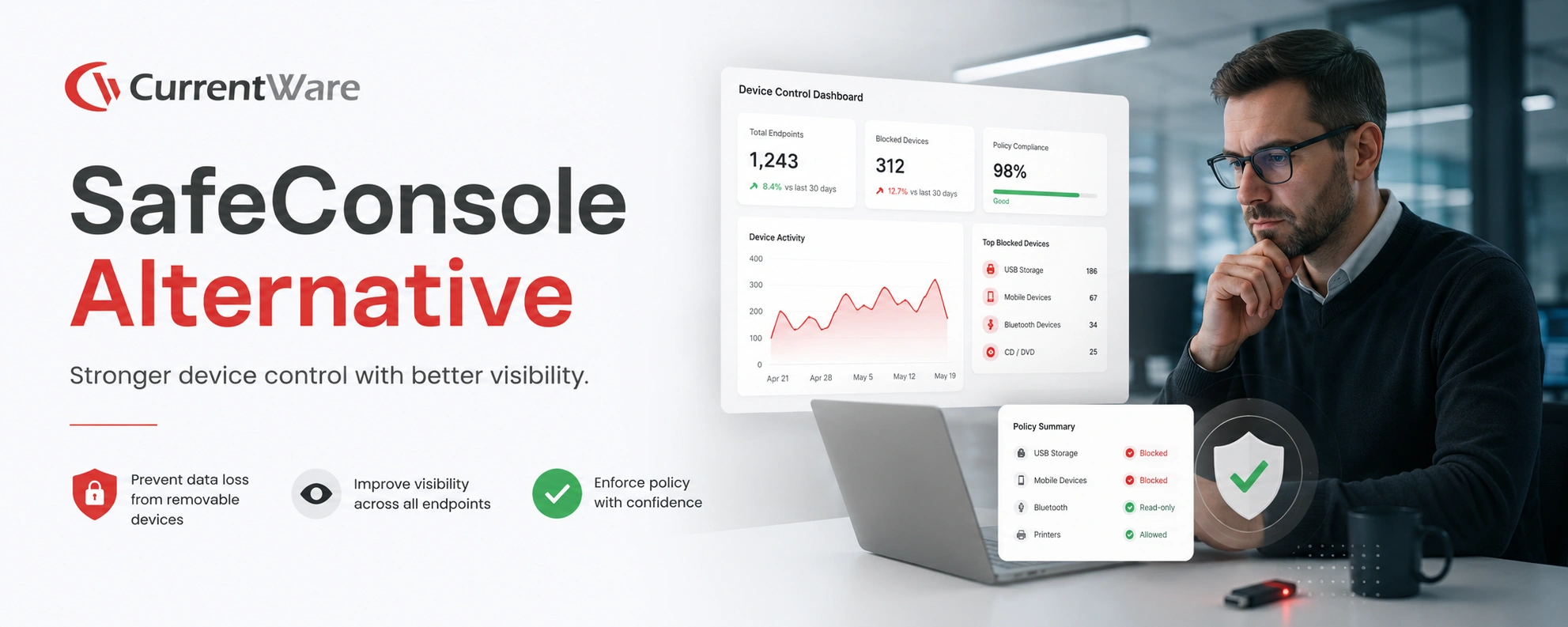
Why Choose CurrentWare’s Alternatives to SafeConsole PortBlocker?
Accessible Pricing
CurrentWare provides licensing options that are accessible to small teams
Stellar Support
We’re with you every step of the way. You can reach us by phone, email, or live chat.
Productivity & Security
CurrentWare’s monitoring, DLP, and web filtering keep you productive and secure
Learn More About CurrentWare
CurrentWare’s Security Capabilities
With CurrentWare’s data loss prevention and USB control capabilities, blocking unauthorized data transfers is as easy as a few clicks.
CurrentWare extends your organization’s on-site security policies to laptops and computers running outside the corporate network, ensuring ongoing data security no matter where your users work.
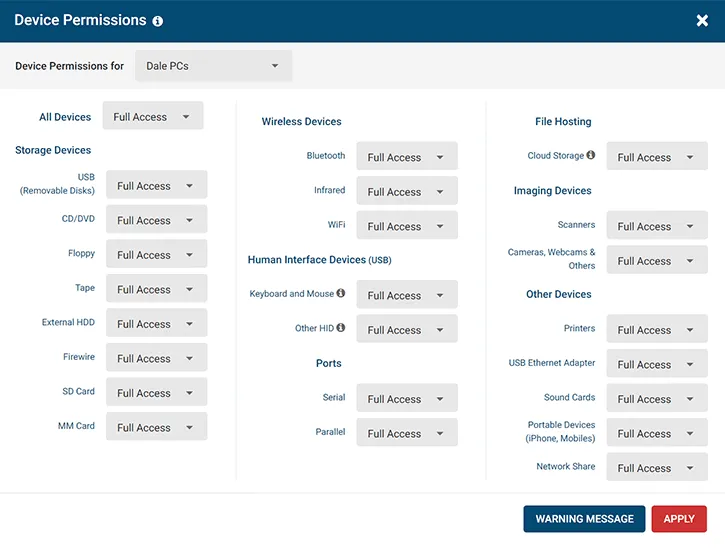
Block & Audit Storage Devices
Control who can use portable storage devices and set security policies to limit what devices are allowed. Monitor data transfers to removable media and network storage devices to ensure that your data security policies are being followed.
Prevent Data Loss to Cloud Platforms
Protect sensitive data against the risks of cloud file sharing sites. Block cloud storage sites/apps, restrict uploads/downloads, and monitor file transfers for high-risk or anomalous activity.
Audit User Activity for Insider Threat Risks
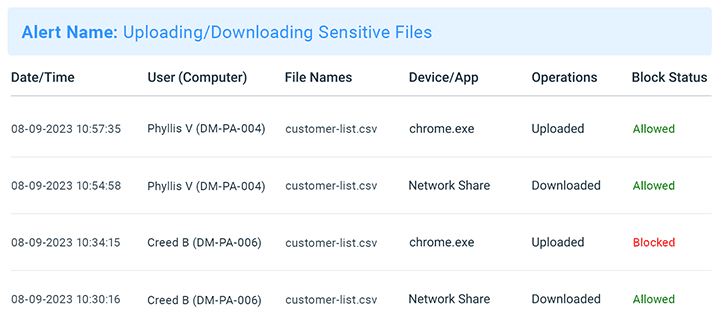
Monitor employee computer usage for signs of insider threats. Track file transfers, web browsing, app use, and login/logout times for high-risk, anomalous, or inappropriate activity. Receive automated alerts straight to your inbox when specific events occur.
Block Data Transfers to Portable Storage & Uploads/Downloads
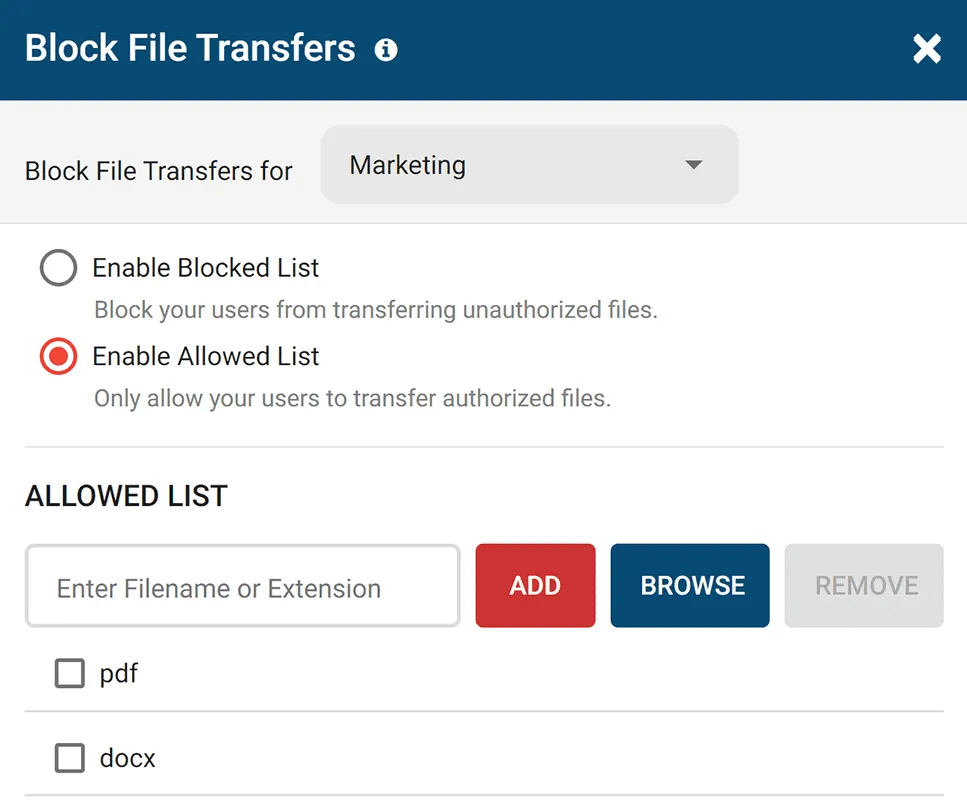
Go beyond simply blocking unauthorized devices; ensure optimal data protection with your trusted devices, too. Block file transfers to portable storage devices based on file extension and file name.
Use the File Filter to prevent the uploading and downloading of specific files such as EXEs.
Block High-Risk Network Ports
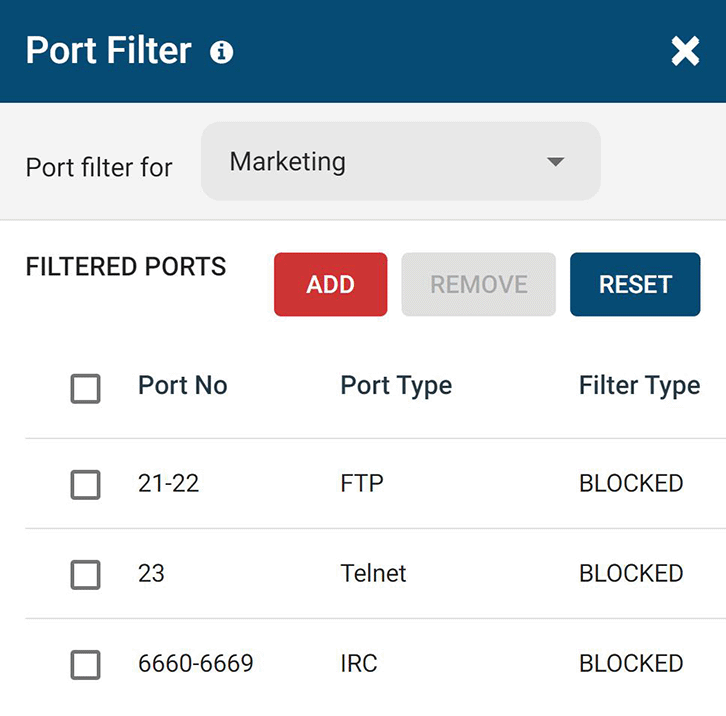
Block unused TCP/UDP ports to reduce the attack surface of your network. Improve data protection by mitigating the threat of data leakage over FTP, SFTP, IRC, and other high-risk network ports.
Block Risky Sites
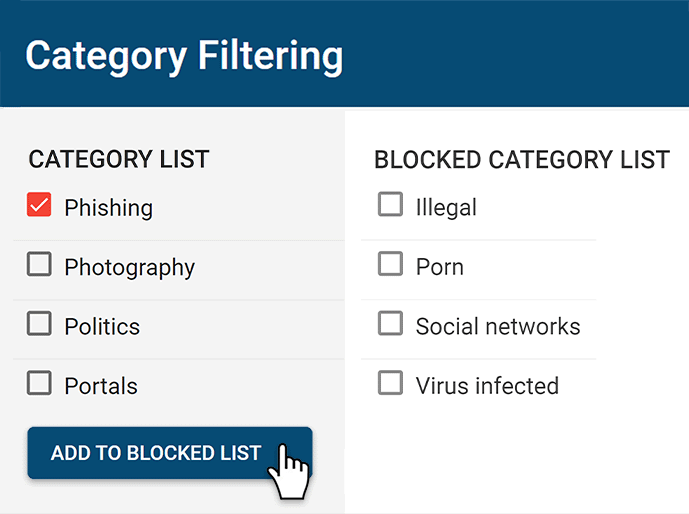
BrowseControl’s web content category filtering database provides you with a convenient way to block millions of websites across over 100 URL categories. Easily block users from accessing social media, porn, games, known virus-infected websites, and more!
CASE STUDY
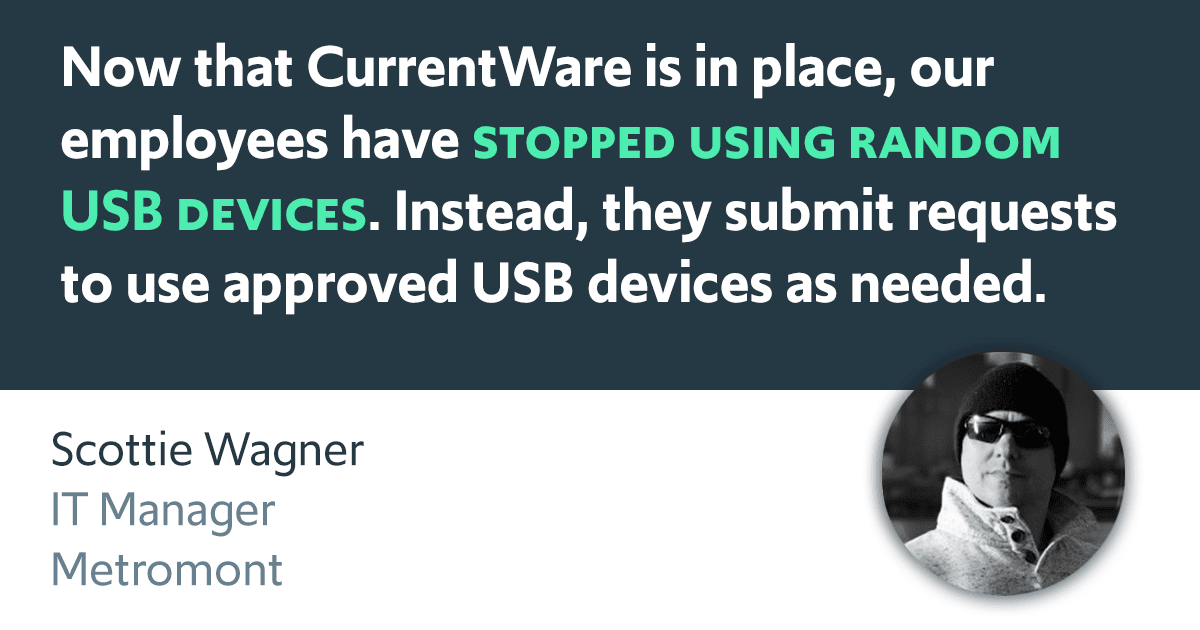
Metromont Ditches ManageEngine & Finally Solves USB Security Concerns with CurrentWare
ManageEngine promised the world, then left us hanging when we needed support…CurrentWare delivered everything we needed from the start, with exceptional customer service.
Compare CurrentWare vs. SafeConsole Features
Compare the key features of CurrentWare and SafeConsole DeviceControl/SafeConsole PortBlocker to choose the right fit for you.
The main difference between CurrentWare and SafeConsole for USB control lies in their approach to managing and securing USB devices.
CurrentWare emphasizes ease of use, user activity monitoring, and granular USB control, making it a suitable choice for organizations seeking straightforward device control within Windows environments.
SafeConsole, on the other hand, specializes in managing encrypted SafeConsoleReady™ USB drives, offering features like mandatory password protection, remote wiping, and audit logging. It is primarily designed for organizations that need to enforce encryption standards on portable storage devices.
| Use CurrentWare’s SafeConsole alternatives if… | Use SafeConsole by DataLocker if… |
|---|---|
| You’d like an advantageously priced USB control solution for Windows | You are willing to purchase dedicated SafeConsoleReady™ encrypted flash drives to take advantage of its full capabilities |
| You need greater insights into user activity, such as high-risk internet and application usage | You’d like to manage USB device usage permissions across both Mac and Windows |
| You’d benefit from additional data loss prevention features such as blocking cloud storage services and uploads/downloads | You need advanced USB security features for SafeConsoleReady™ devices such as anti-malware scanning and remote device wiping |
The CurrentWare Suite include AccessPatrol, a data loss prevention tool for protecting against illicit file transfers and rogue USB devices.
These security features make the CurrentWare Suite the perfect solution for meeting cybersecurity compliance requirements for USB devices.
While DataLocker provides industry-leading hardware encrypted portable storage devices, the peripheral control capabilities of SafeConsole PortBlocker are limited to USB mass storage, MTP, PTP, and UASP (USB Attached SCSI) devices. Other devices, such as USB mice and keyboards, cannot be controlled with PortBlocker.
Learn More: Devices You Can Control With AccessPatrol
CurrentWare has the best alternatives to SafeConsole for protecting sensitive information from being illicitly transferred to portable storage devices, cloud storage services, and other egress points.
CurrentWare’s DLP capabilities include USB control to prevent data leaks to removable media devices, web category filtering to block web-based data egress points, and user activity monitoring to identify high-risk user behavior such as attempts to use blocked peripheral devices.
CurrentWare’s data loss prevention (DLP) tools help safeguard sensitive information from theft and leaks. With features like device control, file transfer monitoring, and real-time alerts, you can prevent data breaches and ensure compliance with industry regulations. By restricting the transfer of sensitive data via USB drives, external storage, or cloud services, CurrentWare minimizes the risk of data theft.
While SafeConsole is an excellent USB blocking tool, its user activity monitoring features are limited to removable storage activity, which leaves a significant gap in your data loss prevention strategy—Detecting insider threats!
Without clear visibility into employee computer activity your organization is at risk of data loss to high-risk computer usage such as using unauthorized applications, visiting malicious websites, and transferring company data to personal cloud storage services.
CurrentWare offers a robust employee monitoring solution that helps businesses boost productivity and ensure compliance. With tools for tracking web usage, application activity, screen monitoring, and USB device access, CurrentWare provides comprehensive insights into employee performance.
Its real-time monitoring and detailed reporting capabilities enable managers to identify productivity trends, optimize workflows, and address potential issues promptly.
Whether you’re managing remote teams or ensuring adherence to company policies, CurrentWare’s intuitive interface and customizable features make it the ideal solution for streamlined, effective employee monitoring.
Web filtering is an essential component of any cybersecurity strategy. Blocking high-risk websites such as unauthorized cloud storage services and malicious websites ensures that data is not leaked to these egress points.
Unfortunately, SafeConsole lacks any internet restriction capabilities.
CurrentWare’s web filter BrowseControl includes a web category filtering database with millions of URLs across hundreds of categories including social media, file hosting, and virus-infected sites.
CurrentWare’s web filtering and internet security tools help businesses maintain a secure and productive online environment. With customizable filters, you can block access to inappropriate or non-work-related websites, reducing distractions and safeguarding sensitive data.
Additionally, CurrentWare’s web filtering features prevent employees from accessing malicious sites, helping to protect your organization from cybersecurity threats. By offering detailed reports on web activity, CurrentWare gives you the insights needed to ensure compliance, improve productivity, and minimize risks associated with internet usage in the workplace.
Thanks to its simple interface and setup process, getting started with CurrentWare is easy—whether or not you’re an experienced system administrator. CurrentWare offers a variety deployment options that suit the installation needs of organizations of all sizes.
Both CurrentWare and SafeConsole can be deployed on-premises or on a self-managed cloud server through cloud service providers such as Amazon Web Services and Google Cloud Platform.
SafeConsole also offers a Software-as-a-Service model where they manage server deployment and maintenance.
In terms of setup and deployment, SafeConsole can monitor and manage USB activity on both Windows and Mac devices, whereas CurrentWare is presently exclusively available for Windows machines.
Even the best alternatives to SafeConsole need to have a reliable technical support team to ensure that its customers get the services they need to make the most of their data loss prevention solutions.
CurrentWare’s support team is available by phone, live chat, and email from 8:00 AM – 6:00 PM EST, Monday to Friday to ensure your business is covered. We also maintain an onboarding guide and a knowledge base full of helpful articles and training videos to ensure critical information is available 24/7.
| CurrentWare | SafeConsole | |
|---|---|---|
| ✅ | USB Storage | ✅ |
| ✅ | External HDDs | ✅ |
| ✅ | Tape | ❌ |
| ✅ | CD/DVD | ❌ |
| ✅ | iPhones/iPads/iPods | ✅ |
| ✅ | Smartphones/Tablets | ✅ |
| ✅ | Digital Cameras | ✅ |
| ✅ | Media Players (MP3 Players) | ✅ |
| ✅ | Memory Cards (SD/MM) | ✅ |
| ✅ | Printers | ❌ |
| ✅ | Floppy Disk | ❌ |
| ✅ | Webcams | ❌ |
| ✅ | WiFi Network Cards | ❌ |
| ✅ | FireWire | ❌ |
| ✅ | Sound Cards | ❌ |
| ✅ | Bluetooth Devices | ❌ |
| ✅ | Serial/Parallel Ports | ❌ |
| ✅ | Network Share | ❌ |
| ✅ | HID (Keyboards, Mice, etc) | ❌ |
| ✅ | USB-to-Ethernet | ❌ |
| ✅ | Infrared Dongle | ❌ |

CASE STUDY
Viking Yachts Stops Departing Employee From Stealing Intellectual Property
CurrentWare saved us a lot of time and money. If we didn’t have them we would have never known what was going on. I cannot thank them enough for this software; being able to audit removable drives is invaluable.
See What Our Customers Have to Say
Expand your capabilities with CurrentWare's award-winning productivity and security software




Compare DataLocker SafeConsole Pricing vs CurrentWare Pricing
CurrentWare Pricing
CurrentWare’s solutions can be purchased individually for the greatest flexibility or as a full suite for the best value.
When purchased individually, the cost of BrowseReporter user activity tracker, AccessPatrol USB control software starts at $12/user/month and BrowseControl web filter starts at $6 /user/ month (paid annually). The full CurrentWare Suite includes all 4 modules starting at $20 per user per month (paid annually).
Discounts Available:
- Pricing breaks are available for businesses that sign up for multi-year plans or have future growth planned and can commit to bulk orders.
- Volume license discounts are available starting for as low as 100 users, with discounts increasing depending on the number of licenses, and the length of the contract term.
- Educational organizations and nonprofits may qualify for a 10% license discount.
- Not satisfied with a competing vendor? Make the switch to CurrentWare today and you may save up to 25% on your first year!
See the latest Learn more about CurrentWare Pricing
SafeConsole Pricing
The pricing for SafeConsole varies widely based on whether you opt for their hardware encrypted SafeConsoleReady™ removable storage devices ($180 USD+ each), the quantity of licenses, contract term length, and the modules you choose.
To get accurate SafeConsole pricing you must schedule a meeting with a member of their sales team or receive a quote from one of their resellers.
Not Satisfied With Your Vendor?
Make the switch to CurrentWare today to save up to 25% on your first year!