
Best Hubstaff Alternatives in 2026 (Ranked by Use Case & Price)
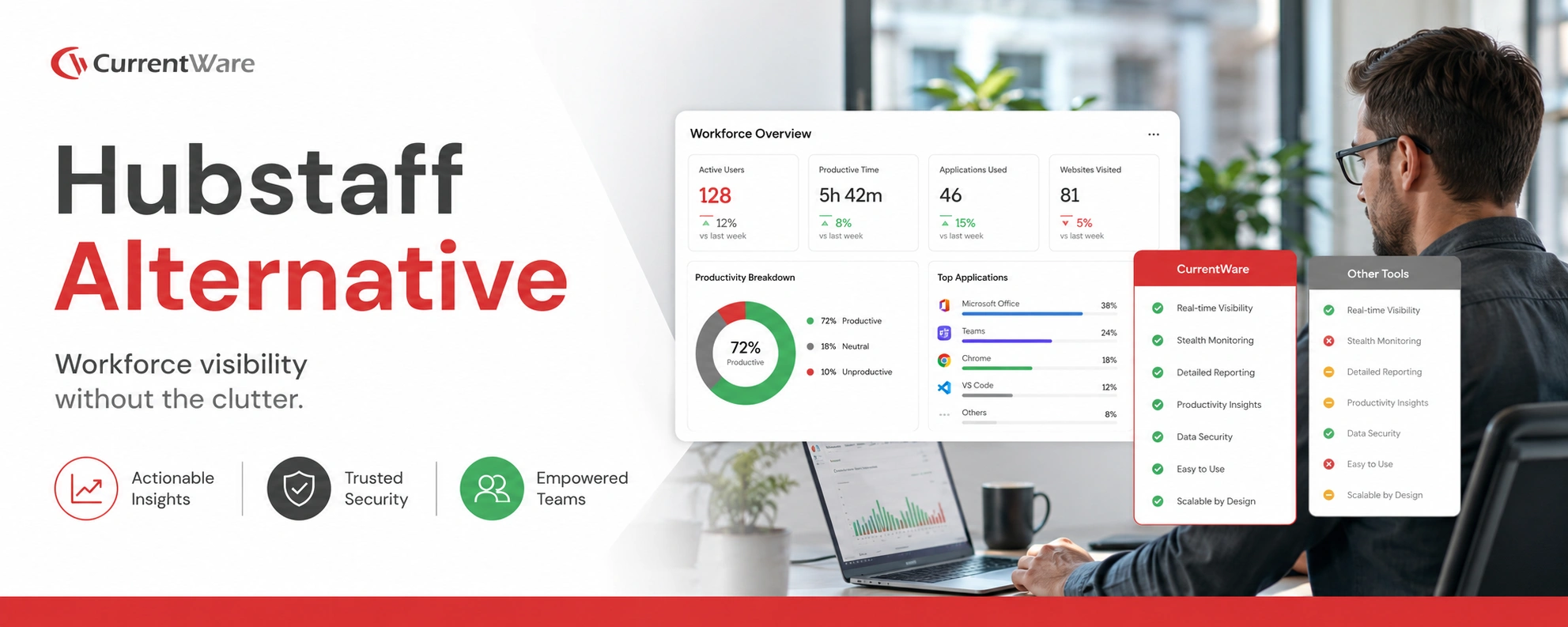
Hubstaff is best known for time tracking, activity levels, and GPS tracking for remote teams. It works well for freelancers, agencies, and distributed teams that primarily want to track hours and attendance.
But as teams scale, compliance requirements increase, or security risks become more real, many organizations realize Hubstaff is not built for deeper productivity analytics, employee monitoring, or data protection. That’s why more companies are actively looking for Hubstaff alternatives in 2026, one that balances visibility, trust, compliance, and cost.
This guide breaks down the best Hubstaff competitors, ranked by use case and functionality.
Why Companies Look for Hubstaff Alternatives
Hubstaff as a platform is narrow by design. Common reasons due to which companies switch from Hubstaff include:
- Limited employee monitoring depth
Hubstaff focuses on time and activity levels, but lacks advanced user activity monitoring, insider risk detection, or behavioral context. - No built in compliance or security controls
Organizations subject to SOC 2, ISO 27001, HIPAA, or internal audits often need controls Hubstaff simply doesn’t provide. - Over reliance on screenshots and activity percentages
Screenshots alone don’t explain why productivity drops or where risk exists. - Not ideal for hybrid or on prem environments
Many teams need on premise deployment or stricter data residency controls. - Costs scale quickly with team size
For larger teams, Hubstaff’s per user pricing can become expensive relative to value delivered.
Top Hubstaff Alternatives Compared
Explore the Best alternatives to Hubstaff, and find the right solution based on your monitoring depth, compliance needs, and team size.
| Tool Name | Primary Use Case | Core Features | Pricing | Deployment | Best For | Rating (Capterra) |
|---|---|---|---|---|---|---|
| CurrentWare | Productivity + Employee Monitoring + Compliance Adherence | Activity tracking, DLP, web/app control | $12 Per user | Cloud & On Prem | SMBs, regulated orgs, Enterprises | 4.8 |
| Insightful | Time & productivity tracking | App tracking, screenshots, reports | $7 Per user | Cloud | Remote teams | 4.6 |
| Toggl Track | Time tracking | Manual timers, reports | $9 Per user | Cloud | Freelancers | 4.7 |
| DeskTime | Productivity analytics | App usage, screenshots | $7 Per user | Cloud | SMBs | 4.5 |
| Time Doctor | Workforce analytics | Time tracking, screenshots | $7 Per user | Cloud | Remote teams | 4.5 |
| Teramind | Insider threat detection | DLP, session recording | $69 Per month | Cloud & On Prem | Enterprises | 4.6 |
| Clockify | Time tracking | Timers, reporting | $8 Per user | Cloud | SMBs | 4.7 |
| TimeCamp | Time & billing | Time tracking, invoicing | $8 Per user | Cloud | Agencies | 4.6 |
| ActivTrak | Productivity analytics | App usage, insights | $10 Per user | Cloud | Mid market | 4.6 |
| Monitask | Time tracking | Screenshots, activity levels | Per user | Cloud | Small teams | 4.4 |
10 Best Hubstaff Alternatives in 2026
Drive Deeper to understand software similar to Hubstaff for productivity tracking, employee monitoring, and enterprise compliance.
1. CurrentWare
CurrentWare is a productivity and employee monitoring platform, designed specifically for organizations that need more than just basic visibility and data security. It’s a tool that’s widely used by businesses like SMBs, healthcare providers, professional organizations, and Government and Government agencies, and any organization that needs monitoring that’s both effective and defensible.
Key Features
- Monitoring of user activity, including apps, websites, and file usage
- Built in data loss prevention (USB control, file transfer monitoring) to keep sensitive data secure
- Productivity controls to help reduce online distractions and shadow IT
- A set of productivity analytics based on realtime insights (not just activity percentages)
- Deployment options that range from cloud to fully on premise, depending on your organization’s compliance needs
Pros
- Offers a much deeper level of visibility into what employees are doing without relying on screenshots
- Strong alignment with compliance needs like SOC 2, ISO 27001, HIPAA, and internal audits
- Monitoring focused on behavior and context, not constant screen capture
- Flexibility in deployment options for organizations
Cons
- No GPS tracking, and that’s by design, for reasons of privacy and relevance
- Too overwhelming for solo freelancers or gig workers
Pricing Model
Per user pricing model with modular licensing, so teams only pay for what they really need.
2. Insightful
Insightful is all about time tracking and productivity analysis in remote and hybrid teams. It’s a popular choice with companies that want to see how their teams are performing without leaning towards security and compliance.
Key Features
- Automatic time tracking and activity categorization
- Productivity trends and team performance reports
- Idle time and application usage reports
Pros
- Clean, easy to use interface
- Useful productivity reports for managers
Cons
- Limited security and compliance capabilities
- Only available in the cloud
3. Toggl Track
Toggl Track offers manual time logging with tags, projects, and billing reports, integrating well with tools like Asana for freelancers and small teams tracking billables. It lacks monitoring depth.
Key Features
- Manual time tracking with tags and projects
- Reporting for billing and client work
- Strong integrations with project tools
Pros
- Free plan and simple interface.
- Strong for invoicing small projects.
Cons
- No employee monitoring or visibility into work behavior
- Productivity enforcement or analytics will not be available
4. DeskTime
DeskTime is about automatic time tracking, with some basic productivity labeling. It’s a good choice for small teams that want a monitoring tool without much complexity.
With features such as screenshots, URL tracking, and document title monitoring, it helps you stay informed about your team’s progress and work patterns throughout the day.
Key Features
- Automatic time tracking
- Productivity and idle time scoring
- Screenshot capture options
Pros
- Quick setup and affordable for starters.
- Offline tracking support.
- Simple productivity metrics for managers to work with
Cons
- Limited depth in analytics and reporting
- screenshot centric approach
5. Time Doctor
Time Doctor is one of those tools that’s similar to Hubstaff in a lot of ways, time tracking, activity levels and screenshots. It’s a great choice for remote teams who want to keep an eye on things.
Key Features
- Time tracking with activity monitoring
- Screenshot capture and idle time detection
- Payroll and attendance integrations
Pros
- Familiar experience for Hubstaff users
- Built with remote teams in mind
- Good for attendance and basic payroll.
Cons
- Can feel a bit intrusive to employees
- Limited support for compliance and audits
6. Teramind
Teramind is an enterprise security, insider threat detection, and data protection platform in which everyday productivity tracking seems complex.
Choose Teramind over Hubstaff if data loss prevention is a priority, as it offers more advanced controls for monitoring and protecting sensitive information.
Key Features
- Advanced user behavior analytics
- Powerful DLP and policy enforcement
- Insider threat detection and forensics
Pros
- Strong security and DLP capabilities
- Advanced analytics for risk detection
Cons
- Expensive and complex
- Complex functionality for most SMBs and small teams
7. Clockify
Clockify is a popular free alternative to Hubstaff for basic time tracking, especially for startups and small teams. It is commonly used by remote teams, freelancers, and businesses for monitoring work hours across projects to improve productivity.
Key Features
- Manual and automatic time tracking
- Project and team reporting
- Timesheets
Pros
- Generous free tier, which is great for small teams
- Fast and simple setup
Cons
- No employee monitoring features
- No productivity enforcement
8. TimeCamp
TimeChamp is a tool that blends time tracking with billing and invoicing, making it a popular choice for agencies and service based businesses. Choose Timechamp over Hubstaff for better billing workflows and client invoicing rather than pure activity monitoring.
Key Features
- Time tracking with client billing
- Invoicing and budgeting tools
- Project based reporting
Pros
- Strong client billing support
- Easy to understand reports
Cons
- Limited monitoring depth
- Not built for security focused teams
9. ActivTrak
ActivTrak is a tool all about productivity insights, without screenshot capture. It’s for organizations that want visibility into how their teams are working, without compromising on employee privacy.
Key Features
- Productivity analytics and focus time reports
- Application and website usage tracking
- Team benchmarks and trends
Pros
- Pretty good approach to employee monitoring
- Privacy friendly approach
Cons
- No built in way to enforce or block certain actions
- It’s only available in the cloud
10. Monitask
Monitask is built for small teams that don’t need a lot but want to keep an eye on what their team members are doing.
It offers better screenshot monitoring and app usage tracking than Hubstaff. It’s Actionable reporting making it a practical choice for startups or small businesses that just need accountability without micromanaging.
Key Features
- Tracks time and takes screenshots
- Gives some basic metrics to gauge productivity
- Gives a quick summary of team activity
Pros
- Relative fair pricing
- Clean, straightforward reporting interface
- Automatic time tracking with screenshots
Cons
- Not designed for big teams who are looking to scale
- Not a lot of depth to their analytics or reporting
How to Choose the Best Hubstaff Alternative for Your Company
Ask these questions before switching:
- Do you need time tracking only, or deeper productivity insights?
- Are compliance and data security important?
- Do you need on premise deployment?
- Are screenshots acceptable, or do you prefer behavior based analytics?
- Will pricing scale sustainably as your team grows?
Why CurrentWare Is the Best Hubstaff Alternative
Hubstaff tells you how long someone worked. CurrentWare helps you understand how work actually happens, and whether it’s secure, compliant, and productive.
That difference matters as teams grow, compliance becomes non negotiable, and leadership needs real answers instead of surface level metrics.
-
Contextual productivity analytics
Instead of relying on screenshots or raw activity percentages, CurrentWare provides meaningful productivity insights based on application usage, website activity, and behavioral patterns. Managers can see where time is going, what tools drive outcomes, and where bottlenecks or distractions appear, without constant oversight.
-
Built in data protection
Unlike Hubstaff, which focuses mainly on tracking time, CurrentWare includes native data protection features such as device control, application restrictions, and file activity visibility. This helps organizations reduce insider risk and accidental data exposure without deploying multiple separate security tools.
-
Compliance ready monitoring
CurrentWare is designed for organizations that must meet audit and compliance requirements. Its monitoring capabilities align with frameworks like SOC 2, ISO 27001, and HIPAA, making it easier to demonstrate policy enforcement, access control, and oversight during audits, something Hubstaff is not built to support.
-
Flexible deployment options
While Hubstaff is cloud only, CurrentWare supports both cloud and on premise deployments. This flexibility is critical for regulated industries, hybrid environments, or organizations with strict data residency and control requirements.
-
Lower total cost of ownership
Because CurrentWare combines productivity monitoring, employee monitoring, and data protection in a single platform, organizations avoid the cost and complexity of managing multiple tools. Over time, this results in lower operational overhead, faster implementation, and better value compared to paying separately for time tracking, security, and compliance solutions.
“The reports are very easy to understand and the fact that they can be emailed to you on a schedule is amazing, and have made finding productivity killers VERY easy. Customer support has been fantastic every time I’ve had to reach out to them; I highly recommend them!”
“BrowseReporter is simple to use and provides our company with the information we were looking for. Having BrowseReporter installed has prevented any internet abuse. This was exactly what we wanted!”
Hubstaff Tracks Time. We Protect Your Business.
Get Real Workforce Analytics with CurrentWare
Conclusion
Hubstaff works well for basic time tracking, but it isn’t built for the realities of modern, compliance driven, hybrid organizations.
If you’re looking for the best Hubstaff alternative in 2026, the right choice depends on your priorities, productivity, security, cost, or compliance.
For teams that need more than hours and screenshots, CurrentWare offers the most complete and future ready alternative.
Frequently asked
Your Questions, Answered
-
Most companies tend to outgrow the basic time tracking features that Hubstaff provides once they get to a certain size. At that point, they need something more than just hours worked or screenshots, they want insights into how people are working, potential risks, and whether everyone is following the rules. And then there’s the issue of compliance, being able to pass an audit is a big deal, and some tools are just better suited to this than others. And of course there’s the cost, while Hubstaff’s per user pricing might seem reasonable at first, it can get pretty steep as the team gets bigger.
-
Yes, especially if all you need is the bare minimum time tracking functionality. Tools like Clockify, Toggl Track, and Monitask tend to be pretty affordable, often with free or low cost plans that are perfect for freelancers and small teams. However, these cheaper options often sacrifice some of the more advanced features that make up the ‘full package’. Really though, the question shouldn’t be “is it cheaper” but “does it offer real value as the company grows and expands”.
-
For teams that are spread out all over the world, tools like Insightful and Time Doctor are sometimes preferred as they focus on giving managers a clear view of what’s going on across all those different locations. They provide the time tracking you’d expect, as well as some insights into how people are working and performance trends, all without you having to micromanage everything. Some teams do handle sensitive client information, in which case they’re probably more interested in tools that also handle security and compliance issues on top of productivity insights.
-
If you’re not just looking for a time tracking tool but something that tracks activity and maybe even security and compliance issues, then tools like CurrentWare and Teramind are worth a look. These ones can do a bit more, tracking application usage, web activity and keeping data safe, so they can be a good fit for teams that are trying to balance keeping an eye on what people are doing with keeping their data safe.
-
Mostly, yes. Hubstaff lets you export historical data via CSV reports, which you can then bring over and archive with a new system. While not every tool does this with one click, most companies keep their records for audits, billing and whatnot, so it’s usually not a problem to switch over. Also do be sure to grab your data before cancelling with Hubstaff and check if your new tool can import it properly.
-
For enterprises, it’s not just about tracking time, it’s about getting a lot of different things right, like employee productivity, keeping the data safe, compliance and regulations, policy adherence and so on. For such use cases, tools like Teramind are often preferred, especially when you’re worried about insider threats. CurrentWare, is preferred by organization that prioritize security and privacy, and need a cost effective solution that works well in regulated environments.
Best Endpoint Protector Alternative for Data Loss Prevention
Looking for Netwrix Endpoint Protector alternatives for preventing data loss that’s flexible, intuitive, and fairly priced?
CurrentWare has the USB control, web filtering, and user activity monitoring capabilities you need to protect data—at a fraction of the cost!
No credit card required

Why Choose CurrentWare’s Alternatives to Endpoint Protector?
Accessible Pricing
CurrentWare provides licensing options that are accessible to small teams
Stellar Support
We’re with you every step of the way. You can reach us by phone, email, or live chat.
Capabilities
CurrentWare’s monitoring, DLP, and web filtering keep you productive and secure
Learn More About CurrentWare
Benefits of CurrentWare
See what you can do with the capabilities of the CurrentWare Suite
Try the Demo Console
Get a feel for the console & dashboards before you deploy our software
Case Studies & Reviews
Don’t just take our word for it—Hear what our customers have to say!
Find a Data Loss Prevention Software for Your Needs
CurrentWare and Netwrix Endpoint Protector (formerly Endpoint Protector by CoSoSys) both provide endpoint security and data loss prevention solutions, but they differ in scope and accessibility.
The main difference between CurrentWare and Endpoint Protector is that CurrentWare is designed exclusively for Windows and offers optional modules for web filtering, user activity monitoring, and remote PC power management alongside its USB control solution.
In contrast, Endpoint Protector supports Windows, macOS, and Linux but requires a minimum of 150 licenses and at least two modules, making it more suited for large enterprises compared to CurrentWare’s flexible and cost-effective pricing.
| Use CurrentWare’s Endpoint Protector alternatives if… | Use Endpoint Protector by Netwrix if… |
|---|---|
| You’d like an advantageously priced USB control solution for Windows | You need advanced DLP features such as deep content inspection, eDiscovery, and email monitoring |
| You need greater insights into user activity such as high-risk internet and application usage | You require UI and customer support in languages other than English |
| You’d like to proactively prevent your users from accessing high-risk cloud storage sites | You’re searching for a DLP solution for a multi-OS environment with Mac or Linux computers |
Compare CurrentWare vs. Netwrix Endpoint Protector Features
Compare the key features of CurrentWare and Endpoint Protector to choose the right fit for you
The CurrentWare Suite include AccessPatrol, a USB security and USB activity monitoring software solution for preventing theft to portable storage devices.
These security features make the CurrentWare Suite the perfect solution for meeting cybersecurity compliance requirements for USB devices.
Both Endpoint Protector and CurrentWare’s AccessPatrol provide comprehensive peripheral control capabilities across a variety of devices. Both solutions allow you to granularly apply unique device control policies based on groups of users and computers.
Learn More: Devices You Can Control With AccessPatrol
Endpoint Protector’s core feature set is built around advanced DLP features such as deep packet inspection to break encryption for the purpose of directly inspecting content for sensitive information as it leaves the network.
Which features are available in Endpoint Protector depends on the modules purchased; they have separate modules for device control, content-aware protection, enforced encryption, and eDiscovery.
CurrentWare’s DLP capabilities include USB control to prevent data leaks to removable media devices, web category filtering to block web-based data egress points, and user activity monitoring to identify high-risk user behavior such as attempts to use blocked peripheral devices.
CurrentWare’s data loss prevention (DLP) tools help safeguard sensitive information from theft and leaks. With features like device control, file transfer monitoring, and real-time alerts, you can prevent data breaches and ensure compliance with industry regulations. By restricting the transfer of sensitive data via USB drives, external storage, or cloud services, CurrentWare minimizes the risk of data theft.
While Endpoint Protector is an excellent DLP tool, its lack of monitoring features leave a significant gap in your data loss prevention strategy—detecting insider threats.
Without clear visibility into employee computer activity your organization is at risk of data loss to high-risk computer usage such as using unauthorized applications and visiting malicious websites.
CurrentWare offers a robust employee monitoring solution that helps businesses boost productivity and ensure compliance. With tools for tracking web usage, application activity, screen monitoring, and USB device access, CurrentWare provides comprehensive insights into employee performance.
Its real-time monitoring and detailed reporting capabilities enable managers to identify productivity trends, optimize workflows, and address potential issues promptly.
Whether you’re managing remote teams or ensuring adherence to company policies, CurrentWare’s intuitive interface and customizable features make it the ideal solution for streamlined, effective employee monitoring.
Web filtering is an essential component of any DLP strategy. Blocking high-risk websites such as unauthorized cloud storage services and malicious websites ensures that data is not leaked to these egress points.
Unfortunately, Endpoint Protector’s web filtering capabilities are limited. While the Content Aware Protection module can be used to deny access to URLs and domains this method of web filtering is not scalable as you must manually add new websites as they emerge.
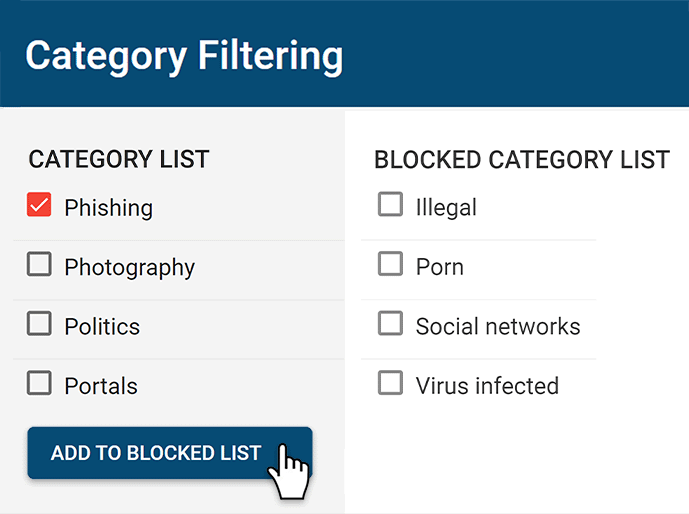
CurrentWare’s web filter BrowseControl includes a web category filtering database with millions of URLs across hundreds of categories including social media, file hosting, and virus-infected sites.
CurrentWare’s web filtering and internet security tools help businesses maintain a secure and productive online environment. With customizable filters, you can block access to inappropriate or non-work-related websites, reducing distractions and safeguarding sensitive data.
Additionally, CurrentWare’s web filtering features prevent employees from accessing malicious sites, helping to protect your organization from cybersecurity threats. By offering detailed reports on web activity, CurrentWare gives you the insights needed to ensure compliance, improve productivity, and minimize risks associated with internet usage in the workplace.
Thanks to its simple interface and setup process, getting started with CurrentWare is easy—whether or not you’re an experienced system administrator. CurrentWare offers a variety deployment options that suit the installation needs of organizations of all sizes.
Both CurrentWare and Endpoint Protector can be deployed on-premises or on a self-managed cloud server through cloud service providers such as Amazon Web Services and Google Cloud Platform.
Endpoint Protector also offers a Software-as-a-Service model where they manage server deployment and maintenance for an added cost.
Due to Endpoint Protector’s minimum order quantity of 150 licenses and 2 modules it is not the best data loss prevention solution for small businesses.
In terms of setup and deployment, Endpoint Protector’s greatest strength is its near 1:1 feature parity between Windows, Mac, and Linux, whereas CurrentWare is only available for Windows machines. This operating system diversity makes Endpoint Protector a great option for multi-OS environments.
Even the best alternatives to Endpoint Protector need to have a reliable technical support team to ensure that its customers get the services they need to make the most of their data loss prevention solutions.
CurrentWare’s support team is available by phone, live chat, and email from 8:00 AM – 6:00 PM EST, Monday to Friday to ensure your business is covered. We also maintain an onboarding guide and a knowledge base full of helpful articles and training videos to ensure critical information is available 24/7.
| CurrentWare | Endpoint Protector | |
|---|---|---|
| ✅ | USB Storage | ✅ |
| ✅ | External HDDs | ✅ |
| ✅ | Tape | ❌ |
| ✅ | CD/DVD | ✅ |
| ✅ | iPhones/iPads/iPods | ✅ |
| ✅ | Smartphones/Tablets | ✅ |
| ✅ | Digital Cameras | ✅ |
| ✅ | Media Players (MP3 Players) | ✅ |
| ✅ | Memory Cards (SD/MM) | ✅ |
| ✅ | Printers | ✅ |
| ✅ | Floppy Drives | ✅ |
| ✅ | Webcams | ✅ |
| ✅ | WiFi Network Cards | ✅ |
| ✅ | FireWire | ✅ |
| ❌ | Thunderbolt | ❌ |
| ❌ | Biometric Devices | ✅ |
| ✅ | Sound Cards | ✅ |
| ✅ | Bluetooth Devices | ✅ |
| ✅ | Serial Ports | ✅ |
| ✅ | Parallel Ports | ✅ |
| ✅ | Network Share | ✅ |
| ✅ | HID (Keyboards, Mice, etc) | ✅ |
| ✅ | USB-to-Ethernet | ✅ |
| ✅ | Infrared Dongle | ✅ |

CASE STUDY
Viking Yachts Stops Departing Employee From Stealing Intellectual Property
CurrentWare saved us a lot of time and money. If we didn’t have them we would have never known what was going on. I cannot thank them enough for this software; being able to audit removable drives is invaluable.
See What Our Customers Have to Say
Expand your capabilities with CurrentWare's award-winning productivity and security software




Endpoint Protector Reviews
✔️ Endpoint Protector Pros
Granularity & Compatibility
Endpoint Protector has compatibility with all major operating systems. Endpoint Protector’s granularity on who or which computer gets what policies makes it easy to apply Endpoint Protector to many use cases.
Source: Capterra Reviewer, 2021
The best part of endpoint protector is that it works on all three platforms i.e., Windows, MAC, and Linux. Also, there is a single pane from which you can manage everything.
Source: G2 Reviewer, 2022
In the Mac space, CoSoSys is probably the market leader, because of the level of detail that they’ve put into the platform is very significant.
Source: PeerSpot Reviewer, 2021
🟡 Mixed Reviews
Support
The after-sales service is not that great. We faced some issues with the solution and want some customization for the same but [we were] not getting support.
Source: G2 Reviewer, 2022
Technical support has been fantastic. They get back to me quickly. They’re willing to schedule video conferencing so that I can share my screen. They’re willing to bring on a level-two support technician to look at the details. They’re able to supply everything for me support-wise.
Source: PeerSpot Reviewer, 2021
There is a language issue occasionally and you have to over explain things, but it depends at the end of the day what type of solution you are looking for and what their commercials look like.
Source: Comment on /r/sysadmin, 2019
❌ Endpoint Protector Cons
Complexity
The learning curve is pretty steep to get the policies setup correctly. Make sure you team has someone to set this up and have the machine to host the software. That was the only piece we were missing is we had to scramble to find a machine powerful enough to host the solution.
Source: G2 Reviewer, 2020
The initial setup was complex…It took more than a month to deploy because I had to source all of the equipment. They have a very good “how-to” document on deploying the software but once we got to that point, it was not the software causing a problem but rather, it was a hardware compatibility issue.
Source: PeerSpot Reviewer, 2021
Get Started Today With a Free Trial
Fully functional. Easy to use. $12/user/month. *For on-prem pricing, contact sales
CurrentWare vs Endpoint Protector Pricing
CurrentWare Pricing
The CurrentWare Suite is a cost effective solution for tracking the computer usage of your team members. CurrentWare offers fair prices and honest value to keep their employee monitoring software solutions accessible to companies of all sizes.
CurrentWare’s solutions can be purchased individually for the greatest flexibility or as a full suite for the best value.
When purchased individually, the cost of BrowseReporter, AccessPatrol starts at $12/user/month and BrowseControl at $12 /user/ month (paid annually). The full CurrentWare Suite includes all 4 modules starting at $20 per user per month (paid annually).
Discounts Available:
- Pricing breaks are available for businesses that sign up for multi-year plans or have future growth planned and can commit to bulk orders.
- Volume license discounts are available starting for as low as 100 users, with discounts increasing depending on the number of licenses, and the length of the contract term.
- Educational organizations and nonprofits may qualify for a 10% license discount.
- Not satisfied with a competing vendor? Make the switch to CurrentWare today and you may save up to 25% on your first year!
Endpoint Protector Pricing
Pricing for Endpoint Protector is not publicly available as it varies widely based on system requirements, the quantity of licenses, and the modules you select. To get accurate Endpoint Protector pricing you must schedule a meeting with a member of their sales team.
Here’s what we know about Endpoint Protector pricing:
- The Gov.uk Digital Marketplace has Netrix Endpoint Protector listed at £17.82 a user (~USD $22.60)
- Insight lists a single license of Netrwix Endpoint Protector for Windows at CAD $18.99 (~USD $13.53)
- The entry-level package is 150 licenses with a minimum of two Endpoint Protector modules
- To gain access to all of Endpoint Protector’s features you must purchase additional modules
- An SC Magazine article from 2013 states this for 250 users: “With a price starting at $8,250 for the appliance (with just the Device Control module), and up to $14,850 for the appliance, Device Control and Content Aware Protection…this product can become quite pricey fast.”. The price of Endpoint Protector has likely risen since 2013, though their licensing model may have changed as well.
- A review from 2021 notes that “For what it’s doing, the cost is somewhat high for us…” – Ray Grau, Interactive Developer at Customer Communications Group, Inc.
- Another review from 2021 indicates that Endpoint Protector may not offer advantageous pricing for long-term commitments beyond one year: “It would be helpful if they offered discounted pricing for long-term contracts to serve customers who are interested in committing for periods of three years, five years, or longer.” – Salachour Ebaratgar, IT Manager, Marketing Services Firm with 51-200 Employees
Not Satisfied With Your Vendor?
Switch to Us & Get a Discount
Make the switch to CurrentWare today to save up to 25% on your first year!
See How CurrentWare Compares to Other Workforce Monitoring Vendors
Internet Restriction
Data Loss Prevention
Best Alternatives to Kaspersky Endpoint Security for Business
Looking for the best Kaspersky alternatives for web control, USB device control, and user activity monitoring?
CurrentWare has the user activity tracking, web filtering, and data loss prevention security solutions you need to keep your business running securely and productively—at a fraction of the cost!
We offer fair prices and honest value to keep our products accessible to companies of all sizes.

Not Satisfied With Your Vendor?
Switch to Us & Get a Discount
Make the switch to CurrentWare today to save up to 25% on your first year!
Compare CurrentWare vs Kaspersky Key Features
Employee Monitoring
This section will compare the employee monitoring software features of CurrentWare to Kaspersky Endpoint Security.
CurrentWare’s employee monitoring software gives you the internet and application usage data you need to track employee performance, monitor remote workers, and ensure that employees are following your acceptable use policy.
Last updated January 2023
Web Filtering
This section will compare the web content filtering features of CurrentWare to Kaspersky Endpoint Security.
CurrentWare’s internet and application blocking software BrowseControl is a fantastic Kaspersky alternative for controlling employee internet use. It allows you to proactively block undesirable websites and applications to help keep your workforce secure and productive.
NOTE: Kaspersky Web Control is only available in the Kaspersky Endpoint Security Cloud Plus plan. On Windows workstations this component is unavailable if it is installed on a computer that runs on Microsoft Windows for file servers.
Last updated January 2023
Data Loss Prevention & Cybersecurity
This section will compare the data loss prevention and cybersecurity features of CurrentWare to Kaspersky Endpoint Security.
Monitoring and restricting USB file transfers is critical for protecting sensitive data against insider theft. CurrentWare’s AccessPatrol lets you restrict the use of a wide variety of peripheral devices including external storage hardware, Bluetooth, WiFi, and printers.
Note: Kaspersky’s USB device control features are only available in Kaspersky Endpoint Security Cloud Plus
Last updated January 2023
Setup & Deployment
Getting started with CurrentWare is easy. CurrentWare offers a variety deployment options that suit the installation needs of organizations of all sizes.
Last updated January 2023
Customer Support
Even the best vendors need to have a reliable support team to ensure that their customers get the services they need to make the most of their security solutions. This section will compare the customer support options of Kaspersky to CurrentWare’s Kaspersky alternatives.
*Kaspersky’s technical support availability varies based on whether or not you purchase a Maintenance Service Agreement (MSA). There are 4 MSA support tiers, with higher tiers offering faster response times.
Kaspersky’s Support Tiers:
- Standard Support: 10 am to 5 pm (ET) Monday – Friday
- MSA Start: 9 am to 7 pm (ET) Monday – Friday
- MSA Plus/Business/Enterprise: 24 x 7 x 365
Last updated January 2023
| CurrentWare | vs. | Kaspersky Endpoint Security |
|---|---|---|
| ✅ | Reports & Alerts | ✅ |
| ✅ | Remote Screen Capture | ❌ |
| ✅ | Scheduled Monitoring | ❌ |
| ✅ | Productive vs. Unproductive Time | ❌ |
| ✅ | Track Local Software Usage | ✅ |
| ✅ | Search Query Reports | ❌ |
| ✅ | Track File Transfers To/From Network Share Drives | ❌ |
| ✅ | Track Downloads/Uploads | ❌ |
| ✅ | Idle Time Tracking | ❌ |
| ✅ | Remote vs In-Office Tracking | ✅ |
| ✅ | Bandwidth Usage Tracking | ❌ |
| ✅ | URL Category Tracking | ✅ |
| ✅ | Audit Logons | ✅ |
CASE STUDY
Viking Yachts Stops Departing Employee From Stealing Intellectual Property
CurrentWare saved us a lot of time and money. If we didn’t have them we would have never known what was going on. I cannot thank them enough for this software; being able to audit removable drives is invaluable.
See What Our Customers Have to Say
Expand your capabilities with CurrentWare's award-winning productivity and security software
Get Started Today With a Free Trial
Fully functional. Easy to use. $12/user/month. *For on-prem pricing, contact sales
Compare CurrentWare vs Kaspersky Endpoint Security Pricing
CurrentWare Pricing
CurrentWare’s Kaspersky alternatives are a cost effective solution for tracking the computer usage of your team members. CurrentWare offers fair prices and honest value to keep their products accessible to companies of all sizes.
CurrentWare’s solutions can be purchased individually for the greatest flexibility or as a full suite for the best value.
When purchased individually, the cost of BrowseReporter, AccessPatrol starts at $12/user/month and BrowseControl at $6 /user/ month (paid annually). The full CurrentWare Suite includes all 4 modules starting at $20 per user per month (paid annually)
Discounts Available:
- Pricing breaks are available for businesses that sign up for multi-year plans or have future growth planned and can commit to bulk orders.
- Volume license discounts are available starting for as low as 100 users, with discounts increasing depending on the number of licenses, and the length of the contract term.
- Educational organizations and nonprofits may qualify for a 10% license discount.
- Not satisfied with a competing vendor? Make the switch to CurrentWare today and you may save up to 25% on your first year!
Kaspersky Endpoint Security Pricing (10 Users)
- Endpoint Security Cloud: $535 USD/year
- Endpoint Security Cloud Plus: $820 USD/year
- Endpoint Security for Business Select: $595 USD/year
- Endpoint Security for Business Advanced: $1020 USD/year
*Pricing based on 10 users for 1 year; current as of November 2022.

CASE STUDY
Boston Centerless Scales Production & Secures Their Remote Workforce
CurrentWare has been nothing but supportive of us since we started. This is probably one of the best systems that we’ve ever invested in.
Once we got CurrentWare installed it opened the door for remote work for us; we could control the equipment and make sure our people were being productive and safe.
Why Choose CurrentWare’s Alternatives to Kaspersky?
Affordable Pricing
Get USB control, web filtering, and user activity monitoring at a fraction of the cost
Deals for MSPs
CurrentWare’s MSPs and resellers get advantageous pricing on their licenses
Monitor User Activity
Go beyond basic browsing data with insights into idle time, URLs, and categories

Customizable Solutions
Purchase the Exact Solutions You Need
Why pay for more features than you need? Each CurrentWare solution can be purchased individually, giving you access to the key features you need without paying for the features you don’t.
Get Started Today With a Free Trial
Fully functional. Easy to use. $12/user/month. *For on-prem pricing, contact sales
Use BrowseControl for Web Protection From Online Threats
BrowseControl’s internet security features include a web category filtering database to effortlessly block millions of websites across 100+ content categories. Easily block users from accessing social media, online storage, porn, games, known virus-infected websites, and more!
Block malicious websites on all your devices and as as many users as you need from the convenience of a central web console.
Enforce Acceptable Computer Use Policies
- Policy Reminders: Redirect users from restricted websites to your internet use policy or a custom block page
- Block Websites: Prevent access to websites that go against your acceptable computer use policies
- Non-Compliance Alerts: Combine BrowseControl with BrowseReporter internet use monitoring software to get alerts of policy violations

Block Bandwidth Hogs to Improve Network Availability
- Block Bandwidth Hogs: Block Netflix, Amazon Prime Video, and other unproductive bandwidth hogs
- Restrict Unproductive Sites: Reduce unproductive web browsing to ensure bandwidth availability for work tasks
- Discretionary Access: Selectively allow access to high-bandwidth sites on an as-needed basis

Reduce Distractions to Improve Employee Productivity
- Improve Focus: Block distracting websites and apps to keep your users focused on their tasks
- Custom Internet Policies: Apply different policies for group of users or computers to avoid bottlenecks
- Control Tech Use: Combine with BrowseReporter computer monitoring software for advanced awareness and control over technology usage

Protect Your Business From Compliance & Liability Risks
- Prevent Software Piracy: Use the app blocker to prevent employees from launching specific applications
- Block Inappropriate Content: Prevent users from accessing pornographic, hateful, or crude websites at work or school
- Meet Compliance Requirements: Control internet use to secure your network against web-based threats and data loss to cloud storage sites/apps

Protect Against Web Security Threats
- Download Blocker: Block file downloads such as executables, zipped files, and videos from the internet
- Internet Off: Block the entire internet from being browsed for specific computers or employees
- Malware Protection: Block malicious and high-risk websites with our frequently updated category filtering database

Prevent Data Theft & Leakage
- Cloud DLP: Block unsanctioned cloud storage apps and sites to prevent employee data theft
- Port Filtering: Block ports used for FTP, SCP, SFTP, etc. to prevent data from leaving the network
- Block High-Risk Sites: Block other potential data egress points such as personal email platforms, torrenting sites, etc

Get Started Today With a Free Trial
Fully functional. Easy to use. $12/user/month. *For on-prem pricing, contact sales

Real-Time Employee Computer Activity Dashboards & Reports
Improve business intelligence with advanced insights into web browsing, app usage, bandwidth consumption, productivity, and more!
- Identify productivity leaks
- Enforce company policies
- Detect software waste
Try Our Kaspersky Alternatives for Free
Fully functional. Easy to use. Install in minutes.
CurrentWare’s Key Features
Transparent & Stealth Modes
Run silently in the background or provide notice of monitoring
Reports DLP Activity Reports
Track file transfers, storage device use, file operations, and more
Central Web Console
Save time with a central admin console; optionally integrate Active
Directory OUs or security groups
Platform Security
Protect your CurrentWare console with 2FA, passwords, privilege management, and more
Internet Off Offsite Management
Extend onsite security policies to computers running outside the corporate network
SQL Server Supported
Database scaled for enterprise and large business operations using
Microsoft SQL Server
CurrentWare Suite — Choose Your Solution
Get all 4 modules for the best value or choose the exact solutions you need
Get Advanced Activity Insights
BrowseReporter is a versatile computer activity monitoring software to track productivity, web browsing, and app use.
- Make informed decisions
- Enforce company policies
- Improve productivity
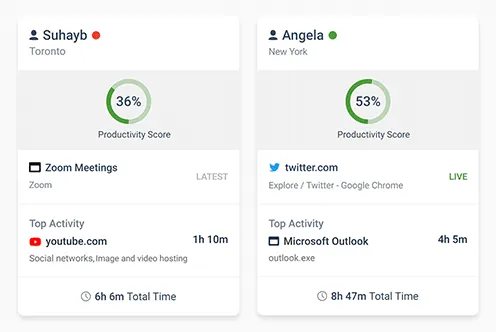
Block Harmful Websites
BrowseControl is an easy-to-use website blocking software for restricting internet access.
- Block URLs & categories
- Block unwanted apps
- Website allow & block lists
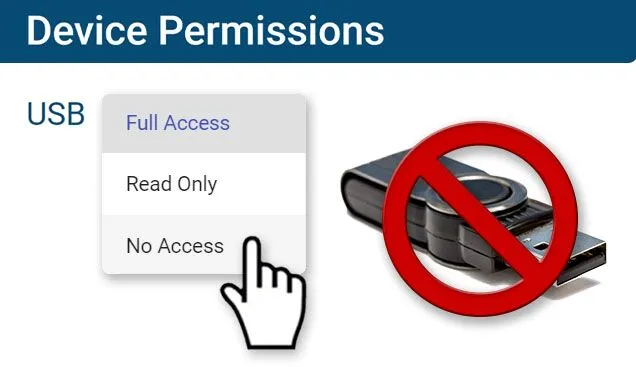
Stop Data Theft to USB Devices
AccessPatrol is USB control software to protect sensitive data against theft to portable storage devices.
- Block USB devices
- USB file activity alerts
- Block file transfers
Control PC Power States
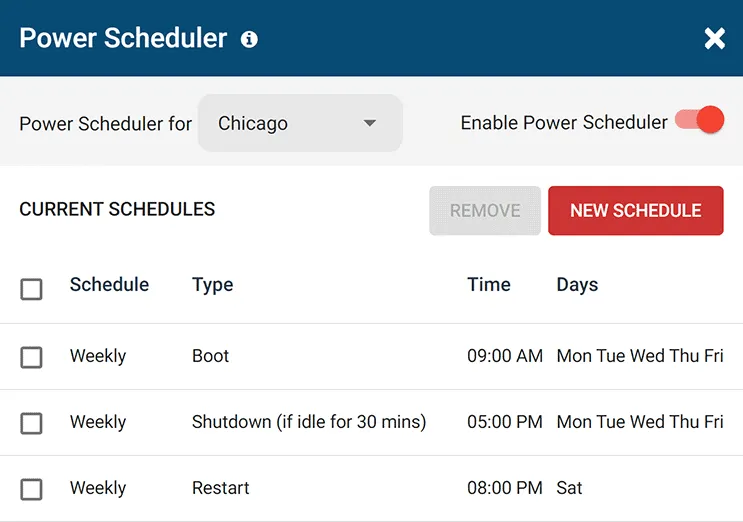
enPowerManager is a remote PC power manager for centrally managing power settings across all endpoints.
- Track logon and logoff times
- Log PC power event history
- Remotely shutdown PCs
What Happened to Kaspersky?
“The company Kaspersky Lab has faced controversy over allegations that it has engaged with the Russian Federal Security Service (FSB) to use its software to scan computers worldwide for material of interest—ties which the company has actively denied.
The U.S. Department of Homeland Security banned Kaspersky products from all government departments on 13 September 2017, alleging that Kaspersky had worked on secret projects with Russia’s Federal Security Service (FSB).
In October 2017, subsequent reports alleged that hackers working for the Russian government stole confidential data from the home computer of a National Security Agency contractor in 2015 via Kaspersky antivirus software.
Kaspersky denied the allegations, stating that the software had detected Equation Group malware samples which it uploaded to its servers for analysis in its normal course of operation.” – Wikipedia

What is Kaspersky Endpoint Security?
Kaspersky Endpoint Security is an endpoint security software to protect endpoint devices such as workstations used in businesses.
The software includes features for application control, device control, web control, web activity monitoring, device use monitoring, and application monitoring.
The CurrentWare Suite is the best Kaspersky competitor for blocking websites, preventing a data breach to USB devices, and monitoring the internet usage of your users.
Try Our Kaspersky Alternatives for Free
Fully functional. Easy to use. Install in minutes.
See How CurrentWare Compares to Other Vendors
See How CurrentWare Compares to Other Workforce Monitoring Vendors
Internet Restriction
Data Loss Prevention
Best Alternatives to K9 Web Protection For School & Business Internet Control
Need to monitor internet usage and block websites in your business, school, or library?
Try a free trial of BrowseControl and BrowseReporter, the best alternatives to K9 Web Protection for business.
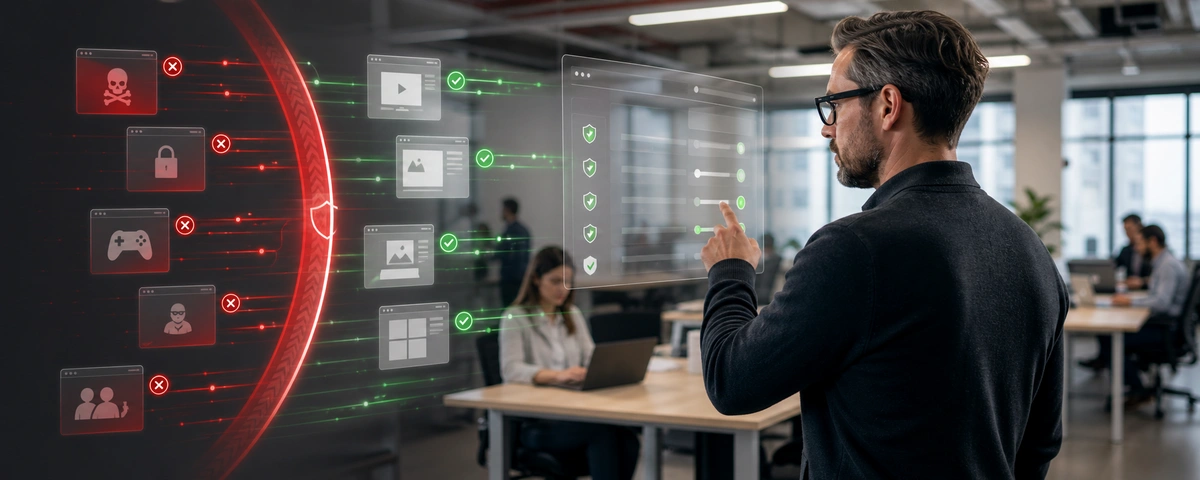
BrowseControl Web Filter & BrowseReporter Internet Monitoring Software
Alternatives to GFI WebMonitor
Enforce Computer Use Policies
An employee computer use policy helps ensure that your team members are aware of their responsibilities, but it’s not enough.
To make your policies truly effective you need visibility into which employees are visiting high-risk, inappropriate, or unproductive websites.
Learn more →
Find Bandwidth Hogs On Your Network
Are bandwidth upgrades necessary, or is an employee’s misuse of the internet what’s causing bottlenecks?
With CurrentWare’s bandwidth monitoring features you can identify bandwidth hogs in your network, then block them to reduce unnecessary strain on your network’s bandwidth.
Learn more →
Manage Employee Productivity
While occasional web surfing might be okay so long as employees are getting their work done, workplace internet abuse can be a serious detriment to employee productivity.
The productivity insights provided by employee computer monitoring software allows you to identify inefficiencies so you can optimize work processes.

Protect Your Business From Liability Risks
Detect Software Piracy
Ensure only legitimately licensed software is being used on company computers.
Stop Workplace Harassment
Collect evidence of employees accessing pornographic, hateful, or crude websites at work.

Improve Visibility of Remote Workers
Identify poor performers, improve visibility into employee productivity, and provide high-performers an opportunity to demonstrate their efforts.
Using BrowseReporter’s productivity by location reports you can analyze employee productivity trends to see where they thrive and verify attendance.
Learn more →
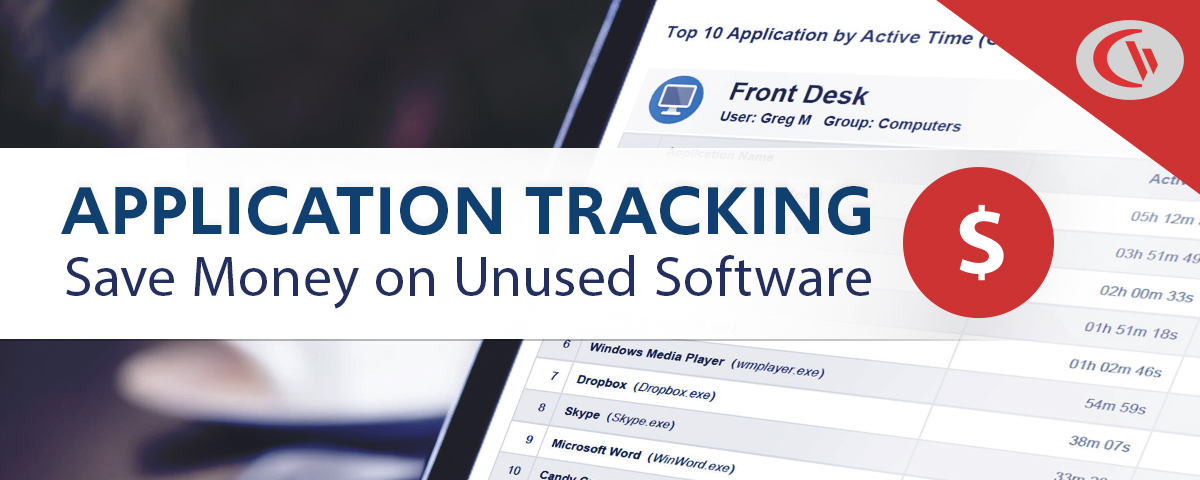
Save Money on Unused Software
36% of desktop software & 29% of SaaS spend is underutilized or wasted!
Track SaaS and desktop software usage to uncover insights into what applications can be decommissioned, consolidated, or reduced
Get Started Today With a Free Trial
Fully functional. Easy to use. $12/user/month. *For on-prem pricing, contact sales
Flexible Deployment Options
With CurrentWare’s cybersecurity, web filtering, data loss prevention, and user activity monitoring solutions you’re in complete control of how your data is stored, secured, and retained. Your employees’ data cannot be accessed by CurrentWare.
On Premises
Keep Control of Your Data
Install the management software on a standard computer, then deploy the client software to your users’ computers
Remote Workers
Monitor & Manage on Any Network
Connect your remote employees’ computers to the management software with simple port forwarding rules
Self-Managed Cloud & VDI
Citrix, Azure, AWS, GCP, and More!
Enjoy the scalability and availability of the cloud alongside the security, control, and flexibility of our on-premises solution
Replace K9 Web Protection Today
Fully functional. Easy to use. Install in minutes.
See What Our Customers Have to Say
Expand your capabilities with CurrentWare's award-winning productivity and security software

CASE STUDY
Web Filtering Software Keeps Students & School Systems Safe From Internet-Based Threats
Exposing students to the digital world comes with a responsibility to protect them. Students love BrowseControl because it gives them a safe working environment and prevents potential bad actors from interrupting their educational experience.
What is K9 Web Protection?
K9 Web Protection was a software product developed by Blue Coat, Inc. to filter and restrict Internet access. The software was adopted by businesses to restrict employees from wasting time on unproductive websites and to prevent users from accessing malware.
What Happened to K9 Web Protection?
K9 was sold in 2016 to Symantec and is now being subjected to “end-of-life” status, meaning that updates and support will no longer be available. The “end-of-life” status will commence on June 30th, 2019.
The official “end-of-life” statement for K9 Web Protection from Symantec
“We’re immensely grateful for the loyalty of our K9 Web Protection customers. For years, many of you have been using the award-winning K9 application to protect your computers, children, and organizations from spyware, malware, adult content and other threats and risky interactions. We’ve worked together to make the Internet a much safer place for our families and communities.
On August 1, 2016, Blue Coat, Inc. (K9’s parent company) was acquired by cybersecurity leader Symantec™. As can be imagined Blue Coat and Symantec had a handful of similar products and unfortunately, it didn’t make sense to maintain two competing products. it was decided to “end-of-life” K9 Web Protection and focus corporate and customer attention on Symantec’s line of Norton™ products.
Effective immediately, K9 Web Protection is no longer available for purchase or download. Technical Support for K9 will end on June 30, 2019. Until then, support for K9 can reached via email at DL-ECS-K9TechnicalSupport@symantec.com. We’ve also created an uninstall tool should you need help removing the application from your computer.”
What Does End-of-Life Mean for Existing K9 Web Protection Users?
K9 Web Protection is discontinued
“K9 Web Protection is no longer available for purchase or download.”
“We’ve also created an uninstall tool should you need help removing the application from your computer.”
It is clear from this statement that K9 is obsolete as web browsers and filtering technologies have advanced since 2019.
No more security & compatibility updates
“Technical support for K9 will end on June 30, 2019.”
This statement is particularly alarming for users that have implemented K9 into their network as they will no longer receive support if they run into any bugs or issues. Customer support is critical for any software product as bugs need to be resolved and customers often need a hand in configuring the software settings.
Replace K9 Web Protection Today
Fully functional. Easy to use. Install in minutes.
Shady Maple Skyrockets Employee Productivity With BrowseControl & BrowseReporter

Shady Maple found CurrentWare during a significant period of growth in their company. As their number of employees grew, Shady Maple knew that they needed an employee productivity solution that was scalable.
Their old ways of managing employee internet abuse – manually checking each employee’s computer individually and hoping that they didn’t clear out their web history – would no longer be sustainable.
Since implementing CurrentWare’s internet monitoring and web filtering software, Shady Maple’s productivity has skyrocketed. Thanks to the central console Shady Maple could review the internet browsing data of their entire workforce from a single device. CurrentWare’s ease of use and automated reporting made the solution accessible for use by managers, HR, and IT personnel alike.
The robust CurrentWare client agent maintained the integrity of browsing data even when employees deleted their browser’s web history, providing Shady Maple with accurate and actionable information about employee browsing habits.
Commonly abused websites and applications were effortlessly blocked from being accessed. Employees that needed access to blocked content for legitimate work purposes could be readily exempted from the content filtering policies.
Thanks to CurrentWare, Shady Maple’s network performance has dramatically improved and their workforce has regained focus on their core tasks. The HR department suddenly gained the ability to present tangible evidence of disinclination to employees who had been underperforming.
Being able to identify negative browsing trends and put a stop to them within a couple of hours has meant that our employees are focused on the job almost all of the time. We have become an extremely efficient workforce.

Kevin Porsche
IT Admin, Shady Maple
| BEFORE CURRENTWARE | AFTER CURRENTWARE |
|---|---|
| Network Congestion Employee internet abuse drains the available bandwidth, harming the productivity & efficiency of the entire organization. | Fast & Stable Internet Employee internet use is monitored for abuse. Bandwidth hogs are blocked and staff are coached on acceptable use policies. |
| Excessive Cyberloafing Actively disengaged employees waste excessive amounts of time on unproductive websites, sneakily hiding their browsing habits. | Focused Employees Records of unproductive web browsing gave the HR department the insights they needed to diagnose performance issues. |
| Inefficient Management Each employee’s computer is manually checked for evidence of misuse, wasting valuable time. Evidence of internet abuse is easily hidden. | More Time For Core Tasks Effortless management from CurrentWare’s central console increases efficiency, allowing saved time to be invested where it matters most. |
Replace K9 Web Protection Today
Fully functional. Easy to use. Install in minutes.
Computer Monitoring & Internet Management Features
Central Web Console
Save time with a central admin console; optionally integrate Active
Directory OUs or security groups
Platform Security
Protect your CurrentWare console with 2FA, passwords, privilege management, and more
Internet Off Offsite Management
Extend onsite security policies to computers running outside the corporate network
SQL Server Supported
Database scaled for enterprise and large business operations using
Microsoft SQL Server
Get Started Today With a Free Trial
Fully functional. Easy to use. $12/user/month. *For on-prem pricing, contact sales
See How CurrentWare Compares to Other Workforce Monitoring Vendors
Internet Restriction
Data Loss Prevention
Try CurrentWare for Free
Fully functional. Easy to use. Install in minutes