10 Best Insightful Alternatives & Competitors in 2026

10 Best Insightful Alternatives & Competitors in 2026-01(1)

Digital risk, insider threats, and regulatory scrutiny are increasing and many companies are discovering that Insightful is not designed for every organization or every use case. As a result, decision makers are actively evaluating Insightful alternatives that offer deeper employee monitoring, stronger security controls, and better compliance alignment.

This guide explores the 10 best Insightful alternatives and competitors in 2026, compares their capabilities, and helps you choose the right platform based on your organization’s size, risk profile, and compliance needs.

What Insightful Does?

Insightful is primarily known for time tracking and productivity analytics. It helps teams understand application usage, active vs idle time, and productivity trends, particularly for remote and distributed workforces.

While this works well for basic performance insights, Insightful was not built as a security or compliance platform. Organizations operating in regulated industries, or those handling sensitive data, often find gaps around data loss prevention (DLP), access control, insider threat detection, and audit readiness.

Why Companies Look for Insightful Alternatives?

Businesses typically begin searching for Insightful competitors due to the following limitations:

  1. Lack of Built in Data Loss Prevention (DLP)
    Insightful does not natively control USB devices, file transfers, or sensitive data exfiltration, capabilities increasingly required for SOC 2, ISO 27001, and HIPAA compliance.
  2. Limited Compliance Readiness

    Gartner research consistently shows that workforce analytics tools must support audit trails, access governance, and policy enforcement, not just reporting.

  3. Cloud Only Deployment

    Many enterprises, law firms, and regulated organizations require on premise or hybrid deployments, which Insightful does not offer.

  4. Productivity Without Context

    Productivity metrics without behavioral and security context can lead to false positives and poor decision making

  5. Not Designed for Insider Threat Detection

    Insightful tracks time, but it does not detect risky behavior such as unauthorized access, data hoarding, or policy violations.

Insightful Alternatives & Competitors

Tool Name Core Features Pricing Deployment Best For Rating (Capterra)
CurrentWare Activity tracking, USB/device control, DLP, web filtering ~$6/user/mo* Cloud & On-Prem SMBs, Regulated Orgs ~4.8 / 5
Hubstaff Time tracking, payroll, GPS, screenshots ~$7.99–$25/user/mo* Cloud Remote & SMBs ~4.5 / 5
Time Doctor Time tracking, screenshots, alerts ~$7–$19/user/mo* Cloud SMBs & Remote Teams ~4.4 / 5
ActivTrak App tracking, reports Per-user Cloud SMB–Mid-market 4.4
Proofpoint DLP, insider risk Enterprise pricing Cloud Large enterprises 4.6
Teramind UEBA, forensic logs, policies Starts ~$14+/user/mo* Cloud & On-Prem Enterprise ~4.6 / 5
DeskTime Time tracking, app usage $6.5 per user/month Cloud Small Teams ~4.3 / 5
Toggl Track Manual timers, reports $9 per user Cloud Freelancers 4.7
InterGuard DLP, screenshots Per-user Cloud & On-Prem Mid-market 4.3
Kickidler Screen recording, activity logs Custom Cloud & On-Prem SMBs ~4.4 / 5

Top Insightful Alternatives in 2026

1. CurrentWare

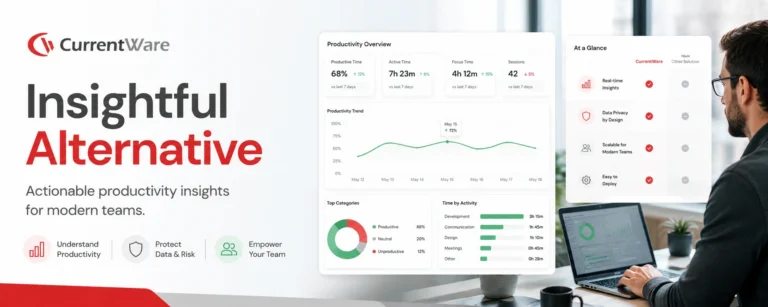
CurrentWare is a productivity, security, and compliance focused employee monitoring platform designed for organizations that need more than time tracking. It is widely used by SMBs, enterprises, law firms, healthcare providers, and regulated teams. Unlike Insightful, CurrentWare combines productivity analytics with data protection, access control, and compliance ready monitoring

CurrentWare vs Insightful

CurrentWare has Best-in-Class DLP & USB control whereas Insightful lacks it. CurrentWare offers both on premise and hybrid deployment. CurrentWare is an undisputed leader in compliance mapped monitoring (SOC 2, ISO 27001, HIPAA) and it offers contextual productivity analytics.

Top Features

  • User activity monitoring (apps, web, file usage)
  • USB and device control
  • Web & application blocking
  • Insider risk visibility
  • Compliance ready audit trails

Pros

  • Strong security + productivity balance
  • Compliance aligned architecture
  • Flexible deployment
  • Modular pricing
  • Enterprise grade controls

Cons

  • No GPS tracking
  • More powerful than needed for freelancers

Pricing Model

6$ onwards, Modular, per user licensing

2. Hubstaff

Hubstaff is a time tracking and workforce management tool best known for screenshots and GPS tracking. It is commonly used by remote teams and service businesses that prioritize billing accuracy over security.

Hubstaff vs Insightful

Hubstaff is better at time based billing whereas ans has limited security and compliance controls as compared to Insightful.

Top Features

  • Time tracking
  • Real-time Screenshots
  • GPS tracking for field team management
  • Payroll integrations

Pros

  • Easy to use
  • Strong billing features
  • Affordable

Cons

  • Weak security controls
  • Not compliance-ready

3. Time Doctor

Time Doctor focuses on employee productivity and accountability, offering screenshots and activity tracking. It’s popular with SMBs managing remote teams, but lacks deeper data protection capabilities.

Time Doctor vs Insightful

Although Time Doctor offers Similar productivity depth, it is slightly better in reporting than Insightful. No DLP or compliance controls are available in Time Doctor.

Key Features

  • Time tracking
  • Screenshots
  • Productivity reports

Pros

  • Simple setup
  • Remote friendly
  • Simplifies payment processes and client invoicing

Cons

  • No insider threat detection
  • Limited compliance support

4. ActivTrak

ActivTrak provides workforce analytics and productivity insights, emphasizing dashboards and trends. It suits mid market organizations but remains analytics centric.

ActivTrak vs Insightful

ActivTrak offers stronger analytics than Insightful. ActivTrak has limited security controls. ActivTrak is best for large, hybrid teams needing trend analysis, while Insightful suits distributed teams requiring project-level, or time-tracking capabilities.

Top Features

  • App usage analytics
  • Productivity scoring
  • Team dashboards

Pros

  • Clean interface
  • Strong analytics
  • Easy adoption

Cons

  • Cloud only
  • No DLP

5. Proofpoint

Proofpoint is an enterprise cybersecurity platform offering advanced DLP and insider risk management. It is used by large enterprises with mature security programs.

Proofpoint vs Insightful

Proofpoint has enterprise grade security. Proofpoint does not focus on productivity tracking whereas productivity is Insightful’s main offering.

Top Features

  • Advanced email security
  • AI powered threat detection
  • Enterprise grade DLP capabilities

Pros

  • Best-in-Class DLP
  • Top tier Email Protection
  • Offers a centralized dashboard for each services
  • Multi layered threat detection

Cons

  • Very expensive
  • Complex to deploy

6. Teramind

Teramind is a security-first employee monitoring platform built for insider threat detection and compliance enforcement.

Teramind vs. Insightful

Teramind offers security driven employee monitoring. Insightful specializes in workforce productivity analytics. Teramind has security teams, compliance environments, it is best for remote teams and productivity tracking.

Key Features

  • User Activity Monitoring (UAM)
  • Screen Recording & Live View
  • User Behavior Analytics (UEBA)

Pros

  • Advanced DLP
  • Session recording
  • Strong compliance alignment

Cons

  • Steep learning curve
  • Higher cost

7. DeskTime

DeskTime is an automatic time tracking software that’s all about simplicity and having a builtin Pomodoro timer. It’s mostly used by SMBs, design agencies, and remote teams looking for an Insightful alternative with productivity tracking that just works in the background. 

Desktime Vs Insightful

DeskTime is simpler and focuses heavily on splitting time into buckets that are either ‘productive’, ‘unproductive’, or ‘neutral’, but it does this automatically, whereas Insightful is more in depth and allows for manual project mapping

Key Features

  • Time tracking that’s simple and completely automatic
  • It also tracks document titles
  • Absence calendar & shift scheduling 
  • Built-in Pomodoro timer to increase focus

Pros

  •  Requires zero user input
  • The dashboard visual and easy to read
  • The shift scheduling feature is one of the highlights
  • They offer a free “lite” plan for individual users

Cons

  • One major downside is the lack of security and compliance tools.
  • It also falls short when it comes to project budgeting and financial tracking

8. Toggl Track

Toggl Track is one of the most frictionless time tracking tools. Its UI/UX are really engaging and it has a massive library of software integrations. 

It’s especially popular with creatives, software developers and independent contractors who need to log their billable hours with precision.

Toggl Track vs Insightful:

Toggl Track does things traditionally, it requires users to start and stop timers manually whereas Insightful is all about automated background monitoring.

Key Features

  • One click timers.
  • More than 100 integrations, including the likes of Slack and Jira etc.
  • Billable hours & revenue tracking 

Pros

  • The UI/UX is one of the best 
  • It’s employee friendly 
  • Great for tracking project profitability
  • The free tier includes a lot of features

Cons

  • Users have to start the timer manually
  • It doesn’t give you any insight into what apps or websites are actually being used

9. InterGuard

InterGuard is a cloud based endpoint monitoring tool popular with distributed teams, schools and SMBs that need to closely monitor their web traffic.

It provides deeper surveillance capabilities such as keystroke logging and detailed screen recording, making it more suitable for environments that require strict monitoring and compliance-level oversight.

InterGuard vs Insightful:

InterGuard is more firmly in the security space than Insightful, it’s got web filtering, data loss prevention and remote file deletion features that Insightful just doesn’t offer.

Key Features

  • Keystroke logging 
  • Web content filtering 
  • Email and chat monitoring 
  • Remote endpoint lockdown 

Pros

  • The endpoint surveillance is quite comprehensive
  • You can remotely delete files on compromised devices
  • Granular email and chat monitoring
  • Configure alerts for suspicious activities

Cons

  • The user interface is outdated
  • Customer support process is cumbersome

10. Kickidler

Kickidler is an employee monitoring tool that includes live grid view screen monitoring and remote desktop control. It’s popular with IT support teams, remote managers and highly structured operational teams.

Kickidler vs Insightful:

Kickidler’s has some advanced features like it can warn employees of violations and even allows you to take over an employee’s mouse and keyboard remotely in an emergency.

Key Features

  • Live multiple screen grid view 
  • Remote desktop control 
  • Video history of sessions 
  • Autokick, automatic notifications if someone doesn’t adhere.

Pros

  • It’s for IT teams that need to troubleshoot remotely
  • The live grid view is a time saver 
  • The autokick feature 
  • Available for OnPremise and Cloud 

Cons

  • Requires a lot of server storage
  • Grid view monitoring is like micromanaging and might lead to privacy violations

How to Choose the Right Insightful Alternative in 2026

When evaluating an alternative to Insightful, companies should consider factors like security requirements, deployment flexibility, analytics capabilities, and overall cost to ensure the solution aligns with their compliance needs and workforce monitoring goals.

  • Security & Compliance Needs

    Organizations that must enforce strict security policies or meet regulatory requirements should prioritize solutions with built-in data protection. For these you can choose tools with DLP and access control (CurrentWare, Teramind, Proofpoint).

  • Deployment Flexibility

    On premise is essential for regulated industries. Industries such as finance, healthcare, and government often require on-premise solutions to maintain full control over sensitive data.

  • Scalability & Analytics Depth

    Enterprises benefit from tools with advanced dashboards and detailed workforce insights. These capabilities help teams to track productivity trends and make data-driven decisions at scale.

  • Budget & Use Case
    Freelancers and small teams lean toward affordable tools like Toggl Track.

Why CurrentWare Is the Best Insightful Alternative

CurrentWare goes beyond visibility to deliver actionable control, aligning with Forrester’s recommendation that workforce analytics platforms must actively reduce risk, not just report on it. 

Which Insightful Alternative Is Best for Your Team Size?

The best Insightful alternatives for employee monitoring depends on your team size, as different platforms are designed to meet the needs of freelancers, growing SMBs, or large enterprises with complex monitoring and compliance requirements.

Here are few good suggestions – 

  • Freelancers / Small teams: Toggl Track, DeskTime
  • Remote first / Billing focus: Hubstaff, Time Doctor
  • Security & compliance focus: CurrentWare, Teramind
  • Large enterprises: CurrentWare, Proofpoint

Upgrade from Insightful to
Real Workforce Control

Get Productivity Analytics + Built-In Data Protection with CurrentWare.

Your Questions, Answered

Absolutely, tools like DeskTime, Toggl Track and Hubstaff are offering free plans for small teams. For the mid-sized to big teams, CurrentWare is a highly competitive and affordable option.

CurrentWare and Hubstaff are both top notch for tracking productivity and billable hours in remote teams, but if you need to secure remote corporate devices, CurrentWare is the best option. Their endpoint DLP and web filtering helps to keep your data safe.

Yes, if you need to keep data secure then CurrentWare, Teramind and Proofpoint are top alternatives. CurrentWare is exceptionally good at stopping data from being copied onto USB devices or exfiltrated over the web.

CurrentWare, Teramind and Kickidler all offer on premise deployment options. Whether it's for compliance or security reasons, keeping your data in house is a top priority for a lot of businesses and CurrentWare, is an undisputed choice for it due to its Best-in-Class customer support.

Insightful is great for productivity and time tracking, but if you need to meet super strict enterprise compliance standards (like HIPAA, GDPR or SOC2), a platform like CurrentWare would be the best fit.