

Quick Answer: What Are the Best User Activity Monitoring Tools in 2026?
The best User Activity Monitoring tools in 2026 include Currentware’ BrowseReporter, ActivTrak, Veriato, ManageEngine Log360, Microsoft Purview Insider Risk Management, Splunk UBA, Ekran System, ObserveIT, Controlio, and Hubstaff. The right choice depends on your goals- insider threat detection, compliance, productivity monitoring, or hybrid workforce visibility.
Your search for the best user activity monitoring tool ends here. In this listicle, we have carefully compared and selected the 11 best user activity monitoring tools of 2026 based on their features, use cases, pricing, pros, and cons.
Key Takeaways: Best User Activity Monitoring Tools in 2026
| Tool | Why We Picked It | Best For | Price |
|---|---|---|---|
| CurrentWare | The best balance of productivity insights, compliance visibility, and employee privacy | Advanced workforce intelligence and UAM tool for hybrid teams and organizations | $12/user/month |
| Teramind | Offers the most comprehensive monitoring and insider threat capabilities | Insider threat detection and forensic investigations | $15/user/month |
| ActivTrak | Turns employee activity data into actionable productivity insights | Monitor employee activity and productivity | $15/user/month |
| Veriato | Excels at capturing evidence for investigations and policy enforcement | Employee misconduct investigations | Custom pricing |
| ManageEngine Log360 | Combines UAM with SIEM and compliance monitoring | Security teams and compliance-driven organizations | Custom pricing |
| Microsoft Purview Insider Risk Management | Native Microsoft integration simplifies insider risk management | Microsoft 365 environments | Microsoft licensing |
| Splunk UBA | Uses machine learning to uncover sophisticated threats | Large enterprises with mature SOC teams | Custom pricing |
| Ekran System | Delivers strong oversight of privileged and third-party users | Privileged access monitoring | Custom pricing |
| ObserveIT | Provides detailed user context and audit trails | Highly regulated industries | Custom pricing |
| Controlio | Keeps employee monitoring simple and affordable | Small and mid-sized businesses | Custom pricing |
| Hubstaff | Combines productivity monitoring with time tracking | Remote and service-based teams | $7/user/month |
First Things First: How We Selected the Best User Activity Monitoring (UAM) Tools?
Not all User Activity Monitoring (UAM) tools are built for the same purpose. While some tools focus heavily on insider threat detection and security investigations, others prioritize workforce productivity, compliance reporting, or visibility into hybrid work environments. That is why a tool that would work best for someone’s business might not work for yours.
So, to create this list of the best UAM tools in 2026, we evaluated each platform against a consistent set of criteria that reflect how organizations actually buy and use these solutions today.
1. Monitoring Capabilities
We assessed how effectively each tool tracks employee actions, including website usage, application activity, login sessions, file access, USB device usage, screenshots, and session recordings. In this listicle, we have prioritized those tools that provide granular, customizable reporting more than those with limited monitoring depth.
2. Insider Threat Detection
Since insider threats remain one of the biggest security concerns for organizations, we assessed whether the platforms could identify suspicious behavior, detect anomalies, assign risk scores, and generate alerts that help security teams investigate potential incidents before they occur.
3. Productivity and Workforce Insights
Modern UAM software is no longer used solely for security purposes. Many organizations rely on these tools to understand how teams work, identify productivity bottlenecks, and boost operational efficiency. This is why we evaluated whether each solution provided actionable insights into application usage, active versus idle time, and overall workforce trends.
4. Compliance and Audit Readiness
Regulatory requirements continue to grow across industries. We considered how well each platform complies with audit trails, activity logs, retention policies, reporting capabilities, and features aligned with regulations such as GDPR, HIPAA, PCI DSS, and SOCS.
5. Ease of Deployment and Administration
Ease of deployment is non-negotiable when it comes to UAM tools. Even the most feature-rich solution loses its value if it is difficult to implement or manage. So, we also assessed deployment flexibility, setup complexity, dashboard usability, reporting experience, and the overall administrative burden required to maintain the platform.
6. Scalability and Integrations
To continue using the same tool in the long run, businesses need tools that can adapt to the changing business environment. Naturally, we favored solutions that could support organizations of all sizes, from small businesses to large enterprises; along with their integration capabilities with SIEM platforms, identity providers, productivity suites, and IT management tools were also considered.
7. Pricing and Overall Value
Price alone did not determine rankings. Instead, we evaluated each platform’s return on investment based on its capabilities, deployment options, support resources, and target audience. A cost-effective tool that solves real business challenges often provides more value than an expensive platform packed with features an organization may never use.
8. Market Reputation and Customer Feedback
Finally, we reviewed publicly available customer feedback, analyst opinions, and each vendor’s presence in the UAM market. Consistent praise around reliability, customer support, usability, and measurable business outcomes influenced our assessment.
No single UAM tool is the ideal fit for every organization. Your selection must depend on your priorities, whether that means strengthening insider threat defenses, improving workforce productivity, meeting compliance requirements, or gaining better visibility into hybrid work. Our rankings balance these factors to help you identify the solution that best matches your business needs.
Now that you know how we evaluated each platform, it’s time to explore the shortlist. From insider threat identification and compliance monitoring to productivity analytics and remote workforce visibility, these are the 11 UAM tools that stood out in 2026.
List of the 11 Best User Activity Monitoring (UAM) Tools in 2026
1. CurrentWare
Best for: Organizations striving for a balance between employee productivity insights, compliance visibility, and privacy-conscious monitoring.
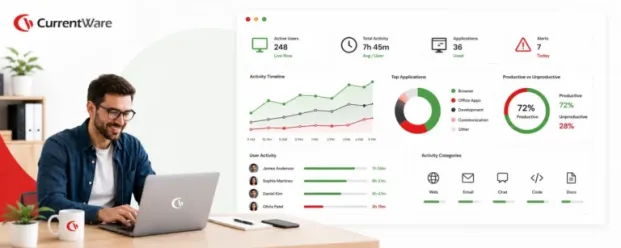
CurrentWare, a user activity monitoring solution that helps organizations gain visibility into employee activity without resorting to overly invasive surveillance practices. It tracks website and application usage, employee productivity, and work patterns while offering configurable privacy controls to align monitoring with company policies and regulatory requirements.
The platform is especially well-suited for businesses managing hybrid or remote teams and for companies that want a balance between workforce accountability and employee trust.
Key Features
- Real-time activity monitoring
- Website usage tracking
- Application usage monitoring
- Productivity reporting
- Screenshot monitoring
- SaaS usage analytics
- Employee attendance insights
- Policy-based monitoring
- Remote workforce monitoring
- Custom reporting dashboards
- Optical character recognition (OCR)
Pros
- Balances visibility with employee privacy
- Supports cloud and on-premises deployments
- Easy-to-use reporting dashboards
- Suitable for hybrid and remote teams
- Helps identify software underutilization
- Transparent pricing structure
- Offers a free trial
Cons
- Advanced investigations may require further setup
Pricing
- Starts from – $12 per user/ month
- 44% discount on CurrentWare suite pricing
- See current pricing at – www.currentware.com/store/
Free Trial
Available for 14 days
2. Teramind
Best for: Enterprises that need insider threat detection and in-depth forensic investigations.
Teramind is one of the most comprehensive user activity monitoring platforms on the market, offering deep visibility into user activities and sophisticated insider threat detection features. It helps organizations investigate suspicious behavior, prevent data exfiltration, and automate security responses through customizable rules and policies.
It is well-suited for enterprises operating in highly regulated industries, organizations with tight data protection requirements, and security teams focused on reducing insider risks.
Key Features
- User behavior analytics
- Session recording
- Keystroke logging
- Optical character recognition (OCR)
- Insider threat detection
- Data loss prevention
- Risk scoring
- Rule-based alerts
- File activity monitoring
- Remote desktop monitoring
Pros
- Extensive monitoring capabilities
- Powerful insider threat detection
- Highly customizable policies
- Strong DLP functionality
- Detailed forensic investigations
Cons
- Can seem intrusive if not configured carefully
- Steeper learning curve
- Higher cost for advanced features
Pricing
- Starts from $15/user/month
- Custom enterprise pricing
Free Trial
N/A
3. ActivTrak
Best for: Teams focused on improving workforce productivity as well as optimizing employee performance.
ActivTrak focuses on helping organizations understand how work gets done through workforce analytics and productivity insights. Rather than emphasizing surveillance, the platform provides visibility into work habits, team efficiency, and capacity trends to support better decision-making.
It is very valuable for businesses managing distributed teams, HR leaders wanting to improve employee well-being , and managers looking to boost productivity without breaching trust .
Key Features
- Productivity analytics
- Activity classification
- Website monitoring
- Application monitoring
- Team benchmarking
- Workload management
- Capacity planning
- Employee coaching insights
- Executive dashboards
- Productivity alerts
Pros
- Simple interface
- Strong productivity insights
- Free plan available
- Minimal deployment effort
- Useful workforce planning tools
Cons
- Limited security-focused features
- Basic insider threat detection
- Fewer investigation capabilities
Pricing
- Paid plans – $15/user/month
- Enterprise pricing available
Free Trial
Available
4. Veriato
Best for: Organizations that require detailed investigations into employee misconduct and policy violations.
Veriato is built for organizations that need detailed forensic investigations into employee actions and potential insider threats. It captures extensive evidence, including keystrokes, emails, and screen activity, allowing security teams to reconstruct incidents and identify policy violations.
The platform is commonly used in sectors where auditability and evidence collection are critical, such as finance, government, and healthcare.
Key Features
- User behavior analytics
- Keystroke logging
- Screen capture
- Email monitoring
- File tracking
- Alerting engine
- Insider threat detection
- Forensic search
- Risk scoring
- Session reconstruction
Pros
- Strong investigation capabilities
- Detailed evidence collection
- Intuitive monitoring coverage
- Effective alerting mechanisms
- Suitable for regulated industries
Cons
- Can seem invasive
- User interface feels dated
- Limited pricing transparency
Pricing
- Custom pricing only
- Demo available upon request
Free Trial
NA
5. ManageEngine Log360
Best for: Companies trying to combine user activity monitoring with SIEM and compliance management.
ManageEngine Log360 combines user activity monitoring with SIEM capabilities to help organizations strengthen security and preserve compliance. It consolidates logs from multiple systems, provides user behavior analytics, and streamlines threat investigations via centralized reporting.
The solution is well-suited for IT teams seeking a unified approach to monitoring user activities, detecting threats, and satisfying audit requirements.
Key Features
- SIEM capabilities
- User activity auditing
- File integrity monitoring
- Threat detection
- Log management
- Compliance reporting
- Active Directory auditing
- Incident investigation
- Live alerts
- UEBA
Pros
- Combines SIEM and UAM functions
- Extensive compliance reports
- Broad integration ecosystem
- Suitable for IT teams
- Good value for enterprises
Cons
- Complex initial setup
- Requires technical expertise
- Reporting customization can be challenging
Pricing
- Custom pricing based on environment
Free Trial
Available
6. Microsoft Purview Insider Risk Management
Best for: Enterprises operating primarily within the Microsoft ecosystem and managing insider risks.
Microsoft Purview Insider Risk Management helps organizations identify and investigate risky user behaviors within the Microsoft ecosystem. Leveraging native integrations across Microsoft 365, the platform enables security teams to detect data leaks, policy violations, and insider threats while maintaining compliance standards.
It is a natural option for enterprises already invested in Microsoft’s productivity and security stack.
Key Features
- Insider risk analytics
- Risk scoring
- Alert management
- Policy templates
- Case management
- Data exfiltration detection
- Communication compliance
- Adaptive protection
- Investigation workflows
- Microsoft 365 integration
Pros
- Native Microsoft integration
- Strong compliance capabilities
- Built-in policy templates
- Unified investigation workflows
- Enterprise-grade security
Cons
- Best suited for Microsoft environments
- Licensing complexity
- Limited value outside Microsoft ecosystem
Pricing
- Included with select Microsoft licenses
- Additional Purview licensing may apply
Free Trial
NA
7. Splunk User Behavior Analytics (UBA)
Best for: Large organizations with mature security operations seeking AI-driven threat detection.
Splunk UBA uses machine learning to expose hidden threats and anomalous user behavior that traditional rules-based systems may miss. It analyzes large volumes of security data to identify compromised accounts, insider threats, and sophisticated attacks.
The platform is built for large enterprises with mature security operations centers that require advanced analytics and deep investigative functions.
Key Features
- Machine learning analytics
- Behavioral modeling
- Insider threat detection
- Peer group analysis
- Risk scoring
- Threat hunting
- Anomaly detection
- Data aggregation
- Incident prioritization
- Security integrations
Pros
- Advanced analytics capabilities
- Highly scalable
- Excellent threat detection
- Integrates with Splunk ecosystem
- Strong investigation workflows
Cons
- Expensive implementation
- Requires specialized expertise
- Overkill for smaller businesses
Pricing
- Custom enterprise pricing
Free Trial
NA
8. Ekran System
Best for: Monitoring privileged users, third-party vendors, and employees with access to sensitive systems.
Ekran System specializes in monitoring privileged users and third-party contractors with elevated access to critical systems. Its session recording and access oversight capabilities help organizations maintain accountability and reduce risks associated with privileged accounts.
It is especially useful in situations where sensitive information and administrative privileges require additional safeguards.
Key Features
- Privileged session monitoring
- Session recording
- Insider threat detection
- Access management
- User activity auditing
- Alerting
- Keystroke monitoring
- Incident investigations
- Remote access monitoring
- Compliance reporting
Pros
- Excellent privileged user visibility
- Strong compliance support
- Detailed session recordings
- Flexible deployment options
- Good contractor oversight
Cons
- Limited productivity analytics
- Interface could be more intuitive
- Advanced features increase costs
Pricing
- Custom pricing
Free Trial
Available
9. ObserveIT
Best for: Highly regulated industries that require strong audit trails and insider threat investigations.
ObserveIT helps organizations detect insider threats and maintain regulatory compliance through detailed user activity monitoring.
Its session recording capabilities and contextual investigations provide security teams with the evidence needed to understand user intent and respond effectively. The platform is widely used in industries with strict audit and compliance requirements.
Key Features
- User activity recording
- Session playback
- Insider threat analytics
- Alerting
- Risk scoring
- Investigation workflows
- Compliance reporting
- User behavior analytics
- Incident response
- Audit trails
Pros
- Strong compliance capabilities
- Detailed user context
- Effective investigation workflows
- Reliable threat detection
- Suitable for regulated sectors
Cons
- Limited productivity insights
- Older interface design
- Custom pricing only
Pricing
- Custom enterprise pricing
Free Trial
NA
10. Controlio
Best for: Small, and mid-sized businesses that need simple and affordable employee activity monitoring.
Controlio provides straightforward employee activity monitoring designed for small and mid-sized businesses. It provides visibility into employee productivity, application usage, and internet activity through a lightweight, easy-to-deploy and manage interface.
Organizations seeking essential UAM capabilities lacking the complexity of enterprise-grade platforms may find Controlio a practical option.
Key Features
- Website monitoring
- Application tracking
- Productivity reporting
- Screenshot capture
- Attendance tracking
- User activity logs
- Real-time activity monitoring
- Productivity scoring
- Team reports
- Alerts
Pros
- Simple implementation
- Affordable for SMBs
- Easy-to-understand reports
- Lightweight administration
- Suitable for growing teams
Cons
- Limited security features
- Fewer integrations
- Basic analytics capabilities
Pricing
- Custom pricing
Free Trial
Available
11. Hubstaff
Best for: Remote teams and service-based businesses that want to combine productivity monitoring with time tracking.
Hubstaff combines employee monitoring, time tracking, and workforce management to help organizations improve accountability and business efficiency.
The platform is particularly popular among remote teams, agencies, and service-based businesses that need visibility into project time allocation and employee productivity without deploying complex security tools.
Key Features
- Time tracking
- Productivity monitoring
- Website tracking
- Application tracking
- GPS tracking
- Screenshot capture
- Payroll integrations
- Project budgeting
- Attendance management
- Team reporting
Pros
- Excellent time-tracking functionality
- Ideal for remote teams
- Easy-to-use interface
- Broad integration ecosystem
- Affordable pricing
Cons
- Limited insider threat capabilities
- Productivity focus over security
- Screenshot monitoring may raise privacy issues
Pricing
- Team Plan – $12/seat/month
- Enterprise plans available
Free Trial
NA
So, that was the list of the 11 best user activity monitoring tools, and by now, you’ve seen what each tool brings to the table. But before making a decision, it’s worth stepping back and asking a more important question: Why are businesses investing in User Activity Monitoring tools in the first place? Understanding the challenges these solutions address can help you choose the right one with confidence.
Why Do Businesses Need User Activity Monitoring Tools in 2026?
In 2026, the way we work has changed completely. Employees now split their time between offices, homes, and remote locations, often accessing company systems from multiple devices. While this flexibility has improved productivity, it has also made it harder for enterprises to maintain visibility into how their systems and data are being used.
This is why User Activity Monitoring (UAM) tools have become non-negotiable in 2026.
At their core, UAM solutions help organizations understand how employees interact with company resources. They track activities such as application usage, website access, file transfers, and login sessions, giving IT and security teams the context they need to spot unusual behavior and investigate incidents quickly.
Security is one of the biggest reasons businesses invest in UAM tools. Insider threats, whether intentional or accidental, can result in data breaches, financial losses, and reputational harm. Monitoring user activity helps organizations spot suspicious activity early and respond before it escalates.
Compliance is another major driver. Regulatory compliance such as GDPR, HIPAA, and PCI DSS require enterprises to maintain records of who accessed sensitive information and when. UAM tools simplify audits by providing detailed activity logs and reporting capabilities.
Beyond security and compliance, these tools also give valuable operational insights. Enterprises can identify workflow bottlenecks, understand software adoption, and make better decisions about technology investments and resource planning.
That said, the purpose of UAM is not to create a culture of ongoing observation. When implemented transparently and responsibly, these tools help organizations strengthen security, improve accountability, and support employees with analytics-based insights. In today’s distributed work environment, visibility is no longer optional. User Activity Monitoring tools give businesses the information they need to operate more securely, efficiently, and confidently.
However, not every organization has the same priorities. Some are focused on strengthening security, while others want better productivity insights and simplified compliance. The solution is finding a solution that corresponds to your goals. Here’s a simple framework to help you narrow down your options and make the right choice.
How to Choose the Right User Activity Monitoring Tool For Your Business?
Choosing a User Activity Monitoring (UAM) tool can quickly become overwhelming, especially when every vendor claims to be the best. Instead of comparing dozens of features, focus on these five steps to narrow down your options and find the right fit for your business.
Step 1: Define Your Primary Goal
Start with the “why.” Are you trying to detect insider threats, improve employee productivity, simplify compliance, or monitor privileged users? Your objective will determine the type of solution you need. For example, security-focused organizations may prioritize Teramind or Splunk UBA, while businesses looking for productivity data may lean toward CurrentWare or ActivTrak.
Step 2: Consider Your Deployment Requirements
Do you prefer a cloud-based solution that’s easy to manage, or do you need an on-premises deployment to meet internal policies and compliance requirements? Make sure the tool is compatible with your existing IT environment.
Step 3: Evaluate Scalability
Think beyond your current needs. Will the platform still support your business if your workforce doubles in the next few years? Choose a solution that can grow with your organization without demanding a complete overhaul later.
Step 4: Check Integration Capabilities
A UAM tool shouldn’t operate in isolation. Look for integrations with your existing systems, such as identity providers, productivity platforms, HR software, or SIEM solutions. The smoother the integration, the more value you’ll get from the platform.
Step 5: Balance Monitoring with Employee Privacy
Visibility is important, but so is trust. Choose a solution that offers configurable policies and privacy controls, enabling you to monitor responsibly and secure transparency with employees. The best UAM tool isn’t necessarily the one with the most features. It’s the one that addresses your biggest challenges, fits your budget, balances visibility, privacy, scalability, and ease of adoption while helping your team proactively reduce risk.
Final Verdict: Which User Activity Monitoring Tool Should You Choose?
The right User Activity Monitoring tool ultimately depends on what you’re trying to achieve. If your priority is advanced insider threat investigations, solutions like Teramind, Veriato, or Splunk UBA deserve a closer look. If you’re primarily focused on workforce productivity, ActivTrak and Hubstaff provide key insights into how teams work.
However, for most organizations, the ideal UAM solution sits somewhere in the middle. You need enough visibility to strengthen security and support compliance, without creating a culture of excessive surveillance. You need productivity insights that help managers make informed decisions. You need flexible deployment options that fit your IT environment and a pricing model that delivers value as your business grows.
That’s where CurrentWare BrowseReporter stands out.
BrowseReporter combines the capabilities businesses actually use every day, including website and application monitoring, productivity reporting, screenshot capture , compliance-ready reporting, and remote workforce visibility, in a single platform that’s easy to deploy and manage. Unlike many UAM tools that lean heavily toward either security investigations or employee monitoring, CurrentWare strikes a practical balance between accountability and trust.
Whether you’re managing a hybrid workforce, preparing for audits, optimizing software usage, or simply striving for better visibility into how company resources are being used, BrowseReporter delivers the insights you need without unnecessary complexity.
If you’re evaluating UAM solutions in 2026, CurrentWare BrowseReporter is our pick for the best overall User Activity Monitoring tool because it offers the right mix of functionality, flexibility, ease of use, and affordability for modern businesses.
Want to See CurrentWare BrowseReporter in Action?
14-day trial and experience the platform firsthand |
CurrentWare team to see how it fits your specific business needs.
Trusted by teams across the United States, Canada & the United Kingdom
Join 100,000+ professionals across 55 countries.


What customers say about CurrentWare
Across the whole CurrentWare Suite.
90% of reviewers would recommend BrowseReporter (average likelihood to recommend: 9 out of 10).
90% of reviewers would recommend BrowseControl (average likelihood to recommend: 9 out of 10).
90% of reviewers would recommend AccessPatrol (average likelihood to recommend: 9 out of 10).
Frequently asked
Frequently Asked Questions:
-
While the terms are often used interchangeably, they aren’t exactly the same. Employee monitoring software is typically designed to track productivity-related activities, such as time spent on applications, websites visited, attendance, and work patterns. These tools help managers understand how teams work and identify opportunities to improve efficiency. User Activity Monitoring (UAM) software, on the other hand, has a broader scope. In addition to productivity insights, it focuses on security, compliance, and risk management. UAM tools can track file access, detect suspicious behavior, monitor privileged users, and support insider threat investigations.
In short, employee monitoring focuses on how employees work, while UAM focuses on how users interact with company systems and data.
-
Yes, User Activity Monitoring tools are legal in many countries, provided they are used responsibly and in compliance with local labor and privacy laws. Organizations should clearly communicate their monitoring practices to employees through policies and consent mechanisms where required. They should also avoid collecting unnecessary data and configure monitoring settings to align with applicable regulations, such as GDPR, HIPAA, or local employment laws. Because regulations vary by country and region, businesses should consult their legal or compliance teams before implementing a UAM program.
-
For small and mid-sized businesses, CurrentWare BrowseReporter and Controlio are two strong options. CurrentWare BrowseReporter offers a balance of productivity insights, compliance reporting, and flexible deployment without the complexity of enterprise-focused platforms. Controlio, meanwhile, provides straightforward activity monitoring at a more basic level. If you need a solution that can grow with your business over time, CurrentWare is the stronger long-term investment.
-
If insider threat prevention is your top priority, Teramind is one of the strongest choices available. It combines user behavior analytics, session recordings, risk scoring, real-time alerts, and data loss prevention capabilities to help organizations detect and investigate suspicious activity. Large enterprises with mature security operations may also consider Splunk UBA, while Veriato is well-suited for detailed forensic investigations.
-
Yes. Many UAM solutions integrate with Security Information and Event Management (SIEM) platforms to provide a more complete view of security events across the organization. Solutions such as ManageEngine Log360, Splunk UBA, Teramind, and Microsoft Purview Insider Risk Management offer SIEM integrations or native security ecosystem connections. These integrations help security teams correlate user activity with broader threat data and accelerate investigations.
-
Absolutely. Most modern UAM platforms are designed with distributed workforces in mind. They can monitor user activity across office-based, remote, and hybrid environments, helping organizations maintain visibility regardless of where employees work. Features such as cloud deployment, remote activity tracking, and centralized reporting make it easier to manage geographically dispersed teams. Solutions like CurrentWare BrowseReporter, ActivTrak, and Hubstaff are particularly well-suited for hybrid and remote workplaces.
-
UAM pricing varies significantly depending on the features offered, deployment model, and number of users. Entry-level solutions typically start at around $7 to $15 per user per month. For example, Hubstaff starts at approximately $7 per user/month, while CurrentWare BrowseReporter starts at $12 per user/month and Teramind at $15 per user/month. Enterprise platforms focused on insider threat detection and SIEM capabilities often use custom pricing models based on organizational requirements. Most vendors also offer free trials, demos, or consultations to help businesses evaluate the platform before making a commitment.
Still have questions?
Talk to a CurrentWare specialist who has deployed monitoring at 200+ law firms.


