
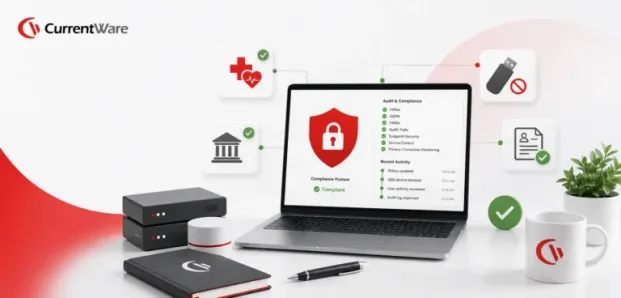

Healthcare & Financial Services Employee Monitoring Guide: HIPAA, GDPR, & FINRA Compliance for Endpoint Security
Managing distributed workforces in highly regulated industries requires implementing strict technical precautions to balance security, productivity, and privacy. By 2026, a number of important regulatory changes are expected to affect compliance responsibilities, including anticipated amendments to the Health Insurance Portability and Accountability Act (HIPAA) and General Data Protection Regulation (GDPR) regarding remote access, the broadening of audit trail requirements for cloud applications, and more rigorous enforcement of data residency and notification timeframes.
Security policies and procedures will be essential for adapting to these new demands and protecting your Protected Health Information (PHI) and Non-Public Personal Information (NPI). Healthcare has also been found to incur significant financial losses and exposure to data breaches, especially. IBM’s 2024 Cost of a Data Breach Report, conducted by the Ponemon Institute, confirms that the average cost of a healthcare data breach was $9.77 million, the most expensive industry for data breaches for the 14th straight year.
What is meant by compliance-driven employee monitoring?
Employee monitoring driven by compliance involves the systematic supervision of digital workforce activities using specialized software to ensure compliance with data privacy regulations such as HIPAA, FINRA, and GDPR. Unlike general productivity trackers, compliance-level computer monitoring software includes tamper-evident audit trails, finely detailed controls over peripheral device access, and automatic enforcement of an Acceptable Use Policy.
Regulated organizations can track who has accessed sensitive data, prevent unauthorized file transfers, and block access to unsanctioned cloud applications. This can be done using an intelligent DLP endpoint architecture, rather than relying on privacy-intrusive surveillance techniques such as constant screen recording or keystroke logging.
Healthcare Compliance: HIPAA & HITECH Frameworks
Healthcare organizations and their business associates are required to protect electronic Protected Health Information (ePHI) on all endpoints, and HIPAA compliance with regard to employee activity monitoring is based on three regulatory pillars:
1. The Privacy Rule and the Minimum Necessary Standard (45 CFR § 164.502(b) require that workforce monitoring systems collect only the minimum necessary data for operational oversight. The practice of taking continuous, unredacted screen recordings of electronic health record (EHR) systems breaches this standard by exposing patient data to staff who are not involved in clinical activities.
2. The Security Rule (45 CFR § 164.312) mandates that organizations implement strict access controls (specifically role-based access controls), audit controls (which involve continuous and tamper-evident logging of user activity), and transmission security (this comprising AES-256 encryption when data is at rest and TLS 1.3 when data is in transit) [Summary of the HIPAA Security Rule – HHS.gov].
3. Under the Breach Notification Rule (45 CFR § 164.400–414), if ePHI is accidentally leaked via unauthorized USB drives, formal risk assessments must be conducted and notification must be given to the HHS Secretary.
Financial Services Compliance: FINRA, SEC, & Regulation S-P
When making the decision to implement and manage consumer information, the following risks are monitored closely within financial firms:
- Under FINRA Rules 3110 and 3120, firms are required to create their own Written Supervisory Procedures (WSPs) in order to effectively supervise their employees and to record exceptions in their formal annual reports (as specified in FINRA Rule 3110).
- Firms are required to keep business records for three to six years, insofar as digital communications are readily accessible (FINRA Digital Communication Guidance).
- SEC Regulation S-P requires safeguards to protect customers’ financial records. If an unmanaged USB drive or cloud storage is provided, it will give staff members an unprotected means of exiting the system, thereby allowing records to pass through them (SEC Compliance Outreach – Regulation S-P).
European Union & Global Privacy: GDPR Standards
For global organizations, endpoint monitoring must respect user privacy while securing corporate assets:
- Data Minimization (Article 5): The personal data collected must be restricted to what is strictly necessary for the purpose of enforcing security [in accordance with the guidance of the Dutch Data Protection Authority].
- With regard to the Data Protection Impact Assessment (DPIA – Article 35), employers are required to carry out a formal DPIA before engaging in systematic monitoring; transparent monitoring, supported by a documented legitimate interest, is strongly preferred to secret surveillance (UK ICO Guidance on Worker Monitoring).
4 Steps to Implement Audit-Ready Endpoint Security
To turn these regulatory requirements into a technical reality, it is necessary to adopt a structured approach, and IT administrators should adhere to this four-step roadmap to achieve audit-ready compliance.
Step 1: Establish and Enforce an Acceptable Use Policy
You need proper organizational governance as a foundation for your technology control policies, so publish a standard Acceptable Use Policy that is easy to understand in order to clarify the expected ways of using the network, downloading, and browsing. (Use the CurrentWare AUP as a template.) Together with this, draw up an established Removable Media Policy that specifies the devices allowed and outlines penalties for employees who illegally transfer data.
Step 2: Deploy Endpoint DLP and USB Whitelisting
The failure to manage USB drives is a serious problem. This is in line with the observations made in 2026 by Forrester and Gartner regarding insider threat vectors; therefore, endpoint DLP controls are needed if device access is to be enforced at the hardware kernel level.
Set global policies to block unmanaged removable drives, and use hardware whitelisting to grant permissions (read-only or full access) based on the vendor ID (VID), product ID (PID), and serial number. Also implement file extension filtering so that sensitive document formats (such as PDF, Docx, or Xlsx) are not copied to any external device.
Step 3: Implement Web Filtering & Cloud App Restrictions
By blocking access to unauthorized cloud storage services, unauthorized data transfers can be prevented. Research conducted by the industry shows that 83% of IT professionals report that their employees store company data on unauthorized cloud services [CurrentWare Employee Monitoring Software].
Apply web filtering according to content categories and impose restrictions on data leaving the cloud. Restricting web uploads will stop ePHI or financial data from being leaked through personal Google Drive or Dropbox accounts. Moreover, blocking unauthorized messaging tools also meets FINRA’s requirements regarding supervision of digital communication channels.
Step 4: Automate Computer Monitoring Software & Logging
Automated audit logging is what regulators require as proof. To comply, deploy computer monitoring software focused on compliance that produces scheduled reports in PDF and CSV formats to record web browsing, application use, and bandwidth metrics.
Make sure that the software is able to tell the difference between active engagement and idle time in order to meet the requirements for automatic logoff under HIPAA 45 CFR § 164.312(a)(2)(iii). To comply with the GDPR data minimization requirements, use intelligent screenshot triggers that capture visual evidence only when high-risk events occur, rather than relying on continuous recording.
Choosing the Right Solution: How CurrentWare Secures Regulated Environments
When executives in regulated enterprises assess security tools, they usually find that generic time trackers lack the ability to control peripheral devices, whereas conventional enterprise DLP packages take many months to deploy and incur extremely high costs.
CurrentWare’s solutions provide a unified suite bridging the gap between written policy and technical execution:
- AccessPatrol
It provides detailed USB whitelisting and endpoint DLP capabilities, enabling IT administrators to restrict the use of flash drives and Bluetooth adapters, thereby directly meeting HIPAA audit requirements. For instance, First Choice Health implemented AccessPatrol to quickly secure their clinical endpoints without introducing administrative overhead [First Choice Health Case Study]. - BrowseControl
BrowseControl allows web filtering and application blacklisting to stop malicious downloads and unauthorized cloud uploads. - BrowseReporter
It offers privacy-focused computer monitoring and automatic reporting, with logs stored in secure SQL databases on the user’s premises to comply with FINRA’s strict 3- to 6-year retention requirements.
Most importantly, in highly regulated sectors such as healthcare and finance, we enforce strict data residency. Since CurrentWare offers both on-premises and private cloud deployments, you always maintain full control over 100% of your endpoint data, and third-party vendors do not!
Conclusion
Passing the 2026 compliance tests will take more than clock-watching. With holistic governance through strong acceptable Use Policies combined with intelligent computer monitoring software and vigilant endpoint DLP controls, both healthcare and financial services organizations can protect sensitive information, maintain employees’ privacy, and have peace of mind heading into their 2026 HIPAA, FINRA, and GDPR audits.


