
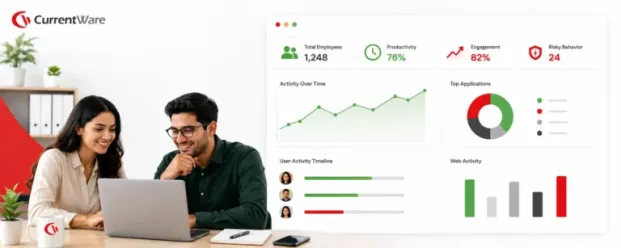

Workforce analytics software collects data on how work gets done, such as active time, app and website use and workload by team, and turns it into reports managers can act on. The tools below are compared on what they measure, how they are deployed and what they cost.
According to a workforce analytics industry report published by Fortune Business Insights, the global workforce analytics market was valued at $2.37 billion in 2025 and is projected to reach $7.12 billion by 2034, reflecting just how urgently businesses need better visibility into how their people actually work.
Of course there’s ‘data’ so that’s not the problem. In fact, most HRs and team leads are drowning in data scattered across HRIS platforms, time trackers, payroll systems, and a dozen spreadsheets nobody fully trusts. The problem is turning this scattered data into understandable insights and ultimately, basing decisions on this data before the next quarter arrives. This is exactly why there exists plenty of room for a workforce analytics software- one that fills the gap between data & insights.
In this guide, we break down what workforce analytics software actually does, why it matters more in 2026 than it did even two years ago, and the 11 best workforce analytics platforms worth putting on your shortlist, whether you are a lean remote team trying to stay accountable or an enterprise trying to make sense of tens of thousands of employees across dozens of countries.
Key Takeaways
- The workforce analytics market is expected to rise from $2.37B in 2025 to a projected $7.12B by 2034, as distributed teams create real visibility gaps for HR and IT.
- Workforce analytics software gathers scattered HR, payroll, and activity data & turns it into dashboards that predict attrition, flag burnout, and support smarter staffing decisions.
- For this listicle, we evaluated tools on factors like analytics depth, deployment flexibility, integrations, scalability, privacy, and pricing transparency, not just feature lists.
- CurrentWare holds the #1 spot in the list as the best option for employee productivity and compliance, thanks to its on-premise deployment and built-in data loss prevention.
- Workforce analytics software and employee monitoring software are not the same thing: analytics focuses on team-level patterns, while monitoring tracks individual behavior in real time.
- AI is now core to the category, powering natural language queries, anomaly detection, and predictive staffing models across nearly every major platform.
What Is Workforce Analytics Software?
| Quick definition: Workforce analytics software is a term given to a collection of tools that gather, analyze, and visualise employee-related data (things like productivity patterns, attendance, engagement, compensation, and skills) so HR, IT, and operations leaders can make evidence-based decisions instead of relying on gut feel. |
Rather than pulling numbers manually from five different systems, these platforms unify workforce data into dashboards that surface trends, flag risks, and support forward-looking planning.
At its core, the discipline involves collecting HR data from multiple sources, including performance metrics, engagement surveys, attendance records, and demographic information, then interpreting that data to understand how it connects to business outcomes like retention, productivity, and skills gaps. The goal is not just reporting on what already happened. It is helping teams anticipate what happens next, whether that is a flight risk on a key account team or a looming skills shortage in engineering.
Industry researchers have also noted a sharp rise in adoption. According to research cited by workforce analytics vendors, a large majority of enterprise organizations are now investing in AI-enabled HR analytics systems specifically to improve workforce planning accuracy, a signal that this has moved from an HR nice-to-have to a board-level priority.
Why Do Businesses Need Workforce Analytics Tools?
Let’s be honest; if you are still managing a distributed or hybrid workforce with spreadsheets and quarterly check-ins, you are flying blind, and your competitors who invested in analytics are not. A few reasons this matters more than ever in 2026 are as follows:
Remote and hybrid work broke the old visibility model
When everyone sat in the same office, managers could sense when something was off. That ambient awareness disappears the moment your team is distributed. Workforce analytics tools rebuild that visibility without requiring managers to hover over Slack statuses all day.
Reactive HR is expensive
Waiting until an exit interview to learn why someone left, or until a missed deadline to learn a team was overloaded, means you are always managing damage instead of preventing it. Predictive analytics flips this by surfacing attrition risk, burnout signals, and capacity gaps while there is still time to act.
Performance conversations get fairer with data behind them
Analytics tools give managers objective evidence instead of relying only on impressions or recency bias, which builds more trust into reviews, promotions, and compensation decisions.
Compliance and cost pressure are both rising
Labor regulations, pay transparency laws, and audit requirements are tightening across most major markets, and workforce analytics platforms make it dramatically easier to prove compliance and control labor costs at the same time.
We will say it plainly: businesses that treat workforce analytics as optional in 2026 are making a strategic mistake. The tools on this list are not surveillance for its own sake; used well, they are how modern organizations stay both accountable and humane at scale. If you want the deeper case for adoption, our breakdown of the benefits of workforce analytics software goes further into the ROI math.
How We Picked the Top Workforce Analytics Tools
We carefully reviewed a dozen workforce analytics platforms and narrowed the list down using the following criteria:
Depth of analytics, not just dashboards that repackage raw activity logs, but tools that surface real behavioral, productivity, and workforce planning insights.
Deployment flexibility, including cloud, on-premise, and hybrid options for organizations with strict data residency or security requirements.
Integration ecosystem, since workforce analytics is only as good as the HRIS, payroll, and collaboration tools it connects to.
Scalability, from small remote teams to global enterprises with tens of thousands of employees.
Privacy and compliance posture, including how each vendor balances monitoring depth with employee trust and regional data protection laws.
Pricing transparency, weighing published per-user pricing against custom enterprise quotes.
Real user sentiment, pulled from verified reviews on G2, Capterra, and TrustRadius rather than marketing claims alone.
Best Workforce Analytics Software: A Comparison Table
To make it quick, here is a side by side comparison of pricing, deployment options, and ratings for all 11 tools.
| Tool | Best For | Deployment Options | Pricing | Rating |
|---|---|---|---|---|
| CurrentWare | Employee productivity & compliance | Cloud & on-premise | From $12 per user/month | 4.5/5 |
| Hubstaff | Time-tracking with in-built workforce analytics | Cloud, desktop & mobile | $4.99 per user/month (annually) | 4.4 |
| Workday | Workforce planning | Cloud | Available on request | 4.4 |
| Teramind | Insider risk, DLP & workforce intelligence | Cloud, on-premise, hybrid | From $14 per user/month | 4.5 |
| ActivTrak | Productivity analysis | Cloud only | $10 per user/month. Free for 3 users | 4.5 |
| Time Doctor | Distributed team time & productivity analytics | Cloud, desktop & mobile | From $10//user/month | 4.4 |
| Deel | Global workforce analytics | Cloud | $5 per user/month; add-ons separate | 4.7 |
| Tableu | Custom BI dashboards | Cloud & self-hosted server | From $15 per user/month | 4.4 |
| Visier | Enterprise people analytics | Cloud (SaaS) | Custom pricing | 4.4 |
| Rippling | Unified IT, HR & Finance analytics | Cloud | Starts from $8 per user/month+ paid modules | 4.7 |
| Personio | European SME HR & people analytics | Cloud | Custom pricing | 4.4 |
Top 11 Workforce Analytics Software for 2026
Now, let’s take a closer look at each tool’s features, pros, and cons so you know exactly what you’re signing up for.
1. CurrentWare
Best Workforce Analytics Software for Employee Productivity & Compliance.
Hubstaff built its reputation as a time tracking tool for remote and freelance teams, but its Insights add-on has turned it into a genuine workforce analytics platform. It surfaces focus patterns, utilization rates, and inefficiencies using the time and activity data it already collects, making it a natural fit for agencies, consultancies, and distributed teams that bill by the hour.
CurrentWare is a modular employee monitoring and workforce intelligence suite built for organizations that need to balance productivity visibility with data loss prevention and IT compliance. It is one of the few platforms on this list that offers genuine on-premise deployment alongside cloud, which makes it a strong fit for healthcare, government, legal, and other regulated industries that cannot put activity data on third-party servers.
You can purchase CurrentWare’s four modules (BrowseReporter, AccessPatrol, BrowseControl, and enPowerManager) individually or as a bundle, allowing yourself & your teams the flexibility to start small and expand.
Key features:
- Real-time and historical productivity dashboards tracking app, website, and idle-time activity
- USB and device control to prevent data exfiltration
- Web filtering and acceptable-use policy enforcement
- Remote PC power management for energy cost savings
- On-premise, cloud, or hybrid deployment options
Pros:
- Strong data loss prevention layered on top of productivity analytics, which most pure monitoring tools lack
- On-premise deployment satisfies strict compliance requirements
- Modular pricing lets you pay only for the tools you need
- Cross-platform coverage now includes macOS alongside Windows
Cons:
- The interface feels more utilitarian than modern SaaS competitors
- Advanced workforce planning and predictive analytics are not the focus; this is stronger on monitoring than strategic forecasting
- Best value requires committing to the full suite rather than a single module
2. Hubstaff
Hubstaff built its reputation as a time tracking tool for remote and freelance teams, but its Insights add-on has turned it into a genuine workforce analytics platform. It surfaces focus patterns, utilization rates, and inefficiencies using the time and activity data it already collects, making it a natural fit for agencies, consultancies, and distributed teams that bill by the hour.
Key features:
- Automated time tracking with optional screenshots and activity levels
- GPS tracking and geofencing for field teams
- Payroll automation tied directly to tracked hours
- Hubstaff Insights for productivity trend analysis and focus-time reporting
- Native integrations with Asana, Trello, Jira, and QuickBooks
Pros:
- Straightforward, transparent per-seat pricing at the entry level
- Excellent for teams that need to tie time directly to invoicing or payroll
- Strong mobile and field-team functionality with GPS
Cons:
- Many of the features that make it a true analytics tool, like Insights and unlimited screenshots, are sold as add-ons rather than included
- Support quality is a recurring complaint in user reviews
- Not designed for organizations that need deep HR or compliance workflows
3. Workday
Workday is the enterprise benchmark for human capital management, and its workforce analytics capabilities are baked into a broader HCM suite that spans payroll, benefits, recruiting, and talent management. Its Prism Analytics and Illuminate AI tools let large organizations blend HCM data with financial and operational data in live dashboards, which is a major advantage for enterprises trying to avoid stitching together separate BI tools.
Key features:
- Prism Analytics for merging HCM, CRM, and financial data
- Illuminate AI for predictive workforce and retention insights
- Global payroll and compliance coverage across 240+ regions
- Machine learning-based recruiting and internal mobility recommendations
- Configurable, role-based reporting for executives, HR, and finance
Pros:
- Unmatched depth for large, multinational organizations
- Analytics are natively embedded rather than bolted on, reducing the need for a separate BI tool
- Strong benchmarking data across compensation and attrition trends
Cons:
- Pricing is entirely custom and generally out of reach for small and mid-sized businesses
- Steep learning curve and a UI that many reviewers describe as clunky for simple tasks
- Implementation timelines and costs are substantial; expect months, not weeks
4. Teramind
Teramind sits at the intersection of workforce analytics and insider risk management. It is built for security-conscious organizations, financial services, healthcare, and government agencies that need not just productivity insights but real behavioral analytics and data loss prevention. Where most tools on this list stop at “who was active and when,” Teramind goes further into anomaly detection, risk scoring, and forensic-grade audit trails.
Key features:
- Behavioral analytics with dynamic risk scoring
- Screen recording, keystroke logging, and OCR-based content detection
- AI tool monitoring, including visibility into ChatGPT, Copilot, and Gemini usage
- SIEM integration for security operations teams
- Cloud, on-premise, and private cloud deployment options
Pros:
- The most security-forward option on this list, ideal for insider risk and compliance-heavy industries
- Granular rule-based automation for policy violations
- Strong G2 satisfaction scores, particularly for its DLP configuration and incident logging
Cons:
- Pricing sits well above lighter productivity tools, and the 5-seat minimum changes the math for small teams
- Can feel like overkill for organizations that only need lightweight productivity reporting
- No native support for monitoring cell phones or Linux systems
5. ActivTrak
ActivTrak is a cloud-native workforce analytics platform built specifically around productivity patterns, workload balance, and team availability rather than heavy-handed surveillance. It has positioned itself as a middle ground between invasive monitoring tools and pure time trackers, with AI-powered dashboards designed to help managers spot burnout risk before it becomes attrition.
Key features:
- Real-time productivity tracking and team-level benchmarking
- Burnout and workload analysis tools
- Technology and app usage pattern analysis
- HRIS-connected PTO visibility alongside activity data
- Free plan for teams up to 3 users
Pros:
- Genuinely useful free tier for very small teams evaluating the category
- Strong emphasis on operational patterns over invasive keystroke-level surveillance
- Clean, modern dashboard that most reviewers find easy to adopt
Cons:
- Cloud-only, with no on-premise option for organizations with strict data residency needs
- Lacks keystroke logging and deeper security features found in tools like Teramind
- No USB control or web filtering, so it is not a substitute for a full DLP solution
6. Time Doctor
Time Doctor has evolved from a simple time tracker into a workforce analytics platform aimed squarely at distributed and global teams. Its standout capability is helping managers understand when team members across different time zones are naturally most productive, which is a real, underserved problem for globally distributed companies trying to schedule meetings and hand-offs efficiently.
Key features:
- Time zone-aware productivity analysis for global teams
- Automatic time tracking with optional screenshots
- Distraction and idle-time reporting
- Payroll integrations and client-facing reporting for agencies
- Objective performance data to support fairer reviews
Pros:
- Purpose-built for the specific challenges of cross-time-zone collaboration
- Reasonable entry pricing compared to security-heavy competitors
- Strong reporting for agencies that need to show clients proof of work
Cons:
- Feature depth trails behind dedicated HR analytics platforms like Visier or Workday
- Some users find the monitoring approach intrusive if rolled out without clear communication
- Advanced workforce planning capabilities are limited
7. Deel
Deel started as a global payroll and Employer of Record platform and has expanded aggressively into full workforce analytics territory. Deel HR and Deel Workforce Planning now let companies model headcount, forecast budgets, and analyze compensation data across a genuinely global, multi-entity workforce, all inside the same system used to pay people. For companies hiring across borders, this consolidation is a real differentiator.
Key features:
- Deel HRIS with built-in people analytics and compliance insights
- Deel Workforce Planning for headcount modeling and scenario planning
- Global compensation benchmarking across 150+ countries
- AI-assisted anomaly detection in payroll data
- Native integrations with NetSuite, QuickBooks, Workday, and SAP SuccessFactors
Pros:
- Unmatched breadth for companies managing contractors, EOR employees, and full-time staff across many countries
- Analytics sit on top of the same data used for payroll, reducing reconciliation headaches
- Strong customer satisfaction, particularly around global compliance
Cons:
- Analytics depth is described by users as more basic than dedicated people-analytics platforms
- Pricing can escalate quickly once you add modules like Engage, Compensation, or Workforce Planning
- Some pricing tiers, especially PEO and enterprise plans, require a sales conversation rather than transparent self-serve pricing
8. Tableau
Tableau is not built exclusively for HR, but it remains one of the most powerful ways to visualize workforce data for organizations that want full control over how their dashboards look and behave. Many enterprise HR and people analytics teams pull data from Workday, an HRIS, or a data warehouse and use Tableau as the visualization and exploration layer on top.
Key features:
- Highly customizable, drag-and-drop dashboard building
- Deep integration with Salesforce and a wide range of external data sources
- Advanced statistical modeling through R, Python, and Einstein Discovery integrations
- Role-based licensing (Creator, Explorer, Viewer) for different levels of access
- Tableau+ bundle adds agentic, AI-assisted analytics capabilities
Pros:
- Unmatched visualization flexibility for teams with the analytical skill to use it
- Strong for blending workforce data with broader business and financial data
- Well-established training ecosystem and community support
Cons:
- Requires clean, well-prepared data; Tableau does not do data cleaning for you
- Pricing compounds quickly across Creator, Explorer, and Viewer license tiers
- Steep learning curve makes it a poor fit for HR teams without dedicated analyst support
9. Visier
Visier is a purpose-built people analytics platform, and it shows. Unlike general BI tools repurposed for HR, Visier ships with pre-built workforce metrics, benchmarking data, and predictive models specifically designed for HR questions like attrition risk, DEI progress, and compensation equity. It is one of the most analytically sophisticated tools on this list.
Key features:
- Over 50 out-of-the-box workforce metrics and reports
- Predictive AI models for attrition, hiring demand, and turnover
- Cross-functional dashboards for HR, finance, and executives
- Deep integrations with Workday, SAP SuccessFactors, and other HRIS platforms
- Industry benchmarking across 75+ countries
Pros:
- Purpose-built for HR questions, which means less configuration than general BI tools
- Strong predictive modeling for retention and headcount planning
- High customer renewal rates, suggesting strong long-term satisfaction
Cons:
- Pricing is entirely custom and skews toward larger enterprises, with reported entry costs around $50,000 annually
- Less flexible than Tableau or Power BI for teams that want to fully customize their data model themselves
- Implementation typically takes several weeks and requires clean underlying HR data
10. Rippling
Rippling built its reputation by unifying HR, IT, and finance into a single employee record, and that architecture pays off in its analytics. Because payroll, device management, app access, and HR data all live in one system, Rippling’s reporting can answer questions that would normally require joining data across three separate platforms, like the true fully-loaded cost of an employee including salary, benefits, and equipment.
Key features:
- Custom reporting and analytics across headcount, turnover, compensation, and DEI metrics
- Unified data model spanning HR, IT, and finance
- Real-time workforce cost dashboards combining salary, benefits, and equipment spend
- Device and app access management alongside HR analytics
- Workflow automation across departments
Pros:
- The unified data model is a genuine structural advantage over point solutions
- Highly rated for ease of use and modern interface design
- Strong fit for tech-forward, distributed companies consolidating multiple tools
Cons:
- Pricing is modular and can climb well beyond the advertised base rate once payroll, IT, and finance modules are added
- No free trial, only a guided demo
- Can be more than a small business needs if all you want is basic workforce reporting
11. Personio
Personio is the dominant HR platform for small and mid-sized businesses across Europe, and its people analytics capabilities are built specifically around the compliance realities of operating in the EU and UK. For companies with significant DACH-region headcount, its DATEV integration and GDPR-first architecture make it a notably easier fit than most US-built alternatives.
Key features:
- Customizable HR reports pulling from payroll, time tracking, absence, and performance data
- People analytics connecting hiring, attendance, performance, and compensation trends
- AI assistant for natural-language workforce queries
- Deep DATEV integration for German payroll and tax compliance
- EU-based data residency and GDPR-compliant processing
Pros:
- Best-in-class fit for European compliance and multi-country payroll prep
- Intuitive interface that requires minimal training for managers and employees
- Strong customer support scores, particularly during implementation
Cons:
- Reporting and analytics depth is described by some reviewers as limited on lower-tier plans
- No native US payroll support, which limits its usefulness for US-headquartered companies
- Pricing is not published and requires a custom quote, which adds friction to evaluation
So, that was the list of the best workforce analytics software.
What Are Must-Have Features of Workforce Analytics Software?
Not every platform on this list will fit every organization, but regardless of which tool you choose, there are certain non-negotiables that you must check for, no matter which platform you’re leaning toward.
Real, actionable productivity analytics. Not just “percentage of active time,” but insight into which applications, workflows, and behaviors actually drive output for a given role.
Predictive analytics. The ability to forecast attrition risk, staffing needs, and skills gaps before they become urgent problems.
Customizable dashboards. Different stakeholders (HR, IT, finance, line managers) need different views of the same underlying data.
Time and attendance visibility. Understanding how work hours are actually used remains foundational to almost every other analytics use case.
Data privacy and security controls. Encryption, role-based access, and compliance with regional data protection regulations are essential, not optional.
Integration depth. A workforce analytics tool that cannot pull data from your existing HRIS, payroll, and collaboration tools will always be fighting an uphill battle for adoption.
Scalability. The platform needs to handle your organization’s growth in headcount and data volume without falling apart operationally.
Workforce Analytics vs Employee Monitoring Software
Workflows analytics & employee monitoring are two categories that often get confused but they are actually quite different. Understanding how, is necessary to make an informed purchase decision.

In practice, the line blurs. Tools like CurrentWare live closer to the monitoring end of the spectrum, with strong security and DLP capabilities layered underneath their analytics. Platforms like Visier and Workday sit closer to the strategic analytics end, with far less individual-level surveillance and far more organizational forecasting. Hubstaff, ActivTrak, and Time Doctor occupy the middle ground, offering meaningful productivity analytics while still capturing granular individual activity data.
If your primary goal is understanding organizational patterns and improving workflows, lean toward pure workforce analytics platforms. If insider risk, data protection, or individual accountability is your primary concern, a monitoring-forward tool with strong analytics, like Teramind or CurrentWare, will serve you better.
Many organizations, particularly those with both a distributed workforce and sensitive data, end up needing capabilities from both ends of that spectrum, and evaluating a solid workforce management software alongside your analytics stack can help close that gap.
Buyer’s Guide: How to Choose the Right Workforce Analytics Software
Since there are so many tools, most of them being quite similar in their features & pricing, the decision to choose the right one for your business can be a little difficult. So, as a workaround, here’s an 8-step framework to help you avoid buying the wrong tool, or the right tool for the wrong problem.
Step 1. Define the specific problem you are solving.
Are you trying to reduce attrition, improve productivity visibility, secure sensitive data, or support strategic workforce planning? The answer determines which end of the analytics-to-monitoring spectrum you need.
Step 2. Map your current data sources.
List every system that holds relevant workforce data today, your HRIS, payroll provider, time tracker, and collaboration tools, and confirm your shortlisted platforms can actually integrate with them.
Step 3. Weigh deployment requirements against compliance needs.
If you operate in regulated industries or handle sensitive data, confirm whether on-premise or hybrid deployment is available, since not every vendor on this list offers it.
Step 4. Involve IT and legal early.
Workforce analytics touches employee privacy, data security, and often labor law. Getting IT and legal input before rollout avoids painful reversals later.
Step 5. Run a pilot with a single team.
Before a company-wide rollout, test the platform with one department to validate data accuracy, gather feedback, and refine how results get communicated to employees.
Step 6. Evaluate total cost of ownership, not just sticker price.
Many platforms on this list, from Teramind to Rippling to Tableau, look affordable at the base tier until you add the modules or seats you actually need. Model your real cost at scale before committing.
Step 7. Prioritize transparency with employees.
Tools that feel like surveillance erode trust fast. Communicate clearly what is being measured, why, and how the data will (and will not) be used.
Step 8. Confirm scalability for where you will be, not just where you are.
A platform that fits a 50-person team today may not hold up at 500, so ask vendors directly about performance and pricing at your projected headcount.
5 Most Latest Workforce Analytics Trends You Should Know About
So, what’s actually changing in 2026, beyond the usual “AI is everywhere” headlines? Here are the top 5 trends that we have seen:
Predictive and prescriptive analytics are becoming standard, not premium.
Forecasting attrition risk and staffing needs used to be an enterprise-only feature. In 2026, even mid-market tools are building in predictive models as a baseline expectation.
Skills intelligence is overtaking simple headcount tracking.
Organizations increasingly care less about how many people they have and more about what those people can actually do, driving demand for platforms that map skills, competencies, and internal mobility potential.
Burnout and workload analytics are a top priority.
With hybrid and remote work now the default rather than the exception, platforms like ActivTrak and Hubstaff are investing heavily in workload balance and burnout detection rather than raw productivity scoring alone.
Unified data platforms are winning over point solutions.
The success of Rippling and Deel reflects a broader shift: organizations are tired of stitching together separate tools for HR, IT, payroll, and analytics, and are consolidating onto platforms that share a single data model.
Regulatory scrutiny of monitoring is intensifying.
Regulations addressing algorithmic and AI-driven workplace monitoring are expanding across multiple jurisdictions, pushing vendors toward more transparent, privacy-conscious designs.
How AI Is Changing Workforce Analytics
AI has moved from a marketing bullet point to the actual engine behind most of the platforms on this list. A few concrete shifts worth understanding:
- Natural language querying is replacing manual dashboard building. Tools like Personio and Deel now let HR teams ask plain-language questions about their workforce data and get instant answers, no report-building required.
- AI tool usage monitoring has become a distinct category in itself. Platforms like Teramind now track usage of generative AI tools like ChatGPT and Copilot, flagging when sensitive data might be pasted into external systems.
- Anomaly and risk detection has gotten dramatically more accurate. Behavioral baselines that used to require months of manual tuning are now built automatically, catching genuine anomalies (like a login pattern shifting suddenly) rather than flooding managers with false positives.
- Predictive workforce planning is finally living up to its promise. AI-driven models in tools like Workday and Visier can now forecast staffing needs and attrition risk with enough accuracy to actually inform budget decisions, not just decorate a slide deck.
The organizations getting the most value out of AI-powered workforce analytics in 2026 are the ones treating it as a decision-support tool for managers, not a replacement for management judgment.
Conclusion
The short version: pick the tool built for your actual problem, not the one with the longest feature list.
Choosing the right workforce analytics software is not really about finding the tool with the longest feature list. It is about being honest with yourself about what problem you are actually solving, whether that is compliance and data protection, productivity visibility for a distributed team, or strategic workforce planning at enterprise scale, and picking the platform built for that specific job.
If compliance and insider risk are your top concern, CurrentWare or Teramind deserve a serious look. If you are managing a globally distributed team and need both productivity insight and payroll unification, Deel or Rippling are strong contenders. If you are an enterprise that needs deep, purpose-built people analytics, Visier and Workday remain the gold standard.
Whatever you choose, start with a pilot, involve IT and legal early, and be transparent with your employees about what is being measured and why. The businesses that get workforce analytics right in 2026 will not just have better dashboards. They will make faster, fairer, more informed decisions about the people who actually run their business.
Frequently asked
Frequently Asked Questions:
-
It can track things like how employees spend their time, which apps and websites they use during work hours, attendance and time-off patterns, project workloads, engagement survey results, turnover rates, and pay equity across teams. Some tools go further and track skills, training progress, and even signs of burnout. What gets measured really depends on the tool. A time tracker like Hubstaff mostly looks at activity and hours. A platform like Visier looks at bigger-picture stuff like headcount trends and attrition risk.
-
It ranges a lot. Basic productivity tools like CurrentWare, ActivTrak or Hubstaff start around $5 to $12 per employee per month. Security-heavy tools like Teramind run higher, often $14 to $35 per user per month, because they include data protection features. Full HR platforms like Workday or Visier usually don’t list public prices at all. You’ll need to request a quote, and enterprise deals can run into six figures a year depending on company size. A good rule of thumb: the more the tool does beyond basic tracking, the more it costs, and add-ons can push the “starting price” you see advertised a lot higher.
-
The biggest one is catching problems before they get expensive. You can spot a team that’s overloaded before people start quitting, see which onboarding steps are slowing new hires down, or notice a manager’s team has unusually high turnover before it becomes a pattern. It also makes performance reviews fairer since you’re working off real data instead of who happened to be memorable that quarter. And it helps with budgeting, since you actually know where labor costs are going instead of guessing.
-
At minimum, most companies want to see time utilization, attendance and absenteeism, turnover and retention rates, employee engagement scores, and productivity by team or role. If you’re managing a distributed team, add utilization by time zone and meeting load. If compliance matters to you, add data access logs and policy violations. Don’t try to track everything at once. Pick 4 or 5 metrics tied to an actual business goal, or you’ll end up with dashboards nobody looks at.
-
These are tools that use AI to do more than just show you charts. Instead of you digging through reports, you can ask a plain question like “which team has the highest turnover this quarter” and get an answer instantly. Some tools also use AI to predict things, like flagging an employee who’s likely to quit soon based on patterns in their activity and engagement data, or forecasting how many people you’ll need to hire next year. Teramind and Rippling both use AI this way now, and it’s becoming standard rather than a premium extra.
-
Yes, and this is actually one of the main reasons companies buy these tools in the first place. Most platforms track activity through a desktop or browser app installed on the employee’s device, which works the same whether someone’s in an office or working from home. Tools like Time Doctor even factor in time zones, so you can see when a remote team is naturally most productive. Just know that heavier monitoring, like screen recording or keystroke logging, needs to be disclosed to employees in most places, so check your local labor laws before rolling anything out.
-
It works by showing you where time and effort are actually going, not where you assume they’re going. Maybe a team spends way more time in meetings than anyone realized. Maybe one project is quietly eating everyone’s week while a “priority” project gets ignored. Once you can see that clearly, you can fix it: rebalance workloads, cut unnecessary meetings, or move people off tasks that aren’t moving the needle. It also helps because employees get clearer expectations and fairer feedback, which tends to keep people more engaged and less likely to check out.
Still have questions?
Talk to a CurrentWare specialist who has deployed monitoring at 200+ law firms.


