

What if your remote desktop environment gave you a window into how work is being done and who is doing it?
While many organizations are moving to Citrix VDI, Remote Desktop Services (RDS), Azure Virtual Desktop, or other virtual workspace environments, IT professionals struggle with one overarching question: How do we keep an eye on employees’ activities, but respect privacy, privacy, and production?
Remote desktop and Citrix VDI employee activity monitoring solutions may assist companies with providing increased visibility of applications used and sessions initiated, idle usage, resource utilization and potential security threats in virtual environments but an effective management of a dispersed workforce requires expertise, particularly as organizations move to VDI, RDS, or a hybrid multi-cloud environment.
Gartner forecasts DaaS spending to grow from $4.3 billion in 2025 to $6.0 billion by 2029, a 7.9% compound annual growth rate, and millions of workers worldwide depend on Citrix Virtual Apps & Desktops, Microsoft RDS, Azure Virtual Desktop (AVD), and VMware Horizon as the central digital workspace for managing business each day.
With that in mind, to equip IT leaders to navigate these growing challenges in 2026, this guide evaluates the most effective VDI user activity tracking software, including how it addresses bandwidth savings, server latency, and architecture.
Why Traditional Tracking Agents Fail in VDI Environments
Virtual Desktop Infrastructure breaks the core hardware assumptions of traditional employee monitoring software. Unlike physical laptops with dedicated processors and memory, VDI multi-session hosts share system resources. A surveillance agent consuming 5% CPU on a physical machine will quickly consume 100% of aggregate CPU on a 20-user Citrix host.
Finally, for non-persistent virtual machines, local storage is deleted upon logout; therefore, your monitoring agents need to communicate with a master golden image to store historical audit logs. With persistent vNICs, this might be even more of a problem; video or highly intensive screen capture can quickly clog your virtual NICs, leading to packet loss and an artificially inflated RDP/ICA latency number.
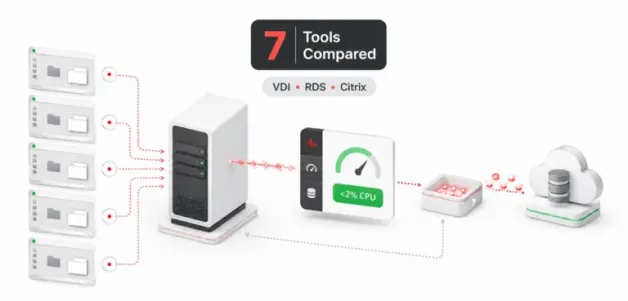
Results from the new benchmark tests of eMonitor Performance Research indicate that an effective activity-monitoring agent will use an average CPU load of less than 2% per session with low-rate event sampling and store logs in a local buffer for asynchronous shipping.
Top 7 Remote Desktop & Citrix VDI Monitoring Solutions
1. CurrentWare Suite (BrowseReporter)
Best Overall Low-Latency Solution for Citrix & VDI Environments
CurrentWare provides an enterprise-grade workforce analytics and endpoint security suite engineered specifically for virtualized and distributed networks. As an official Citrix Ready-certified partner, CurrentWare’s flagship user activity monitoring solution, BrowseReporter, directly addresses the enterprise pain point of VDI host lag caused by heavy surveillance software.
- VDI Optimization: Uses less than 1-2% CPU resources per user session. It uses offline data buffering to defer the activity log queue under high network conditions and to prevent spikes in network usage.
- Event-Triggered Screenshots: To avoid the high vDisk I/O demands of constant video, BrowseReporter takes snapshots only when prompted by a policy violation or by the use of high-risk applications.
- Unified Endpoint Security: The suite integrates BrowseControl for web filtering, AccessPatrol for USB device control, and enPowerManager for remote power management and logon history tracking.
- Real-World Efficacy: As highlighted in their Citrix Tracking Guide, organizations can monitor specific virtual machines (PC Mode) or individual employees across dynamic hosts (User Mode). Kristen S., Associate IT Director at The Coding Network, noted in a case study that CurrentWare made their Citrix rollout significantly easier from a management perspective.
2. RDPSoft Remote Desktop Commander Suite
Best for Microsoft RDS, AVD, and Protocol-Level Health Monitoring
RDPSoft was originally designed to monitor Microsoft RDS (Remote Desktop Services), AVD (Azure Virtual Desktop), and Citrix XenApp installations. It combines traditional user monitoring and logging with extensive diagnostics of DEX (Digital Employee Experience) network protocols.
- Agentless Auditing: Collects high-level session time metrics directly over the network without requiring a client agent on the session host.
- Protocol Diagnostics: Monitors RDP/ICA round-trip latency, frame rates, and connection error rates.
- Consideration: Lacks the granular content-based web filtering and USB peripheral security controls found in unified suites, making it better suited for network admins than HR managers.
3. Teramind
Best for High-Surveillance Insider Threat Prevention
Teramind is one of those enterprise security solutions best known for surveillance, with good functionality that makes it an efficient plug-in for Citrix session recorders in legacy organizations. It is known to present real-time screen recordings, Optical Character Recognition, and keystroke logging.
- Deep Inspection: Team security OCR records desktop videos and live windows by querying specific text strings present within the data.
- Consideration: Continuous video recording and keystroke logging consume substantial CPU, RAM, and IOPS. Deploying Teramind on multi-session VDI hosts requires significant over-provisioning of resources to avoid severe host degradation.
4. ActivTrak
Best for Cloud-First Operational Analytics
ActivTrak is a cloud-powered, all-in-one workforce analytics solution that helps teams gain insight into work habits and operational improvements for a hybrid workforce.
- Productivity Dashboards: Automatically categorize application and website usage as productive or unproductive.
- Consideration: As a cloud-only architecture, it requires a continuous outbound connection to the cloud. Frequent telemetry syncing can place moderate strain on network bandwidth on multi-user VDI hosts.
5. Insightful
Excellent for Project-Based Time Tracking
Now Insightful, formerly Workpuls, is productivity-tracking software with specialized features for operations, call centers, and remote project teams.
- Automatic Mapping: Uses window title tracking to log billable hours against specific projects automatically.
- Consideration: Screenshot-heavy default profiles can rapidly consume VDI host storage bandwidth if not carefully reconfigured by IT administrators prior to deployment.
6. Hubstaff
Most Suitable for Freelance Time Tracking and Proof of Work
Hubstaff is among the widely used online time trackers, especially by remote teams, agencies, and field professionals.
- Activity Scoring: Samples keyboard and mouse frequency to provide a screen of activity percentages, including periodic screenshots.
- Consideration: It’s designed for something more than VDI host management for enterprises. It doesn’t have AD GPO capabilities, the tools that enable you to clone and manage master images for your deployment, or the ability to test latency over the protocol you’re trying to use for your virtual display.
7. Citrix Monitor (ControlUp)
Best for IT Infrastructure and DEX
Dedicated native observability tools, such as Citrix Monitor, are designed to enable a system administrator to manage VDI performance effectively.
- Near-Zero Impact: Built-in Citrix HDX/ICA access provides access to protocol-level details (ICA RTT, logon duration breakdowns).
- Consideration: This is not an employee activity monitoring tool. It does not provide business leaders with website usage classification, idle-versus-active work breakdowns, or SaaS application tracking.
Strategic Takeaways for Virtualized IT Environments
When it comes to optimizing a remote workspace in 2026, IT leaders must prioritize lightweight architectures. Implementing heavy employee monitoring tools into shared VDI architecture may negatively affect as many as 61% of users, slowing the VDI hosting experience. Event sampling and client-side local offline logging are solutions that should be planned to optimize server utilization.
Additionally, robust user tracking across virtual desktops would significantly improve how enterprises approach software asset management. In its state of ITAM report, Flexera calculated that as much as 29% of enterprise SaaS spend, along with desktop application spend, was either underutilized or overspent. If a precise tool that allows enterprises to view virtual app usage and exactly how many virtualized app licenses are unused can be implemented, IT budgets will be cut effectively.
Conclusion
If your enterprise IT environment consists of Citrix Virtual Apps and Desktops, Microsoft RDS, or Azure Virtual Desktop, choose employee activity monitoring software that provides the necessary visibility without impacting the infrastructure. Native observability tools provide diagnostics on server health and capacity, while a low-resource, balanced monitoring agent can give you the visibility into employee work hours you need.
The CurrentWare Suite provides you with a proven method of monitoring your remote workforce’s VDI. It has everything from Citrix Ready certification and extremely low resource usage to extensive endpoint monitoring capabilities. To try out your own virtual setup using CurrentWare’s low-latency desktop monitoring, start by using a free 14-day trial.


