
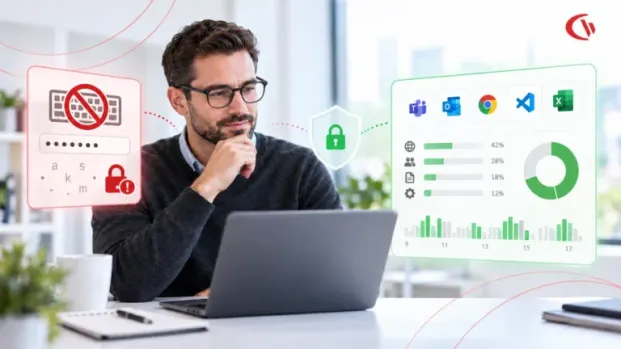

As hybrid and distributed work matures into 2026, enterprises’ visibility challenges become more nuanced than whether an employee is logged on or off. IT leaders need visibility into how corporate applications, websites, devices, networks, etc., are accessed, but they also need to know how much information to collect.
Those distinctions have grown more important as employee monitoring solutions have advanced. Several generations ago, remote-work monitoring tools focused on low-level recording capabilities, including keystroke logging, constant screenshots, webcam monitoring, audio recording, and other recording features, which were touted as a complete picture of employee activity. Those features may offer high visibility, but they may collect more information than your organization truly needs.
Modern employee analytics are going in a very different direction. To understand how an employee uses their time, we do not need to reconstruct everything they do on a computer. Instead, look at application usage, ai tools usage, browser domains, active/inactive time, application adoption, and other broader workflow patterns. This approach also doesn’t have to record what an employee types or the content of their conversations.
In essence, keystroke logging captures content while application tracking captures context. And that makes a fundamental difference as organizations put together their employee monitoring approach in 2026.
What Is the Difference Between Content Capture and Metadata Aggregation?
The best way to compare keystroke logging and application tracking is to look at the kind of data these technologies gather.
Content Capture: Keystroke Logging
Keystroke logging records the actual keys pressed on a keyboard. Depending on its design, it can record character sequences no matter what an employee is doing.
For example, an employee might type:
- A customer email
- A project document
- A search query
- A username
- A password
- A financial account number
- Medical information
- A private message
A keystroke logger will almost never be able to tell if the characters typed on the keyboard are for business data or sensitive personal data. This becomes a major case of data-minimization.
As a practical matter, at first the organization might implement keylogging to measure productivity, but the implementation could actually collect things unrelated to that.
Metadata Aggregation: Application Tracking
On the other hand, application tracking takes a different track. Instead of logging what employees say, the software monitors the context of computer use. This means:
- Application name
- Executable or process information
- Active application
- Website or domain
- Session duration
- Active versus idle time
- Login and logout information
- Application usage frequency
- Broad productivity categories
For instance, a company might want to know that a user spent two hours in a CRM app and 30 minutes on a social-media site. That company probably would not care about the specific characters that the user typed into the CRM system. This makes it possible for the IT and management teams to respond to the operational questions by not ending up reading the actual content.
Why the Distinction Matters
It is like the difference between two kinds of digital CCTV footage: capturing an entire conversation, versus simply capturing a record that a meeting occurred. The first is content; the second is context.
In workforce analytics, context is often enough. If IT is simply trying to find out which applications people use, how many licenses might be unused, when people are idle, or why employees access websites at odd hours, keyboard-logging data may not add much.
Architectural Comparison: Keystroke Logging vs. Application Tracking
The two approaches differ considerably in technical and governance terms.
| Architectural Dimension | Keystroke Logging — Content Capture | Application Tracking — Metadata Aggregation |
|---|---|---|
| Data CaptuData Capture Layer | Captures keyboard input through operating-system-level mechanisms or input hooks | Observes application, process, website, and session activity |
| Data Scope | Potentially includes messages, passwords, search terms, credentials, and sensitive information | Primarily includes application names, domains, usage duration, and active/idle status |
| Primary Risk | Accidental collection of credentials and private communications | Lower exposure when collection is limited to operational metadata |
| Storage Requirements | Potentially large volumes of detailed event data | Generally smaller aggregated telemetry |
| Privacy Exposure | High because the collected data may reveal actual content | Lower when content is deliberately excluded |
| Typical Use | Detailed surveillance or forensic investigation | Workforce analytics, IT optimization, software utilization, and operational visibility |
| Employee Perception | More likely to be perceived as intrusive surveillance | More likely to be viewed as activity analytics when transparently implemented |
| Data Minimization | Difficult because the system records information indiscriminately | Easier because collection can be restricted to defined metadata |
That does not mean application tracking is inherently privacy-preserving. When it is combined with screenshots, broad URL tracking, granular personal-data collection, or excessive timeframes, application tracking can easily become intrusive. The key point is that privacy depends on both the technology and how you implement and manage it.
Why Are IT Leaders Moving Away From Invasive Computer Surveillance Software?
One of the biggest problems with invasive monitoring is that collecting more data does not necessarily produce better workforce analytics. In some circumstances, it produces more risk.
1. Inadvertent Credential and Token Ingestion
A traditional keystroke logger can even collect characters when a user tries to authenticate. Say an employee logs into an enterprise application, typing in a username and password. That may be stored along with everything else the user does at work.
The same thing applies to a personal account used from a corporate device.
Even if an employer never intends to capture that credential, the keystroke logger will see it along with whatever else the user types, and the login becomes a part of the keystrokes the employee produces, a risk the employer would not have previously accepted.
2. Sensitive Business and Personal Information
Keystroke monitoring can also capture information that is valuable from a privacy or compliance perspective.
An employee might enter:
- Customer information
- Financial information
- Health-related information
- Legal correspondence
- Client credentials
- Internal security information
- Personal messages
This can turn an employee monitoring platform into an unexpected store of sensitive information. The organization may then be faced with the daunting task of figuring out exactly what was gathered, where it was stored, who had access to it, how long it was retained for, and whether there are other legal or compliance requirements to consider. That is much more complex than simply gathering a small amount of data on how applications were used.
In addition, invasive tracking may cause telemetry leaks. According to research at Columbia Law School, published in The Verge, all nine bossware services examined also provided tracking information to third-party ad brokers or advertisers, risking enterprise data privacy.
3. Regulatory Scope Can Expand Unintentionally
Monitoring isn’t only relevant to computer use in regulated industries.
Imagine working in a healthcare setting. An employee is entering patient data in an electronic health record system. The keystroke logger observed that user’s actions may log protected health information (PHI) even though it was introduced as a monitoring tool to observe employee actions. The monitoring software would then expand the organisation’s data collection footprint.
That is where the concept of data minimization comes into play. If your business question is “What applications are your employees using?,” there is generally no need to log the characters that users type into those applications.
Workplace Culture: Insights from Gartner, Forbes and Harvard Business Review
Employee monitoring is about more than just technology. It can affect employee perception of management and employee trust in the organization, and it can determine whether employee monitoring is embraced as an effective work practice or seen as surveillance.
This distinction matters, especially when comparing non-invasive app tracking with more invasive techniques, including keystroke logging, persistent screen recording, or surreptitious monitoring.
Research and survey results referenced throughout various employee-monitoring articles tend to emphasize the significance of transparency, purpose, visibility, and proportionality. From this, it can be concluded that employees are not universally opposed to being monitored. Instead, their reaction to monitoring largely depends on the type of data collected, the reason for collecting it, whether they were given prior notice, and how it will be used.
- Forbes’ 2024 report cites a higher percentage: 36% believe surveillance negatively affects their happiness at work, suggesting its presence can foster mistrust or discomfort. An even greater percentage, 39%, feel less trusting of their employer when monitored, which may be linked to diminished privacy and increased control.
- While certain employee monitoring practices have been shown to boost performance, organizations use monitoring to a large degree, and others use it to demonize their staff. Gartner shares that employee monitoring should be used for insight, not oversight. It supports a monitoring strategy, employee trust by using monitoring for insight rather than excessive oversight.
- Surveilling Employees Erodes Trust says Harvard Business Review updated on February 20, 2024. The article explores the new technologies of employee tracking, such as computer desktop monitoring, taking screenshots, badge tracking, and monitoring productivity. The main point of the article is that high-tech monitoring can lead to trouble for managers by weakening the trust needed to lead people.
Best Practices for Non-Invasive Workplace Tracking Software
Organizations considering workplace tracking can adopt several practical safeguards:
1. Collect Metadata Instead of Keystrokes
Ignore information like the name of the application, URL, duration of the session and whether it is active or idle. Do not gather keystrokes unless it is absolutely essential for the business purpose. This is one of the most straightforward ways to minimize sensitive data flowing into your monitoring environment.
2. Avoid Continuous Screenshots
Screenshots do have valid security and compliance use cases, but screen recording at any speed significantly increases how much data the organization is capturing. A more moderate alternative is screen capture monitoring only where a documented business need exists.
Organizations should consider:
- Whether screenshots are actually necessary
- Which events trigger them
- Who can access them
- How frequently they are captured
- How long they are retained
- Whether automatic deletion is possible
3. Restrict Monitoring to Working Hours
Hybrid workers often employ the same device to accomplish different tasks. If monitoring is set up to take place outside of working hours, organizations may end up gathering irrelevant personal information. Such temporal distinctions may therefore constitute a privacy measure.
Wherever technically possible and appropriate, monitoring should be limited to specific times during which the employee is carrying out work-related duties or other corporate activities.
4. Establish Role-Based Access
Not everyone in the organization needs access to activity data. Monitoring dashboards and reports should be secured with the right access controls. For example, IT would want technical details, and HR would want summarized workforce trends. Not everyone in the organization needs access to activity data. Neither necessarily needs access to every detailed activity record.
5. Define Retention and Deletion Rules
Any employee monitoring data should not be kept on an indefinite basis. Companies should determine how long information should be stored for and what purpose it was originally collected for and any related legal and/or regulatory obligations. Information should be deleted or otherwise anonymized once it is no longer required.
How CurrentWare Approaches Ethical Workforce Analytics
CurrentWare offers ethical monitoring that focuses on application, website, and usage metadata rather than keylogging character by character. The tools can monitor areas such as web activity, application use, idle time, and enforcement of web policies. This can provide valuable operational insight for companies that want a better sense of how their corporate IT resources are being used, without capturing everything about their staff type.
For instance, you can track idle-time to identify what is unproductive, or capture logon and logoff events to get a sense of when workstations are being accessed. The real benefit here is that the IT team can track patterns of activity without necessarily casting a wider data net.
Conclusion
The keystroke logging versus application tracking controversy signals a paradigm shift in workplace technology. There is a middle ground. Application tracking, website analytics, active/idle data, software usage analytics, and other metrics-driven systems collect far less sensitive data than content-capture mechanisms, while still providing substantial operational value. And that is an important consideration that goes beyond privacy concerns.
Less data collection reduces exposure for security, minimizes governance and compliance concerns, and provides easier, more transparent reporting to employees. It will also motivate IT organizations to leverage analytics to address real technology and workflow issues, instead of turning employee activity into a crude productivity score.


