
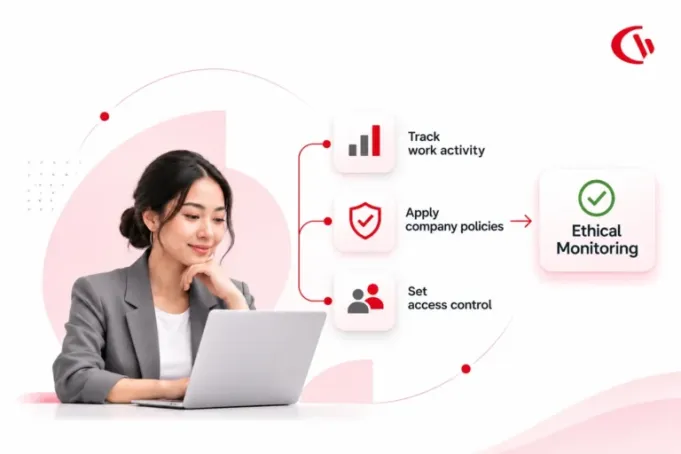

As workforce adopts workforce analytics, organizations face a growing challenge: how to gain visibility into endpoint security and employee productivity without crossing the line into invasive surveillance that erodes trust or violates legal requirements. With these monitoring tools, organizations can glean insights into workforce activity, ensure security policies are followed, and spot areas of concern. Too much data collection, however, can be worse than having no data at all.
The balance lies in knowing how to leverage legitimate business purposes for monitoring without infringing upon workers’ private lives. Businesses need enough visibility to safeguard company property, reduce the likelihood of endpoints being used as a gateway to data, and monitor how work is carried out.
For detailed architecture and governance of the ethical monitoring framework based on four main pillars and global regulatory standards. If you need detailed instructions on software setup and policy deployment, visit our policies and best practices guide.
What is Ethical Workplace Tracking?
Ethical employee monitoring, workforce analytics, and policies replace ongoing personal oversight and observation. Monitored data is not about gathering everything possible about each employee, but only the information needed to meet specific business, security, and productivity goals. Instead of capturing each keystroke or streaming live webcams, a privacy-first approach relies on work-hours-only scheduling, metered application and web activity tracking, intelligent event-driven notifications, and customizable privacy settings that let companies choose where to store monitoring data.
For instance, a company might want to know what applications employees are running, whether they are accessing sites outside their job scope, or whether anyone is trying to access a remote resource. These needs can typically be met with application reports, website activity metadata, and automated policy alerts, without employee screen captures or interactions.
Ethical workplace tracking also defines when tracking is appropriate and who can view the data. Tracking should be limited to appropriate working hours, based on defined company policies, and configured to minimize exposure of sensitive information.
When buyers compare workforce analytics solutions, they find one of two options: basic coaching dashboards that offer an overview of activities but no endpoint DLP, or invasive forensic suites that record employee screens continuously. A basic workforce analytics platform will not offer endpoint controls to prevent inappropriate data transfer, while a forensic monitoring suite may gather more employee data than necessary to support standard workforce management.
A thoughtful approach to security can fill the void by applying vigilant security guardrails with limited data collection. Companies can stay aware of what is happening within their workforce, establish an acceptable-use policy, and mitigate endpoint security risks without making monitoring a tool for unwarranted invasions of privacy.
What to Look for in Privacy-First Monitoring Software
When selecting privacy-first monitoring software, the number of reporting features or the level of insight into employee activity data a platform can gather isn’t the only determining factor. IT, HR, and legal teams should also look at how the software manages access permissions, employee visibility, storage, and retention.
Instead of automating the implementation of solutions that collect the most telemetry, IT, HR, and legal should use solid data minimization and governance standards to determine the best platform. Use a vendor-neutral checklist, DIY checklist for evaluating any workplace monitoring solution:
1. No keystroke logging:
Select software that does not log keystrokes, stream webcams, and record audio, or that permits you to disable such intrusions entirely. These features can capture login information, private conversations, and personal information not relevant to business purposes. Look for application-level and website usage reporting if those methods give you the degree of visibility into business operation you need.
2. Screenshots off by default:
Choose tools that come with screen capture out of the box and restrict it to pre-defined security alerts or events. Continuous screenshots inadvertently collect sensitive information like proprietary content, customer data, personal chats and other private content. Event-based capture limits recording to scenarios where there’s a clear operational or security benefit.
3. Monitoring limited to work hours:
Make sure the platform has scheduling controls to prevent your people from being monitored outside their work hours – especially on laptops that are used for work and personal activities. Work-hours scheduling helps draw the line between legitimate organizational monitoring and employees’ time off the clock.
4. Role-based access control (RBAC):
Ensure permission scoping options allow managers to only see activity data for their direct reports based on department or role. Scope employee information and workforce analytics access by job function, and do not give managers blind access to all data.
5. Configurable data retention:
Set up automated purge schedules to remove older activity logs and screenshots in accordance with your defined retention policy. Companies must determine suitable retention periods for activity data based on their legal, regulatory, and operational requirements and automatically purge unnecessary employee activity information.
6. Deployment choice:
Choose a vendor that provides the option of a managed cloud, your private cloud, or on-premises infrastructure, depending on where you need to keep your data. Hosting flexibility lets your IT teams deploy monitoring in ways that fit your internal security policies, infrastructure preferences, and data residency obligations.
7. Third-party data-sharing disclosure:
Get information from vendors about what third parties, if any, are receiving worker telemetry and if any third-party tracking scripts are being run inside their console or endpoint agent. Telemetry flows through many services during collection, storage, and processing. A vendor’s telemetry flows reveal the risks of external exposure that their architecture introduces.
Why Uncalibrated Surveillance Backfires
Workplace monitoring is becoming more common, but not all types of work-related monitoring are universally understood and accepted by employees. How organizations implement a monitoring program, communicate its use to staff, and define the scope of information collected can affect its success.
A 2025 ExpressVPN survey of 1,500 US employers and 1,500 employees found that 74% of employers use online tracking tools. However, uncalibrated or covert tracking can trigger severe psychological strain and increase employee turnover risk.
According to the American Psychological Association’s (APA) 2023 Work in America survey, 56% of workers who experience electronic monitoring report feeling tense or stressed out at work, compared with 40% of non-monitored workers. In the same ExpressVPN survey, 49% of employees stated they would consider leaving their job if workplace surveillance increased.
The results suggest that monitoring can make employees feel they are always being watched. Organizations that use screens every few seconds, log activity intrusively, or track employees without their knowledge may signal that they do not trust employees’ work. This could damage workplace relationships and decrease feelings of autonomy.
The issue is not monitoring but how it is done. Staff can make sense of monitoring when the company communicates transparently what information it gathers, why it needs it, and how it will use it. Open policies also help identify the true productivity and security needs versus unwanted intrusions.
At the same time, organizations cannot ignore endpoint security. According to IBM’s 2025 Cost of a Data Breach Report, shadow AI contributed to 20% of data breaches, adding an average of $670,000 to breach costs. As employees increasingly adopt AI applications and other cloud-based services, organizations need sufficient visibility to identify unauthorized tools, potential data exposure, and violations of acceptable-use policies.
Companies should have enough context to detect security issues and monitor workflows without over-monitoring employees. Research from Gartner highlights that providing transparency about what is being monitored and leveraging analytics to contextualize workflows, instead of over-monitoring, can have positive effects on employee trust and engagement.
Evaluating Third-Party Data Sharing Risks
Employee privacy is affected not only by the data the employer chooses to gather, but also by how much third-party vendor applications can access that information. Companies with strict monitoring policies may still face privacy concerns from third-party applications used by their monitoring tools.
Workforce monitoring tools might collect employee IDs, browsing data, application usage, and device telemetry. If they transmit this employee information to third-party services with limited transparency, it may be exposed outside the monitored environment.
A May 2026 audit by researchers at Columbia Law School and Northeastern University examined nine workplace monitoring platforms by inspecting third-party trackers embedded in their web and mobile apps. The researchers found that nine out of nine platforms directly shared identifying worker data with third parties, nine out of nine shared information about workers’ online activities with third parties, and three out of nine used features to track workers’ precise location.
This is exactly why vendor evaluations should include not just the monitoring features, but the complete picture. Many data points exist between the monitoring agent on the endpoint, the remote console, and other services that access that data and should be considered.
For any vendor you are assessing, find out who gets your worker data, what third-party code they inject into a console or agent, and whether you can decide where your monitoring data is stored.
IT and procurement teams may want to review vendor privacy statements and available hosting configurations pre-rollout. The goal is to verify that the sharing practices and infrastructure of the monitoring platform align with the organization’s internal policies and data security needs.
The Regulatory Landscape for Workplace Monitoring
Employers’ access to workforce telemetry is increasingly subject to regulatory and legal obligations in the US, Europe, and the UK. While monitoring workers is an essential business and security function, employers must meet their obligations under privacy, employment, and data privacy laws.
The regulatory environment varies by your organization’s location, industry, workforce makeup, and the information you collect. Use of personal data, automated employee assessment, and sensitive data in your monitoring may raise additional compliance requirements.
Organizations must align their monitoring architecture with strict statutory mandates before deployment. Note: The following overview is for general informational purposes only and does not constitute legal advice. Always consult qualified employment and privacy counsel in your jurisdiction.
EU Artificial Intelligence Act:
The employment ban on emotion recognition systems under Article 5 has been in effect since February 2025, with violations punishable by a fine of up to 35 million Euros or 7% of global annual turnover. High-risk obligations for AI systems that monitor or evaluate workers will take effect from December 2027.
AI workforce analytics providers should identify whether their systems are prohibited or high-risk, and put the right governance measures in place. Particularly if the AI is used to survey or assist with employment decisions about workers.
GDPR Data Minimization and European Case Law:
Under the GDPR, systematic monitoring requires a lawful basis, strict necessity, and a formal Data Protection Impact Assessment (DPIA). The data minimization rule means employers should collect only what is needed to pursue a specific goal. European courts also strictly regulate what is proportionate in employee monitoring.
For example, in a historic decision from July 2017 (2 AZR 681/16), the German Federal Labour Court found that the use of secretly installed keylogger programs is illegal under data protection law and the use of illegally collected employee data as evidence only if it is related to a specific suspicion of a criminal offence or major breach of obligations.
US State Privacy and Electronic Monitoring Laws:
Employees can learn, access and delete their data, and ask how long you keep it under the California Privacy Rights Act (CPRA), while you must inform them.
Maine has now become the fourth Northeastern state to regulate workplace electronic monitoring (joining New York, Connecticut and Delaware) with limited provisions requiring that you provide forewarning of such monitoring before you do it, annual disclosures to employees, and notice during interviews, as well as letting employees opt out of tracking apps on their phones.
These requirements make transparent monitoring policies, employee disclosures, and documented data-handling procedures key parts of a compliant monitoring program.
See our state-by-state guide to US employee monitoring laws for details.
HIPAA, NIST, and CMMC:
Changes to the HIPAA Security Rule (with final rule anticipated for July 2027) would implement: more robust continuous monitoring of endpoints; tighter controls on endpoint access; and more robust audit record documentation requirements, on top of NIST 800-171 and CMMC controls required of Federal Contractors.
As a result, healthcare organizations and federal contractors should consider how employee monitoring supports broader security and compliance objectives. Monitoring architecture should provide enough endpoint visibility and auditability while shielding medical record data.
A Practical 4-Pillar Framework for Ethical Monitoring
A comprehensive framework that protects employees while providing the required oversight can help organizations avoid a surveillance backlash. By shifting from a default privacy setting and building privacy protections into every phase of the monitoring process – including requirements gathering, deployment, access, and data retention – IT and HR can head off legal issues.
IT and HR teams can use a privacy-first employee monitoring playbook to build transparent policies grounded in these four pillars.
Pillar 1: Purpose-Driven Capture Depth
Ethical architectures align telemetry level with business need, not universal coverage. Prior to turning on any telemetry, ask what business goal it serves and what the minimal set of data required to reach that goal is.
Companies may not include: machine screen recording, monitoring of the employee’s webcam, and keystroke logging. Instead, event-based triggers take a snapshot of the screen when an employee visits a risky website or application, with schedule rules ensuring no tracking outside set work hours.
For instance, if a company needed only application activity reporting to see how many people are using an application, or a security team investigating how an unauthorized person accessed a file server, the security group would need access control-based alerts and possibly minimal evidence. However, neither requires hours of ongoing visual monitoring, nor getting every click an employee makes.
It lets organizations optimize monitoring based on the sensitivity of an activity. Both general workforce analytics and more intensive data collection can leverage metadata and activity summaries and be applied selectively for certain cases.
IT teams should revisit monitoring configurations periodically to confirm the enabled features still match current business needs. Disabling collection abilities that are no longer required continues to minimize data collection and prevents monitoring practices from drifting.
Pillar 2: Data Sovereignty and Retention
To meet GDPR storage restrictions and state retention disclosure requirements, organizations must manage where monitoring data is stored and for how long. Data sovereignty has the most significant impact for organizations that operate across multiple jurisdictions or must manage regulated data.
When selecting a platform that offers cloud service, private cloud, or on-premises hosting options, IT teams can ensure data residency is handled in the same way as internal data governance. This range of options lets organizations define infrastructure, security, and data residency needs before deciding where to store and analyze workforce telemetry.
Selecting a hosting solution is only one component of data governance. Companies will need to develop comprehensive retention policies based on the various types of monitoring data they collect. Usage reports, activity logs, security alerts, and application recordings will all require different retention periods based on usage.
Automated purging rules should be used to delete older BrowseReporter data and screenshots on a defined schedule so historical logs are not hoarded indefinitely.
A documented retention policy should specify which records to retain, why they are necessary, and when to delete them. IT administrators should periodically review retention configurations to ensure that stored information remains consistent with organizational policies and applicable regulatory requirements.
Limiting retention also reduces the amount of historical employee information that could be exposed in a security incident. This makes data lifecycle management an important component of both employee privacy and organizational security.
Pillar 3: Role-Based Access Control (RBAC)
Unrestricted manager access to monitoring data violates core privacy-by-default principles. Even when an organization has a legitimate reason to collect workforce activity information, that does not mean every manager, administrator, or department should have unrestricted access to those records.
An ethical architecture enforces strict internal access boundaries through granular, role-based operator permissions, ensuring managers view activity data only for their direct reports. This allows organizations to maintain operational visibility while limiting unnecessary access to employee information.
For example, department managers may need only reports for their own teams, while authorized IT administrators may need broader access to configure monitoring policies and manage endpoints. HR and other designated personnel may need access to specific workforce reports based on their responsibilities.
When platforms include financial analytics – such as CurrentWare’s Workforce Cost Summary – access to salary data and calculated workforce cost columns is explicitly password-protected so only authorized operators can view compensation figures.
Organizations should also review operator permissions regularly, particularly when employees change departments, take on new responsibilities, or leave the organization. Removing outdated access rights helps prevent unnecessary internal exposure of sensitive monitoring information.
By combining granular permissions with clearly defined access policies, organizations can maintain useful workforce visibility without making employee activity records accessible to everyone.
Pillar 4: Notice, Consent, and Guardrails
Finally, blanket consent in an employment contract is usually not effective under today’s privacy laws, where one party is “weak” (employee) and the other is “strong” (employer). Transparency is key. Employees may not be able to negotiate much about workplace monitoring.
Or organizations should combine a ready-to-use at-work monitoring policy template and written acknowledgment with Visible deployment of agents – like an icon in the system tray or clearly defined blocking.
Your overarching monitoring policy should set out the scope of the data you are collecting, the reasons for collecting it, when it is collected, who has access to the information collected and for how long records are kept. Your team should understand how workforce analytics differs from security monitoring.
These claims are further supported by the visible signals provided. A visible system tray icon, along with targeted notifications when a website or application is blocked, helps employees understand when the organization is applying policies.
Proactive technical guardrails – zero-trust application allowlisting and USB device control – stop shadow IT and leaks before they occur, instead of with punitive net logs.
For instance, application allowlisting can block rogue applications from executing on managed endpoints, and controls over USB device usage can reduce the risk of data being transferred to unapproved portable media drives. These controls are applied at the point of risk and do not rely solely on monitoring significant levels of employee activity.
By this point, it should be clear that these two safety precautions should go hand in hand. Clear, open policies tell people what to expect, but endpoint preventative controls let you enforce them widely.
Ethical Oversight with CurrentWare
Built for your team, CurrentWare offers a policy-centered, privacy-first method for monitoring and securing the modern workforce, helping organizations move beyond simple productivity reporting and take secure workforce monitoring and endpoint security to the next level.
Instead of watching your employees all the time, you can use its modular features to monitor what applications and websites are in use, govern Web access, and apply endpoint security rules. You gain insight into relevant workforce activity and keep the flexibility to deploy controls based on your needs.
CurrentWare is available as a cloud service, or you can host it on your own private cloud or servers. CurrentWare does not enable keystroke logging, microphone recording, or invasive GPS tracking. Screenshots are disabled by default, and location classification non-intrusively uses the IP address and default gateway MAC address.
This gives organizations greater control over how they collect and store monitoring information. IT teams can focus on relevant workforce analytics and endpoint security controls without automatically collecting highly personal information. The available hosting options also help organizations align their deployments with internal infrastructure and data governance requirements.
The platform offers modular pricing starting at $6 per user per month for individual modules (or $14 per user per month for the full CurrentWare Suite), including BrowseReporter for productivity analytics, BrowseControl for web filtering, and AccessPatrol for USB device control. This modularity lets organizations deploy only the controls their policies require.
By separating workforce analytics from preventive endpoint security, organizations can address different operational requirements without adopting unnecessarily invasive monitoring practices. They can use application and website activity reports to understand workforce patterns, web filtering to enforce acceptable-use policies, and USB device controls to reduce unauthorized data transfers.
Conclusion: Balance Workplace Visibility with Employee Privacy
It is not about tracking more data; it is about tracking the right data for valid business and security reasons. By limiting data points, ensuring clear and transparent policies, restricting access to relevant teams, and retaining data only as long as justified, companies can safeguard endpoints ethically.
When you combine workforce intelligence with adaptive security controls, you will have the right approach to employee monitoring that helps employees, instead of micromanaging them. By implementing privacy-centric controls with tools like Current Ware, your company can foster a safer, more responsible workplace.
Frequently asked
Frequently Asked Questions:
-
Yes, employee monitoring is legal in most countries if employers follow the laws related to employment, data privacy, and protections. Employers can usually monitor work-related activities and devices they own for legitimate business reasons like security, productivity, and quality assurance. Monitoring should be reasonable, transparent, and limited to necessary data, which may require employee consent and clear notice.
-
Many countries and states have regulations requiring that employees are notified of any monitoring devices. Countries and states differ on exact requirements – in most places, employers are not required to obtain explicit consent but should be transparent and may be required to notify employees of monitoring and what will be done with the information gathered. Employers should inform employees what data is being collected, why it is needed, how the data will be used, and the retention period.
-
Ethical employee monitoring monitors work and communication activities while maintaining the privacy, dignity, and rights of employees. It focuses on objectives like safeguarding data, improving productivity, and meeting legal requirements, rather than mistrust or control. Ethical monitoring involves being honest with employees, limiting the scope to essentials, prohibiting others from accessing monitoring data, and avoiding overly invasive measures. A privacy-conscious approach to monitoring preserves the benefits of workplace transparency and security.


