Why AI Usage Monitoring Is Now Mission-Critical
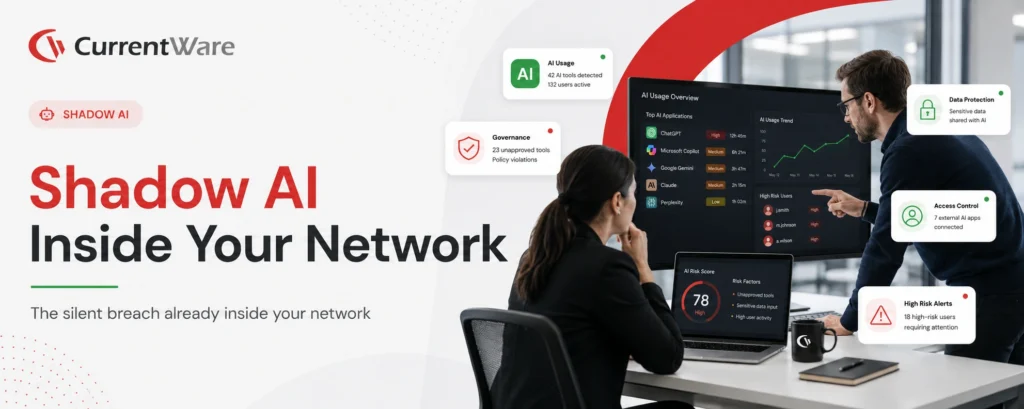
AI tools are now part of daily work for most teams. People use ChatGPT to draft emails, Copilot to write code, and Notion AI to summarize meetings. This is happening whether IT approved it or not.
The problem is that most companies cannot answer basic questions about this activity. Which AI tools are employees actually using? Is anyone pasting client data into a public chatbot? Is AI actually saving time, or just adding another app to switch between?
This guide breaks down how to monitor employee AI usage the right way. You will learn what AI usage monitoring means today, why it matters for your business, and how to set it up step by step. We will also cover the types of AI tools you need to watch, the best practices that keep monitoring fair, and the top tools available in 2026.
Before we get into the details, here is a quick summary of everything this guide covers.
Key Takeaways
- AI usage monitoring means tracking who is using AI tools, which ones, how often, and whether that use lines up with company policy.
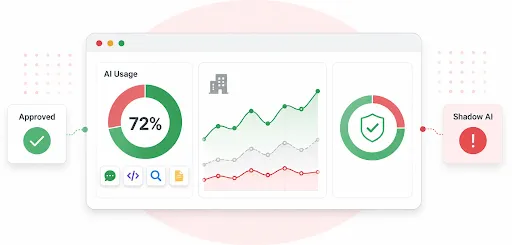
- Shadow AI, meaning tools employees use without approval, is one of the biggest blind spots for businesses right now.
- Business leaders monitor AI use to protect company data, stay compliant, and understand what is actually helping productivity.
- Tracking employee AI usage takes a few clear steps: build a policy, pick the right tool, set up tracking, review the data, and adjust as you go.
- There are several types of AI tools to watch, from chat tools like ChatGPT to embedded AI inside apps like Slack and Salesforce.
- The best monitoring approach treats employees like adults. It focuses on patterns and risk, not personal surveillance.
- Tools like CurrentWare, Hubstaff, Teramind, Controlio, and WorkTime each take a different approach to track AI usage, so the right pick depends on your goals.
What AI Usage Monitoring Actually Means in 2026
A few years ago, “monitoring AI usage” meant checking if someone had ChatGPT open in a browser tab. That is no longer enough.
In 2026, AI is integrated into browsers, search engines, spreadsheets, chat apps, and coding tools. Employees are not always choosing to “use AI.” Often, it is just there, running in the background of tools they already use every day.
Real AI usage monitoring today covers four things:
- Who is using it: Which employees, teams, or departments are actively using AI tools.
- What they are using: The specific apps, from ChatGPT to AI features buried inside everyday software.
- How they are using it: Whether it is a quick one-off task or something built into their daily workflow.
- What it means for the business: Whether the use is helping output, or creating a risk that nobody has flagged yet.
Monitoring is not about watching every keystroke. It is about having a clear picture of how AI fits into the way your business actually runs.
So, Why Is Tracking AI Usage Critical in 2026?
- AI adoption has outpaced AI governance
Most companies have employees using AI tools daily, but very few have a policy that
keeps up with it.
- Shadow AI is spreading fast
Employees are signing up for free AI accounts on their own, often without telling anyone in IT.
- Sensitive data is at risk
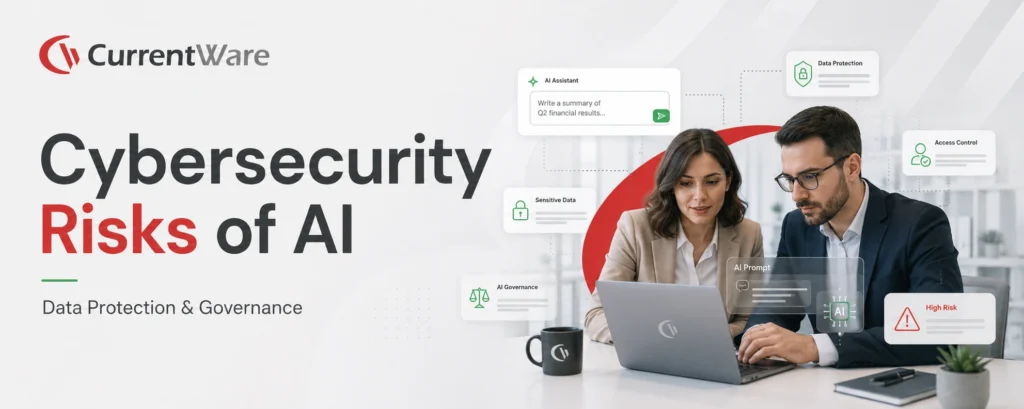
Client details, source code, and financial figures can end up inside a public AI tool with a single copy and paste.
- Regulators are paying closer attention
Data protection laws now apply to how AI tools handle and store information, which puts untracked use on shaky legal ground.
- Productivity gains are hard to prove without data
Without tracking, you are guessing at whether AI is actually making your team faster or just adding noise.
These points make the risk clear. Here is why we think this has moved from a nice-to-have to something businesses cannot afford to ignore.
Why AI Usage Monitoring Is Now Mission-Critical
Let’s be direct. If you are not tracking how AI is used in your business, you are running blind on one of the biggest changes to hit the workplace in years.
AI adoption has grown fast. According to Deloitte’s 2025 Tech Trends report, 61% of enterprises now use AI in at least one business function, up from 44% just a year ago.
Employees are using generative AI tools across almost every department, from marketing to legal to customer support. But usage without oversight is where things go wrong. Employees are pasting proprietary code into public chatbots. Sales reps are running client data through AI writing tools without asking if that is even allowed. This is shadow AI, and it is spreading in nearly every organization, often without leadership knowing the scale of it.
Even though some businesses encourage AI adoption for improved efficiency, the lack of visibility into the team’s activities and employee work can make it difficult to monitor how AI is impacting their productivity, compliance, and overall performance.
Here is what untracked AI usage puts at risk:
- Data leakage
Confidential business or customer information typed into public AI tools that your company does not control. - Compliance violations
Regulated data, the kind covered by laws like HIPAA or GDPR, mishandled through an AI tool with no oversight. - Bad outputs and IP issues
AI-generated content that is inaccurate, or that raises questions about who owns what it produced.
None of this means AI is bad for business. It simply means that visibility is not optional anymore. Companies that get ahead of this now will avoid the costly cleanup that comes from ignoring it. This is not just an IT problem to solve quietly in the background. It is something leadership needs to own.
Why Do Business Leaders Need to Monitor Employee AI Use?
Here is our take: monitoring AI usage at work is no longer just an IT decision. It is a leadership responsibility. Business leaders who treat this as someone else’s problem are the ones most likely to get blindsided by a data leak, a compliance gap, or a wasted software budget. The leaders who get ahead of it are the ones building AI policies now, before a bigger problem forces their hand.
Here is why this matters at the leadership level:
- Protecting company and client data: One careless prompt can expose information that took years to build trust around.
- Staying on the right side of compliance: Industries with strict data rules cannot afford unclear answers about where information goes.
- Getting real value from AI spend: Leaders need to know which tools are actually being used and helping, not just approved and forgotten.
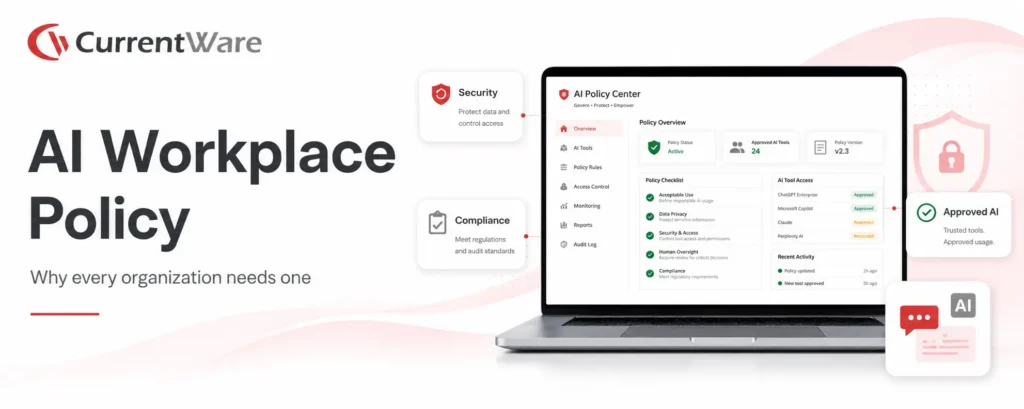
- Closing the gap between policy and practice: A written AI policy means nothing if leadership has no way to check if it is being followed.
- Building a culture of responsible AI use: Visibility gives leaders the chance to coach and train, rather than react after something goes wrong.
Understanding why this matters is the easy part. The harder part is putting it into practice. Here is how to actually get started.
How Can You Track Employee AI Usage Using CurrentWare?
Tracking AI usage is not about installing software and walking away. It takes a bit of planning to get right. Here is how you should approach it step by step.
Step 1: Write a Clear AI Usage Policy
Before you turn on any monitoring tool, set the rules first. Begin with defining which AI tools are approved and which are off-limits. Once done, spell out what kind of data should never be entered into an AI tool. Finally, explain why the company is monitoring AI use, so employees understand the reasoning instead of feeling watched for no reason.
Step 2: Choose the Right Monitoring Software
Not every employee monitoring tool is built to handle AI. Look for the best employee monitoring software that can:
- Detect AI tools in real time, including lesser-known apps, not just the big names.
- Apply different monitoring levels to different roles. Legal and finance may need tighter oversight than marketing.
- Work across cloud and on-site setups depending on how your team operates.
Start minimizing your software costs today.
Step 3: Set Up Tracking With a Clear Focus
You do not need to track every single action. Focus on what actually matters. Flag activity on known AI domains and applications. Only capture prompt content for high-risk roles that handle sensitive data. Set alerts for unusual patterns, like large file uploads or AI use late at night.
Step 4: Review the Data Regularly
AI monitoring only works if someone is actually looking at the results. Check for usage trends across departments every month or quarter. Update your AI policy as new tools show up in your environment. Watch for signs of shadow AI tools gaining traction among employees.
Step 5: Adjust Your Approach Over Time
The AI tools your team uses today will not be the same ones they use next year. Treat your monitoring setup as something you revisit, not something you set once and forget.
Once you have a process in place, the next question is what exactly you should be watching for. AI shows up in more places than most people realize.
8 Major Types of Workplace AI Usage to Monitor
AI usage inside a company is rarely limited to one app. Here are the main categories worth watching.
- Generative AI chat tools
ChatGPT, Claude, Gemini, Copilot, and Perplexity are the tools most employees reach for first, whether for writing, research, or quick answers.
- Embedded AI inside everyday software
Notion AI, Slack AI, Salesforce Einstein, and Zoom AI Companion are built right into tools your team already uses, which makes them easy to overlook.
- Data analysis platforms
AI features inside spreadsheet tools and business intelligence software that summarize or interpret company data.
- AI coding assistants
GitHub Copilot, Cursor, Codeium, and Tabnine are common in engineering teams and often touch proprietary code.
- Enterprise LLMs and productivity suites
Custom or licensed AI models built into company-wide tools like Microsoft 365 Copilot or Google Workspace.
- Autonomous AI agents
Tools that can complete multi-step tasks on their own, like booking, research, or data entry, often with limited human review.
- AI browser extensions and add-ons
Lightweight AI tools installed directly into browsers, which are easy for employees to add without IT approval.
- AI meeting recorders and transcribers
Tools like Otter.ai and similar note-taking assistants that record and summarize conversations, sometimes without every participant knowing.
Knowing what to look for is only half the job. The other half is making sure your approach to watching it does not backfire.
9 Best Practices for Monitoring Employee AI Usage’ section
Good AI monitoring is less about the software you buy and more about how you use it. A tool can only do so much if the rules behind it are unclear or if employees feel like they are being watched for no reason. These practices help you build a monitoring approach that protects the business without creating unnecessary friction with your team.
- Be upfront about what you track: Tell employees what data is collected and why. Trust drops fast when monitoring feels hidden.
- Match monitoring to actual risk: A marketing team using AI for blog drafts does not need the same oversight as a legal team handling contracts.
- Use monitoring data to train, not just punish: If employees are misusing AI, find out why before jumping to discipline. Often it is a lack of clear guidance, not bad intent.
- Keep your AI policy current: Review it every few months as new tools show up and old ones change.
- Avoid over-collecting data: Only capture what you actually need, like prompt content for high-risk roles, instead of logging everything by default.
- Loop in HR and legal early: AI monitoring touches on data privacy and employment rules, so it should not sit with IT alone.
- Give employees an approved AI tool list: People are far less likely to turn to shadow AI if they already have a sanctioned option that does the job.
- Set up alerts for high-risk actions, not just usage: Watching for things like large data uploads or after-hours activity is more useful than tracking every single login.
- Involve managers in the review process: Managers often understand the context behind unusual activity better than IT does, which makes their input useful when reviewing flagged behavior.
Once these practices are in place, the next step is picking software that can actually support them. That is where the right tool makes a real difference.
5 Best AI Usage Monitoring Tools in 2026
First things first, how we selected these tools:💡For this list, we looked at monitoring tools based on a few things: how well they detect AI tools across the browser and desktop, whether they connect AI usage to real productivity data, how well they support distributed teams, and how they balance oversight with employee trust. We then compared the tools based on the features businesses need to monitor AI use in today’s workplace. This includes AI website visibility, application monitoring, reporting, policy support, productivity insights, and ease of deployment. We also considered how well each platform helps organizations balance security with employee privacy. The goal is to recommend tools that provide useful visibility without creating unnecessary complexity. |
When picking a tool for your business, you should pay attention to how it handles AI-specific detection rather than just general app tracking, whether it lets you apply different rules to different roles, and how transparent it is with employees about what gets collected. The right choice depends on whether your main concern is productivity, security, or a mix of both.
Below is a comparison of the top five AI usage monitoring tools that you can use to narrow down your selection criteria:
| Tool | Best For | AI Visibility Depth | Productivity Context | Fit for Distributed Teams | Privacy Posture |
|---|---|---|---|---|---|
| CurrentWare | Businesses that want AI detection paired with data loss prevention | Strong app and website tracking, with optional prompt logging for high-risk roles | Solid activity and usage reporting tied to productivity trends | Good, works for in-office, hybrid, and remote setups | Role-based access controls with a focus on data protection |
| Hubstaff | Distributed teams that want AI usage tied to focus time and workload | Tracks AI tools through app and URL usage | Strong, connects AI use with focus time and workload data | High, built for remote and hybrid teams | Transparent dashboards shared with employees |
| Teramind | Organizations where AI risk and compliance are the top concern | High, includes screen recording and OCR to capture AI interactions | Moderate, more focused on risk than productivity | Good, works across locations | Leans toward strict oversight and forensic detail |
| Controlio | Businesses that need close endpoint monitoring and behavior alerts | High, with continuous screen recording and behavior-based flags | Moderate, includes productivity scoring | High, suited for mixed on-site and remote teams | Leans toward surveillance-style monitoring |
| Work Time | Smaller businesses that want simple, no-frills activity tracking | Moderate, can show AI app usage without deeper AI-specific detail | Basic productivity and attendance tracking | Good, works for office and remote teams | Straightforward monitoring without heavy data capture |
Since CurrentWare comes up as a strong option in the table above, here is a closer look at how it actually works.
How Does CurrentWare Track Employee AI Usage?
CurrentWare tracks employee AI usage by monitoring the applications and websites your team accesses, including popular AI tools like ChatGPT, Gemini, and Copilot, so you can see exactly who is using what and for how long. It pairs this with data loss prevention features that flag or block risky behavior, such as large file uploads to AI platforms or copy-paste actions involving sensitive files.
Because access controls can be set by role, IT teams can apply lighter tracking to teams like marketing and tighter controls to teams handling regulated data, such as legal or finance. This gives businesses a practical way to gain visibility into AI use without slowing down the teams that are using it well. For example, this Muhlenberg township was able to gain complete workforce visibility and improve their decision-making using BrowseReporter. Read the complete case study here.
CurrentWare is one example of what a strong platform looks like, but it is not the only factor to weigh. Here is a broader checklist to guide your decision, whichever tool you land on.
Choosing the Right AI Usage tracking Platform
The right platform depends on your organization’s priorities. If your goal is improving productivity, choose software with detailed activity reports and usage analytics. Similarly, if security and compliance are your biggest concerns, prioritize employee monitoring solution that can detect shadow AI, monitor application usage, and support policy enforcement.
Most organizations benefit from a platform that combines productivity insights with security monitoring so they can encourage responsible AI adoption instead of simply restricting it. But, to keep it simple & a bit straightforward, we have a listed a few ‘must-have’ features that you should prioritize when picking a AI monitoring platform:
| Feature | Why It Matters |
|---|---|
| Real AI tool detection | Goes beyond basic browser tracking to identify the specific apps in use |
| Prompt logging (optional) | Useful for risk audits in sensitive roles, without needing to log everything by default |
| Role-based access control | Matches the level of monitoring to job role and data sensitivity |
| Integration support | Works alongside your existing security tools and systems |
| Clear reporting | Dashboards that make sense to managers, not just IT staff |
Apart from these features, you should also look for solid data encryption to protect what is collected, and an interface that does not require a technical background to use day to day.
Final Word
AI is no longer a side experiment at work. It is part of how people get things done every day. But most companies still cannot answer basic questions about who is using it, how, and what risks that might create. Tracking employee AI usage closes that gap. Done right, it protects company data, keeps you on the right side of compliance, and helps you understand what is actually working. You do not need to track every single action. You need to track what matters, and act on what you find.
Platforms like CurrentWare make this practical, giving businesses the visibility they need without turning monitoring into something that feels like surveillance.
Need expert help tracking employee AI usage?
Frequently asked
Frequently Asked Questions
-
Yes. In most regions, employers can monitor activity on company-owned devices and networks, as long as employees are informed. It is a good idea to have a written policy and, where needed, get legal advice specific to your location.
-
In most cases, yes, as long as the device or network belongs to the company and employees are told that monitoring is in place. Laws vary by country and state, so check local requirements before rolling out tracking.
-
Companies use monitoring software that tracks application and website activity to spot AI tools employees are using without approval. This includes browser-based tools, extensions, and apps running in the background that were never officially approved.
-
Shadow AI is the use of AI tools at work without the knowledge or approval of IT or leadership. It often happens when employees sign up for free AI accounts on their own to get a task done faster.
-
An AI usage policy is a written document that explains which AI tools employees can use, what data should never be entered into them, and what is expected in terms of responsible use.
-
It should list approved and banned tools, explain what counts as sensitive data, outline consequences for misuse, and explain why monitoring is in place. It should also be reviewed regularly as tools and risks change.
-
Some tools can capture prompt content, but this is usually optional and reserved for high-risk roles. Most monitoring setups focus on which tools are used and for how long, rather than logging every word typed.
-
AI usage tracking generally focuses on patterns, like which tools are used and how often, to support security and productivity goals. Surveillance usually implies constant, detailed tracking of individual actions. The line between the two often comes down to transparency and how much data is actually being collected.
-
It depends on the tool and how it is configured. Look for platforms that let you limit data collection, apply role-based access, and give employees clarity on what is tracked. Businesses operating in the EU should confirm compliance details directly with the vendor.
-
It depends on your priorities. If you want AI detection paired with data loss prevention, CurrentWare is a strong option. If your main concern is connecting AI use to productivity data, Hubstaff is worth a look. For heavier security needs, tools like Teramind or Controlio may be a better fit.
Still have questions?
Talk to a CurrentWare specialist who has deployed monitoring at 200+ law firms.