The McKinsey Global Institute states in its ‘future of work’ insights report, found that close to 60% of jobs have at least a third of their activities that could be automated. That wasn’t a story about employees being lazy, but a story about inefficiency wired into the way work gets done, and made worse when nobody has clear visibility into it.
Looking for the best software for employee monitoring? This guide compares monitoring software for employees on what matters to IT: employee activity monitoring, website and app tracking, laptop monitoring for remote staff, deployment (on-premises or cloud) and price per seat. Every tool below is worker monitoring software you can trial before you buy.
This is why many organizations are now adopting online employee monitoring software that gives them visibility without invading employee privacy. If you are one of them, then well, you’ve landed at the right page because we’ve created a list of the eleven best employee monitoring software tools.
In this listicle, we have covered the eleven best employee monitoring tools with their features, pricing, pros, cons, and a detailed feature comparison table, so you can make the right purchase decision.
Key Takeaways
- Quick Answer: The top employee monitoring software in 2026 are CurrentWare, Monitask, Insightful, ActivTrak, Connecteam, Hubstaff, Teramind, Time Doctor, WorkTime, DeskTime, PeopleGoal based on functionalities, pricing and deployment options.
- CurrentWare is the best non-invasive employee monitoring software overall.
- Best on-premise employee monitoring software: CurrentWare and Teramind (ActivTrak is cloud only).
- Employee monitoring software (small business and enterprise): CurrentWare is the top pick.
- Best employee monitoring software for insider threat detection is CurrentWare and Teramind.
- Best employee monitoring software for time tracking and payroll is Hubstaff.
- Best employee monitoring software for privacy-conscious teams is CurrentWare.
- Best employee monitoring software for deskless and mobile teams: Connecteam and Hubstaff.
What These Tools Do, in One Paragraph
Employee monitoring software records what happens on company devices and networks, then turns that record into something a manager, an IT admin, or a compliance officer can actually read. That is the whole category in one sentence. Everything else is a question of depth.
At the shallow end, a tool logs which applications and websites people used and for how long, and rolls that up into a weekly productivity score. At the deep end, it captures screenshots on a timer, records screen video, flags files copied to USB drives, reads outbound email, blocks unapproved apps, and holds an audit trail your auditors can pull for the next seven years.
The useful way to think about employee monitoring tools is by what question they are built to answer:
- Where is employees’ time going?
- Is company data leaving?
- Are people using tools they should not be?
- Can we prove what happened?
For the full definition, what the agent actually collects, and where the legal lines sit, see our guide to what employee monitoring software is, or the employee monitoring software platform itself.
Quick Summary: The Most Popular Employee Monitoring Software at a Glance
| CurrentWare | All-in-one monitoring, web filtering, and USB device control with on-premises deployment for teams that need visibility and enforcement in one console. |
|---|---|
| Monitask | Lightweight screenshots and activity tracking for small remote teams that want proof of work without an IT project. |
| Insightful | Workforce analytics focused on utilisation, capacity, and work patterns rather than surveillance depth. |
| ActivTrak | Productivity analytics with strong dashboards and a deliberately non-punitive framing. |
| Connecteam | Mobile-first workforce management for deskless teams, built around scheduling and communication instead of desktop tracking. |
| Hubstaff | Time tracking tied directly to payroll, invoicing, and GPS for field and contractor workforces. |
| Teramind | Forensic-grade insider threat monitoring with session recording, behavioural rules, and DLP. |
| Time Doctor | Attendance and proof-of-work tracking for distributed teams and BPOs that bill by the hour. |
| WorkTime | Deliberately non-invasive productivity measurement with no screenshots or keystroke capture. |
| DeskTime | Affordable automatic time tracking with basic productivity classification for small teams. |
| PeopleGoal | Performance management and goal tracking, useful alongside monitoring rather than instead of it. |
Employee Monitoring Software Comparison: Full Feature Matrix
For those of you who don’t have time to go in depth, here is a side-by-side employee monitoring software comparison of all 11 tools.
| Feature | CurrentWare | Monitask | Insightful | ActivTrak | Connecteam | Hubstaff | Teramind | Time Doctor | WorkTime | DeskTime | PeopleGoal |
|---|---|---|---|---|---|---|---|---|---|---|---|
| Real-time monitoring | Yes | Partial | Yes | Yes | Partial | Partial | Yes | Partial | Yes | Partial | No |
| Productivity tracking | Yes | Yes | Yes | Yes | Partial | Yes | Yes | Yes | Yes | Yes | No |
| Idle vs. active time | Yes | Yes | Yes | Yes | No | Yes | Yes | Yes | Yes | Yes | No |
| Shadow AI monitoring | Yes | No | Partial | Partial | No | No | Yes | No | No | No | No |
| AI usage tracking | Yes | No | Partial | Yes | No | Partial | Yes | Partial | Partial | No | No |
| Email monitoring | Partial | No | No | No | No | No | Yes | No | No | No | No |
| Screenshot monitoring | Yes | Yes | Yes | Yes | No | Yes | Yes | Yes | No | Yes | No |
| Data loss prevention | Yes | No | No | No | No | No | Yes | No | No | No | No |
| Web and application blocking | Yes | No | Partial | Partial | No | No | Yes | Partial | No | No | No |
| USB and removable media control | Yes | No | No | No | No | No | Yes | No | No | No | No |
| Video / session recording | Partial | No | No | No | No | Partial | Yes | Partial | No | No | No |
| User activity history | Yes | Yes | Yes | Yes | Yes | Yes | Yes | Yes | Yes | Yes | Partial |
| Automatic notifications and alerts | Yes | Partial | Yes | Yes | Yes | Yes | Yes | Yes | Yes | Partial | Yes |
| Remote monitoring | Yes | Yes | Yes | Yes | Yes | Yes | Yes | Yes | Yes | Yes | No |
| Platform compatibility | Windows, Windows Server, Citrix, RDS | Windows, macOS, Linux | Windows, macOS, Linux | Windows, macOS, ChromeOS | iOS, Android, web | Windows, macOS, Linux, iOS, Android | Windows, macOS, Linux | Windows, macOS, Linux, Android, Chrome | Windows, macOS, terminal servers | Windows, macOS, Linux, iOS, Android | Web only |
Deployment Comparison: On-Premises vs. Cloud vs. Hybrid
Need on-premise employee monitoring software? CurrentWare, Teramind and WorkTime offer a full on-premises install; Insightful and DeskTime offer it on larger plans. See which tools run on-premises, in the cloud, or in your own cloud account.
| Tool | Cloud | On-premises | Hybrid / self-hosted cloud |
|---|---|---|---|
| CurrentWare | Yes | Yes | Yes |
| Monitask | Yes | No | No |
| Insightful | Yes | Yes | Partial |
| ActivTrak | Yes | No | No |
| Connecteam | Yes | No | No |
| Hubstaff | Yes | No | No |
| Teramind | Yes | Yes | Yes |
| Time Doctor | Yes | No | No |
| WorkTime | Yes | Yes | No |
| DeskTime | Yes | Partial | No |
| PeopleGoal | Yes | No | No |
Employee Monitoring vs. Adjacent Categories
There are four categories that overlap with employee monitoring, and buyers routinely purchase one when they need another. Here is where the lines actually fall.
Employee monitoring vs. time tracking software
Time tracking answers how long. Employee monitoring answers on what, and was it allowed.
Time trackers like Hubstaff, Time Doctor, and DeskTime are built around timesheets, hourly billing, and payroll. They collect activity data mainly to substantiate the hours. Employee monitoring platforms collect activity data as the point, and often add controls on top of it.
If your goal is invoicing a client for 34 billable hours, buy a time tracker. If your goal is knowing whether a departing employee copied the client list, a time tracker will not help you at all.
Employee monitoring vs. workforce analytics
Workforce analytics is employee monitoring with the individual deliberately blurred out. Tools like ActivTrak, CurrentWare and Insightful aggregate behaviour into team-level and org-level patterns: utilisation, focus time, meeting load, tool adoption. The output is a management insight, not an evidence record.
The overlap is real, since both run the same kind of agent. The difference is intent and, usually, granularity. Workforce analytics platforms tend to soften or restrict individual drill-down on purpose, because their buyer is an operations leader who wants to fix a process, not an investigator building a case.
Employee monitoring vs. DLP
Data loss prevention watches data, not people. A classic DLP product inspects content, classifies it, and blocks it from moving to unauthorised destinations, regardless of who is moving it. Employee monitoring watches behaviour and may or may not intervene.
In practice the two have converged at the endpoint. Blocking a USB transfer is DLP. Logging who attempted it, from which machine, at 11:40pm on their notice period, is monitoring. Investigations almost always need both, which is why CurrentWare and Teramind bundle them. Enterprise DLP suites go far deeper on content inspection and classification but tell you very little about productivity.
Employee monitoring vs. UAM
User activity monitoring is the security-oriented subset of employee monitoring. Same data collection, different consumers. UAM exists to serve insider threat programmes, privileged user oversight, and audit requirements, so it emphasises immutable logs, session replay, and alerting on policy violations.
Employee monitoring as a whole includes user activity monitoring but also covers the productivity and workforce planning use cases that a security team has no interest in. If your buying committee is chaired by a CISO rather than a COO, you are shopping for UAM even if the RFP says monitoring.
Growing Trends of Employee Monitoring Solutions
The following employee monitoring trends made it big this year:
- Shadow AI detections increased 4x.
Verizon’s 2026 Data Breach Report revealed that 45% of employees are now regular AI users on company devices, which makes unsanctioned AI the third most common non-malicious insider action. - Two-thirds of office professionals are using AI tools they aren’t allowed.
PagerDuty’s 2026 Shadow AI Survey of 1,250 professionals found more than a third had entered confidential customer data into public AI models. - The EU AI Act’s high-risk obligations became enforceable on 2 August 2026.
Employee monitoring qualifies under Annex III, requiring conformity assessments and documented human oversight. Workplace emotion recognition is banned outright. - 74% of US employers now use some form of online monitoring tool.
A survey by ExpressVPN found 62% save web browsing logs and 59% use real-time screen tracking. - 75% of employers monitor employees in physical offices.
The same survey also found that monitoring has stopped being a remote-work measure. 48% of employers have now expanded their use of monitoring software in the past year. - 59% of workers say digital tracking damages workplace trust.
The same research found 56% report monitoring-related stress, and roughly half admit faking activity, which corrupts the data the tool was bought to collect. - 85% of workers believe disclosure should be legally required.
Owl Labs’ State of Hybrid Work report found that only 19% employees say their employer uses no tracking software, making transparency the practical differentiator.
For the full data set and the sources behind these figures, see our employee monitoring trends report.
Top Employee Monitoring Software Companies: The 11 Best in 2026
Some businesses need specific setups too, like on-premise employee monitoring software for tighter data control, or employee monitoring software for CMMC compliance. We have also looked at employee monitoring software pricing to help you find affordable options and compare prices easily.
These are the employee monitoring software companies that show up on most shortlists.
So, here are the 11 best employee monitoring software options for 2026:
1. CurrentWare: Best for all-in-one monitoring with cloud & on-premises control
CurrentWare is a modular employee monitoring software and endpoint security platform built for organisations that need to see activity and act on it from the same console. Where most tools in this category report on behaviour and leave enforcement to a separate product, CurrentWare packages work intelligence, activity monitoring, web filtering, application blocking, application allowlisting, USB device control, and power management as four modules on one management server.
That structure matters for two groups in particular. Small and mid-sized IT teams get to replace three or four point tools with one, which reduces both licence spend and the number of consoles someone has to log into on a Monday morning. Regulated organisations get on-premises deployment, which keeps monitoring data inside the network perimeter and satisfies the data residency clauses that rule out cloud-only vendors.
Key features:
- Activity monitoring across websites, applications, and idle time, with productivity classification and automated report scheduling (BrowseReporter)
- Web and application blocking by category, URL, or executable, enforced from central policy (BrowseControl)
- USB and removable media control with read-only permissions, device whitelisting, and full file transfer auditing (AccessPatrol)
- AI usage insights, including shadow AI discovery and alerting on unsanctioned AI tool adoption
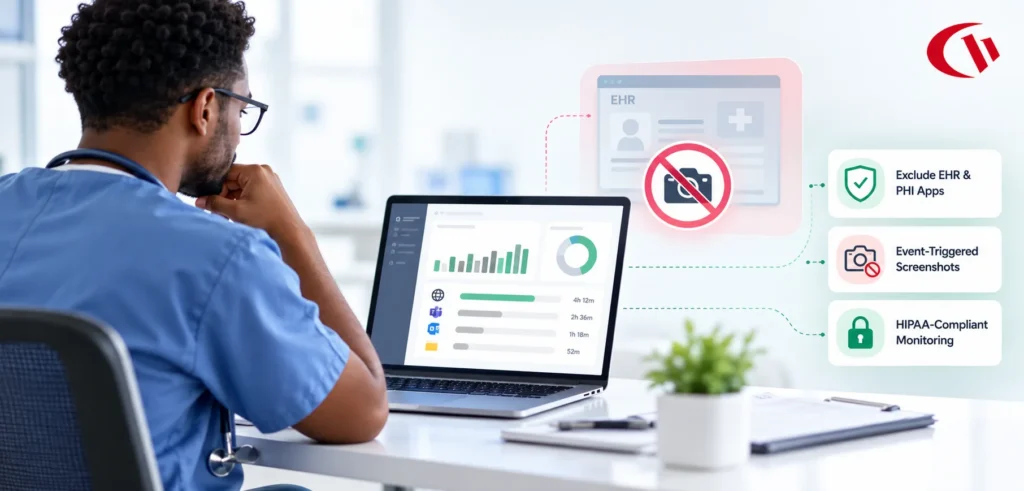
- Smart screenshot triggers that capture on defined risk events such as a blocked site attempt or USB insertion, rather than on a constant interval
- Active Directory sync for user and OU import
- Transparent or stealth agent modes depending on your disclosure policy
- Logon and logoff tracking and PC power management (enPowerManager)
Deployment and platform support:
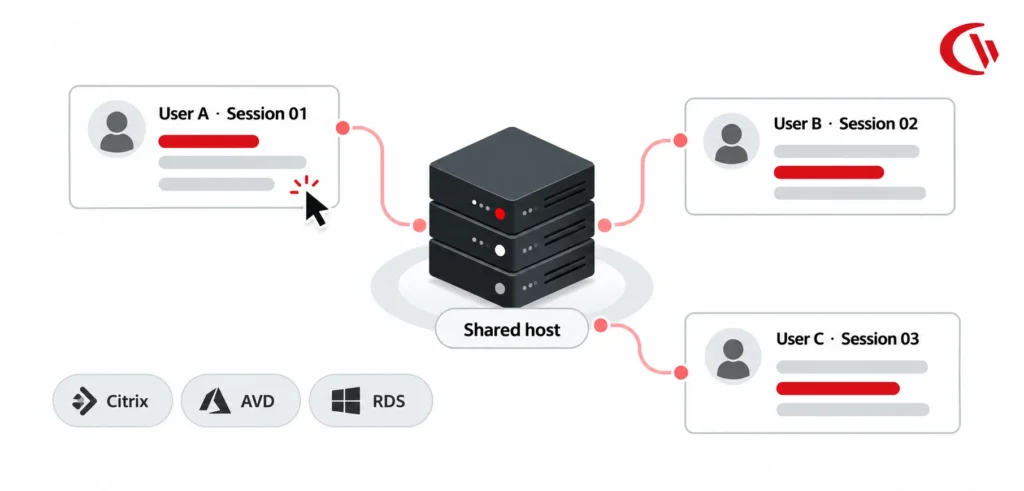
On-premises, self-hosted cloud in your own AWS or Azure tenancy, or CurrentWare-hosted cloud. Windows endpoints, Windows Server, Citrix, Terminal Server, and RDS environments. Multi-tenant administration for MSPs.
Pricing:
CurrentWare plans start at $12 per user per month, while the entire CurrentWare Suite is priced at $20 per user per month, which is where most buyers land since the modules are considerably better together.
Pros:
- Monitoring, filtering, and device control in a single platform rather than three vendors
- One of very few products in this category with genuine on-premises deployment
- Event-triggered screenshots reduce both storage costs and employee discomfort
- Perpetual licensing option for organisations that prefer capex
- Straightforward for a small IT team to deploy and administer
Cons:
- Windows-first. macOS and Linux coverage is limited compared with Teramind or Insightful
- More oriented toward control than toward polished executive analytics dashboards
- Modular pricing means the full-suite cost is higher than a basic time tracker
- Small teams that only want screenshots will be paying for capability they never enable
Who it’s for:
IT and security teams at SMBs and mid-market organisations that need enforcement alongside visibility. Regulated industries with on-premises requirements, including defence suppliers working toward CMMC, healthcare organisations under HIPAA, and financial services firms. MSPs managing monitoring across multiple client tenants.
2. Monitask: Best for simple remote team monitoring
Monitask is a deliberately small product. It installs quickly, takes screenshots at a set interval, tracks active time against projects, and produces a report. There is no policy engine, no device control, and no security layer, and the product is better for the restraint.
For a ten-person agency that needs to show a client where the hours went, this is often the right amount of software. Problems start when the same tool is asked to support a compliance requirement it was never designed for.
Key features:
- Interval-based screenshot capture
- Active and idle time tracking
- Application and website usage logs
- Project and task time allocation
- Simple timesheet and productivity reporting
Deployment and platform support:
Cloud only. Windows, macOS, and Linux desktop agents.
Pricing:
From $6.49 per user per month. Free trial available.
Pros:
- Genuinely quick to set up, often under an hour
- Affordable employee monitoring software for teams under twenty people
- Low training burden for managers
- Cross-platform desktop support
Cons:
- No web filtering, application blocking, or USB control
- Reporting depth falls off quickly above fifty users
- Cloud only, which rules out data residency requirements
- Interval screenshots are the most privacy-abrasive form of capture with the least analytical value
Who it’s for:
Small remote teams, agencies, and freelance-heavy operations that need lightweight proof of work at a low price.
Who should skip it:
Anyone with a compliance obligation, an insider risk concern, or more than a hundred endpoints.
3. Insightful: Best for workforce analytics with a self-hosted option
Insightful, formerly Workpuls, positions itself around understanding capacity rather than catching people out. Its core reporting covers utilisation, work patterns, time spent per application, and productivity trends across teams. That framing makes it noticeably easier to introduce to a workforce than a tool that leads with screenshots and keystrokes.
The differentiator against ActivTrak is deployment. Insightful offers a self-hosted option on enterprise agreements, which puts it on the shortlist for organisations that want analytics rather than enforcement but still cannot use a multi-tenant cloud.
Key features:
- Employee productivity and utilisation analytics
- Application and website time allocation
- Automatic and manual time tracking with project costing
- Screenshot capture, configurable or disabled entirely
- Idle and active time measurement
- Workforce capacity and headcount planning reports
Deployment and platform support:
Cloud, with a self-hosted option available on enterprise plans. Windows, macOS, and Linux.
Pricing:
From $8 per user per month billed annually, with tiered plans for time tracking, activity monitoring, and automatic time mapping. Enterprise and self-hosted pricing is quoted directly.
Pros:
- Analytics framing lands better with employees than surveillance framing
- Self-hosted option is rare in the analytics tier
- Strong Linux support relative to the rest of this list
- Screenshots can be switched off entirely without losing the core product
Cons:
- No USB device control or data loss prevention
- Web and application blocking is limited
- Not suitable as an insider threat or investigation platform
- Self-hosted deployment carries enterprise minimums
Who it’s for:
Operations and people teams at mid-market and enterprise companies who want to understand how work is distributed, plan capacity, and identify process friction.
Who should skip it:
Security teams building an insider threat programme. Organisations that need to block, not just observe.
4. ActivTrak: Best for productivity analytics at enterprise scale
ActivTrak is the most polished analytics product in this comparison. Its dashboards are built for executives rather than administrators, and it has invested heavily in benchmarking, focus time measurement, and healthy-workload signals such as burnout risk and after-hours activity.
It is also the clearest example of a vendor deliberately declining to build enforcement features. ActivTrak will tell you that a team spends nine hours a week on unproductive applications. It will not stop them. For a lot of buyers that boundary is the appeal, not a gap.
Key features:
- Productivity dashboards, benchmarks, and team-level trend reporting
- Application and website classification with custom productivity ratings
- Focus time, collaboration time, and after-hours activity measurement
- Burnout and workload risk indicators
- Optional screenshot capture and activity alarms
- AI tool usage reporting
- Personal insights view that lets employees see their own data
Deployment and platform support:
Cloud only. Windows, macOS, and ChromeOS.
Pricing:
A free tier exists with limited history and users. Paid plans start from around $10 per user per month billed annually, rising for the tiers that include the deeper analytics and longer data retention.
Pros:
- Best-in-class reporting and visualisation in this category
- Employee-facing personal insights help with the trust conversation
- Free tier makes evaluation genuinely low-risk
- ChromeOS support, which almost nothing else here offers
Cons:
- Cloud only, with no on-premises path at any price
- No USB control, no data loss prevention, minimal blocking
- Costs climb quickly once you need longer data retention
- Not an evidence-grade tool for investigations
Who it’s for:
Mid-market and enterprise operations, HR, and workplace strategy teams that want defensible productivity data and are not trying to enforce policy.
Who should skip it:
Regulated organisations with data residency constraints. Security teams. Anyone who needs to block a website rather than report on it.
5. Connecteam: Best for deskless and mobile workforces
Connecteam does not really belong in the same conversation as endpoint monitoring software, and that is exactly why it earns a place on the list. If your workforce does not sit at a computer, desktop activity tracking measures nothing. Connecteam replaces it with the things that actually indicate whether frontline work is happening: shift scheduling, GPS-verified clock-ins, geofenced job sites, task completion, and a communication layer.
Key features:
- Employee scheduling and shift management
- Mobile time clock with GPS location stamping and geofencing
- Task assignment and completion tracking
- Digital forms, checklists, and incident reporting
- In-app chat, announcements, and knowledge base
- Training and onboarding modules
Deployment and platform support:
Cloud only. iOS, Android, and web admin.
Pricing:
A free plan covers up to 10 users. Paid plans start from around $29 per month for the first 30 users, which makes it unusually cheap for a small frontline team and unusually structured compared with per-seat competitors.
Pros:
- Priced by bracket rather than per seat, which is a significant saving under 30 users
- Genuinely useful free tier
- Purpose-built for workers without company laptops
- Strong adoption because employees use it for scheduling and pay, not just oversight
Cons:
- No desktop activity monitoring, screenshots, or application tracking
- No security, DLP, or device control features
- GPS tracking raises its own distinct privacy questions
- Not comparable to the rest of this list on monitoring depth
Who it’s for:
Retail, hospitality, construction, field services, logistics, and healthcare operators managing shift-based staff who do not use company computers.
Who should skip it:
Any organisation whose visibility problem is knowledge workers on laptops.
6. Hubstaff: Best for time tracking tied to payroll
Hubstaff’s centre of gravity is money. Hours tracked feed timesheets, timesheets feed payroll and client invoices, and the activity data exists mainly to make those numbers defensible. For agencies, outsourcing firms, and contractor-heavy businesses, that closed loop is worth more than analytical depth.
It also carries GPS and mobile tracking, which makes it one of the few tools that covers both desk and field workers reasonably well.
Key features:
- Time tracking with automatic timesheet generation
- Payroll integration and automated contractor payments
- Client invoicing based on tracked hours
- Optional screenshots and activity rate measurement
- GPS tracking, geofences, and mobile job sites
- Project budgeting and time limit alerts
- Integrations across project management, accounting, and payroll tools
Deployment and platform support:
Cloud only. Windows, macOS, Linux, iOS, Android, and Chrome extension.
Pricing:
From around $7 per seat per month billed annually, with a two-seat minimum. Higher tiers add project budgeting, timesheet approvals, and expanded integrations. A limited free plan covers a single user.
Pros:
- The payroll and invoicing loop is the most complete on this list
- Broad platform coverage including mobile
- Large integration library
- Mature product with a long track record
Cons:
- Not a security or compliance tool in any meaningful sense
- No web filtering, application blocking, or device control
- Cloud only
- GPS and screenshot combination can feel heavy-handed to salaried staff
Who it’s for:
Agencies, consultancies, BPOs, and any business paying people by the hour across multiple locations.
Who should skip it:
Salaried knowledge-worker teams where hours are not the unit of value, and any organisation with an insider risk mandate.
7. Teramind: Best for insider threat detection and forensic depth
Teramind is the most capable and the most invasive product in this comparison. It records sessions as video, monitors email and instant messaging content, applies behavioural rules that can block an action mid-keystroke, and produces the kind of evidence trail that survives a legal proceeding. It also offers on-premises and private cloud deployment.
That power comes with obligations. Teramind deployed carelessly will damage a workplace culture faster than any other tool on this list, and it requires an administrator who genuinely understands the rule engine. It is a security product, and it should be bought by security people with a security mandate.
Key features:
- Session video recording with searchable playback
- Behavioural rule engine with real-time blocking and warnings
- Email, instant message, and file transfer content monitoring
- Data loss prevention with content classification and OCR
- Keystroke logging and clipboard monitoring
- USB and removable media control
- User risk scoring and anomaly detection
- Compliance reporting mapped to common frameworks
Deployment and platform support:
Cloud, private cloud, and on-premises. Windows, macOS, and Linux.
Pricing:
Published entry pricing starts around $14 per user per month billed annually for the monitoring tier, rising substantially for the DLP and full insider threat tiers. On-premises deployments are quoted directly and typically carry seat minimums.
Pros:
- Deepest forensic and investigative capability available
- Full cross-platform agent coverage
- On-premises and private cloud options
- Rule engine can prevent incidents rather than just record them
Cons:
- Steep learning curve and meaningful administrative overhead
- Cost escalates quickly across tiers and add-ons
- Surveillance depth is culturally corrosive if applied to a general workforce
- Considerably more than most SMBs will ever configure
Who it’s for:
Security teams running formal insider threat programmes. Financial services, defence, and regulated enterprises. Organisations conducting investigations or operating under strict audit obligations.
Who should skip it:
SMBs looking for productivity insight. Any organisation without a dedicated administrator for the platform. Trust-sensitive cultures.
8. Time Doctor: Best for attendance and proof of work in distributed teams
Time Doctor sits between a time tracker and a monitoring platform. It documents hours worked, captures optional screenshots or screencasts, nudges employees who drift onto distracting sites, and reports attendance against schedule. It is heavily used in outsourcing and BPO settings where a client is paying for verified hours and expects an audit trail.
Its distraction alerts are a genuinely different design choice: rather than blocking a site, the tool prompts the employee, which keeps the intervention between the worker and the software rather than escalating it to a manager.
Key features:
- Time tracking with attendance and schedule adherence reporting
- Optional screenshots or short screen recordings
- Website and application usage reporting
- Real-time distraction alerts to the employee
- Productivity ratings by application and site
- Payroll and client billing support
- Executive dashboards for workforce-level trends
Deployment and platform support:
Cloud only. Windows, macOS, Linux, Android, and a Chrome extension.
Pricing:
From around $6.67 per user per month billed annually on the entry plan, with higher tiers adding screen recording, executive dashboards, and integrations.
Pros:
- Well suited to hourly and outsourced workforces
- Employee-facing distraction nudges instead of manager escalation
- Solid attendance and schedule adherence reporting
- Broad platform support for a cloud-only tool
Cons:
- No enforcement, filtering, or device control
- Cloud only
- Screenshot-heavy configurations attract the usual privacy objections
- Overlaps significantly with Hubstaff, and the choice between them usually comes down to payroll integrations
Who it’s for:
BPOs, outsourcing providers, remote-first companies, and any business that must provide hours to a client.
Who should skip it:
Security-led buyers and organisations with on-premises requirements.
9. WorkTime: Best for monitoring remote employees without invading privacy
WorkTime is built around a deliberate omission. It does not take screenshots, does not log keystrokes, and does not read email or documents. It measures which applications and sites were active, for how long, and how consistently, and it stops there.
For organisations that want to monitor remote employees without invading privacy, that constraint is the entire value proposition. It is easier to defend to a works council, easier to explain to staff, and easier to align with GDPR data minimisation principles, because there is simply less personal data being collected. It also happens to be one of the few affordable tools with an on-premises edition.
Key features:
- Application and website active time measurement
- Productivity classification and trend reporting
- Idle versus active time analysis
- Attendance and login tracking
- Terminal server and Citrix support
- No screenshot capture, keystroke logging, or content inspection by design
Deployment and platform support:
Cloud and on-premises. Windows, macOS, and terminal server environments.
Pricing:
From around $6.99 per employee per month, with on-premises licensing quoted separately.
Pros:
- Lowest privacy footprint of any tool in this comparison
- On-premises option at a mid-market price
- Easy to justify under GDPR data minimisation
- Long track record in healthcare and education
Cons:
- No screenshots means no visual evidence when you need it
- No enforcement, filtering, or device control
- Reporting is functional rather than impressive
- Cannot support an investigation
Who it’s for:
Healthcare, education, non-profits, European employers subject to works council consultation, and any organisation where trust is the primary constraint on what you can deploy.
Who should skip it:
Security teams, and any organisation likely to need evidence for a disciplinary or legal process.
10. DeskTime: Best affordable employee monitoring software for small teams
DeskTime is the value option. Automatic time tracking, productivity classification of apps and URLs, idle time detection, and a Pomodoro-style break reminder, at a price that most small businesses will not think twice about. It does very little that the more expensive tools do not do better, but it does the basics reliably and cheaply.
Key features:
- Automatic time tracking with no manual start and stop
- Productive, unproductive, and neutral application classification
- Idle time detection and break reminders
- Optional screenshots
- Project time tracking and cost calculation
- Absence calendar and shift scheduling
- Team and individual productivity reports
Deployment and platform support:
Cloud, with an on-premises option available for larger deployments. Windows, macOS, Linux, iOS, and Android.
Pricing:
From around $3.50 per user per month on the entry plan, making it the cheapest paid option in this comparison. Higher tiers add project tracking, absence calendar, and integrations. A free plan covers a single user.
Pros:
- The best price on this list by a clear margin
- Automatic tracking means near-zero employee effort
- Broad platform coverage including mobile
- Simple enough that small teams actually use the reports
Cons:
- Shallow analytics compared with ActivTrak or Insightful
- No enforcement, DLP, or device control
- Limited alerting
- Scales poorly past a few hundred users
Who it’s for:
Small businesses and startups that want basic productivity visibility on a tight budget.
Who should skip it:
Anyone with a compliance requirement, a security mandate, or an enterprise-scale deployment.
11. PeopleGoal: Best for connecting visibility to performance management
PeopleGoal is a configurable performance management and employee operations platform covering goals, reviews, feedback cycles, onboarding, and engagement surveys.
It appears here because monitoring data without a performance framework tends to get misused. Activity metrics are inputs, not verdicts. PeopleGoal is the layer where those inputs get connected to objectives, conversations, and documented outcomes, which is where a monitoring programme either becomes fair or becomes a grievance.
Key features:
- Goal and OKR setting with progress tracking
- Configurable performance review cycles
- 360-degree, peer, and multi-manager feedback
- Onboarding and offboarding workflows
- Engagement surveys and pulse checks
- Custom workflow builder with no-code configuration
Deployment and platform support:
Cloud, web-based only. No desktop agent, because there is nothing to monitor.
Pricing:
From around $4 per user per month, with configuration and support tiers priced separately.
Pros:
- Highly configurable to existing performance processes
- Connects activity data to documented performance conversations
- Inexpensive relative to enterprise HR suites
- Combines performance, engagement, and development in one system
Cons:
- No activity monitoring, screenshots, or endpoint visibility whatsoever
- No security or compliance capability
- Cloud only with no on-premises option
- Requires configuration effort to get value
Who it’s for:
HR and people teams that want the management layer sitting above whatever monitoring tool they deploy.
Who should skip it:
Anyone shopping for monitoring itself. This is a complement, not a substitute.
Why Do Companies Use Employee Monitoring Software?
The honest answer to this question has less to do with control than most people assume, and more to do with replacing something that quietly disappeared.
1. Visibility that used to be free
In an office, awareness was ambient. A manager walking past a desk absorbed information without asking for it: who was stuck, who was flowing, which project had gone quiet. Nobody called it monitoring because nobody had to build it.
Distributed work removed that layer and replaced it with approximation. Status meetings, update threads, and inference. All of it costs time, and none of it scales past a certain headcount. Software to monitor remote employees is an attempt to rebuild that ambient awareness in a form that survives distance. Used well, they are not measuring effort. They are measuring distribution: where hours land, which tools consume them, and which work is quietly being neglected.
2. Risk that now sits inside the building
The perimeter stopped being the boundary some time ago. Today’s material risks look ordinary in isolation. A file copied to a personal USB drive. A customer list pasted into a consumer AI tool. A repository accessed at 2am by someone who resigned last Tuesday.
None of those events trigger a firewall. They are only visible at the endpoint, and only if something is watching. With the average cost of a data breach now measured in millions and a growing share of incidents originating internally rather than externally, endpoint visibility has moved from a nice-to-have to a control that auditors expect to find.
3. Compliance that requires proof, not assertion
Regulation has shifted from stating that controls exist to demonstrating that they operate. GDPR, HIPAA, ISO 27001, SOC 2, NIST 800-171, and CMMC all converge on the same requirement from different directions: you must be able to show who accessed what, when, and whether the access was authorised.
An organisation without continuous activity logging is not non-compliant on day one. It becomes non-compliant the moment it is asked to prove something and has to reconstruct it from memory.
4. Shadow AI, which is genuinely new
The 2026 version of this question did not exist three years ago. Employees are pasting source code, contracts, patient information, and customer data into AI tools that IT never approved and cannot see. Blocking every AI tool is neither realistic nor desirable, since a good deal of that usage is producing real value.
What organisations actually need is an inventory: which AI tools are in use, by whom, how often, and whether sensitive data is moving into them. That is a monitoring problem before it is a policy problem, and it is currently the single fastest-growing reason companies buy in this category.
5. Hybrid coordination
Finally, the mundane one. Hybrid schedules created a genuine operational question about office attendance, meeting load, and whether teams that are supposed to overlap actually do. Activity and attendance data answer that question with numbers instead of anecdote, which tends to produce shorter and less political conversations about return-to-office policy.
How to Choose Employee Monitoring Software
Whether you need employee monitoring software for small businesses, employee monitoring software for enterprise, or employee monitoring software for MSPs managing multiple clients, the right tool should fit how your team works. This is why we have created a step-by-step process to help you make the right choice.
Step 1: Start with the outcome, not the feature list
Feature matrices are useful for elimination and useless for selection. Before you look at a single product, write down the sentence that describes success. It will usually be one of four.
We need to prove hours to a client. We need to know where the workday actually goes so we can fix a process. We need to stop data walking out the door and be able to prove we tried. We need to pass an audit.
Those four outcomes point at four different products. Buying a tool that solves a different one is the most common and most expensive mistake in this category.
Step 2: Match the tool to your workforce type
Desk-based knowledge workers on company laptops are the assumed default for almost every product here, and for them endpoint monitoring works as advertised.
Deskless and field workers are not served by it at all. Activity tracking on a laptop measures nothing for a driver, a nurse on a ward, or a technician on a roof. Those workforces need scheduling, GPS-verified attendance, and task completion, which is a different category.
Contractors and outsourced teams sit in a third bucket where hours and proof of work are the deliverable, and where the tool often needs to satisfy a client rather than a manager.
Step 3: Decide your deployment requirement first
This should be question two, not question ten. If your legal, security, or procurement team will require that monitoring data stays inside your own infrastructure, roughly two-thirds of this list is already eliminated and you should not waste time on demos.
Ask specifically: does any framework we are subject to constrain where this data can live? For CMMC, NIST 800-171, ITAR, most public sector work, and a good deal of healthcare, the answer is yes, and on-premises employee monitoring becomes a hard requirement rather than a preference. Sorting this out at the start saves a procurement cycle later.
Step 4: Assess how much visibility your culture can support
Every monitoring capability has a cultural cost, and the costs are not proportional to the technical depth. Aggregate productivity reporting costs almost nothing in goodwill. Interval screenshots cost a great deal. Keystroke logging and session recording cost more still, and in some jurisdictions they trigger consultation obligations before you can even switch them on.
The useful test is whether you would be comfortable explaining the configuration to the entire workforce in a single all-hands meeting. If the answer is no, you are either buying too much surveillance or planning to deploy it dishonestly, and both of those end badly.
Step 5: Employee Monitoring Software for Canada and the UK
The shortlist changes once you cross a border. UK buyers evaluating employee monitoring software need a documented lawful basis, a DPIA for anything systematic, and usually UK or EU data residency, which removes most cloud-only vendors before the first demo. Buyers comparing employee monitoring software in Canada have the same residency question plus Ontario’s written electronic monitoring policy duty at 25 or more employees, and Quebec’s Law 25 on top of that.
Two practical filters. Ask for pricing in GBP or CAD rather than a USD list converted at checkout. Then ask where the console can be hosted. On both counts the tools with a genuine on-premises or self-hosted option — CurrentWare, Teramind and WorkTime — are the shortlist.
5 Common Mistakes to Avoid When Choosing Monitoring Software
#1 Confusing time tracking with monitoring
The single most frequent error. A team buys a time tracker because it appeared in a search for employee monitoring tools, deploys it, and discovers eight months later that it cannot answer the question that actually prompted the purchase. Time trackers substantiate hours. They do not tell you whether data left the building, and they cannot enforce a policy. If the driver behind your project came from IT or legal rather than finance, a time tracker is the wrong shelf.
#2 Buying surveillance depth you won’t use
The opposite failure. An organisation buys a forensic-grade platform because the demo was impressive, then configures roughly fifteen percent of it. What remains is an expensive licence, an administrator who does not fully understand the rule engine, and a workforce that has heard the phrase “session recording” and drawn its own conclusions.
#3 Ignoring deployment constraints until procurement
Teams routinely complete a full evaluation, select a favourite, negotiate pricing, and then discover in security review that the product is cloud-only and the data cannot leave the jurisdiction. Six weeks gone, and the shortlist has to be rebuilt from scratch. Ask about deployment, data residency, and retention in the first vendor conversation, not the last.
#4 Overlooking end-user transparency features
Whether employees can see their own data is not a soft consideration. In several jurisdictions, subject access rights mean you will eventually have to produce an individual’s monitoring records on request, and a tool with no employee-facing view turns that into a manual export exercise every time. Tools with a self-service personal insights view also make the rollout conversation dramatically easier, because “you can see exactly what we see about you” is a far stronger position than a policy document nobody reads.
#5 Choosing on features instead of outcomes
A checklist rewards the product with the most rows filled in, which is rarely the product that best solves your specific problem. The better evaluation question is not “does it support X” but “what decision will we make differently in ninety days because we have this data.” If nobody on the buying committee can answer that, the tool will be installed, ignored, and cancelled at renewal.
A Quick Glance at the Legal and Compliance Requirements for Using Employee Monitoring Software
Monitoring is legal in most jurisdictions. What varies is what you must disclose, what you must document, and how much consent you need before you switch anything on.
United States: ECPA and state notification laws
At federal level, the Electronic Communications Privacy Act generally permits employers to monitor communications on company-owned systems, primarily through its business use and consent provisions. That federal baseline is permissive, but it is not the whole picture.
States layer additional obligations on top. New York requires employers to provide written notice of electronic monitoring to employees at hiring and to post a conspicuous notice. Connecticut and Delaware have their own notice requirements. California adds privacy considerations under CCPA and CPRA, which treat employee data as personal information subject to disclosure and access rights. If you operate across multiple states, the practical approach is to build a policy that satisfies the strictest one rather than maintaining eleven versions.
Canada: PIPEDA and Ontario’s written policy requirement
Federally regulated organisations fall under PIPEDA, which requires that personal information collection be for a reasonable purpose, limited to what is necessary, and disclosed to the individual. Alberta, British Columbia, and Quebec operate substantially similar provincial statutes, with Quebec’s Law 25 being the most demanding.
Ontario is the one that catches employers out. Under the Employment Standards Act, employers with 25 or more employees must have a written policy on electronic monitoring that describes whether employees are monitored, how, in what circumstances, and for what purpose, and must distribute copies to employees. This is a documentation obligation independent of whether the monitoring itself is lawful.
UK and EU: UK GDPR and ICO guidance
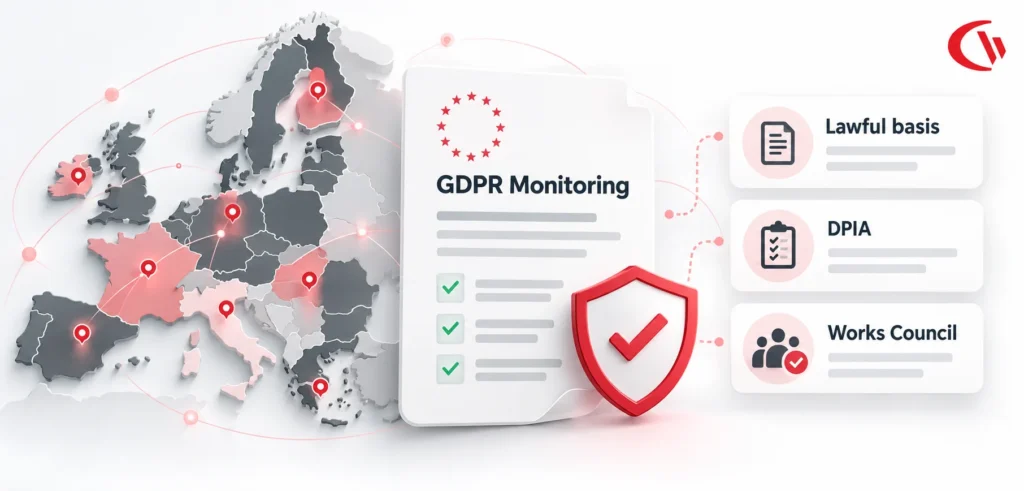
Under UK GDPR and the EU GDPR, monitoring employees is processing personal data, which means you need a lawful basis. Consent is almost never it, because the power imbalance in an employment relationship makes freely given consent difficult to establish. Most employers rely on legitimate interests, which requires a documented balancing exercise, or legal obligation where a regulator mandates the monitoring.
The ICO’s employment practices guidance on monitoring workers sets a clear expectation: be transparent, be proportionate, collect the minimum necessary, and complete a Data Protection Impact Assessment before deploying anything systematic or high-risk. In much of the EU, works council or employee representative consultation is a precondition rather than a courtesy, and skipping it can invalidate the deployment entirely regardless of how well documented it is.
Australia: state-level notice requirements
Australia handles this at state level. New South Wales, under the Workplace Surveillance Act, requires at least 14 days’ written notice before computer surveillance begins, and covert surveillance requires a magistrate’s authority. The Australian Capital Territory has comparable provisions. Other states rely on a mix of the Privacy Act and general employment law principles, which in practice still point toward advance written notice as the defensible approach.
Disclaimer: This section is general information about a fast-moving area of law, not legal advice. Employment and privacy law varies by jurisdiction and changes frequently, so confirm your specific obligations with qualified counsel before deploying.
Which Tools Support Compliance Frameworks?
Compliance support comes down to controls, audit evidence, and where data lives. CurrentWare and Teramind cover the widest range, including HIPAA, ISO 27001, and NIST 800-171 or CMMC, because both deploy on-premises. ActivTrak and Insightful support SOC 2 evidence. WorkTime suits GDPR through data minimisation. Cloud-only tools fail residency rules.
What a defensible monitoring policy needs
A defensible policy names what is collected, what is excluded, and the specific purpose behind each category. It defines scope, access permissions, and a fixed retention period with automatic deletion. It states your lawful basis, references any impact assessment, explains how employees view their own data, and records dated acknowledgements.
How to Roll Out Monitoring Without Losing Trust?
The technology is the easy part of this project. The rollout is what determines whether you end up with a useful data source or a morale problem, and the difference usually comes down to four decisions.
Step 1: Disclose before you deploy
Announce it before the agents are installed, not after someone notices a new process in Task Manager. Discovery is what turns a reasonable business measure into a betrayal, and it is almost impossible to recover from.
Explain the problem you are solving in plain terms. “We had a data incident in March and we need endpoint visibility” or “we cannot tell which software licences are actually being used and we are wasting money” both land far better than a vague appeal to productivity, because they are specific and verifiable. Give people a window to ask questions before anything goes live.
Step 2: Put the policy in writing
Verbal assurances have no shelf life. Managers change, memories diverge, and in Ontario the written policy is a statutory requirement rather than a nicety.
Write it, distribute it, collect acknowledgements, and version it. When you later change what is collected, issue an update rather than quietly expanding scope. Silent scope creep is the fastest way to lose whatever goodwill the original disclosure earned.
Step 3: Apply rules evenly
Monitoring that exempts management is not a monitoring programme. It is a signal about who is trusted, and employees read that signal accurately and immediately.
The same applies to targeting. Monitoring one team, one shift, or one individual without a documented, defensible reason invites a discrimination claim and poisons the wider rollout. If the risk genuinely is concentrated, say so explicitly in the policy and tie it to the role rather than the person.
Step 4: Give employees access to their own data
This is the highest-return move available and the one most often skipped. When people can see their own activity summary, three things happen. The tool stops feeling like a black box. Data errors get corrected by the person best placed to spot them. And subject access requests become self-service instead of a manual export every time.
It also changes the framing at the individual level. An employee who can see their own focus time has been given a tool. An employee who cannot see it has been given a supervisor they cannot see.
Step 5: Get the policy right before you deploy
A monitoring programme is only as defensible as the document behind it. Download CurrentWare’s free workplace monitoring policy template, covering disclosure, scope, retention, and employee acknowledgement, and adapt it to your jurisdiction.
Conclusion
There is no best employee monitoring software in the abstract. The best employee monitoring solutions are simply the ones that match your outcome, workforce, and deployment constraints. Proof of hours needs a time tracker. Understanding organisational time needs analytics. Protecting data or passing an audit needs visibility and enforcement together, which is where CurrentWare sits. Policy discipline decides the rest.
Frequently asked
Frequently Asked Questions:
-
Employee monitoring software records & analyzes how employees use company devices, applications, networks, and data, then reports that activity to a central console. Depending on the product, it can track websites and applications, block them, measure active versus idle time, capture screenshots, log file transfers, and enforce policies such as web filtering or USB blocking. The purpose ranges from productivity insight to insider threat detection to compliance evidence, and the right configuration depends entirely on which of those you are actually trying to achieve.
-
In most jurisdictions, yes, provided you monitor company-owned systems, disclose it, and keep it proportionate. The requirements vary considerably. The US permits it broadly at federal level under ECPA, but states like New York require written notice. Ontario requires a written electronic monitoring policy for employers with 25 or more employees.
Under UK and EU GDPR you need a documented lawful basis and, for anything systematic, a Data Protection Impact Assessment. New South Wales requires 14 days’ written notice. Covert monitoring is far more restricted everywhere and generally needs specific legal justification. Confirm your obligations with counsel before deploying.
-
It depends on which problem you have. For small businesses that need visibility plus the ability to block risky websites and lock down USB ports without buying three products, CurrentWare is the strongest fit, and its modular pricing means you can start with one module.
For teams that only need screenshots and proof of work, Monitask and DeskTime are cheaper and simpler. For small businesses that want productivity insight without the surveillance overtones, ActivTrak’s free tier is a low-risk starting point. Employee monitoring software for small businesses should be judged on how quickly one person can deploy and administer it, not on feature count.
-
There are free tiers, but no serious free products. ActivTrak offers a free plan with a limited user count and short data retention. Connecteam’s free tier covers up to 10 users. DeskTime and Hubstaff have free single-user plans that are really evaluation tools.
Open-source options exist but require substantial setup and carry no compliance assurances or support. For anything beyond a handful of users, free tiers tend to run out at exactly the point the data becomes useful. Most vendors, including CurrentWare, offer a full-featured trial instead, which is a better way to evaluate.
-
Detecting it is usually straightforward, and in most jurisdictions employees are entitled to know about it anyway. Disabling it is a different matter. Enterprise-grade agents run as protected services with tamper protection, require administrator credentials to remove, and generate an alert when someone attempts it.
Consumer-grade or free tools are considerably easier to kill from Task Manager. If tamper resistance matters to your use case, ask vendors specifically about uninstall protection, service restart behaviour, and whether removal attempts are logged and alerted.
-
Coverage is uneven and worth verifying before you commit. Teramind, Insightful, Hubstaff, Time Doctor, DeskTime, and Monitask all offer macOS and Linux agents to varying degrees. ActivTrak covers Windows, macOS, and ChromeOS.
CurrentWare and WorkTime are Windows-focused, with WorkTime adding macOS. Feature parity across platforms is rarely complete even when an agent exists, so if your Mac or Linux population is significant, ask for a written breakdown of which features work on which operating system rather than accepting a yes.
-
Partly, and the distinction matters. Most agents cache activity data locally when the endpoint goes offline and sync when connectivity returns, so a laptop on a plane still records. What differs is where the server lives.
Cloud-only tools need internet connectivity for the console and for sync, which makes them unworkable in air-gapped or isolated networks. On-premises deployments such as CurrentWare, Teramind, and WorkTime can run entirely within a private network with no external connectivity at all, which is precisely why they appear in defence, manufacturing, and government environments.
-
The cost of employee monitoring software across this comparison runs from roughly $3.50 to $14 per user per month billed annually, with most tools landing between $6 and $12. The cheapest employee monitoring software here is DeskTime at around $3.50. Time Doctor, Monitask, Hubstaff, and WorkTime cluster around $6.50 to $7. Insightful starts near $8, ActivTrak near $10, CurrentWare starts from $12, and Teramind from around $14. Connecteam prices by user bracket rather than per seat, starting near $29 per month.
Those numbers are the beginning of the employee monitoring software price comparison, not the end of it. Watch for seat minimums, annual versus monthly billing differences, data retention limits that force a tier upgrade, and add-on modules. On-premises deployments also carry infrastructure cost, though perpetual licensing can make them cheaper than SaaS over three to five years. Always price the configuration you will actually run, not the entry tier.
-
From this shortlist: CurrentWare (on-premises, self-hosted cloud in your own tenancy, or vendor-hosted), Teramind (on-premises and private cloud), and WorkTime (on-premises edition). Insightful offers self-hosted deployment on enterprise agreements, and DeskTime offers an on-premises option for larger deployments, though both should be confirmed directly.
ActivTrak, Monitask, Hubstaff, Time Doctor, Connecteam, and PeopleGoal are cloud-only with no on-premises path. If a compliance framework requires that data stay inside your infrastructure, that list of three is effectively your shortlist.
-
Increasingly, yes, but the depth varies enormously and this is the fastest-moving part of the category. Almost every tool here can report that time was spent on an AI domain, because that is just website tracking. Far fewer can do the things that actually matter: discover which AI tools are in use across the organisation without IT approval, distinguish sanctioned from unsanctioned usage, alert when sensitive data is pasted into an AI tool, and block specific AI services by policy.
CurrentWare and Teramind currently offer the most complete shadow AI capability on this list. If AI governance is driving your purchase, ask vendors to demonstrate discovery and data-movement alerting specifically rather than accepting a domain report.
-
It depends on the product tier and, more importantly, on what you configure. Cloud tools typically tie retention to your plan, often 30 days on entry tiers extending to a year or more on higher ones, which is a common hidden upgrade trigger. On-premises deployments store data on your own infrastructure, so retention is limited only by disk space and your own policy.
-
Mostly. “Employee tracking software”, “staff tracking software” and “workforce monitoring software” all describe tools that record how work time is spent on company computers. Tracking tools lean towards time and attendance; monitoring tools add web, app and file-activity reports.
-
For small teams, pick a tool with per-seat pricing, a free trial and a transparent mode employees can see. Larger teams should compare deployment (on-premises or cloud) and reporting depth.
Still have questions?
Talk to a CurrentWare specialist who has deployed monitoring at 200+ law firms.