
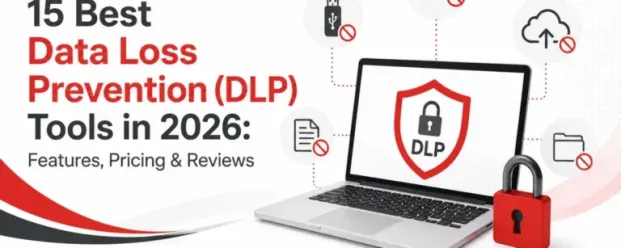

An employee copies a client list quietly to a USB drive, uploads a spreadsheet to a personal cloud account, or another pastes source code into an AI tool.
Such unauthorized data movement has made data loss prevention software a boardroom concern. The best data loss prevention software in 2026 helps security, IT, compliance, and operations teams understand where the data lives, how it moves, and when a normal workflow begins to look like risk.
Data loss prevention, or DLP, is a category of security software that helps organizations detect and monitor the movement of company data. Gartner defines DLP as a technical control used to prevent data loss, support privacy compliance, reduce unintended disclosure, minimize insider risk, and protect sensitive data at rest and in motion.
According to IBM’s Cost of a Data Breach Report 2025, the global average cost of a data breach is now $4.4 million. For security, IT, and compliance leaders, DLP is no longer just about stopping files from leaving the business. It is about reducing the financial, legal, and operational fallout of sensitive data exposure.
This guide compares 15 of the best data loss prevention tools in 2026, including features, pricing signals, deployment options, reviews, and ideal use cases.
How We Picked the Best DLP Tools
We evaluated each DLP tool based on practical buying criteria. The strongest data loss prevention software had to offer a meaningful mix of endpoint visibility, policy enforcement, sensitive data detection, reporting, compliance support, and deployment flexibility. We also looked at whether the tool is realistic for the buyer it claims to serve. We considered:
1. Deployment options: on-prem, cloud, and hybrid
Some organizations need cloud-first DLP. Others need on-premises control for regulatory, operational, or data residency reasons.
2. Endpoint DLP coverage: Windows, Mac, and Linux
Endpoint DLP matters because employees still work from laptops and desktops. Strong endpoint data loss prevention software should monitor risky activity on user devices, including file transfers, USB activity, uploads, printing, and local file movement.
3. USB and removable media control
USB drives remain one of the simplest ways to remove data from a business. Tools with strong device control can block, allow, monitor, encrypt, or or audit removable media activity. See our comparison of USB blocking software.
4. Content inspection: OCR, fingerprinting, ML, and classification
Better DLP tools can identify sensitive content using pattern matching, exact data matching, document fingerprinting, optical character recognition, machine learning, and contextual classification. This matters because sensitive data is not always neatly labeled.
5. Alerting and reporting depth
A DLP alert is only useful if the team can understand what happened and act quickly. We looked for tools that offer clear reporting, escalation workflows, policy violation history, user context, and audit-friendly evidence.
6. Compliance support
Many buyers need DLP for HIPAA, PCI DSS, GDPR, SOC 2, CCPA, FINRA, or internal governance. The best DLP software should help enforce policies, prove controls, and document incidents.
7. Pricing transparency and total cost of ownership
Some tools publish pricing. Many enterprise DLP vendors do not. We considered not only starting price but also likely implementation effort, policy tuning, administrator burden, integrations, and hidden add-on costs.
What Are the Best DLP Solutions in 2026?
Pricing and ratings checked October 2026; confirm on each vendor’s site.
| Tool Name | Best for | Deployment | Starting price | Free trial | Review rating |
|---|---|---|---|---|---|
| CurrentWare | Endpoint DLP, USB control, workforce visibility, and SMB/mid-market teams | Cloud or on-prem | Starts at $12 /user/month for DLP | 14-day free trial | 4.8/5 |
| Microsoft Purview DLP | Microsoft 365-centric organizations | Cloud / Microsoft ecosystem | Included in some Microsoft licensing; pay-as-you-go options available | Depends on Microsoft plan | G2 listing available |
| Symantec DLP | Large enterprises with complex environments | On-prem, cloud, hybrid | Quote-based | Contact vendor | 4.4/5 on G2 |
| Forcepoint DLP | Insider risk and behavioral analytics | Cloud, on-prem, hybrid | Quote-based | Trial listed on some review sites | 4.3/5 on G2 comparison listings |
| Proofpoint Enterprise DLP | Email-heavy organizations | Cloud / enterprise security stack | Quote-based | Contact vendor | G2 listing available |
| Trellix DLP | XDR-integrated security stacks | Cloud / endpoint / enterprise | Quote-based | Not always available | Capterra lists 4.3/5 |
| Netskope One DLP | SASE and cloud-first companies | Cloud-native | Capterra lists $20/user/month | Free trial listed | 4.4/5 on G2 comparison listings |
| Zscaler DLP | Zero Trust web and SaaS traffic inspection | Cloud-native | Quote/bundle-based | Contact vendor | G2 listing available |
| Cyberhaven | Data lineage and IP protection | Cloud / endpoint / enterprise | Quote-based | Contact vendor | G2 listing available |
| Fortra Digital Guardian | Endpoint-focused IP protection | SaaS / on-prem options | Quote-based packages | Contact vendor | G2 listing available |
| Nightfall AI | SaaS-native DLP and AI classification | Cloud-native | SoftwareAdvice lists from $4/month; official pricing is quote/value-based | Free trial/free version listed | 4.8/5 seller rating on G2 |
| Code42 Incydr / Mimecast | Insider risk and exfiltration | SaaS | Quote-based | Contact vendor | Review listings available |
| Netwrix Endpoint Protector | Multi-OS device control | Cloud / on-prem | Quote-based | Free trial listed | G2 comparison listing available |
| DTEX InTERCEPT | Behavioral DLP with employee privacy | Cloud / enterprise | Quote-based | Contact vendor | Gartner Peer Insights lists 4.5/5 |
| Safetica | SMB and mid-market DLP with European compliance needs | Cloud / on-prem | Quote-based | Demo/trial options vary | 4.8/5 shown in G2 comparisons |
Common Use Cases for DLP Tools
Common DLP use cases include preventing employees from copying confidential files to USB drives, blocking sensitive data from being emailed outside the company, monitoring uploads to personal cloud storage, detecting source code exfiltration, protecting patient or payment data, enforcing acceptable use policies, and producing audit evidence for compliance.
For remote and hybrid teams, DLP tools are especially useful because data no longer sits inside one office network. Employees work from home, use personal Wi-Fi, collaborate across SaaS apps, and move between company-approved and unsanctioned tools throughout the day.
For compliance teams, DLP helps show that the organization has controls in place to protect regulated data such as PHI, PII, cardholder data, financial records, intellectual property, customer contracts, and employee records.
DLP vs. Other Data Security Solutions
1. DLP vs. DSPM
Data Security Posture Management, or DSPM, helps organizations discover where sensitive data exists, who has access to it, and whether it is exposed or misconfigured. DLP focuses more on controlling data movement and preventing risky transfer, sharing, copying, or exfiltration.
A simple way to think about it: DSPM asks, “Where is our sensitive data and is it exposed?” DLP asks, “How is this data moving, and should we stop it?”
2. DLP vs. SIEM
A SIEM collects and correlates security logs across systems. It is built for detection, investigation, and security operations. DLP is built to detect and prevent sensitive data movement.
DLP can feed alerts into a SIEM, but a SIEM does not usually replace DLP. If an employee copies confidential files to a USB drive or uploads a spreadsheet to a personal account, DLP is the control that can monitor, block, or alert on the action.
3. DLP vs. CSPM
Cloud Security Posture Management, or CSPM, focuses on cloud infrastructure misconfigurations. It helps identify issues such as open storage buckets, weak IAM permissions, exposed workloads, and risky cloud settings. DLP focuses on sensitive data itself and how it moves across endpoints, email, web, cloud apps, and removable media.
15 Best Data Loss Prevention Software in 2026
1. CurrentWare
Best for: Endpoint DLP, USB control, workforce visibility, and SMB to mid-market organizations that need practical control without enterprise complexity.
CurrentWare is a strong choice for organizations that want DLP controls tied closely to endpoint visibility, employee activity monitoring, web filtering, USB control, and productivity analytics. Instead of positioning DLP as a huge, months-long security transformation, CurrentWare makes it more operational, see what users are doing, control risky behavior, restrict data movement, and produce reports when needed.
Its endpoint DLP software, AccessPatrol, covers USB and peripheral device control, file transfer tracking, web and application monitoring, screenshots, activity reports, and policy enforcement across users, groups, and devices. This makes it especially useful for businesses that need to stop data leakage through endpoints, removable media, unauthorized websites, and everyday employee workflows.
CurrentWare is also attractive because its pricing is more transparent than many enterprise DLP software vendors. Its DLP page lists pricing from $12 /user/month with a 14-day free trial.
Why it stands out: It gives IT teams endpoint DLP, monitoring, web filtering, and device control in one manageable platform.
Potential limitation: It is best suited for endpoint-led DLP and workforce visibility. Large enterprises that need content inspection across every SaaS app may pair it with a cloud DLP tool.
Start protecting sensitive data at the endpoint level with CurrentWare DLP.
2. Microsoft Purview DLP
Best for: Microsoft 365-centric organizations.
Microsoft Purview DLP is often the first DLP tool organizations consider if they already live inside Microsoft 365. It helps protect sensitive information across services such as Exchange, SharePoint, OneDrive, Teams, and endpoint environments, depending on licensing and configuration. Microsoft says Purview offers data security tied to user-based protections, with pay-as-you-go pricing.
Why it stands out: It is deeply integrated into Microsoft 365.
Potential limitation: It may not be enough on its own for organizations with diverse endpoints, non-Microsoft SaaS, advanced insider risk needs, or heavy USB/device control requirements.
3. Symantec DLP by Broadcom
Best for: Large enterprises with complex environments.
Symantec DLP is built for organizations that need broad coverage across endpoints, networks, storage, cloud, and compliance-heavy environments. Broadcom positions Symantec DLP as a solution for reducing breach and compliance risk. G2 lists Symantec Data Loss Prevention at 4.4/5 with 149 reviews, while Gartner Peer Insights lists a 4.5 rating from 350 reviews.
Why it stands out: It is mature, enterprise grade, and built for sophisticated DLP programs.
Potential limitation: It can require significant planning, tuning, and administrative expertise. Smaller teams may find it too heavy.
4. Forcepoint DLP
Best for: Insider risk and behavioral analytics.
Forcepoint DLP combines data protection with behavioral context. It is designed to prevent data loss across endpoints, cloud applications, web, email, and AI-driven workflows through unified policy management and centralized control.
Forcepoint’s own pricing page directs buyers to request customized pricing for cloud and on-premises DLP. Capterra lists Forcepoint DLP as contact-vendor pricing and notes free trial availability.
Why it stands out: It brings together DLP, behavioral analytics, and enterprise policy enforcement.
Potential limitation: Like many enterprise DLP tools, it may require meaningful implementation effort.
5. Proofpoint Enterprise DLP
Best for: Email-heavy organizations.
Proofpoint Enterprise DLP is a good fit for organizations where email remains the highest risk channel for sensitive data exposure. Proofpoint’s strength has long been human centric security, email security, and threat context, and its DLP product builds on that foundation.
G2 reviewers describe Proofpoint Enterprise DLP as useful for preventing unauthorized exposure of sensitive information and resolving issues around users sending sensitive data without encryption. Some reviews also mention a learning curve and the need for skilled security teams.
Why it stands out: Strong fit for organizations that want DLP tied to people and email.
Potential limitation: It may be less appealing for buyers whose main need is simple USB control or lightweight endpoint enforcement.
6. Trellix DLP
Best for: XDR-integrated security stacks.
Trellix DLP is designed for organizations that want data protection connected to a larger security architecture. Trellix says its DLP provides discovery, classification, policy deployment, real-time response, user coaching, and reporting from “keyboard to cloud.”
Capterra lists Trellix Data Loss Prevention Endpoint at 4.3/5, with contact-vendor pricing and no free trial listed. G2’s review summary says users praise its ease of use and comprehensive data protection, while some note that initial setup can be complex.
Why it stands out: Good fit for organizations already invested in Trellix or enterprise security operations.
Potential limitation: Setup and administration may be more than smaller businesses want to take on.
7. Netskope One DLP
Best for: SASE and cloud-first companies.
Netskope One DLP is built for a world where users access cloud apps, websites, private apps, and AI tools from anywhere. Netskope describes its platform as providing real-time data and threat protection across cloud services, websites, AI, and private apps. It also notes that the Netskope One Client provides a single point of control for web, cloud, private apps, endpoint DLP, endpoint SD-WAN, and user coaching.
Capterra lists Netskope Active Platform pricing from $20/user/month with a free trial available. Microsoft’s G2 comparison snippet lists Netskope One Platform at 4.4/5 with 74 reviews.
Why it stands out: Strong for cloud-first companies that want DLP inside a broader SASE/SSE strategy.
Potential limitation: It may be more platform than necessary for companies primarily looking for endpoint or USB DLP.
8. Zscaler DLP
Best for: Zero Trust web and SaaS traffic inspection.
Zscaler DLP is built into the Zscaler cloud security ecosystem. It focuses on protecting sensitive data and intellectual property across web, SaaS, cloud, and Zero Trust access patterns.
Zscaler says its DLP helps protect PII, financial data, PHI, and intellectual property, while supporting real-time reporting and compliance. Its pricing page presents subscription-based platform bundles rather than simple public per-user DLP pricing.
Why it stands out: Excellent fit for organizations standardizing around Zero Trust, secure web gateway, and cloud-delivered security.
Potential limitation: Buyers looking for a standalone DLP tool may find Zscaler more useful as part of a broader security transformation.
9. Cyberhaven
Best for: Data lineage tracking and IP protection.
Cyberhaven is one of the more modern names in DLP because it focuses heavily on data lineage. Instead of only scanning content, it tracks where data came from, where it moved, and how it changed.
Cyberhaven says its modern DLP is built around data lineage to reduce false positives and protect sensitive data that content inspection alone may miss. In 2026, Cyberhaven announced general availability of its Unified AI & Data Security Platform, combining DSPM, DLP, insider risk management, and AI security in a single architecture.
Why it stands out: Strong for companies protecting source code, intellectual property, product plans, customer data, and AI-era workflows.
Potential limitation: Pricing is quote-based, and advanced data lineage may be more than some small teams need.
10. Fortra Digital Guardian
Best for: Endpoint-focused IP protection.
Fortra Digital Guardian is designed for organizations that need strong endpoint data protection, especially around intellectual property, regulated data, and insider risk.
Fortra’s pricing page says it offers 3 DLP packages with foundational endpoint and cloud capabilities and additional protection in higher tiers. G2 reviews mention that the product helps protect customer PII, payment data, internal data, and operational information, though some users note reporting speed and cost concerns.
Why it stands out: Strong endpoint DLP heritage and IP protection focus.
Potential limitation: It may be expensive or resource-intensive for smaller organizations.
11. Nightfall AI
Best for: SaaS-native DLP and AI classification.
Nightfall AI is built for cloud and SaaS environments. It focuses on discovering, classifying, and protecting sensitive data across modern applications using machine learning.
SoftwareAdvice describes Nightfall DLP as cloud-based software for discovering, managing, classifying, and protecting sensitive data using machine learning technology. G2 seller data lists Nightfall AI at 4.6 stars from 98 verified reviews, and reviewers often praise its integrations across tools such as Slack, Google Drive, GitHub, and Gmail.
Why it stands out: Strong for SaaS-first organizations that want fast integrations and AI-based sensitive data detection.
Potential limitation: It is not the natural first choice if your biggest risk is endpoint USB transfer or offline device control.
12. Code42 Incydr / Mimecast
Best for: Insider risk and data exfiltration.
Code42 Incydr, now part of Mimecast, focuses on insider risk and data exfiltration. It is designed to help organizations detect and respond when employees move sensitive files to risky destinations.
Mimecast describes Incydr as a solution to protect critical data from exposure, loss, leak, and theft while accelerating incident response. TrustRadius describes Incydr as a SaaS insider threat detection and response solution acquired by Mimecast from Code42, with file activity monitoring for Mac, Windows, and Linux and integrations with corporate cloud resources and cloud email suites.
Why it stands out: Good for detecting insider-driven exfiltration without blocking legitimate collaboration too aggressively.
Potential limitation: It is more insider-risk oriented than traditional rule-heavy DLP.
13. Netwrix Endpoint Protector
Best for: Multi-OS device control.
Netwrix Endpoint Protector is a strong option for organizations that need endpoint DLP and device control across Windows, macOS, and Linux.
Endpoint Protector’s site positions it as advanced multi-OS DLP for discovering, monitoring, and protecting sensitive data, with support for Mac, Windows, and Linux. Capterra describes it as a tool for stopping data leaks and data theft, with control over portable storage devices and content filtering for data at rest and in motion, including PCI DSS, HIPAA, GDPR, and CCPA use cases.
Why it stands out: Strong device control and multi-OS endpoint coverage.
Potential limitation: Organizations with heavy SaaS and cloud-native workflows may need additional cloud DLP coverage.
14. DTEX InTERCEPT
Best for: Behavioral DLP with employee privacy.
DTEX InTERCEPT focuses on insider risk, user behavior, and privacy-conscious monitoring. It is a strong fit for organizations that need to detect risky behavior without creating a surveillance-heavy culture.
Gartner Peer Insights lists DTEX Platform at 4.5/5 from 49 ratings.
Why it stands out: Strong behavioral context and privacy-aware insider risk positioning.
Potential limitation: It may not be the simplest fit for teams that just need direct endpoint controls and straightforward policy enforcement.
15. Safetica
Best for: SMB and mid-market companies with European compliance needs.
Safetica is a practical DLP and insider risk platform for organizations that want data protection, device control, cloud protection, and compliance support without going straight to the heaviest enterprise vendors.
Safetica positions itself around insider threat protection, data loss protection, regulatory compliance, cloud data protection, Microsoft 365 security, device control, data discovery, and user activity auditing. G2 comparison snippets show Safetica at 4.8/5 with 201 reviews, and Safetica reported that it earned 45 G2 badges in Winter 2026 across DLP, UEBA, and insider threat management.
Why it stands out: Good balance of DLP, insider risk, and compliance for mid-market organizations.
Potential limitation: Very large enterprises with complex global DLP programs may prefer heavier platforms such as Symantec, Forcepoint, or Microsoft-plus-specialist combinations.
How to Choose the Right DLP Tool for Your Business
The right DLP tool is not the one with the longest feature list. It is the one that fits your data, your team, your risks, and your ability to actually manage the system.
1. Where does your data live?
If your sensitive data mostly lives on endpoints, file shares, and removable devices, prioritize endpoint data loss prevention software like CurrentWare, Netwrix Endpoint Protector, Fortra Digital Guardian, or Trellix.
If your sensitive data lives across SaaS apps, cloud storage, email, and AI tools, look at Microsoft Purview, Netskope, Nightfall AI, Zscaler, Cyberhaven, or CurrentWare.
2. Validate deployment constraints
Before buying, decide whether you need cloud, on-premises, or hybrid deployment. Healthcare, finance, government, and regulated industries may have stricter requirements around data residency, logs, retention, and administrative access.
3. How big is your team and IT bench?
A 100 person company with 1 IT manager should not buy a platform that requires a dedicated DLP engineering team. Smaller teams should prioritize ease of deployment, transparent pricing, clear reports, and manageable policies.
Larger enterprises can justify heavier tools if they have the security maturity to tune policies, investigate alerts, and integrate with SIEM, SOAR, IAM, and compliance workflows.
4. What compliance frameworks do you need to meet?
For HIPAA, look for PHI detection, access controls, USB restrictions, audit logs, and incident reporting. For PCI DSS, prioritize cardholder data detection and transfer controls. For GDPR, look for data minimization, access governance, retention support, and audit evidence. For SOC 2, reporting, policy enforcement, and proof of controls matter.
Best Endpoint DLP Software”: For endpoint DLP software, CurrentWare (AccessPatrol), Netwrix Endpoint Protector, Fortra Digital Guardian and Trellix lead: they control USB, file transfer, printing and uploads on the device, on or off the network.
Best DLP for Small Businesses
For small businesses, CurrentWare, Safetica, Nightfall AI, and Netwrix Endpoint Protector are more realistic than heavy enterprise platforms. CurrentWare is especially strong when a small business needs endpoint visibility, USB control, web activity reporting, and data protection in one tool.
Best DLP for Enterprise
For enterprises, Symantec DLP, Forcepoint DLP, Microsoft Purview, Trellix, Netskope, Zscaler, Cyberhaven and CurrentWare are the stronger contenders. The right choice depends on whether the enterprise is endpoint-heavy, Microsoft-heavy, cloud-first, or focused on intellectual property protection.
Best DLP for Remote and Hybrid Teams
For remote and hybrid teams, CurrentWare, Microsoft Purview, and Cyberhaven are strong options. CurrentWare is useful for endpoint visibility and removable media control, while Netskope and Zscaler are stronger for cloud and web traffic inspection.
Best DLP for Healthcare and HIPAA
Healthcare organizations should look at CurrentWare, Microsoft Purview, Symantec DLP and Trellix. The priority should be PHI protection, audit logs, access control, endpoint policy enforcement, and reporting that helps demonstrate HIPAA-aligned safeguards.
Best DLP for Organizations on Microsoft 365
Microsoft Purview is the natural starting point for Microsoft 365 organizations. However, many companies may still need complementary tools such as CurrentWare for endpoint and USB visibility, Proofpoint for email-heavy environments, or Nightfall AI for SaaS-native detection beyond the Microsoft estate.
Ready to reduce insider threats and control sensitive data movement across endpoints?
What Is the Future of DLP?
Traditional DLP often asked a blunt question: “Does this file contain sensitive data?” Modern DLP asks better questions: Who is moving the file? Where did it come from? Is this normal for this user? Is the user resigning? Is the data being pasted into an AI tool? Is this a legitimate workflow or a quiet exfiltration attempt?
Gartner’s 2025 Market Guide says DLP is a mature market, but modern organizations are exploring solutions that go beyond traditional DLP and focus on user-centric, adaptive, risk-based data security techniques.
The biggest shifts are already visible. DLP is moving closer to insider risk management. It is no longer enough to know that a file was moved. Security teams want to know whether the movement was normal, negligent, malicious, or compromised.
DLP is moving into SaaS and AI workflows. Sensitive data is now pasted into copilots, uploaded to cloud apps, shared through collaboration platforms, and processed by AI agents. Tools that cannot see these workflows will miss modern risk.
DLP is becoming more adaptive. Instead of blocking everything and frustrating users, better DLP tools will coach users, escalate based on risk, and apply controls based on behavior, data sensitivity, and business context. DLP is becoming part of a larger data security architecture. DSPM, CASB, SSE, SIEM, insider risk, endpoint security, and identity tools will increasingly work together.
Conclusion
The best data loss prevention software in 2026 depends on what you are trying to protect. If your biggest concern is endpoint data movement, USB transfers, employee activity, and practical policy enforcement, CurrentWare deserves serious consideration. If you live almost entirely in Microsoft 365, Microsoft Purview is the obvious place to start.
Choose the platform by data flow. Choose it by risk. Choose it by the team that must manage it on a Monday morning when an alert comes in and someone has to decide whether it is harmless, careless, or catastrophic.
Frequently asked
Frequently Asked Questions:
-
Data loss prevention software helps organizations detect, monitor, and control sensitive data movement. It can prevent confidential files, customer data, financial records, source code, patient data, and intellectual property from being copied, emailed, uploaded, printed, or transferred in risky ways.
-
DLP software pricing varies widely. SMB-friendly tools may start from a few dollars per user per month, while enterprise DLP platforms are often quote-based. CurrentWare lists DLP pricing from $12 /user/month with a 14-day free trial. Many enterprise vendors, including Forcepoint, Symantec, Proofpoint, and Cyberhaven, usually require custom pricing.
-
The main types of DLP are endpoint DLP, network DLP, cloud DLP, email DLP, and storage DLP. Endpoint DLP protects user devices. Network DLP monitors data in motion. Cloud DLP protects SaaS and cloud apps. Email DLP prevents sensitive data from being sent externally. Storage DLP finds and protects data at rest.
-
Endpoint DLP monitors and controls data activity on user devices such as laptops and desktops. It can track USB transfers, file movement, printing, uploads, and application activity. Network DLP monitors sensitive data moving across the network, such as email traffic, web uploads, and file transfers.
-
Microsoft 365 DLP may be enough for organizations whose sensitive data mostly lives inside Microsoft services. It may not be enough if you need deeper USB control, non-Microsoft SaaS coverage, advanced endpoint monitoring, or insider risk context across multiple platforms.
-
For HIPAA, GDPR, and PCI DSS, look for DLP tools that support sensitive data detection, endpoint controls, audit logs, policy enforcement, reporting, and incident review. CurrentWare, Microsoft Purview, Symantec DLP, Forcepoint, Trellix, Netwrix Endpoint Protector, and Safetica are all relevant options depending on company size, deployment needs, and compliance maturity.
-
Implementation can take anywhere from a few days to several months. Lightweight endpoint or SaaS DLP tools can be deployed quickly. Enterprise DLP projects may require data discovery, policy design, testing, tuning, integrations, user training, and phased rollout.
-
Yes, in many cases. Antivirus and EDR protect against malware, compromise, and endpoint threats. DLP protects sensitive data from accidental exposure, misuse, and exfiltration. They solve different problems and are often used together.
-
DLP software can help prevent insider threats by detecting and blocking risky data movement. It can flag unusual downloads, USB transfers, personal email forwarding, cloud uploads, and suspicious file activity. For stronger insider risk programs, look for tools with behavioral analytics, user context, and investigation workflows.
-
CurrentWare, Safetica, Netwrix Endpoint Protector, and Nightfall AI are strong options for small and mid-sized businesses. CurrentWare is especially practical for businesses that need endpoint DLP, USB control, employee activity visibility, and reporting without enterprise-level complexity.
Still have questions?
Talk to a CurrentWare specialist who has deployed monitoring at 200+ law firms.


