
Monitor bandwidth usage per computer
BrowseReporter is a valuable bandwidth monitoring tool for Windows endpoints.
Bandwidth usage data is presented in intuitive real-time reports and dashboards, allowing admins to detect bandwidth hogs and optimize network performance with ease—even on Terminal Server and Remote Desktop Services!
*No credit card required · 14-day free trial · Easy setup
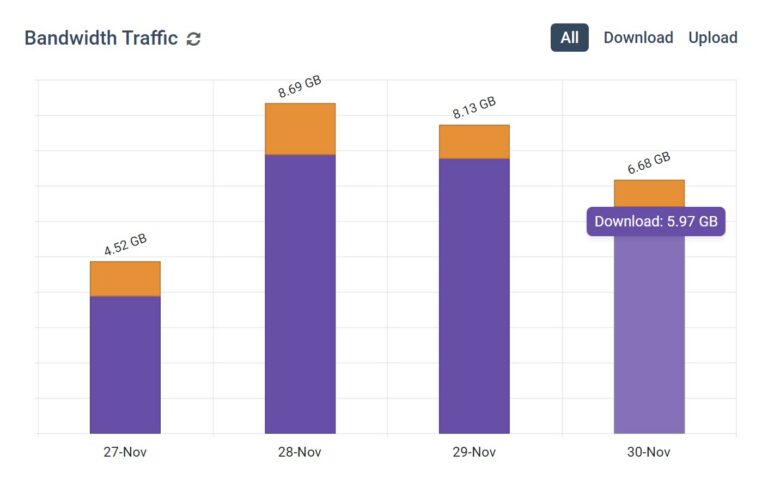







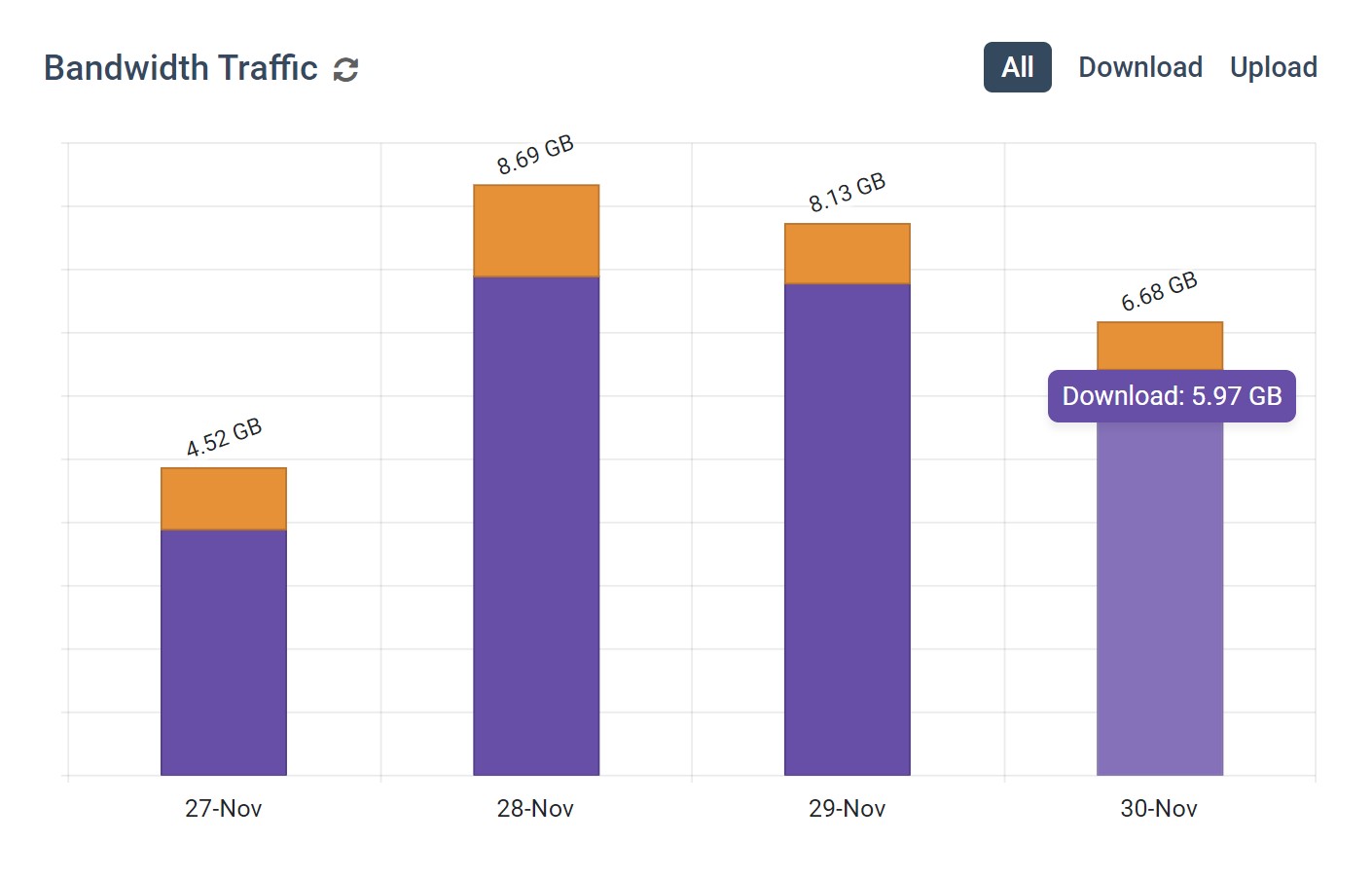
BrowseReporter’s PC Bandwidth Usage Reports & Dashboards
Bandwidth Usage Summaries
- Review data sent and received each day for groups & individuals
- Identify abnormal spikes or dips in expected bandwidth usag
- Discover who is responsible for the greatest bandwidth usage
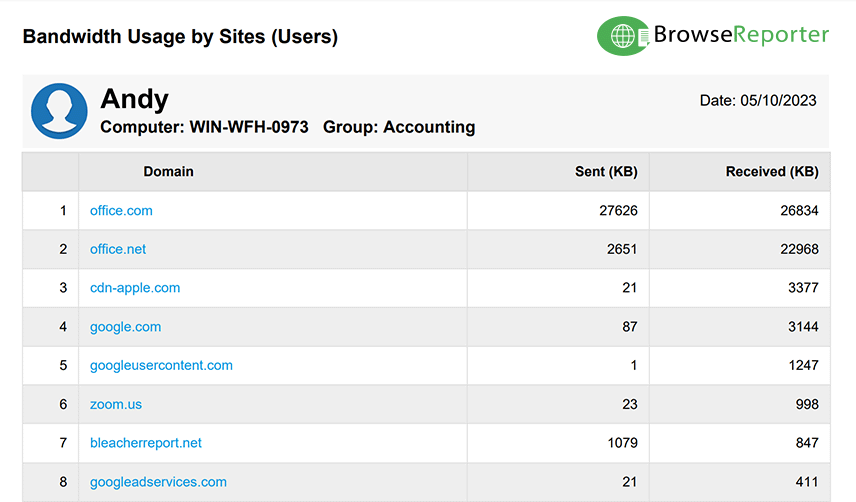
Monitor Bandwidth Usage by Website
- Track websites that may need to be blocked to reduce latency
- Identify the websites that demand the most bandwidth
- Track websites that may need to be blocked to reduce latency
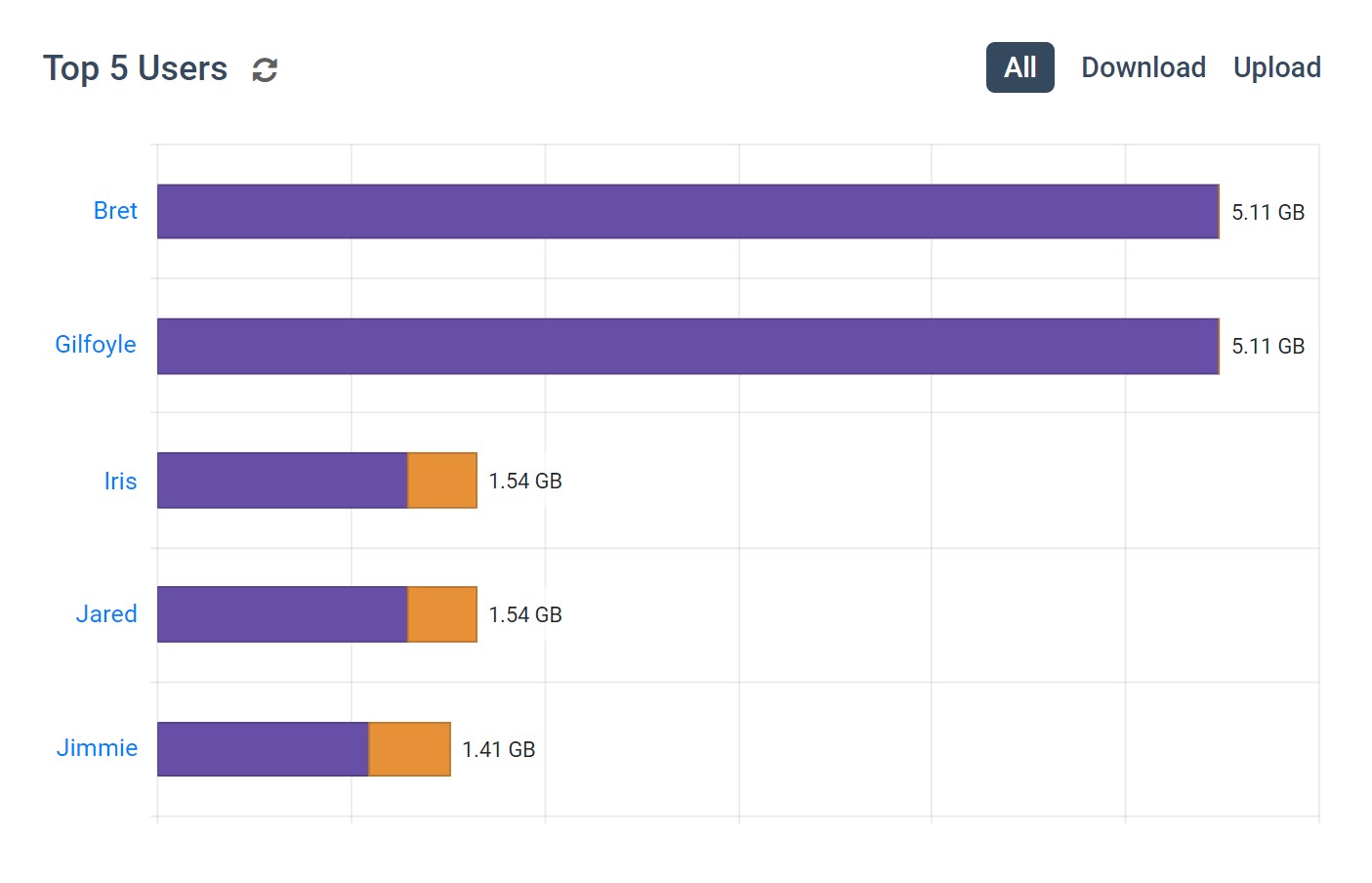
Top Users & Groups by Bandwidth Usage
- Discover which users and departments require the most bandwidth
- Get early warning signs of anomalous bandwidth usage
- Easily discover who is responsible for bandwidth abuse in your network
Try BrowseReporter for Free
Fully functional. Easy to use. $12 USD user/month*. For on-prem pricing, contact Sales
Why Use Bandwidth Monitoring Software?
Bandwidth monitoring tools are critical for diagnosing network latency, identifying employees that are hogging bandwidth, and determining whether or not costly network upgrades are necessary.
Problems Caused by Bandwidth Abuse:
- Lost VoIP/video conferencing connections.
- Lost productivity from high network latency.
- Limitations to business processes due to reduced reliability of internet connectivity.
- Network crashes from excessive overloading.
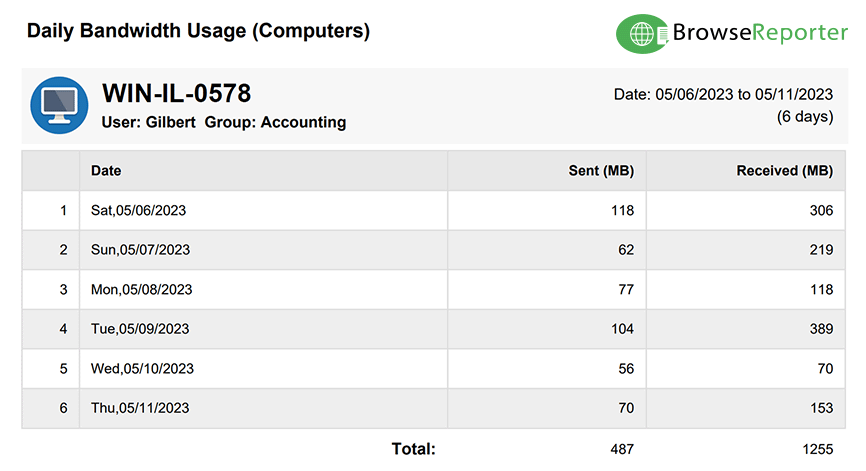
How To Check Bandwidth Usage Per Computer
With BrowseReporter’s client installed on each endpoint, network administrators can easily check bandwidth usage for each user, device, and workgroup in the organization.
- By User: Track the amount of bandwidth sent and received by each user to discover who is using the most bandwidth.
- By Computer: BrowseReporter allows you to check bandwidth usage per computer, allowing you to identify computers that may be infected with viruses.
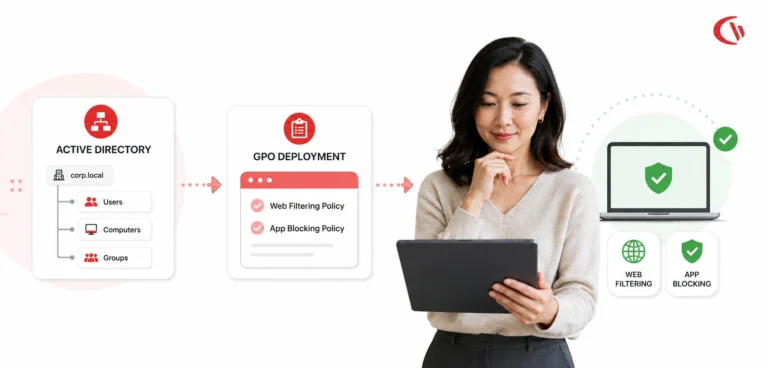
- By Group: Users can be sorted into groups such as departments, workgroups, and other organizational units. CurrentWare supports Active Directory for easy group management.
Try BrowseReporter for Free
Fully functional. Easy to use. $12 USD user/month*. For on-prem pricing, contact Sales
Real-Time Employee and Computer Monitoring Features
Monitor Computer Activity
Get real-time insights into your users’ technology use
Screenshot Monitoring
Take automatic screenshots or remotely view desktops
Track App Use
Get insights into software usage trends in your organization
Idle Time Tracking
Track mouse and keyboard movement to monitor inactivity
Email Reports & Alerts
Automatically send reports to designated inboxes based on events or schedules
Tracking Scheduler
Limit activity tracking to specific days and schedules such as employee work hours
Employee Privacy
Optional privacy-enhancing features improve transparency and minimize data collection
Stealth Mode Option
The software can run silently in the background or be configured to alert users
Central Web Console
Save time with a central admin console; optionally integrate Active Directory OUs or security groups
Platform Security
Protect your CurrentWare console with 2FA, passwords, privilege management, and more
Software License Optimization
Optimise your organisation’s software spending with insights about associated costs and usage.
SQL Server Supported
Database scaled for enterprise and large business operations using Microsoft SQL Server
Solutions That Work Across Industries
Tailored controls that help you meet industry standards, boost efficiency, and protect sensitive data across remote and in-office teams.
Healthcare
HIPAA-ready controls to protect PHI with USB management and insider-threat visibility.
Government
Cybersecurity and policy enforcement aligned to NIST 800-171 and CMMC.
Legal Services
Keep client data protected, billable hours productive, and software costs in check.
Manufacturing
Productivity monitoring and internet visibility for both the shop floor and back office.
Financial Services
Enforce access policies and protect sensitive financial data with audit-ready trails.
Schools & Libraries
CIPA-compliant web filtering to qualify for E-Rate and keep students safe online.
Small Business Employee Productivity
Track unproductive web browsing and idle time to detect time-wasting
Built to Support Your Compliance Program
Discover how organizations use CurrentWare to improve visibility, strengthen compliance efforts, and manage employee activity more effectively.
-
CMMC Compliance →

CMMC
Endpoint Restriction to Protect CUI & FCI
-
NIST 800-171 Compliance →

NIST 800-171/53
Protect Controlled Unclassified Information
-
ISO 27001 Compliance →

ISO 27001
Increase the Maturity of Your ISO27K ISMS
-
HIPAA Compliance →

HIPAA
HIPAA protects sensitive patient data
-
Cyber Essentials Compliance →

Cyber Essentials
Critical Security Controls For Your Assessment
-
GDPR Compliance →

GDPR
EU’s data protection and privacy law
-
NERC CIP Compliance →

NERC CIP
Protect TCAs & BCSI From Insider Threats
-
CIPA Compliance for Education →

CIPA for Education
Qualify for the FCC’s E-Rate Program
Pick & Plug Into Your Existing Stack
CurrentWare works alongside the identity, security, and directory tools you already use, including support for SAML, OIDC, and CEF standards. Cloud connectors are on the way.
- Tested & supported
- Generic standards (SAML, OIDC, CEF)
- On the roadmap (Cloud)










Keep reading
Articles
-
Employee Monitoring
Best Web Filtering Application Blocking Software
The control of web access and the execution of applications are fundamental components of cybersecurity, data loss prevention (DLP), and…
-
Employee Monitoring
Employee Monitoring Software for Small Teams
Visibility for smaller businesses can be complicated. A team manager might want to know how their employees spend the workday,…
-
Employee Monitoring
Remote Desktop Citrix VDI Monitoring Software
What if your remote desktop environment gave you a window into how work is being done and who is doing…
-
-
Employee Monitoring
how To Track AI Usage With Employee Monitoring Software
Why AI Usage Monitoring Is Now Mission-Critical AI tools are now part of daily work for most teams. People use…
-
Cyber security
Shadow AI Security Risks Governance
You locked down USB ports. You deployed web filtering. You trained your users on phishing. Then someone on the finance…



Try BrowseReporter for Free
Fully functional. Easy to use. $12 USD user/month*. For on-prem pricing, contact Sales