
Employee monitoring software built for visibility, not surveillance
Currentware shows you exactly how work time is spent across apps, sites, and devices, without turning your workplace into a surveillance state.
- Transparent by default.
- Audit-ready when it matters.
*No credit card required · 14-day free trial
· For on-prem pricing, Contact Sales


4.8/5 avg. | Trusted by 100,000+ professionals in 55 countries.










Why teams switch to Currentware
To know where time goes.
See which apps drive output and where hours are lost, across every team and location, in real time.
To get full visibility, with zero guesswork.
Monitor activity across apps, sites, and devices in office, remote, or hybrid.
It is built with compliance teams in mind.
Device control, policy enforcement, and audit-ready reporting, without needing a dedicated security team.
Results that survive scrutiny in a QBR deck
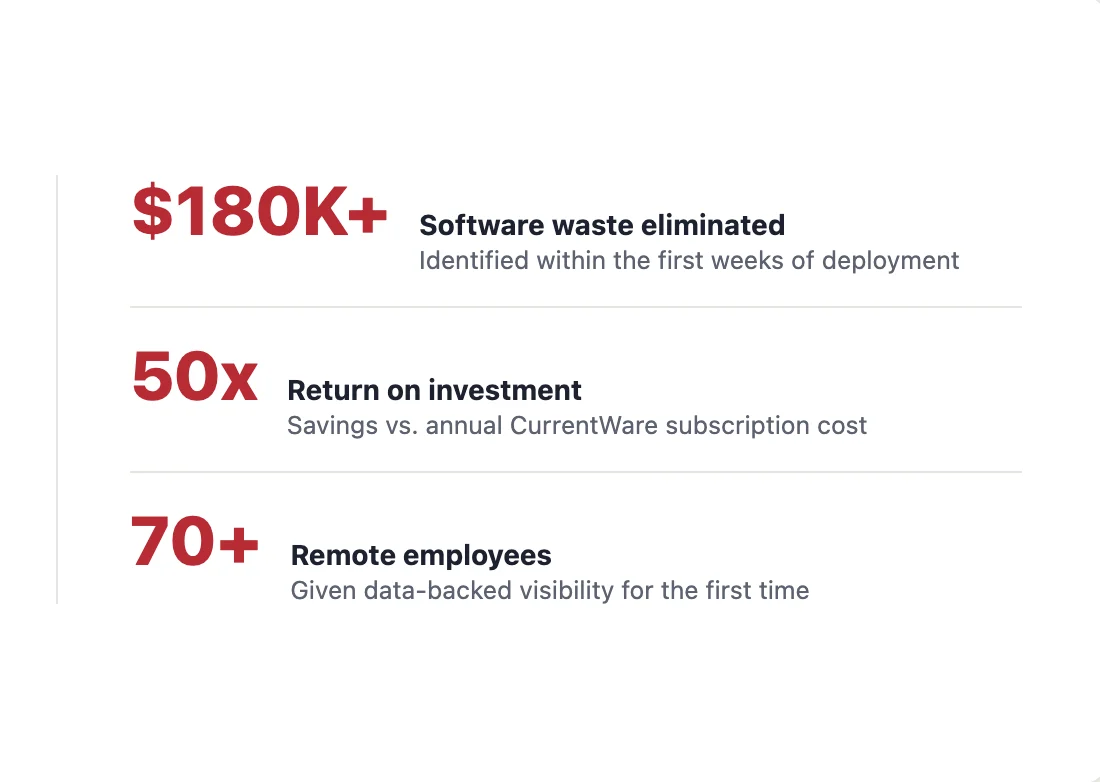
$180K
In software waste surfaced by a single 70-person customer in their first quarter.
50X
Return on Currentware investment for the same agency, without breaking team culture.
48%
Average reduction in unused SaaS licenses, measured across customers after 90 days.
Built around one question: how is the time being spent?
Currentware classifies every minute of activity as productive, neutral, or unproductive, by user, team, and role. Surface coaching opportunities before they become performance problems, and report ROI to leadership with numbers that hold up under scrutiny.
One console. Every signal that matters.
Application use, website activity, and active-vs-idle time, aggregated into a single view searchable by user, team, app, URL, or alert type.
Live in the cloud in minutes. On-premises on your terms.
Start monitoring today with the cloud console — no server to stand up, trial included. Or deploy fully on-premises via Group Policy, MDM, or manual install when your data can’t leave your network. Same features, same console, your choice.
01 Choose cloud or on-prem
Cloud: sign up and your console is live in minutes. On-prem: install inside your network — nothing leaves your jurisdiction.
02 Deploy agents
Push via GPO or MDM. Anti-tamper protections on every endpoint. BYOD supported.
03 Configure & report
Set policies per role, schedule reports, and connect your SIEM.
· No credit card required · 14-day cloud free trial
Two complementary layers of monitoring
Workforce Productivity & Behavior Analytics
- Role-based classification different signals for different jobs
- Active vs. idle time meaningful presence, not login duration
- Team benchmarking
Activity & Application Tracking
- Application and website tracking with category tags
- Bandwidth use by user
One platform, four ways teams put it to work
IT & Security
- Real-time alerting on insider-risk patterns
- SIEM-ready exports, REST API, scheduled reports
HR & People Ops
- Productive vs. unproductive time by role and shift
- Coaching insights, not just surveillance logs
Operations
- Capacity-planning data exports, by team and shift
- Early warning on burnout and overload patterns
Compliance & Audit
- Logging designed to support HIPAA, PCI-DSS, GDPR, and SOX requirements
- Tamper-evident audit trails
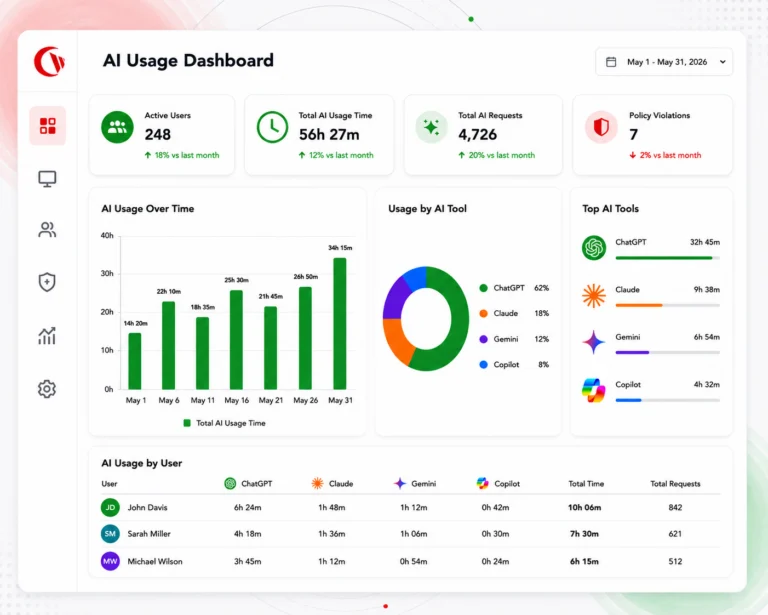
See how your team is actually using AI
ChatGPT, Copilot, Gemini, Claude these tools are now woven into every workday. Currentware shows you which AI tools are in use, by whom, and flags risky data flows before they become a leak headline.
- Monitor AI tool sessions across SaaS and desktop apps
- Detect sensitive data heading into public AI endpoints
- Enforce policy without blocking productive AI use
Monitoring only works when employees know how it works
Transparent by design
Visible, configurable disclosure messages employees always know monitoring is active and what it covers.
Role-based access
Granular permissions on who sees what. HR sees productivity. IT sees activity events. Nobody sees more than their policy allows.
Data residency you control
Run fully on-premise inside your network, or in cloud regions of your choice. Your monitoring data never has to leave your jurisdiction.
Retention & deletion
Configure automatic purging schedules, honor data subject requests, and hold logs only as long as policy requires.
See What Our customers Have to Say
-
★★★★★
“CurrentWare is a gamechanger! We use it nearly every day to get insights into things like software adoption rates, employee productivity, and proof of work for our clients.”

-
★★★★★
“My main reasons for choosing CurrentWare was the very fair cost per user and overall solid product that gave more options with a lower price tag, high accuracy, and solid customer support. CurrentWare has a long history of being there. Whenever we need something, I can call you guys up and you’re there. You go above and beyond in helping.”

-
★★★★★
“We realized we’d been deploying applications to everyone, even when they didn’t need them. With Cost Insights, we saw who hadn’t touched a tool in months and saved over $10,000 just by right-sizing our licenses.”

Real customer results
Flying blind on remote productivity is expensive. CurrentWare fixed that.
“Everybody’s the busiest person in our office when you ask them, but it doesn’t look like they’re busy. There was no true way to manage the team without data.“
Director of Operations
US-based independent insurance agency, 70+ employees
- Uncovered $180K/yr in unused software licenses
- Avoided an unnecessary hire with real capacity data
- Light-touch monitoring, not surveillance, culture intact
From install to first insight, in three steps
Currentware deploys via Group Policy, MDM, or manual install pick what fits your environment.
BEFORE YOU TALK TO SALES
Questions IT and HR leaders ask first
-
In most jurisdictions, yes provided it’s disclosed. Update your acceptable-use policy to state what’s monitored and why, configure the platform to capture only what that policy specifies, restrict who can see individual-level data, and build reports around business questions rather than raw surveillance. Covert monitoring carries real legal risk under GDPR and in several US states.
-
Yes. The agent reports whether a device is on-network, on VPN, or fully remote, and all productivity features work the same across all three. MDM deployment supports BYOD.
-
Both modes exist. Transparent deployment of visible notifications and employee-facing dashboards is the default recommendation for most organizations. A lower-profile mode is available for sanctioned investigations, typically with legal sign-off.