

Employee monitoring software – see productivity, protect data, respect privacy
- Gain full visibility into employee productivity, without keystroke logging or screen recording.
- Prevent data loss with built-in USB and data transfer control.
- Stay compliant with audit ready logs – control web activity, app usage and file transfers.
*No credit card required · 14-day free trial
· For on-prem pricing, Contact Sales


4.8/5 | Trusted by 100,000+ professionals.





Employee monitoring software with real-time visibility
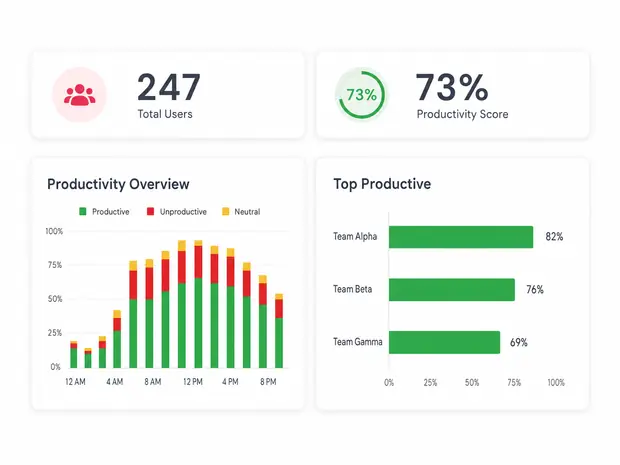
WORKFORCE PRODUCTIVITY ANALYTICS
Monitor employee computer activity in real time
- Active vs idle time by role, not just login duration
- Objective activity data for fair, documented performance reviews
- Team benchmarking across departments and shifts
- Role based classification, different signals for different jobs
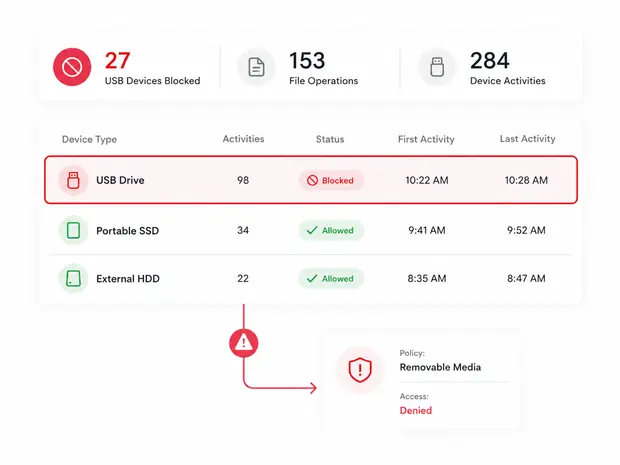
USB & DEVICE CONTROL
Block unauthorized USB and data transfers
- Real time alerts and logs for every removable media event
- Avoid breach and IP theft costs before they hit the balance sheet
- Approve or deny device access requests as they happen
- Track file copy, create, delete, and rename events on removable media
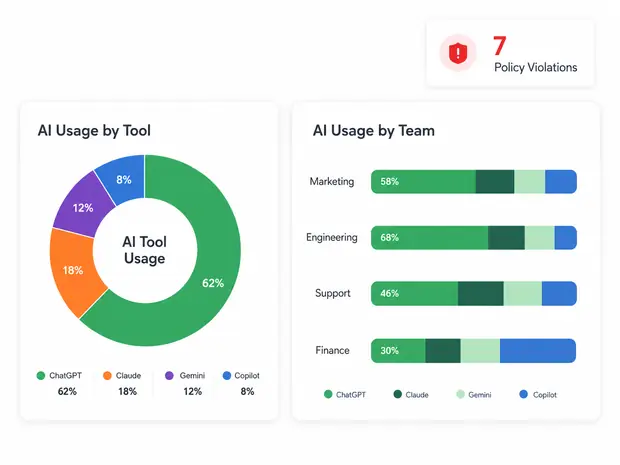
AI USAGE & APP GOVERNANCE
Block ChatGPT and other AI tools by policy
- Allow approved apps only, block everything else by default
- Catch sensitive data before it leaks into public AI tools
- Detect shadow AI tools nobody approved
- Blocked list overrides allowed list for precise control
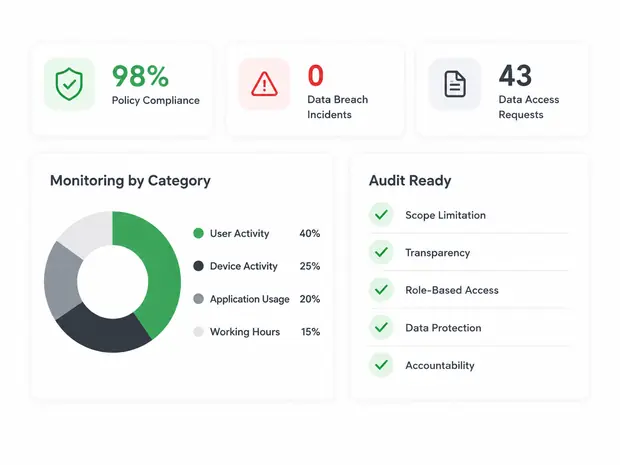
COMPLIANCE & RISK MANAGEMENT
Audit ready for HIPAA, GDPR, and SOC 2
- On premise or self managed cloud, your data stays where you put it
- Per user pricing from $12, no enterprise quote required
- Role based access so managers only see their own team
- Retained activity logs for regulator and auditor requests
One employee monitoring platform, four teams that use it every day
IT, HR, Operations, and Compliance each leverage employee monitoring software deployment to solve different problems.
IT & Security
- Real-time alerting on insider-risk patterns
- SIEM-ready exports, REST API, scheduled reports
HR & People Ops
- Productive vs unproductive time by role and shift
- Coaching insights — not just surveillance
Operations
- Real-time alerting on insider-risk patterns
- Capacity-planning data exports
Compliance & Audit
- HIPAA, PCI-DSS, GDPR, SOX-ready logging
- Tamper-evident audit trails
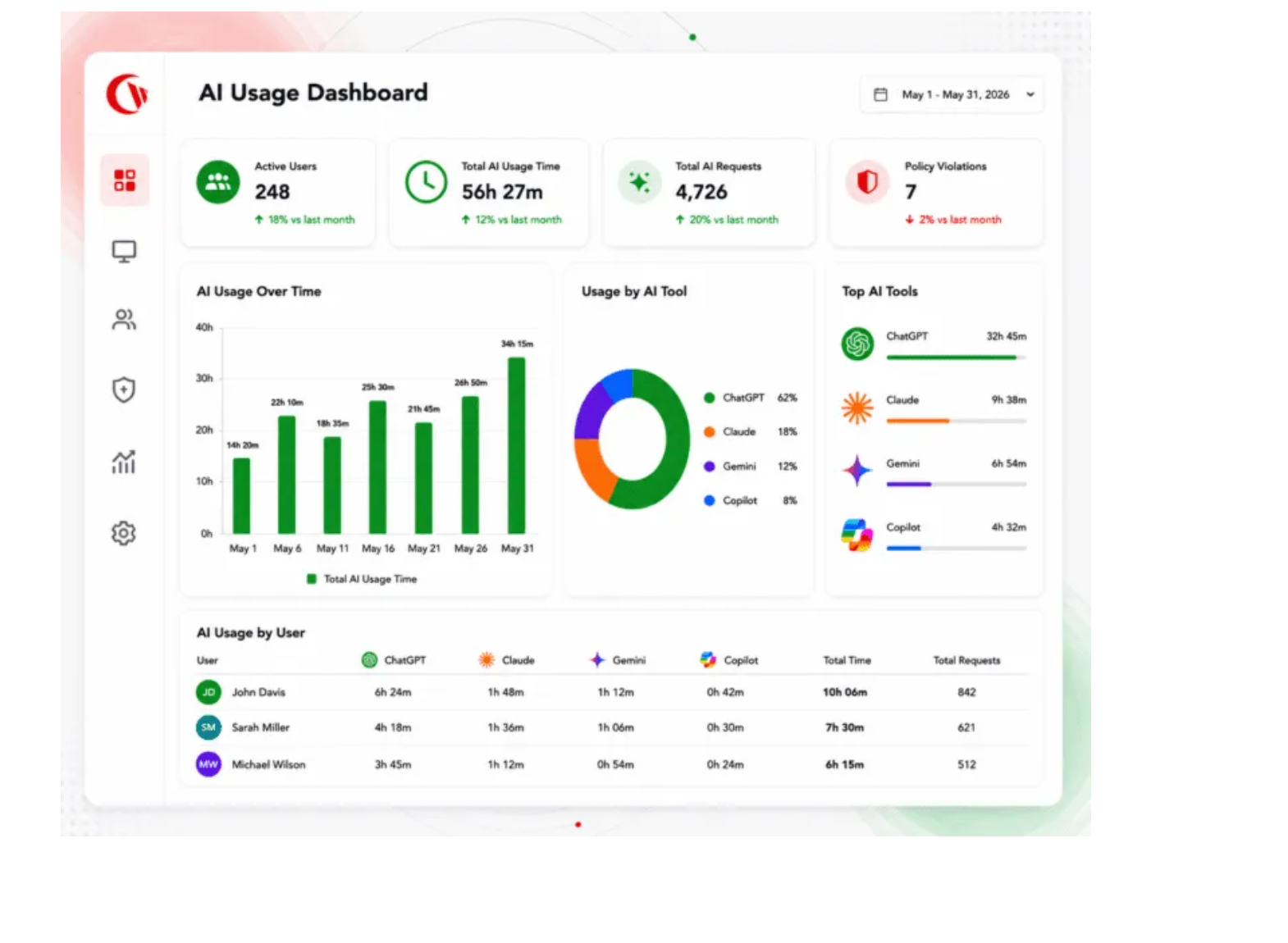
See how your team is actually using AI.
AI tools like ChatGPT, Copilot, Gemini, and Claud are now woven into every workday. Currentware’s employee monitoring software shows you which AI tools are in use, by whom, and flags risky data flows before they become a leak headline.
- Gauge the gap in productivity before & after AI Usage
- Monitor AI tool sessions across SaaS and desktop
- Detect sensitive data heading into public AI endpoints
- Implement AI usage policy without blocking productive AI use
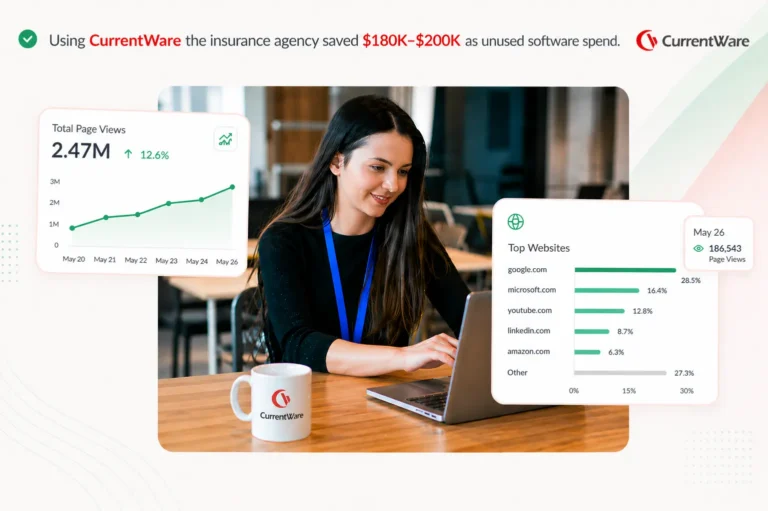
They were paying $180,000 a year for software nobody opened.
A US insurance agency deployed our employee monitoring software to answer a simple question: what is our remote team actually working in?
The first app-usage report surfaced an annual license with effectively no users, worth more than 50× what the platform costs. Within the same month, a planned support hire was called off.
Built to Support Your Compliance Program
Discover how organizations use CurrentWare’s employee monitoring software to improve visibility, strengthen compliance efforts, and manage employee activity more effectively.
-
CMMC Compliance →
CMMC
Endpoint Restriction to Protect CUI & FCI
-
NIST 800-171 Compliance →
NIST 800-171/53
Protect Controlled Unclassified Information
-
ISO 27001 Compliance →

ISO 27001
Increase the Maturity of Your ISO27K ISMS
-
HIPAA Compliance →

HIPAA
HIPAA protects sensitive patient data
-
Cyber Essentials Compliance →
Cyber Essentials
Critical Security Controls For Your Assessment
-
GDPR Compliance →

GDPR
EU’s data protection and privacy law
-
NERC CIP Compliance →

NERC CIP
Protect TCAs & BCSI From Insider Threats
-
CIPA Compliance for Education →

CIPA for Education
Qualify for the FCC’s E-Rate Program
What Customers Say About Our Employee Monitoring Software
-
★★★★★
“CurrentWare is a gamechanger! We use it nearly every day to get insights into things like software adoption rates, employee productivity, and proof of work for our clients. “

-
★★★★★
“My main reasons for choosing CurrentWare was the very fair cost per user and overall solid product that gave more options with a lower price tag, high accuracy, and solid customer support. CurrentWare has a long history of being there. Whenever we need something, I can call you guys up and you're there. You go above and beyond in helping. “

-
★★★★★
“BrowseReporter gave us the visibility we needed to stop shadow IT and stay compliant—without eroding trust.We’re a small company that wears a lot of hats. Before CurrentWare, we didn’t have a clear way to see where burnout was happening or where inefficiencies lived. “

CurrentWare pays for itself in software savings before headcount ever enters the equation.
Frequently Asked Questions
-
The most effective use of employee computer monitoring software rests on four steps: disclose, configure, restrict, and review.
- Disclose: Update your acceptable use policy and employment agreements to state what is monitored, why, and how the data is used. Covert monitoring is legally risky in most jurisdictions, including the EU under GDPR and several US states.
- Configure: Deploy a transparent employee monitoring platform like CurrentWare to capture only what your policy specifies, applications, web activity, and idle time.
- Restrict: Use role based access so only authorized reviewers, typically IT security and designated HR, can see employee level data. Set retention windows and automatic deletion.
- Review: Build reports around the business question (productivity, attendance, coaching), not raw surveillance. Aggregate before going granular. Investigate exceptions, not everyone.
-
Yes. The agent reports whether the endpoint is on-network, off-network via VPN, or fully remote. All activity and productivity features work the same. MDM deployment supports BYOD.
-
The differences buyers cite when comparing software for monitoring employees: (1) role-aware productivity classification instead of generic active/idle scores; (2) full on-premise deployment for organizations that can’t or won’t send activity data to a vendor cloud; (3) transparent monitoring controls employees can see, which most surveillance-first tools quietly skip; (4) pricing that doesn’t escalate as you add reports. We’re a strong fit for IT-led mid-market buyers. Less of a fit if you only want lightweight time-tracking with no policy enforcement.
-
Both modes are supported. We recommend transparent deployment for most organizations: visible notifications, branded tray, and employee-facing dashboards. A lower-profile mode is available for sanctioned investigations — typically with legal sign-off.
-
Configurable per policy. Common signals: applications used, websites visited, active vs idle time, and bandwidth use per user. You decide what’s captured, for how long, and who can review it.
-
The agent runs as a protected service with anti-tamper protections. Local admin escalation, service termination, and uninstall attempts are blocked and logged.
-
Per-employee pricing with volume discounts at mid-market scale. Most 100–1,000-seat customers land between the cost of one full-time analyst and a single security incident. Book a 20-minute scoping call for a quote tied to your environment.
-
Windows 10/11 and Windows Server are fully supported. macOS support is available for core activity monitoring. Linux endpoint support is on the roadmap — let us know if it’s a deal-breaker.