
Boost Productivity & Secure Your Small Business Workforce
- Improve Productivity
Track unproductive web browsing and idle time to detect time-wasting - Save Time With Intuitive Reports
User-friendly reports make it easy to understand employee computer activity - Enhance Visibility
See how your employees spend their time—even on Terminal Server and Remote Desktop Services!

 4.8/5 avg.
Trusted by 100,000+ professionals in 55 countries.
*No credit card required · 14-day free trial · Easy setup



Over 700 leading government agencies, healthcare organizations, and professional services firms already use CurrentWare.







Advantageous Pricing for Small Companies
Bundled Solutions
Get solo modules or get the full suite for the best value
Prepay Discounts
Get advantageous pricing with a multi-year plan
Volume Licensing
Volume-based discounts start with as little as 100 licenses
Nonprofit Discount
Nonprofit & educational organizations get 10% off
Employee Productivity Software Improves Cost Efficiency
From a single machine you can manage all of your employees and monitor for the abuse of unproductive websites and applications, prevent employees from spending their working hours playing games and browsing social media, and take back control over how employees use their workstations during work hours.
Flexible Policies—Onsite & Offsite
Granular configurations based on devices, users, workgroups, and Organizational Units (OU) from Active Directory can be used for both in-house and remote workers.
With CurrentWare, small businesses can establish bespoke security and internet access policies that protect the data in their custody while mitigating the temptation to access distracting websites wherever their employees work.
Monitor User Computer Activity
64% of workers in a survey by Salary.com admitted to using their workplace internet connections for non-work reasons on a daily basis.
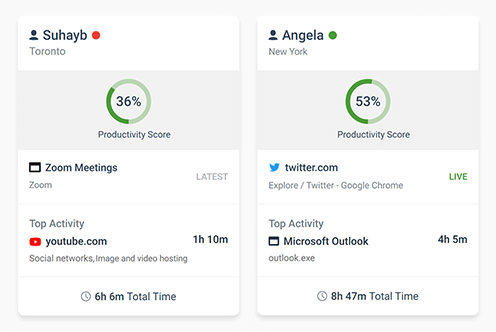
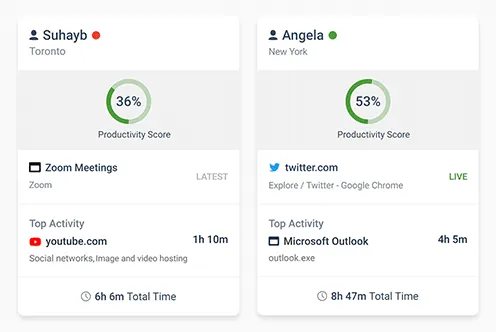
CurrentWare’s computer monitoring software BrowseReporter identifies employees that are maliciously wasting valuable time at work by surfing the web. BrowseReporter’s user activity reports provide you with the evidence you need to make data-informed productivity management decisions.
Bandwidth Usage Tracking
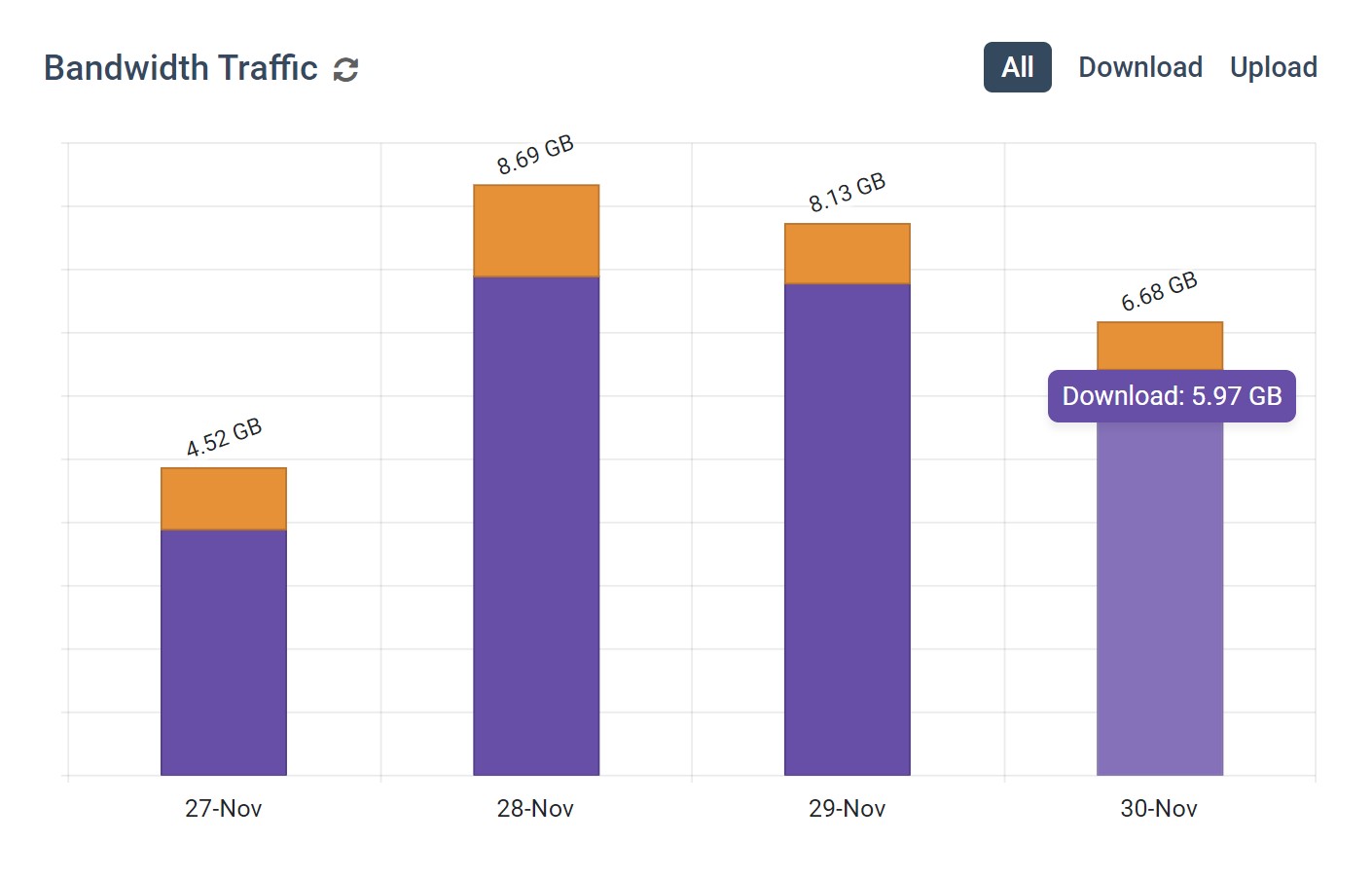
BrowseReporter’s integrated internet data usage monitor gives you the means to identify excessive bandwidth usage in your network.
Improve your internet speeds by checking bandwidth usage reports for users that are bottlenecking your available bandwidth and slowing your internet speeds.
Save Time With Web Content Category Filtering
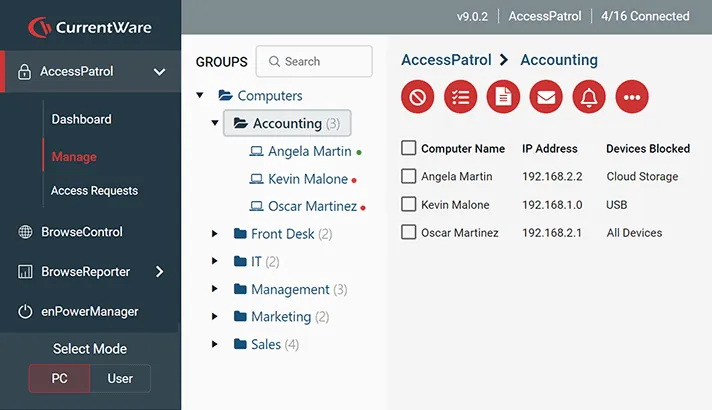
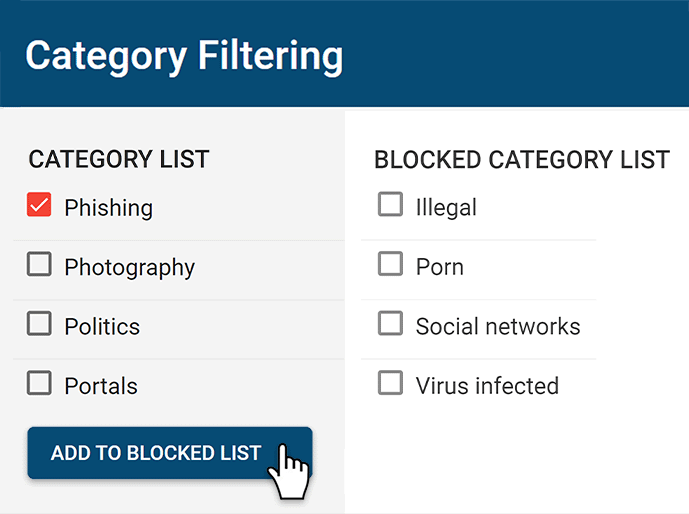
With the ever increasing number of objectionable and unsafe sites, manual web filtering can be a laborious task. BrowseControl’s category filter makes it easy to block thousands of distracting and inappropriate sites in just a few clicks.
Enforce your business’ internet use policy by blocking websites that are killing your employee productivity. Without these controls an employee can infect your network with malware or transfer sensitive data to unauthorized file storage sites.
CurrentWare Suite — Choose Your Solution
Get all 4 modules for the best value or choose the exact solutions you need
Get Advanced Activity Insights
BrowseReporter is a versatile computer activity monitoring software to track productivity, web browsing, and app use.
- Make informed decisions
- Enforce company policies
- Improve productivity
Block Harmful Websites
BrowseControl is an easy-to-use website blocking software for restricting internet access.
- Block URLs & categories
- Block unwanted apps
- Website allow & block lists
Stop Data Theft to USB Devices
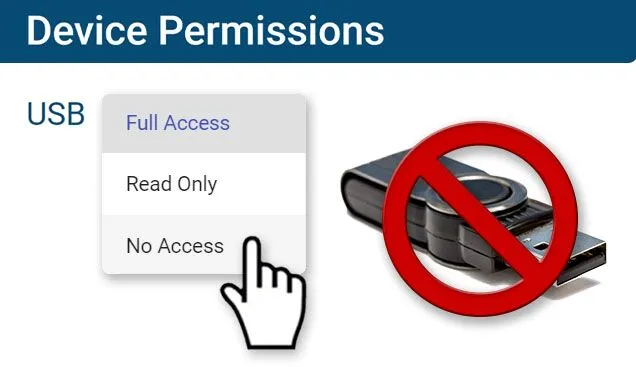
AccessPatrol is USB control software to protect sensitive data against theft to portable storage devices.
- Block USB devices
- USB file activity alerts
- Block file transfers
Control PC Power States
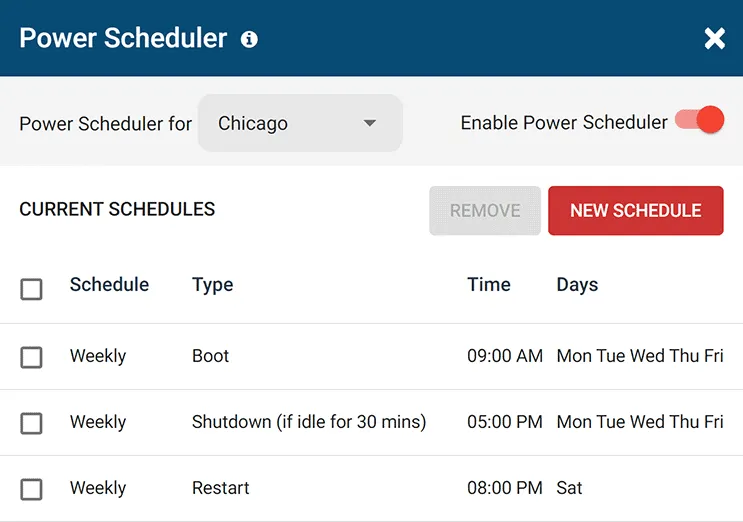
enPowerManager is a remote PC power manager for centrally managing power settings across all endpoints.
- Track logon and logoff times
- Log PC power event history
- Remotely shutdown PCs
See What Our Customers Have to Say

CASE STUDY
Shady Maple Transforms Their Productivity With Internet Filtering and Monitoring Software
Being able to identify negative browsing trends and put a stop to them within a couple of hours has meant that our employees are focused on the job almost all of the time. We have become an extremely efficient workforce.
Flexible Deployment Options
With CurrentWare’s cybersecurity, web filtering, data loss prevention, and user activity monitoring solutions you’re in complete control of how your data is stored, secured, and retained. Your employees’ data cannot be accessed by CurrentWare.
On Premises
Keep Control of Your Data
Install the management software on a standard computer, then deploy the client software to your users’ computers
Remote Workers
Monitor & Manage on Any Network
Connect your remote employees’ computers to the management software with simple port forwarding rules
Self-Managed Cloud & VDI
Citrix, Azure, AWS, GCP, and More!
Enjoy the scalability and availability of the cloud alongside the security, control, and flexibility of our on-premises solution
CurrentWare’s Key Features
User Activity Monitoring
Track web browsing, software use, search queries, and more
Screenshot Monitoring
Take automatic screenshots or remotely view desktops
Track Software Usage
Get insights into software usage trends in your organization
Transparent & Stealth Modes
Run silently in the background or provide notice of monitoring
Block USB & Other Devices
Set full access, read only or no access on storage devices
Allowed List Device Whitelist
Allow only authorized storage devices to be used
Block File Transfers
Prevent files from being transferred to portable storage
Reports DLP Activity Reports
Track file transfers, storage device use, file operations, and more
Block Websites
Block websites based on URLs & content categories
Block Downloads/Uploads
Prevent uploading and downloading based on file type
Application Blacklisting
Block specific Windows applications from launching
PC Power Management
Remotely track and control PC power states
Central Web Console
Save time with a central admin console; optionally integrate Active
Directory OUs or security groups
Platform Security
Protect your CurrentWare console with 2FA, passwords, privilege management, and more
Offsite Management
Extend onsite security policies to computers running outside the corporate network
SQL Server Supported
Database scaled for enterprise and large business operations using
Microsoft SQL Server
Get Started Today With a Free Trial
Fully functional. Easy to use. $12 USD user/month (*For on-prem pricing, contact Sales)