
Drive Performance & Oversight for Your Remote Workforce
Monitor activity, reduce insider risks, and improve productivity – all from one platform. The CurrentWare Suite gives you the visibility and control needed to manage remote and hybrid teams without compromising trust.
- Track activity & attendance
- Prevent data loss
- Optimize workforce performance
 4.8/5 avg.
Trusted by 100,000+ professionals in 55 countries
*No credit card required · 14-day free trial


Location Based
Track productivity anywhere
Smart Attendance
Verify without micromanaging
$12/user/month*
(*For on-prem pricing, contact Sales)
Affordable remote management
Trusted by enterprises, healthcare organizations, financial and professional services firms, and government agencies at every level.





Improve Productivity
companies that implemented monitoring software saw an increase in employee productivity
Detect Time Theft
of employers have found an employee working a second job while on the clock, thanks to monitoring software
Optimize Software Spend
of desktop software & 29% of SaaS spend is underutilized or wasted, according to Flexera’s State of ITAM 2023 report
Gain Full Visibility Into Your Remote Workforce
- Remote work removed the walls, CurrentWare brings back the context-without crossing privacy boundaries
- BrowseReporter turns activity into patterns, not suspicion
- Understand who’s thriving, who’s overloaded, and where time quietly slips away
- Employees access their own productivity dashboards
- Visibility that builds trust not tension.
Keep Your Data Safe and Prevent Insider Risks
When teams work remotely, your perimeter stretches thin. Shadow IT, accidental leaks, and insider risks can quietly erode your security posture. CurrentWare’s remote workforce management safeguards the edge – quiet, protective, always on.
Device Control & DLP
Restrict USB and peripheral access
Web Filtering
Block unsafe or non-compliant websites
File Transfer Tracking
Monitor file movement across endpoints
Track Attendance and Performance in Real Time
No more guessing who’s productive and who’s merely online. CurrentWare’s remote employee management software turns attendance into insight, so managers can coach with confidence, not suspicion.
You can
Improve Hybrid Workforce Productivity
Monitoring is the start; optimization is the payoff. With Workplace productivity insights, patterns inside the workday surface – too many meetings, too little focus time, licenses paid for but rarely used.
How CurrentWare Helps Teams Work Smarter, Safer , and With Greater Clarity
Every remote workplace tells a different story. For each, CurrentWare’s suite delivers one promise: clarity without compromise.
Turn Uncertainty Into Insight
(Powered by BrowseReporter)
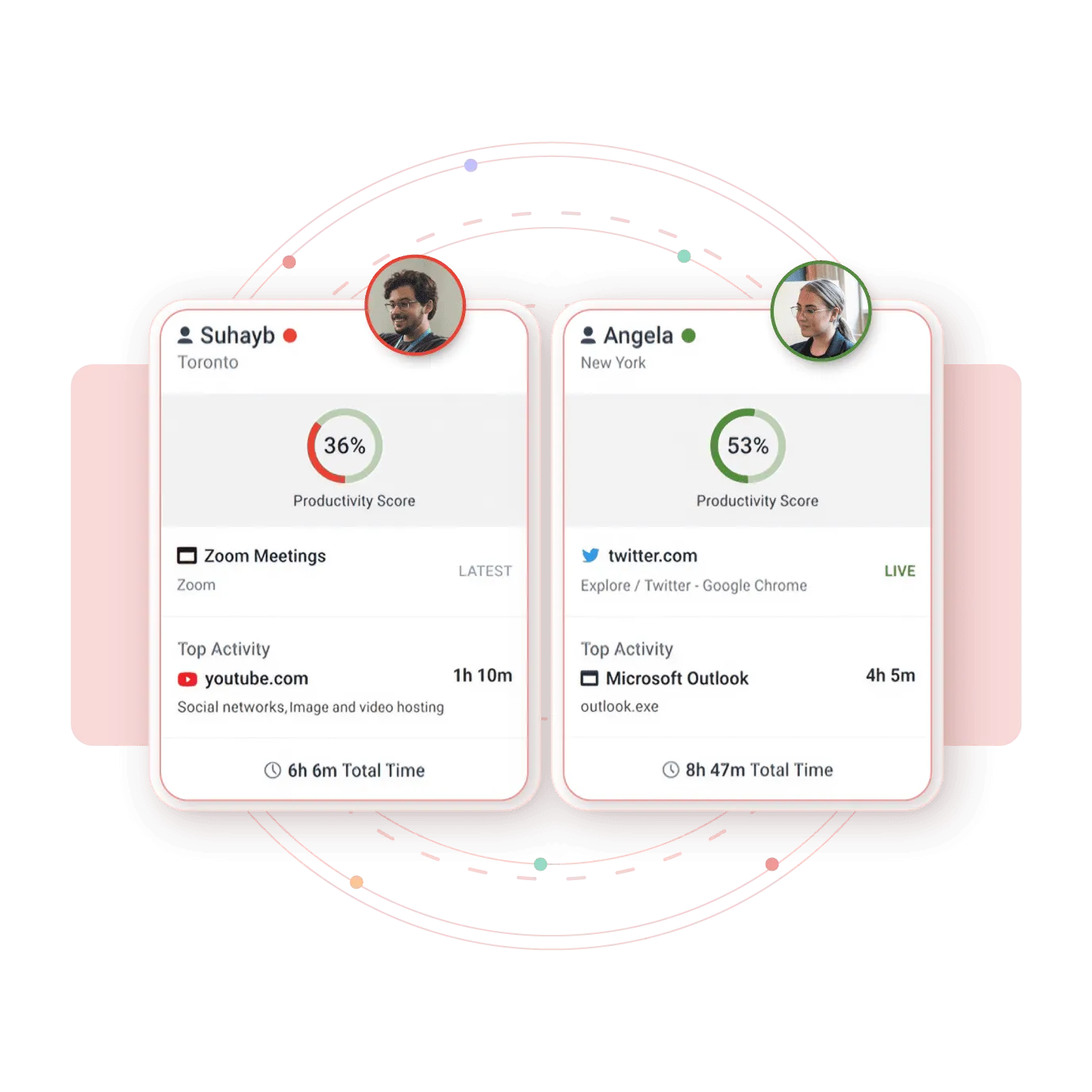
For hands-on IT leaders, BrowseReporter turns speculation into insight. It shows which applications power real work and which drain hours into the ether.
- Tracks productive vs. idle time
- Correlates usage patterns across departments
- Generates compliance-ready audit logs for HIPAA and ISO 27001
CurrentWare saved us a lot of time and money. If we didn’t have them we would’ve never known what was going on. I can’t thank all of you enough for this software.”
– Vincent Pecoreno, Network Administrator, Viking Yachts
Create Focused Digital Workspaces
(Powered by BrowseControl)
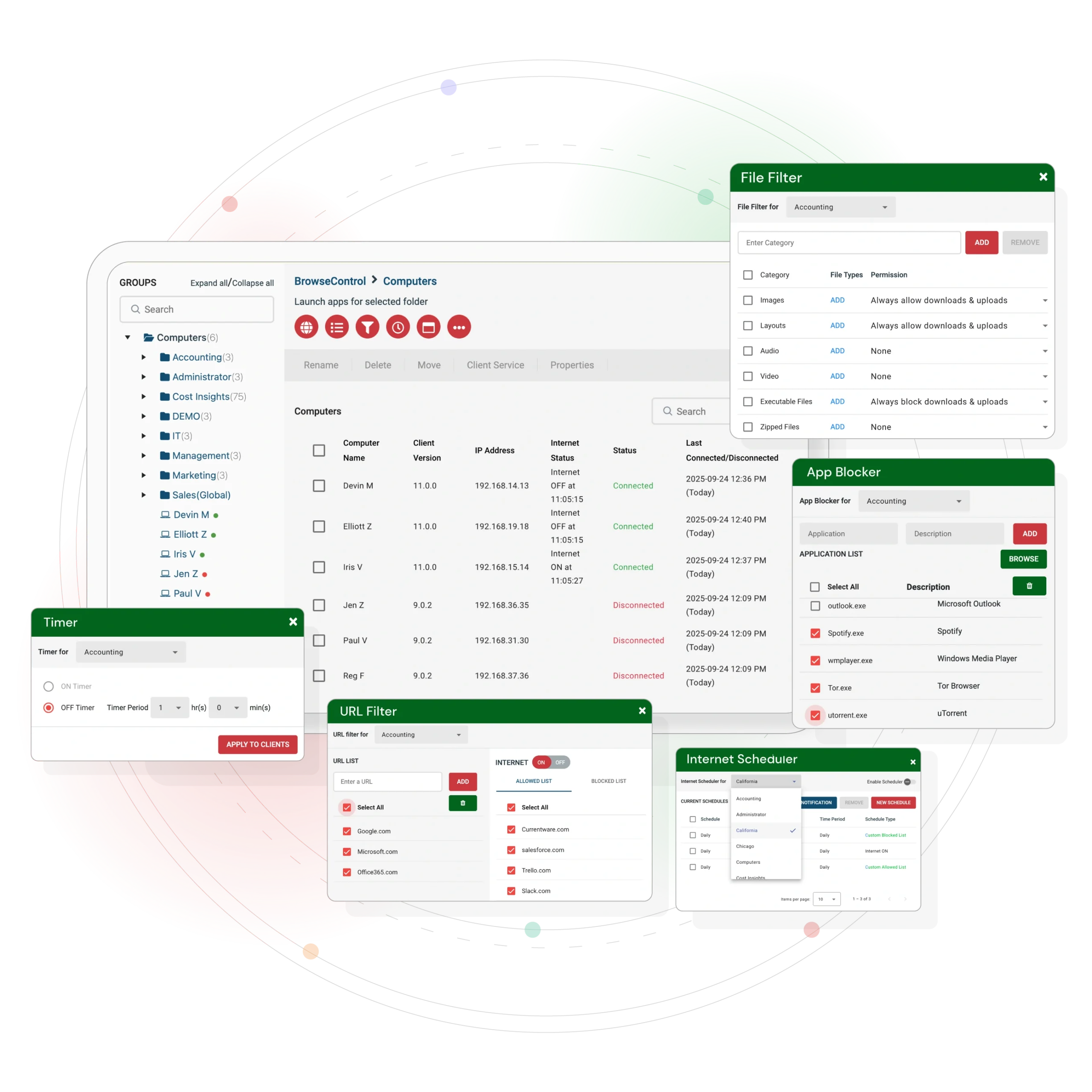
Remote work multiplies distraction. BrowseControl lets teams create digital boundaries that protect focus and compliance without stifling autonomy.
- Block unsafe or non-compliant sites
- Schedule access by time or department
- Reduce downtime and cyber risk across distributed endpoints
CASE STUDY
Shady Maple Transforms Their Productivity With Internet Filtering
“Being able to identify negative browsing trends and put a stop to them within a couple of hours has meant that our employees are focused on the job almost all of the time. We have become an extremely efficient workforce.”
– Operations Management, Shady Maple
Protect Data at the Edge
(Powered by AccessPatrol)
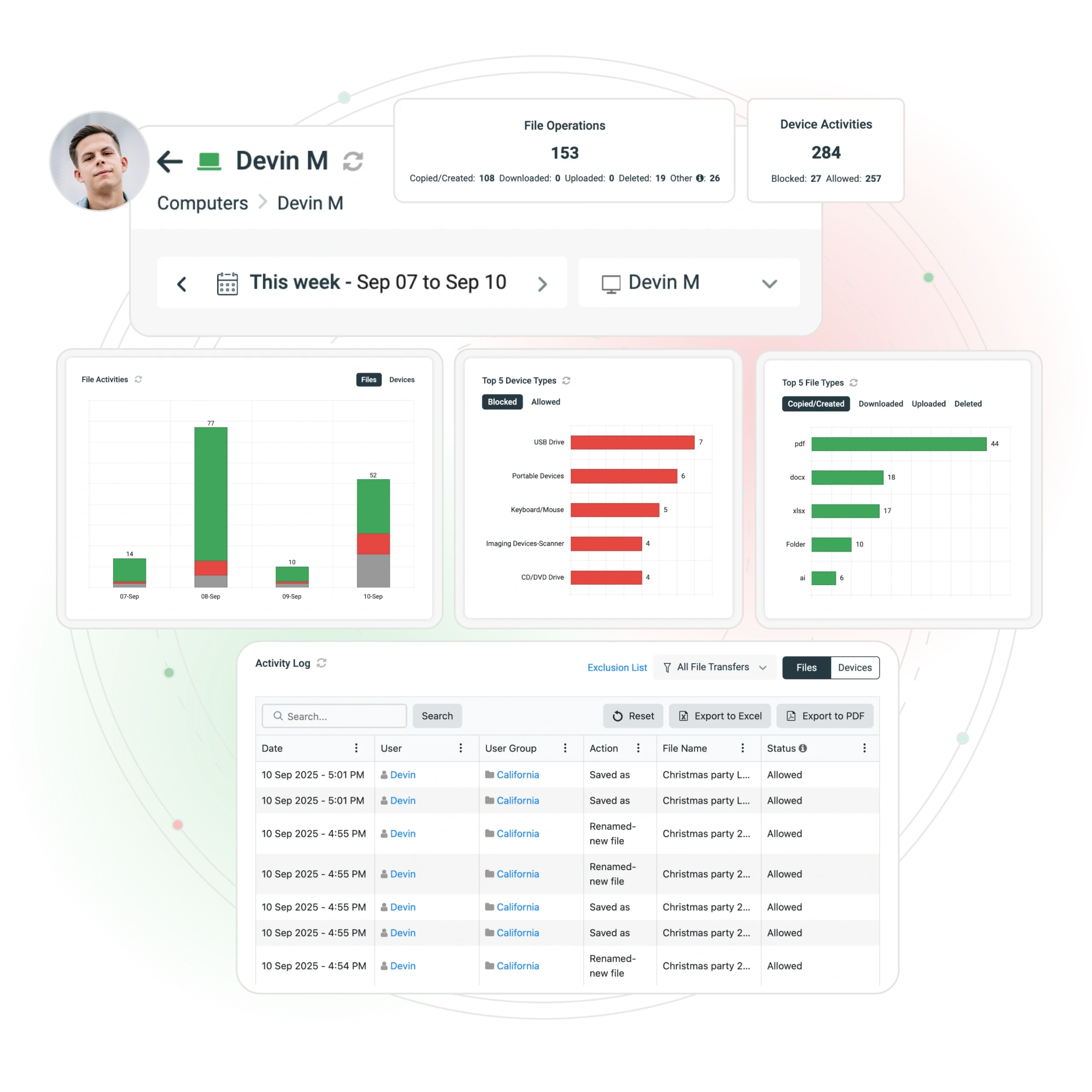
Tiny devices, big risk. AccessPatrol prevents sensitive data from walking out the door—literally.
- Enforce USB and peripheral restrictions
- Track file transfers in real time
- Revoke access instantly for departing employees
“We never have to worry when someone plugs in a device. AccessPatrol made our lives easy. We just set it, forget it, and it works.”
– Nicholas Scheetz, IT Service Desk Supervisor, First Choice Health
Hospitals protect PHI. Financial firms safeguard client records. Manufacturers lock down CAD files and IP.
Reduce Waste Automatically
(Powered by enPowerManager)
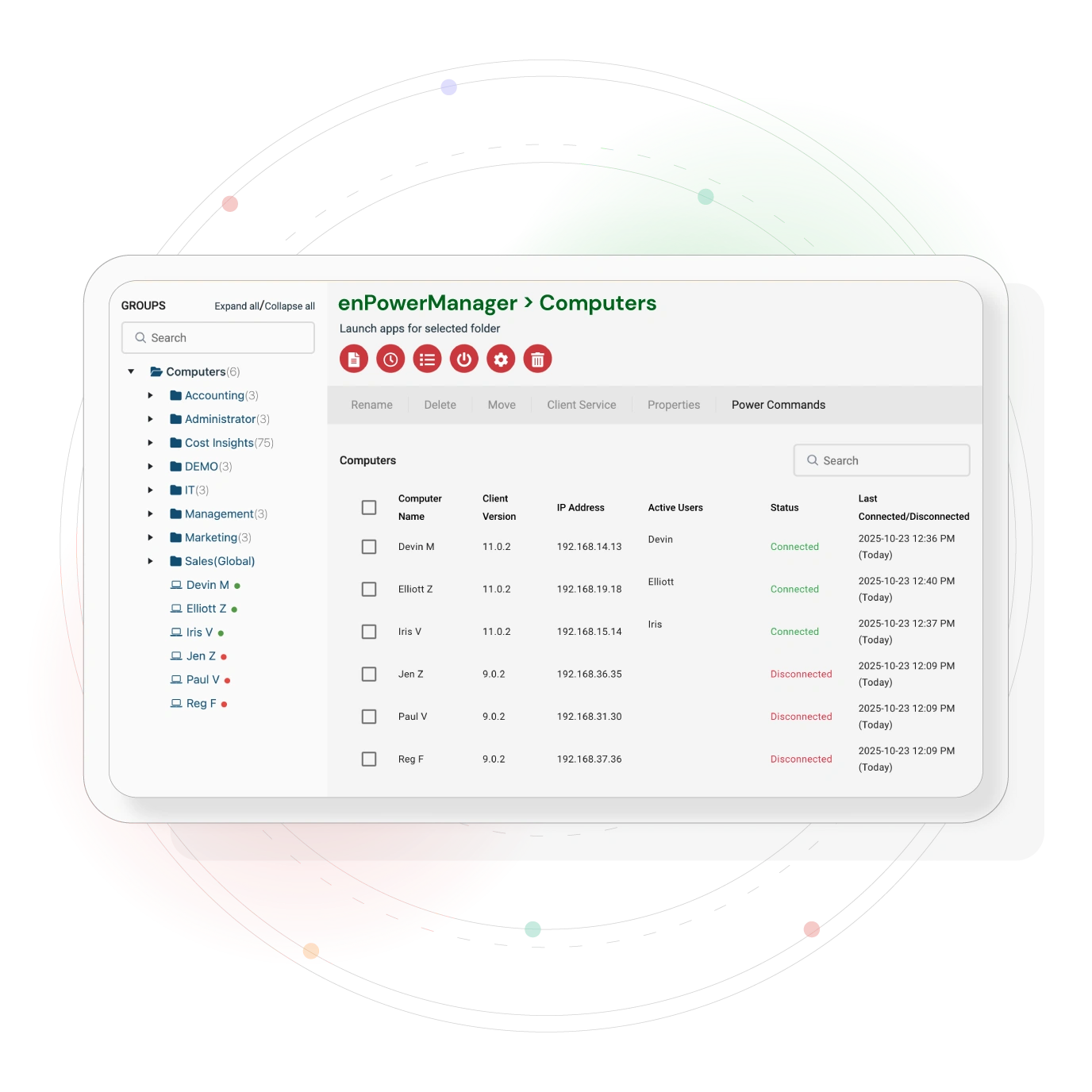
When the CFO examines the ledger, enPowerManager turns IT from cost center to quiet hero.
- Automates workstation shutdown
- Cuts power waste by up to 30%
- Supports ESG and cost-reduction goals
CASE STUDY
Shady Maple Transforms Their Productivity With Internet Filtering
“CurrentWare has been nothing but supportive of us since we started. This is probably one of the best systems that we’ve ever invested in. Once we got CurrentWare installed it opened the door for remote work for us; we could control the equipment and make sure our people were being productive and safe.”
-Boston Centerless
One regional healthcare client saved $12,000 in a quarter and trimmed its carbon footprint at the same time.
Ensure Compliance & Audit Readiness
In regulated sectors, compliance isn’t optional – it’s oxygen. CurrentWare’s remote workforce monitoring software keeps you audit-ready with verifiable trails and right-sized controls
Aligned with ISO 27001 and HIPAA frameworks
Why Choose CurrentWare for Remote Workforce Management
Works on-premise or in the cloud
Centralized visibility for distributed teams
Granular privacy controls for ethical monitoring
20+ years in endpoint and workforce analytics
Trusted across law, healthcare, finance, and manufacturing
How to Choose Remote Employee Management Software
- Choose clarity, not surveillance: Look for privacy-first, ethical insights, not keyloggers or intrusive tracking.
- Prioritize security at the edges: Ensure USB control, file tracking, and web filtering protect the places remote work is vulnerable.
- Deploy quickly with low IT burden: The best tools install fast, integrate cleanly, and don’t need outside consultants.
- Demand measurable ROI: From license optimization to risk reduction, your software should pay for itself, fast.
Benefits for Every Stakeholder
For IT
- Deploys in hours, not months
- Gains endpoint control without enterprise bloa
- Reduces emergencies, shadow IT, and helpdesk chaos
- Walks into audits with confidence
For Finance
- Cuts software waste and unnecessary spend
- Reduces breach risk and compliance penalties
- Sees ROI in real numbers, not promises
- Improves revenue-per-employee
For HR
- Uses objective data to support fairness
- Identifies burnout risks early
- Communicates transparently with privacy-first reporting
- Strengthens trust between managers and teams
For Leadership
- Gains visibility without becoming a micromanager
- Strengthens operational consistency
- Scales growth without scaling headcount
- Leads with clarity instead of guesswork
Keep reading
Articles
11 Best Workforce Analytics Tools for HR, IT & Remote Teams in 2026
According to a workforce analytics industry report published by Fortune Business Insights, the global workforce analytics market was valued at…

The Benefits of a Remote Workforce (Infographic)
Employers that offered flexible working options before the COVID-19 pandemic experienced greater retention, a reduction of employee stress, and an…

Top Features of Remote Workforce Management Software in 2026
Remote work is evolving and has become quite complex. The best remote employee management software heading into 2026 has taken…
What is a Remote Workforce? Key Insights and Strategies for Success
Remote Workforce Definition A remote workforce is defined as having employees who perform their work away from a traditional office…

Tips for Starting, Securing, and Growing a Remote Team
Want to start or grow your business? Getting comfortable starting, managing, and growing a remote team opens you to a…
Remote Work Makes Employees Happier
As the availability of remote work increases, a study from TinyPulse finds that employees reporting job happiness and productivity are…
Frequently asked
Frequently Asked Questions:
-
Remote employee management software helps organizations monitor, support, and optimize the productivity of employees who work from home, hybrid, or distributed locations. It provides visibility into app usage, work patterns, and team workloads to improve efficiency and decision-making.
-
Organizations use remote employee management software to understand how remote teams work, identify productivity barriers, prevent burnout, and ensure accountability. It enables managers to make data-driven decisions about workflows, staffing, hybrid policies, and performance improvement.
-
CurrentWare collects data on application usage, website activity, productive time, idle time, and workload trends. A lightweight agent runs on employee devices and sends activity insights to centralized dashboards—without invasive tracking methods like keylogging, webcam access, or stealth recording.
-
Remote employee management software focuses on productivity insights, workflow improvement, and operational efficiency. Surveillance tools use intrusive methods such as keystroke logging or secret screen capture. CurrentWare is privacy-respectful, transparent, and designed to support—not spy on—remote teams.
-
Top metrics include:
- Productive vs unproductive time
- Active vs idle hours
- Application & website usage
- Workload balance and burnout risk
- Focus on time and task efficiency
- Productivity trends across remote vs. office staff
These insights help managers optimize performance and support teams more effectively.
-
Yes. Ethical platforms like CurrentWare offer customizable privacy controls, data minimization options, and no keystroke logging. Companies can define what is tracked, anonymize data where needed, and use clear communication to maintain employee trust in remote or hybrid work environments.
-
Yes, when used transparently and for legitimate business needs. Organizations should notify employees, follow local labor & privacy laws, and implement clear monitoring policies. CurrentWare supports compliance with GDPR, ISO standards and internal governance requirements.
-
Key organizational benefits include:
- Improved productivity visibility
- Better workload distribution
- Reduced burnout risk
- Insights into software usage & license optimization
- Increased accountability in remote teams
- Stronger hybrid work policy decisions
- Enhanced security & compliance posture
-
- Set goals for productivity, compliance, and workforce optimization
- Deploy the CurrentWare agent to remote and hybrid devices
- Communicate your monitoring policy to employees
- Review dashboards for productivity, app usage, and workload insights
- Use the data to coach teams, allocate resources, and refine workflows
-
CurrentWare’s BrowseReporter tracks mouse/keyboard inactivity. With its “Idle Exclusion” feature, you can exclude certain apps (like meeting tools) from being classified as idle, leading to more accurate productivity data.
-
Yes — through device control (e.g., USB restrictions), file transfer tracking, and web filtering. These features help you secure data on remote endpoints and reduce insider risk.
-
Real‑time alerts help managers identify policy violations, schedule deviations, or suspicious inactivity (like “mouse jigglers”) as they happen, enabling quick intervention and more reliable workforce oversight.