
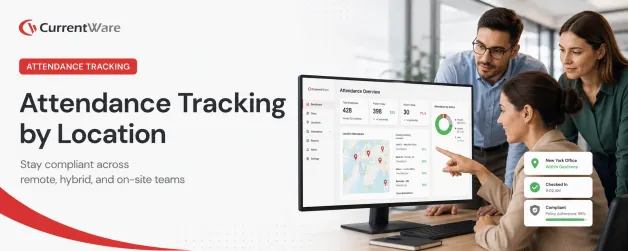

Tracking employee attendance across different locations, the head office in New York City, a branch in Dallas, and employees working from home, is not a simple task; it is a critical compliance challenge.
This guide explains how to manage location-based attendance tracking accurately while respecting privacy laws. The key is to adopt a digital proof of presence model, using software to verify work location through network data (like an IP address) and cross-referencing it with logon/logoff times and user activity. Unlike manual methods such as punch cards, digital attendance tracking provides detailed insight into how employees spend their work hours, allowing for better monitoring and optimization of time allocation. This ensures your records are accurate for payroll, fair to employees, and most importantly, legally compliant
What Is Employee Attendance Tracking By Location?

Employee attendance tracking by location is the process of recording when and from where employees perform their work, including tracking attendance at physical offices, home offices, or client sites.
Automated systems help accurately record employee time for payroll and compliance purposes. Employee attendance tracking by location involves monitoring not only the time an employee starts and ends their workday but also the specific location where work is conducted. This can be done using tools such as geofencing, employee monitoring software, GPS-based apps, network login logs, or virtual check-in systems that register employees’ presence at approved work sites.
In today’s hybrid work landscape, attendance tracking by location is crucial for several reasons:
- Ensuring fair payroll: Accurate location data helps companies verify working hours and eligibility for location-based allowances, overtime, or travel-related benefits.
- Maintaining operational consistency: Knowing where employees are working helps managers allocate resources, plan team collaboration, and ensure compliance with regulatory or contractual obligations that may differ by location.
- Managing accountability: Location-based attendance systems verify that employees are physically present at approved worksites, minimizing the risk of time theft and buddy punching.
Also Read: Workforce Optimization Software to Improve Operational Efficiency
Ready to simplify compliant attendance tracking for your in-office and remote teams?

- → Real-time tracking
- → Data for compliance and cost-saving decisions
Compliance Requirements for Employee Location Tracking
Employee location tracking is governed by a mix of privacy and labor laws that vary by country, region, and even on a state or provincial level. These laws primarily focus on ensuring transparency, consent, proportionality, and restricting non-work-related surveillance.
- Consent and Notification: Most jurisdictions require employers to notify employees if their location is being monitored. In some cases, explicit consent must be obtained, especially when collecting sensitive data such as biometric or geolocation information. However, collecting biometric data can raise compliance issues due to laws regulating the collection and use of biometric identifiers, which may impact the implementation and functionality of such systems.
- Data Use Limitations: Location tracking data can only be used for legitimate business purposes, like ensuring workplace safety or enforcing attendance policies. Employers are not allowed to sell or use this data for unrelated commercial activities, and they must collect only what is necessary for compliance, payroll, and legitimate business needs.
- Scope of Tracking: Privacy laws typically require that tracking be limited to working hours and justified by operational needs. Tracking outside of scheduled work hours, or for purposes unrelated to work performance, can lead to legal violations.
- Transparency Requirements: For example, in Ontario, employers with 25 or more employees must provide a written policy explaining how and why electronic monitoring, including location tracking, is used.
- Data Security and Access: Employers must secure the location data they collect and often must provide employees access to their own data upon request, ensuring transparency and the ability to address inaccuracies.
Laws like the U.S. Fair Labor Standards Act (FLSA) mandate accurate tracking of non-exempt employee work hours, including start and end times, breaks, and overtime. This is foundational for ensuring proper wage payments and compliance with overtime rules. Accurate location and time tracking is also essential for payroll accuracy and efficient payroll processing, helping managers review, edit, and approve time logs to support compliant and error-free payroll operations.
Courts have upheld that electronic monitoring, including location tracking, is allowed as long as it’s reasonably connected to the job (e.g., verifying attendance, preventing time theft), but excessive surveillance unrelated to work can be challenged legally.
Also Read: Free AI Workplace Policy Template | Manage Employee AI Use
Attendance Tracking by Location: Key Use Cases

Office Attendance Tracking Use Cases
- Keycard Systems: Employees swipe keycards at entrance points to log their arrival and exit times. This method ensures physical presence and is widely used for security and attendance compliance.
- Network Logins: Tracking when employees access corporate networks (e.g., signing in on office computers) provides timestamped records of time spent at workstations, correlating network activity with attendance.
- Biometric Scanners: Devices that read fingerprints, facial recognition, or retinal scans guarantee identity verification for clock-in/out, minimizing buddy punching or fraudulent attendance records, and offering added security.
- Kiosk/Mobile Punch-ins: Workers can clock in from a designated device at their workstation or a centralized kiosk, sometimes with geofencing features to confirm they’re in the correct location. Employees can also clock in using a QR code or by scanning QR codes for quick and accurate attendance logging.
Some systems also allow tracking time spent on individual tasks to improve workload management and efficiency.
Remote Attendance Tracking Use Cases
Remote attendance tracking solutions offer multiple ways for employees to clock in and out, such as mobile apps, desktop software, GPS verification, and even offline functionalities, providing flexibility and enhanced security.
- Login/Logout Time Tracking: Software records when remote employees log into and out of company devices or systems. This digital method provides clear timestamps for workday boundaries and compliance validation.
- Active Versus Idle Time Monitoring: Solutions measure productive time versus idle periods using keyboard/mouse activity, app/website usage, or project activity logging for performance management and attendance verification.
- GPS Geolocation & Geofencing: For field or hybrid teams, GPS-based tracking validates attendance when employees start or end shifts in approved locations (home office, job sites, etc.), preventing time fraud.
- Cloud-Based Punch-ins: Employees can use mobile or desktop apps to clock in/out from anywhere, with systems often logging location data and system activity to verify authenticity. These platforms can also generate detailed attendance reports for remote teams.
- Field Workers: Geofencing technology creates virtual boundaries around specific job sites, automatically logging a field employee’s arrival and departure using GPS, which is ideal for sales representatives, technicians, or delivery drivers as it eliminates manual clock-ins, prevents time theft, and provides accurate location-based attendance records for payroll and compliance.
These systems can also be used to track student and student attendance in educational settings, generate reports on students’ participation, and manage time off requests and paid time for remote employees.
Also Read: Employee Monitoring Checklist Template | CurrentWare
Start minimizing your software costs today.
Employee Location Tracking Best Practices
Employee location tracking should balance legitimate business needs with rigorous privacy and compliance standards. Following best practices in this area helps ensure both legal compliance and employee trust. Tailoring attendance tracking policies and tools to the specific needs of your organization is essential for effective implementation.
Key features to look for in attendance tracking solutions include real-time notifications, customizable reports, integration with other apps, overtime calculation, PTO management, and fraud prevention.
Organizations pursuing location-based tracking should regularly review changing privacy regulations and consult legal counsel to ensure full compliance and ethical use of monitoring technologies. Generating detailed reports allows managers to gain insights into employee activity, team productivity, and time spent across different departments, which ultimately helps improve workforce management and team management.
Establish Clear, Written Policies
Organizations should document a policy outlining how, when, and why employee location data will be collected, stored, accessed, and used. The policy must provide information on data retention periods and employee access rights, and should be distributed to all staff, especially in companies above regulatory thresholds (like 25+ employees in Ontario).
Obtain Informed, Explicit Consent
Prior to activating any location tracking (whether GPS, network logins, or mobile apps), employers must notify staff and obtain explicit consent, not just implied agreement. Consent should be renewed with each major technology or policy change.
Limit Tracking to Work Hours and Business Purposes
Location tracking must be restricted to legitimate, work-related purposes such as payroll, time management, compliance, safety, and customer service. Monitoring outside scheduled hours or for non-business reasons is considered excessive and usually prohibited under privacy laws.
Apply Data Minimization and Security Safeguards
Only collect data that is strictly necessary for the stated business purposes. Use encryption and access controls to protect sensitive location information, and conduct periodic audits to ensure ongoing compliance and detection of unauthorized access or use.
Ensure Transparency and Communication
Communicate openly about the tracking system, the type of data collected, how it supports business operations, and what safeguards are in place. Training sessions and on-boarding materials can help foster employee understanding and acceptance.
Organizations pursuing location-based tracking should regularly review changing privacy regulations and consult legal counsel to ensure full compliance and ethical use of monitoring technologies.
Also Read: AccessPatrol | USB Device Control Software & Endpoint DLP
Employee Attendance Tracking Tools and Technology
Employee Monitoring Software
Employee monitoring tools such as CurrentWare track attendance by logging login/logout times, active vs. idle time, app usage, and geospatial data. CurrentWare uses public IP addresses or default gateway MAC addresses to automatically determine whether a given user is working remotely or in-office, without capturing exact GPS coordinates. This is ideal for determining if someone is working remotely or in the office while minimizing the invasiveness of the tracking.
GPS Trackers
Devices or mobile apps that monitor an employee’s physical location using GPS, ideal for field workers that need their exact location monitored.
Biometric Scanners
Hardware systems that use fingerprints, facial recognition, or retina scans to authenticate employees physically clocking in or out, preventing fraud such as buddy punching.
Geofencing Apps
Software applications that establish virtual geographic boundaries to automatically log employee arrival and departure at specific job sites, suited to sales reps, technicians, or delivery drivers working at multiple locations.
Integrating Attendance Tracking With Productivity Insights
With CurrentWare’s Location Dashboard, managers can effectively measure employee productivity based on working location by categorizing time spent working remotely, in-office, or in a hybrid setting. These tools also help organizations track time spent on various activities, providing valuable insights into productivity and workload distribution. This capability makes it simple to gauge whether employees remain productive when they work remotely.
This location-based data helps optimize workforce management by supporting hybrid work policies, ensuring compliance with attendance mandates, and making informed decisions about resource allocation, office space utilization, and employee engagement without tracking exact physical coordinates, thus maintaining employee privacy.
Common Mistakes to Avoid When Tracking Attendance & Location
Common mistakes to avoid when tracking employee attendance and location include:
- Relying on Manual Tracking: Many organizations still rely on manual tracking methods such as paper timesheets or spreadsheets, which leads to errors, miscalculations, and lost data. Automation reduces these risks and saves administrative time.
- Forgetting Break and Overtime Tracking: Not accurately logging breaks or overtime can cause labor law violations and payroll errors.
- Over-Monitoring Without Legal Review: Avoid collecting more data than necessary for a clear business or legal purpose as excessive surveillance can violate privacy rights and lead to legal liabilities.
- Poor Policy Documentation: Failing to maintain a formal, written electronic monitoring policy leaves organizations vulnerable to disputes and undermines compliance requirements. Clear policies should describe what is monitored, how data is used, and employee rights to ensure transparency and legal protection.
- Lack of Real-Time Oversight: Without real-time visibility into who’s clocked in or out, managers can face scheduling conflicts and operational inefficiencies.
- Ignoring Remote or Mobile Staff Needs: Traditional clock-in systems don’t always cover remote or field workers, leading to attendance fraud or inaccurate logging.
- Allowing Proxy Clock-Ins: Letting employees clock in for others encourages time theft and compromises data integrity.
- Inconsistent Policy Application: Applying attendance policies unevenly can lead to employee resentment and claims of unfair treatment.
Conclusion
A successful employee attendance tracking strategy requires secure, compliant tools that balance operational needs with employee trust and legal obligations. CurrentWare’s attendance tracking solution provides real-time visibility into employee working locations without compromising privacy by using IP and MAC address classification instead of exact GPS data. This enables managers to measure productivity based on location, enforce hybrid work policies, and optimize resource allocation confidently and transparently.
To experience firsthand how CurrentWare simplifies attendance management while maintaining compliance and fostering trust, explore a free demo or Start Free Trial today and empower your organization with actionable workforce insights.
Frequently asked
Frequently Asked Questions:
-
Employee attendance tracking by location is the process of recording when and from where employees perform their work, whether it’s at an office, home office, or hybrid. This ensures accurate payroll, fair attendance records, and compliance with labor laws.
-
Hybrid and remote work make it harder to verify attendance. Location-based tracking ensures employees are paid fairly, managers maintain accountability, and businesses stay compliant with privacy and labor regulations.
-
Instead of constant surveillance, businesses can adopt a digital proof of presence model, verifying logon/logoff times, IP-based location data, and activity levels. This method balances compliance with employee trust and avoids invasive monitoring.
-
Regulations that affect employee attendance tracking include the Fair Labor Standards Act (FLSA) in the U.S. and regulations such as GDPR in the EU. Under the FLSA employers must maintain accurate records of hours worked by non-exempt employees, including start/end times and breaks, to ensure proper wage payments and overtime compliance. Privacy laws such as GDPR, on the other hand, require transparency, consent, limited data collection, and secure handling of employee location and attendance data to protect privacy rights.
-
Establish Clear Attendance Policies: Develop and communicate comprehensive, fair attendance policies covering clock-in/out procedures, tardiness, breaks, overtime, leave, and disciplinary actions. Policies should be accessible to all employees, including translations if necessary. Conduct Regular Audits and Compliance Checks: Routinely review attendance logs for discrepancies, time theft, compliance with working hours and breaks, and audit policies to keep them aligned with changing regulations. Use Automated Tracking Systems: Implement reliable digital attendance tools like biometric scanners, GPS or geofencing apps, or integrated employee monitoring software to improve accuracy, reduce manual errors, and prevent time theft such as “buddy punching”.
-
Businesses can use employee monitoring software, biometric scanners, GPS trackers, and geofencing apps. A centralized solution like CurrentWare provides a unified dashboard for hybrid teams, verifying digital presence without invasive tracking.
-
CurrentWare tracks employee logon/logoff times, active vs. idle periods, and application/web usage. This provides accurate digital presence data while respecting privacy, helping organizations remain compliant and productive.
Still have questions?
Talk to a CurrentWare specialist who has deployed monitoring at 200+ law firms.


