USB blocking software to protect endpoints & sensitive data against insider threats
- Block Unauthorized USB Devices
- Monitor File Transfers to Portable Storage
- Enforce USB Security Policies On Any Network
- $12 user/month
*No credit card required · 14-day free trial · For on-prem pricing, contact Sales







Watch: How to Block USB Devices & Monitor File Transfers
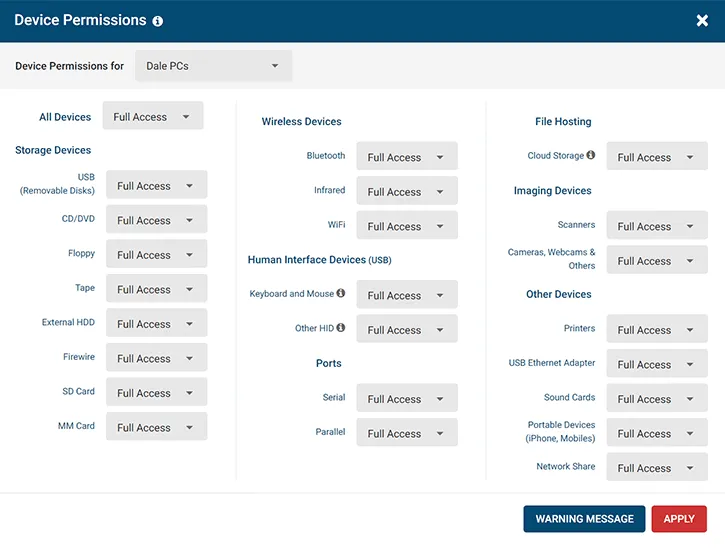
Prevent the Use of Unauthorized USB Devices
AccessPatrol USB blocking software gives you the features you need to prevent data loss to portable devices.
- Block USB Storage, HID, Cloud Storage, and More!
Effortlessly block all unapproved peripheral devices from connecting to USB ports - Whitelist Trusted Devices
Use the Allowed List to whitelist trusted devices for specific users - Simple to Use
Block and unblock USB ports in just a click!
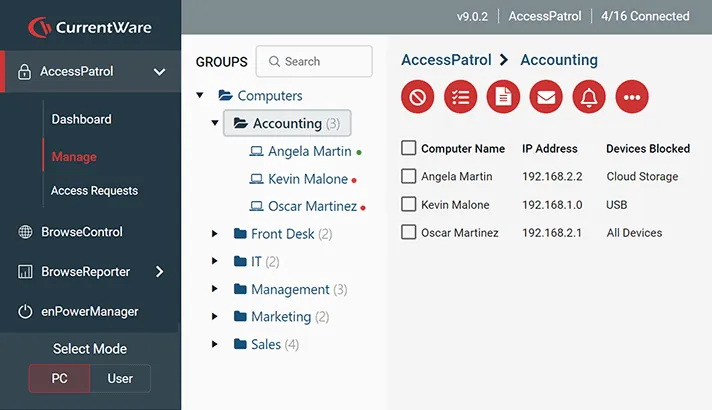
Manage USB Storage Devices Policies From a Central Console
Block and unblock USB ports and other peripheral ports from a centralized dashboard with an interactive user interface.
- Role-Based Access Control
Give trusted team members customized access rights to specific features and groups of users/computers—The admin activity log makes auditing policy updates for compliance purposes simple and intuitive - Active Directory Sync
Import OUs to set policies without the need to manage unwieldy Group Policy Objects - Manage Remote Devices
USB device control policies continue to apply even when endpoints disconnect from the network
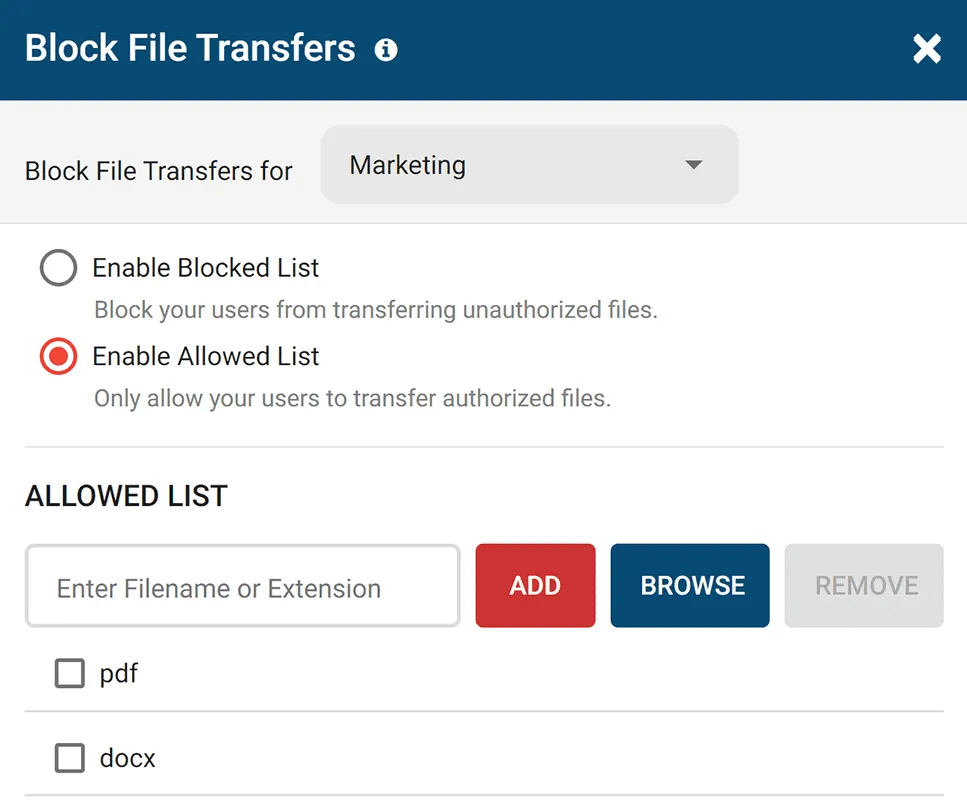
Limit Data Transfer Over USB Ports
With AccessPatrol’s USB file transfer blocking feature you can prevent files from being transferred via USB ports based on their filename or extension.
- Allowed List: Limit what files can be transferred to storage devices based on file extensions and keywords in filenames
- Block File Transfers: Prevent file transfers between storage devices and PCs, even when trusted users use authorized USB drives
- Renamed File Extension Blocking: AccessPatrol uses file signatures to detect the original file extension of a file, preventing users from renaming files to bypass your DLP policies

Prevent Data Loss to Cloud Storage Services
Having sensitive data stored on unmanaged cloud services is a significant risk. Control access to cloud apps and websites with CurrentWare.
- Block Cloud Services
Prevent malicious insiders from accessing cloud storage websites and apps - Prevent Uploads/Downloads
Block the downloading and uploading of specific file types - File Transfer Tracking
Track file transfers to/from cloud storage services for evidence of insider threats
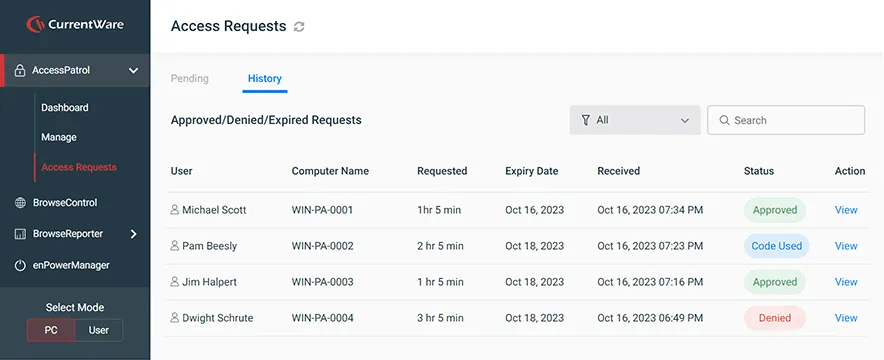
Temporarily Bypass Restrictions for USB Storage Devices
Want to temporarily provide unrestricted access to USB devices use on a specific endpoint?
Use AccessPatrol’s Access Code Generator to provide a time-limited bypass of AccessPatrol’s device policy settings.
- Works on remote computers, even without an internet connection
- Balance security and productivity by providing limited access for edge-cases such as trusted vendors and other third-parties
- Access codes are single-use, unique to a specific computer, and automatically expire to prevent misuse

Viking Yachts Stops Departing Employee From Stealing Intellectual Property
CASE STUDY
CurrentWare saved us a lot of time and money. If we didn’t have them we would have never known what was going on. I cannot thank them enough for this software; being able to audit removable drives is invaluable.
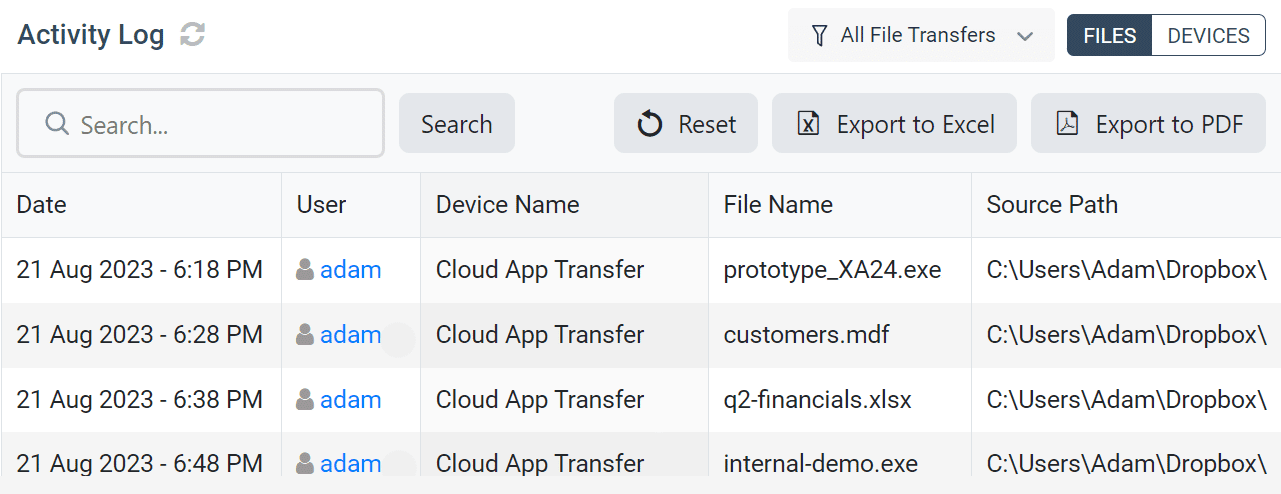
Get Advanced Insights Into File Transfers to USBs , Cloud Storage, and More
AccessPatrol’s file activity reports, alerts, and dashboards give you the insights you need to keep your sensitive data safe against theft and misuse
Try AccessPatrol for Free
Fully functional. Easy to use. Install in minutes.

How to Block USB Devices With AccessPatrol USB Blocking Software
- Open the CurrentWare Console
- Select the group(s) of computers or users you would like to control.
- Under the AccessPatrol tab, select Device Permissions then select the group of users or computers you would like to disable USB devices for.
- Under Storage Devices, select USB
- Under Access Permissions set the desired level of restriction (Full Access, Read Only, No Access)
- Click Apply and then click OK
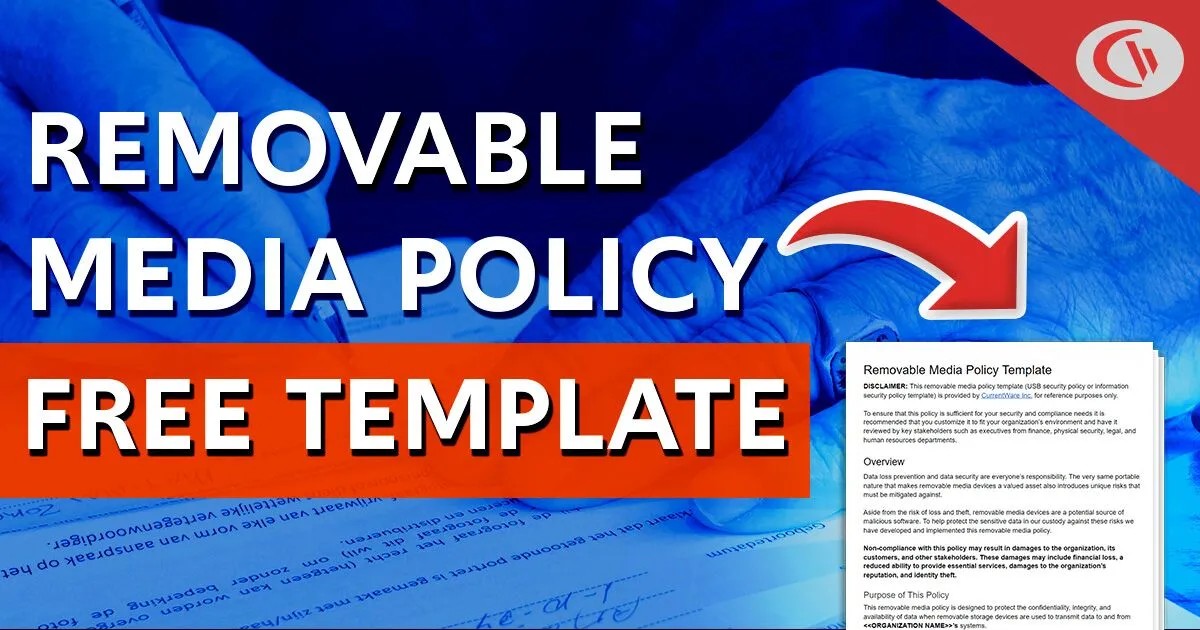
FREE DOWNLOAD
Removable Media Policy Template
Download this data security policy template to prevent data leakage to USB flash drives and other removable storage devices.
- Set data security standards for portable storage
- Define the acceptable use of removable media
- Inform your users about their security responsibilities
AccessPatrol’s USB Control & Data Loss Prevention Features
Block USB & Other Devices
Set full access, read only or no access on storage devices
Whitelist USB Devices
Allow only authorized storage devices to be used
Block File Transfers
Prevent files from being transferred to portable storage
Access Code Generator
Provide temporary access to peripheral devices
DLP Activity Reports
Track file transfers, storage device use, file operations, and more
File Transfer Monitoring
Monitor files that are copied to USBs, cloud storage, and more
Alerts & Reports
Automatically send USB activity reports to designated inboxes
Transparent & Stealth Modes
Run silently in the background or provide notice of monitoring
Centralized Console
Manage all your users from the centralized console with Active Directory import or syncing
Platform Security
Protect your CurrentWare console with 2FA, passwords, privilege management, and more
Offsite Management
Extend onsite security policies to computers running outside the corporate network
SQL Server Supported
Database scaled for enterprise and large business operations using Microsoft SQL Server
Solutions That Work Across Industries
Tailored controls that help you meet industry standards, boost efficiency, and protect sensitive data across remote and in-office teams.
Healthcare
HIPAA-ready controls to protect PHI with USB management and insider-threat visibility.
Government
Cybersecurity and policy enforcement aligned to NIST 800-171 and CMMC.
Legal Services
Keep client data protected, billable hours productive, and software costs in check.
Manufacturing
Productivity monitoring and internet visibility for both the shop floor and back office.
Financial Services
Enforce access policies and protect sensitive financial data with audit-ready trails.
Schools & Libraries
CIPA-compliant web filtering to qualify for E-Rate and keep students safe online.
Small Business Employee Productivity
Track unproductive web browsing and idle time to detect time-wasting
Built to Support Your Compliance Program
Discover how organizations use CurrentWare to improve visibility, strengthen compliance efforts, and manage employee activity more effectively.
-
CMMC Compliance →
CMMC
Endpoint Restriction to Protect CUI & FCI
-
NIST 800-171 Compliance →
NIST 800-171/53
Protect Controlled Unclassified Information
-
ISO 27001 Compliance →

ISO 27001
Increase the Maturity of Your ISO27K ISMS
-
HIPAA Compliance →

HIPAA
HIPAA protects sensitive patient data
-
Cyber Essentials Compliance →

Cyber Essentials
Critical Security Controls For Your Assessment
-
GDPR Compliance →

GDPR
EU’s data protection and privacy law
-
NERC CIP Compliance →

NERC CIP
Protect TCAs & BCSI From Insider Threats
-
CIPA Compliance for Education →
CIPA for Education
Qualify for the FCC’s E-Rate Program
Pick & Plug Into Your Existing Stack
CurrentWare works alongside the identity, security, and directory tools you already use, including support for SAML, OIDC, and CEF standards. Cloud connectors are on the way.
- Tested & supported
- Generic standards (SAML, OIDC, CEF)
- On the roadmap (Cloud)







Keep reading
Articles
-
Data Loss Prevention
What is Data Leakage
In this article, I will answer the question “What is data leakage?”. I will also explain the difference between data…
-
Data Loss Prevention
Top Data Exfiltration Risks
Protecting sensitive data must be a top priority for any business. Unfortunately, the multitude of techniques available to threat actors…
-
Data Loss Prevention
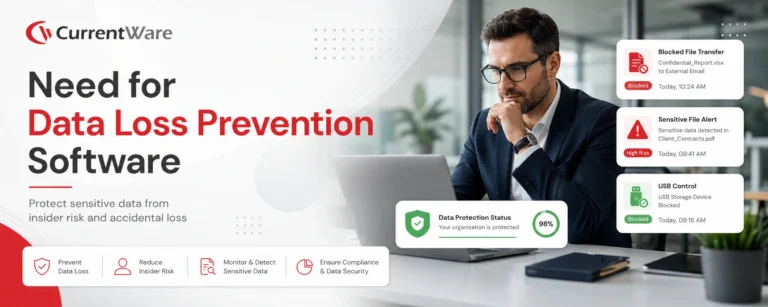
Need for Data Loss Prevention Software DLP
Data theft from inside a company is a growing challenge in the modern world. We now have an abundance of…
-
Data Loss Prevention
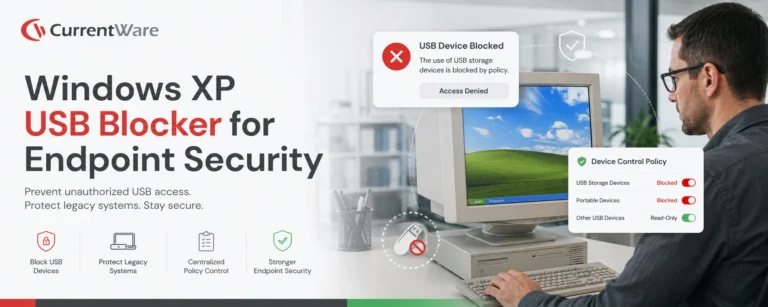
Windows XP USB Blocker
Does your business rely on legacy operating systems such as Windows XP, Windows 7, and Windows 8/8.1? If so, you…
-
Data Loss Prevention
Why Your Business Needs DLP
Being a business leader in today’s business environment is no walk in the park. With over 2,200 cybersecurity attacks occurring…
-
Data Loss Prevention
How to Protect Intellectual Property
Data theft is a very real problem that costs businesses an average of $4.24 million annually. But it’s not just…