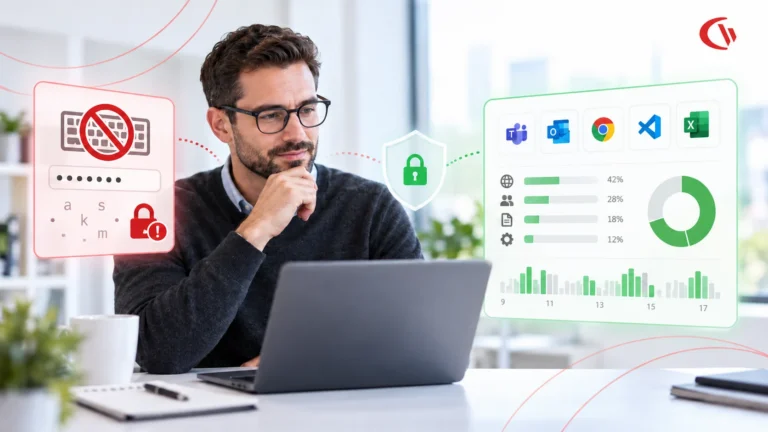
Law firms don’t monitor employees because they’re “worried about productivity.” They monitor because one mistake can expose privileged matter files, trigger breach notifications, derail litigation strategy, and permanently damage client trust, especially in a hybrid work model.
External attackers are still a threat. But internal risk (negligent or compromised users) is the daily reality, and it’s harder to detect because the activity looks “normal” on the surface. Verizon’s 2025 Data Breach Investigation Report analyzed 22,052 security incidents and 12,195 confirmed breaches, a reminder that breaches are not edge cases anymore.
Meanwhile, the financial downside keeps climbing. IBM’s Cost of a Data Breach Report 2024 shows the global average breach cost reached $4.88M. In the US, the average is even higher (often cited as $9.36M for 2024). (Table Media)
So the real question law firm partners and compliance managers should ask is:
How do we implement employee monitoring in a way that strengthens confidentiality, protects attorney client privilege, and helps in audits, without creating a “big brother” culture?
This guide answers that with a deployable blueprint.
Trusted by Security-Focused Professional Services Firms
What “employee monitoring for law firms” actually means
In a law firm, monitoring should be risk based oversight, not surveillance.
Monitoring in a law firm should focus on:
- Data protection (matter files, privileged docs, client PII)
- Access integrity (who accessed what, when, from where)
- Evidence for investigations (fact based resolution, not assumptions)
- Policy enforcement (web controls, app controls, endpoint controls)
Monitoring should not be:
- Constant voyeurism
- Blanket keystroke capture “just because”
- “Gotcha” performance scoring without context
- A substitute for leadership, training, or good security controls
Gartner frames modern insider risk management as solutions using advanced analytics, monitoring, and behavior based risk models to detect and mitigate risk from trusted insiders. (Gartner) That’s the right mental model for law firms: reduce risk, don’t “watch people.”
Why law firms have a unique monitoring problem
Law firms combine three ingredients that make internal risk expensive:
1) Attorney client privilege + confidentiality obligations
Lawyers have a duty not to reveal client information. ABA Model Rule 1.6 is explicit about confidentiality. (American Bar Association)
2) High value documents are handled on endpoints
Even with DMS platforms, files still touch:
- desktops/laptops
- local downloads
- email attachments
- browser-based portals
- third-party upload tools
3) Hybrid work expands the “shadow perimeter”
You’re not just protecting an office network anymore. You’re protecting:
- home Wi Fi
- personal routers
- coffee shop networks
- unmanaged SaaS usage
- unauthorized AI tools
Gartner warns that by 2030, more than 40% of enterprises will experience security or compliance incidents linked to unauthorized “shadow AI.” (Gartner) For law firms, that can mean privileged content pasted into a public GenAI prompt, instantly becoming a confidentiality event.
Law firms choose CurrentWare to:
The monitoring outcomes law firms actually need (not vanity metrics)
If your monitoring program can’t answer these questions quickly, it’s not doing the job:
A. Confidentiality protection (daily)
- Did anyone upload matter files to unapproved sites?
- Are employees using risky file-sharing or unsanctioned AI tools?
- Are privileged docs being accessed outside normal patterns?
B. Incident response readiness (when something goes wrong)
- Can you show what was on the screen during a suspected incident?
- Can you produce audit-grade evidence without relying on employee statements?
C. Compliance defensibility (when leadership asks “are we covered?”)
- Do you have clear policy, role-based access, and logging?
- Can you show controls that align with “reasonable efforts” expectations?
ABA Formal Opinion 477R emphasizes “reasonable efforts” to secure communications of protected client information. (TBPR Docs) Employee monitoring becomes part of how firms demonstrate those reasonable efforts, if implemented correctly.
What law firms should monitor (high value, low drama)
Below is the “best practice” scope that protects client data while minimizing privacy backlash.
1) Application and website usage (risk + policy)
Monitor:
- categories of risky sites (malware, phishing, proxies, unauthorized file sharing)
- access to consumer cloud storage (where policy prohibits it)
- time spent in critical systems (DMS, practice management, eDiscovery tools)
This is where law firms get fast wins: reduce exposure without reading content.
2) File transfer signals (without peeking into privileged content)
Monitor events, not the substance:
- unusually large uploads
- repeated downloads of matter folders
- transfers outside working hours
- new USB storage connections (if relevant)
3) Access patterns and anomalies
Monitor:
- access from unusual locations
- impossible travel patterns
- sudden spikes in access to high sensitivity matters
- repeated failed access attempts
4) Visual evidence for investigations (when warranted)
For law firms, screenshots/live capture are not about spying.
They’re about closing ambiguity when:
- HR receives a complaint
- a partner flags suspicious behavior
- a client demands answers
- compliance needs proof
Used selectively, visual evidence prevents “he said / she said” and shortens incident timelines.
What law firms should avoid monitoring (or restrict heavily)
To reduce legal and cultural risk, restrict or avoid:
- Always on keystroke logging (high privacy sensitivity, high misuse risk)
- Webcam/audio monitoring (almost always unnecessary and inflammatory)
- Blanket content capture of emails/chats (targeted investigation only, with clear authorization)
- Personal device monitoring unless the device is managed and policy clearly covers it
A law firm should be able to defend why a data point is collected, where it’s stored, who can access it, and how long it’s retained.
The ethics + compliance foundation (what your policy must say)
Monitoring succeeds or fails on policy clarity.
Your policy should explicitly define:
- Business purpose: data security, confidentiality, compliance, risk reduction
- Scope: firm owned devices, firm managed accounts, firm networks
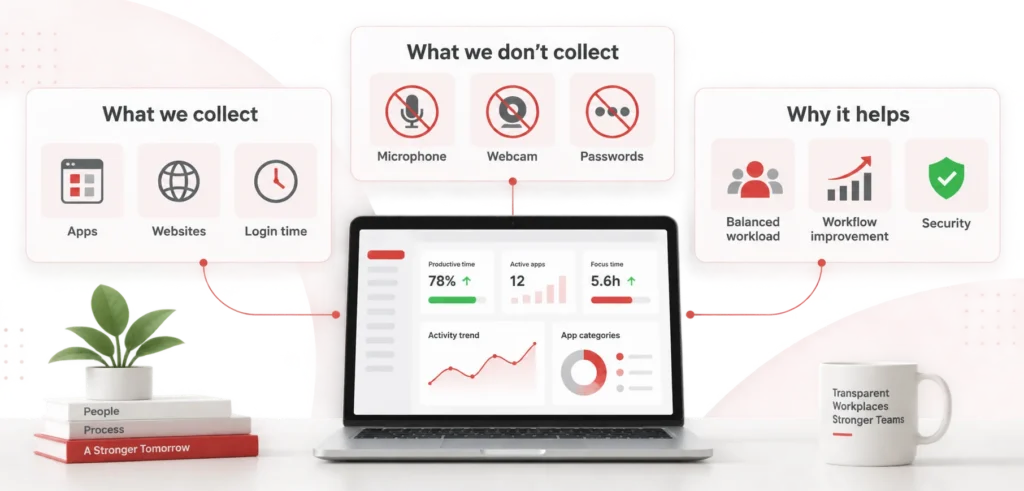
- What is monitored: apps, websites, file transfer events, logs, (and when screenshots apply)
- What is not monitored: personal communications/accounts where applicable
- Access controls: who can view logs/screenshots and under what authorization
- Retention: how long data is kept and why
- Employee notice: acknowledgement and training
Also remember: ABA Model Rule 5.3 covers responsibilities regarding nonlawyer assistance, relevant when vendors/IT staff handle systems that could touch confidential information. (American Bar Association)
And ABA Model Rule 1.1, Comment 8 highlights that competence includes keeping abreast of the benefits and risks of relevant technology, a direct reason firms must modernize controls in hybrid work. (American Bar Association)
Talk to an Expert Who Understands Law Firm Risk
Book a demo with a CurrentWare expert to see:
- How to implement monitoring without violating attorney-client privilege
- What to monitor (and what not to monitor) in a law firm environment
- How firms use risk-based monitoring instead of blanket surveillance
A deployable implementation blueprint (law firm ready)
Step 1: Define your “monitoring zones” by risk
Create 3 zones:
Zone 1 Baseline (everyone)
- website category controls
- application inventory + usage
- security events + alerts
- compliance reporting
Zone 2 Elevated (roles handling high-sensitivity matters)
- stricter web categories (block upload tools / unauthorized AI if needed)
- tighter application controls (deny-by-default for unknown apps if required)
- increased alert sensitivity for file movement patterns
Zone 3 Investigations (case by case, authorized)
- screenshots/live capture for specific users/time ranges
- evidence export for HR/legal/compliance workflows
This approach is defensible because it’s purpose-limited and proportionate.
Step 2: Choose controls that reduce risk before you need evidence
Most firms buy monitoring for visibility, but forget enforcement.
Prioritize:
- web filtering (category based)
- application allowlisting / deny by default where appropriate
- automated alerts, not manual watching
Step 3: Build an “incident story” workflow
When something happens, your process should be:
- trigger (alert/complaint/anomaly)
- collect logs + timeline
- if needed, pull visual evidence for the specific window
- document findings
- corrective action (policy, training, access control changes)
Step 4: Prove it works with 3 operational metrics
- Mean time to investigate (MTTI) for internal incidents
- Reduction in risky web category hits / unauthorized app launches
- Audit response time to produce access + activity evidence
Vendor checklist for law firm employee monitoring (use this in procurement)
A law firm grade solution should support:
- Role based access control (RBAC) and audit trails (who viewed what)
- Granular scope control (monitor only what you need; investigation mode)
- Encryption + secure retention controls
- Hybrid coverage (on-site + remote endpoints)
- Web filtering + app controls (not just reporting)
- Evidence quality (clear timelines, searchable metadata, defensible exports)
- Privacy controls (redaction options, minimized capture, configurable retention)
If a vendor can’t clearly explain how they protect confidentiality and limit internal access, they’re creating a second insider risk problem inside your firm.
How CurrentWare fits (practical, law firm aligned)
If you want employee monitoring for law firms that is security first (not productivity theater), CurrentWare is commonly deployed for:
- Web controls (BrowseControl) to block high risk categories and enforce internet use policy across office and remote endpoints.
- Workforce activity visibility (BrowseReporter) for apps/web usage, plus screenshots & live capture when you need investigation grade evidence.
- Policy enforcement with audit friendly reporting, useful for firms that must prove “reasonable efforts” around client confidentiality and data handling.
The key is configuration: deploy baseline controls broadly, then reserve deeper capture for authorized investigations.

-
★★★★★
"We’ve tried using other software for our employee monitoring but it was a pain to work with. BrowseReporter was simple to use and gave us exactly what we needed. I can easily see exactly what sites people are visiting when they visit them, and how long they stay there."

Frequently asked
Frequently Asked Questions
-
It can be if it is purpose limited, tied to confidentiality and risk reduction, and paired with clear notice, access controls, and proportional monitoring. ABA confidentiality obligations make “doing nothing” increasingly indefensible when firms handle sensitive digital data. (American Bar Association)
-
Monitoring tools don’t automatically “break privilege,” but poor implementation can create avoidable exposure (e.g., excessive content capture, uncontrolled access to logs/screenshots). Use RBAC, minimize capture, restrict investigation workflows, and document purpose/authorization.
-
Start with risk-based controls: web filtering, application controls, access/event logging, and alerting. Add screenshots/live capture only for targeted investigations. Align policy language to confidentiality and security “reasonable efforts.” (TBPR Docs)
-
Hybrid work increased endpoint exposure, and unauthorized tool use (including GenAI) is expanding data leakage risk. Gartner predicts major security/compliance impact from unauthorized “shadow AI” usage over the coming years. (Gartner)
-
IBM reports the global average breach cost is $4.88M, and U.S. averages are often cited higher, meaning even one incident can cost more than a full monitoring + security control program.
Still have questions?
Talk to a CurrentWare specialist who has deployed monitoring at 200+ law firms.
Implementation Checklist: Employee Monitoring for Law Firms
Practical Implementation Checklist (Security First, Privilege Safe)
1) Governance & Authorization (do this first or don’t deploy)
☐ Executive sponsor identified (Managing Partner / CIO / COO)
☐ Written business purpose defined: confidentiality, data security, compliance
☐ Monitoring approved by firm leadership + legal/compliance
☐ Monitoring ownership assigned (IT + Compliance, not managers individually)
☐ Role-based access defined for monitoring data (RBAC)
☐ Internal audit trail enabled for who views monitoring data
Why this matters: Uncontrolled access to monitoring data creates a second insider-risk problem.
2) Policy & Employee Notice (non negotiable)
☐ Updated Acceptable Use / IT Policy published
☐ Policy explicitly states:
- what is monitored
- what is not monitored
- Firm owned vs personal devices
- Investigation only scenarios
☐ Employee acknowledgement captured
☐ Training provided (what monitoring is for and what it isn’t)
Aligned with “reasonable efforts” expectations emphasized by the American Bar Association.
3) Define Monitoring Zones (risk based, defensible)
Zone 1 Baseline (all firm managed devices)
☐ Application usage logging
☐ Website category visibility
☐ Security event logging
☐ Remote + on-prem coverage enabled
☐ No content capture
Zone 2 Elevated Risk Roles
☐ Stricter web categories enforced (file sharing, AI tools, proxies)
☐ Application controls (allowlist / deny-by-default if required)
☐ Anomaly alerts (unusual access, time, volume)
Zone 3 Authorized Investigations Only
☐ Screenshots / live capture disabled by default
☐ Enabled only with written authorization
☐ Time-boxed capture window
☐ Evidence export logged and restricted
This structure aligns with insider risk best practices cited by Gartner.
4) Web & Application Controls (risk reduction > visibility)
☐ Block high-risk website categories:
- malware / phishing
- unauthorized file sharing
- anonymizers / proxies
- consumer cloud storage (if policy requires)
☐ Detect or block unauthorized AI tools
☐ Application inventory created
☐ Unknown apps flagged or restricted
☐ Exceptions documented and approved
5) Data Access & Movement Signals (no content inspection)
☐ File transfer events logged (upload/download volume)
☐ After hours access alerts enabled
☐ Location anomalies monitored
☐ Repeated access to sensitive matter folders flagged
☐ USB / removable media events logged (if applicable)
You’re monitoring behavioral signals, not reading privileged content.
6) Investigation Workflow (prove facts, not assumptions)
☐ Standard incident trigger list defined:
- HR complaint
- client inquiry
- security alert
- audit request
☐ Step by step investigation playbook documented
☐ Evidence review limited to authorized reviewers
☐ Screenshots used only when logs are insufficient
☐ Findings documented with timestamps + metadata
☐ Corrective action recorded (policy, access, training)
7) Privacy, Retention & Data Protection
☐ Monitoring data encrypted at rest and in transit
☐ Retention periods defined by data type
☐ Automatic data purging enabled
☐ Access reviewed quarterly
☐ Monitoring data excluded from routine performance reviews
☐ Redaction or masking used where possible
8) Audit & Compliance Readiness
☐ Ability to produce:
- access logs
- usage reports
- investigation timelines
☐ Audit response process tested
☐ Monitoring controls mapped to: - confidentiality obligations
- internal risk management
☐ Evidence exports watermarked and traceable
9) Vendor Due Diligence Checklist (use this in procurement)
☐ Role-based access control (RBAC)
☐ Clear separation between admins and reviewers
☐ Granular feature enablement (not all-or-nothing)
☐ Hybrid workforce support
☐ Investigation-only capture modes
☐ Transparent data retention controls
☐ Audit logs for monitoring access
If a vendor can’t explain how they prevent misuse of monitoring data, don’t deploy them.
10) Operational Metrics to Track (real ROI)
☐ Mean time to investigate internal incidents
☐ Reduction in risky web category access
☐ Unauthorized application usage trend
☐ Audit response time
☐ Number of incidents resolved without escalation
Final Check (ask this before go live)
☐ Can we explain this monitoring program to a client if asked?
☐ Can we defend it to a regulator or ethics committee?
☐ Does it reduce risk before incidents occur?
☐ Is access to monitoring data more restricted than access to matter files?
If the answer to any is no, adjust before rollout.