

4.8/5 on G2 Trusted by 100,000+ professionals in 55 countries
Employee Screenshot Monitoring Software that converts activity into evidence.
- Automatic screen capture on your schedule
- Live computer screenshot monitoring.
- Receipt-grade productivity proof
- Multi-monitor, Citrix & Terminal Server ready
Still guessing what your team is doing?
Gain full visibility into employee activity, app usage, active hours & websites, in real time.
Trusted by local and state government agencies , healthcare organizations, professional services firms, and more.





The screenshots show up where and when you need them.
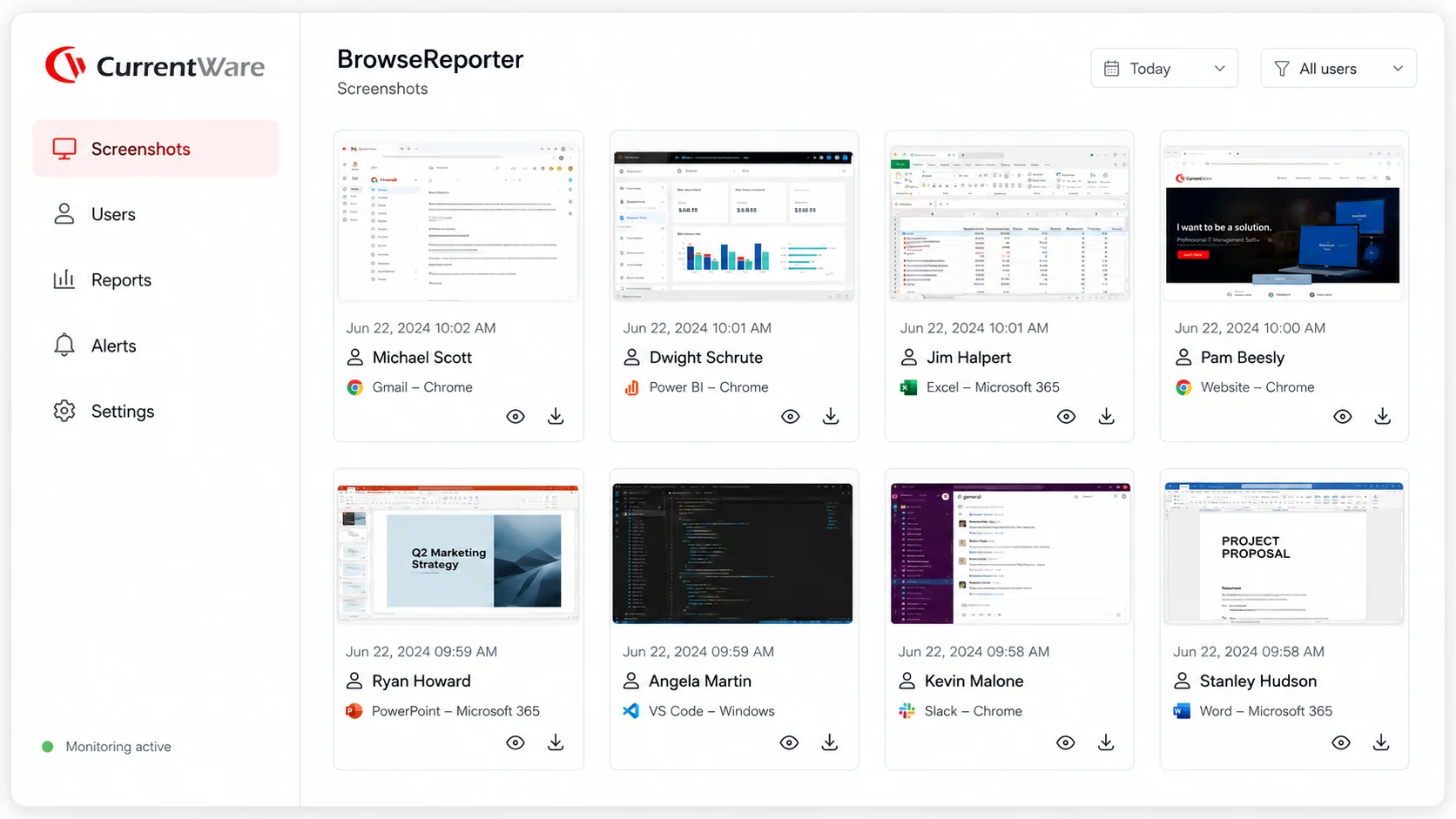
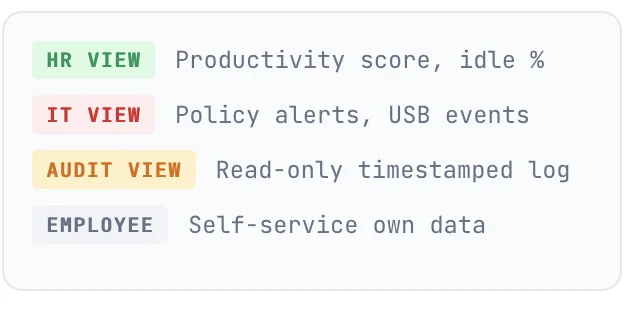
Computer screenshot monitoring captures are organized by user, app, URL, and time. Searchable, filterable, and exportable. High-resolution and compressed images keep storage lean, with full support for multi-monitor setups. Every view is role-based so HR sees productivity proof, IT sees policy events, and nobody sees more than their access allows.
From install to first screenshot in under a few minutes..
Deploy via Group Policy, MDM, or manual install across Windows, macOS, Citrix Virtual Apps, and Remote Desktop Services. Configure automatic screen capture rules for each team. Watch productivity proof land in the console in real time, without lifting another finger.
Step 01
Set your capture policy
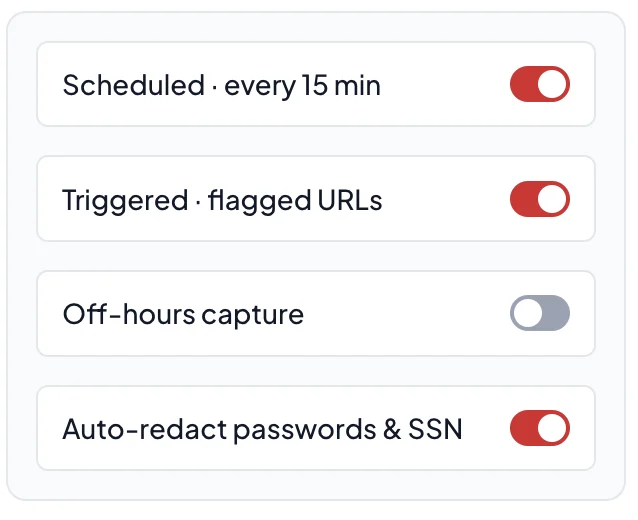
Pick interval (30s → once-per-shift), trigger captures by URL / app / keyword, decide on consent banners and redaction. Different rules per team.
Step 02
Capture & classify automatically
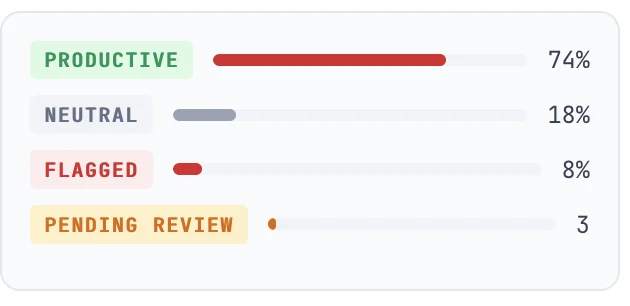
The agent captures, encrypts, and uploads. Currentware tags each shot by app, URL, and productivity category, no manual sorting.
Step 03
Review only what matters
HR sees the productivity rollup. IT gets policy alerts. Auditors get the evidence trail. Drill from team → user → minute in three clicks.
20-minute walkthrough · tailored to your team
The best screenshot monitoring software isn’t the noisiest one, it’s the most precise.
Currentware captures and gives the right person the right view. That’s how monitoring earns trust.
Capture
Automatic screen capture on your schedule
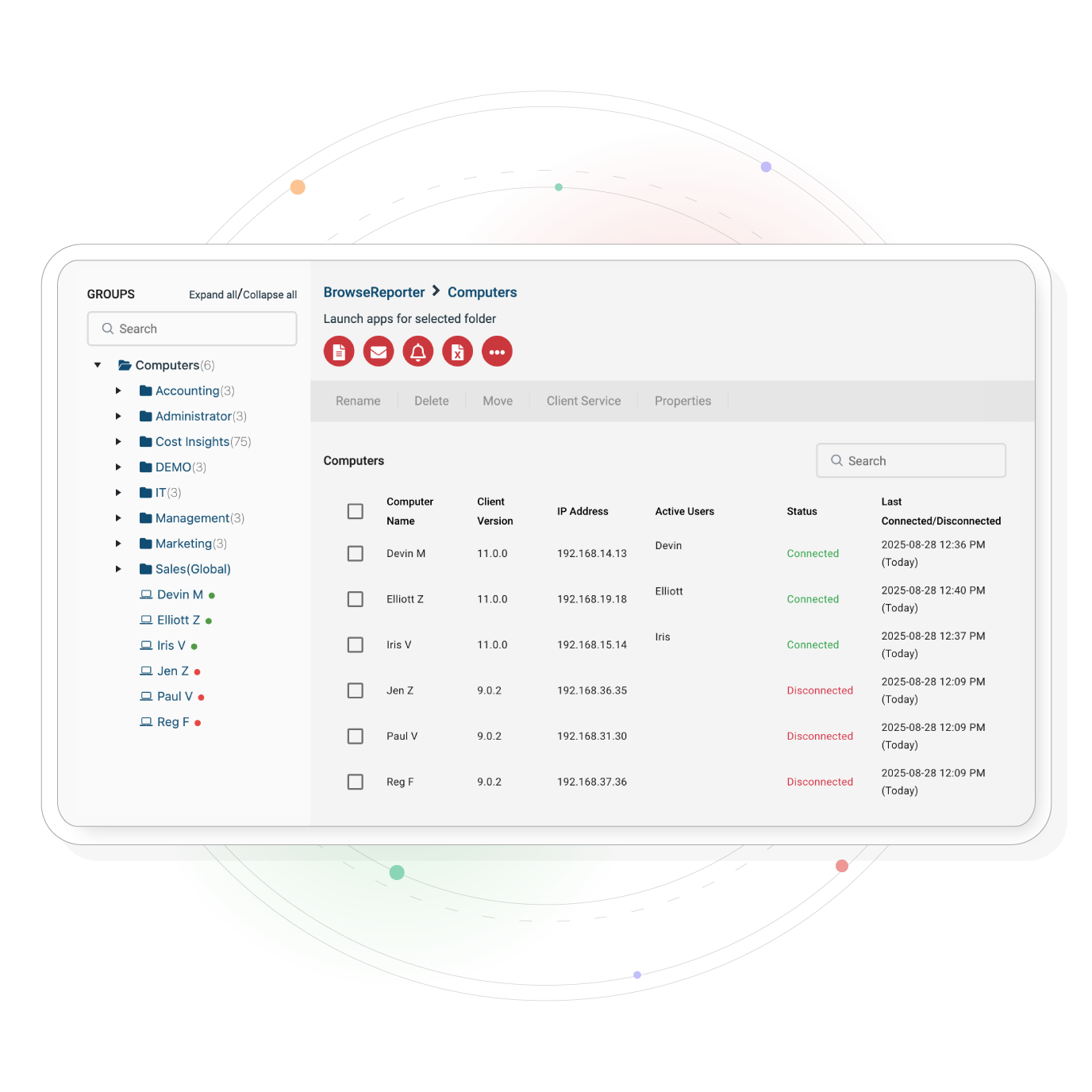
Continuously capture a visual record of employee activity with automatic screen capture. Schedule screenshots every 30 seconds to once-per-shift, trigger them by URL, application, or keyword, or take them on demand for live audits. All screenshots are stored, encrypted, retained, and deleted as per your policy.
- Configurable intervals from 30s to one capture per workday
- Event-triggered flagged URLs, banned apps, keyword matches
- Manual on-demand capture for HR and audit sessions
- Encrypted local or cloud storage
- Per-team rules
Alert
Live computer screenshot monitoring with real-time alerts
Get an over-the-shoulder view of any employee desktop on demand, plus real-time alerts the moment a policy breaks. When an employee visits a flagged site or pastes a customer record into a public AI tool, you receive an alert with the screenshot attached. Slack, Teams, email, webhook, or SIEM. Your channel.
- URL, app, file-transfer, AI-paste triggers
- Severity routing to warn the user, escalate to IT, or both
- Slack, Microsoft Teams, email, webhook, SIEM forwarding
- Investigation timeline with screenshot and activity replay in one place
Project
Automatic redaction, consent, and role-based access, by default
Currentware safeguards screenshot monitoring and makes the deployment defensible. Blur passwords and personal fields, require employee acknowledgement, restrict who can review by role, and auto-delete on retention schedule.
- Automatic blur of password fields, SSN, and payment data
- Employee-facing consent banners + own-data self-service
- Role-based viewing: HR / IT / Compliance / Read-only audit
- Retention windows with automatic deletion (30 / 60 / 90 / 365 days)
- Pause monitoring during personal hours or PTO
One employee monitoring software with screenshots. Different answers for IT, HR, Ops & Compliance.
Same agent. Different views. Different alerts. Different reports. Whether you need productivity proof for remote work screenshots, or automatic screen capture tied to insider-threat alerts, each team sees only what their role allows.
IT & Security
- Screenshots auto-attached to insider-risk alerts
- USB & file-transfer events with visual context
- SIEM-ready exports, REST API, scheduled reports
HR & People Ops
- Productivity proof for remote & hybrid disputes
- Coaching insights, not surveillance footage
- Aggregate rollups before drill-down to individual
Operations
- BPO & service-desk shift verification
- Capacity planning from real session evidence
- Client-billable hour reporting with receipts
Compliance & Audit
- Tamper-evident screenshot & activity audit trail
- GDPR / HIPAA / SOX / PCI-DSS workflow support
- Retention & deletion automated by policy
See what our customers have to say.
From IT directors at 700-person tech firms to operations leads at 10,000-person retailers, the feedback comes back to the same three words, easy, accurate, and trusted.
How EHOB turned a hunch into.hard evidence in an HR investigation.
A 400+ person US manufacturer used CurrentWare’s screenshot monitoring to move from suspicion to documented proof, protecting the company and the employees who were doing the work.
CASE STUDY
From hunch to hard evidence in HR investigations.
“We had concerns about how some employees were spending their time, but no real way to confirm it. CurrentWare gave us the visibility to see exactly what was happening, so when HR needed to act, we had the screenshots and the timeline to back up every decision.”
Sarah Mims
IT Support, EHOB
Defensible HR investigations
Replaced suspicion-driven conversations with timestamped screenshot evidence reviewed by HR and IT together.
Faster resolution, fewer disputes
Reduced multi-week investigation cycles to a single review session, with a clear audit trail attached.
Trust intact across the team
Transparent disclosure and role-based access kept honest employees comfortable while protecting the business.

Frequently Asked Questions
What buyers ask before choosing the best screenshot monitoring software
Employee screenshot monitoring software uses automatic screen capture to record an employee's desktop at scheduled intervals (e.g. every 5–15 minutes) or in response to triggers, visiting a flagged URL, launching a specific app, typing a keyword, or transferring files to USB.
Mid-market IT, HR, and operations teams use computer screenshot monitoring for three jobs: (1) productivity proof on remote and hybrid teams via remote work screenshots, (2) documenting policy events for IT & compliance, and (3) resolving disputes, payroll, time-theft, performance, with evidence rather than opinion.
In most jurisdictions, yes, provided you meet four conditions: disclose the monitoring in your acceptable use policy and employment agreements, configure the system to capture only what your policy specifies, restrict who can review the data, and review for legitimate business reasons.
Currentware ships transparent-mode disclosures, automatic redaction of personal fields, and role-based access by default, all aligned to a defensible monitoring program. We are not a substitute for legal counsel.
Yes. BrowseReporter is built for remote work screenshots, the agent reports whether the endpoint is on-network, off-network via VPN, or fully remote. All screenshot, activity, and alert features work the same. Captures are queued locally if the device is offline and uploaded when the device next reconnects. MDM deployment supports BYOD with a separate work profile so personal browsing isn't captured.
Four things buyers cite when they compare employee monitoring software with screenshots:
- On-premise deployment for organizations that can't or won't send activity data to a vendor cloud, financial services, healthcare, government.
- Automatic redaction of passwords, SSNs, payment fields, and banking pages, before storage, not after.
- Role-based access so HR, IT, and audit each see only what their policy allows, a hard requirement under GDPR and HIPAA.
- Predictable pricing, no per-feature add-on fees as you scale alerting, retention, or reporting.
Configurable per policy. Automatic screen capture intervals range from every 30 seconds for security-sensitive roles down to once per shift for low-risk teams. Most customers run a 5–15 minute interval plus event-triggered captures, taking a shot only when a flagged URL is opened or a banned app is launched. Multi-monitor setups, Citrix Virtual Apps, and Remote Desktop Services are all supported.
The agent runs as a protected service with anti-tamper protections. Local admin escalation, service termination, and uninstall attempts are blocked and logged as policy events, with their own screenshot attached.
Windows 10/11 and Windows Server are fully supported. macOS is supported for core screenshot & activity monitoring. Linux endpoint support is on the roadmap, let us know if it's a deal-breaker.
See the screenshots.
Trust the answers.
Get the employee screenshot monitoring software 10,000+ IT, HR, and Ops teams chose. Book a 20-minute personalized demo, tailored to your team.
“No Credit Card Required”