All Blocks
67 blocks, every one this theme registers, in alphabetical order and filled with sample data. Internal reference page – noindex, nofollow.
2 Column Content
acf/two-col-content – copied from products/reclassify-categories
Reclassify websites for BrowseControl
Found a URL that’s miscategorized in BrowseControl’s or BrowseReporter’s website categorization feature? Let us know by filling out the form!
Looking to reclassify website categories only for your console? Use the built-in Reclassification tool!
About Company
acf/about-company – copied from customers/ehob
About the Company
EHOB is a medical device manufacturing company that was founded in 1985. They specialize in pressure injury prevention through simple, clinically proven, cost-effective solutions.
Their focus is on delivering solutions and educational services that meet the needs of patients, clinicians, and healthcare teams.
With their products, healthcare professionals can provide their best patient care and focus on pressure injury prevention to achieve better outcomes.
Headquarters
Indianapolis, IN, USA
Industry
Manufacturing
Business Type
B2C
Company Size
400+ Employees
CurrentWare Products Used
Author Bio
acf/block-author-bio – copied from post/12-vital-productivity-tips-small-businesses; reads the current post or the main query, not its own fields
Awards Section
acf/awards-section – copied from page/customers
Blog Slider
acf/blog-slider – copied from page/home; reads the current post or the main query, not its own fields
Calculator CTA (Core)
acf/calculator-cta-core – copied from page/roi-calculator
Two weeks of your own data beats any calculator
Deploy on up to 10 computers, free. No credit card.
Calculator Employee Monitoring
acf/calculator-employee-monitoring – copied from page/roi-calculator
Keep going
Turn the estimate into a plan.
Software license optimization
The reports behind component two: find paid tools nobody opens before the renewal lands.
SolutionEmployee productivity tracking
Active versus idle time, productivity classification and scheduled reporting.
SolutionData loss prevention
Device control, transfer blocking and the alerts behind component three.
ProductBrowseReporter
The module that produces the data behind the first two components.
ProductenPowerManager
Power schedules, wake-on-LAN and logon tracking.
ProductPlans and pricing
Suite pricing, volume discounts, minimum contract and payment options.
EvidenceCustomer case studies
What other IT teams measured after deploying, including software cost reductions.
ComparisonCurrentWare vs alternatives
Side by side against ActivTrak, Teramind, Insightful and others.
TemplatesPolicy template library
Free, editable workplace policy templates covering internet, monitoring and removable media.
Calculator Form
acf/calculator-form – not used anywhere yet, so this is sample data
Have a specialist pressure-test your numbers
A calculator cannot see your tooling, your headcount mix or your renewal dates. A 20-minute call can. Bring your figures and we will tell you where they are optimistic, including when the answer is that CurrentWare is not the right fit.
- Text
- Text
- Text
CurrentWare gives IT teams the visibility to see how company devices are used, the controls to keep them within policy, and the reports to prove it. This is sample text on an internal reference page.
How We Calculate
acf/how-we-calculate – not used anywhere yet, so this is sample data
How We Calculate Your Ballpark Savings
We believe in transparency. These are the exact formulas the calculator runs, and the published research each default is measured against.
The formulas
Three rules that keep it honest
- No double counting. Disengaged employees are removed from lever 1, so their hours are never claimed twice.
- No full-salary claims. Lever 2 counts only the share of cost you say you can actually recover, half of it by default.
- No discount assumed. Investment uses public list price, so it is the most you would pay.
Sources behind the defaults
- How We Calculate CurrentWare gives IT teams the visibility to see how company devices are used, the controls to keep them within policy, and the reports to prove it. This is sample text on an internal reference page. Learn more Used For (Small Text)
Our defaults against the published benchmark
| Assumption | This calculator | Published research | Why this figure |
|---|---|---|---|
| Assumption | This Calculator | Published Benchmark | How Conservative |
| Assumption | This Calculator | Published Benchmark | How Conservative |
| Assumption | This Calculator | Published Benchmark | How Conservative |
Bottom Source Line
ROI Calculator
acf/roi-calculator – not used anywhere yet, so this is sample data
Your Free, Instant Software Cost Savings Calculator
Pre-filled for a 175-person company, so you get a number straight away. Change anything and it updates live; nothing is sent to us unless you ask. Not sure about a figure? Tap the beside it for the source and what to use instead.
Which products are you pricing?
SaaS list pricing, billed annually. Pick the Suite or individual modules.
Your workforce
One license covers one monitored computer or user.
Matched to your license count.
Where the savings come from
Productivity recovered across the team BrowseReporter or BrowseControl
Unused software licenses reclaimed BrowseReporter
Data loss and device risk avoided Optional · your figures
Energy saved by powering down devices enPowerManager
ROI Calculator V2
acf/roi-calculator-v2 – copied from page/roi-calculator
CurrentWare ROI Calculator
Use this ROI calculator to estimate what CurrentWare could return in a year, including savings from four areas:
- recovered employee productivity
- unused software licenses you can cut
- data loss prevention, including the potential cost of a breach
- lower energy use from idle computers
In just a few inputs, you will see your total gain or loss, ROI percentage and payback period.
Figures in
Employee productivity
BrowseReporterEstimated productivity gain: %
Based on gold standard research benchmarks. See the research and how we calculate savings ↓ See the research and how we calculate savings ↓
Software cost savings
BrowseReporterLicenses going unused: %
Based on Gartner’s research benchmarks See the research and how we calculate savings ↓
Data loss prevention
AccessPatrol and BrowseControlTypical breach cost, mid-sized company: $3.3M
It varies enormously by size and sector, and stolen intellectual property may not have a price at all. Where this figure comes from ↓
Device power management
enPowerManager
Calculator Savings
acf/calculator-savings – not used anywhere yet, so this is sample data
Teams that already found the savings
Two customers who used software usage data to cut spend, not just estimate it.
Calculator Savings
CurrentWare gives IT teams the visibility to see how company devices are used, the controls to keep them within policy, and the reports to prove it. This is sample text on an internal reference page.
Learn more SampleCalculator Savings
CurrentWare gives IT teams the visibility to see how company devices are used, the controls to keep them within policy, and the reports to prove it. This is sample text on an internal reference page.
Learn more SampleCalculator Savings
CurrentWare gives IT teams the visibility to see how company devices are used, the controls to keep them within policy, and the reports to prove it. This is sample text on an internal reference page.
Learn moreCalculator Uses Infobox
acf/calculator-uses-infobox – not used anywhere yet, so this is sample data
Who This Is For
Created for the Experts, By the Experts
This calculator is designed to help professionals like you take control of software spending and drive real value.
Calculator Uses Infobox
CurrentWare gives IT teams the visibility to see how company devices are used, the controls to keep them within policy, and the reports to prove it. This is sample text on an internal reference page.
Calculator Uses Infobox
CurrentWare gives IT teams the visibility to see how company devices are used, the controls to keep them within policy, and the reports to prove it. This is sample text on an internal reference page.
Calculator Uses Infobox
CurrentWare gives IT teams the visibility to see how company devices are used, the controls to keep them within policy, and the reports to prove it. This is sample text on an internal reference page.
Cards Section
acf/cards – copied from page/get-started
Case Study Grid
acf/block-case-study-grid – not used anywhere yet, so this is sample data
Case Study
Case Study Quote Box
acf/block-case-study-box – copied from customers/ehob
Ease of Use
Before CurrentWare, accessing employee activity data for HR inquiries was difficult. Now, it’s a breeze.
CurrentWare is this quiet helper in the background that gives us the info we need, just in time, without getting in the way.
Stellar Support
Our CurrentWare rep is great! He regularly reaches out to let us know about updates and help us plan out our CurrentWare upgrades. It can be hard to keep up with all the software I have to manage, so I appreciate the help.
We’re always looking to enhance our cybersecurity in the current threat landscape. We leverage every tool we have to make that better; seeing CurrentWare expand its offerings makes this a worthwhile tool for us.
Diverse Capabilities
Aside from HR’s needs, CurrentWare also helps us control access to removable media like USB drives and block inappropriate websites and content
We have remote, office, distribution, and manufacturing staff to manage. No matter where they work, CurrentWare is there to make sure everything is going as expected in the company.
Company Profile
acf/company-profile – copied from solutions/software-license-optimization
Company Profile
Workforce
Intelligence
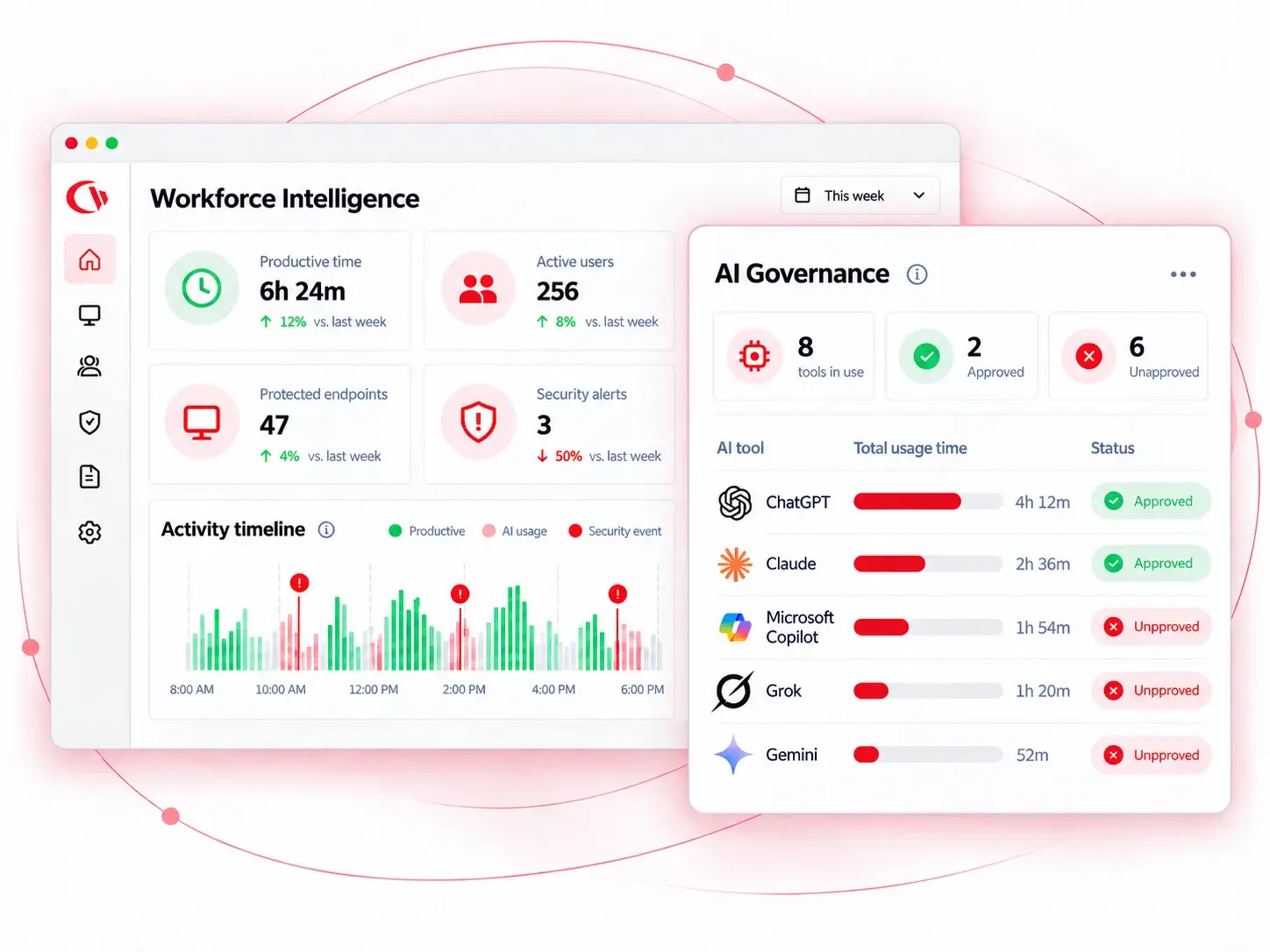
See where your employees’ time goes, filter the web, and stop data loss across every team and location, in real time.
1600+
Managed EndpointsWorkforce Intelligence for Remote, Hybrid, and In-Office Teams
Multidisciplinary Design Firm (integrates architecture, engineering, and design). Architecture & Engineering industry with a B2B business type.
1938
Billings, MT
Comparison Section
acf/comparison-section – copied from products/reclassify-categories
Available Web Content Categories
| URL Category | Category Description | Safe for Kids? | Contains Nudity? |
|---|---|---|---|
| Abortion and pregnancy | Sites that talk about: Pregnancy, Abortion, Pregnancy termination, Pro life and Pro choice | No | No |
| Actors and models | This category appears only when filtering search results it will appear when the search result is an actor/model. | Maybe | Maybe |
| Ads | Sites that serve ads, or are an ads agency (ads agency are preferably marketing or marketing/ads, but sometimes it’s impossible to distinguish) | Depends | Maybe |
| Adult | Sites that contain adult content, either graphically or in text, but is not Pornographic in nature. | No | Maybe |
| Adult dating | Sites that deal with adult dating (contains sexual content). | No | Maybe |
| AI | Sites that are about AI (artificial intelligence) or offer such services | Yes | No |
| Alcohol | Sites that deal with alcohol, this includes: Wine, Brewing, Winemaking, Vineyards, Beer and bars. | No | No |
| Alternative medicine | Sites that are about alternative medicine | Yes | No |
| Annoyances | Sites that are annoying, mostly popups, this category is provided for PerPageSDK only. | Maybe | Maybe |
| Anorexy | Sites that are about: Anorexy, Bulemia, and eating disorders. | No | No |
| API | Hosts that are use as an API for software/browser, which don’t have visible data. | Yes | No |
| Arts | Sites about: Arts, Arts museums, Plays, Paintings, Poems, and Artists. | Yes | No |
| Astrology | Sites that deal with divination: Astrology, Palmistry, Cold reading methods, Card reading, Tarot and seeing the future. | Yes | No |
| Banks | Banking sites | Yes | No |
| Beauty and Fashion | Sites that talk about: Life style, Beauty, Personal care, Wrist watches, Jewelry, Cosmetics, Perfumes, Personal grooming, Hair/Nail salons and Weddings. | Depends | Light |
| Bitcoin | Bitcoin and other crypto currency related sites | Yes | No |
| Blogs | Sites that are blogs, if the content of the site is not safe, it will be in another or extra category. | Yes | No |
| Bookmarks | Sites that are a repository of bookmarks, can be a social bookmarking service as well. | Yes | No |
| Books or comics | Sites that are about: Books, Libraries, Book shops and Author’s pages. There are new category for comics, the name in the category is for backward compatibility only. | Yes | No |
| Business and services | Sites belonging to a business or a service provider that doesn’t fall under any of the other categories. | Yes | No |
| Bypass protection | Sites that are used to bypass parental controls software and components, VPN and Proxies fall under the Proxy category. | No | Maybe |
| CDN | CDN Sites, they serve content of others, some CDNs can server both safe and unsafe sites. | Depends | Maybe |
| Celebrity gossip | Sites that are about celebrity gossip, if contains nudity, it will come with an additional category that indicates it. | Maybe | Maybe |
| Chats | Sites that are mostly online chats, or chat/messaging applications. | Depends | No |
| Classifieds | Classifieds sites, second hand sales/services, yelp. | Yes | No |
| Clothing and fashion | Sites that are about: Clothing/shoes, Fashion, Clothing/shoes shop, Hand bags, clothing/shoes manufacturer. | Yes | No |
| Community and society | Sites that are about: Charity, Community (helping other), Fundraising. | Yes | No |
| Computer games | Sites that are about computer games or online games (some games can be violent like GTA). | Depends | No |
| Consumer reviews | Consumer and products review sites | Yes | No |
| Contact sport | Sites that are about contact sports, like: Martial arts, WWE, UFC and MMA. | Yes | No |
| Cooking and food | Sites that are about: Cooking, Food, Non alcoholic beverages, Recipes, Food shopping – excluding restaurants. | Yes | No |
| Crime | Sites that are about crime (either covering it, or giving crime instructions) | No | Maybe |
| Dancing | Sites that are about dancing | Yes | No |
| Dating | Dating sites. | No | No |
| Depress domain | Sites that are about sad topics such as : Obituaries, Cemeteries, Crematorium, Funerals, Jail, Prison, Disasters and more. | Maybe | No |
| Depress page | Will only appear at page level classification, it indicates the same as Depress domain, only at a page level (for example an article about a disaster in CNN). | Maybe | No |
| Desktop themes | Sites that offer: Screensavers, Desktop themes, E cards, Greeting cards, and Social sites covers. | Yes | No |
| Diet | Sites that are about: Diet, Weight loss and Weight gain. | Yes | No |
| Directories | Sites that are: Directories with many sites, Scraped statistics about uptime/downtime. | Maybe | Maybe |
| DNS error site can’t be resolved | Site can’t be resolved. | No | Maybe |
| Drugs | Sites that are about: Illegal drugs, Dispensaries – although some countries legalized CBD/THC products, it’s still classified as drugs. | No | Maybe |
| Education | Sites that belong to: Schools, Kinder gardens, Colleges, Universities and Educational software/guides. | Yes | No |
| Empty site | While scanning the site it didn’t return any result, which means site can’t be verified. | No | Maybe |
| Entertainment | Sites about: Movie reviews, Entertainment, Magazines about entertainment, Events, Night life, may contain streaming media, does not contain downloadable media. | Yes | No |
| Error site can’t be accessed | While scanning the site there was an error, which means site can’t be verified. | No | Maybe |
| File hosting | Sites that allow users to host their files for internal use or public sharing, files content isn’t verified (may contain nudity or warez). | Depends | Maybe |
| Finance | Sites that are about: Financial information, Investing, Stock exchange, Credit, Accounting, Payment gateways, business plans and models. | Yes | No |
| Fitness | Sites that are about fitness, like: Yoga, Bodybuilding, Weightlifting, Diet in context of fitness and Fitness. | Yes | No |
| Forex | Sites that talk about or offer: Forex or Binary options services | Yes | No |
| Forums | Forums or groups site. | Yes | No |
| Gambling | Sites that have: Gambling games, Sports betting, Betting statistics, Lottery, or gambling information (gambling addictions will be under health). | No | Maybe |
| Gender specific | Sites that have content aimed for a specific gender, for example, men’s magazine, or women’s portal. | Yes | No |
| General – not porn | Sites that our classifier could not find any suitable category for them. It means that they couldn’t be classified as unsafe as well. | Depends | Maybe |
| General (safe) | No known category, but considered safe (no pornography, drugs, gambling, adult, alcohol, tobacco), it is used mostly for sites that can confuse URL Classification algorithms because of words like Essex and similar variations. | Yes | No |
| Government | Sites that belong to the government or governmental agencies. | Yes | No |
| Grief | Sites that are about: Grief, Loss and Grief/Loss support. | No | No |
| Hacking | Sites that are about: Hacking, Cracking, Stolen data and mobile jailbreak. | No | No |
| Hate | Sites that are about hate toward: Genders, Race, Religion. Also: Holocaust denial, Pro Nazi. | No | Maybe |
| History | Sites about: Historical events, Historical figures and past wars. | Yes | No |
| Hobbies | Sites that are about various type of: Hobbies, Crafts, RC Cars, Collectables and also gardening. | Yes | No |
| Home improvement | Sites about: Home improvements, Decorating, Home items and DIY sites. | Yes | No |
| HostExt white list | This category exists only inside the SDK, it means the URL request extension will not be checked, or the site is white listed. | Yes | No |
| How to | Sites that are user generated content with How to guides. If contains adult content it will come with an additional category that indicates it. | Yes | No |
| Humor | Sites with: Jokes, Humor related content, and Standup comedy. | Yes | No |
| Hunting and fishing | Sites that are about: Hunting and Fishing information or equipment, Taxidermy and Game (hunting related). | Depends | No |
| Illegal | Sites that offer illegal products like fake IDs, diplomas, etc (sites for drugs, warez, weapons are under their own category). | No | Maybe |
| Image and video hosting | Sites that give the ability go host images, videos and image/video search engine. | Mixed | Maybe |
| Image block | Used for search results only, the sites may host bad images, usually an image hosting site, not relevant if software is not processing each image inside the search engine image search. | Maybe | Maybe |
| Images CDN | CDN that contains safe images, but are not user generated (this is a manually controlled list) | Yes | No |
| Images CDN Unknown | CDN that contains images, but there’s no way to tell which kind, only in the context of the web page | Maybe | Maybe |
| Insurance | Sites that offer insurance | Yes | No |
| Internal category | Internal category | Depends | Maybe |
| ISP | ISP sites or ISP related (such as ADSL news), sites that offer Internet connection and phone/mobile falls under the Telecommunications category. | Yes | No |
| Jobs | Sites that are about: Job offers, Job search, HR software, Job/Resume tips and Freelancing job sites. | Yes | No |
| Kids safe | Sites that are just for kids and are safe (sites added to this category is only after human review) | Yes | No |
| Kids Entertainment | Sites that are entertainment for kids | Yes | No |
| Knowledge | Sites that: Provide general paid knowledge, Online courses, Frontal training. | Yes | No |
| Legal | Sites that belong to: Lawyers, Law firms, Courts, Legal documents repository, Identity verification, and sites that give legal advice or tips. | Yes | No |
| Legal movies | Sites that legally host/stream full length movies and series, this list is a manual list. | Yes | No |
| Legal songs | Sites that legally host/stream music, this list is a manual list. | Yes | No |
| Lifestyle and culture | Sites that contain material related to an individual’s personal, community or cultural identity, or organizational/club affiliations. | Maybe | Maybe |
| Link farm | Sites that has no value and contain various links that will generate the owner money, or parked domains. May contain pornography. | Danger | Maybe |
| Loans | Sites that offer: Loans, Mortgages and Debt consolidation | Yes | No |
| Local | Sites about local information: City information, State information, Law enforcement and Fire fighters. If the second category is news, then it’s local news. | Yes | No |
| Local IP | Local IPs can’t be classified. | Maybe | Maybe |
| Login page | This page or site is part of a login or user management. It’s not always possible to deduce the site’s actual classification. | Maybe | Maybe |
| Lookup | Sites that offer various lookup and reverse lookup of: Emails, Domains, IPs, Phone numbers and People. | Yes | No |
| Magazines | Magazines sites (could be online magazines or a site for offline magazines), may contain another category if possible to denote the magazine category. | Yes | No |
| Marketing or ads | Sites that ad agencies, and it’s possible that the domain name also serves ads. | Yes | No |
| Medical | Sites that talk about medical and health information. | Yes | No |
| Military | Sites with .mil or military related | Depends | No |
| Mixed adult | Sites that have mixed content, some safe and some not, but is not outright adult content so it can’t be categorized as such. | No | Yes |
| Mobile | Sites that are about: Mobile devices, Cater only to mobile, Cellular phone sellers and manufacturers. | Yes | No |
| Models | Sites that contains images and information about: Models, Modelling and Models agency. | Depends | Light |
| Money spam | Sites that deal with making money online, or aggressive sales pitch with a squeeze page, this niche is highly abused and sites in this category should be treated as possible spam/scam. | No | No |
| Movies download | Sites that offer movies/series download or online streaming (can be pirate site, if contains other pirated content it will marked as Warez instead) | Yes | No |
| Music | Sites that are about: Music, Music magazines, Lyrics, Bands, Musical instruments and free music download (free songs, samples, effects). | Yes | No |
| Nature | Sites that are about: Nature or the Environment. | Yes | No |
| News and magazines | Sites that are about: News, Newspaper sites. Some news site can contain many themes in their main page beside news. | Depends | No |
| Nonsense and time waste | Sites that have many articles about: Memes, Movies and pictures that are mostly time waste, Viral jokes or a site with many articles in the form of “10 ways to “, “do this to become” even if it’s on a subject as health. Some sites will have a secondary category of Semi nude or Mixed nude because of their content. | Maybe | Maybe |
| Not HTML | Content inspected is not HTML | Maybe | Maybe |
| Not safe | No category found for site, but site was found to be not safe, usually because it uses “shady” advertisement that has unsafe content. | No | Maybe |
| Online drugs | Sites that offer to sell drugs like: Viagra, Pain killers, Narcotics, Anabolic Steroids. | No | Maybe |
| Online marketing | Sites that are related to: Online marketing, Email marketing services, Web analytics, Ads providers (but is not an ad serving domain). | Yes | No |
| Online security | Sites that belong to security product like: Anti Virus or firewall, or are about online security | Yes | No |
| Online video or audio | Sites that has streaming audio and video (for example tv/radio sites, movie clips sites, podcasts), will not contain porn sites, but some content may still be inappropriate, for example youtube.com. Pirated content will be in its own categories. | Depends | Maybe |
| Other drugs | Sites that are about drugs that are not part of the Drugs Online drugs category, these are drugs that are legal. (because legality is different between countries, the decision is based on the views of the classifier, if you need an exact list of the drugs, contact us) | No | No |
| Paranormal | Sites that talk about paranormal topics like: UFO, Ghosts, Clairvoyance and conspiracy theory. | No | No |
| Parenting and family | Sites that talk about: Parenting, Baby showers. | Maybe | No |
| Person | Sites that are about a specific person (not applies to music, sports, entertainment related people) | Yes | No |
| Pets and animals | Sites that talk about Pets and animals | Yes | No |
| Pharmacy | Online pharmacy sites. | No | No |
| Philosophy and psychology | Sites about: Philosophy, Psychology, Psychological/Cognitive tests and Psychological issues. | Yes | No |
| Phishing | Sites that contain phishing and other content that is scam based. | Danger | Maybe |
| Photography | Sites belong to photographers or about photography | Yes | No |
| Politics | Sites that are about: Political opinion, Politics, Politics news, Politicians, Parliament parties, and protests. | Depends | No |
| Porn | Sites that contain pornographic content. | No | Yes |
| Portals | Sites that are portals or magazines that may contain number of categories (some may be related to fashion or intimate apparel) | Depends | Maybe |
| PPC | Sites that are about PPC or offer such services | Yes | No |
| Profanity | Sites that contain profanity | Depends | Maybe |
| Programming | Sites that about: Programming, Development languages or Development frameworks | Yes | No |
| Proxy | Sites that provide information or service to tunnel web traffic and cause webfilter bypass: Tor, Proxy lists, Proxy/VPN providers. | No | No |
| Real estate | Sites that are about: Real estate, Realtors or House rentals | Yes | No |
| Recreation | Sites that are about: Recreation and Outdoors and which are not sports related. | Yes | No |
| Reference | Sites that are: Dictionary, Maps, Translation, Calculators, Thesaurus, Wiki, Wikipedia and General information sites. | Yes | No |
| Registry cleaner | Sites that belong to registry cleaners or uninstallers | Yes | No |
| Relationships | Sites that talk about: Romantic relationships, Dating advice, Marriage advice and Pickup but do not offer dating services sites. | No | No |
| Religion | Sites that about: Religion, Spirituality and Religion practices. | Yes | No |
| Restaurant | Sites that belong to: Restaurant, Food ordering, Cafe or similar food selling establishments | Yes | No |
| Retirement | Sites that are about: Retirement, and Retirements homes. | Yes | No |
| Rewards | Sites that offer reward/loyalty programs | Yes | No |
| Safe | No category found for site, but site was found to be safe (it’s a reserved category, it’s not used for now, but it can be activated at any time) | Yes | No |
| School cheats | Sites that offer ready made works for students, or custom work. | Maybe | No |
| Science | Sites that are about: Science, Mathematics, Research papers and companies/organizations that are involved in Science research. | Yes | No |
| Search block | Used for search phrases only, this indicates the search should be blocked. Unlike phrases that fall under a known category, some keyword could be both “good” and “bad”, so they are classified as Search block. | Maybe | Maybe |
| Search engines | Search engines sites, search result may contain unsafe content, our engine is able to classify the search based on the search keywords (contact us for help on the matter) | Depends | Maybe |
| Sects | Sites that are about: Sects, Occult, Cults, Cult leaders, Scientology, Church of Satan, Demons, and Secret Societies. | No | Maybe |
| SelfHelp | Sites that are about: Self help, Motivational speakers, Meditation and Relaxation. | Yes | No |
| Semi nude and pin up | Site that are about intimate fashion and apparel but in context of the images rather then shopping for them, also celebrity gossip with high percent of underwear and swimwear, this category can be treated for age 16+. | No | Maybe |
| SEO | Sites that are about SEO/SEM or offer such services | Yes | No |
| Sex education and sexuality | Sites that talk about: Sex educations, Sexuality, Sexual procedures, Reproduction tract related issues. | Depends | Maybe |
| Shopping | Shopping, Coupons and online auctions sites. | Yes | No |
| Site under construction or not available | Sites that are under construction or returned an error response when checked. | No | Maybe |
| Site_Graphic design | Sites that about: Sites/Graphic creation, Templates, Fonts, Icons, Vectors, Stock images/Videos, Themes and design, this may include graphic services. | Yes | No |
| Social networks | Sites that offer social networks services. | Depends | Maybe |
| Software | Site that offers: Software download, SAAS. (Legal sites only) | Yes | No |
| Software (Others) | Sites that belong to a software or software as a service, but not software repository which has its own category | Yes | No |
| Songs download | Sites that offer songs/mp3 download (can be pirate site, if contains other pirated content it will marked as Warez instead) | Yes | No |
| Spam or scam | Sites that has no value, trying to con the user, money from home schemes. | Danger | Maybe |
| Sports | Sites that are about: Sports, Car/Motorcycle racing, Sports streaming (will also be tagged with streaming) and Horse racing. | Yes | No |
| Suicide | Sites that talk about suicide, suicide prevention or pro suicide. | No | No |
| Supplements | Sites that are about or selling: Nutritional supplements, protein powders | Yes | No |
| Surveys and polls | Website that offer surveys and polls services. Nonsense polls and are in the Nonsense category. | Yes | No |
| Swimsuits and underwear | Sites that sell, show or talk about swimsuits, Lingerie and Underwear, these sites contain images of people wearing them. Shopping sites with underwear and swimsuit will fall under this category. | Maybe | Maybe |
| Tactical equipment | Sites that sell: Tactical gear, Body armor, Survival gear, Security gear. Also Preping and Survival information sites | Maybe | No |
| Tattoo | Sites that are about: Tattoos, Body modification, Body painting, Piercing, Service providers that provide all of those, and Image galleries of all of those. | No | Yes |
| Technology and computers | Sites that about: Technology, Computers, Software information (but not the software vendor site), Hardware. | Yes | No |
| Tele Communications | Home site of Tele Communications companies, which provide number of services such as: ISP, Cellular, Cable, Satellite, TV. | Yes | No |
| Tobacco | Sites that are about: Tobacco, Smoking (not drugs), Cigarettes, Cigars, Vaping and E Cigarettes. | No | Maybe |
| Toys | Sites that are about: Children toys, Dolls, and Board games. | Yes | No |
| Tracker | Sites that are tracking user behavior (web analytics). | Yes | No |
| Unknown | This domain is not yet categorized | Depends | Maybe |
| Upper level content | Host classification could not be decided because either there’s not enough data, host is under constructions or other reasons and received the classification of one of the next levels of the host. | Per host | Per host |
| URL Classification | Sites that are about URL Classification or offer such services | Yes | No |
| URL shortener | URL redirection or shortners service sites. When the user browses them they will redirect. Make sure to request classification for the redirection. There are some URL Shorteners that also display ads. | Depends | You need to verify target URL |
| User generated content | Sites that contain user generated content which are not blogs or forums. | Yes | No |
| Vacation and travel | Sites that talk about: Travel, Vacations, Holidays, Holidays’ bookings, Hotels, Air lines, Attractions and Museums. | Yes | No |
| Vehicles | Sites that talk about: Cars, Boats, Planes, Bikes, Trucks, Trains, Space shuttles, Motorcycles and all other forms of vehicles. | Yes | No |
| Victim help | Sites that offer help/support to victims of: Rape, Violence, Abuse, Crime, etc. | Maybe | No |
| Violence | Sites that contain violent content or extreme profanity. | No | Yes |
| Virus infected | Sites that are known to be infected with viruses | Danger | Maybe |
| Warez | Sites that contain: Torrents, Warez, Software cracks. It may or may not also contain adult content. | Depends | Maybe |
| Weapons | Sites that talk and/or sell: Weapons, Guns, Knives, and Army memorabilia. It may overlap with Tactical category for sites that are selling both weapons and tactical equipment. | No | No |
| Weather | Sites that talk about the weather | Yes | No |
| Web hosting | Sites that offer: Web hosting, Domain registration, Domain Whois, Web Hosting reviews, VPS Hosting, Colocation, Dedicated server hosting, LAAS, PAAS. | Yes | No |
| Web mail | Sites that offer web mail as a service. | Depends | Content isn’t checked |
Comparison Slider
acf/comparison-slider – copied from page/faq-single-test; reads the current post or the main query, not its own fields
Comparisons Listing
acf/comparisons-listing – copied from page/comparisons; reads the current post or the main query, not its own fields
Browse all product Comparisons
See how CurrentWare stacks up against other tools in terms of features, usability, pricing, and more.
Compliance Section
acf/compliance-section – copied from page/solutions
Built to Support Your Compliance Program
Discover how organizations use CurrentWare’s employee monitoring software to improve visibility, strengthen compliance efforts, and manage employee activity more effectively.
Content Block
acf/content-block – copied from post/employee-privacy-policy
Employee Privacy Policy Examples
Free Employee Monitoring Policy Template
An employee monitoring policy (workplace surveillance policy) is critical documentation if you will be monitoring the use of company-owned equipment, devices, computers, networks, applications, software, and similar assets.
We’ve created an employee monitoring policy template (workplace surveillance policy template) that you can download for free and customize to fit the needs of your company. This template discloses your intent to monitor employees in the workplace, the types of monitoring that will be used by your company, and the privacy expectations that your employees should have. Get the FREE Template.
GitLab’s Employee Privacy Policy
This employee privacy policy example is from GitLab.
The information described in this privacy policy includes:
- The purpose of GitLab’s privacy policies and procedures
- GitLab’s rights and obligations as an employer
- The rights and obligations of the employee
- Contact information for employees that may have concerns
- What information is collected (contact information, medical information, address, home phone number, etc)
- GitLab’s intended use or disclosure of the information collected
- The business purposes and lawful basis the company has for collecting the data
- Definitions of the data controller that is responsible for the information collected
- How data is collected by the company
This Employee Privacy Policy (“Privacy Policy”) explains what types of personal information we may collect about our employees and how it may be used.
While this Privacy Policy is intended to describe the broadest range of our information processing activities globally, those processing activities may be more limited in some jurisdictions based on the restrictions of their laws. For example, the laws of a country may limit the types of personal information we can collect or the manner in which we process that information. In those instances, we adjust our internal policies and practices to reflect the requirements of local law.
For personal data collected under this Privacy Policy, the controller will be GitLab and the GitLab affiliates by which you are employed. For, (i) specific security concerns around your data, (ii) in the event you feel that you have not received proper attention to your data request, or (iii) have any other data privacy concerns, please contact GitLab Legal by emailing legal_internal@gitlab.com.
GitLab, Inc. is a global company with its headquarters in the U.S. This means that personal information may be used, processed, and transferred to the United States and other countries or territories and those countries or territories may not offer the same level of data protection as the country where you reside, including the European Economic Area. However, GitLab will ensure that appropriate or suitable safeguards are in place to protect your personal information and that transfer of your personal information complies with applicable data protection laws. Where required by applicable data protection laws, GitLab has ensured that service providers (including other GitLab affiliates) sign standard contractual clauses as approved by the European Commission or other supervisory authority with jurisdiction over the relevant GitLab data exporter (which typically will be your employer).
Who is collecting your personal data (who is the data controller)?
The GitLab entity that is a party to your employment contract or contract for services or otherwise employs you will be the data controller of your personal data. The following are the GitLab entities that act as controller: GitLab, Inc., GitLab, LLC., GitLab BV, GitLab GmbH, GitLab, LTD, GitLab PTY Ltd, GitLab Canada Corp, GitLab IT BV, and other GitLab subsidiaries throughout the globe (collectively “GitLab”).
GitLab affiliates may act as processors on behalf of other GitLab affiliates and/ or controllers. Furthermore, GitLab, its affiliates and subsidiaries participate in a group-wide IT system in order to harmonize GitLab’s IT infrastructure and its use (the “System”). The System also may hold data on all employees, workers, individual contractors and contingent workers (“Staff”). Insofar the System serves to improve and harmonize most of the human resources (“HR”) processes within GitLab. GitLab, Inc. in the US is responsible for the System.
Applicability of Other GitLab Privacy Policies
The websites of GitLab (e.g., about.gitlab.com) have separate privacy policies and terms of use that apply to their use. Additionally, some of our third party products and services may have separate privacy policies and terms of use that apply to their use. Any personal information collected in connection with your use of those websites or products and services are not subject to this Privacy Policy. If you are unsure how or if this Privacy Policy applies to you, please contact your DPO or Privacy Officer.
Third Party Services
In some cases, you may provide personal information to third parties that GitLab works with or that provide services to GitLab. This includes, those parties identified in the Tech Stack Application YAML (“Third Parties”).
The Tech Stack is updated periodically to ensure accurate, up-to-date disclosure of employee and customer third party applications used at GitLab. This particular policy applies to those applications identified as relating to Employee applications. The use of such Third Party websites may be governed by separate terms of use and privacy policies which are not under our control and are not subject to this Privacy Policy. Please contact such Third Parties for questions regarding their privacy practices, as well as if you would like to have them modify, update, alter or delete your personal information. Please understand that there are exceptions to rights surrounding personal data relating to employment. GitLab is required to maintain certain employment information by law.
What Personal Information Do We Collect?
We collect and maintain different types of personal information about you in accordance with applicable law. This includes the following:
- Name
- Gender
- Home address
- Telephone number
- Date of birth
- Marital status
- Employee identification number
- Emergency contacts
- Residency
- Work permit status
- Military status
- Nationality
- Passport information
- Social security or other taxpayer/government identification number
- Payroll information, banking details
- Wage and benefit information
- Retirement account information
- Sick pay, Paid Time Off, retirement accounts, pensions, insurance and other benefits information (including the gender, age, nationality and passport information for any spouse, minor children or other eligible dependents and beneficiaries).
- Information from interviews and phone-screenings you may have had, if any.
- Date of hire, date(s) of promotion(s), work history, technical skills, educational background, professional certifications and registrations, language capabilities, and training records.
- Beneficiary and emergency contact information.
- Forms and information relating to the application for, or in respect of changes to, employee health and welfare benefits; including, short and long-term disability, medical and dental care, etc.
- Physical limitations and special needs in order to provide reasonable accommodations.
- Records of work absences, vacation/paid time off, entitlement and requests, salary history and expectations, performance appraisals, letters of appreciation and commendation, and disciplinary and grievance procedures (including monitoring compliance with and enforcing our policies).
Where permitted by law and applicable we may collect the results of credit and criminal background checks, screening, health certifications, driving license number, vehicle registration, and driving history.
- Information required for us to comply with laws, the requests and directions of law enforcement authorities or court orders (e.g., child support and debt payment information).
- Acknowledgements regarding our policies, including employee handbooks, ethics and/or conflicts of interest policies, and computer and other corporate resource usage policies.
- Information captured on security systems and key card entry systems.
- Voicemails, e-mails, correspondence, documents, and other work product and communications created, stored or transmitted using our networks, applications, devices, computers, or communications equipment.
- Date of resignation or termination, reason for resignation or termination, information relating to administering termination of employment (e.g. references).
- Letters of offer and acceptance of employment.
- Your resume or CV, cover letter, previous and/or relevant work experience or other experience, education, transcripts, or other information you provide to us in support of an application and/or the application and recruitment process.
- References and interview notes.
- Information relating to any previous applications you may have made to GitLab and/or any previous employment history with GitLab.
For specifics about what information is collected by third party applications, please refer to the Tech Stack Applications.
Apart from personal information relating to yourself, you may also provide us with personal data of related parties, notably your dependents and other family members, for purposes of your HR administration and management, including the administration of benefits and to contact your next-of-kin in an emergency. Before you provide such third-party personal data to us you must first inform these third parties of any such data which you intend to provide and of the processing to be carried out by us. You must ensure and secure evidence that these related parties, or their legal representatives if they are minors, have given their free and express consent that their personal data may be processed by GitLab and/or its affiliates and subcontractors for the purposes described in this Privacy Policy.
How is Data Collected?
Generally, we collect personal information directly from you in circumstances where you provide personal information (during the onboarding process, for example). However, in some instances, the personal information we collect has been inferred about you based on other information you provide us, through your interactions with us, or from third parties. When we collect your personal information from third parties it is either because you have given us express consent to do so, your consent was implied by your actions (e.g., your use of a Third-Party employee service made available to you by us), or because you provided explicit consent to the Third-Party to provide the personal information to us. Where permitted or required by applicable law or regulatory requirements, we may collect personal information about you without your knowledge or consent.
We reserve the right to monitor the use of our equipment, devices, computers, network, applications, software, and similar assets and resources for the safety and protection of employees and intellectual property. In the event such monitoring occurs, it may result in the collection of personal information about you. If required by applicable law, we will notify you of such monitoring and obtain your consent.
How We Process and Use Your Personal Information
We may collect and process your personal information in the Systems for various purposes subject to local laws and any applicable collective bargaining agreements and works council agreements, including:
- Recruitment, training, development, promotion, career, and succession planning
- Appropriate vetting for recruitment and team allocation including, where relevant and appropriate, credit checks, right to work verification, identity fraud checks, relevant employment history, relevant regulatory status and professional qualifications
- Providing and administering remuneration, salary, benefits, and incentive schemes and providing relevant information to payroll
- Allocating and managing duties and responsibilities and the business activities to which they relate
- Identifying and communicating effectively with other employees and management
- Managing and operating conduct, performance, capability, absence, and grievance related reviews, allegations, complaints, investigations, and processes and other informal and formal HR processes and making related management decisions
- Consultations or negotiations with representatives of the workforce
- Conducting surveys for benchmarking and identifying improved ways of working employee relations and engagement at work (these will often be anonymous but may include profiling data such as age to support analysis of results)
- Processing information about absence or medical information regarding physical or mental health or condition in order to assess eligibility for incapacity or permanent disability related remuneration or benefits, determine fitness for work, facilitate a return to work, make adjustments or reasonable accommodations to duties or the workplace and make management decisions regarding employment or engagement or continued employment or engagement or redeployment and conduct related management processes
- For planning, managing and carrying out restructuring or redundancies or other change programs including appropriate consultation, selection, alternative employment searches and related management decisions
- Operating email, IT, Internet, intranet, social media, HR related and other company policies and procedures. The company carries out monitoring of GitLab’s IT systems to protect and maintain the systems, to ensure compliance with GitLab policies and to locate information through searches where needed for a legitimate business purpose
- Complying with applicable laws and regulation (for example maternity or parental leave legislation, working time and health and safety legislation, taxation rules, worker consultation requirements, other employment laws and regulation to which GitLab is subject in the conduct of its business)
- Monitoring programs to ensure equality of opportunity and diversity with regard to personal characteristics protected under local anti-discrimination laws
- Planning, due diligence and implementation in relation to a commercial transaction or service transfer involving GitLab that impacts on your relationship with GitLab (for example mergers and acquisitions or a transfer of your employment under automatic transfer rules)
- For business operational and reporting documentation such as the preparation of annual reports or tenders for work or client team records including the use of your personal photo
- In order to operate the relationship with Third-Party customer and suppliers including the disclosure of relevant vetting information in line with the appropriate requirements of regulated customers to those customers, contact or professional CV details or resume, or your personal photo for identification to clients or disclosure of information to data processors for the provision of services to GitLab
- Where relevant for publishing appropriate internal or external communications or publicity material including via social media in appropriate circumstances, provided that privacy rights are preserved
- To support HR administration and management and maintaining and processing general records necessary to manage the employment or worker relationship and operate the contract of employment or engagement
- To centralize HR administration and management processing operations in an efficient manner for the benefit of our employees and to change access permissions
- To provide support and maintenance for the System
- To enforce our legal rights and obligations, and for any purposes in connection with any legal claims made by, against or otherwise involving you
- To comply with lawful requests by public authorities (including without limitation to meet national security or law enforcement requirements), discovery requests, or where otherwise required or permitted by applicable laws, court orders, government regulations, or regulatory authorities (including without limitation data protection, tax and employment), whether within or outside your country
- Other purposes permitted by applicable privacy and data protection legislation including where applicable, legitimate interests pursued by GitLab where this is not overridden by the interests or fundamental rights and freedoms of employees.
Additional information regarding specific processing of personal data may be notified to you by locally.
Legal Basis for processing
Where applicable data protection laws require us to process your personal data on the basis of a specific lawful justification, we generally process your personal data under one of the following bases:
Compliance with a legal obligation to which GitLab is subject; Entering into at-will employment (for US only) or performance under an employment contract with GitLab; For GitLab’s legitimate interests being those purposes described in the section above headed “How We Process and Use Your Personal Information”; Your consent where required and a legitimate legal basis under applicable local laws.
We may on occasion process your personal data for the purpose of the legitimate interests of a Third-Party where this is not overridden by your interests.
Processing of Special Categories of Personal Data
“Special Categories of Personal Data” includes information revealing racial or ethnic origin, political opinions, religious or philosophical beliefs, trade union membership, health, sex life or sexual orientation, as well as genetic and biometric data.
From time to time you may provide us with information which constitutes Special Categories of Personal Data or information from which Special Categories of Personal Data may be deduced. In such cases, where required by law, we will obtain your express written consent to our processing of Special Categories of Personal Data. If separate consent is not required by local law, by providing this information to GitLab, you give your freely given, informed, explicit consent for us to process those Special Categories of Personal Data for the purposes set out in How We Process and Use Your Personal Information section above.
You may withdraw your consent at any time by contacting GitLab’s People Success Group or DPO. Where you have withdrawn consent but GitLab retains the personal data we will only continue to process that Special Category Personal Data where necessary for those purposes where we have another appropriate legal basis such as processing necessary to comply with legal obligations related to employment or social security. However, this may mean that we cannot (for example) administer certain benefits or contact your next-of-kin in an emergency or provide support to you above and beyond our legal obligations. You give your knowledgeable, freely given, express consent to GitLab for GitLab to use, disclose and otherwise process any personal health information about you that is provided to GitLab by any of your personal health information custodians, for the purposes set out in the How We Process and Use Your Personal Information section above.
Sharing Personal Information
Your personal information may be shared, including to our affiliates, subsidiaries, and other third parties, as follows:
- Where you request us or provide your consent to us.
- In order to carry out the uses of personal information described above (see, How We Process and Use Your Personal Information). When using or collaborating with third parties in the operation of our business, including in connection with providing many of the benefits and services we offer our employees (e.g., human resources information systems, financial investment service providers, insurance providers). When we share personal information with third parties we typically require that they only use or disclose such personal information in a manner consistent with the use and disclosure provisions of this Privacy Policy and applicable law.
- We may buy or sell businesses and other assets. In such transactions, employee information is generally one of the transferred business assets and we reserve the right to include your personal information as an asset in any such transfer. Also, in the event that we, or substantially all of our assets, are acquired, your personal information may be one of the transferred assets.
- Where required by law, by order or requirement of a court, administrative agency, or government tribunal, which includes in response to a lawful request by public authorities, including to meet national security or law enforcement requirements or in response to legal process.
- If we determine it is necessary or desirable to comply with the law or to protect or defend our rights or property.
- As necessary to protect the rights, privacy, safety, or property of an identifiable person or group or to detect, prevent or otherwise address fraud, security or technical issues, or to protect against harm to the rights, property or safety of GitLab, our users, applicants, candidates, employees or the public or as otherwise required by law.
- Where the personal information is public and exempted from coverage under applicable data protection laws.
- To seek advice from our lawyers and other professional advisors.
- To professional advisors (e.g. bankers, lawyers, accountants) and potential buyers and vendors in connection with the sale, disposal or acquisition by use of a business or assets.
Access to Personal Information We Collect
To the extent access is required by applicable law, you can ask to see the personal information that we hold about you. If you want to review, verify or correct your personal information, please submit a request to GitLab’s People Success Group or DPO.
When requesting access to your personal information, please note that we may request specific information from you to enable us to confirm your identity and right to access, as well as to search for and provide you with the personal information that we hold about you. We may, in limited circumstances, charge you a fee to access your personal information; however, we will advise you of any fee in advance.
We reserve the right not to grant access to personal information that we hold about you if access is not required by applicable law. There are also instances where applicable law or regulatory requirements allow or require us to refuse to provide some or all of the personal information that we hold about you. In addition, the personal information may have been destroyed, erased or made anonymous. In the event that we cannot provide you with access to your personal information, we will inform you of the reasons why, subject to any legal or regulatory restrictions.
Correction of Collected Personal Information
We endeavor to ensure that personal information in our possession is accurate, current and complete. If an individual believes that the personal information about him or her is incorrect, incomplete or outdated, he or she may request the revision or correction of that information. We reserve the right not to change any personal information we consider to be accurate or if such correction is not required by applicable law.
Retention of Collected Information
Except as otherwise permitted or required by applicable law or regulatory requirements, we may retain your personal information only for as long as we believe it is necessary to fulfill the purposes for which the personal information was collected (including, for the purpose of meeting any legal, accounting or other reporting requirements or obligations) and for IT archival purposes.
Personal data for data subjects in the European Union is by default erased by GitLab after termination of your employment, with the exception of certain types of personal data, which may be stored for an extended period of time due to administrative purposes, e.g. for payment of retirement income or for giving references to other employers, or where such personal data must be retained to comply with regulatory requirements.
You may request that we delete the personal information about you that we hold, provided that we reserve the right not to grant such request if we are not required to delete personal information under applicable law. There are instances where applicable law or regulatory requirements allow or require us to refuse to delete this personal information. In the event that we cannot delete your personal information, we will inform you of the reasons why, subject to any legal or regulatory restrictions.
Requests to Access, Delete, or Correct Information
Please send requests to access, delete, or correct your personal information to your DPO.
Any request by you to us to delete your personal information will not result in deletion of any information submitted by you to a Third-Party provider. If you require the Third-Party to delete any of your personal information, you must contact the Third-Party directly to request such deletion.
As stated previously, there are instances where applicable law or regulatory requirements allow or require us to refuse to delete this personal information. In the event that we cannot delete your personal information, we will inform you of the reasons why, subject to any legal or regulatory restrictions.
Resolving Concerns
If you have questions or concerns regarding the handling of your personal information, please contact GitLab’s People Success Group or DPO. Alternatively, you may report concerns or complaints to the Legal Department.
You may also anonymously report violations of policy or law using our Third-Party managed Compliance & Fraud Prevention Hotline. You can access the Hotline by going to How to Contact GitLab’s 24 Hour Hotline
Changes to Privacy Policy
We may change this Privacy Policy at any time by posting notice of such a change in the revision table below. The effective date of each version of this Privacy Policy is identified the revision table.
Security of Collected Information
We are committed to protecting the security of the personal information collected, and we take reasonable physical, electronic, and administrative safeguards to help protect the information from unauthorized or inappropriate access or use.
Additional Rights You may also have the following additional rights, subject to certain exceptions and limitations as specified in applicable law:
Data portability
Where we are relying upon your consent or the fact that the processing is necessary for the performance of a contract to which you are party as the legal basis for processing, and that personal information is processed by automatic means, to the extent provided under applicable law, you have the right to receive all such personal information which you have provided to GitLab in a structured, commonly used and machine-readable format, and also to require us to transmit it to another controller where this is technically feasible;
Right to restriction of processing
You have the right to restrict our processing of your personal information where:
- You contest the accuracy of the personal information until we have taken sufficient steps to correct or verify its accuracy;
- Where the processing is unlawful, but you do not want us to erase the information;
- Where we no longer need the personal information for the purposes of the processing, but you require them for the establishment, exercise or defense of legal claims; or
- Where you have objected to processing justified on legitimate interest grounds (see below) pending verification as to whether GitLab has compelling legitimate grounds to continue processing.
To the extent required by applicable law, where personal information is subjected to restriction in this way we will only process it with your consent or for the establishment, exercise or defense of legal claims.
Right to withdraw consent
Where we are relying upon your consent to process data, you have the right to withdraw such consent at any time. You can do this by contacting GitLab’s People Success Group or DPO.
Right to object to processing justified on legitimate interest grounds
Where we are relying upon legitimate interest to process data, then you have the right to object to such processing, and we must stop such processing unless we can either demonstrate compelling legitimate grounds for the processing that override your interests, rights and freedoms or where we need to process the data for the establishment, exercise or defense of legal claims. Normally, where we rely upon legitimate interest as a basis for processing we believe that we can demonstrate such compelling legitimate grounds, but we will consider each case on an individual basis.
You also have the right to lodge a complaint with a supervisory authority, in particular in your country of residence, if you consider that the processing of your personal data infringes this regulation.
Content Box
acf/content-box – copied from page/privacy-policy
Privacy Policy
How to Read This Policy. Some information described in this Privacy Policy is processed by CurrentWare as a controller, such as information relating to website visitors, prospective customers, billing contacts, and Authorized Users for CurrentWare’s own account administration, security, and business operations. Other information, including Employee Personal Data processed through the Service on behalf of a Customer, is processed by CurrentWare as a processor or service provider. Where CurrentWare acts on behalf of a Customer, the Customer is responsible for determining the lawful basis for processing, providing required notices, and responding to rights requests, except to the extent CurrentWare is required to assist under applicable law or contract.
1. Introduction
This Privacy Policy explains how CurrentWare Inc. (“CurrentWare,” “we,” “us,” or “our“) collects, uses, discloses, and protects personal information when you interact with our websites, products, and services. It also applies to the CurrentWare workforce analytics, security, and data-loss-prevention platform – including the modules, the console, and the endpoint agents – whether deployed on-premises, through CurrentWare Cloud, or under a hybrid model (collectively, the “Service“).
This Privacy Policy covers two broad categories of individuals:
- Customers and Authorized Users – the organizations and individuals who purchase, administer, and configure the Service; and
- Monitored Personnel – the employees, contractors, and other workers whose endpoint activity is collected through the Service at the direction of a Customer.
Important Note on Roles: When CurrentWare processes personal data on behalf of a Customer through the Service, the Customer is the controller (or “business,” as applicable under privacy laws) and CurrentWare is the processor (or “service provider,” as applicable). In that capacity, CurrentWare processes personal data only on the Customer’s documented instructions and when personal information is used with the Service, it is processed according to the Master Terms of Service (“Master TOS“) and the Data Processing Addendum (“DPA“) attached to or referenced in those terms. This Privacy Policy does not override or replace the DPA, which governs CurrentWare’s obligations as a processor. Where a provision in this Privacy Policy relates to processing that is more fully addressed in the DPA, this Policy provides a summary and cross-references the DPA for detailed terms.
2. Definitions
The following terms are used throughout this Privacy Policy:
- “Agent” or “Endpoint Agent” means the CurrentWare software component installed on each Endpoint that collects and transmits telemetry to the Console.
- “Authorized User” means an individual employee, contractor, or agent of a Customer whom the Customer authorizes to access and configure the Service.
- “Console” means the management console — hosted by CurrentWare or by the Customer — through which Authorized Users administer the Service.
- “Controller” means the entity that determines the purposes and means of the Processing of Personal Information. In the context of the Service, the Customer is the Controller with respect to Employee Personal Data.
- “Customer” means the organization that has entered into a Master TOS and applicable Order Form with CurrentWare to access and use the Service.
- “Employee Personal Data” means personal data relating to Customer’s personnel (including employees, contractors, and other workers) that is processed through the Service, including web activity, application usage, idle time, file-transfer events, USB and peripheral device activity, productivity scores, and related telemetry.
- “Endpoint” means a workstation, laptop, server, virtual desktop instance, or other device on which the Agent is installed and from which telemetry is collected.
- “Module” means a separately licensed functional component of the Service, including BrowseReporter, BrowseControl, AccessPatrol, and enPowerManager.
- “Personal Information” (also referred to as “Personal Data“) means any information that identifies, relates to, describes, is reasonably capable of being associated with, or could reasonably be linked, directly or indirectly, to an identified or identifiable individual.
- “Processing” means any operation or set of operations performed on Personal Information, whether or not by automated means, including collection, recording, organization, structuring, storage, adaptation, alteration, retrieval, consultation, use, disclosure by transmission, dissemination, alignment, combination, restriction, erasure, or destruction.
- “Processor” means the entity that processes Personal Information on behalf of and under the instructions of a Controller. CurrentWare acts as a Processor when it processes Employee Personal Data through the Service.
3. Who We Are – Controller Identity and Contact Information
CurrentWare Inc.
PO Box 30024 King St PO
Toronto, ON M5V 0A3,
Canada
Privacy Contact / Data Protection Officer: Email: privacy@currentware.com | 1-888-912-9619
4. What Personal Information We Collect
We collect and process the following categories of Personal Information, depending on how you interact with us:
4.1 Account and Organization Data
When a Customer signs up for the Service, we collect information necessary to create and maintain the account. Authorized Users and other individuals may be associated with the account, including information such as:
- Company name, industry, and seat count
- Billing and payment information
4.2 User Account Data (Authorized Users)
For individuals who access the Console as Authorized Users, we collect:
- Internal user ID and work email address
- Role (e.g., admin, manager, employee) and department
- Account status (active, suspended, or deleted)
4.3 Authentication and Security Logs
To maintain the security of the Service, we collect:
- Login and logout timestamps, including success or failure reasons
- IP address, device type, operating system, browser, and MFA-enabled status
- Key administrative actions, such as creating users, updating policies, and exporting reports
4.4 Product Usage and Engagement Data
We collect data about how Authorized Users interact with the Service, including:
- Pages and modules accessed (e.g., Dashboard, Reports, Policies)
- Feature engagement and event activity (e.g., report creation, policy updates)
- Usage metrics such as number of logins, reports run, and active days
- Onboarding progress (e.g., checklist completion, tours viewed)
- Error events and stack traces, excluding free-text data
4.5 Employee Personal Data (Workforce Telemetry)
When Customers deploy the Service to monitor their personnel, the Endpoint Agent collects telemetry from managed devices. This data is processed by CurrentWare on behalf of, and at the direction of, the Customer. Categories of Employee Personal Data include:
- Web activity – websites visited, URLs accessed, website categories, and time spent on each site
- Application usage – applications opened, time spent in each application, and application categories
- Idle time and productivity data – active versus inactive work patterns, productivity scores, and time-wasting pattern detection
- File-transfer events – records of file transfers to or from Endpoints, including file names and destinations
- USB and peripheral device activity – connection, disconnection, and usage of USB storage devices, Bluetooth adapters, Wi-Fi adapters, and other peripherals
- Screenshot capture status – whether screenshot capture is enabled or disabled on a per-device basis (on/off flag only)
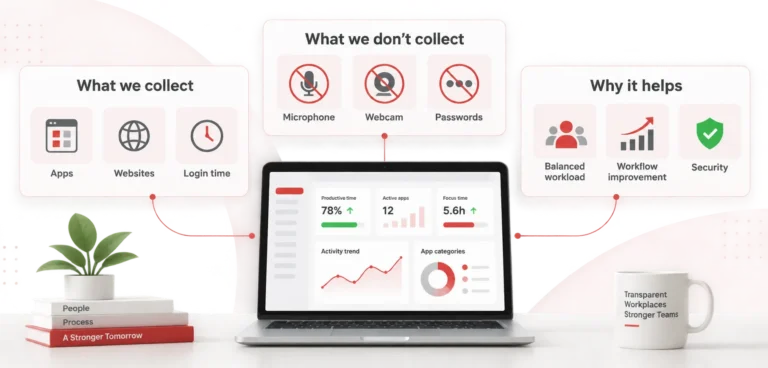
What the Service Does Not Collect: The Service does not perform keystroke logging, screen recording, email content capture, deep forensic endpoint detection (EDR), or network-level monitoring.
Note for Monitored Personnel: If you are an employee, contractor, or worker whose employer uses the CurrentWare Service, your employer, not CurrentWare, is responsible for providing you with notice about the monitoring, for obtaining any required consent, and for ensuring that its use of the Service complies with applicable law. If you have questions about how your employer uses the Service or wish to exercise your privacy rights with respect to Employee Personal Data, please contact your employer directly.
Sensitive or Special-Category Data. The Service is not intended to collect or process special categories of personal data or other sensitive personal information except to the extent such information is incidentally included in telemetry, file names, URLs, application names, support submissions, or account credentials. Customers are responsible for configuring and using the Service in a manner that is proportionate to their legitimate business purposes and that minimizes the incidental collection of sensitive information. To the extent such information is incidentally processed through the Service, CurrentWare processes it only on the Customer’s documented instructions and subject to applicable contractual and security safeguards.
4.6 Support Communications
When you contact us for support, we may collect your name, email address, the content of your communications, and any attachments or diagnostic data you provide.
4.7 Website and Cookie Data
When you visit our websites (including www.currentware.com), we collect information through cookies and similar tracking technologies, as described in Section 7 (Cookies and Tracking Technologies) below.
5. How We Use Personal Information
We use Personal Information for the following purposes:
5.1 Providing and Operating the Service
We process Personal Information to deliver the Service to our Customers, including hosting the Console, transmitting and storing telemetry data, generating reports and dashboards, enforcing web-filtering and device-control policies, and administering Customer accounts.
5.2 Artificial Intelligence and Automated Insights
The Service may include artificial intelligence, machine learning, or automated analytics features used to generate insights, alerts, summaries, or recommendations based on Customer Data and product usage data.
These AI-powered features may be used to:
- Detect productivity trends, anomalies, or workflow inefficiencies
- Generate automated productivity scores, time-use analytics, and team-level reporting
- Produce summaries, recommendations, or predictive insights to assist Customer decision-making
Unless otherwise expressly stated in supplemental terms or product documentation:
- AI-assisted features are intended to support, and not replace, human review and decision-making;
- CurrentWare does not use identifiable Customer Personal Data or Employee Personal Data processed on behalf of Customers to train shared foundation models for unrelated customers;
- where third-party AI providers are used, they act as service providers or subprocessors subject to contractual restrictions designed to limit retention and use of data for unauthorized purposes; and
- Customers are responsible for determining whether and how to enable, configure, or rely on AI-generated outputs in a manner consistent with applicable law.
CurrentWare’s artificial intelligence and analytics features are intended to provide decision‑support information only. The Services do not make employment decisions, disciplinary determinations, or other decisions that produce legal or similarly significant effects concerning individuals. Customers are solely responsible for reviewing and interpreting any insights, scores, classifications, or recommendations generated by the Services and for ensuring appropriate human oversight, fairness, and compliance with applicable employment and data protection laws.
5.3 Security and Insider Threat Protection
We process data to enable the Service’s data-loss-prevention and insider-threat-protection capabilities, including USB and peripheral device control, file-transfer auditing, shadow IT visibility, and policy enforcement.
5.4 Service Improvement, Analytics, and Product Development
We use product usage and engagement data to analyze feature adoption, diagnose errors, improve Service performance and usability, and develop new features.
5.5 Aggregated and De-Identified Data
CurrentWare may generate aggregated, anonymized, or de-identified data derived from Customer Data and use such data for any lawful business purpose, including improving the Service, developing new features, and producing benchmarks — provided that such data does not identify any Customer or individual. Data used for machine-learning model improvement may be aggregated, anonymized, or otherwise de-identified.
5.6 Compliance and License Management
We may collect and use information regarding use of the Service and Endpoints for purposes of providing maintenance and support, verifying compliance with the Master TOS, detecting over-deployment, and managing software licenses.
5.7 Employee and End-User Data
To the extent Customer Data includes Employee Personal Data, CurrentWare processes such information solely on behalf of and in accordance with the documented instructions of the applicable Customer and for the purpose of providing the Services. CurrentWare does not use Employee Personal Data for its own independent business purposes. Any use of Employee Personal Data for service analytics, product improvement, security enhancement, or artificial intelligence model development is limited to data that has been aggregated, anonymized, or de‑identified such that it cannot reasonably be used to identify an individual, unless otherwise expressly permitted by applicable law or a written agreement with the Customer.
5.8 Legal Obligations and Dispute Resolution
We may process Personal Information to comply with legal obligations, respond to lawful requests from public authorities, enforce our terms, and protect our rights and the rights of others.
5.9 Communications and Support
We use contact information to respond to inquiries, provide technical support, and send service-related notices.
6. How We Share Personal Information
We may share Personal Information in the following circumstances:
6.1 With Customers (Employee Personnel Data)
Employee Personal Data collected through the Service is made available to the Customer (and its Authorized Users) through the Console. CurrentWare processes this data at the Customer’s direction.
6.2 Service Providers and Sub-Processors
CurrentWare uses third-party service providers and subprocessors to support the Service and its business operations, including providers of cloud hosting, infrastructure, authentication, customer support, communications, analytics, and, where applicable, artificial intelligence functionality. These providers are contractually required to process Personal Information only for authorized purposes and subject to appropriate confidentiality, security, and data protection obligations.
A current list of CurrentWare subprocessors that process Customer Personal Data in connection with the Service, including the name, location, and processing function of each such subprocessor, is maintained at https://currentware-new.local//data-processing-addendum/#Schedule3 and may be updated from time to time in accordance with the DPA.
Third-party advertising and analytics partners used on CurrentWare’s public marketing websites are separate from Service subprocessors and are described in Section 7 and the applicable Regional Addenda.
6.3 Advertising and Analytics Partners
We may share data collected through our websites with advertising partners or analytics providers for purposes such as retargeting, campaign attribution, and measuring ad effectiveness. Where applicable law requires, we provide opt-out mechanisms for such sharing (see Section 7 and the applicable Regional Addenda).
6.4 Legal and Regulatory Disclosures
We may disclose Personal Information when required by law, in response to valid legal process (such as a court order or subpoena), or to cooperate with regulatory inquiries and investigations.
6.5 Business Transfers
In the event of a merger, acquisition, reorganization, or sale of all or substantially all of our assets, Personal Information may be transferred to the acquiring entity.
6.6 With Customer Consent or at Customer Direction
We may share Personal Information in other circumstances with the Customer’s consent or at the Customer’s documented instruction, as contemplated by the Master TOS and DPA.
7. Cookies and Tracking Technologies
7.1 Cookies on Public Websites
CurrentWare uses cookies and similar technologies on its public websites to operate the site, understand usage, improve performance, and, where permitted, measure and support marketing activities. These technologies may include analytics and limited marketing tools. Where required by applicable law, users may opt out of non-essential cookies through available cookie management tools.
7.2 Cookies Used in the Cloud-Hosted Service
The cloud-hosted version of the Service may use cookies and similar technologies for authentication, session management, security, fraud prevention, preference storage, and limited service analytics. Cookies used solely for core service functionality and security do not require consent where permitted by law. Analytics or optional functionality cookies used in the Service are subject to the applicable consent and preference mechanisms where required.
Cookie CategoryPurposeConsent Required?Necessary / EssentialCore functionality, authentication, session management, fraud prevention, load balancingNo — strictly necessary for service provisionFunctional / PreferenceRemember user choices (language, display, theme, region preferences)Yes (where required)Analytics / PerformanceMeasure and improve Service performance, usability, feature adoption, and error diagnosticsYesMarketing / AdvertisingPersonalized advertising, retargeting, campaign attribution, ad impression trackingYes
Analytics and telemetry data collected through cookies may also be used to support machine-learning models or AI-driven insights about product usage and feature adoption.
Some cookies are strictly necessary for the operation and security of the website and do not require user consent under applicable law.
7.4 Managing Your Preferences
When interacting with our website or online features of our Service, you can manage your cookie preferences at any time through our cookie banner, cookie settings page, or your browser settings. Except for strictly necessary cookies, you may change or withdraw your consent at any time where applicable law provides that right. See the applicable Regional Addendum for jurisdiction-specific rights related to cookies and tracking technologies.
8. International Data Transfers
CurrentWare is headquartered in Ontario, Canada. Personal Information may be transferred to, stored in, and processed in Canada, the United States, or other countries where CurrentWare or its sub-processors operate.
When Personal Information is transferred across borders, we implement appropriate safeguards as required by applicable law, including:
- Standard Contractual Clauses (SCCs) approved by the European Commission (for transfers from the EU/EEA)
- UK International Data Transfer Agreement (UK IDTA) or UK Addendum to the EU SCCs (for transfers from the UK)
- Adequacy decisions, where available
- Other lawful transfer mechanisms recognized under applicable data-protection law
9. Data Retention
We retain Personal Information for as long as necessary to fulfill the purposes described in this Privacy Policy, unless a longer retention period is required or permitted by law. Our general approach to retention is as follows:
- Account and organization data is retained for the duration of the Customer’s subscription and for a reasonable period thereafter for legal and compliance purposes.
- Employee Personal Data (workforce telemetry) is retained in accordance with default retention periods established by CurrentWare and any customer-configurable deletion controls, as described in the DPA.
- Authentication and security logs are retained for a reasonable period for security, compliance, and operational purposes.
10. Data Security
CurrentWare implements and maintains appropriate technical and organizational security measures designed to protect Personal Information against accidental or unlawful destruction, loss, alteration, unauthorized disclosure, or access. These measures include, at a high level:
- Access controls and authentication mechanisms
- Encryption of data in transit
- Logging and monitoring of administrative access
- Segregation of customer environments
- Vulnerability management and patch deployment
- Business continuity and disaster recovery procedures
11. Your Privacy Rights
Depending on where you are located, you may have certain rights regarding your Personal Information. The specific rights available to you, and how to exercise them, are set out in the applicable Regional Addendum below. In general, these may include:
- The right to access the Personal Information we hold about you
- The right to correct inaccurate Personal Information
- The right to delete your Personal Information
- The right to restrict or object to certain processing
- The right to data portability
- The right to withdraw consent where processing is based on consent
- The right to opt out of the sale or sharing of Personal Information, targeted advertising, or profiling
- Where applicable, the right to object to automated processing or profiling
Requests Relating to Customer Data.
Where personal information is processed by CurrentWare on behalf of a Customer, requests to exercise data protection rights (including access, correction, deletion, or objection) should be directed to the Customer, who controls such data. CurrentWare will reasonably assist Customers in fulfilling such requests as required by applicable law and contractual obligations. Except where required by law, CurrentWare does not respond directly to such requests without Customer authorization.
How to Submit a Privacy Request. You may submit a request by contacting CurrentWare using the contact details provided below and describing the nature of your request with reasonable specificity. CurrentWare may take reasonable steps to verify the identity and authority of the requestor before responding, including confirming access to the relevant email address, account, or organizational relationship. Where permitted by law, CurrentWare may request additional information necessary to verify the request and locate the relevant records.
If CurrentWare processes the relevant Personal Information on behalf of a Customer, CurrentWare may refer the request to the Customer or respond only with the Customer’s authorization, except where required by applicable law. Where applicable law provides a right to appeal a denial of a privacy request, CurrentWare will inform the requestor of the appeal mechanism and how to use it.
To exercise your rights, contact us at privacy@currentware.com | 1-888-912-9619
We will not discriminate against you for exercising your privacy rights.
12. Children’s Data
The Service is designed for use in enterprise and institutional environments and is not directed to children under the age of 16 (or the applicable age of digital consent in your jurisdiction). However, some Customers (including schools or other educational institutions) may deploy the Service in environments where devices or accounts are used by students or other minors and where Customer Data may include Personal Information relating to minors (for example, device identifiers, usernames, authentication logs, and internet or application activity captured by an Endpoint Agent on a school-managed device).
In these deployments, the Customer is the controller (or equivalent) of such information and is responsible for (i) determining what data is collected and how it is used, (ii) providing any required notices to students, parents/guardians, and staff, and (iii) obtaining any required consents or authorizations under applicable law. CurrentWare acts as a processor/service provider and processes such information only on the Customer’s documented instructions and as described in the applicable agreement (including the DPA). If you are a student, parent/guardian, or other individual and believe a school Customer is using the Service in a way that raises privacy concerns, or you wish to exercise your rights with respect to data processed on behalf of that Customer, please contact the school or district directly. If you believe CurrentWare has inadvertently collected children’s Personal Information outside of a Customer-directed deployment, please contact us at privacy@currentware.com and we will take reasonable steps to investigate and, where appropriate, delete such information.
13. Changes to This Privacy Policy
We may update this Privacy Policy from time to time to reflect changes in our practices, the Service, or applicable law. When we make material changes, we will update the “Last Updated” date at the top of this Policy and, where required, provide notice through the Service, by email, or by other appropriate means.
We encourage you to review this Privacy Policy periodically.
14. How to Contact Us
If you have questions or concerns about this Privacy Policy or our privacy practices, please contact us at:
Privacy Contact / Data Protection Officer: Email: privacy@currentware.com | 1-888-912-9619
For jurisdiction-specific regulatory and supervisory authority contact information, please refer to the applicable Regional Addendum below.
EXHIBIT A — CANADA REGIONAL ADDENDUM
This Addendum supplements the main body of the Privacy Policy for individuals located in Canada and addresses CurrentWare’s obligations under Canada’s Personal Information Protection and Electronic Documents Act (“PIPEDA“), Quebec’s Act Respecting the Protection of Personal Information in the Private Sector (“Law 25“), and applicable provincial privacy legislation.
A.1 Applicability
This Addendum applies when CurrentWare collects, uses, or discloses Personal Information of individuals located in Canada, including in its capacity as a controller (e.g., with respect to website visitors, prospective customers, and Authorized Users of Canadian Customers) and, to the extent applicable, as a processor acting on behalf of Canadian Customers.
A.2 Accountability and Privacy Governance
CurrentWare is responsible for Personal Information under its control and maintains a privacy management program designed to support compliance with applicable Canadian privacy laws, including PIPEDA and, where applicable, provincial private-sector privacy legislation. CurrentWare has designated a person responsible for privacy oversight and compliance, who may be contacted using the information provided in this Privacy Policy.
CurrentWare’s privacy management program includes policies and practices relating to governance and internal accountability, complaint handling and escalation, staff confidentiality and privacy training, safeguards and incident response, retention and secure disposal, management of service providers and subprocessors, and periodic review of privacy practices.
A.3 Consent
Under PIPEDA and applicable provincial law, we generally rely on the following forms of consent for the collection, use, and disclosure of Personal Information:
- Express consent — for sensitive personal information, for direct marketing communications, and where otherwise required.
- Implied consent — where the collection, use, or disclosure is reasonably expected in the context of the individual’s relationship with CurrentWare and is not sensitive in nature.
- Consent exceptions — where permitted by PIPEDA or applicable provincial law (e.g., processing necessary for legal or security purposes).
You may withdraw your consent at any time, subject to legal or contractual restrictions and upon reasonable notice. Withdrawal of consent may limit our ability to provide certain services.
A.4 Law 25 (Quebec)
For individuals in Quebec, the following additional requirements apply under Law 25:
- Privacy Governance and Accountability: CurrentWare has designated, or caused to be delegated, responsibility for personal information protection in accordance with applicable law. Contact information for privacy-related inquiries is provided in this Privacy Policy.
- Privacy Impact Assessments: CurrentWare conducts privacy impact assessments for projects involving the collection, use, or disclosure of Personal Information, as required by Law 25.
- Automated Decision-Making: Where the Service is used by a Customer in connection with a decision based exclusively on automated processing that produces legal effects or similarly significant effects concerning an individual, the Customer is responsible for providing any notices and rights required by law. CurrentWare will provide reasonable assistance to Customers as required by contract or applicable law.
- Cross-Border Transfers: Before communicating Personal Information outside Quebec where required by law, CurrentWare assesses whether the information will receive adequate protection, taking into account the sensitivity of the information, the purposes for which it is to be used, the safeguards applicable to it, and the legal framework of the destination jurisdiction. Where required, such transfers are governed by written contractual safeguards designed to ensure a level of protection equivalent to that required by applicable law.
- De-Identification and Anonymization: CurrentWare applies de-identification and anonymization practices in accordance with applicable legal requirements and internal controls designed to prevent unauthorized re-identification.
- Confidentiality Incidents: CurrentWare maintains internal processes for identifying, assessing, documenting, and responding to confidentiality incidents and, where required by law, maintains a record of such incidents. CurrentWare will notify Customers of reportable incidents involving Customer Personal Data as required by contract and applicable law.
A.5 Your Rights Under Canadian Privacy Law
Under PIPEDA, Law 25, and applicable provincial legislation, individuals in Canada have the following rights:
- Access: You have the right to request access to the Personal Information we hold about you.
- Correction: You have the right to request correction of inaccurate or incomplete Personal Information.
- Withdrawal of Consent: You may withdraw your consent to the collection, use, or disclosure of your Personal Information, subject to legal or contractual limitations.
- Complaint: You may file a complaint with the applicable privacy commissioner (see below).
- De-indexation (Quebec): Under Law 25, individuals may request that any hyperlink attached to their name providing access to Personal Information be de-indexed, where the dissemination of that information violates the law or a court order.
- Portability (Quebec): Under Law 25, individuals may request the communication of their Personal Information in a commonly used technological format.
A.6 Complaints and Inquiries
- Individuals may submit privacy questions, access or correction requests, or complaints using the contact information provided in this Privacy Policy. CurrentWare may take reasonable steps to verify the identity and authority of the requestor before responding.
- CurrentWare will review complaints in accordance with its internal privacy handling procedures and will respond within a reasonable time. If an individual is not satisfied with CurrentWare’s response, the individual may contact the appropriate privacy regulator, including the Office of the Privacy Commissioner of Canada or, where applicable, the Commission d’accès à l’information du Québec.
A.7 Regulatory Contact
Office of the Privacy Commissioner of Canada 30 Victoria Street, Gatineau, Quebec K1A 1H3 Toll-free: 1-800-282-1376 Website: www.priv.gc.ca
Commission d’accès à l’information du Québec (for Quebec residents): 525, boul. René-Lévesque Est, bureau 2.36, Québec (Québec) G1R 5S9 Telephone: 418-528-7741
Office of the Information and Privacy Commissioner for British Columbia (OIPC-BC) (for British Columbia residents): PO Box 9038, Stn Prov Govt, Victoria, British Columbia V8W 9A4 Telephone: 250-387-5629 Website:
Office of the Information and Privacy Commissioner of Alberta (OIPC-AB) (for Alberta residents): Suite 410, 9925 109 Street NW, Edmonton, Alberta T5K 2J8 Telephone: 780-422-6860
EXHIBIT B — UNITED STATES REGIONAL ADDENDUM
This Addendum supplements the main body of the Privacy Policy for individuals located in the United States and addresses CurrentWare’s obligations under applicable U.S. federal and state privacy laws, including the California Consumer Privacy Act as amended by the California Privacy Rights Act (“CCPA/CPRA“), the Virginia Consumer Data Protection Act (“VCDPA“), the Colorado Privacy Act (“CPA“), the Connecticut Data Privacy Act (“CTDPA“), the Utah Consumer Privacy Act (“UCPA“), and the Texas Data Privacy and Security Act (“TDPSA“).
Notice at Collection. Where required by applicable California law, CurrentWare provides a separate Notice at Collection at or before the point at which Personal Information is collected through its public websites, forms, or related interactions. That notice supplements this Privacy Policy and describes the categories of Personal Information collected, the purposes of collection, whether such information is sold or shared, and applicable retention periods or criteria.
B.1 Categories of Personal Information Collected
Under the CCPA/CPRA and similar state laws, the categories of Personal Information we collect include:
CategoryExamplesSourceIdentifiersName, email address, user ID, customer ID, IP address, device identifiersDirectly from you; automatically collectedCommercial InformationSubscription details, plan type, license usage, billing informationDirectly from CustomerInternet or Network ActivityWebsite browsing history, application usage, pages/modules accessed within the Service, feature engagementAutomatically collected via Agent and cookiesGeolocation DataIP-derived approximate locationAutomatically collectedProfessional or Employment InformationRole, department, employer nameProvided by CustomerInferencesProductivity scores, idle time patterns, workflow bottleneck indicators, AI-generated insightsGenerated through the ServiceSensitive Personal InformationAccount login credentials (username and password)Provided by you
B.2 Business and Commercial Purposes for Collection
We collect and use Personal Information for the business and commercial purposes described in Section 5 of the main body of this Privacy Policy, including providing the Service, security, analytics, product improvement, and advertising.
B.3 Sale and Sharing of Personal Information
Under the CCPA/CPRA, “sale” means making Personal Information available to a third party for monetary or other valuable consideration, and “sharing” means making Personal Information available for cross-context behavioral advertising.
CurrentWare does not sell or share Employee Personal Data (workforce telemetry) processed on behalf of Customers.
With respect to website visitors, we may share certain Personal Information (such as IP addresses, device identifiers, or cookie identifiers) with advertising and analytics partners through cookies and similar technologies for purposes that may constitute a “sale” or “sharing” under state privacy laws. You have the right to opt out of such sale and sharing, as described in Section B.5 below.
B.4 Sensitive Personal Information
CurrentWare may collect limited categories of Sensitive Personal Information, such as account login credentials or other information that qualifies as sensitive personal information under applicable law. CurrentWare uses such information only for purposes permitted by applicable law, including providing and securing the Service, authenticating users, detecting and preventing security incidents, maintaining accounts, and complying with legal obligations.
CurrentWare does not use or disclose Sensitive Personal Information for purposes that would require offering a separate right to limit use or disclosure, except where expressly stated in a supplemental notice. If CurrentWare’s practices change in a way that triggers such a requirement, CurrentWare will provide the disclosures and choice mechanisms required by applicable law.
B.5 Retention
We retain Personal Information as described in Section 9 of the main body of this Privacy Policy. We do not retain Personal Information for longer than is reasonably necessary for the purposes for which it was collected.
B.6 Your Rights Under U.S. State Privacy Laws
Depending on your state of residence, you may have the following rights:
- Right to Know / Access: You may request that we disclose the categories and specific pieces of Personal Information we have collected about you, the sources of collection, the purposes of collection, and the third parties with whom we share it.
- Right to Delete: You may request deletion of your Personal Information, subject to applicable exceptions.
- Right to Correct: You may request that we correct inaccurate Personal Information (CCPA/CPRA, VCDPA, CPA, CTDPA, TDPSA).
- Right to Data Portability: You may request a copy of your Personal Information in a portable, readily usable format.
- Right to Opt Out of Sale/Sharing: You may opt out of the “sale” or “sharing” of your Personal Information (CCPA/CPRA, VCDPA, CPA, CTDPA, UCPA, TDPSA).
- Right to Opt Out of Targeted Advertising: You may opt out of the processing of your Personal Information for purposes of targeted advertising (VCDPA, CPA, CTDPA, UCPA, TDPSA).
- Right to Opt Out of Profiling: You may opt out of profiling in furtherance of decisions that produce legal or similarly significant effects (VCDPA, CPA, CTDPA, TDPSA).
- Right to Limit Use of Sensitive Personal Information: Under the CCPA/CPRA, you may limit the use and disclosure of your sensitive personal information.
- Right to Appeal: If we deny your privacy request, you may appeal the decision (VCDPA, CPA, CTDPA, TDPSA).
- Right to Non-Discrimination: We will not discriminate against you for exercising your rights.
Authorized Agents: Under the CCPA/CPRA, you may designate an authorized agent to submit requests on your behalf. We may require verification of the agent’s authority.
B.7 Universal Opt-Out Mechanism and Global Privacy Control (GPC)
CurrentWare honors universal opt-out preference signals, including the Global Privacy Control (“GPC“), as a valid opt-out of the sale and sharing of Personal Information and of targeted advertising, as required under the CCPA/CPRA, CPA, CTDPA, and TDPSA.
When we detect a GPC or similar universal opt-out signal from your browser, we will treat it as a valid request to opt out of:
- The “sale” of your Personal Information
- The “sharing” of your Personal Information for cross-context behavioral advertising
- Targeted advertising
This means you do not need to separately submit an opt-out request if your browser sends a GPC signal — we will process it automatically.
You can enable GPC in supported browsers or browser extensions. For more information about GPC, visit https://globalprivacycontrol.org.
B.8 How to Exercise Your Rights
You may submit a privacy request by:
- Emailing us at privacy@currentware.com
- Activating GPC in your browser for sale/sharing/targeted advertising opt-outs
We will verify your identity before processing your request. We aim to respond within the timeframes required by applicable law (generally 45 days under the CCPA/CPRA, with extensions as permitted).
B.9 “Do Not Sell or Share My Personal Information”
To opt out of the sale or sharing of your Personal Information, you may:
- Click the “Do Not Sell or Share My Personal Information” link on our website
- Adjust your preferences on our Cookie Settings or Privacy Choices page
- Enable GPC in your browser
B.10 California-Specific Disclosures
In addition to the rights above:
- Financial Incentives: We do not offer financial incentives tied to the collection, sale, or deletion of Personal Information.
- Shine the Light: California residents may request information about disclosures of Personal Information to third parties for direct marketing purposes. Contact us at privacy@currentware.com.
- CPRA Service Provider Obligations: When CurrentWare acts as a “Service Provider” under the CPRA on behalf of a Customer, CurrentWare will not sell or share Customer Personal Information, and will not retain, use, or disclose it outside the business purpose for which it was provided or other purposes permitted by the CPRA.
B.11 Employee Monitoring — Notice to U.S. Employers
Customers that deploy the Service to monitor employees in the United States are responsible for compliance with applicable federal and state employee-monitoring laws, including the New York Electronic Monitoring Law (N.Y. Civ. Rights Law § 52-c) and the Connecticut electronic monitoring notice statute (Conn. Gen. Stat. § 31-48d).
B.12 Categories of Recipients Recipient Category. The table below summarizes the categories of recipients with whom CurrentWare may disclose Personal Information, the role such recipients generally play, and the purpose of disclosure:
| Recipient Category | Typical Role | Purpose of Disclosure |
|---|---|---|
| Customers and their Authorized Users | Controller / business customer | To provide Customer-configured reports, telemetry, dashboards, policy administration, and related Service functionality |
| Cloud hosting and infrastructure providers | Service provider / subprocessor | To host, store, secure, and transmit data used in connection with the Service |
| Authentication, support, communications, and ticketing vendors | Service provider / subprocessor | To authenticate users, support Service operations, manage tickets, and communicate with users and customers |
| Analytics providers | Service provider or third party, depending on context | To understand product usage, diagnose errors, and measure website or service engagement |
| Advertising partners used on public marketing websites | Third party | To support campaign attribution, advertising performance measurement, and retargeting where permitted by law |
| Artificial intelligence or model providers, where enabled | Service provider / subprocessor | To generate AI-assisted summaries, insights, or outputs requested through the Service or related support tools |
| Legal, regulatory, and transaction counterparties | Independent recipient | To comply with law, respond to legal process, protect rights, or support a merger, acquisition, reorganization, or sale |
EXHIBIT C — EUROPEAN UNION REGIONAL ADDENDUM (GDPR)
This Addendum supplements the main body of the Privacy Policy for individuals located in the European Economic Area (“EEA“) and addresses CurrentWare’s obligations under the General Data Protection Regulation (Regulation (EU) 2016/679) (“GDPR“).
C.1 Legal Bases for Processing
Under the GDPR, we process Personal Data on the following legal bases:
| Purpose of Processing | Legal Basis |
|---|---|
| Providing and operating the Service to Customers | Performance of a contract (Art. 6(1)(b)) |
| Account administration and billing | Performance of a contract (Art. 6(1)(b)) |
| Security, fraud prevention, and authentication logging | Legitimate interests (Art. 6(1)(f)) — maintaining the security and integrity of the Service |
| Service improvement, analytics, and product development | Legitimate interests (Art. 6(1)(f)) — improving our products and understanding usage patterns |
| AI-powered insights and automated analytics | Legitimate interests (Art. 6(1)(f)) — enhancing Service functionality; or performance of a contract (Art. 6(1)(b)) where configured by Customer |
| Compliance with legal obligations (e.g., tax, regulatory) | Legal obligation (Art. 6(1)(c)) |
| Marketing and advertising cookies | Consent (Art. 6(1)(a)) |
| Analytics / performance cookies | Consent (Art. 6(1)(a)) |
| Processing Employee Personal Data on behalf of Customers | Performance of a contract with the Customer (Art. 6(1)(b)); the Customer (as Controller) is responsible for establishing its own lawful basis for monitoring its personnel |
Where we rely on legitimate interests, we have conducted balancing tests to ensure our interests are not overridden by the rights and freedoms of the individuals concerned.
C.2 Data Subject Rights Under the GDPR
If you are located in the EEA, you have the following rights under the GDPR:
- Right of Access (Art. 15): You may request a copy of the Personal Data we hold about you.
- Right to Rectification (Art. 16): You may request correction of inaccurate or incomplete data.
- Right to Erasure (Art. 17): You may request deletion of your Personal Data in certain circumstances.
- Right to Restriction of Processing (Art. 18): You may request that we restrict processing of your data in certain circumstances.
- Right to Data Portability (Art. 20): You may request your data in a structured, commonly used, machine-readable format.
- Right to Object (Art. 21): You may object to processing based on legitimate interests or for direct marketing purposes.
- Right Not to Be Subject to Automated Decision-Making (Art. 22): You may object to decisions based solely on automated processing, including profiling, that produce legal effects or similarly significantly affect you.
- Right to Withdraw Consent (Art. 7): Where processing is based on consent, you may withdraw consent at any time without affecting the lawfulness of processing prior to withdrawal.
C.3 International Data Transfers from the EEA
Personal Data may be transferred from the EEA to Canada, the United States, or other countries where CurrentWare or its sub-processors operate. For such transfers, we rely on:
- Adequacy Decisions: Where the European Commission has determined that the recipient country provides an adequate level of data protection (e.g., Canada, for transfers subject to PIPEDA).
- Standard Contractual Clauses (SCCs): We use the European Commission’s approved SCCs for transfers to countries without an adequacy decision.
- Supplementary measures: Where required following a transfer impact assessment, we implement additional technical or organizational safeguards.
C.4 Works Councils and Employee Representation
Customers deploying the Service in the EU are responsible for compliance with member-state works-council, co-determination, and employee-representation requirements, including any obligation to consult with or obtain agreement from a works council, social-economic committee, or similar body before deploying monitoring software.
C.5 Supervisory Authority
You have the right to lodge a complaint with a data-protection supervisory authority, in particular in the EU member state of your habitual residence, place of work, or place of the alleged infringement. For a list of supervisory authorities, visit: https://edpb.europa.eu/about-edpb/about-edpb/members_en.
C.6 EU Representative
Where required under the GDPR or UK GDPR, CurrentWare will designate an authorized representative in the European Union and the United Kingdom. Information regarding such representatives will be made available in an updated version of this Privacy Policy or upon request.
EXHIBIT D — UNITED KINGDOM REGIONAL ADDENDUM (UK GDPR)
This Addendum supplements the main body of the Privacy Policy for individuals located in the United Kingdom and addresses CurrentWare’s obligations under the UK General Data Protection Regulation (“UK GDPR“) and the Data Protection Act 2018.
D.1 Legal Bases for Processing
The legal bases for processing Personal Data of UK individuals are substantially the same as those described in Exhibit C (EU Regional Addendum), Section C.1 above, as the UK GDPR mirrors the GDPR’s lawful bases framework.
D.2 Data Subject Rights Under UK GDPR
Individuals located in the United Kingdom have the same data subject rights as described in Exhibit C, Section C.2 above, as provided under the UK GDPR and the Data Protection Act 2018.
D.3 International Data Transfers from the UK
Personal Data may be transferred from the UK to Canada, the United States, or other countries where CurrentWare or its sub-processors operate. For such transfers, we rely on:
- Adequacy Regulations: Where the UK Secretary of State has made regulations recognizing a country as providing adequate data protection.
- UK International Data Transfer Agreement (IDTA): We use the UK IDTA approved by the Information Commissioner’s Office for transfers to countries without adequacy.
- UK Addendum to the EU SCCs: Where applicable, we use the UK Addendum in conjunction with the EU Standard Contractual Clauses.
- Supplementary measures: Additional technical or organizational safeguards where required.
D.4 Supervisory Authority
You have the right to lodge a complaint with the Information Commissioner’s Office (“ICO“):
Information Commissioner’s Office Wycliffe House, Water Lane, Wilmslow, Cheshire SK9 5AF Telephone: 0303 123 1113 Website: https://ico.org.uk
D.5 UK Representative
Where required under the GDPR or UK GDPR, CurrentWare will designate an authorized representative in the European Union and the United Kingdom. Information regarding such representatives will be made available in an updated version of this Privacy Policy or upon request.
EXHIBIT E — AUSTRALIA REGIONAL ADDENDUM
This Addendum supplements the main body of the Privacy Policy for individuals located in Australia and addresses CurrentWare’s obligations under the Privacy Act 1988 (Cth) and the Australian Privacy Principles (“APPs“).
E.1 Applicability
This Addendum applies when CurrentWare collects, uses, or discloses Personal Information of individuals located in Australia, including in its capacity as a controller (e.g., with respect to Australian website visitors and Authorized Users of Australian Customers) and as a processor acting on behalf of Australian Customers.
E.2 Collection of Personal Information (APP 3–5)
CurrentWare collects only the Personal Information that is reasonably necessary for its functions and activities, as described in Section 4 of the main body of this Privacy Policy. We collect Personal Information by lawful and fair means, and where reasonable and practicable, directly from the individual concerned. Where Personal Information is collected from a third party (e.g., from a Customer that has deployed the Service), we take reasonable steps to ensure the individual is made aware of the collection.
E.3 Use and Disclosure (APP 6)
CurrentWare uses and discloses Personal Information only for the primary purpose for which it was collected, or for a secondary purpose that is directly related to the primary purpose and within the individual’s reasonable expectations, or with the individual’s consent, or as otherwise permitted under the APPs.
E.4 Cross-Border Disclosure (APP 8)
CurrentWare may disclose Personal Information to recipients located outside Australia, including in Canada and the United States, where our servers and sub-processors are located. Before disclosing Personal Information overseas, CurrentWare takes reasonable steps to ensure that the overseas recipient handles the information in accordance with the APPs, including by entering into enforceable contractual arrangements.
DPA Cross-Reference: The DPA addresses Australian data residency options (where commercially viable) and cross-border transfer safeguards for Australian Personal Information.
E.5 Your Rights Under Australian Privacy Law
Under the Privacy Act and the APPs, Australian individuals have the following rights:
- Access (APP 12): You may request access to the Personal Information we hold about you.
- Correction (APP 13): You may request correction of Personal Information that is inaccurate, out-of-date, incomplete, irrelevant, or misleading.
- Complaint: You may make a complaint about CurrentWare’s handling of your Personal Information. We will respond to complaints within a reasonable time and, if you are not satisfied with our response, you may escalate to the Office of the Australian Information Commissioner.
- Anonymity and Pseudonymity (APP 2): Where lawful and practicable, you have the option of not identifying yourself, or of using a pseudonym, when dealing with us.
E.6 Direct Marketing (APP 7)
CurrentWare will only use Personal Information for direct marketing purposes where the individual would reasonably expect it, or with the individual’s consent. You may opt out of receiving direct marketing communications at any time by contacting us or using the unsubscribe mechanism in our communications.
E.7 Notifiable Data Breaches Scheme
In the event of an eligible data breach involving Personal Information, CurrentWare will comply with the Notifiable Data Breaches scheme under Part IIIC of the Privacy Act, including notifying the Office of the Australian Information Commissioner and affected individuals as required.
E.8 Supervisory Authority
Office of the Australian Information Commissioner (OAIC) GPO Box 5218, Sydney NSW 2001 Telephone: 1300 363 992 Website: https://www.oaic.gov.au

Counter Section
acf/counter-section – copied from page/employee-monitoring-software-canada
Productivity increase with monitoring software
Employers caught employees working second jobs
Desktop software spend is underutilized or wasted
Professionals trust CurrentWare worldwide
CTA – Primary
acf/primary-cta – copied from solutions/insider-threat-detection-software
Get Started with CurrentWare Insider Threat Detection Software
No Credit Card Required | 14-day free trial | Full feature access | Expert support included
CTA Info Box
acf/cta-info-box – not used anywhere yet, so this is sample data
CTA Info Box
CurrentWare gives IT teams the visibility to see how company devices are used, the controls to keep them within policy, and the reports to prove it. This is sample text on an internal reference page.
CTA Mini
acf/cta-mini – copied from products/usb-device-control-software
Put a number on the risk you're carrying
Model device-control savings alongside your own single-incident cost and probability. No benchmark is assumed for risk — you supply the exposure figure, so the result stays defensible.
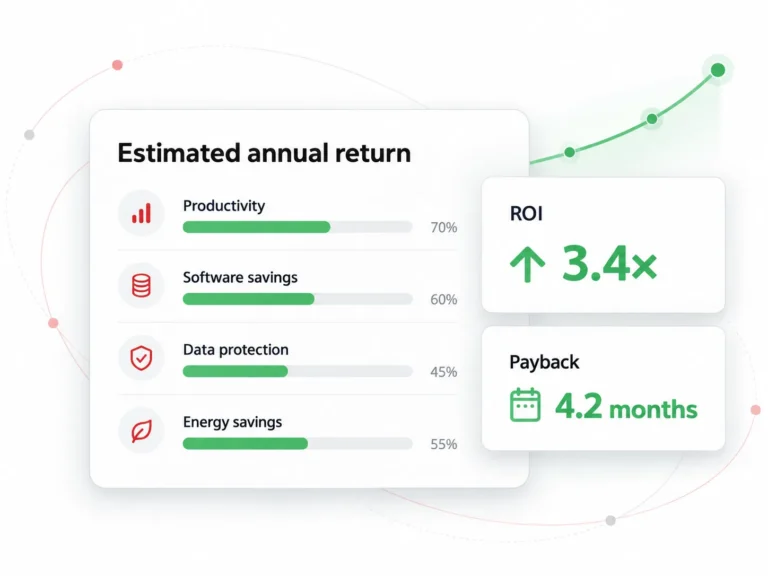
CTA Strip
acf/cta-strip – copied from page/webinar
Want this walked through on your environment?
Get a 1:1 session covering your deployment, user counts, retention needs, and internal approvals.
Customer Listing
acf/customer-listing – copied from page/customers; reads the current post or the main query, not its own fields
Browse Customer Success Stories
See how organizations like yours use CurrentWare to solve real workforce visibility, security, and compliance challenges.
Muhlenberg Township
Web Filtering Without Manual Policing
Viking Yachts
The Coding Network
Tamice
Sessions Kimball LLP
Sentry View Systems
Download Section
acf/download-section – copied from page/employee-monitoring-best-practices
Employee Monitoring Starter Kit
This kit provides your organization with the tools it needs to implement a successful employee monitoring strategy.
- Templates for policies and disclosures
- Presentations for key stakeholders
- Best practices for monitoring employees
FAQ Hero
acf/faq-hero – copied from page/faq-master-test
Knowledge Hub
Every CurrentWare answer, in one place
Search the full library of questions we get from IT teams, HR leaders, and compliance officers, pulled together from every product, solution, and compliance page on the site.
FAQ Info Box
acf/faq-info-box – copied from page/faq-master-test
Keep reading
Continue exploring employee monitoring
Go deeper on the topics behind these answers, from building a monitoring policy to choosing what to record.
FAQ List
acf/faq-list – copied from page/faq-single-test
FAQ Master
acf/faq-master – copied from page/faq-master-test
Recently updated
Latest questions
Why not allow one approved AI tool and block everything else?
Departments use AI differently, so one lane can slow work down. Employees still have deliverables, and if they believe a tool helps, they’ll find another way…
Updated 29 Oct 2026Should every department get the same AI policy?
No. Developers may legitimately need coding assistants that finance doesn’t, and marketing has different requirements from legal. BrowseReporter shows where your gaps are, and BrowseControl applies…
Updated 29 Oct 2026Should you block AI tools as soon as you find them?

Not without evidence. Blocking blindly can push usage onto personal devices where you have no visibility. Gather the facts first: screenshots, web and app history, and…
Updated 29 Oct 2026Is CurrentWare an analytics tool or a security tool?
Both. CurrentWare is a user behavior analytics platform covering AI governance, user activity, and data loss prevention. It shows how your team actually uses AI across…
Updated 29 Oct 2026BrowseReporter
Monitoring Laws & Consent
- Disclose: Update your acceptable use policy and employment agreements to state what is monitored, why, and how the data is used. Covert monitoring is legally risky in most jurisdictions, including the EU under GDPR and several US states.
- Configure: Deploy a transparent employee monitoring platform like CurrentWare to capture only what your policy specifies, applications, web activity, and idle time.
- Restrict: Use role based access so only authorized reviewers, typically IT security and designated HR, can see employee level data. Set retention windows and automatic deletion.
- Review: Build reports around the business question (productivity, attendance, coaching), not raw surveillance. Aggregate before going granular. Investigate exceptions, not everyone.
In most jurisdictions, yes provided it’s disclosed. Update your acceptable-use policy to state what’s monitored and why, configure the platform to capture only what that policy specifies, restrict who can see individual-level data, and build reports around business questions rather than raw surveillance. Covert monitoring carries real legal risk under GDPR and in several US states.
Yes, as long as it complies with privacy laws (GDPR, CCPA) and employees are informed. BrowseReporter supports compliance with transparent policies and privacy-first features.
Yes, BrowseReporter is legal when used in accordance with local labor laws and with proper employee transparency and consent. It includes privacy-first controls that allow organizations to define what is tracked, limit monitoring scope, and align with internal policies and regulations.
In most jurisdictions, yes, provided employees are notified, and business policies comply with applicable laws. In the US, employer monitoring of company-owned devices is broadly permitted, though several states (Connecticut, Delaware, New York) require specific advance notification. In the EU, GDPR requires a lawful basis for processing, a transparent privacy notice, and data limitation. CurrentWare customers are urged to consult legal counsel and review our Employee Monitoring Laws resource before deployment.
When determining how screen recording software will be used with the teams in your organization it is important to understand the potential privacy implications for your employees and what factors (such as state and federal laws) influence your right to monitor employee computers.
Depending on your jurisdiction and the jurisdiction of your employees you may have legal obligations to fulfill before using screen recording software.
The best practice is to consult with a legal professional first to understand how state and federal laws, collective bargaining agreements, and other factors influence what employee activity can be monitored.
Most workplace privacy laws require you to be transparent about data collection. This includes informing employees about what is being monitored, how their data will be protected, and how it will be used.
Typically this disclosure is provided in an employee manual, workplace monitoring policy, or acceptable use policy.
Get a FREE Template: Workplace Monitoring Policy (Employee Monitoring Policy)
The best screen monitoring software helps you meet your privacy requirements with privacy-enhancing features such as alerting your users that their computer activity is being monitored.
Monitoring Overview
Yes. The agent reports whether the endpoint is on-network, off-network via VPN, or fully remote. All activity and productivity features work the same. MDM deployment supports BYOD.
The differences buyers cite when comparing software for monitoring employees: (1) role-aware productivity classification instead of generic active/idle scores; (2) full on-premise deployment for organizations that can’t or won’t send activity data to a vendor cloud; (3) transparent monitoring controls employees can see, which most surveillance-first tools quietly skip; (4) pricing that doesn’t escalate as you add reports. We’re a strong fit for IT-led mid-market buyers. Less of a fit if you only want lightweight time-tracking with no policy enforcement.
Both modes are supported. We recommend transparent deployment for most organizations: visible notifications, branded tray, and employee-facing dashboards. A lower-profile mode is available for sanctioned investigations — typically with legal sign-off.
Configurable per policy. Common signals: applications used, websites visited, active vs idle time, and bandwidth use per user. You decide what’s captured, for how long, and who can review it.
The agent runs as a protected service with anti-tamper protections. Local admin escalation, service termination, and uninstall attempts are blocked and logged.
Windows 10/11 and Windows Server are fully supported. macOS support is available for core activity monitoring. Linux endpoint support is on the roadmap — let us know if it’s a deal-breaker.
Yes. The agent reports whether a device is on-network, on VPN, or fully remote, and all productivity features work the same across all three. MDM deployment supports BYOD.
Both modes exist. Transparent deployment of visible notifications and employee-facing dashboards is the default recommendation for most organizations. A lower-profile mode is available for sanctioned investigations, typically with legal sign-off.
Employee monitoring software records & analyzes how employees use company devices, applications, networks, and data, then reports that activity to a central console. Depending on the product, it can track websites and applications, block them, measure active versus idle time, capture screenshots, log file transfers, and enforce policies such as web filtering or USB blocking. The purpose ranges from productivity insight to insider threat detection to compliance evidence, and the right configuration depends entirely on which of those you are actually trying to achieve.
In most jurisdictions, yes, provided you monitor company-owned systems, disclose it, and keep it proportionate. The requirements vary considerably. The US permits it broadly at federal level under ECPA, but states like New York require written notice. Ontario requires a written electronic monitoring policy for employers with 25 or more employees.
Under UK and EU GDPR you need a documented lawful basis and, for anything systematic, a Data Protection Impact Assessment. New South Wales requires 14 days’ written notice. Covert monitoring is far more restricted everywhere and generally needs specific legal justification. Confirm your obligations with counsel before deploying.
Detecting it is usually straightforward, and in most jurisdictions employees are entitled to know about it anyway. Disabling it is a different matter. Enterprise-grade agents run as protected services with tamper protection, require administrator credentials to remove, and generate an alert when someone attempts it.
Consumer-grade or free tools are considerably easier to kill from Task Manager. If tamper resistance matters to your use case, ask vendors specifically about uninstall protection, service restart behaviour, and whether removal attempts are logged and alerted.
Increasingly, yes, but the depth varies enormously and this is the fastest-moving part of the category. Almost every tool here can report that time was spent on an AI domain, because that is just website tracking. Far fewer can do the things that actually matter: discover which AI tools are in use across the organisation without IT approval, distinguish sanctioned from unsanctioned usage, alert when sensitive data is pasted into an AI tool, and block specific AI services by policy.
CurrentWare and Teramind currently offer the most complete shadow AI capability on this list. If AI governance is driving your purchase, ask vendors to demonstrate discovery and data-movement alerting specifically rather than accepting a domain report.
- Internet history (Websites visited, idle/active time, etc)
- Applications used
- Bandwidth usage
- File operations (files that are copied/created/deleted)
- Startup/shutdown events
- Logon/logoff events
Employee monitoring software is an app that tracks employee computer activity. The goal of employee computer monitoring software is to improve productivity and efficiency by using activity data to better understand how a workforce operates. This data is used to track time spent on projects, identify time spent on unproductive activities, and increase the visibility of a remote workforce.
Yes. Policies and tracking continue to apply when endpoints are off the corporate network, giving consistent visibility and control wherever your team works.
Employee monitoring software is a tool that tracks and analyzes employee activity on company systems, devices, and applications during work. It provides visibility into productivity, security risks, and compliance by capturing activity data such as application usage, web access, and work patterns. Organizations use it to improve operational efficiency, protect sensitive data, and support workforce accountability.
Remote & Hybrid Work
Employers can limit tracking to work hours, disable screenshots, and configure exactly what data is collected. Privacy controls help meet regulations while maintaining trust.
Yes. License adoption reports reveal underused or redundant software. Organizations typically cut SaaS waste by up to 48% by identifying unused licenses and shadow IT.
Internet & Web Usage Monitoring
Websites visited, time on each site, bandwidth, application use, idle time and optional screenshots.
Yes. The agent keeps tracking off the corporate network.
- Improved productivity visibility
- Better workload distribution
- Reduced burnout risk
- Insights into software usage & license optimization
- Increased accountability in remote teams
- Stronger hybrid work policy decisions
- Enhanced security & compliance posture
Employee monitoring software typically works by installing a monitoring agent on the employee’s computer. The software then captures and logs data related to the employee’s computer and internet activities. From there the monitoring software agent sends the activity data to a central server where it is stored and made available to the administrator of the software.
- Deterring counterproductive work behaviors (CWB) such as tardiness, time theft, bullying, and absenteeism.
- Improving employee productivity by deterring excessive personal internet usage and gaining deeper insights into employee workflows.
- Monitoring software utilization and adoption rates to determine what software should be consolidated or decommissioned
- Protecting sensitive information against high-risk computer activities such as visiting potentially dangerous websites or uploading files to personal cloud storage accounts.
Employee computer monitoring software is used by a wide variety of industries. It is most commonly found in industries that are required to monitor employee activity for data security compliance purposes.
Examples of industries that use employee monitoring software include financial services, manufacturing, government, and healthcare.
- Potentially sensitive personal information may be captured. If employees doubt whether or not their personal information is adequately protected from misuse there is a legitimate concern that their web browsing history can be unfairly used against them.
- If employees use their work computer for personal tasks the monitoring software may capture personal details such as racial identity, personal web browsing habits, religious beliefs, and health concerns
- Automated screenshot capturing software will capture everything on their screens including banking details, personal messages they may be writing, and any classified information they may be working with
- Employees could be concerned that the insights will be used unfairly or that their activity data will create a bias that will impact their professional career
- An invasive employee monitoring solution may lead to legal issues if the company does not adequately comply with employee privacy legislation. Privacy laws typically require advanced disclosure of the intent to monitor and only monitoring what is required to meet the business’ legitimate interests without disproportionately harming employee privacy.
- The ability to choose what computer activities are monitored, such as not monitoring idle vs active time or disabling tracking for specific users
- A tracking scheduler that allows you to stop monitoring your users at designated off-hours times such as breaks
- The ability to make the CurrentWare client visible in the system tray
- An end-user reports dashboard that provides your users with access to their data
- The ability to display a custom message to notify your users that they are being monitored
- Protecting sensitive data against data breaches/data leaks
- Automated time tracking
- To track employee productivity
- Insider threat detection
- App tracking to reduce costs
- Deter access to certain websites that may pose cybersecurity risks to sensitive data and related systems
Employee computer monitoring software is used by a wide variety of industries. It is most commonly found in industries that are required to monitor employee computer activity for data security compliance purposes. Examples of common industries include financial services, government, and health care.
- Improve Productivity: Employee computer activity data provides managers with the insights they need to make informed productivity management decisions. This includes identifying disengaged employees, balancing workloads, and optimizing work processes.
- Manage Risks: Monitoring employee computer activity helps limit legal liability and reduces cybersecurity risks by ensuring that acceptable use policies are being followed.
- Save Money: Employee computer monitoring software provides valuable workforce analytics data. This data can be used to reduce software wastage, detect time theft, and improve operational efficiency.
Employee monitoring software works by installing an agent on employee devices that records activity data and sends it to a centralized dashboard for analysis. It tracks events like application usage, login times, and file activity, then converts this data into reports, alerts, and productivity insights. Modern platforms also use analytics to identify trends, anomalies, and potential risks without requiring constant manual oversight.
Requirements vary by jurisdiction and monitoring method. Even where notice may not be legally required, transparent communication is generally recommended. Have your legal team review your monitoring policy before deployment.
User Activity Monitoring
While the terms are often used interchangeably, they aren’t exactly the same. Employee monitoring software is typically designed to track productivity-related activities, such as time spent on applications, websites visited, attendance, and work patterns. These tools help managers understand how teams work and identify opportunities to improve efficiency. User Activity Monitoring (UAM) software, on the other hand, has a broader scope. In addition to productivity insights, it focuses on security, compliance, and risk management. UAM tools can track file access, detect suspicious behavior, monitor privileged users, and support insider threat investigations.
In short, employee monitoring focuses on how employees work, while UAM focuses on how users interact with company systems and data.
Absolutely. Most modern UAM platforms are designed with distributed workforces in mind. They can monitor user activity across office-based, remote, and hybrid environments, helping organizations maintain visibility regardless of where employees work. Features such as cloud deployment, remote activity tracking, and centralized reporting make it easier to manage geographically dispersed teams. Solutions like CurrentWare BrowseReporter, ActivTrak, and Hubstaff are particularly well-suited for hybrid and remote workplaces.
UAM pricing varies significantly depending on the features offered, deployment model, and number of users. Entry-level solutions typically start at around $7 to $15 per user per month. For example, Hubstaff starts at approximately $7 per user/month, while CurrentWare BrowseReporter starts at $12 per user/month and Teramind at $15 per user/month. Enterprise platforms focused on insider threat detection and SIEM capabilities often use custom pricing models based on organizational requirements. Most vendors also offer free trials, demos, or consultations to help businesses evaluate the platform before making a commitment.
Surveillance implies secretive or invasive tracking, while ethical monitoring is transparent, purpose-driven, and compliant with laws. Ethical tools like CurrentWare balance business needs and employee trust.
Workforce Analytics
It can track things like how employees spend their time, which apps and websites they use during work hours, attendance and time-off patterns, project workloads, engagement survey results, turnover rates, and pay equity across teams. Some tools go further and track skills, training progress, and even signs of burnout. What gets measured really depends on the tool. A time tracker like Hubstaff mostly looks at activity and hours. A platform like Visier looks at bigger-picture stuff like headcount trends and attrition risk.
The biggest one is catching problems before they get expensive. You can spot a team that’s overloaded before people start quitting, see which onboarding steps are slowing new hires down, or notice a manager’s team has unusually high turnover before it becomes a pattern. It also makes performance reviews fairer since you’re working off real data instead of who happened to be memorable that quarter. And it helps with budgeting, since you actually know where labor costs are going instead of guessing.
At minimum, most companies want to see time utilization, attendance and absenteeism, turnover and retention rates, employee engagement scores, and productivity by team or role. If you’re managing a distributed team, add utilization by time zone and meeting load. If compliance matters to you, add data access logs and policy violations. Don’t try to track everything at once. Pick 4 or 5 metrics tied to an actual business goal, or you’ll end up with dashboards nobody looks at.
These are tools that use AI to do more than just show you charts. Instead of you digging through reports, you can ask a plain question like “which team has the highest turnover this quarter” and get an answer instantly. Some tools also use AI to predict things, like flagging an employee who’s likely to quit soon based on patterns in their activity and engagement data, or forecasting how many people you’ll need to hire next year. Teramind and Rippling both use AI this way now, and it’s becoming standard rather than a premium extra.
Yes, and this is actually one of the main reasons companies buy these tools in the first place. Most platforms track activity through a desktop or browser app installed on the employee’s device, which works the same whether someone’s in an office or working from home. Tools like Time Doctor even factor in time zones, so you can see when a remote team is naturally most productive. Just know that heavier monitoring, like screen recording or keystroke logging, needs to be disclosed to employees in most places, so check your local labor laws before rolling anything out.
It works by showing you where time and effort are actually going, not where you assume they’re going. Maybe a team spends way more time in meetings than anyone realized. Maybe one project is quietly eating everyone’s week while a “priority” project gets ignored. Once you can see that clearly, you can fix it: rebalance workloads, cut unnecessary meetings, or move people off tasks that aren’t moving the needle. It also helps because employees get clearer expectations and fairer feedback, which tends to keep people more engaged and less likely to check out.
Corporate espionage is the act of stealing trade secrets or confidential business information to gain a competitive advantage. It can involve tactics like insider theft, cyberattacks, bribery, and surveillance. Unlike legal competitive intelligence, corporate espionage uses unethical or illegal methods to access non-public data, violating intellectual property rights and laws like the Economic Espionage Act.
Yes. SMBs often have the same data sensitivity as larger organizations but fewer resources to absorb a breach. A lightweight DLP program focused on endpoints, removable media, and web controls is usually the right starting point.
Operational efficiency is a business metric that measures an organization’s ability to maximize outputs, such as products, services, revenue, and customer satisfaction, while minimizing inputs, including costs, time, effort, and resources. It reflects how well a company uses its resources to produce high-quality results effectively and profitably.
Operational efficiency is important because it allows businesses to deliver high-quality products and services while minimizing costs, time, and resource usage, leading to significant cost savings and increased profitability. Efficient operations boost productivity by enabling teams to complete work faster and focus on higher-impact tasks. Additionally, operational efficiency enhances customer satisfaction through faster service and better quality, which supports customer loyalty and competitive advantage.
The standard operational efficiency ratio formula is: Operational Efficiency Ratio = Operating Expenses + Cost of Goods Sold (COGS) / Net Sales
AccessPatrol and BrowseControl enforce data protection and web usage policies, while centralized reporting in BrowseReporter supports audit readiness. These tools simplify compliance with frameworks such as HIPAA, ISO 27001, and NIST 800-171.
According to the blog, a hybrid model (combining remote and office work) offers a balanced approach, leveraging the focus and flexibility of remote work, while retaining the collaboration and structure of the office.
Workforce productivity analytics is the process of collecting and analyzing employee activity data to understand how work gets done. It goes beyond surface-level tracking to identify patterns, inefficiencies, and opportunities to improve output, resource allocation, and overall business performance.
Time tracking measures how long employees work. Productivity analytics measures how effectively that time is used, evaluating application usage, workflows, focus patterns, and outcomes to provide actionable insights rather than just logged hours.
Workforce productivity analytics can impact employee privacy if implemented without clear guidelines, but modern solutions are designed to balance visibility with privacy. Organizations typically use transparent monitoring policies, role-based access controls, and data minimization practices to ensure only relevant data is collected for a defined period. Additionally, configurable tracking options, such as disabling screenshots or limiting monitoring scope, allow companies to align analytics with ethical standards. The goal is to improve systems and accountability, not to enable invasive surveillance.
The most important workforce productivity metrics focus on how work is performed, not just how much time is spent. These include active vs idle time, application and website usage, productivity scores based on role-specific benchmarks, task efficiency, and trend analysis across teams, departments, and the organization over time.
Yes. Workforce productivity analytics is especially valuable for remote and hybrid environments, where direct visibility is limited. It provides objective insights into work patterns while enabling managers to support distributed teams with data—not assumptions.
Organizations use a combination of tools including productivity analytics platforms, employee activity monitoring tools, workforce intelligence solutions, and integrated security and compliance systems. These tools work together to collect, analyze, and act on workforce data. Platforms like CurrentWare combine analytics, control, and data protection in a single system.
Yes. By identifying inefficiencies, such as tool misuse, workflow bottlenecks, or time leakage, organizations can make targeted improvements. This leads to better focus, optimized processes, and measurable gains in output.
Yes. Modern solutions are scalable and cost-effective, making them accessible for small and mid-sized businesses as well as enterprises. SMBs often benefit the most due to tighter resource constraints and the need for operational efficiency.
Workforce productivity analytics is widely used in many industries including sectors such as IT and SaaS, healthcare, financial services, customer support and BPOs, and professional services. Any organization that depends on distributed teams, complex tool ecosystems, or operational efficiency can benefit from gaining deeper visibility into how work is performed and where improvements can be made.
A practical implementation approach includes defining business objectives, such as improving productivity, ensuring compliance, or reducing operational costs then select a platform aligned with these goals and configure policies around monitoring scope, privacy, and data usage. Once deployed, teams track and analyze key productivity metrics, using insights to identify inefficiencies and optimize workflows. Continuous improvement is essential, with organizations regularly refining their approach based on data, ensuring transparency and measurable outcomes throughout the process.
The primary risks of workforce productivity analytics include potential privacy concerns, misinterpretation of data, and over-monitoring that can reduce employee trust. Organizations can mitigate these challenges by establishing clear policies, maintaining transparency with employees, focusing on team-level trends rather than individual micromanagement.
The most effective workforce productivity analytics solutions combine deep analytics capabilities with real-time visibility, policy enforcement, and data protection. Rather than functioning as standalone reporting tools, these platforms integrate application and web control, behavioral insights, and compliance features into a unified system.
Businesses typically see value through reduced time waste, better resource allocation, lower operational and software costs, and improved compliance with reduced risk exposure. For leadership, this translates into clearer visibility, stronger performance, and measurable financial gains.
Workforce analytics focuses on insights, understanding productivity trends, efficiency, and performance patterns. Employee monitoring includes data collection and enforcement, tracking activity, controlling access, and ensuring compliance. In practice, analytics turns monitoring data into strategic decision-making.
Software Metering & License Optimization
The new Cost Insights dashboard identifies underutilized licenses, tracks app usage trends, and forecasts software expenses helping IT and finance teams eliminate shelfware and reclaim budget.
The most effective way to reduce software license costs is to track software usage with analytics tools, identify underutilized or unused licenses, and reallocate or cancel them. Platforms like CurrentWare’s Cost Insights automate this process for maximum impact and software cost savings.
By using tools that offer real-time software usage analytics, IT managers can monitor which licenses are actively being used and which are dormant. This allows teams to take action before renewals or new purchases, effectively managing unused software licenses and reducing IT software waste.
Software license compliance refers to ensuring that all software used within the organization adheres to the licensing terms set by the vendor. Non-compliance can lead to legal risks and unexpected software license costs. Using dedicated license compliance software helps mitigate these risks.
Shadow IT refers to the use of software or services without formal approval or visibility from the IT department. It significantly increases license redundancy, software license compliance risks, and overall IT spend, often without delivering clear value. Addressing shadow IT costs is crucial for SaaS budget optimization.
An End User License Agreement (EULA) is a legal agreement between a software vendor and the user of the software. Software companies use EULAs to protect themselves by binding the users of the software with the vendor’s terms, rules or guidelines. The purpose of a EULA is to communicate the acceptable use of the software and establish a legal precedent for enforcement should an end-user misuse the software. Common stipulations of a EULA include: 1) Limits to how many devices can have the software installed on it 2) Forbidding the reverse-engineering of the software 3) Stipulation that protect the vendor from lawsuits related to the use of their product 4) Geolocation restrictions 5) Who is permitted to use the software (third parties, employee vs non-employee, etc)
Software Asset Management (SAM) is a subset of IT Asset Management (ITAM) that focuses on the optimization of software usage, procurement, deployment, maintenance, and disposal in an organization. SAM includes the management of software assets, product versions, licenses, and the media used to deliver the software. Common objectives of Software Asset Management include: Reducing the complexity of technology in the organization; Reducing the lifecycle costs of a software product; Creating a strategic plan for managing new and existing software in the organization. Software License Management (SLM) is a subset of SAM. It focuses on the optimization of software licenses used within an organization. Common objectives of Software License Management include: Reducing costs directly associated with licenses such as over-licensing/under-licensing, maintenance costs, and support costs; Ensuring that the correct licenses are available (e.g. product version); Reducing software deployment costs by determining the legitimate licensing needs of the organization and consolidating/expanding as needed
Many different types of software licenses exist. The types of licenses available are generally categorized by their intended use and volume. Evaluation license: A limited-time or limited-use license that is intended to be used to provide the user with a demonstration of the product before purchasing. Concurrent license: A license that can be shared by a designated number of multiple users simultaneously. This is also known as a floating license. Perpetual license: This license type grants access to the current version of the software for a one-time purchase. Subscription license: This type of license grants access to the software for a monthly or annual fee, typically based on the amount of users. Named user license: A license that is intended for use by a specific individual user. Proprietary: The creator of the software reserves all rights to the product. Free and open-source software (FOSS): A software license that gives the user unlimited rights to modify and reuse the software’s code.
Cost Insights is a feature designed to analyze and optimize software license usage, providing clear visibility into usage patterns, license compliance, and financial efficiency. Unlike simple license tracking tools, it evaluates real-time software utilization, identifies underutilized licenses, and generates actionable insights to manage renewals and reallocate software resources effectively.
Cost Insights analyzes real-time license usage across your organization, flagging unused or underutilized subscriptions. It helps with reallocation and sends proactive alerts for renewals and overages. This ensures you only pay for the software licenses your teams actually use, improving both efficiency and spend management.
Effective strategies for software cost optimization include auditing SaaS usage quarterly, reclaiming inactive or duplicate licenses, consolidating overlapping tools, automating license monitoring, and negotiating vendor contracts based on actual usage data. These approaches help reduce software sprawl and align spending with real needs.
Ideally, SaaS subscriptions and software licenses should be reviewed every quarter. This frequency helps identify license bloat, prevent auto-renewal of unused tools, and maintain accurate forecasts. Regular reviews empower IT, finance, and procurement teams to make data-driven decisions regarding license management.
Unlike traditional software inventory tools, Cost Insights provides real-time usage data, forecasting reports, and actionable cost-saving recommendations for software licenses. It is designed for proactive IT management, not just basic tracking.
Absolutely. Finance teams can use Cost Insights for budget forecasting, cost allocation by department, and tracking ROI on software license investments. Procurement managers can renegotiate contracts and consolidate vendors using real-time software license usage data.
While software metering focuses on measuring the usage frequency of installed applications, Cost Insights goes beyond by combining usage data with cost analysis, compliance tracking, and renewal forecasting for licenses. It provides a centralized dashboard highlighting unused or underused licenses, overages and non-compliance risks, department-level cost allocation, and vendor-specific savings opportunities.
Software metering is the process of tracking how often and how long applications are used on your organization’s devices. It helps IT teams identify unused or underused software to reduce costs and ensure license compliance.
Software metering provides real-time visibility into software usage, helping organizations eliminate waste, right-size licenses, and stay audit-ready. Without usage data, it’s easy to overspend or fall out of compliance with licensing agreements.
To conduct a software metering audit, start by inventorying all installed applications, map them to license entitlements, monitor actual usage, generate reports, and take corrective actions like removing unused licenses or reallocating resources.
Tools like BrowseReporter automate usage tracking, provide detailed reports, send alerts for unusual activity, and integrate with IT asset management platforms to streamline license audits and improve procurement decisions.
While they sound similar, software inventory and software metering serve different purposes in IT asset management. Software inventory provides a static list of all applications installed across your organization’s devices. It answers the question: What software do we have installed? Software metering, on the other hand, tracks how often, how long, and by whom each application is actually used. It answers the question: How is our software being used? In short, inventory tells you what exists, while metering tells you what’s actively being used. This insight is essential for optimizing licensing, reducing waste, and planning future software investments.
Yes, software metering is a key component of software asset management (SAM). While SAM covers the full lifecycle of software — from acquisition to disposal — metering specifically focuses on monitoring usage behavior. By incorporating software metering into your asset management strategy, you gain the insights needed to: Ensure license compliance; Identify unused or underused applications; Make informed decisions about renewals and reallocations. In short, metering turns static asset data into actionable insights, making your asset management program more effective and cost-efficient.
Yes, licenses tell you what you should have. Metering tells you what you actually use. Even with proper license tracking, many organizations unknowingly overpay for software they no longer need or underutilize. Without usage data, you may: Renew subscriptions that aren’t being used; Miss opportunities to downgrade or consolidate tools; Fail to identify compliance risks related to over-deployment. By adding software metering to your toolkit, you can move from reactive license management to proactive optimization, ensuring you’re always aligned with real-world usage.
Ask for measured CPU and memory figures on your standard image.
Alerts & Reporting
CurrentWare now offers expanded alert types, including login/logoff activity, application usage, device activity, and more, centralized in a unified alert history page with risk scores and severity levels.
With risk scoring and severity values for each alert, teams can now prioritize and act on security incidents faster enhancing real-time response and reducing risk exposure.
Screenshot Monitoring
The update fixes screen capture issues and adds precise tracking of file operations such as create, delete, rename, and save-as, ensuring complete data visibility.
Yes. If EHR screens capture personally identifiable information (e.g., a patient’s name or date of birth, diagnosis, or billing information), then the capture is considered to be a transmission or storage of electronic protected health information (ePHI). Accordingly, screen capture-monitoring solutions must safeguard the resulting image files using the general HIPAA safeguards that apply to the transmission and storage of ePHI.
Those safeguards include access controls in 45 CFR § 164.312(a)(1) and data encryption at rest, if appropriate, based on the addressable implementation specification at 45 CFR § 164.312(a)(2)(iv).
Instead of entering individual websites, operators choose one or more predefined Website Categories, and the rule automatically covers the sites in those categories.
This release is for cloud. Website category setup for on-premise is out of scope.
No, it leverages the existing BrowseControl category model, so there’s no separate taxonomy to maintain.
Yes, category-based rules support multi-select with search, configured per PC group.
Yes, a Website Category rule can be edited or removed after it’s created.
Yes, Website Category can be used as a filter on the Screenshots “All” page, and category labels appear on thumbnail cards.
They’re covered automatically, without changing each screenshot rule by hand.
No, configuration by User mode is out of scope for this release.
No, PII redaction from screenshots is out of scope for this release.
- Sensitive employee data stays secured to your standards rather than being sent to a third party.
- Maintain data localization and residency compliance requirements by keeping employee data exactly where it needs to be.
- Retain auditable records of user activity for as long as you need For more information please refer to our Terms of Service.
Yes. BrowseReporter is a remote employee monitoring software that supports a variety of deployment options that allow companies to track remote teams.
Using BrowseReporter you can monitor employee computer activity no matter where each team member works.
To learn more about using BrowseReporter in a hybrid or remote work environment, visit this article: How to Set Up Remote Employee Monitoring Software
Yes, BrowseReporter’s client agent that is installed on the employee computers has the ability to monitor computer activity and track productivity even if it does not have a connection with the CurrentWare Server.
When your employees disconnect from your network the client agent will store their activity and productivity data locally on the device. Once they reconnect to the network their data will be synced to the CurrentWare server.
Note: If you wish to get data from computers outside of the network they will need to be able to communicate with the CurrentWare Server.
Once a connection is reestablished you will receive your employee computer activity data and any CurrentWare policy updates will take effect.
Learn More: How to Set Up CurrentWare’s Employee Monitoring Software for Off-Site Teams
Yes. The CurrentWare Suite is supported on desktop computers, virtual machines (VMs), and servers running modern versions of the Windows operating system.
The CurrentWare Suite (BrowseReporter, BrowseControl, AccessPatrol, and enPowerManager) is also Citrix Ready verified, allowing you to use CurrentWare Suite modules with Citrix Virtual Apps and Desktops service (XenApp & XenDesktop service). You can install the CurrentWare Clients on your Citrix Workspace running Windows.
In addition, all CurrentWare components are compatible with Remote Desktop Services (RDS) or Terminal Servers (TS).
When monitoring Citrix virtual desktops with CurrentWare’s employee monitoring solutions you can track computer activities with PC Mode to track the individual virtual machine or with User Mode to track the activities of specific employees across multiple devices and/or virtual machines.
Monitoring and managing your end-users with CurrentWare in a Terminal Services environment works similarly. The exception is that in a Terminal Server/Terminal Services environment the server will be registered as an individual endpoint; when you run a report from PC mode it will give you a report on all the users’ profiles in a single report.
Learn More:
CurrentWare for Remote Desktop & Terminal Server
- Monitoring Notifications: Display a custom message that periodically reminds your employees that their internet and application activity is being monitored by BrowseReporter
- Show In System Tray: Enable this feature to make the CurrentWare Client visible in the system tray of your employee’s computers.
- End-User Reports: Enable this feature to give your employees access to their own computer activity data. This lets them see exactly what internet and application usage data is being shared.
CurrentWare has a global client base with companies across a variety of industries including government, healthcare, finance, nonprofit, and manufacturing.
CurrentWare helps its customers protect their business against time theft, lost productivity, data leakage, and web-based threats by monitoring and controlling computer use.
Read our customer case studies to learn more.
- On-demand Screenshots Taking screenshots on-demand from a live stream of an employee screen; the live view can also be used by IT staff to help remotely troubleshoot technical issues or by managers to keep an eye on new hires to ensure they are following procedures correctly
- Trigger-based Screenshots Capturing the computer screen X minutes after a given website or application is accessed, such as a social media site or an internal tool with access to sensitive data
- Interval-based Screenshots Take a screenshot every X minutes to have a continuous timeline of employee computer activity
Employee screen monitoring software is a tool that allows you to monitor the screen activity on employee desktops.
Employee monitoring systems such as CurrentWare’s BrowseReporter include a screen monitoring tool, which lets you take screenshots of employee computers to keep an eye on your teams from anywhere at any time.
Screen recordings can be taken in real-time or scheduled to be recorded at specific intervals.
It uses AI-assisted OCR to extract and index the text inside screenshots, so captured screen activity becomes searchable and filterable rather than static image evidence.
This release is cloud-specific.
Exact, contains all, contains any, partial, fuzzy, and regex-based matching.
Yes, results and screenshots can be exported to PDF for audit, compliance, or case documentation.
Yes, OCR search can be combined with group and user filters and narrowed by date range.
Yes, OCR is governed by feature toggles, admin configuration, and group-level enablement, and depends on screenshot capture being enabled.
No, PII redaction is a separate future initiative; current screenshot functionality does not redact any PII.
No, OCR of past screenshots is out of scope for this release.
OCR text and related artifacts follow your configured retention periods, keeping the feature aligned with data governance.
Managers seeing other departments’ data is a fast route to a complaint.
Attendance & Time Tracking
Schedule Adherence measures how closely employees follow assigned working schedules by comparing expected vs. actual start times, end times, and working hours, with automated variance calculations and visual charts.
Schedule Adherence is calculated by tracking login and logout times against predefined schedules and highlighting deviations such as late starts, early finishes, or insufficient hours using variance charts.
Yes. Schedule Adherence supports both individual users and groups, allowing managers to analyze attendance patterns at multiple levels.
Yes. Schedules can be configured per user or group, including flexible working hours, while still tracking adherence against defined expectations.
Hybrid and remote work make it harder to verify attendance. Location-based tracking ensures employees are paid fairly, managers maintain accountability, and businesses stay compliant with privacy and labor regulations.
Instead of constant surveillance, businesses can adopt a digital proof of presence model, verifying logon/logoff times, IP-based location data, and activity levels. This method balances compliance with employee trust and avoids invasive monitoring.
Establish Clear Attendance Policies: Develop and communicate comprehensive, fair attendance policies covering clock-in/out procedures, tardiness, breaks, overtime, leave, and disciplinary actions. Policies should be accessible to all employees, including translations if necessary. Conduct Regular Audits and Compliance Checks: Routinely review attendance logs for discrepancies, time theft, compliance with working hours and breaks, and audit policies to keep them aligned with changing regulations. Use Automated Tracking Systems: Implement reliable digital attendance tools like biometric scanners, GPS or geofencing apps, or integrated employee monitoring software to improve accuracy, reduce manual errors, and prevent time theft such as “buddy punching”.
Businesses can use employee monitoring software, biometric scanners, GPS trackers, and geofencing apps. A centralized solution like CurrentWare provides a unified dashboard for hybrid teams, verifying digital presence without invasive tracking.
CurrentWare tracks employee logon/logoff times, active vs. idle periods, and application/web usage. This provides accurate digital presence data while respecting privacy, helping organizations remain compliant and productive.
Start with empathy, prepare documentation, review your attendance policy, and clearly explain how the absenteeism affects team performance and expectations moving forward.
Excessive absenteeism typically means repeated unexcused absences that disrupt workflow, violate company attendance policy, or signal performance issues.
Use a private, empathetic approach. Focus on facts, show concern for the employee’s well-being, and ask open-ended questions to understand the cause.
Define excused vs unexcused absences, procedures for reporting absences, expectations, disciplinary actions, and legal accommodations such as FMLA.
Keep a detailed record of absences including dates, reasons (if provided), previous discussions, and any related warnings to maintain transparency and fairness.
Use attendance tracking software like CurrentWare to monitor when employees start work, where they work (remote or office), and spot absenteeism trends.
They offer data on software usage, web activity, and working hours, allowing leaders to identify inefficiencies, rebalance workloads, and ensure employees stay engaged regardless of location.
Be transparent, monitor equally across locations, use data ethically, set privacy standards, and align monitoring goals with productivity, engagement, and security outcomes.
Productivity visibility is the ability to understand how employees spend their time across apps, websites, and workflows throughout the workday. Unlike static time logs or manual reports, it’s essentially a form of workforce analytics – it provides real-time, data-driven insights into tool usage, distractions, and workload balance. The goal is to help leaders make informed decisions to improve productivity without micromanaging employees.
Software metering tracks which applications are actually being used, how often, and by whom. This visibility lets you pinpoint unused or underutilized software. Armed with that data, companies can cut underused licenses, eliminate redundant tools, and optimize subscription renewals, often saving about 20–30% of their software budget in unnecessary costs. In fact, about 40% of SaaS licenses in the average business go unused, so identifying and reclaiming them can yield significant savings.
A flow state is a period of deep, focused work where an individual is fully immersed in a task and performing at their peak. You might know it as being “in the zone.” Research shows that employees in flow can be up to 5× more productive than normal. That means an hour spent in flow can produce as much valuable work as several hours of fragmented effort.
Yes, absolutely. Burnout is often a result of sustained overload and feeling out of control at work. In fact, burnout reached an all-time high in 2024 – 82% of desk-based workers reported being at least slightly burned out. Productivity visibility can be a powerful tool for prevention because it surfaces early warning signs of overload. By highlighting patterns like excessive after-hours work, constant task-switching, or mounting admin hours, these insights help leaders rebalance workloads before employees hit a breaking point.
Workplace attendance metrics track when and how employees work—whether in-office or remote. They help ensure compliance with labor laws, support payroll accuracy, and provide insights into productivity, absenteeism, and scheduling. Modern attendance tracking goes beyond clock-ins to measure presence, engagement, and active vs. idle time.
Remote attendance is tracked using endpoint activity monitoring tools like CurrentWare, which log device logins, active sessions, and app usage. These tools provide automated, tamper-proof attendance data without manual check-ins, helping managers verify hours worked while maintaining employee privacy and trust.
Key attendance metrics include log-in/log-out times, active vs. idle time, app and website usage, break durations, and absenteeism trends. Together, these metrics reveal not just when employees work, but how effectively they engage throughout the day—supporting compliance, productivity, and fair workforce management.
Hybrid organizations should use a unified platform that tracks both in-office and remote attendance consistently. Tools like CurrentWare centralize data from all devices, ensuring fair policies, accurate reporting, and compliance. Transparent communication and role-based access support trust and equity across teams.
Use transparent policies that explain what data is collected and why. Limit monitoring to necessary metrics, apply role-based access controls, and comply with labor and privacy laws like GDPR. Ethical tools like CurrentWare help balance visibility with employee trust and compliance.
Attendance insights reveal patterns like late logins, absenteeism, and idle time that affect performance. By correlating attendance with output, managers can optimize schedules, balance workloads, and improve engagement. Tools like CurrentWare combine attendance and productivity metrics for data-driven workforce decisions.
Idle Time & Activity Integrity
A mouse jiggler is a software or hardware tool that simulates mouse movement to fake activity. It distorts productivity data and leads to inaccurate performance insights in remote or hybrid teams.
CurrentWare detects mouse jigglers using pattern analysis, input behavior monitoring, and activity duration analysis to identify unnatural, repetitive, or non-human interaction patterns.
Yes. The system is designed to detect both software-based and hardware-based mouse jigglers through behavior and signal analysis.
Mouse jiggler detection focuses on activity patterns, not personal content, and supports transparent, policy-based monitoring aligned with workplace compliance standards.
Indeed, USB based mouse movers and software mouse jigglers can easily be detected through the examination of device logs, software inventory, process, scripts, and even USB detection. On the other hand, physical mouse movement is more challenging to detect, but it creates unusual patterns where mouse movements happen continuously without keyboard input or work being done.
Common signs include continued mouse movements without keyboard use, repeated intervals of movement, active status with no changes to the screen, prolonged periods of activity without using any applications, and inexplicable USB Human Interface Devices.
While a mouse jiggler will keep the computer activity going, it won’t be able to make screen shots that show signs of meaningful work. This is because there could be screen shots or video captures that reveal the lack of changes in the display screen despite showing signs of activity by the user.
Look for mismatches between active time and actual work signals. Compare mouse activity with keyboard input, app usage, website usage, screenshots, file activity, login patterns, and USB device history.
USB jiggler tracks might show up as Human Interface Devices. Tracks made by software jiggerers can be seen in software installations, process listings, startup programs, scheduled tasks, scripts, or endpoint security logs. Physical mouse jiggerers might not have any track in Windows device logs.
These mouse jigglers might be used by workers to keep themselves from being marked as idle, lock their screens, seem busy on collaboration platforms, beat time-tracking software, or resist any form of monitoring that seems to be unfair to them. Some people might use them for more innocent reasons, too.
It can be, depending on company policy, employment contract terms, local labor law, and whether the employee used it to falsify work activity. Employers should document evidence, follow HR procedures, and apply policies consistently.
Detection plays an important role in ensuring proper productivity information, preventing unauthorized access, following security policies, maintaining trust in audit logs, and reducing any insider threat risks. In light of the increasing trend of remote/hybrid working becoming permanent in workplaces, organizations need techniques to identify real work vs. fake work.
Of course, even though indirectly. While a hardware device such as an undetectable mouse jiggler is not similar to any software program or device connected through a USB port, it can still cause abnormal patterns of activity, like motion without keyboard input, clicking, application use, or work being done.
They’re much harder to get away with. Since v12.0.0, CurrentWare analyzes mouse movement for patterns that don’t look human, such as repetitive or continuous motion over long periods, and flags them in the Timeline view. Admins can get email alerts and show on-screen prompts asking users to confirm they’re present.
You can also block known mouse-mover apps with the App Blocker. Browser auto-refresh scripts don’t generate keyboard or mouse input, so they don’t count as active time in the first place.
Mechanical movers physically move a real mouse, so there’s no extra device to detect. Instead, CurrentWare looks at behavior. It flags long stretches of continuous or repetitive cursor motion, especially with little or no keyboard input or application switching. Admins can review flagged periods in the Timeline view and use on-screen prompts to confirm the user is actually present.
No, if it’s configured correctly. Watching a video without touching the mouse or keyboard would normally count as idle time, not as jiggler activity. CurrentWare’s Idle Exclusion setting lets you name specific apps and websites, such as your webinar platform or training portal, that should never be counted as idle. Admins can also set up on-screen prompts to confirm real activity before anything gets flagged.
BrowseReporter does not track any background activity as the user is not interacting with the background process. The majority of user activity is done on the foreground application/window so only those are considered by BrowseReporter.
Idle time tracking software monitors employee computer activity to detect periods when a workstation is in use, i.e., the employee is clocked in, but no active input (mouse movement, keystrokes, scrolling) is detected. It gives employers an objective record of when employees are actively working versus when their computers are sitting unused.
An endpoint agent runs on the employee’s computer and monitors for keyboard, mouse, and scroll activity in real time. Each minute is recorded as either active or inactive. Periods that exceed a defined threshold without any detected input are flagged as idle time. That data is sent to a central management console where administrators can review it by user, team, date range, or department.
Inactivity is defined as any period during a tracked work session where no keyboard input, mouse movement, or scroll activity is detected. The specific duration required to trigger an “idle” flag depends on the inactivity threshold configured by the administrator, typically between 5 and 15 minutes, depending on the role and organization.
Idle time detection is highly accurate for measuring computer-based inactivity. It captures the absence of user input precisely. It does not, however, detect non-computer work, phone calls, meetings, whiteboarding, or thinking. Organizations should account for this when interpreting idle time data, which is why customizable thresholds and contextual reporting (paired with application and web usage data) produce more handy insights than idle time data in isolation.
Yes. CurrentWare allows administrators to configure different inactivity thresholds at the individual user, group, or organization level. Groups can be synced directly from Active Directory, so existing team structures automatically inherit appropriate monitoring policies without manual configuration.
Idle time tracking records when a computer is in use versus idle; it does not capture screenshots, record screen content, or log personal activity. When deployed transparently with a clear policy and restricted to work hours only, idle time tracking is a minimal-intrusion monitoring method. CurrentWare is designed to support privacy-respecting monitoring programs that employees understand and acknowledge.
Yes. CurrentWare supports configurable employee-facing reporting, allowing staff to view their own activity and idle time data through a self-service dashboard. This supports transparency, helps employees self-correct without requiring manager intervention, and is consistent with employee-respectful monitoring practices.
Remote and hybrid work removes the natural visibility managers have in an office environment. Idle time tracking provides a consistent, objective activity baseline regardless of where employees are located, giving distributed team managers the same operational awareness they’d have in a physical workspace, without requiring intrusive oversight methods.
Yes. Time theft, whether deliberate or habitual, typically appears as time logged but not worked. Idle time tracking creates an objective record of when computer activity is actually occurring during paid hours, making it substantially harder for inflated timesheet entries to go undetected. Organizations that deploy idle time tracking typically see a measurable reduction in unaccounted idle periods as employees become aware that activity is being monitored.
CurrentWare’s activity reports can be exported in CSV and PDF formats compatible with most payroll and time tracking platforms. For organizations with specific integration requirements, the CurrentWare team can advise on data export formats and API-based integration options during the onboarding process.
Idle time tracking is used across any industry where computer-based work is the primary work mode. Common deployments include BPO and contact centers, IT and software development firms, financial services, healthcare administration, marketing and creative agencies, distributed outsourcing teams, and educational organizations.
Most organizations complete deployment within 1 to 2 weeks, including agent installation, policy configuration, and administrator training. Large enterprise rollouts or complex Active Directory environments may require additional time. CurrentWare’s onboarding team provides dedicated implementation support.
Productivity Risks
Well-implemented DLP shouldn’t noticeably affect day-to-day productivity. The goal is to be invisible to legitimate work and decisive about risky behavior. Most friction comes from poorly tuned policies, not from DLP itself.
The major IT risks related to employee moonlighting include data leaks, insider risks, credential misuse, shadow IT, misuse of business applications, transfer of files using USB and misappropriation of business equipment. When workers use business IT resources for other purposes, gain access to rival systems, share documents on personal accounts, or deal with critical data while holding jobs in several organizations, the risks increase. The issue here for IT is not moonlighting itself, but uncontrolled access and unclear accountability.
Cursor movement can be faked using mouse jiggler applications. Mouse Jiggler Alerts of BrowseReporter correlate cursor movement and application interactions. The interaction results in keyboard inputs and focuses on application windows; but the jiggler will cause cursor movement alone.
A firm is entitled to place limitations on its employees’ moonlighting provided such restrictions are legally permissible, reasonable, and based on sound business reasons, such as a conflict of interest, secrecy, safety, productivity, or time in the workplace. Most companies cannot control the activities of their employees outside of work except in so far as such activities may constitute a danger to their business operations.
In at-will states, yes, if it violates policy. In California, Colorado, and North Dakota, employers cannot discipline employees for lawful off-duty conduct unless it directly conflicts with business interests.
It is possible to limit risks associated with moonlighting through clearly articulated policies, effective monitoring, declaration of any conflicts of interest, sensible workload management, stringent security measures, and regular performance reviews. The best way to deal with this problem is not out of fear but with a clear understanding of what should be done. It is important to provide employees with information on what can and cannot be done outside of their employment.
A moonlighting policy for employees entails a guideline stipulating whether moonlighting will be allowed, the conditions under which there is need for disclosure, and the types of work that cannot be performed on the side. In the context of a comprehensive moonlighting policy, it does not imply banning all side projects; instead, it helps to separate harmless outside employment from conflict of interest, working while on company time, competing with the employer, and resource misuse.
The moonlighting policy must set out what is meant by external employment, dual employment, freelancing, consulting, employment with competitors, and conflict of interest. The policy must provide guidelines for disclosure, approval, and prohibitions, including those related to working time, confidentiality, and data protection. The moonlighting policy also needs to clarify if employees can use company equipment, facilities, software, and client data to perform external work.
Moonlighting can affect productivity because the other job might affect the ability of the individual to devote time, energy, attention, or presence to the job at hand. This may be seen in terms of delayed response times, late deadlines, poor quality work, less attendance at meetings, or inconsistent working schedules. Moonlighting does not always impact productivity negatively, since having a weekend job may not be detrimental.
Definition of moonlighting is defined by an employee engaging himself in another job either for consultancy, freelancing, running another business, etc., other than his regular job. Moonlighting issues are identified when it has an adverse impact on the employee’s performance, when there is a conflict of interest, or when it leads to the leakage of confidential information of the employer organization.
Consequences of moonlighting depend on the company’s policies, the agreement, the nature of breach, and relevant local laws. The consequences may range from issuing a warning to the performance management process, withdrawing privileges, job transfer, suspension, dismissal, or even taking legal steps where there is data or confidential information theft or fraud committed. It is important for employers not to jump to any consequences without first establishing what really happened.
Yes. When an individual is working at night as part of their moonlighting and they have access to confidential documents, customer details, software, or any other sensitive information on behalf of their other company, this presents a potential insider threat. This becomes even more pronounced if the side business is being done by the individual for a competing firm in a similar field or a rival enterprise.
“Overemployment” refers specifically to holding two or more remote full-time jobs simultaneously – a trend that grew significantly during and after the COVID-19 remote work shift. Unlike traditional moonlighting, overemployed workers often earn two full salaries with full benefits from employers who don’t know about each other. From a detection standpoint, overemployment produces distinct signals: calendar conflicts during core hours, response latency that suggests the employee is context-switching between two Slack workspaces, and productivity patterns that follow two separate meeting cadences. Employee monitoring tools that track active application time rather than just login events – are better positioned to surface these patterns than attendance-based tools.
Some of the red flags that might be noticed include delay in the submission of deliverables, unusual absence, tiredness, reduction in communication response time, meeting with cameras off, reduced performance level, unusual absence, or work done in an abnormal manner. None of these individually serves as proof of moonlighting. The more significant clue comes from a trend that reflects poor performance, scheduling problems, and irregularities in computer activities not related to the job description or agreed time schedules.
The detection of dual employment by corporations is achieved through pattern recognition rather than the occurrence of individual events. They check things such as attendance, use of applications, web browsing, idleness, use of the virtual private network, work output, and abnormal productivity gaps during paid working hours. The goal is to detect abuse of work time rather than to spy on the personal life of the employee.
It could be one of the reasons for termination where there is any violation of the employment agreement, corporate policies, confidentiality, conflict of interest policy, or expectations about working hours. It could even call for an employee’s termination where there is involvement of an employee in moonlighting with the competitor, use of resources of the company, breach of confidentiality, or moonlighting in office hours paid by the company.
Productivity Outcomes
Yes, when done transparently and in compliance with local laws. Ethical monitoring requires clear policies, consent, and a focus on improving performance rather than surveillance.
Cyberloafing is when employees use the internet for personal tasks during work hours. Monitoring tools can track and reduce non-work browsing, helping to minimize distractions.
Yes. Monitoring idle time, app usage, and browsing activity can reveal disengagement or performance issues. Managers can then provide coaching or adjust workloads.
Monitoring software offers visibility into remote employee activity, helping managers assess productivity, allocate resources, and ensure accountability across distributed teams.
Tools like BrowseReporter can track web and app usage, active vs idle time, screenshots, bandwidth usage, and generate reports to analyze employee performance.
Research & Statistics
Companies use a variety of digital tools and methods to monitor their employees. These range from employee monitoring software tools to call center monitoring platforms and even mobile apps that help track an employee’s location for fleet tracking.
Monitoring employees who work from home is a common practice among businesses that want to ensure the productivity and security of their hybrid and remote workers. In the majority of cases, workers must be notified in advance that their technology usage will be tracked. The monitoring software used to manage remote workers will track a number of activities including internet browsing (social media browsing, search history, active/idle time), software usage, and bandwidth consumption. These tools are used to manage job productivity, ensure that each worker is following the company’s rules, and protect business assets against insider threats.
It depends. While being transparent about employee monitoring is the recommended best practice, giving notice to employees is not always required. The majority of jurisdictions require each worker to be made aware of their employer’s intent to monitor. Some jurisdictions with greater rules and laws will further dictate that employees must be made explicitly aware of what data is captured, how it will be used (such as productivity management), and who will have access to it. As a best practice, employees should consider all activity on employer-owned assets to be tracked.
It depends. If an employer allows their employees to use their personal devices for work purposes they may require them to install corporate applications that could feasibly capture details such as internet browsing, applications used, geolocation, etc. That said, from a legal perspective employers are seldom justified in monitoring the computer activity of employee-owned devices. Furthermore, under the vast majority of circumstances, an employer will not be justified in secretly monitoring their employee’s personal devices. They will be required to notify them through a workplace monitoring policy, acceptable use policy, or similar company policy. There are times when personal activity may be logged: when using employer-owned devices, when using employer-owned WiFi/VPN/other network resources, and when participating in a BYOD program where an employee consents to the monitoring. As a best practice, employees should consider all activity on employer-owned assets to be monitored. If participating in a BYOD program they should use a virtual machine or a container to keep all company software and files separate from their personal activity. Employers should also be mindful of the privacy concerns of monitoring personal devices and severely limit what they track or provide a company-owned device.
The key trends shaping employee monitoring in 2026 are: Increased adoption in remote and hybrid workforces. A steady increase in adoption. Increased use of AI in employee monitoring tools. Continued developments in data privacy laws. A greater emphasis on privacy controls. An increased focus on insights rather than surveillance.
AI is important for employee monitoring because it transforms raw data collection into actionable insights that improve workforce management and productivity. Unlike traditional monitoring, which simply tracks time or activity, AI analyzes patterns in employee behavior, communication, and performance to provide a deeper understanding of work habits, strengths, and challenges.
Employee monitoring supports hybrid work in 2026 by providing managers with data-driven insights that help balance productivity, engagement, and well-being across diverse work locations. As hybrid arrangements increasingly become the norm, monitoring tools enable clear visibility into how work gets done regardless of location, allowing managers to fairly measure output and workload distribution.
Companies can monitor employees without harming trust by adopting ethical and transparent practices centered on respect, clarity, and collaboration. First, transparency is essential. Employers should openly communicate what is monitored, why, how data will be used, and who has access. This includes informing employees beforehand and ideally obtaining their consent. Providing employees access to their own monitoring data fosters trust and accountability. Second, limiting monitoring scope to business-relevant activities on company-owned devices reduces feelings of invasive surveillance. Avoiding personal device monitoring or non-work-related activities shows respect for privacy boundaries. With CurrentWare’s modular platform, companies can choose what to monitor—for example, using AccessPatrol for device security without tracking websites—proving the goal is protection, not surveillance. Third, companies should involve employees in policy development and invite feedback to address concerns and ensure fairness. Training on ethics and compliance helps everyone understand the purpose and value of monitoring. Lastly, using monitoring data for supportive purposes like productivity coaching or workload balancing, rather than punitive measures, encourages buy-in.
Employee monitoring plays a crucial role in cybersecurity by enhancing the detection, prevention, and response to security threats within organizations. By using monitoring tools, companies can prevent security threats, protect company secrets and company data, and detect insider threats and data breaches that could compromise sensitive data. Monitoring tools provide visibility into employee activities, helping identify risky behaviors such as unauthorized access, data leaks, or use of unsafe websites and applications that could lead to security breaches.
Supporting employees increases engagement, productivity, and retention. When managers provide feedback, resources, and trust, employees feel valued and motivated to perform at their best.
Managers can use tools like CurrentWare’s BrowseReporter to monitor productivity trends, spot bottlenecks, and give targeted support, helping employees succeed without micromanagement.
Yes, ethical and responsible employee monitoring will always have the employees informed about the necessity of monitoring procedures. Employees should be given sufficient clarity on the collection, use, and accessibility of monitored data. Ethical monitoring should always adhere to the principles of transparency, proportionality, and respect for employee privacy.
In many places, yes. Several U.S. states, the EU, and the UK require clear notice before monitoring begins.
Performance Management
Employee monitoring tools like BrowseReporter provide objective data on activity levels, app usage, and productivity trends, helping managers track performance during a PIP period.
Yes. CurrentWare’s reports on web activity, idle time, and application usage help identify early warning signs of disengagement or productivity loss before formal corrective action is needed.
Employee monitoring software like BrowseReporter provides objective data on work habits and productivity. It helps identify root causes, quantify progress, support coaching with concrete examples, and document efforts during the PIP period.
BrowseControl restricts access to distracting or non-work-related websites, helping employees stay focused and aligned with PIP performance goals.
Yes, by surfacing patterns like long idle times or excessive multitasking, they give HR and managers insights to intervene and support workflow improvements.
Activity Tracking How-To
Honestly, depends on what you’re trying to do. For full web and application tracking, BrowseReporter is the strongest option, especially on active-vs-idle accuracy and remote work coverage. For USB and data loss prevention, AccessPatrol is purpose-built. For web filtering and content blocking, BrowseControl handles enforcement. Most organizations end up with the whole CurrentWare suite because the four products map cleanly onto the four needs.
The practical way is software like CurrentWare. A lightweight agent installs on each device and reports back to a central dashboard, so admins see web activity, app usage, idle time, and USB events on every endpoint without physically touching the machines. Built-in tools like Event Viewer need local access, and they don’t aggregate across devices, so they don’t really work for remote setups.
With native tools, you enable audit logging through Group Policy. Run gpedit.msc, go to Computer Configuration → Windows Settings → Security Settings → Local Policies → Audit Policy, and turn on “Audit logon events” and “Audit object access”. The events then show up in the Security log in Event Viewer. For continuous monitoring across multiple machines, you’ll need BrowseReporter, which adds web, application, and idle-time tracking that the built-in Windows tools don’t cover.
As .evtx files in C:WindowsSystem32winevtLogs. The three main ones are System.evtx (system events), Security.evtx (logons and audit events), and Application.evtx (app crashes and warnings). You can read them through Event Viewer or with PowerShell’s Get-WinEvent. The catch: any user with admin rights can clear them. That’s exactly why business-grade trackers keep their logs on a centralized server instead.
Yes. Browser history, Recent Files, and Windows activity logs can all be cleared by anyone with the right permissions. That’s the main reason dedicated monitoring tools store their data on a central server instead of on the endpoint. Wipe the local browser history all you want, the server-side record stays put.
Dedicated DLP tools like AccessPatrol track USB end-to-end: every device plugged in, every file copied or transferred, every blocked-device attempt. Windows Event Viewer can show basic connect and disconnect events, but it won’t track file operations and it won’t alert you to anything.
They use remote monitoring software like CurrentWare, which installs an agent on each work device and reports back over the internet. The agent typically tracks application usage, web activity, idle time, and USB events. Best practice is to disclose all of it transparently in the employment contract, and to limit monitoring to work hours and work-owned devices.
BrowseReporter tends to be the most common pick. Its agent reports back over the internet, so it doesn’t matter if the laptop is on the corporate network, at home, or sitting in an airport. You get web activity, application usage, idle time, and bandwidth across every laptop from a single console.
Software that records what happens on a computer: apps launched, websites visited, files accessed, USB devices plugged in, idle time. Trackers run the range from simple consumer tools like Apple’s Screen Time up to enterprise platforms like BrowseReporter, which aggregate data across hundreds of endpoints into one dashboard.
A reasonable sequence: (1) figure out the goal, whether that’s productivity, security, compliance, or all three; (2) write a workplace monitoring policy; (3) tell employees what’s coming; (4) run a free trial of BrowseReporter in observation mode for 30 days; (5) review the data with managers; (6) tune alerts and policies based on what you saw; (7) review quarterly and adjust.
Most modern ones are built to be lightweight, typically under 1% CPU and under 50MB of memory in normal operation. Older tools or poorly written ones can be noticeable, but well-engineered enterprise software is basically invisible to end users.
On Windows: open Event Viewer → Windows Logs → System, filter by Power-Troubleshooter. You’ll see every power-up and wake-from-sleep. Cross-check Security logs and Event ID 4624 for actual logons. On Mac: open Terminal, type last, and you’ll get every recent login session. Entries from times you weren’t there are a clear sign someone else was on the machine.
People use the two interchangeably, but technically a logger focuses on recording events (logons, app launches, file access) for forensic review after the fact, while a tracker adds real-time analysis: categorizing activity, alerting on anomalies, producing trend reports. Most modern tools do both.
Computer spy software, often called employee monitoring software, is used by businesses to track digital activity, ensure productivity, prevent data breaches, and identify insider threats. It provides insights into web browsing, application usage, and overall computer time.
CurrentWare’s BrowseReporter tracks computer activity by logging websites visited, applications used, active vs. idle time, and bandwidth consumption. This data is collected passively and compiled into detailed reports for administrators.
Yes, computer spy software like BrowseReporter can effectively identify unproductive behavior. By analyzing usage reports, businesses can pinpoint excessive time spent on non-work-related websites or applications, helping to improve efficiency.
Businesses should use monitoring data ethically by being transparent with employees about its use, focusing on productivity and security insights, and avoiding overly intrusive surveillance. The goal is to provide actionable data for management decisions and fostering a productive environment.
Including modules, support tier and the annual versus monthly difference. Transparent Per-Endpoint Pricing No hidden fees, no vendor lock-in, and volume discounts of up to 30% for teams of 100 or more.
Productivity Measurement
You can measure employee productivity by combining quantitative metrics (e.g., time tracking, task completion, KPIs) with qualitative insights (e.g., 1:1 meetings, employee feedback). Using employee productivity monitoring software like CurrentWare’s BrowseReporter helps automate data collection and gain insights into work habits.
Employee productivity software helps track time spent on tasks, monitor web and app usage, identify unproductive behaviors, and provide actionable insights. With CurrentWare, you can generate intuitive reports, capture screenshots, and monitor remote or hybrid teams in real time.
Absolutely. Tools like BrowseReporter enable you to track activity across remote and in-office devices. This helps managers ensure accountability, identify workflow issues, and support remote teams with timely feedback without micromanagement.
CurrentWare’s software tracks browsing activity and classifies sites as productive or unproductive. Reports show how much time is spent on social media, shopping, or other non-work-related sites, allowing managers to intervene when necessary.
Over-reliance on metrics can lead to “productivity paranoia,” encourage gaming the system, and ignore work quality. That’s why CurrentWare recommends combining software data with context from 1:1 meetings, surveys, and goal-tracking frameworks like OKRs or SMART goals.
The free starter kit includes editable policy templates, stakeholder presentations, and best practice guides to help you implement a transparent and effective employee monitoring program. It’s ideal for organizations getting started with monitoring.
Focus on transparency, give feedback based on data (e.g., from CurrentWare), and balance monitoring with trust. Recognizing good work is just as important as tracking it.
BrowseReporter Features
Yes, but it depends on your jurisdiction. Transparency is key employers must disclose monitoring practices and comply with privacy laws like GDPR or state-specific employee surveillance laws.
BrowseReporter tracks employee activity such as websites visited, applications used, and active vs idle time in real time. It generates detailed reports showing how time is spent across tasks, helping identify productivity gaps, software usage patterns, and policy violations. Optional features like screenshots and bandwidth tracking provide additional context when needed.
Yes, BrowseReporter can monitor employees regardless of location, including remote and hybrid teams. It tracks activity across distributed environments, including remote desktops and terminal servers, giving managers consistent visibility into workforce productivity from anywhere.
BrowseReporter is commonly used by IT, HR, compliance, and operations teams. IT teams use it for visibility and policy enforcement, HR for productivity and attendance insights, compliance teams for audit-ready reporting, and leadership for workforce analytics and cost optimization decisions.
Yes, BrowseReporter tracks both active and idle time to provide accurate productivity insights. This helps distinguish between engaged work and inactivity, enabling more precise reporting and workforce utilization analysis.
Yes, BrowseReporter can detect unusual or risky behavior by tracking visits to unauthorized or high-risk websites, monitoring software usage, and generating alerts based on predefined policies. This helps identify insider threats, shadow IT usage, and non-compliant activity early.
Yes. BrowseReporter tracks the application or website the employee is actively using, whichever display it’s on. Active and idle time come from keyboard and mouse input, not from what happens to be open on screen. Live Capture can also view a user’s second monitor.
The CurrentWare client keeps tracking and enforcing policies when the computer is disconnected. Data is stored locally and uploaded automatically once the client can reach the CurrentWare server again.
BrowseReporter does not log keystroke content. We never record what a user types. We do detect keyboard/mouse activity to measure active time, but not the content of it. The one place sensitive data could theoretically appear is in an optional screenshot, if something like a password happens to be on-screen at capture time; screenshots are fully opt-in and configurable to your privacy policy. We’re actively building automated PII detection and redaction for screenshots, so sensitive content like passwords gets blocked out before anyone views it.
Monitoring Program Setup
A staff monitoring program is software that tracks employee activity, productivity, and IT resource usage. Businesses use it to improve efficiency, strengthen compliance, and prevent insider threats. Tools like CurrentWare’s BrowseReporter and AccessPatrol provide monitoring with built-in privacy safeguards.
Companies adopt staff monitoring programs to: Improve productivity and accountability. Prevent data leaks and insider threats. Ensure compliance with standards like HIPAA and ISO 27001. Optimize software and IT costs with solutions like CurrentWare Cost Insights.
Modern staff monitoring solutions include transparency features such as customizable reports, role-based access, and ethical monitoring policies. CurrentWare encourages privacy-first deployment by giving employers visibility without overstepping employee rights.
Essential features include: Productivity tracking & activity reports. Web filtering & safe browsing controls. USB and device access control. Data loss prevention (DLP) tools. Compliance-ready audit logs. Software usage and license optimization reports.
Monitoring tools generate detailed logs of user activity, device usage, and internet access. This helps organizations meet audit requirements for HIPAA, ISO 27001, and NIST 800-171. With CurrentWare, compliance reporting is centralized and easy to access.
Finance: Detect insider fraud and reduce software costs. Healthcare: Protect patient data and meet HIPAA standards. Government & Education: Enforce security controls and CIPA compliance. SMBs: Improve productivity and reduce IT costs.
Yes. By tracking how time is spent, monitoring tools identify productivity gaps, reduce time theft, and block distractions. BrowseReporter reports and BrowseControl web filtering help organizations boost focus and efficiency.
Look for solutions with strong compliance features, scalability, and transparent privacy controls. CurrentWare’s suite combines productivity monitoring, web filtering, device control, and cost optimization, making it a complete solution for HR, IT, and compliance teams.
Deployment & Requirements
BrowseReporter is deployed via a lightweight agent installed on employee devices, managed through a central console. Setup is typically straightforward and can be completed within hours for smaller teams, with scalability for larger enterprise deployments.
Regulatory Frameworks
Yes, BrowseReporter supports GDPR and CCPA compliance through policy-driven monitoring and configurable data collection controls. Organizations can define what data is collected, restrict monitoring to work hours, and ensure transparency to meet regulatory and internal compliance requirements.
Pricing & Licensing
BrowseReporter starts at approximately $12 per user per month* (For on-prem pricing, contact Sales), with a fully functional free trial available. The trial typically allows deployment on a limited number of devices for a set period, enabling teams to evaluate the software before purchase.
CurrentWare is priced on a per-seat basis with volume discounts available. Pricing varies depending on the modules selected (BrowseReporter, BrowseControl, AccessPatrol) and deployment size. Contact the CurrentWare team for a tailored quote based on your organization’s requirements.
- Prepayment & Bulk Licensing: Pricing breaks are typically available for businesses that sign up for multi-year plans or can commit to bulk orders. The starting volume of license discounts varies by vendor, with some vendors offering discounts at as low as 100 users. Volume discounts often increase depending on the number of licenses and the length of the contract term.
- Managed Service Providers & Resellers: Vendors with partner programs for MSPs and VARs will provide licenses for their software at a cost below MSRP so that their partners can earn money based on their resale margins and ability to provide employee monitoring capabilities to their clients.
- Industry Discounts: Some vendors will provide exclusive discounts to particular industries such as nonprofits and education institutions.
When purchased as a standalone solution, BrowseReporter employee monitoring software starts at $5 USD per license per month, paid annually.
The final costs depend on the number of licenses, how many years are purchased in advance, and other factors.
For the most accurate costs, reach out to our sales team for a quote.
Competitive Positioning
BrowseReporter focuses on balancing workforce visibility with privacy and compliance. Unlike surveillance-heavy tools like Teramind or analytics-only platforms like ActivTrak, it combines real-time activity monitoring, policy enforcement, and cost insights with configurable privacy controls and transparent tracking.
Comparisons
ActivTrak
The overall best alternative to ActivTrak is CurrentWare as it combines productivity tracking, web filtering, and USB device control in one console, and it is the only option that deploys on-premise, on cloud, or vendor-hosted.
Again, the better & closest alternative to ActivTrek for employee monitoring is CurrentWare. It is suitable for teams that need monitoring along with enforcement, as screenshots with OCR search and web and app blocking are included in one plan rather than sold as add-ons.
- It is cloud-only with no self-hosted option.
- Add-ons for screenshots, API access, and extended retention push real cost 25% to 75% above list.
- And it has no device control or DLP, which forces buyers into a second product.
Yes. The closest affordable alternatives to ActivTrak include Hubstaff that starts at $4.99 USD per seat/month, KeepActive, which starts at $5 USD, Insightful starts at $6.40 USD, DeskTime starts at $6.42 USD, and Controlio, that starts at $6.67 USD, all below ActivTrak’s $10 USD entry tier.
Insightful and Controlio also include screenshots, which ActivTrak charges $2 per user/month for.
For remote teams, Insightful stands out as the best alternative to ActivTrak. It includes screenshots in the base plan which starts at $6.40 base plan, no minimum seats, and it offers US, EU, and Canadian data residency options for distributed workforce.
Insightful comes close. It matches ActivTrak’s analytics-led approach at a lower price. CurrentWare BrowseReporter, on the other hand covers productivity, active vs idle time, and schedule adherence with Power BI export, and adds web filtering & device control.
No. ActivTrak is only a cloud/SaaS product, with no on-premise, self-hosted, or private cloud deployment options.
Yes but only with the screen grabs add-on at $2 USD per user/month, on top of any paid plan including Professional. That add-on also unlocks live screen views, full URLs, title bars, and website blocking.
The Free plan covers 3 users. Essential plan is priced at $10, Essentials Plus is priced at $15, and Professional plan is priced at $19 per user/month, billed annually with a 5-license minimum. Enterprise plan is available on request. Add-ons: Screen details $2, ActivConnect API $3, and extra data history $1 per user/month.
The major difference is in the deployment options- CurrentWare deploys on-premise, on self-managed cloud, or hosted, and enforces policy through web filtering, application blocking, and USB control. ActivTrak is cloud-only and reporting-first, but has stronger out-of-the-box people analytics including burnout risk detection, AI coaching, and capacity planning.
Yes, Hubstaff is a free or open-source ActivTrak alternative but it is limited to a single user. No credible open-source equivalent exists with comparable reporting, support, and compliance coverage. Teams that want data control should self-host a commercial tool such as CurrentWare, Controlio, or KeepActive.
Yes, through in-app exports or the ActivConnect API add-on, which supports streaming into a customer-owned BigQuery instance. Export before your contract lapses: expired accounts revert to the Free plan, leaving only the most recent 30 days of history accessible.
Yes. CurrentWare combines activity analytics with enforcement from the same agent and console. You can block or allow USB drives and other peripherals, block websites by URL or category, and restrict applications with a blocklist or allowlist. ActivTrak focuses on analytics and offers only basic website blocking, applied per computer.
Yes. Your group structure lives in Active Directory, not in ActivTrak, so nothing is lost. After installing CurrentWare, you can import and sync users from Active Directory (by OU, security group, or attributes such as manager) or from Microsoft Entra ID. Sync then keeps CurrentWare groups aligned with your directory. Historical activity data from ActivTrak does not transfer, so plan a short overlap if you need continuous reporting.
CurrentWare offers both cloud (SaaS) and on-premises deployment, sold as annual subscriptions. Every module runs from the same client and server, and you can host the server on your own hardware or your own cloud instance. ActivTrak is cloud-only.
Cisco Umbrella
CurrentWare’s software client collects user activity data independent of the browser’s browsing history.
Internet browsing data will remain intact for use in reports and dashboards even if the user deletes their web browsing history in their browser or uses a private browsing function such as Incognito Mode On Google Chrome, Private Browsing On Mozilla Firefox, and InPrivate Browsing Window On Microsoft Edge.
- Sensitive employee data stays secured to your standards rather than being sent to a third party.
- Maintain data localization and residency compliance requirements by keeping employee data exactly where it needs to be.
- Retain auditable records of user activity for as long as you need
Yes. CurrentWare’s computer monitoring software allows you to monitor remote workers through a variety of deployment options such as an offsite mode that works without access to the internet, connecting through a VPN, port forwarding, or by installing it on a cloud platform of your choice.
The free trial for all of CurrentWare’s computer monitoring software solutions are fully functional. You can deploy it on up to 10 computers for 14 days. If you need more time or more computers to properly evaluate CurrentWare in your organization, reach out to our sales team.
CurrentWare’s solutions can be purchased individually for the greatest flexibility or as a bundle for the best value.
When purchased individually, the cost of BrowseReporter, AccessPatrol starts at $12/user/month and BrowseControl at $6 /user/ month (paid annually).
Volume license discounts are available starting for as low as 100 users, with discounts increasing depending on the number of licenses.
There are additional discounts available for educational organizations, non-profits, managed services providers, and for businesses that pre-purchase multiple year plans.
Looking for a quote? Contact our sales team here.
- All of the data collected by CurrentWare’s solutions is stored in your organization’s data center or cloud service provider; the data is not sent to CurrentWare.
- The web console cannot be accessed without a username and password. For an added layer of authentication security you can enable two-factor authentication.
- You can selectively enable/disable what data is tracked and delete old records automatically.
Cisco Umbrella (OpenDNS Umbrella) is an enterprise-grade network security platform and cloud delivered firewall for protecting a corporate network against various online threats such as phishing sites. It was formerly called OpenDNS Enterprise before Cisco acquired OpenDNS in 2015.
The Cisco Umbrella global network provides multiple security features to help businesses better protect their networks, data, and employees from web-based threats such as malware, ransomware and phishing.
Cisco Umbrella is best used as a DNS-level internet security solution. To simply block access to malicious sites and enforce internet security policies you can consider Cisco Umbrella competitors such as BrowseControl web filtering software and other security solutions.
CurrentWare starts at $12 USD per user per month. Volume pricing is available, and a free trial allows you to evaluate the full platform in your own environment before purchasing.
Per-employee pricing with volume discounts at mid-market scale. Most 100–1,000-seat customers land between the cost of one full-time analyst and a single security incident. Book a 20-minute scoping call for a quote tied to your environment.
The free trial is fully functional. You can deploy it on up to 10 devices for 14 days.
If you need more time or more devices to properly evaluate our web content filtering software solution in your organization, reach out to our team.
Here at CurrentWare we pride ourselves on our customer support. During and after your evaluation our team is here to help you over a phone call, live chat, or email. We will make sure that you get the best experience possible.
The CurrentWare Suite is $20 USD per user per month, billed annually, and includes all four modules. The minimum annual contract value is $1,440 USD. Volume discounts start at 100 licenses, and education and non-profit organizations may qualify for a discount. See pricing.
Yes. CurrentWare’s workforce monitoring software allows you to monitor remote workers through a variety of deployment options such as an offsite mode that works without access to the internet, connecting through a VPN, port forwarding, or by installing it on a cloud platform of your choice.
Learn More: How to monitor WFH employes
Need to monitor and manage more users/computers? You can expand your existing account in increments of 5 licenses. Simply reach out to our sales team!
The free trial is fully functional. You can deploy it on up to 10 devices for 14 days.
If you need more time or more devices to properly evaluate our web filtering software solution in your organization, reach out to our team.
Here at CurrentWare we pride ourselves on our customer support. During and after your evaluation our team is here to help you over a phone call, live chat, or email. We will make sure that you get the best experience possible.
- Sensitive employee data stays secured to your standards rather than being sent to a third party.
- Maintain data localization and residency compliance requirements by keeping employee data exactly where it needs to be.
- Retain auditable records of user activity for as long as you need
The free trial is fully functional. You can deploy it on up to 10 computers for 14 days.
If you need more time or more computers to properly evaluate CurrentWare’s solutions in your organization, reach out to our team. You can call us, email us, or use our live chat.
Yes. BrowseReporter’s client collects user activity data independent of the web browser’s browsing history log.
Internet browsing data will remain intact for use in reports and dashboards even if the user deletes their web browsing history in their browser or uses a private browsing function such as Incognito Mode On Google Chrome, Private Browsing On Mozilla Firefox, and InPrivate Browsing Window On Microsoft Edge.
- All of the data collected by CurrentWare’s solutions is stored in your organization’s data center or cloud service provider; the data is not sent to CurrentWare.
- The web console cannot be accessed without a username and password. For an added layer of authentication security you can enable two-factor authentication.
- You can selectively enable/disable what data is tracked and delete old records automatically.
- Sensitive employee data stays secured to your standards rather than being sent to a third party.
- Maintain data localization and residency compliance requirements by keeping employee data exactly where it needs to be.
- Retain auditable records of user activity for as long as you needFor more information please refer to our Terms of Service.
CurrentWare’s solutions can be purchased individually for the greatest flexibility or as a bundle for the best value.
When purchased individually, the cost of BrowseReporter and AccessPatrol start at $12 and BrowseControl at $6 per user per month (paid annually).
Volume license discounts are available starting for as low as 100 users, with discounts increasing depending on the number of licenses.
There are additional discounts available for educational organizations, non-profits, managed services providers, and for businesses that pre-purchase multiple year plans.
Looking for a quote? Contact our sales team here.
CurrentWare starts at $12 USD per user per month. Volume pricing is available, and a free trial allows you to evaluate the full platform in your own environment before purchasing.
CurrentWare starts at just $6 USD per user/month (billed annually). You can test-drive the full solution with a 14-day free trial or book a demo with our experts.
Caching and offline policy enforcement, or you lose every remote-work day.
- Sensitive employee data stays secured to your standards rather than being sent to a third party.
- Maintain data localization and residency compliance requirements by keeping employee data exactly where it needs to be.
- Retain auditable records of user activity for as long as you need
Yes. CurrentWare’s software client collects user activity data independent of the browser’s browsing history.
Internet browsing data will remain intact for use in reports and dashboards even if the user deletes their web browsing history in their browser or uses a private browsing function such as Incognito Mode On Google Chrome, Private Browsing On Mozilla Firefox, and InPrivate Browsing Window On Microsoft Edge.
- All of the data collected by CurrentWare’s solutions is stored in your organization’s data center or cloud service provider; the data is not sent to CurrentWare.
- The web console cannot be accessed without a username and password. For an added layer of authentication security you can enable two-factor authentication.
- You can selectively enable/disable what data is tracked and delete old records automatically.
Yes. CurrentWare’s workforce monitoring software allows you to monitor remote workers through a variety of deployment options such as an offsite mode that works without access to the internet, connecting through a VPN, port forwarding, or by installing it on a cloud platform of your choice.
Learn More: How to monitor WFH employes
- All of the data collected by CurrentWare’s solutions is stored in your organization’s data center or cloud service provider; the data is not sent to CurrentWare.
- The web console cannot be accessed without a username and password. For an added layer of authentication security you can enable two-factor authentication.
- You can selectively enable/disable what data is tracked and delete old records automatically.
Hubstaff
Most companies tend to outgrow the basic time tracking features that Hubstaff provides once they get to a certain size. At that point, they need something more than just hours worked or screenshots, they want insights into how people are working, potential risks, and whether everyone is following the rules. And then there’s the issue of compliance, being able to pass an audit is a big deal, and some tools are just better suited to this than others. And of course there’s the cost, while Hubstaff’s per user pricing might seem reasonable at first, it can get pretty steep as the team gets bigger.
Yes, especially if all you need is the bare minimum time tracking functionality. Tools like Clockify, Toggl Track, and Monitask tend to be pretty affordable, often with free or low cost plans that are perfect for freelancers and small teams. However, these cheaper options often sacrifice some of the more advanced features that make up the ‘full package’. Really though, the question shouldn’t be “is it cheaper” but “does it offer real value as the company grows and expands”.
For teams that are spread out all over the world, tools like Insightful and Time Doctor are sometimes preferred as they focus on giving managers a clear view of what’s going on across all those different locations. They provide the time tracking you’d expect, as well as some insights into how people are working and performance trends, all without you having to micromanage everything. Some teams do handle sensitive client information, in which case they’re probably more interested in tools that also handle security and compliance issues on top of productivity insights.
If you’re not just looking for a time tracking tool but something that tracks activity and maybe even security and compliance issues, then tools like CurrentWare and Teramind are worth a look. These ones can do a bit more, tracking application usage, web activity and keeping data safe, so they can be a good fit for teams that are trying to balance keeping an eye on what people are doing with keeping their data safe.
Mostly, yes. Hubstaff lets you export historical data via CSV reports, which you can then bring over and archive with a new system. While not every tool does this with one click, most companies keep their records for audits, billing and whatnot, so it’s usually not a problem to switch over. Also do be sure to grab your data before cancelling with Hubstaff and check if your new tool can import it properly.
For enterprises, it’s not just about tracking time, it’s about getting a lot of different things right, like employee productivity, keeping the data safe, compliance and regulations, policy adherence and so on. For such use cases, tools like Teramind are often preferred, especially when you’re worried about insider threats. CurrentWare, is preferred by organization that prioritize security and privacy, and need a cost effective solution that works well in regulated environments.
Insightful
CurrentWare combines activity monitoring with endpoint data protection that productivity-focused tools typically lack. AccessPatrol blocks unauthorized USB drives and other peripherals, allows only approved devices, and logs file transfers. BrowseControl restricts websites, applications, and file uploads. Admin audit logs, exportable reports, and a SIEM integration add-on provide evidence for audits. CurrentWare can be hosted on-premises, on your own cloud, or on CurrentWare Cloud.
No. Productivity is measured from application and website usage plus active and idle time, based on keyboard and mouse input. Screenshots are optional. If you use them, you can capture screenshots only when employees visit specific websites or open specific applications, instead of continuously.
Absolutely, tools like DeskTime, Toggl Track and Hubstaff are offering free plans for small teams. For the mid-sized to big teams, CurrentWare is a highly competitive and affordable option.
CurrentWare and Hubstaff are both top notch for tracking productivity and billable hours in remote teams, but if you need to secure remote corporate devices, CurrentWare is the best option. Their endpoint DLP and web filtering helps to keep your data safe.
Yes, if you need to keep data secure then CurrentWare, Teramind and Proofpoint are top alternatives. CurrentWare is exceptionally good at stopping data from being copied onto USB devices or exfiltrated over the web.
CurrentWare, Teramind and Kickidler all offer on premise deployment options. Whether it’s for compliance or security reasons, keeping your data in house is a top priority for a lot of businesses and CurrentWare, is an undisputed choice for it due to its Best-in-Class customer support.
Insightful is great for productivity and time tracking, but if you need to meet super strict enterprise compliance standards (like HIPAA, GDPR or SOC2), a platform like CurrentWare would be the best fit.
Teramind
CurrentWare is the best overall Teramind alternative for most mid-sized organizations as it has web filtering, USB device control, and user activity reporting in modular license, with on-premise & cloud deployment.
Most commonly, because of its high per-user pricing, all-or-nothing tier plan, the 5 seat minimum condition, heavy admin overhead, and large video storage requirements. The other big reason is the growing privacy concerns about keystroke logging under GDPR, the EU AI Act, and state monitoring laws.
Proofpoint ITM & Teramind- both target insider threats with deep activity capture.
The former is built for large enterprises and integrates with the broader Proofpoint security stack and SIEM/SOAR tools, while the latter is more accessible to mid-sized buyers and offers OCR search inside recordings. Proofpoint is quote-only and typically costs more at scale.
If you want to track time with screenshots, then yes. Monitask is priced around $5.99 per user per month and is quick to deploy, but it does not offer DLP, USB control, or web filtering, so it can’t be considered a replacement for Teramind’s security features.
Yes, CurrentWare which offers on-premise deployment with a customer-controlled Microsoft SQL Server database. It can run on air-gapped networks. The other on-premise options include WorkTime, Insightful, Veriato, InterGuard, and KeepActive also offer on-premise options.
No. CurrentWare doesn’t log keystroke to protect employee privacy, abide by regulatory compliance. Itoffers visibility through web and app activity reports, OCR, and activity dashboards instead.
It depends on which products you need. A 100-user UAM plan will costs roughly $36,000 per year at list price where as a single CurrentWare product for the same team costs roughly $6,000 to $7,200, and two products cost roughly $12,000 to $14,400 before discounts.
CurrentWare is the best Teramind alternative for HIPAA compliance. It can keep all employee data on-premise, USB file transfer records, allows you to block unauthorized storage devices, and doesn’t collect keystrokes that could contain protected health information (PHI). As with any tool, HIPAA compliance also depends on your own policies and configuration.
ActivTrak and Insightful, both are strong cloud options for employee productivity insight across remote teams. CurrentWare off-network enforcement keeps policies active wherever employees work.
CurrentWare is modular and data prevention-focused, and offers web filtering, application allowlisting, USB control, and activity reporting. Teramind is focused on capturing as much user activity as possible for deep forensic analysis. CurrentWare is cheaper and simpler to manage; Teramind is a fit for deeper replay and OCR search.
While there is no direct import path into most competitors because each tool structures its data differently, you can export reports and logs from Teramind before your contract ends. Plan to archive the Teramind records you must retain for compliance, then start fresh baselines in your new tool.
CurrentWare’s BrowseControl includes zero-trust application allowlisting, introduced in version 12.0, which lets only approved executables run on managed endpoints, which helps block shadow AI tools, unauthorised software, and malware.
ActivTrak vs Teramind
Teramind is a forensic monitoring and DLP platform with keystroke logging, video recording, and rule-based blocking, while ActivTrak is a workforce analytics platform focused on productivity trends and workload balance, with no keystroke logging and no DLP enforcement.
From this shortlist: CurrentWare (on-premises, self-hosted cloud in your own tenancy, or vendor-hosted), Teramind (on-premises and private cloud), and WorkTime (on-premises edition). Insightful offers self-hosted deployment on enterprise agreements, and DeskTime offers an on-premises option for larger deployments, though both should be confirmed directly.
ActivTrak, Monitask, Hubstaff, Time Doctor, Connecteam, and PeopleGoal are cloud-only with no on-premises path. If a compliance framework requires that data stay inside your infrastructure, that list of three is effectively your shortlist.
Choosing Monitoring & DLP Software
Microsoft 365 DLP may be enough for organizations whose sensitive data mostly lives inside Microsoft services. It may not be enough if you need deeper USB control, non-Microsoft SaaS coverage, advanced endpoint monitoring, or insider risk context across multiple platforms.
Yes, in many cases. Antivirus and EDR protect against malware, compromise, and endpoint threats. DLP protects sensitive data from accidental exposure, misuse, and exfiltration. They solve different problems and are often used together.
CurrentWare, Safetica, Netwrix Endpoint Protector, and Nightfall AI are strong options for small and mid-sized businesses. CurrentWare is especially practical for businesses that need endpoint DLP, USB control, employee activity visibility, and reporting without enterprise-level complexity.
It depends on which problem you have. For small businesses that need visibility plus the ability to block risky websites and lock down USB ports without buying three products, CurrentWare is the strongest fit, and its modular pricing means you can start with one module.
For teams that only need screenshots and proof of work, Monitask and DeskTime are cheaper and simpler. For small businesses that want productivity insight without the surveillance overtones, ActivTrak’s free tier is a low-risk starting point. Employee monitoring software for small businesses should be judged on how quickly one person can deploy and administer it, not on feature count.
There are free tiers, but no serious free products. ActivTrak offers a free plan with a limited user count and short data retention. Connecteam’s free tier covers up to 10 users. DeskTime and Hubstaff have free single-user plans that are really evaluation tools.
Open-source options exist but require substantial setup and carry no compliance assurances or support. For anything beyond a handful of users, free tiers tend to run out at exactly the point the data becomes useful. Most vendors, including CurrentWare, offer a full-featured trial instead, which is a better way to evaluate.
For small and mid-sized businesses, CurrentWare BrowseReporter and Controlio are two strong options. CurrentWare BrowseReporter offers a balance of productivity insights, compliance reporting, and flexible deployment without the complexity of enterprise-focused platforms. Controlio, meanwhile, provides straightforward activity monitoring at a more basic level. If you need a solution that can grow with your business over time, CurrentWare is the stronger long-term investment.
If insider threat prevention is your top priority, Teramind is one of the strongest choices available. It combines user behavior analytics, session recordings, risk scoring, real-time alerts, and data loss prevention capabilities to help organizations detect and investigate suspicious activity. Large enterprises with mature security operations may also consider Splunk UBA, while Veriato is well-suited for detailed forensic investigations.
Compliance
HIPAA
No. HIPAA compliance depends on a risk analysis, policies, workforce training, business associate agreements, and administrative and physical safeguards. Software implements specific technical safeguards and generates the evidence that they’re operational. Treat any vendor claiming to make you compliant as a red flag.
HIPAA requires notification to affected individuals without unreasonable delay and no later than 60 calendar days after discovery of a breach. The underlying risk assessment asks whether ePHI was actually acquired or viewed. CurrentWare’s endpoint records (file transfers, device connections, web activity, logons, and optional screenshots with OCR search) let you determine what actually left and who moved it, rather than notifying against a worst-case assumption.
CIPA for Education
CIPA mandates that schools protect students from harmful online content. Web filtering software like CurrentWare’s BrowseControl enforces this by acting as a “technology protection measure” to restrict access to obscene sites, child pornography, or otherwise harmful content to minors, using a database of over 190 million URLs. Additionally, CurrentWare’s BrowseReporter logs internet activity and provides real-time monitoring and detailed activity reports, allowing educators and IT staff to monitor student browsing behavior. This ensures that schools can document their compliance efforts with audit-ready reports, a key aspect of CIPA compliance.
CMMC
CMMC compliance software helps U.S. Department of Defense (DoD) contractors meet cybersecurity requirements by enforcing access control policies, logging user activity, and securing Controlled Unclassified Information (CUI).
CurrentWare supports CMMC Level 1 and Level 2 compliance by providing endpoint monitoring, USB control, internet restriction, and audit-ready reporting tools essential for meeting cybersecurity practices derived from NIST SP 800‑171.
- Access Control (AC): Enforce least privilege through device and internet restrictions
- Audit & Accountability (AU): Maintain audit-ready logs of user behavior
- Media Protection (MP): Control the use of USB and removable media
- Incident Response (IR): Enable detection and investigation of suspicious activity
- Role-based access and least privilege enforcement
- Endpoint activity logging
- Media and removable device control
- Incident detection and response capabilities
- AccessPatrol – USB device control
- BrowseReporter – User activity logging
- BrowseControl – Internet and app restrictions
- Enforce user and device policies across the IT environment
- Log all user activity (web, apps, logins, USB usage)
- Generate compliance reports that align with CMMC practices
- AU.L2-3.3.1 (Create and retain audit logs)
- AU.L2-3.3.2 (Protect audit log integrity)
- IR.L2-3.6.1 (Establish incident handling capability)
- Remotely enforcing security policies (web filtering, USB blocking)
- Logging endpoint activity outside the corporate network
- Centrally managing compliance configurations across all devices
- MP.L2-3.8.7 – “Restrict the use of removable media…”
- MP.L2-3.8.8 – “Prohibit the use of portable storage devices when necessary.”
CurrentWare doesn’t make an organization compliant by itself. Assessors evaluate your whole program. It does provide technical capabilities that support many CMMC Level 2 practices.
Yes, the on-premises edition can run entirely inside your own network. The CurrentWare server, database, and console are hosted on your infrastructure, and CurrentWare has no access to your data. Policies are enforced locally on each computer.
A few optional features rely on outside connectivity, such as web category database updates and CurrentWare’s built-in email delivery (you can use your own mail server instead). Contact our team to plan licensing and updates for fully isolated environments. CurrentWare Cloud is not suitable for air-gapped networks.
The Cybersecurity Maturity Model Certification (CMMC) is a DoD-mandated framework that ensures defense contractors protect Federal Contract Information (FCI) and Controlled Unclassified Information (CUI). Organizations handling FCI must meet Level 1 baseline controls, while those handling CUI must meet Level 2 requirements.
Level 1 focuses on foundational cyber hygiene controls—primarily access control, basic system protection, and physical safeguards. Level 2 includes all Level 1 practices plus more advanced controls aligned to NIST 800-171, emphasizing audit logging, continuous monitoring, endpoint security, and stronger access control measures.
CMMC Level 1 applies to any contractor that processes or stores Federal Contract Information (FCI), regardless of company size. It includes 15 practices that must be demonstrated and documented for DoD eligibility.
Level 2 adds 93 practices from NIST 800-171, including audit logging, monitoring, device control, access management, system hardening, and incident response documentation. These apply to organizations handling Controlled Unclassified Information (CUI).
Endpoint security reduces unauthorized access, data leakage, malware damage, and insider threats. CMMC Level 1 & 2 explicitly require contractors to manage unauthorized connections, restrict removable media, enforce access control, and monitor system activities—all of which depend on securing endpoints.
CurrentWare provides endpoint security, web filtering, data loss prevention, and user activity monitoring that support core CMMC practices, including removable media control (AccessPatrol), web filtering and content restriction (BrowseControl), user activity monitoring and auditing (BrowseReporter), and endpoint power management and device visibility (enPowerManager). These tools help enforce access control, restrict unauthorized devices, maintain logs, and demonstrate compliance.
AccessPatrol reinforces multiple controls related to removable media and device access, including AC.L1-3.1.20 (control connections of removable media and external devices), MP.L2-3.8.x (media protection and usage restrictions), and SC.L2-3.13.x (system/control boundary protections). It prevents unauthorized USB storage use, limits file transfers, and provides activity logs.
BrowseControl helps meet requirements around limiting access to unsafe or unauthorized websites and cloud applications. It contributes to AC.L1-3.1.5 (limit access to authorized users, processes, and devices), SC.L1-3.13.5 (restrict external system connections), and CM.L2-3.4.x (system configuration and enforcement). It ensures users cannot access risky domains or unapproved cloud storage.
BrowseReporter provides detailed activity logs for endpoints, including websites, applications, bandwidth usage, and user activity timelines. This supports AU.L2-3.3.x audit logging requirements, CM.L2 configuration and activity monitoring, and IR.L2 incident response detection. Log retention helps demonstrate continuous monitoring during assessments.
Yes. AccessPatrol enforces granular policies to block USB storage, monitor device usage, allow approved devices only, and maintain logs of all device connections. This directly supports CMMC Level 1 & 2 media protection practices.
CMMC does not mandate employee surveillance, but it requires contractors to maintain audit logs, detect unauthorized activity, verify access control adherence, and monitor system usage. Tools like BrowseReporter help satisfy these logging and auditing requirements while supporting least-privilege principles.
Yes. Many small and mid-size contractors can meet Levels 1 and 2 using commercially available endpoint security, access control, and monitoring solutions. CurrentWare’s lightweight deployment and central console simplify compliance for small teams with limited IT resources.
Not necessarily. CMMC requires controlling device access, not universally banning it. Contractors must limit removable media to authorized devices and maintain oversight. AccessPatrol enables policy-based control so organizations can allow approved media while blocking risky devices.
Implement centralized device control, enforce consistent access policies, maintain detailed audit logs, and continuously monitor endpoint activity. CurrentWare’s platform automates much of this work and generates the documentation auditors request during evaluations.
DLP is important because most modern data losses don’t come from external attacks. They come from insiders, both malicious and careless. A DLP strategy stops sensitive data from leaving the organization through risky channels like personal email, USB drives, and cloud uploads.
Employee Monitoring Laws & Consent
- Continuous Data Collection: Employee monitoring solutions, like CurrentWare’s Browse Reporter, continuously collect data on user activity, including website visits, application usage, and file transfers. This creates a rich, ongoing log of digital behavior.
- Granular Reporting: This data can be transformed into detailed, customizable reports essential for audits. Organizations can quickly generate reports showing, for example, adherence to data handling policies, access patterns to sensitive information, or training completion verification (by monitoring access to training portals).
- Demonstrable Due Diligence: In the event of a compliance audit (e.g., for HIPAA, GDPR, ISO 27001, or PCI DSS), these reports serve as concrete evidence of an organization’s efforts to implement and enforce compliance measures. This proactive documentation demonstrates due diligence and helps avoid penalties.
- Identifying Policy Violations: Monitoring helps pinpoint activities that violate acceptable use policies (AUPs), such as accessing non-work-related or inappropriate websites, using unauthorized applications, or attempting to access restricted data.
- Data Loss Prevention (DLP) Support: By tracking file transfers and cloud storage usage, monitoring can help identify potential data exfiltration attempts or accidental data exposure, which is a key component of many data privacy regulations.
- Insider Threat Detection: Unusual or suspicious activity patterns can be flagged, allowing organizations to detect potential insider threats, whether malicious or accidental, before they escalate into significant compliance breaches. This is crucial for protecting sensitive data and intellectual property.
- Policy Reinforcement: The very presence of monitoring encourages employees to adhere to AUPs.
- Targeted Interventions: When violations are detected, organizations can take immediate and targeted action, whether it’s a gentle reminder, additional training, or disciplinary measures. This ensures that AUPs are not just theoretical documents but are actively enforced.
- HIPAA (Health Insurance Portability and Accountability Act): For healthcare organizations, monitoring helps ensure the confidentiality, integrity, and availability of protected health information (PHI). This includes tracking access to patient records, preventing unauthorized data sharing, and demonstrating adherence to security rules.
- ISO 27001 (Information Security Management Systems): A core tenet of ISO 27001 is managing information security risks. Employee monitoring contributes by providing controls over acceptable use of assets, preventing malware, and supporting incident management through activity logs.
- GDPR (General Data Protection Regulation): While requiring careful implementation regarding employee privacy, monitoring can support GDPR by ensuring data is processed lawfully and securely, identifying data breaches, and tracking data access by authorized personnel.
CurrentWare solutions support compliance with NIST 800‑171, HIPAA, ISO 27001, CMMC, Cyber Essentials, and similar data protection frameworks. Its platform provides endpoint visibility, USB device control, and internet usage tracking to help organizations maintain compliance and reduce insider risk.
USB device control prevents unauthorized file transfers and protects sensitive data from being exfiltrated via portable storage devices. CurrentWare’s AccessPatrol helps enforce endpoint security, a critical requirement in frameworks like CMMC and NIST 800‑171.
Yes, with the help of CurrentWare solutions, you can monitor compliance across remote and hybrid teams by tracking user activity, blocking unauthorized USB devices, and generating audit-ready reports.
Generally yes on company devices with a legitimate purpose and clear notice; rules vary by state and province. Link employee monitoring laws by state and internet use policy template
In most cases, yes, as long as the device or network belongs to the company and employees are told that monitoring is in place. Laws vary by country and state, so check local requirements before rolling out tracking.
Yes, User Activity Monitoring tools are legal in many countries, provided they are used responsibly and in compliance with local labor and privacy laws. Organizations should clearly communicate their monitoring practices to employees through policies and consent mechanisms where required. They should also avoid collecting unnecessary data and configure monitoring settings to align with applicable regulations, such as GDPR, HIPAA, or local employment laws. Because regulations vary by country and region, businesses should consult their legal or compliance teams before implementing a UAM program.
Employee monitoring legality depends on local labor laws, privacy regulations, and organizational policies. In many regions, businesses are permitted to monitor employee activity on company-owned devices when employees are informed appropriately and monitoring is conducted for legitimate business, productivity, or security purposes.
Yes, when conducted transparently and for legitimate business purposes, in compliance with relevant privacy and labor laws.
Yes, employee monitoring is generally legal, but regulations differ by state and province. Employers should inform employees and follow privacy and labor laws.
Regulations that affect employee attendance tracking include the Fair Labor Standards Act (FLSA) in the U.S. and regulations such as GDPR in the EU. Under the FLSA employers must maintain accurate records of hours worked by non-exempt employees, including start/end times and breaks, to ensure proper wage payments and overtime compliance. Privacy laws such as GDPR, on the other hand, require transparency, consent, limited data collection, and secure handling of employee location and attendance data to protect privacy rights.
The legality of employee monitoring varies based on jurisdiction and collective bargaining agreements. There are various state laws and federal laws such as the Electronic Communications Privacy Act and The California Privacy Rights and Enforcement Act of 2020 (CPRA) that regulate an employer’s right to monitor their employees. When considering the use of employee monitoring tools it’s essential to first consult legal counsel and implement an employee privacy policy that clearly discloses what is being monitored, how the data is collected, how it will be used, and how it will be protected. According to Workplace Fairness, a California-based non-profit focusing on employee rights, employers can legally monitor nearly everything an employee does at work as long as there is a legitimate business interest that doesn’t outweigh the privacy impacts on the employee.
The act of monitoring employees can be considered legally acceptable where such activities are done according to any applicable employment laws concerning privacy, the purpose of monitoring aligns with the interests of the business, and notification is made where necessary. Regulations differ by location. For instance, in the US, the ECPA and state law governs the monitoring guidelines while some states require employee notification.
The act of moonlighting is not illegal in itself. There are many cases where an employee is allowed to have a second occupation unless prevented by the terms and conditions of his or her employment contract. The issue usually becomes relevant only when the individual has violated exclusivity, has created conflict of interest, works for a competitor, used working hours for personal gain, or breached confidence.
However, employers can carry out investigations into employees’ second jobs if there is any legitimate reason to do so, based on legal privacy requirements, and through the use of reasonable means. This usually involves analysis of performance, attendance, device usage, usage of the company’s network through the use of the company’s systems, among others. The methods used for surveillance vary by country or even states.
Yes, as long as the data is collected in compliance with workplace privacy policies. CurrentWare offers audit logs and policy tools to support transparency and compliance.
Yes, bypassing web filters at work often violates company policies and can lead to disciplinary action. In regulated industries, such actions may also result in compliance violations and legal consequences for both the employee and employer.
In the US, UK, Canada, and EU, yes, provided you go about it transparently. The usual requirements are written notice, a defined acceptable use policy, and scope that’s proportionate to the business interest. A handful of jurisdictions (Ontario, Connecticut, Delaware, New York) require explicit written policies on top of that.
Yes, but it depends on local laws and regulations. In most jurisdictions, employers must disclose monitoring practices through acceptable use policies. CurrentWare includes policy templates and best practices to ensure compliance and transparency in your employee monitoring strategy.
Employee monitoring laws regulate how organizations collect, store, and use employee activity data in the workplace. These laws often require businesses to provide transparency, limit excessive surveillance, protect employee privacy, and justify monitoring for legitimate operational or security purposes.
Yes, employee monitoring is generally legal in the United States when organizations notify employees appropriately and monitor for legitimate business purposes such as productivity, compliance, or cybersecurity. However, privacy requirements vary by state, especially regarding personal devices and off-hours monitoring.
In many jurisdictions, employers must provide disclosure or obtain employee consent before implementing monitoring systems. Consent requirements vary depending on the country, state, and whether personal devices or sensitive information are involved.
Coordinate with HR to comply with labor laws, avoid disability discrimination, and accommodate medical or protected leave under laws like FMLA and ADA.
In most jurisdictions, it is legal for businesses to monitor employee computer activity, especially on company-owned devices, provided employees are informed of the monitoring. It’s crucial to consult legal counsel to ensure compliance with local laws and regulations.
While not always explicitly mandated by a single law, many regulations implicitly require the controls found in an insider threat program. For example, regulations like GDPR, SOX, and India’s DPDPA require organizations to protect sensitive data, which includes safeguarding it from internal risks. Implementing a program is a critical part of demonstrating due diligence.
For HR, it provides a structured framework for managing employee risk throughout their lifecycle, from pre-employment screening to handling disciplinary actions. For Legal, it ensures that monitoring and incident response activities are conducted in compliance with employment laws and privacy regulations, minimizing legal liability for the organization.
It can be if it is purpose limited, tied to confidentiality and risk reduction, and paired with clear notice, access controls, and proportional monitoring. ABA confidentiality obligations make “doing nothing” increasingly indefensible when firms handle sensitive digital data. (American Bar Association)
Yes, but laws vary by country and state. In most cases, monitoring is legal if the employee is notified and the data is used for legitimate business purposes.
The use of the mouse jiggler itself is not necessarily illegal under all conditions, but it could be in violation of workplace policy, employment contract, or acceptable use policy. If used in an environment where there are regulations, the use of this type of device could result in serious legal repercussions.
Yes, employee monitoring is legal and employees are informed about the monitoring activities by the employer in the concerned policies. Ethically, it’s best to maintain transparency, respect privacy boundaries, and clearly communicate the purpose of monitoring.
In many jurisdictions, employee consent or at minimum, formal notice is a legal and ethical requirement. It ensures compliance with data protection regulations and fosters trust. CurrentWare helps employers remain compliant by enabling policy-based controls and documentation to demonstrate lawful monitoring practices.
Global and regional regulations, such as the General Data Protection Regulation (GDPR), California Privacy Rights Act (CPRA), Canada’s PIPEDA, and EU workplace privacy rulings require employers to ensure monitoring is conducted with a lawful purpose, clear employee notification, transparency, and proportionality. CurrentWare enables organizations to align with these requirements through configurable monitoring scopes and data protection features.
Covert (hidden) monitoring is usually not allowed unless there’s a serious reason like investigating misconduct or crime. Most laws require employers to inform employees about monitoring. The best approach is to be open and transparent. CurrentWare helps with this by showing on-screen alerts, keeping detailed logs, and letting you set clear policies so monitoring stays legal and respectful.
Yes, when used transparently and with employee notice. CurrentWare supports ethical use with user notifications, policy customization, and compliance with data protection laws.
Yes, but laws vary by region. In the U.S., employers typically can monitor activity on company devices. In the EU and Canada, stricter consent and transparency rules apply. Always consult legal counsel before deploying monitoring solutions.
Remote desktop monitoring is legal in most cases, but it must be done in a way that respects privacy laws and employee rights. The specific rules depend on where your organization operates. In the United States, the Electronic Communications Privacy Act (ECPA) allows employers to monitor activity on company-owned devices for valid business reasons such as ensuring productivity, maintaining security, or protecting confidential information. However, employers need to be careful not to monitor personal emails, private messages, or social media accounts without consent, since employees may have a reasonable expectation of privacy in those areas.
Yes, in most jurisdictions it’s legal if done transparently and for legitimate business purposes. CurrentWare helps organizations stay compliant with user notifications and policy customization.
Yes. HIPAA places no restrictions on employee monitoring. The audit control standard for the HIPAA Security Rule (45 CFR § 164.312(b)) requires covered entities and business associates to have logs and tools to record and review activity related to any system that stores electronic protected health information (ePHI).
These monitoring tools should be set up to preserve patient confidentiality and minimize collection, storage, or dissemination of personally identifiable health information.
Yes, staff monitoring is legal in most regions when used transparently and in compliance with local labor and privacy laws. Employers should notify staff, document policies, and follow regulations such as GDPR, CCPA, and ECPA.
No. While the ECPA sets a federal baseline, several states have enacted stricter laws. For example, Connecticut, Delaware, and New York all require employers to provide some form of prior written notice and/or obtain employee acknowledgment before engaging in electronic monitoring. Best practice dictates adhering to the strictest applicable laws if you have employees in multiple states.
While both states require proactive notification, their specifics differ slightly. Connecticut mandates prior written notice to all affected employees about the types of monitoring that may occur. New York law is more stringent, requiring employers to provide written notice upon hiring, obtain a signed or electronic acknowledgment from the employee, and post a notice of monitoring in a conspicuous place in the workplace.
Non-compliance can lead to severe legal, financial, and reputational damage. Under the ECPA, penalties can include criminal fines of up to $250,000 and imprisonment for up to five years. This is in addition to the risk of costly civil lawsuits, erosion of employee trust, and significant harm to your company’s public image.
CurrentWare’s software suite is designed to facilitate compliant monitoring. For example: BrowseControl helps enforce your Acceptable Use Policy by restricting access to unauthorized sites and applications. BrowseReporter allows for user activity monitoring to detect insider threats in a way that aligns with transparent policies. AccessPatrol supports compliance with the Stored Communications Act (SCA) by preventing unauthorized data exfiltration and controlling data transfers to external devices.
Yes, but it depends on local laws. Most regions require informing employees about monitoring. A clear policy and employee consent help businesses stay compliant and avoid legal risks.
When determining how employee monitoring software will be used with the teams in your organization it is important to understand the potential privacy implications for your employees and what factors influence your right to monitor employee activity.
Depending on your jurisdiction and the jurisdiction of your employees you may have legal obligations to fulfill before monitoring employees in the workplace. The best practice is to consult with a legal professional first.
Most workplace privacy and employee monitoring laws require you to be transparent about data collection. This includes informing employees about what is being monitored, how their data will be protected, and how it will be used.
Typically this disclosure is provided in an employee manual, workplace monitoring policy, or acceptable use policy.
The best computer monitoring software helps you meet your privacy requirements with privacy-enhancing features such as alerting your users that their computer activity is being monitored.
Yes, employee monitoring software is legal in most jurisdictions when implemented correctly, but it must comply with data protection and labor laws. Regulations like GDPR and similar frameworks require a lawful basis, transparency, and proportionality in monitoring practices. Employers must inform employees about what is being monitored and ensure the monitoring is necessary for legitimate business purposes.
Employee productivity monitoring software is generally legal in many regions when organizations implement transparent policies and comply with workplace privacy regulations. Businesses should communicate monitoring practices clearly and ensure compliance with local labor laws and privacy requirements.
Penalties for unlawful employee monitoring can include substantial fines, regulatory action, reputational damage, and employee claims. Under the GDPR, serious violations can attract fines of up to €20 million or 4% of an organization’s worldwide annual turnover, whichever is higher. For example, France’s data-protection authority fined H&M €35 million in 2020 over unlawful employee surveillance, while French regulators fined IKEA France €1 million in 2021 for improperly collecting and using employee information. These cases show why employers should make workplace monitoring necessary, proportionate, transparent, and legally compliant.
It can be, but requirements vary by monitoring method and jurisdiction. Federal, state, and local laws may apply. Consult your legal or compliance team before deploying monitoring software.
Employee monitoring can be legal, but the rules vary depending on the jurisdiction, type of monitoring, workplace, and data being collected. Organizations should review applicable privacy and employment laws and obtain appropriate legal advice before deploying monitoring software.
Generally yes, especially on company-owned devices and for a legitimate business purpose. Rules vary by state and country, so check local law before rolling anything out.
Cyber Essentials
Cyber Essentials compliance software helps UK-based organizations meet government-mandated cybersecurity standards by enforcing security policies, monitoring user activity, and controlling endpoint devices.
CurrentWare’s suite, including AccessPatrol, BrowseReporter, and BrowseControl, provides these capabilities to protect IT environments and streamline audit readiness for Cyber Essentials.
Yes. CurrentWare supports compliance with Cyber Essentials by enforcing access restrictions, blocking unauthorized USB devices, monitoring user activity, and generating audit-ready reports.
These tools help IT teams implement and demonstrate adherence to Cyber Essentials’ five security control themes across both on-premises and remote work environments.
- Secure configuration of devices
- User access control
- Internet boundary and application gateway protection
- Patch management and malware protection
- Logging and monitoring of activity
- Restrict USB and peripheral device access (AccessPatrol)
- Monitor internet and software usage (BrowseReporter)
- Block unapproved websites and applications (BrowseControl)
- Log endpoint activity for auditing (BrowseReporter)
- Implement endpoint logging and access control policies
- Restrict external device usage
- Monitor and report on user activity
- Ensure devices are patched and secure
- Maintaining user accountability
- Detecting policy violations
- Providing audit-ready evidence of compliance
- Monitoring user activity on off-site endpoints
- Enforcing internet and device usage policies
- Centralizing compliance controls via remote agent support
Cyber Essentials requires protection from malware infections and data leaks, particularly via removable media such as USB drives.
AccessPatrol, CurrentWare’s USB control solution, prevents unauthorized devices from connecting to corporate endpoints, minimizing the risk of malware delivery and data exfiltration through USB storage.
GDPR
Most employers rely on legitimate interests (Article 6(1)(f)), not consent, because of the workplace power imbalance. This requires a Legitimate Interests Assessment testing purpose, necessity, and proportionality.
A DPIA is mandatory for high-risk monitoring (e.g., covert or continuous) and recommended otherwise. Employees must be informed beforehand. Covert monitoring is only justifiable in narrow cases like suspected crime. EU member states may add rules, such as works council approval in Germany. CurrentWare’s retention limits, scheduled tracking, exclusions, and role-based permissions support proportionate setups, but the legal basis is the employer’s responsibility. Seek legal advice before deployment.
Admins can run reports filtered to a single user and export them as PDF or CSV to answer an access request. They can also give employees their own End-User Reports showing their website and application activity. For erasure requests, admins can permanently delete a specific user’s tracked data for a chosen date range. When CurrentWare data is hosted in your own database (on-premises or self-hosted), your team handles the request directly without involving CurrentWare.
CurrentWare lets you collect only what you need and keep it only as long as your policy allows. You can switch off tracking features you don’t need, limit monitoring to working hours, and exclude specific users. Screenshots can be triggered only by specific websites or apps instead of running continuously.
The Auto Delete Scheduler removes URL, application, bandwidth, and device data older than your retention period, and screenshots can be auto-deleted after a set number of days. Operator permissions limit who can see the data. You still need to define and document the retention rules themselves.
It depends on the tool and how it is configured. Look for platforms that let you limit data collection, apply role-based access, and give employees clarity on what is tracked. Businesses operating in the EU should confirm compliance details directly with the vendor.
For HIPAA, GDPR, and PCI DSS, look for DLP tools that support sensitive data detection, endpoint controls, audit logs, policy enforcement, reporting, and incident review. CurrentWare, Microsoft Purview, Symantec DLP, Forcepoint, Trellix, Netwrix Endpoint Protector, and Safetica are all relevant options depending on company size, deployment needs, and compliance maturity.
GDPR compliant employee monitoring software is designed explicitly with Data Protection by Design and by Default (GDPR Article 25) to minimize collecting an excessive amount of personally identifiable information (PII).
Privacy-compliant software ensures GDPR compliance with on-premises server installations, placing telemetry inside the enterprise firewall, fine-grained role-based access control (RBAC) with the four-eyes principle and efficient triggers avoiding recording desktop screens all the time.
GDPR compliant employee monitoring software is fully reliable based on the Legitimate Interests (Article 6(1)(f)) legal ground and is subject to a formal DPIA before implementation. With the purpose of the monitoring not to micro-surveil or data-mine employee performance, GDPR compliant monitoring tools must limit data collection (Article 5(1)(c)), as they offer aggregated, audit-proof reports for IT security and software metering.
No, UK employers do not need employees’ consent to monitor them, since under UK GDPR such consent is seldom considered valid because of the power imbalance between employer and employee. In those cases, one should base the monitoring on legitimate interests (Article 6(1)(f)) and support it with a documented Legitimate Interests Assessment (LIA), or on a legal obligation (Article 6(1)(c)) where a piece of legislation requires the monitoring, in accordance with ICO guidance.
It should only be kept for as long as is necessary to achieve its purpose. According to UK GDPR Article 5(1)(e) (storage limitation) there is no prescribed retention period; however, the ICO’s monitoring guidance suggests that only relevant data should be retained and that, where possible and practical, the data should be removed or anonymised. For each category of data, establish and adhere to a documented retention schedule. Thirty to ninety days is the usual period for most activity logs, but this is a general consensus, not a requirement. Delete the data automatically and make sure that the reasons for doing so are recorded in your DPIA.
Yes. Job applicants or workers can request copies of their data, including web history, timelines, screenshots and recordings under the UK GDPR Article 15 right to data access. Employers must respond within a calendar month and remove any third-party personal data.
ISO 27001
ISO 27001 compliance software helps organizations meet information security standards by enforcing access controls, logging user activity, and managing IT usage policies. Tools like CurrentWare support ISO 27001 compliance by simplifying audits, maintaining traceability, and protecting sensitive data from unauthorized access. Its suite, BrowseReporter, AccessPatrol, and BrowseControl, helps enforce Annex A controls such as A.9 (Access Control) and A.12 (Operations Security).
Employee monitoring supports ISO 27001 by fulfilling the need for activity logging, user accountability, and policy enforcement. With BrowseReporter, organizations can track web activity, application usage, and user behavior to detect anomalies and generate audit-ready reports. This helps meet Annex A controls, including A.12.4 (Logging and Monitoring) and A.16.1 (Incident Management).
ISO 27001 requires organizations to log user activity to ensure traceability, support forensic investigations, and respond to incidents. This includes login/logout activity, system events, and access to sensitive systems. CurrentWare’s BrowseReporter and AccessPatrol automatically capture these logs across all endpoints, supporting Annex A.12.4.
- AccessPatrol: Device control (e.g., blocking USBs)
- BrowseControl: Web access restrictions
- User-based policy enforcement: Tailored controls by group, department, or location
- User activity logging (BrowseReporter)
- Access control (BrowseControl for internet, AccessPatrol for USB/devices)
- Policy enforcement & reporting
- Audit trail generation
- Real-time visibility & alerts
- Monitor and log endpoint usage
- Restrict access to sensitive systems
- Export audit-ready reports
Yes. CurrentWare supports ISO 27001 compliance with a comprehensive suite for logging, monitoring, and access control. Its endpoint tools work across both on-site and remote environments, ensuring continuous enforcement of compliance policies. Features like USB control, web filtering, and user activity tracking help fulfill ISO 27001’s technical controls and streamline audit preparation.
CurrentWare works seamlessly across on-premise, remote, and hybrid work environments. With agent-based software and centralized management, administrators can enforce security policies, log remote user activity, and generate compliance reports. This helps maintain ISO 27001 compliance regardless of where employees work, especially relevant for Annex A.6 and A.9 controls.
NERC CIP
- User activity monitoring with BrowseReporter for detailed visibility into system usage.
- USB and peripheral device control with AccessPatrol to restrict access to removable media.
- Role-based policy management in the CurrentWare Console to enforce least-privilege principles.
- Centralized logging and reporting for audit readiness.
- Detect unauthorized or suspicious behavior.
- Enforce user accountability.
- Maintain secure system configurations.
- Demonstrate compliance during audits.
- Capturing detailed user activity logs (BrowseReporter) to analyze after a security event.
- Providing real-time alerts for unauthorized USB (AccessPatrol) or application usage (BrowseControl/BrowseReporter).
- Restricting device access (AccessPatrol) and web/app usage (BrowseControl) to limit the attack surface.
- Generating forensic reports to support investigations.
- Blocking unauthorized USB and peripheral devices.
- Whitelisting approved hardware.
- Logging file transfers and access attempts.
- Receiving alerts for unauthorized USB device usage.
- CIP-003-8: Security Management Controls – Helps with cybersecurity awareness and incident response by monitoring user activity and alerting on high-risk actions.
- CIP-007-6: System Security Management – Enforces USB restrictions and monitors software behavior to protect BES Cyber Systems against compromise.
- CIP-010-4: Configuration Change Management – Detects and reports on unauthorized software usage and system activity to prevent unauthorized changes.
- CIP-011-3: Information Protection – Assists in preventing unauthorized access to BES Cyber System Information (BCSI) by monitoring high-risk web Browse and app usage.
- Comprehensive user activity logs via BrowseReporter.
- Device access reports through AccessPatrol.
- Role-based access control policies are managed centrally.
- Exportable, audit-ready reports for documentation and compliance evidence.
NIST 800-171/53
- Logging user and system activity with BrowseReporter for comprehensive audit trails.
- Restricting USB and peripheral access with AccessPatrol to prevent unauthorized data exfiltration.
- Controlling internet and application usage with BrowseControl to minimize unauthorized software and network access.
- Generating audit logs and real-time alerts for suspicious or non-compliant behavior.
- User activity logging (BrowseReporter): Tracks web Browse, software use, screenshot monitoring, and more.
- USB and peripheral control (AccessPatrol): Manages access to removable media and other devices to prevent data loss and malware introduction.
- Web and application restrictions (BrowseControl): Blocks access to unauthorized websites and applications to reduce the attack surface.
- Real-time alerts and policy enforcement: Notifies administrators of policy violations and suspicious activity.
- Centralized reporting for audits: Provides granular, exportable reports essential for compliance audits and investigations.
- USB device usage and file transfers.
- Website visits and application activity.
- User login and logout sessions.
- Admin activity and policy changes.
- Access Control (AC): Enforces USB, web, and application access restrictions, and supports the principle of least privilege.
- Audit and Accountability (AU): Logs detailed user and system activity, generates audit trails, and allows for the review of access patterns and system events.
- Media Protection (MP): Provides granular control over removable media devices, logging transfers and preventing unauthorized data movement.
- System and Communications Protection (SC): Monitors endpoints to detect and restrict unauthorized data flows, and prevents the introduction of malicious code.
- Configuration Management (CM): Helps identify and manage unauthorized software installations (shadow IT) and system configurations.
- Incident Response (IR): Supports incident detection through real-time alerts and provides forensic data for post-incident analysis.
Yes, continuous monitoring is crucial for NIST 800-171 compliance. CurrentWare enables continuous monitoring of on-site and remote endpoints to detect unauthorized activity, enforce usage policies, and maintain comprehensive audit trails. This helps organizations meet the stringent monitoring and incident response requirements under NIST 800-171 by providing visibility into user behavior and system interactions, ensuring accountability and security.
Yes. CurrentWare is a powerful tool for insider threat detection and prevention. It enables organizations to monitor user behavior, identify anomalous activity (e.g., unusual data transfers, attempts to access restricted resources), and send real-time alerts for policy violations. These capabilities align directly with NIST 800-171’s requirements for continuous system monitoring, audit logging, and incident response readiness, allowing organizations to detect and mitigate insider risks effectively.
Full CJIS Security Policy v6.0 readiness is expected by October 1, 2027. However, while prior rules and controls under Priority 1 have been subject to sanctions for non-compliance, the greater modernization process allows for a “zero cycle” implementation of Priority 2, 3, and 4.
These include Access Control, Audit and Accountability, Configuration Management, Media Protection, Identification and Authentication, System and Communications Protection, and System and Information Integrity. In relation to the topic of USB/Peripheral Control, the importance of MP-7 cannot be understated; yet AC-3, AC-6, AU-2, AU-3, CM-7, and SI-4 cannot be ignored either.
Controls for Priority 1 must be implemented as a top priority by organizations. Priority 1 covers important areas such as account management, access control, least privilege, remote access control, configuration management, system inventories, vulnerability assessment, perimeter protection, malware detection, and monitoring. These are the most relevant controls due to their relevance to imminent threats against CJI.
The CJIS version 6.0 framework uses the same terminology and structure as NIST Special Publication 800-53 Revision 5. In turn, this means that agencies will be able to find well-known control families such as AC, AU, CM, IA, MP, RA, SC, and SI. However, for the law enforcement information technology team, this means that CJIS becomes unsuitable for an audit.
MP-7 focuses on media use. In practical terms, agencies must restrict how digital and non-digital media are used on systems that store, process, or transmit CJI. For portable storage, that means controlling flash drives, external hard drives, writable media, and personally owned devices, especially when there is no clear owner or approved business need.
Because USB risk often looks small until someone asks for proof. Agencies may have a policy saying removable media is restricted, but no clean record of which devices were allowed, who used them, what files moved, and whether personally owned drives were blocked. That gap becomes painful during an audit or incident investigation.
AccessPatrol helps organizations control USB devices, external drives, peripherals, Bluetooth, Wi-Fi connections, printers, and other endpoint devices connected through different methods. The product facilitates CJIS compliance through helping IT professionals implement policies related to the proper use of devices, avoiding any unauthorized transfer of data, applying least privilege access policy, and logging endpoints’ actions.
Other Regulations
AC-3 is about enforcing approved access. AC-6 is about least privilege. Applied to USB and peripheral use, that means users should not be able to connect, read from, write to, or transfer files through devices unless their role genuinely requires it. “Everyone gets USB access by default” is exactly the kind of gap auditors question.
The ECPA is divided into three main titles: Title I (Wiretap Act): Prohibits the real-time interception of live wire, oral, or electronic communications. Title II (Stored Communications Act – SCA): Protects the privacy of communications that are in electronic storage, such as saved emails or files on a server. Title III (Pen Register Act): Regulates devices that capture metadata, like the phone numbers dialed or IP addresses contacted, without capturing the content of the communication.
The ECPA is a foundational US federal law from 1986 that establishes the legal framework for the privacy of electronic communications. It is highly relevant for modern businesses as it governs how employers can legally monitor employee activities on company systems, such as emails and chats. However, its original framework struggles to address newer technologies, such as cloud computing and remote work platforms, creating a complex compliance landscape.
Yes, monitoring is generally permissible under two key exceptions in the ECPA. The first is the “ordinary course of business” exception, which allows monitoring for legitimate, work-related purposes. The second, and more legally robust, is the “consent” exception, where monitoring is allowed if one of the parties (in this case, the employee) has given prior consent.
The ECPA is widely considered outdated, and there are ongoing legislative efforts, like the Email Privacy Act, to modernize it. These proposed reforms signal a clear trend towards stricter privacy standards, particularly around requiring warrants for accessing cloud data and geolocation information. Businesses should anticipate these changes by adopting proactive and transparent monitoring policies now.
Monitoring Policies & Templates
Common corporate espionage tactics include phishing attacks, USB data theft, email exfiltration, insider leaks, and spying during mergers or job transitions. Employees may be bribed, coerced, or recruited by competitors or nation-states. Advanced tactics like keyloggers and network monitoring tools are also used to steal proprietary data undetected.
An internet usage policy is a set of rules that defines how employees can use the company’s internet and network resources. It helps protect company data, ensures productivity, and prevents misuse or security risks while online.
A clear internet usage policy helps protect sensitive data, reduce cybersecurity risks, manage bandwidth, and set expectations for responsible internet use, ensuring legal compliance and workplace productivity.
Key elements include acceptable use guidelines, prohibited activities, monitoring policies, security measures, consequences of violations, and instructions for reporting misuse to maintain a secure environment.
Effective enforcement involves communicating the policy clearly, monitoring internet activity, using filtering or monitoring software, training employees, and applying consistent consequences for violations.
Yes, by setting clear rules and monitoring internet use, these policies reduce risks of malware, phishing, and data breaches, enhancing overall cybersecurity posture for the organization.
Common topics include:
- The company’s stance on employee’s using the internet for personal reasons
- The disciplinary actions the company will take when employees perform illegal or otherwise unacceptable actions such as harassment or piracy
- Whether or not the company monitors employee internet use
- The employee’s computer security obligations such as password management, locking their workstations when not in use, USB security, etc
- Examples of undesirable internet usage such as excessive unproductive browsing and unnecessarily high bandwidth consumption
Email and internet use policies are used by companies to communicate the expected use of technology in the workplace. These documents both serve as a means of communicating the company’s expectations and setting a precedent for taking corrective actions should employees be found to use workplace technology inappropriately.
- Using company time to work on projects that are not related to the company
- Frequently engaging in unproductive internet use despite verbal and written warnings
- Committing illegal acts on company devices
- Using the internet to harass coworkers or otherwise contribute to a hostile work environment
26% (of organizations) have terminated workers for Internet misuse in 2009.2009 Electronic Business Communication Policies & Procedures Survey
To limit employee internet use you can blacklist websites using a web filter. CurrentWare’s web filter BrowseControl can be used to limit employee internet access with unique configurations for each user, device, and department.
You can also use internet monitoring software to track websites visited by remote and in-office employees. By monitoring internet use you can see if employees are abusing their internet access privileges by visiting unsafe, inappropriate, or unproductive websites.
Create a formal policy outlining what is monitored, why, and how data will be used. Share it during onboarding, get employee acknowledgment, and ensure ongoing transparency.
For multi-state organizations, the safest approach is to create a single policy that meets the requirements of the strictest state laws. This involves implementing a clear and comprehensive Acceptable Use Policy (AUP) that explicitly details all monitoring activities and requires signed, written consent from every employee before any monitoring is initiated.
A workplace monitoring policy outlines how employers track employee activities such as internet use, software usage, and productivity. It sets guidelines for transparency, legal compliance, and appropriate monitoring practices.
Using a template streamlines policy creation, ensures legal considerations are addressed, and helps standardize workplace rules. It also fosters employee trust and compliance when paired with tools like CurrentWare.
A strong policy should cover what is monitored (internet, software, emails), how data is collected, employee consent, legal compliance, data privacy, and acceptable use guidelines.
CurrentWare solutions like BrowseReporter and AccessPatrol monitor employee internet, USB, and application usage, helping enforce workplace monitoring policies with detailed reports and real-time alerts.
An ethical employee monitoring policy should clearly state what is monitored, why monitoring is necessary, what data is collected, who can access it, how it is protected, and how long it is retained. For the U.S. market, employers should also account for federal requirements and applicable state privacy and electronic-monitoring laws, which can vary by jurisdiction. CurrentWare recommends transparency, clearly defined monitoring purposes, privacy expectations, data security measures, and limited access to employee data. Download the Free CurrentWare Workplace Monitoring Policy Template.
CurrentWare
Workforce Analytics
Anyone can refer a client. If you’re not an existing client, but know a good fit, send them our way and we’ll sort out a suitable reward option.
You can make the donation to any registered charity of your choice. In the rare event that there is some difficulty with accessing the charity’s payment portal, we will get in touch about alternative options.
No link or code required! The form on this page is all we need to track your referral.
Yes. We will confirm once we’ve received your referral, and we will email you again when the referral converts to a paying client, and your reward is ready.
Workforce intelligence software is a tool that gives organizations visibility into how work actually gets done by their employees. It helps them track things like application and website usage, active vs. idle time, and activity across devices and locations. It works by turning raw activity data into actionable insights such as where time is going, which tools are actually being used, where bottlenecks or compliance risks exist, and where policies need to be tightened or resources reallocated.
Workforce analytics software collects and analyzes employee activity and productivity data to provide actionable insights. Organizations use it to optimize performance, improve resource allocation, and make informed, data-driven decisions that enhance overall workforce efficiency.
CurrentWare tracks employee activity, application usage, and workflow patterns to generate workforce analytics insights. Managers gain a clear view of productivity trends, idle time, and software usage to make decisions that boost team efficiency and operational performance.
Yes. CurrentWare’s workforce analytics software identifies productivity patterns, tracks task completion, and highlights bottlenecks. By providing actionable insights, it helps managers optimize workflows, increase accountability, and ensure remote teams remain productive and aligned with business goals.
BrowseReporter is an employee productivity and internet usage monitoring tool. It tracks websites, applications, and idle time to show how employees spend their work hours. Businesses use it to boost productivity and enforce acceptable use policies.
A software cost savings calculator helps IT and finance teams estimate potential savings from eliminating unused licenses, reducing SaaS overspend, and optimizing software budgets. With CurrentWare’s calculator, you can forecast ROI by identifying cost reduction opportunities in your IT environment.
- Number of unused or underutilized licenses
- Subscription renewal timelines
- Departmental software usage patterns
- Shadow IT and unsanctioned apps
- Compliance and audit requirements
The accuracy depends on the quality of your usage and cost data. By integrating license tracking and software metering, tools like CurrentWare provide reliable, real-world insights to support accurate IT budgeting and financial forecasting.
Software spend calculators give IT leaders visibility into SaaS adoption, usage, and renewal cycles. This insight enables better vendor negotiations, reduces shadow IT risks, and ensures every subscription delivers measurable business value.
Web Filtering Features
There is no limit to the amount of referrals that you can make. Each one that converts to a paying client, earns a separate reward.
BrowseControl is a web filtering and internet access management tool. It blocks unproductive or unsafe websites, enforces acceptable use policies, and keeps employees focused while protecting the business network.
AI Monitoring
Once your referral becomes a paying client with CurrentWare, your reward gets activated. If you choose a free month, your account credit will appears on your next renewal invoice. If you choose to make a donation, it should be processed within 30 days.
AI governance is how an organization decides which AI tools employees can use, who gets access, and what data is allowed to go into them. CurrentWare supports this in three ways: BrowseReporter shows you which AI tools are actually being used, BrowseControl blocks the ones you haven’t approved, and AccessPatrol prevents sensitive files from leaving through devices or unapproved uploads.
CurrentWare tracks web and application activity across every managed device, so AI platforms show up in your reports whether or not IT approved them. You can break usage down by user, group, and department, catch shadow AI, and see how often your approved AI licenses are actually being used. Check out the full walkthrough on tracking AI usage.
Yes. BrowseControl lets you set allow and block rules by user, group, department, or schedule. That means an approved AI assistant can stay available for engineering while staying blocked for teams working with regulated data.
Adoption and impact aren’t the same thing. CurrentWare helps answer the impact question by comparing active versus idle time and application usage on the same work, before and after a team starts using an AI tool, so you get a measured comparison instead of a guess. That’s the kind of number a CFO wants to see when an AI license comes up for renewal.
Shadow AI refers to any AI use that never goes through the review process. In most cases it’s not someone downloading a rogue app. It’s an AI feature that got switched on inside a tool you already approved, so it quietly inherits your existing allow-list and never triggers a block. CurrentWare catches this by reporting on what people are actually using, not just what was approved. Learn more in AI Usage Insights.
If activity data must stay in your environment, cloud-only ends the conversation.
Both. CurrentWare is a user behavior analytics platform covering AI governance, user activity, and data loss prevention. It shows how your team actually uses AI across websites and applications, then lets you control and act on it. You write the policy; CurrentWare helps you enforce it.
Existing customers can contact their Customer Success team. Organizations evaluating CurrentWare can contact Sales, and Support handles technical issues. All three are reachable at 1-888-912-9619.
Referral Program
If they’re an existing customer or already in an active sales conversation, the referral won’t qualify. In cases where there is an overlap, we will note that you vouched for us!.
We use the information you share to make an introduction and follow up appropriately. We don’t sell or share contact data to third parties or vendors.
Anyone can refer a client. If you’re not an existing client, but know a good fit, send them our way and we’ll sort out a suitable reward option.
There is no limit to the amount of referrals that you can make. Each one that converts to a paying client, earns a separate reward.
Once your referral becomes a paying client with CurrentWare, your reward gets activated. If you choose a free month, your account credit will appears on your next renewal invoice. If you choose to make a donation, it should be processed within 30 days.
No. The credit is one month of your own subscription, at your current rate, regardless of the size of your referral’s licence count at the time of their purchase.
Yes, and that’s exactly why we provide a charity option. You get to choose where we direct the donation, and will provide documentation of the donation for your records.
You can make the donation to any registered charity of your choice. In the rare event that there is some difficulty with accessing the charity’s payment portal, we will get in touch about alternative options.
Currently we do not support cash payouts as a referral reward. The standard reward is issued as an account credit or as a charitable donation. If neither works for your situation, please get in touch and we will work towards finding a suitable alternative that meets your business needs.
No link or code required! The form on this page is all we need to track your referral.
Yes. We will confirm once we’ve received your referral, and we will email you again when the referral converts to a paying client, and your reward is ready.
All-or-nothing collection makes proportionality impossible to argue.
Pricing & Licensing
Yes, and that’s exactly why we provide a charity option. You get to choose where we direct the donation, and will provide documentation of the donation for your records.
CurrentWare offers various pricing plans. The employee monitoring software (BrowseReporter) starts at $12 USD per user/month, billed annually for SaaS. Volume discounts start at 100 users. On-prem & add-on pricing is quoted by sales.
Or, you can opt for the CurrentWare suite that includes all four modules priced at $20 USD per user/month. Individually, the four modules are priced differently. BrowseControl starts at $6 USD per user/month(SaaS and On-prem), AccessPatrol starts at $12 USD per user/month (SaaS and On-prem), and enPowerManager at $6 USD per user/month (SaaS and On-prem). You can also opt for a fully-functional 14-day free trial period that requires no credit card.
- Identifying unused or redundant licenses
- Forecasting software expenses more accurately
- Supporting compliance with IT budget policies
- Improving collaboration between IT, finance, and procurement
Yes. A key feature of cost savings calculators like CurrentWare’s is detecting unused or underutilized licenses. This allows IT teams to reallocate or cancel subscriptions, reducing waste and improving license compliance.
You can get started with CurrentWare for as little as $1440 USD per year. This baseline contract value ensures we can continue providing the quality of software and support we’re known for. For detailed information, please get in touch with our sales team.
Yes. Each module in the CurrentWare Suite can be purchased separately for the greatest flexibility or as a full suite for the best value.
All products in the CurrentWare Suite (BrowseReporter, BrowseControl, AccessPatrol, enPowerManager) operate from the same client and server.
If you would like to add additional modules later it is as simple as purchasing the licenses and activating them in the Web Console; no need to redeploy!
Learn More: Managing Your CurrentWare Licenses
Purchase the Full CurrentWare Suite
CurrentWare’s solutions can be purchased individually for the greatest flexibility or as a full suite for the best value.Prepayment & Bulk Licensing
Pricing breaks are available for businesses that sign up for multi-year plans, or have future growth planned and can commit to bulk orders. Volume license discounts are available starting for as low as 100 users, with discounts increasing depending on the number of licenses, and the length of the contract term.Managed Service Providers & Resellers
CurrentWare MSPs and resellers get advantageous pricing for their licenses. While we always encourage our MSPs and resellers to work with us directly to demo the latest and best that our software has to offer, we do also offer NFR licenses that our partners can use to familiarize themselves with the CurrentWare Suite and demo the product on our behalf. Register for our managed service provider (MSP) or reseller programs today and grow your business with our employee monitoring, web filtering, device control, and remote PC power management software solutions.Nonprofit & Education Discount
Educational organizations and nonprofits may qualify for a 10% license discount. Looking for a quote? Contact our sales team here.We do! CurrentWare wants to support people doing good in the world, so we offer a special 10% discount for eligible educational and non-profit organizations. Contact our sales team here to confirm your eligibility.
No. The prices listed on this page are not inclusive of taxes or other charges that may be required by your jurisdiction.
Yes. For as long as your CurrentWare subscription remains active you will have access to the latest version of the modules you purchased as well as the ability to contact our customer support team via email, live chat, or telephone. We upgrade our platform quarterly, and release packs are easily available on the website.
Each CurrentWare subscription plan will be billed annually based on your initial purchase date. If you have purchased products or licenses at different start dates, our billing team will contact you to get this prorated to your original start date.
Your subscription will renew automatically 30 days before expiration date. Our team will reach out to you 50 days and 30 days before your renewal date to confirm you’d like to renew.
If the cost of your CurrentWare product subscription has changed since your last bill you will be provided notice fifty (50) days prior to the renewal date.
All of our agreements are annual, and renew automatically unless you give us a heads up that you’ll be canceling at least 30 days before your upcoming renewal date.
In order to let us know you’ll be moving on from CurrentWare, just email our account or operations team and we’ll make sure to adjust your account so you’re not billed or invoiced again.
The free trial is fully functional. You can deploy it on up to 10 computers for 14 days.
We understand that larger organizations may need to run more extensive tests, and would like to do so with our platform over a longer period of time and with more users.
For exceptions and larger-scale trials, please reach out to our sales team to provide business justification as to how this will help your organization make a decision on implementing CurrentWare for your team
Note: After purchasing your licenses your modules will still be in evaluation until you have entered the license keys you receive from us. The modules will still be fully functional for the evaluation period and any data collected and security policies configured will remain intact once you activate your paid licenses.
DLP software pricing varies widely. SMB-friendly tools may start from a few dollars per user per month, while enterprise DLP platforms are often quote-based. CurrentWare lists DLP pricing from $12 /user/month with a 14-day free trial. Many enterprise vendors, including Forcepoint, Symantec, Proofpoint, and Cyberhaven, usually require custom pricing.
The cost of employee monitoring software across this comparison runs from roughly $3.50 to $14 per user per month billed annually, with most tools landing between $6 and $12. The cheapest employee monitoring software here is DeskTime at around $3.50. Time Doctor, Monitask, Hubstaff, and WorkTime cluster around $6.50 to $7. Insightful starts near $8, ActivTrak near $10, CurrentWare’ all monitoring features price starts from $12, and Teramind from around $14. Connecteam prices by user bracket rather than per seat, starting near $29 per month.
Those numbers are the beginning of the employee monitoring software price comparison, not the end of it. Watch for seat minimums, annual versus monthly billing differences, data retention limits that force a tier upgrade, and add-on modules. On-premises deployments also carry infrastructure cost, though perpetual licensing can make them cheaper than SaaS over three to five years. Always price the configuration you will actually run, not the entry tier.
It ranges a lot. Basic productivity tools like CurrentWare, ActivTrak or Hubstaff start around $5 to $12 per employee per month. Security-heavy tools like Teramind run higher, often $14 to $35 per user per month, because they include data protection features. Full HR platforms like Workday or Visier usually don’t list public prices at all. You’ll need to request a quote, and enterprise deals can run into six figures a year depending on company size. A good rule of thumb: the more the tool does beyond basic tracking, the more it costs, and add-ons can push the “starting price” you see advertised a lot higher.
The VDI monitoring software has a licensing model based on device/host, user name and concurrency. The optimal licensing model depends on the virtual environment and users’ access modes. Before signing a licensing plan, the IT staff must make sure whether their users switch between physical devices and virtual users and how the vendor deals with temporary or auto-provisioned session hosts.
DLP works by identifying sensitive data, defining policies for how it can be used, monitoring activity in real time, enforcing controls (blocking, alerting, logging), and investigating incidents to improve over time.
Regulatory Frameworks
Currently we do not support cash payouts as a referral reward. The standard reward is issued as an account credit or as a charitable donation. If neither works for your situation, please get in touch and we will work towards finding a suitable alternative that meets your business needs.
Yes, and this is where AI governance becomes more than a productivity question. The teams handling PHI, CUI, or client records are the ones whose AI use actually carries risk. CurrentWare reports AI activity by user and group, and pairs it with the device and file transfer controls already mapped to HIPAA, NIST 800-171, CMMC, ISO 27001, and NERC CIP, so the same evidence supports both your AI policy and your audits.
Suite Overview
Yes. The agent reports whether the endpoint is on-network, off-network via VPN, or fully remote. All activity and productivity features work the same. MDM deployment supports BYOD.
CurrentWare monitors user activity, enforces IT policies, and blocks unauthorized devices. It helps organizations prevent data leaks, maintain regulatory compliance, and mitigate insider threats, ensuring sensitive business information and workflows remain secure./
Yes. CurrentWare modules – BrowseReporter, BrowseControl, AccessPatrol, and enPowerManager can be deployed individually or as a full suite. Together, they provide complete visibility and control over productivity, internet use, and data security.
Yes. CurrentWare generates detailed activity reports and real-time alerts for policy violations such as unauthorized file transfers, blocked website visits, or productivity issues. This gives managers and IT teams instant visibility.
Yes. The full recording is free to watch on this page with no registration.
The webinar was recorded on 5 November 2019 and covers CurrentWare version 5.4.2, including customer-requested features and performance enhancements. For the latest changes, see the release notes.
Yes. The web-based console announced in the webinar has since launched. CurrentWare can be deployed on-premises or used through its cloud-hosted console.
Yes. On-premises, self-hosted deployment is a core option, which suits clients with data-residency or compliance requirements. A cloud-hosted option is also available.
Visit the Managed Service Provider page to see program details and apply, or book a demo to talk through your client base with the CurrentWare team.
Integrations & Export
Yes. CurrentWare integrates with SIEM platforms and other IT management tools, providing a centralized view of employee activity, software usage, and security events. This integration enables organizations to streamline reporting, enhance security monitoring, and optimize operational oversight.
USB Device Control
AccessPatrol is a USB device control solution that prevents data leaks and insider threats. It blocks unauthorized storage devices and lets IT admins allow only trusted hardware, keeping sensitive business data secure.
A SaaS ROI calculator compares the total cost of your software subscriptions with the value gained from active usage. By tracking license utilization, renewal costs, and adoption rates, IT teams can see whether their SaaS investments are delivering measurable returns.
ROI & Cost Savings
It estimates what CurrentWare is worth to you in a year across four areas: productivity recovered across the team, unused software licenses you can cancel, data loss incidents avoided, and electricity saved by powering devices down. It then subtracts what CurrentWare costs at list price, so what you see is a net figure, not a gross one.
| Assumption | We use | Published research |
|---|---|---|
| Annual cost per employee | $52,000 | $97,000 US private-industry average |
| Productivity gain | 7% | 7.1% measured |
| Share converted to cash | 25% | No published figure |
| Staff in computer-based roles | 80% | Varies by organization |
| Unused software licenses | 25% | At least 25% |
| Cancellable at renewal | 50% | No published figure |
| Software spend per employee | $9,455 fallback | $9,455 median |
| Volume discount applied | None | Available from 100 licenses |
A 2024 peer-reviewed field study in Management Science by Ko and Baek measured a 7.1% productivity increase after an organization introduced computer monitoring for telecommuting staff. It is observed output, not a survey estimate. The same study found the gain was larger for previously low-performing employees, and noted a higher departure rate when monitoring is rolled out without clear communication. Read the study.
The simple answer is that more productive time doesn’t automatically mean more money. The time you save only becomes a financial return if it helps you avoid a new hire, reduce overtime, or get more billable work done. We use 25% as the starting point for how much of that recovered capacity turns into a measurable financial benefit. The full productivity gain is shown separately, so it isn’t counted twice in the ROI calculation.
Not everyone on your payroll can turn recovered time into measurable output. The 80% is an assumption of your team that works primarily in computer-based roles. If you have a large number, you can lower this figure to better match your workforce. Here’s an example of how the calculator gets the estimated return:
For example, with 100 employees, an average salary of $60,000, and a 10% productivity gain:
100 × $60,000 × 10% × 80% × 25% = $120,000 estimated annual productivity savings
Gartner’s 2026 Magic Quadrant for SaaS Management Platforms states that through 2028, organizations without centralised visibility into their SaaS portfolio will overspend by at least 25% on software, driven by unused entitlements and overlapping tools. That is exactly the position of a company not yet tracking usage, so 25% is the starting point rather than a ceiling.
Leave the field blank and we estimate it as your headcount multiplied by $9,455, the median annual SaaS spend per employee from Zylo’s 2026 SaaS Management Index. Your own figure is almost always more accurate, and this single input drives the whole license saving, so it is the first one worth finding. Zylo SaaS Management Index.
We start from a benchmark and then cut it down hard. The $3.3 million default is what IBM measured for organizations under 1,000 employees in its last breakdown by company size. Costs vary enormously, so treat it as a starting point and replace it with a figure from your risk register or your insurer. From there it is expected value, not headline value: the incident cost, multiplied by a 10% chance of it happening in a given year, multiplied by the 25% share we credit to device control and web filtering rather than to your other defences. A full breach cost is never counted as an annual saving. One thing no benchmark covers: if what walks out of the door is your intellectual property, the loss is not a number on an invoice and you do not get it back.
The field is pre-filled with the benchmark, but the component stays off until you switch it on, so nothing you did not agree to is in your headline number. It is the lever most likely to be waved away in a budget meeting and the one that matters most if it ever pays out. Check the figure against your own exposure, then turn it on.
Devices multiplied by the watts avoided, divided by 1,000, multiplied by 4,000 non-working hours a year, multiplied by your electricity price. We assume a desktop draws about 60 W left on and about 3 W in managed sleep, per ENERGY STAR, so 57 W avoided. It is the smallest number on the page and the easiest for a facilities team to verify. ENERGY STAR.
No. It uses public list pricing, so the cost shown is the most you would ever pay. Discounts begin at 100 licenses, which means the return shown is understated for most teams above that threshold. Ask for a quote to see your real number.
Yes. Copy link gives you a URL that carries every figure you entered, so anyone opening it sees exactly what you saw. Print to PDF produces a clean one-page summary for a budget pack. Nothing is emailed and no sign-up is required.
Plans & Purchasing
- Credit Card
- Wire Transfer
- ACH/Direct Deposit
- United States Dollars (USD)
- Canadian Dollars (CAD)
- Australian Dollars (AUD)
- Pound Sterling (GBP)
- Euros (EUR)
- Indian rupees (INR)
After you place your order your licenses will be delivered electronically to the email you provided us before the close of business that day.
Yes. When you purchase licenses from CurrentWare you will be provided with a unique license key for each module you purchased.
From the Web Console you can selectively add or remove licenses from any of your managed computers, allowing you to set up configurations such as having BrowseReporter on all computers and only having BrowseControl on some computers.
You can also deploy the CurrentWare Clients to each computer without licensing those computers; once you’re ready to start monitoring and managing those computers with CurrentWare you’ll simply need to license those computers from the Web Console.
Learn More: Managing Your CurrentWare Licenses
Yes, you can expand your account by purchasing at least 5 additional licenses. Simply contact our sales team and they will prorate a quote to your renewal date.
You can also add additional modules to your account at any time.
CurrentWare’s licensing model is based on either the number of machines or users depending on your organization’s network infrastructure.
In order to ensure your users’ computer activity is controlled at both the device level and server level, you will need two licenses per user when using Terminal Services. One license is for their workstation and the second license is for their user profile at the server level.
Support & Troubleshooting
If you have a decommissioned computer that will no longer be using CurrentWare, you can remove its license and apply it to another computer.
Learn More: How to Transfer CurrentWare Licenses To Another Computer
Webinars & Events
Yes. Every live session and on-demand recording is free, and the attendee handouts can be downloaded here without filling in a form.
No. Everyone who registers receives the recording and handouts by email. Live attendance only matters if you want to ask questions during the Q&A.
Product demos run about 30 minutes plus live Q&A. Deep dives such as the data loss prevention session run up to 60 minutes.
Yes. Book a personalized demo and a solutions engineer will walk your team through your own deployment scenario, whether that is on-premises, self-hosted, or cloud.
Yes. MSP sessions cover multi-tenant deployment, licensing, and partner program updates. Partners can also request a dedicated session with the partner team.
CW Suite
Cloud vs On-Premise
Yes. On-premises deployments remain fully supported and there is no end-of-support date. Cloud is an option, not a forced replacement, and an existing on-premises configuration keeps running exactly as it does today. New capabilities such as OCR, HRIS integration, and AI Insights ship to Cloud first, so there can be a feature delay between the two.
No. There is no forced migration timeline. Customers move when it suits their environment, their internal approvals, and their preferred date.
Historical activity stays in the on-premises database, and the cloud tenant starts collecting from the day your clients connect. If you need continued access to historical reporting, CurrentWare can arrange bridge licences so the on-premises console data stays available while cloud history builds up.
Clients are pointed at your cloud tenant once, then check in over the internet from wherever they are. Machines that travel or sit outside the corporate network keep reporting without a VPN connection back to a head office.
Retention is set per tenant, with standard periods of 3, 6, and 9 months, 1 year, and 2 years. If your policy or regulator requires something different, that can be reviewed as part of the migration scope. Full details are in the Q&A download.
Cloud-based employee monitoring software is a workforce monitoring solution hosted in the cloud rather than installed on internal company servers. It enables organizations to monitor employee productivity, internet usage, application activity, and security-related behavior through a centralized web-based platform. Cloud deployment simplifies implementation, reduces infrastructure management requirements, and allows administrators to manage remote and hybrid teams from virtually anywhere.
Yes, CurrentWare Cloud is designed with security and centralized visibility in mind. Organizations can monitor employee activity, manage acceptable use policies, and improve oversight of workforce devices without maintaining on-premise infrastructure. Cloud deployment also helps simplify software updates, centralized management, and remote administration for distributed workforces.
CurrentWare Cloud supports multiple workforce productivity and security solutions, including BrowseReporter for employee monitoring and workforce analytics, BrowseControl for web filtering and internet usage control, AccessPatrol for device control and data loss prevention, and enPowerManager for power management and energy-saving automation.
Yes, CurrentWare Cloud is designed to support remote and hybrid workforce monitoring. Organizations can gain visibility into employee productivity, application usage, internet activity, and device behavior across distributed work environments while managing policies through a centralized cloud-based dashboard.
CurrentWare Cloud provides centralized oversight for organizations managing employees across office, home, and remote work locations. Businesses can monitor productivity trends, internet usage, and operational activity consistently across distributed teams without relying on physical office infrastructure.
Cloud-based workforce monitoring simplifies scalability, remote management, software maintenance, and centralized visibility. Organizations can manage employee monitoring policies across multiple locations while reducing infrastructure costs and supporting remote or hybrid work environments more efficiently.
Yes, CurrentWare Cloud includes web filtering and internet usage management capabilities through BrowseControl. Organizations can restrict access to non-work-related websites, enforce acceptable use policies, and improve productivity across remote and in-office employees.
Cloud employee monitoring solutions help organizations identify productivity trends, excessive non-work internet usage, operational inefficiencies, and application usage patterns. These insights can support better workforce management, operational optimization, and improved accountability across teams.
Yes, CurrentWare Cloud includes device control and data loss prevention capabilities through AccessPatrol. Organizations can monitor and restrict unauthorized USB device usage, external storage transfers, and other potential insider risk activities that may expose sensitive business data.
Industries including healthcare, finance, education, government, customer support, legal services, technology, and enterprise operations can benefit from cloud-based workforce monitoring solutions. These organizations often require improved visibility, productivity tracking, compliance oversight, and remote workforce management capabilities.
Many businesses are transitioning to cloud-based monitoring solutions to reduce infrastructure costs, improve scalability, simplify IT management, and support distributed workforces. Cloud deployment also helps organizations accelerate implementation and centralize workforce oversight across multiple locations.
Companies should have a documented workplace monitoring policy, work-from-home policy, and clear expectations around device usage and working hours ensuring transparency and compliance.
Less operational work for your IT team: no server to maintain, upgrades handled for you, and new features delivered sooner, with monthly releases planned. It is also simpler for hybrid and remote teams, because clients connect to Cloud without a VPN or port forwarding. One customer summed it up as one less server to manage.
Spin up your Cloud tenant, then install the Cloud client on each machine, manually or with your usual deployment tool. It installs over the existing client without an uninstall, points to your tenant automatically, and starts sending data. A configuration migration tool can carry over your existing policies and groups.
A data migration tool is in development with no confirmed date, and there may be a cost depending on how much data you want stored. Many customers keep historical data on their on-premises server while all new data goes to Cloud, then retire the server once they no longer need that history.
Six months of data is available live in the web console by default. Data between six and twelve months old moves to cold storage, and you can request it at no additional cost. Longer live retention is available as an upgrade. CurrentWare Cloud is hosted on AWS.
Yes. Every client connects directly to your Cloud tenant over the internet, wherever the user is working, so firewalls and missed VPN connections no longer interrupt data collection.
Yes. There are no plans to retire on-premises. New features will usually reach Cloud first, because Cloud updates are managed centrally by the CurrentWare team.
Clients check in every 2 to 3 minutes, similar to on-premises, depending on internet connection speed.
Yes. Client geolocation works the same way in Cloud as on-premises, because it is captured from the machine itself.
Yes, once. Install the Cloud client on each existing machine. After that, client upgrades happen automatically as CurrentWare updates the Cloud service.
Cloud has a higher list price than on-premises. For existing customers, the Success team works out pricing case by case based on your current package and discounts.
Deployment & Requirements
Coverage is uneven and worth verifying before you commit. Teramind, Insightful, Hubstaff, Time Doctor, DeskTime, and Monitask all offer macOS and Linux agents to varying degrees. ActivTrak covers Windows, macOS, and ChromeOS.
CurrentWare and WorkTime are Windows-focused, with WorkTime adding macOS. Feature parity across platforms is rarely complete even when an agent exists, so if your Mac or Linux population is significant, ask for a written breakdown of which features work on which operating system rather than accepting a yes.
Yes, if the software can handle session-ID mapping. Session-aware agents identify every user’s apps, surf, and active time through Windows session APIs, and then they charge their individual directory identity rather than the shared server.
Yes. Windows 11 Enterprise multi-session runs on Windows’ typical session-based architecture. The session-aware agent, either installed on the session host or baked into the golden master image, tracks and segregates multiple user sessions.
The best monitoring agents will have no performance impact on the operation of shared session hosts. Because lightweight agents won’t use the presence of the existing host-level service to capture session activity, the complete, dedicated, and more resource-hungry monitor agent doesn‘t have to run from each user’s desktop, which is vital when dozens of sessions are sharing the VM simultaneously.
Session-aware monitoring finds the CPU idle time for each user’s virtual session separately (not the host level). The agent looks at the key-mouse input, the current active window session, and the previous last-input time of the session.
For instance, if User A goes idle on their virtual desktop for 10 minutes, only User A’s session would increment. User B, who is in the middle of the day still actively working on the same back-end server, would not have their Idle counter influenced by User A’s inputs. The impact is now correctly isolated at the per-session level rather than a one-size-fits-all approach; for larger sample sizes, this has direct implications for measuring productivity.
For pooled or non-persistent VDI, install the monitoring agent into the master golden image after capture, before provisioning session hosts, and ensure the agent is generalized to ensure each VM installed from the golden image has a unique identity and does not match the rest.
Yes, AccessPatrol can also be used as an on-site tool by organizations that require more control over their environment in terms of infrastructure and internal networks. This is more applicable to law enforcement organizations that do not have wide access to the cloud and need to control devices themselves.
No, CurrentWare Cloud eliminates the need for organizations to deploy and maintain on-premise servers. Businesses can deploy workforce monitoring and productivity management tools through a cloud-hosted environment, reducing IT overhead and accelerating deployment across remote and hybrid teams.
Cloud deployment significantly reduces implementation time compared to traditional on-premise software installations. Organizations can typically deploy cloud-based workforce monitoring solutions faster because there is no requirement to configure internal servers, complex infrastructure, or extensive maintenance environments.
Cloud employee monitoring software is hosted externally and managed through a web-based environment, reducing internal infrastructure requirements and simplifying deployment. On-premise software is hosted internally within an organization’s servers and may provide greater customization or control for businesses with strict regulatory or infrastructure requirements.
Yes. Version 12.0.0 introduces macOS Compatibility.
It includes login session tracking, website tracking, dashboards, widgets, and privacy-compliant monitoring, with feature parity expanding in later phases.
Yes. macOS requires manual permission grants for activity tracking to comply with Apple privacy and OS security standards.
- Log in to an administrator account.
- Right-click on the Start menu.
- Click on Device Manager.
- Click on Universal Serial Bus controllers to view all of the USB ports.
- Right click on the USB port that you would like to disable.
- Select “Disable device”.
- Restart the computer to apply the changes.
- Applying unique USB restrictions to different departments and users with a GPO is complicated for the average user. It also requires proficiency with Active Directory to manage at-scale.
- Dedicated USB mass storage device blocking software such as AccessPatrol is easy to manage, allowing the modification of policy updates to be delegated to less technically savvy users.
- Managing unique USB policies for individual users is more intuitive when using dedicated USB blocking software.
Data Security & Access
It depends on the product tier and, more importantly, on what you configure. Cloud tools typically tie retention to your plan, often 30 days on entry tiers extending to a year or more on higher ones, which is a common hidden upgrade trigger. On-premises deployments store data on your own infrastructure, so retention is limited only by disk space and your own policy.
Properly managing the data lifecycle is critical for minimizing risk. Storing monitored data indefinitely increases your organization’s liability. Tools like CurrentWare that offer automated data retention and deletion features help ensure that sensitive information is not kept longer than legally required, reducing your data footprint and mitigating the risk of non-compliance penalties.
Encryption protects data by making it unreadable to anyone who doesn’t have the decryption key, it’s a “data at rest” and “data in transit” protection mechanism. DLP controls where data can go and who can access it, it’s a behavioral control. Encryption doesn’t prevent an authorized employee from copying sensitive files to a USB drive and walking out the door; DLP does. The two technologies are complementary: encryption protects data if it’s intercepted, DLP prevents it from being moved in the first place.
Yes. You can create operator accounts for managers and limit each one to specific groups of computers or users, and to specific CurrentWare features. With Active Directory sync, users can be grouped by AD attributes, such as manager, so each manager’s access mirrors their team. Read-only operator permissions are also available.
You need a defensible answer for auditors and for data subject requests.
Release Notes & Versions
CurrentWare v11.0.1 introduces Cost Insights for SaaS spend optimization, an enhanced alerts engine with risk scoring, improved file operation tracking, and streamlined license management.
Yes, it offers license renewal reminders, usage history, and real-time risk scoring to help organizations stay audit-ready and maintain continuous compliance.
Version 11.0.1 features upgraded SSL/MTLS encryption for Active Mode and migration to .NET 9.0 for improved platform security and long-term stability.
CurrentWare Version 12.0.0 is a major product release introducing new security, productivity, and identity-management capabilities. It includes Schedule Adherence, Application Control, Advanced Mouse Jiggler Detection, Microsoft Entra ID User Import & Sync, and macOS Compatibility to support modern hybrid and multi OS workplaces.
Version 12.0.0 is designed for IT administrators, CISOs, HR leaders, compliance teams, and operations managers managing remote, hybrid, or regulated workforces who need accurate productivity data, stronger endpoint security, and centralized identity control.
Yes. All new features are designed to support remote, hybrid, and distributed work environments with accurate data and secure controls.
Yes. The system can trigger alerts, reports, and verification prompts to confirm whether activity is genuine.
Data Protection & Privacy
To track and analyze employee activity for the purposes of security, compliance, and productivity.
Yes. It provides visibility into risky behaviors, enforces data policies, and allows early intervention.
It applies the same policies and oversight to remote devices as it does to on-site systems, ensuring consistent security coverage.
Which industries benefit most from employee monitoring data protection? Any data-driven business, especially finance, healthcare, technology, and legal sectors.
Yes, by surfacing patterns like long idle times or excessive multitasking, they give HR and managers insights to intervene and support workflow improvements.
Depends on how it’s done. That’s why ethical monitoring practices transparency, policy-based application, and aggregated data focusing on processes, not people are essential to maintain trust.
Employee monitoring software does not log keystrokes, but tracks metadata (website domain names, application names, telemetry from network traffic, etc.) So how can an employer monitor employee computer usage without logging keystrokes? Solutions such as BrowseReporter from CurrentWare allow you to monitor employee computer activity, time working versus being idle, and what applications are being used without tracking keystrokes and risking a costly GDPR tax penalty.
Privacy-respecting employee monitoring software emphasizes on corporate cybersecurity and endpoint protection rather than seeking to conduct secret, blanket employee surveillance in the workplace.
Compliant with typical behavioral sciences, the monitoring software employs visible desktop operation modes where the desktop can be seen through clear desktop notifications and live client indicators in strict compliance with EU collective bargaining and Works Council agreements.
Depends on how it’s done. That’s why ethical monitoring practices transparency, policy-based application, and aggregated data focusing on processes, not people are essential to maintain trust.
To monitor employees while respecting their privacy, companies should follow best practices such as providing clear notice, collecting only necessary data, implementing transparent monitoring policies, securing access to data, and aligning practices with regional privacy laws like GDPR or CPRA. Solutions like CurrentWare support these principles with granular policy controls, user-level reporting, and role-based access.
Transparency involves notifying employees about what is being monitored, why the data is collected, who has access, and how it will be used. Using tools like CurrentWare, organizations can create audit logs, provide user access to their own reports, and define policies that are easy to communicate through onboarding and internal documentation.
Yes. Allowing employees to view their own data improves accountability, transparency, and engagement. With CurrentWare, organizations can provide read-only access to user activity reports or generate scheduled summaries, helping employees understand how their productivity and compliance are being evaluated.
By monitoring only what’s necessary for legitimate business goals and avoiding covert surveillance. Features like selective URL tracking, application usage monitoring, and scheduled monitoring hours in CurrentWare help reduce the risk of excessive data collection and privacy intrusion.
Remote teams often lack visibility. With CurrentWare’s employee monitoring software, managers can see application usage, websites visited, and productivity patterns, making it easier to support remote and hybrid employees.
Employee monitoring software like CurrentWare is used to track productivity, enforce acceptable use policies, and protect sensitive data. Features such as internet and application usage tracking, idle time analysis, and USB activity monitoring help organizations ensure accountability and security across in-office and remote teams.
Employee monitoring tools that are privacy-compliant capture your employees’ activity without collecting any personal biometric information, intercepting their private communications, or recording keystrokes. They reduce their data collection so it’s in line with GDPR and CCPA privacy standards and it doesn’t set off BIPA and wiretap alarm bells. Discover tools that provide role-specific access controls, flexible settings, and an on-site installation, such as on-premises.
Support & Troubleshooting
This often happens because modern browsers use a feature called DNS-over-HTTPS (DoH), which can bypass the hosts file entirely. To fix this, you’ll need to disable DoH in your browser’s security settings. Also, make sure you clear your computer’s DNS cache by opening Command Prompt and running the command ipconfig /flushdns so the changes take effect immediately.
Ethical Monitoring
Yes, organizations can monitor remote employees using employee monitoring software when workers are informed clearly about monitoring practices. Businesses should focus on work-related activity, avoid invasive tracking methods, and comply with regional privacy laws and employment regulations.
Yes, keystroke logging is widely considered one of the most invasive forms of employee surveillance because it may capture passwords, personal messages, and sensitive information. Many organizations now avoid keystroke logging in favor of productivity analytics and workforce monitoring dashboards.
Ethical employee monitoring refers to transparent monitoring practices focused on productivity, security, and compliance without violating employee privacy. Ethical monitoring emphasizes data minimization, informed consent, limited tracking, and responsible use of workforce analytics.
Under emerging regulations such as the EU AI Act, AI systems should not independently make disciplinary or termination decisions without human oversight. Human review is increasingly required before any adverse employment action is taken.
Industries such as healthcare, finance, legal services, customer support, education, manufacturing, and enterprise IT commonly use workforce monitoring solutions to improve productivity, enhance compliance, and strengthen data security.
Workforce analytics focuses on productivity trends, operational visibility, and efficiency insights using aggregated data, while employee surveillance often refers to invasive tracking methods such as covert monitoring, keystroke logging, or webcam surveillance.
Organizations can maintain trust by explaining what data is collected, why monitoring exists, and how the information is used. Transparent communication, privacy-focused configurations, and employee-visible analytics help reduce concerns around workplace surveillance.
An employee monitoring policy should clearly explain the purpose of monitoring, what activities are monitored, what data is collected, how long data is retained, employee rights, privacy protections, and how employees can raise concerns or request access to monitoring records.
Yes, employers monitoring employees working from home is legal, provided the company complies with state and federal privacy laws. In 2026, this requires explicit disclosure, annual notices in states like Maine, and adherence to data minimization principles.
Employee monitoring solutions can help organizations identify insider threats, risky behavior, unauthorized application usage, suspicious file transfers, and policy violations. Many businesses combine workforce analytics with data loss prevention software to improve security visibility.
There are 3 Ways to track Employee Computer Usage in a Non-Creepy way: Companies should never monitor what employees’ laptops or webcams see while they are logged on, and should never covertly record conversations through ambient audio and keystrokes.
Unless there are proven business reasons, solutions can be truly objective, transparent, and professional: use a productivity-optimisation approach that captures objective internet and application data, and run the software in a visible mode, so employees can see a system tray icon showing that monitoring is active.
Transparency & Employee Trust
Companies monitor employees to improve productivity, protect sensitive data, ensure compliance with regulations, and prevent insider threats.
Employers can maintain transparency by clearly communicating monitoring policies, outlining the purpose, and gaining consent where required.
Monitoring without transparency can damage employee trust, increase turnover, and lead to legal liabilities if not done in accordance with privacy laws.
Common monitoring includes web browsing, application usage, file transfers, email activity, and device access such as USB ports.
CurrentWare provides monitoring tools like BrowseReporter and AccessPatrol that prioritize transparency, offer customizable alerts, and avoid invasive tactics like keystroke logging.
A monitoring policy should detail what is monitored, why it’s monitored, how data is stored, who has access, and the rights of employees.
Generally only on company-owned devices and accounts, with a clear written policy; monitoring personal devices or off-duty activity is limited by privacy laws such as GDPR and US state laws.
Excessive or secretive monitoring can lower morale by making employees feel distrusted or micromanaged, which may reduce engagement and productivity over time.
Companies can reduce harm by being transparent, using monitoring tools ethically, setting clear policies, involving employees in decisions, and focusing on outcomes, not micromanagement.
Commonly monitored activities include website visits, application usage, USB device activity, and file transfers. Monitoring should align with business goals and data protection requirements.
Without a daily commute, remote workers often have more time and flexibility, leading to better work-life balance, reduced stress, and improved job satisfaction.
Monitoring Laws & Consent
The legality of employee monitoring depends entirely on regulations and other legislation that are specific to the organization, its industry, and the jurisdiction of its employees.
The recommended best practice is to have employees read and sign a technology in the workplace policy where they acknowledge that they are aware that their activity is being monitored.
An example of mandated employee consent can be seen in Europe’s General Data Protection Regulation (GDPR), which requires that employers inform employees that they are being monitored in the workplace, why they are being monitored, how their data will be used, and the methods that will be used to monitor them (security cameras, employee computer monitoring software, etc).
In the majority of jurisdictions using stealth monitoring software without the informed consent of employees will be against workplace privacy laws.
enPowerManager
Power Management & Logon Tracking
No. The credit is one month of your own subscription, at your current rate, regardless of the size of your referral’s licence count at the time of their purchase.
enPowerManager is a PC power management tool that reduces energy costs and supports green IT policies. Features include remote shutdown, startup scheduling, and idle PC sleep policies to save power and improve sustainability.
Industries
Managed Service Providers
Yes. CurrentWare’s MSPs and resellers get advantageous pricing on their licenses. We also offer NFR licenses that our partners can use to familiarize themselves with the CurrentWare Suite.
Register for our managed service provider (MSP) or reseller programs today and grow your business with our employee monitoring, web filtering, device control, and remote PC power management software solutions.
CurrentWare’s plans have a 1-year minimum contract term; pricing breaks are available for MSPs that sign up for multi-year plans.
Any licenses added within that term will be prorated based on your consolidated renewal date.
Volume license discounts are available starting for as low as 100 users, with discounts increasing depending on the number of licenses and the length of the contract term.
No. CurrentWare partners are not charged any partnership fees beyond the cost of their licenses.
Yes. CurrentWare allows you to integrate your client’s Active Directory hierarchy onto their own CurrentWare Console to easily manage their users.
Each domain-joined PC will be assigned one license. You may also unlicense computers as needed or transfer licenses to another computer.
Learn More: Integrating Active Directory With CurrentWare
Yes. As an MSP you will be provided with site licenses that can be readily applied to any of your clients.
To transfer one of your licenses to a different client, simply deactivate the license for Client A in their CurrentWare Console then reactivate the license within Client B’s CurrentWare Console.
Learn More: How to Transfer CurrentWare Licenses
Yes. We provide NFR licenses and product training to ensure our partners have the resources they need to learn the CurrentWare Suite inside and out.
Once you are accepted as a CurrentWare Certified Partner you will be provided with NFR licenses. The number of NFR licenses provided can be adjusted to fit your needs by speaking with your account manager.
To start a free trial simply fill out our Start free trial with your information to receive our latest setup file. The default trial limits are 14 days and up to 10 users.
If you need more time or users to properly evaluate CurrentWare in your client’s organization, you can reach out to our sales team.
Our customer support team is available from 8:00 AM – 7:00 PM EST, Monday to Friday. They can be reached via live chat, email, and phone.
We also provide a self-serve knowledge base and an onboarding guide to address the most common technical needs.
If you have general billing/licensing questions, please visit our Pricing FAQ. You can also reach out to our sales team for more information.
Yes. CurrentWare has partners all across the world; simply reach out to our sales team with your requirements and they’ll recommend a suitable reseller or managed services provider.
You can also find our list of resellers here.
CurrentWare’s plans have a 1-year minimum contract term; pricing breaks are available for those that sign up for multi-year plans.
Any licenses added within that term will be prorated based on your consolidated renewal date.
Volume license discounts are available starting for as low as 100 users, with discounts increasing depending on the number of licenses and the length of the contract term.
No. CurrentWare partners are not charged any partnership fees beyond the cost of their licenses.
Yes. As a reseller, you will be provided with site licenses that can be readily applied to any of your customers.
To transfer one of your licenses to a different customer, simply deactivate the license for Customer A in their CurrentWare Console then reactivate the license within Customer B’s CurrentWare Console.
Learn More: How to Transfer CurrentWare Licenses
Yes. We provide NFR licenses and product training to ensure our partners have the resources they need to learn the CurrentWare Suite inside and out.
Once you are accepted as a CurrentWare Certified Partner you will be provided with NFR licenses. The number of NFR licenses provided can be adjusted to fit your needs by speaking with your account manager.
Our customer support team is available from 8:00 AM – 7:00 PM EST, Monday to Friday. They can be reached via live chat, email, and phone.
We also provide a self-serve knowledge base and an onboarding guide to address the most common technical needs.
Yes. CurrentWare’s MSPs and resellers get advantageous pricing on their licenses. We also offer NFR licenses that our partners can use to familiarize themselves with the CurrentWare Suite.
Register for our managed service provider (MSP) or reseller programs today and grow your business with our employee monitoring, web filtering, device control, and remote PC power management software solutions.
Yes. CurrentWare has partners all across the world; simply reach out to our sales team with your requirements and they’ll recommend a suitable reseller or managed services provider.
You can also find our list of resellers here.
- Deploy CurrentWare to the Cloud
- Does Hidden Monitoring Track Private or Incognito Browsing?
Yes. CurrentWare’s employee surveillance software client collects user activity data independent of the browser’s browsing history. Internet browsing data will remain intact for use in reports and dashboards even if the user deletes their web browsing history in their browser or uses a private browsing function such as Incognito Mode On Google Chrome, Private Browsing On Mozilla Firefox, and InPrivate Browsing Window On Microsoft Edge.
Endpoint behavior data is far more useful correlated with security events.
Healthcare
Healthcare data loss prevention is the set of controls that stop protected health information from leaving approved systems and channels, and the evidence trail that proves those controls were working. In practice it covers removable media, cloud upload and webmail, printing, email, and increasingly AI tools. Healthcare DLP differs from generic DLP in two ways: it must not obstruct clinical access, and it must produce audit evidence in a form regulators recognize.
Yes. Removable storage is denied by default while specific devices are allowed by hardware ID, so approved clinical and diagnostic equipment continues to function. Permissions can be set to full access, read-only, or no access, and applied per user, group, or endpoint. A radiology workstation and a shared reception PC don’t need the same policy.
Both, and healthcare buyers should be clear about that. Device control and web filtering are preventive DLP. Activity reporting and screenshots are monitoring. CurrentWare includes transparent and stealth modes so you can operate with visible notice, which is the appropriate default in most jurisdictions, and required practice under UK and EU data protection law where you’ll need a lawful basis, a DPIA, and worker notice.
CurrentWare produces evidence for several DSPT outcome areas, including asset and media control, monitoring and logging, egress restriction, and incident readiness. It doesn’t complete your submission or replace an independent assessment. Under the CAF-aligned toolkit, that assessment is mandatory for in-scope organizations.
Yes. CurrentWare runs on-premises or cloud-hosted. On-premises deployment keeps activity data inside your own environment, which is often the deciding factor for organizations with data residency requirements or a policy against third-party retention of workforce and access logs.
It reports which AI tools and sites are being accessed, by which users and departments, and lets you block unsanctioned ones by URL category or application while permitting your approved, BAA-covered tools. Policies apply consistently to onsite and remote staff.
A cloud tenant is provisioned on signature; on-premises needs one change window. Agents go out in monitoring mode with nothing blocked, so you see the real baseline before enforcing anything. Policy configuration and training typically complete within the first week.
Software like CurrentWare improves productivity by tracking employee activity, identifying time-wasting habits, and helping teams stay accountable and focused.
Employee well-being directly impacts performance—93% of remote workers report improved mental health, and 71% say they have a better work-life balance compared to office work.
Use of public Wi-Fi should be avoided unless using a secure VPN and encrypted device. The company may prohibit working in public areas if: Confidential information could be seen or overheard; No secure private workspace is available; Data regulations require controlled environments (HIPAA, PCI-DSS, etc.).
- Confidential information could be seen or overheard
- No secure private workspace is available
- Data regulations require controlled environments (HIPAA, PCI-DSS, etc.)
Schools & Libraries
School web filtering software blocks access to inappropriate, harmful, or non-educational websites. It helps K–12 institutions enforce Acceptable Use Policies (AUPs), maintain digital safety, and comply with CIPA (Children’s Internet Protection Act) regulations. These tools filter content categories such as adult content, violence, hate speech, and more to create a safe digital learning environment. CurrentWare, for instance, uses a web filtering category database that can block millions of websites across over 100 URL categories.
- URL and category-based website filtering: Tools should block millions of websites across a wide range of categories and allow for specific URL blocking and allowing.
- Block/allow lists (whitelists/blacklists): The ability to create specific lists of allowed or blocked websites, overriding category filters, is crucial for granular control (e.g., allowing specific social media for a class project while blocking others).
- Time-based access control: This allows scheduling internet access and controlling browsing based on specific times of the day or week, which is useful for managing digital distractions.
- Real-time monitoring of internet usage & detailed activity reporting and logs: Essential for gaining insights into student activity and documenting compliance.
- Centralized policy enforcement across all devices: Policies should be manageable from a single console and apply consistently whether students are on campus or at home.
- Compliance tools for CIPA and other cybersecurity frameworks: Features specifically designed to meet regulatory requirements, including audit-ready reports.
- Blocking access to harmful or high-risk content categories such as adult material, violence, and gambling.
- Enforcing cybersecurity policies to reduce exposure to more specific threats like malware, phishing sites, and online predators. CurrentWare’s solutions include web threat protection and blocking malicious domains.
- Monitoring internet usage to detect risky digital behavior.
- Using alerts and reports to respond quickly to policy violations and high-risk user events.
Yes. School web filtering tools like CurrentWare provide real-time visibility into student internet activity through their BrowseReporter module. IT administrators and educators can detect policy violations, identify risky behavior, and ensure safe online learning environments. CurrentWare also supports role-based access for teachers and staff to review web usage reports for classroom management or incident response.
- Enforce CIPA compliance with customizable filters and audit logs.
- Centrally manage internet access across all student devices.
- Gain real-time insights into student web activity.
- Reduce digital distractions and online safety risks, including threats like malware and phishing.
Schools use content filtering software solutions like CurrentWare to block access to harmful or distracting websites, protect students from inappropriate content, and ensure compliance with regulations like the Children’s Internet Protection Act (CIPA).
Not for every school. Schools and libraries that receive E-rate discounts must comply with CIPA, which requires a technology protection measure such as a web filter. This ensures students are protected from obscene, harmful, or illegal online content.
Content filtering in schools improves online safety, enhances classroom focus, reduces exposure to inappropriate material, and helps enforce acceptable use policies.
Effective school web filtering involves choosing age-appropriate filters, involving IT and educators in policy-making, using customizable filtering tools, and regularly reviewing blocked content lists.
Look for category filtering, per-grade policies, teacher-level allowlisting and filtering that works off the school network. BrowseControl covers all four: web filtering for schools and libraries
Government
The upgrade from CJIS v5.0 to CJIS v6.0 is not just a routine policy upgrade but is actually a move towards formalization and control-driven security for CJIS in line with NIST 800-53 Rev. 5. However, the biggest change in the new version pertains to evidence, where evidence must be provided regarding the effectiveness of controls on seven domains.
CJIS v6.0 includes over 180 main control items and over 1,300 sub-controls or specific requirements, based on how an agency or auditor measures control mappings. The lesson for IT executives is clear, such broad-scope needs to be addressed by means other than piecemeal spreadsheet data and outdated policies.
Start with the endpoints. Enumerate all workstations, laptops, shared terminals, and media pathways through which any of the identified entities could interface with CJIS. Next, map what controls you have for each of those entities to CJIS version 6.0 areas: access, auditing/logging, least privilege, devices, file transfer, and forensics/evidence preservation.
Financial Services
Employee monitoring is essential because financial firms handle enormous volumes of sensitive data, making them prime targets for insider threats. A single incident can cost over $21 million. Monitoring helps protect this data, prevent costly breaches, and reduce risks from both malicious and negligent employees. Solutions like the CurrentWare suite provide the granular controls and audit trails needed to enforce data security policies and meet mandatory industry regulations.
Employee monitoring software like CurrentWare prevents data breaches through several key functions: Controlling Data Exfiltration: Using CurrentWare’s AccessPatrol, you can block or restrict unauthorized USB drives and peripheral devices. You can enforce “Read-Only” access, whitelist approved devices, and track all file transfers to and from removable media. Overseeing Privileged User Activity: With CurrentWare’s BrowseReporter, you can get a clear view of user actions through detailed activity logs, real-time screen captures, and alerts for high-risk behavior, ensuring accountability for all users. Creating Unambiguous Audit Trails: BrowseReporter provides timestamped logs of all web and application usage, while AccessPatrol logs all file operations on removable media. This creates a tamper-resistant “who, what, when” record for investigations. Enabling Proactive, Real-Time Alerts: You can configure alerts in BrowseReporter to be notified instantly when employees visit unauthorized websites (like personal webmail or file-sharing sites) or when AccessPatrol detects a high-risk file transfer.
The main types of insider threats in finance are Malicious Insiders: Employees or contractors who intentionally steal or leak sensitive information for personal or financial gain. Negligent Insiders: Well-meaning employees who accidentally expose data by making errors, mishandling information, or falling for phishing scams. Third-Party Risks: Vendors, partners, or contractors who have excessive system access or maintain poor cybersecurity hygiene, creating vulnerabilities.
To implement an effective and compliant employee monitoring policy, financial firms should: Define Clear Usage Policies: Establish and communicate written guidelines on what is monitored, why, and what constitutes acceptable use of corporate devices. Prevent Data Leaks with Granular Controls: Use a device control tool like CurrentWare’s AccessPatrol to centrally manage and enforce policies for USB ports and peripherals across all endpoints. Layer Monitoring as a Core Security Control: Integrate user activity monitoring from BrowseReporter as a key layer of your security strategy to provide visibility that endpoint protection alone cannot. Train Employees: Build a culture of security awareness, reinforcing that monitoring tools are in place to protect sensitive company and customer data. Use Logs for Audits and Reviews: Leverage the comprehensive reports from BrowseReporter and AccessPatrol to simplify investigations and demonstrate due diligence during regulatory reviews.
Financial institutions can balance security and privacy by using a platform like CurrentWare, which supports these principles: Transparency: Always inform employees about monitoring policies. CurrentWare allows for customized privacy notifications to be displayed to users. Proportionality and Focus: Focus monitoring only on work-related activities. CurrentWare allows you to disable tracking outside of specified work hours or for certain user groups to respect privacy boundaries. Role-Based Access Control (RBAC): The CurrentWare console has built-in RBAC, allowing you to limit who can view monitoring logs and reports, ensuring only authorized personnel can access this data. Regulatory Alignment: CurrentWare supports compliance needs with features like secure data encryption (HTTPS and SQL TDE) and configurable data retention policies to automatically delete old logs, aligning with frameworks like GDPR.
Monitoring USB devices with a solution like CurrentWare’s AccessPatrol is one of the most effective ways to reduce insider risk. It allows IT and security teams to: Centrally block all unauthorized removable media by default across the entire organization. Whitelist specific, company-approved devices by vendor or serial number. Grant temporary access for specific users or scenarios using time-limited access codes, eliminating the need for blanket permissions. Log all file operations (copy, create, delete, rename) on external drives to create a complete and undeniable audit trail of data movement.
A financial firm should look for a suite like CurrentWare that offers integrated security and compliance features, including: Granular Device Control: The ability to set permissions (Full Access, Read-Only, No Access) for USBs and peripherals per user or department, as provided by AccessPatrol. Comprehensive User Activity Monitoring: Detailed logs of web browsing, application usage, and active/idle time to ensure acceptable use policies are followed, as provided by BrowseReporter. Real-Time Alerts & Visual Evidence: Proactive notifications for high-risk behavior with optional, context-rich screenshots to accelerate investigations. Strong Security & Governance: A centralized web console with role-based access controls, Active Directory integration, and tamper-resistant audit logs documenting all admin actions. Flexible Data Management: Features like encrypted data storage and configurable data retention policies to align with internal governance and regulatory mandates.
IBM reports the global average breach cost is $4.88M, and U.S. averages are often cited higher, meaning even one incident can cost more than a full monitoring + security control program.
Legal Services
Monitoring tools don’t automatically “break privilege,” but poor implementation can create avoidable exposure (e.g., excessive content capture, uncontrolled access to logs/screenshots). Use RBAC, minimize capture, restrict investigation workflows, and document purpose/authorization.
Start with risk-based controls: web filtering, application controls, access/event logging, and alerting. Add screenshots/live capture only for targeted investigations. Align policy language to confidentiality and security “reasonable efforts.” (TBPR Docs)
Integration
Integrations & Export
Yes. Many UAM solutions integrate with Security Information and Event Management (SIEM) platforms to provide a more complete view of security events across the organization. Solutions such as ManageEngine Log360, Splunk UBA, Teramind, and Microsoft Purview Insider Risk Management offer SIEM integrations or native security ecosystem connections. These integrations help security teams correlate user activity with broader threat data and accelerate investigations.
This feature enables automatic import and synchronization of users and groups from Microsoft Entra ID (formerly Azure AD) into CurrentWare.
It allows administrators to pre-configure users and assign policies before they ever log in, ensuring consistent enforcement from day one.
No. Entra ID Sync extends CurrentWare’s existing Active Directory integration to support cloud-based identity management.
It eliminates manual user creation, reduces administrative workload, and prevents policy gaps caused by delayed configuration.
Look for integrations with payroll systems, HRIS/ATS, project management tools, productivity apps, and communication platforms. These ensure seamless data flow, simplify workflows, and improve decision-making.
Solutions
Computer Activity Monitoring
Yes. U.S. employers have broad legal authority to monitor activity on company-owned computers and networks under the Electronic Communications Privacy Act (ECPA). Most states do not require employee consent for monitoring company-owned devices, though several, including New York and Connecticut, require prior written notice. Always consult the National Conference of State Legislatures (NCSL) tracker and qualified legal counsel for your specific jurisdiction.
Federal law does not require notification in most cases, but several states do, including New York (effective 2022) and Connecticut. Regardless of legal requirement, notifying employees via a written Acceptable Use Policy is widely considered best practice: it establishes a clear legal foundation, reduces employee grievances, and improves policy compliance. CurrentWare supports both transparent and optional stealth deployment modes.
A lightweight agent is installed on each monitored endpoint. It runs silently in the background and logs user activity like applications used, URLs visited, active and idle time, file transfers, and screenshots, then transmits that data securely to your CurrentWare console (on-premise or private cloud). Administrators access the data through dashboards and reports. NIST SP 800-137 describes the continuous monitoring framework that informs this approach.
CurrentWare tracks: application and software usage, web browsing and search activity, active vs. idle time, USB and removable media file transfers, screenshots on a configurable schedule, and location insights. All data is available per user, per device, and per team, with historical reporting and real-time dashboards.
Yes. Because monitoring is agent-based at the endpoint level, it works regardless of what network the device is connected to, such as an office network, home broadband, or mobile hotspot. No VPN is required for monitoring to function. This makes CurrentWare equally effective for fully remote, hybrid, and office-based teams.
CurrentWare’s monitoring agent is fully supported on Windows. Mac compatibility varies by module; contact the CurrentWare team for current Mac support status and any platform-specific limitations before deployment planning.
Yes. CurrentWare is a Citrix Ready certified solution and supports monitoring in Citrix Virtual Apps and Desktops, Microsoft RDS, and terminal server environments. The agent monitors at the individual user session level, correctly attributing activity to each user rather than the shared host server. See the Coding Network case study for a real-world Citrix deployment example.
Both modes are available. In transparent mode, employees are aware they are being monitored, the recommended approach for standard productivity and compliance use cases, as it reinforces policy without creating an adversarial dynamic. Optional stealth mode is available for organizations that require covert monitoring for active investigations. CurrentWare recommends transparent deployment supported by a written monitoring policy.
Yes, on-premise deployment is a core architectural differentiator. The CurrentWare server installs on your own Windows Server infrastructure. All monitoring data is stored in your environment; no employee activity data is transmitted to CurrentWare’s servers. This makes it the preferred choice for organizations with data residency requirements, regulated data environments, or internal policies that prohibit third-party cloud storage of user activity data.
Yes. BrowseReporter captures screenshots on a configurable schedule (frequency set by the administrator). AccessPatrol logs all USB and removable media activity, including file copy events, device connections, and transfer volumes, and can block unauthorized transfers in real time in addition to logging them.
Computer monitoring focuses specifically on desktop and laptop activity: applications, web browsing, file operations, and screen capture. Employee monitoring is a broader term that may also include physical surveillance, badge access, phone recording, and GPS tracking. User Activity Monitoring (UAM) is the security-centric framing used in IT and cybersecurity contexts, emphasizing insider threat detection and audit trail generation. CurrentWare spans all three functions from a single agent.
It doesn’t have to, and research suggests the implementation approach matters more than monitoring itself. Studies from Gartner and MIT Sloan indicate that employee responses to monitoring are strongly shaped by whether it is perceived as fair, transparently communicated, and tied to legitimate business goals rather than micromanagement. Monitoring programs that pair clear policy disclosure, focus on aggregate productivity data rather than granular surveillance of individuals, and use findings to support employees rather than penalize them tend to have neutral or positive morale effects.
Corporate espionage involves illegal or unethical methods such as theft, bribery, or hacking. In contrast, competitive intelligence relies on publicly available information, such as market reports and news sources, to gather insights legally. The key difference is that corporate espionage violates legal boundaries and organizational trust.
These are some of the best ways to track without invading privacy. Install clear, policy-based employee software that objectively logs application use and website access and activates smart security triggers rather than always-on monitoring.
Then publish a detailed Acceptable Use Policy (AUP)-all user tracking must be clearly disclosed along with the justification for it. Security teams should also turn off default always-on screen recording, and only take screenshots when malicious activity is detected (e.g., copying files onto an unknown USB device). This event-based functionality is far better for the enterprise and respects the employee’s right to privacy.
Yes. U.S. employers have broad legal authority to monitor activity on company-owned computers and networks under the Electronic Communications Privacy Act (ECPA). Most states do not require employee consent for monitoring company-owned devices, though several, including New York and Connecticut, require prior written notice. Always consult the National Conference of State Legislatures (NCSL) tracker and qualified legal counsel for your specific jurisdiction.
Federal law does not require notification in most cases, but several states do, including New York (effective 2022) and Connecticut. Regardless of legal requirement, notifying employees via a written Acceptable Use Policy is widely considered best practice: it establishes a clear legal foundation, reduces employee grievances, and improves policy compliance. CurrentWare supports both transparent and optional stealth deployment modes.
A lightweight agent is installed on each monitored endpoint. It runs silently in the background and logs user activity like applications used, URLs visited, active and idle time, file transfers, and screenshots, then transmits that data securely to your CurrentWare console (on-premise or private cloud). Administrators access the data through dashboards and reports. NIST SP 800-137 describes the continuous monitoring framework that informs this approach.
CurrentWare tracks: application and software usage, web browsing and search activity, active vs. idle time, USB and removable media file transfers, screenshots on a configurable schedule, and location insights. All data is available per user, per device, and per team, with historical reporting and real-time dashboards.
BrowseReporter tracks apps, websites, idle time and screenshots. BrowseControl blocks sites and apps. AccessPatrol controls USB devices and logs file transfers. All three run from one agent and one console.
Yes. Because monitoring is agent-based at the endpoint level, it works regardless of what network the device is connected to, such as an office network, home broadband, or mobile hotspot. No VPN is required for monitoring to function. This makes CurrentWare equally effective for fully remote, hybrid, and office-based teams.
CurrentWare’s monitoring agent is fully supported on Windows. Mac compatibility varies by module; see Mac monitoring for current Mac support status and any platform-specific limitations before deployment planning.
Yes. CurrentWare is a Citrix Ready certified solution and supports monitoring in Citrix Virtual Apps and Desktops, Microsoft RDS, and terminal server environments. The agent monitors at the individual user session level, correctly attributing activity to each user rather than the shared host server. See the Coding Network case study for a real-world Citrix deployment example.
Both modes are available. In transparent mode, employees are aware they are being monitored, the recommended approach for standard productivity and compliance use cases, as it reinforces policy without creating an adversarial dynamic. Optional stealth mode is available for organizations that require covert monitoring for active investigations. CurrentWare recommends transparent deployment supported by a written monitoring policy.
Yes, on-premise deployment is a core architectural differentiator. The CurrentWare server installs on your own Windows Server infrastructure. All monitoring data is stored in your environment; no employee activity data is transmitted to CurrentWare’s servers. This makes it the preferred choice for organizations with data residency requirements, regulated data environments, or internal policies that prohibit third-party cloud storage of user activity data.
Yes. BrowseReporter captures screenshots on a configurable schedule (frequency set by the administrator). AccessPatrol logs all USB and removable media activity, including file copy events, device connections, and transfer volumes, and can block unauthorized transfers in real time in addition to logging them.
Computer monitoring focuses specifically on desktop and laptop activity: applications, web browsing, file operations, and screen capture. Employee monitoring is a broader term that may also include physical surveillance, badge access, phone recording, and GPS tracking. User Activity Monitoring (UAM) is the security-centric framing used in IT and cybersecurity contexts, emphasizing insider threat detection and audit trail generation. CurrentWare spans all three functions from a single agent.
It doesn’t have to, and research suggests the implementation approach matters more than monitoring itself. Studies from Gartner and MIT Sloan indicate that employee responses to monitoring are strongly shaped by whether it is perceived as fair, transparently communicated, and tied to legitimate business goals rather than micromanagement. Monitoring programs that pair clear policy disclosure, focus on aggregate productivity data rather than granular surveillance of individuals, and use findings to support employees rather than penalize them tend to have neutral or positive morale effects.
Concentrate on non-intrusive, factual productivity and security metrics over intrusive, subjective individual surveillance. Say no to keystroke loggers and real-time video surveillance. Instead, opt for objectively-measurable websites and application usage, time-on-task, and URLs visited. Keep employees visible in surveillance mode, and implement screenshot surveillance only when they run counter to your security policies.
Security and privacy-aware employee monitoring software is like endpoint surveillance technology that is (a) designed to be compliant with state’s employee disclosure laws and (b) powered by personal data privacy best practices. Fresh solutions like CurrentWare are powered by on-premises or private-cloud data sovereignty, employ role-based access control (RBAC), and do not include cross-border or invasive measurements like continuous GPS tracking and ambient audio.
To monitor employees legally and ethically without violating privacy rights, employers must establish an explicit acceptable use policy, enforce role-based access controls, and comply with state notice laws before collecting telemetry. Furthermore, monitoring should be strictly separated from Bring Your Own Device (BYOD) hardware, limiting oversight exclusively to employer-owned endpoints and utilizing Data Loss Prevention (DLP) tools like CurrentWare AccessPatrol to audit file egress rather than indexing personal file contents.
This monitoring of all employee computing activity is carried out by an endpoint agent that runs on every worker’s desktop, communicating with the admin console to let it know what apps employees are using, which sites they’re visiting, and how much bandwidth they’re consuming. To successfully implement this in 2026, you’ll need to include in your employee handbook clear guidelines for which site categories are acceptable for company access, install a tracking system and configure automated summary reports that roll up team behavior, not minute-by-minute monitoring of individual team members.
It can, especially with invasive methods like keystroke logging or nonstop video. Transparent, proportionate monitoring tends to have a much smaller impact.
Employee Monitoring Software
It tracks how employees spend their work time across websites, applications, and devices — giving managers insights into productivity trends, idle time, and digital distractions to improve focus and ensure compliance.
Overwork is a state in which the amount and intensity of work exceed the time and energy available. Burnout is the result. According to the WHO, burnout is characterised by exhaustion, mental detachment or cynicism about one’s job, and a reduced professional effectiveness.
The two conditions are closely linked but not identical, and the gap between them is where action can be taken. A person can be overworked for months on end and still meet all their deadlines.
Burnout isn’t due to issues with monitoring software; however, privacy-first workforce analytics is able to identify workload patterns that come before burnout, for example, working long hours over a period or one individual putting in much more time than all the others.
Workforce analytics can show whether a team’s workload is changing over time, enabling you to act before exhaustion sets in. It should initiate a healthy discussion rather than serve as a reason for punishment. Ensure that your employees are made aware of what is being monitored and of how the insights will be used.
DLP isn’t always named explicitly in regulations, but the controls it provides, access restrictions, audit logs, data handling enforcement, are required by frameworks like GDPR, HIPAA, PCI-DSS, SOC 2, and ISO 27001.
Yes. Device control tools, such as CurrentWare’s AccessPatrol, can block USB drives entirely, allow only approved devices, restrict file types, or log all transfers for audit. USB control is one of the highest-ROI DLP controls available.
Employee monitoring software improves productivity by reducing distractions, identifying workflow inefficiencies, and providing managers with real-time activity data to support and coach employees effectively.
No, despite the name. Incognito only stops the browser from saving local history. DNS queries, network logs, and monitoring software all still see what’s happening. Tools like BrowseReporter capture web activity at the system level, so private mode isn’t actually private to the monitoring system.
Managers can use tools like CurrentWare to monitor app and website usage, detect idle time, and generate reports, offering visibility without invading privacy.
Employee monitoring improves productivity, protects sensitive data, and ensures compliance with industry regulations like HIPAA and ISO 27001. Tools like CurrentWare provide visibility into user activity without invading privacy.
Potential downsides include reduced employee morale, privacy concerns, and legal risks if not implemented transparently. Ethical implementation with clear policies helps mitigate these issues.
Expanding teams need scalable and friction-free deployment options, which makes CurrentWare an ideal solution due to its flexible modular design, native Active Directory and Microsoft Entra ID integration for user sync, and transparent pricing starting at $5.00 to $6.00 per user/month. Teams can even begin with lightweight productivity monitoring through BrowseReporter and scale out to web filtering or endpoint DLP as security and compliance requirements grow.
CurrentWare is frequently rated as one of the easiest products to use (4.8/5 on Capterra, 4.5/5 on G2, and it also boasts G2 badges for “Easiest to Do Business With” and “Easiest Setup”). Validated user reviews show that office managers without any technical experience and a single IT admin are able to get the platform set up and running with dashboards in less than 1 hour with our included live chat, phone, and email support.
Employee monitoring software for SMBs must eliminate enterprise bloat by offering predictable per-user pricing, direct cost recovery features, and zero-friction maintenance. CurrentWare is purpose-built for SMBs, delivering built-in Cost Insights and Workforce Cost Summary dashboards that pinpoint underutilized software licenses, alongside automated scheduled reporting that delivers metrics directly to departmental managers’ inboxes without requiring ongoing IT management.
Effortless employee monitoring software is quickly deployed with user-friendly installation, a user-centric interface that simplifies adoption, and robust automation workflows without the need to install and configure servers. Current Ware provides effortless employee monitoring software with a Web Console that guides you through installation, alert-based reporting templates for faster policy creation, and pre-installed online browsing reports that remove background internet to deliver defensible productivity metrics.
A business associate agreement (BAA) would be necessary in cases where the monitoring vendor creates, receives, maintains, or transmits ePHI on behalf of the HIPAA covered entity or another business associate. That is why, if you use a cloud-hosted monitoring service that stores logs or screenshots containing ePHI, you will need to sign a BAA. Or, if you’re using an on-premises or privately hosted deployment, it depends on whether the vendor accesses or handles ePHI.
For example, you can keep the monitoring data local by deploying CurrentWare on-premises. Be sure to ask your monitoring vendor about how they deploy the system, whether they access and store ePHI, and if there are any contractual measures to protect the ePHI stored on the platform.
Extremely infrequently. It is difficult to show that it is necessary and appropriate to track a personal (BYOD) device or monitor activity outside working hours under the UK GDPR and the Data Protection Act 2018, and such action will raise concerns under Article 8 (the right to privacy). Personal devices should be used solely for work-related applications and data, all logging should be turned off outside of working hours, and this decision should be recorded in a DPIA, as the ICO’s guidance on monitoring suggests.
Yes, monitoring is legal in most jurisdictions when done transparently and in compliance with privacy laws. CurrentWare supports ethical monitoring with built-in end-user notifications, customizable monitoring policies, and audit logs to help meet regulations like GDPR, HIPAA, and CCPA.
Tools like BrowseReporter provide insights into employee activity, including time spent on work-related vs. non-work-related sites, idle time, and application usage. These analytics help managers identify coaching opportunities, reduce time theft, and foster a more focused work environment.
Yes. With CurrentWare’s Cost Insights feature in BrowseReporter, IT teams can track which software is underused or unused. This enables better license management, eliminates waste, and reduces unnecessary renewals—leading to significant cost savings.
Common methods include internet usage tracking, screen captures, email monitoring, and USB device activity monitoring. CurrentWare offers non-invasive monitoring tools that capture detailed activity without requiring intrusive keystroke logging or webcam access.
Risks include potential morale issues and privacy concerns if monitoring is not communicated transparently. CurrentWare helps mitigate these risks with features like monitoring-by-consent, role-based access control, and policy customization to ensure ethical and focused use.
Start by clearly outlining monitoring practices in an acceptable use policy. Use tools like CurrentWare to notify users of monitoring, limit data collection to business-relevant activities, and restrict access to sensitive logs. This approach promotes trust while protecting company assets.
Email Monitoring Software is an employee productivity & data prevention tool that enables you to see how your team uses webmail, stop sensitive files from leaving through personal email and cloud, and control access to risky inboxes, without reading private messages or logging a single keystroke.
No. CurrentWare doesn’t capture or read the bodies of private messages. It focuses on usage and destinations, which inboxes and web apps are used, and what files are moving to personal email, cloud, or USB.
Yes. AccessPatrol can block uploads to personal email accounts and risky cloud storage, restrict specific file types, and detect renamed files while logging each attempt as audit evidence.
Generally yes, on company-owned devices and accounts with a legitimate business purpose and proper disclosure. Requirements vary by region and industry, so pair CurrentWare with a clear, acknowledged monitoring policy and legal review.
In the UK, monitoring must comply with UK GDPR, the Data Protection Act 2018, and ICO guidance: rely on a lawful basis such as legitimate interest, be transparent, keep it proportionate, and complete a DPIA for higher-risk monitoring.
Under PIPEDA, monitoring must be reasonable, necessary, and disclosed, and individuals can request access to their data. Provinces such as BC, Alberta, and Quebec add requirements, and Ontario requires a written electronic-monitoring policy for covered employers.
The ECPA generally permits monitoring of company systems for a legitimate business purpose or with consent; the Stored Communications Act restricts access to private accounts, and state laws like CCPA/CPRA and BIPA add requirements. A written, acknowledged policy is best practice.
Yes. CurrentWare supports a notify mode and optional employee self-reports, so monitoring can be transparent rather than covert.
Both. Deploy CurrentWare in the cloud or fully on-premises with the same feature set, and your choice of infrastructure.
Yes. BrowseReporter emails scheduled activity reports and sends real-time alerts when policies are triggered; AccessPatrol can email notifications for blocked or suspicious file activity.
CurrentWare sends over SMTP. Follow the guides to set up email sending, or use Gmail or Outlook / Office 365.
Yes. BrowseControl blocks personal webmail and file-hosting categories, and AccessPatrol restricts uploads and downloads to cloud apps while allowinglisting sanctioned services.
Yes. AccessPatrol records file operations with timestamp, user, device, and action, and keeps an activity log of blocked and allowed transfers.
CurrentWare uses a lightweight background agent designed to provide visibility and control without disrupting work, and it avoids invasive techniques such as keystroke logging.
Yes. Activity and security data can be forwarded to your SIEM so email-related events sit alongside the rest of your security telemetry.
Employee monitoring software tracks work related digital activity such as websites visited, applications used, login/logout times, file transfers, and device usage. Some tools also capture screenshots or generate behavioral insights based on activity patterns. The goal is to provide visibility into productivity and security while avoiding unnecessary collection of personal or unrelated data.
You can monitor employees without invading privacy by focusing on transparency, necessity, and minimal data collection. Clearly communicate what is monitored, limit tracking to work-related activities, and avoid intrusive methods like personal communications or off-hours tracking. Privacy-first monitoring prioritizes aggregated insights, role-based access, and strict data retention policies to balance visibility with employee trust.
The best employee monitoring software for remote teams is one that provides visibility into productivity, supports compliance, and respects employee privacy. Look for solutions that offer real-time activity insights, remote device monitoring, flexible deployment (cloud or on-prem), and policy-based controls. Platforms that combine monitoring with workforce analytics and security features are typically better suited for distributed teams.
You should look for features such as activity tracking, productivity analytics, real-time dashboards, alerts for suspicious behavior, and detailed reporting. Strong solutions also include role-based access controls, data protection safeguards, and integration with IT and security systems. Deployment flexibility, scalability, and compliance support are equally important depending on whether your goal is productivity tracking, security enforcement, or both.
Companies use employee monitoring software to improve productivity, reduce inefficiencies, protect sensitive data, and support workforce accountability through measurable insights. It helps identify workflow bottlenecks, detect insider threats, ensure compliance with policies, and optimize resource utilization. Monitoring also supports data-driven decision making by providing measurable insights into workforce performance and system usage.
The main risks include privacy concerns, employee distrust, and potential legal exposure if monitoring is excessive or non-compliant. Overly intrusive tracking can harm morale and lead to reputational damage. Organizations must balance business needs with employee rights by ensuring monitoring is proportionate, transparent, and aligned with legal requirements.
You implement employee monitoring by defining clear objectives, establishing policies, and selecting a compliant solution aligned with your IT environment. Deployment typically involves installing agents on endpoints, configuring monitoring rules, and setting access controls. Successful implementation also includes employee communication, legal review, and ongoing governance to ensure transparency and accountability.
Employee monitoring software measures productivity by analyzing active time, application usage, task patterns, and work output signals. It distinguishes between active and idle time, identifies high and low efficiency activities, and generates productivity scores or trends. Advanced tools translate this data into actionable insights, helping organizations quantify performance and identify improvement opportunities.
You should choose on-premise deployment if you need full control over data and infrastructure, especially in highly regulated environments. Cloud deployment is better for scalability, faster setup, and reduced IT overhead. Many organizations adopt cloud or hybrid models to balance security, flexibility, and operational efficiency depending on their compliance and infrastructure requirements.
Yes, employee monitoring software can track the use of AI tools like ChatGPT, Copilot, or Gemini by monitoring application usage, browser activity, and URL access. It can show when and how frequently these tools are used, helping organizations assess adoption patterns, productivity impact, and potential data security risks.
Employee monitoring software is suitable for both small businesses and large enterprises. Small businesses use it to improve efficiency and manage limited resources, while enterprises rely on it for scalability, compliance, and security. Enterprise employee monitoring software adds what larger deployments need — VDI support, role-based access, SSO and longer retention — while employee monitoring software for small businesses is judged mainly on how fast one person can deploy and administer it. Modern solutions are designed to scale with organizational size, offering flexible pricing and deployment options to match different business needs.
Each of these answer different questions. While MDM configures, and enrolls devices, EDR hunts malware, DLP blocks sensitive data from leaving your organization, and UEBA flags any anomaly. Employee monitoring shows you how your employees’ work time is actually spent on company devices- the websites they visited, the apps they used, their idle time vs. productive time, etc. They are used as complements to employee monitoring, not as supplements.
Not when configured carefully. Impact may increase with screen capture frequency but not with monitoring itself. BrowseReporter runs quietly and tracks activities in the background. Screenshots are optional and triggered only on the defined conditions rather than running continuously. Slowdowns only happen due to aggressive screen capturing intervals, aging hardware, or several agents competing at once.
AI systems that evaluate workers or make employment decisions are considered high-risk under Annex III and require documentation, transparency, and human oversight. These obligations were deferred to December 2, 2027. Workplace emotion recognition is banned outright. Activity reporting that does not automate decisions about employees generally falls outside the high-risk category.
Check installed programs, background processes, browser extensions, and startup items. On Windows, you can use Task Manager, while macOS users can check Activity Monitor. Management profiles, corporate certificates, and proxy settings can also be indicators. Many organizations display login notices too, since transparency is a legal requirement in some jurisdictions and a good practice everywhere.
No. Mouse jigglers create cursor movement without matching application activity, which can stand out in usage reports. VPNs can hide traffic from network inspection, but they do not hide activity from an agent already running on the computer. Incognito mode only clears local browsing history. Each workaround can still leave its own detectable pattern.
It depends on how it is implemented. A transparent, team-level reporting used to balance workloads and support coaching can improve both productivity and morale. Covert or purely punitive tracking can damage trust and encourage employees to game the metrics. Privacy-controls, clear communication, business-hours-only monitoring, and transparency about what is collected help keep monitoring useful without hurting workplace culture. It is important to let the employees know their devices are being monitored to avoid any backlash.
The difference comes down to how monitoring is configured and used. Lightweight monitoring focuses on metadata such as app and website usage, active time, and productivity categories, with employees aware of what is being collected. Heavy surveillance involves continuous content capture without notice. BrowseReporter’s screenshot capture is optional, can be triggered by specific conditions, and has automatic retention limits.
Incognito browsing and private messages can still be visible, but passwords are not. BrowseReporter tracks browsing activity independently of the browser, so incognito activity can still appear in reports. Private messages may also appear in triggered screenshots. Since BrowseReporter does not capture keystrokes, passwords are not recorded.
Yes, the practice of employee monitoring is ethical when conducted in accordance with applicable laws and policies. Primarily, employee monitoring should serve corporate purposes such as data security, productivity, and team performance assessment. Ethical employee monitoring retains employee privacy and builds trust within the organization.
- Invasion of employee privacy
- Irrelevant areas of data tracking
- Excessive hours applied to monitoring
- Unauthorized data access
- Absence of data retention policies
In some cases, employers may seek consent to monitor employees’ personal devices. This activity should entirely adhere to the organizational goals and employee policies. It is essential that organizations have clearly defined employee monitoring policies, avoid excessive data collection, and refrain from accessing personal information when employees are off the clock.
Yes, employers managing remote teams across different locations can request to monitor the work activities. This is mainly to assess employees’ dedicated work hours, task focus, availability, and daily productivity. This monitoring must be proportional and only related to the work being done.
No, it is not ethical to monitor employees off the clock, as this decreases the relevance to the actual job. Besides, it can be an invasion of workers’ privacy beyond working hours. Ethical monitoring is always in effect during operational hours and only for work-related purposes.
Employee monitoring is usually confined, specific, and related to work purposes like productivity, cybersecurity, legal compliance, or data privacy. Workplace surveillance is widespread and can be excessive or constant, extending into private employees’ matters. The core is purpose, scope, transparency, and proportionality.
An employer can monitor your work communications (emails and messages) if there is a business reason and workplace policy in place. But accessing or monitoring personal communications may raise privacy and ethical considerations. If employers monitor your communications, it should be explained through policy or otherwise.
An employer might look into your public social media activity; if there is a valid workplace reason, it should refrain from reviewing private messages, private accounts, or activity occurring outside work, since it’s a serious privacy and ethical issue. The best practice is to avoid overstepping boundaries and to have a clear social media policy in the workplace. Ethical employee monitoring protects employees from unwarranted interference. It should not extend workplace monitoring into employees’ private lives, as this can infringe on employee autonomy and personal privacy.
Employers should never monitor employees for irrelevant or intrusive information that is not for a good workplace purpose. This can include what staff are doing in their own time, their personal correspondence, excessive location data, and sensitive information unrelated to the reason for monitoring.
Yes, the General Data Protection Regulation (GDPR) does permit employee monitoring, but employers must ensure the monitoring is legitimate, fair, transparent, necessary, and proportionate. Employers do need to have legal grounds for processing employees’ data, and monitoring must have a clear objective purpose and not be conducted “just in case”.
CurrentWare encourages responsible employee monitoring through its focus on transparency, privacy, and data minimization. Its systems offer capabilities that can alert employees to monitoring, restrict usage to work hours only, define the types of information tracked, control access using role-based permissions, and institute data retention. CurrentWare does not capture sensitive employee information such as keystrokes, audio or video, or the content of instant message conversations, enabling companies to observe work activity for security and performance purposes only.
Start with your business goals, then define your must-have features, privacy requirements, deployment needs, reporting expectations, and budget. Shortlist suitable vendors, compare them using the same criteria, and test your top choices before making a decision.
Look for features that support your goals, such as application and website tracking, active and idle time reporting, alerts, reporting, productivity insights, security controls, privacy settings, flexible deployment, and manageable administration.
Not by themselves. A long feature list does not tell you how useful, flexible, or easy to manage a capability is. Compare features against your specific requirements, then validate them through demos and trials.
Privacy should be a core consideration. Check what data is collected, who can access it, where it is stored, how long it is retained, and whether administrators can limit unnecessary monitoring.
Choose based on your infrastructure, security, data-control, compliance, and IT requirements. Cloud can simplify management, while on-premises deployment can provide greater control over infrastructure and monitoring data.
Costs vary based on users, features, deployment, licensing, and support. Look beyond the advertised license price and consider implementation, infrastructure, storage, administration, upgrades, and additional modules when calculating total cost.
Ask each vendor to quote the same number of users, features, deployment model, contract length, and support level. Compare total cost of ownership rather than relying only on the advertised per-user price.
A two-to-four-week pilot is usually a practical starting point. Test deployment, reporting, alerts, policies, performance, and administration across representative users before deciding whether the software meets your requirements.
Ask what data is collected, where it is stored, what can be disabled, how policies and reports work, what deployment options are available, how much administration is required, and what is included in the price.
Include IT, security, HR, legal or compliance, and relevant managers. Each team evaluates different risks and requirements, helping ensure the solution works technically, operationally, and within your organization’s policies.
Employee monitoring broadly tracks workplace activity, while user activity monitoring often focuses more on user actions for security, auditing, and risk detection. The terms overlap significantly depending on the product and use case.
Common mistakes include choosing based on feature count, ignoring privacy requirements, comparing license prices instead of total costs, skipping a real-world trial, overlooking administration, and failing to involve IT, security, HR, or compliance.
IT teams choose CurrentWare for flexible deployment, granular monitoring and policy controls, and support for environments such as Citrix and Microsoft RDS. It combines activity visibility with security and management capabilities.
To identify unseen monitoring software you can examine your installed apps, active processes, startup programs, browser add-ons, background services and device management configuration. For Windows, it is accessible through Task Manager and the Apps & features section of settings, on Mac you should view those and Login Items and Device Management.
However, note that not every ‘unknown’ process is a monitoring program. It is generally safer to review your company’s monitoring and privacy policies and ask the IT department what data they collect and for what reasons.
Yes, monitoring software is capable of running in the background and cannot display an on-screen icon and/or message of itself, running as a background process, service, browser plugin or mobile-device management agent. With appropriate configuration monitoring can take screenshots or record web usage, program access or idle time without any telltale indication on the screen itself-again only legally, provided you had clear company policies and a notification.
Yes, employee monitoring software can capture employee activity beyond standard work hours, depending on the software’s settings, the device being monitored, the employee’s work arrangement and the employee’s employer policies.
For instance, employee activity on a company-provided computer may be collected after work hours, as long as monitoring software remains running. Employers need to openly disclose information about monitoring, including its duration and methods, and adhere to all privacy rights and employer laws.
Yes, you may request your employer to be clearer regarding their activities monitoring your private matters, especially if your work computer activities are monitored after work hours, and it also accumulates data not pertinent to your task.
It is recommended that you check your company policy (privacy and computer use) first. Later, you may raise your complaint with the IT department or human resources.
It depends. In some instances, monitoring software can appear as a process or background service within Windows Task Manager, and yet it could use a generic process name and run in the background and be integrated into other, less noticeable system processes, or it could be controlled centrally and not obvious to the worker. Task Manager can detect monitoring software to some extent; however, it is not a reliable way to determine whether your work computer has monitoring software installed.
Your employer generally cannot directly monitor your personal computer and/or cell phone just because you’re an employee. Monitoring may be permissible if you install the required business management or security software; use a business VPN connection; or log in to business systems that keep records of access and actions. Such guidelines will vary by locale and particulars. Ask your employer to clarify these matters by referring to their company’s privacy and monitoring policy.
Some office software does allow access to your computer’s webcam. However, those with access cannot turn it on and watch you whenever they feel like it. How it is monitored depends on the company’s software, your computer permissions, your employer’s use of the webcam, and state/ federal laws.
No. A VPN will not prevent employees from being monitored with most software. A VPN will encrypt traffic going to and from your computer but the software on the computer can still track how you are working, like what apps you are using, what websites are being visited, any idle time, or screenshots and because it is being run on a work PC there can be other monitoring and security programs installed in the computer which can also work separately from the VPN.
Generally, you should not uninstall or disable employee monitoring software from an employer-provided device without authorization. Tampering with this software may result in disciplinary action under workplace policies and may circumvent security protocols and controls.
If you believe that employee monitoring software is infringing upon your privacy due to excessive personal data collection, you should access your workplace’s monitoring policy and then seek further information from your IT or Human Resources department. They will explain what information is being collected and why the software may be altered or removed.
No, not always. Employee monitoring can be lawful, but the legality varies depending on where you are situated in the world, the kind of monitoring you undertake, whether your employees have been appropriately informed, and how you will use the information collected. Employers need to have a clear employee monitoring policy, notify employees accordingly, collate only the necessary information, and adhere to applicable laws.
Probably. Using a work-issued computer, browser, network, and/or monitoring system might still allow your employer to access the sites you browse and your search queries, among other data, depending on your configuration and the associated programs. Using a personal computer and network is much safer, but can still be logged if you use certain corporate accounts and programs or systemwide safety programs.
Do not immediately delete or deactivate it. Research the program and review your employer’s monitoring or acceptable use policy or privacy statement to determine what it records. If it is not evident for what purpose or with what scope, question your HR and/or IT departments for clarification.
If you feel the program is collecting personal information it should not, or is operating beyond the provided usage policy, then record this with supporting information.
Neither inherently. On-premise gives you full data custody but depends entirely on your patching, hardening, and backups. Reputable cloud vendors bring SOC 2 attestations and dedicated security staff most in-house teams can’t match. What matters more than deployment: encryption, role-based access, audit logs, and limiting who sees raw data.
Cloud wins below roughly 50 users; on-premise can win above a few hundred. Cloud bundles infrastructure, updates, and support into one subscription. On-premise adds licenses, hardware, database, backup, and, the cost most often underestimated, IT labor. Screenshot frequency drives storage and swings the model more than headcount.
Yes, but the agent needs a route back to your server: VPN, a hardened TLS endpoint in your DMZ, or hosting the server on your own cloud VM. Agents normally buffer data offline and sync on reconnect, check buffer limits for staff who go offline for extended periods.
No, GDPR is deployment-neutral. It requires a lawful basis, employee notice, a DPIA, data minimization, and in some countries works council consultation. Cloud simply adds an Article 28 processor agreement, disclosure in your privacy notice, and a valid transfer mechanism if data leaves the EEA. It isn’t prohibited.
No. Cloud monitoring is permitted where the vendor signs a Business Associate Agreement; HHS guidance treats cloud providers handling ePHI as business associates. On-premise only becomes necessary if your preferred vendor won’t sign one. Note that screenshots taken on clinical workstations are themselves ePHI, whatever the deployment.
Vendor-specific, but roughly: under 50 agents, 4 vCPU and 8–16 GB RAM with up to 1 TB storage; 50–250 agents, 8 vCPU, 16–32 GB, separate database; 500+, split app and database tiers. Storage is the real driver, screenshots run 0.5–3 GB per user monthly. Confirm against vendor sizing guides.
Cloud: live in hours, rolled out in days to two weeks, the work is pushing agents via Intune, Group Policy, or Jamf. On-premise: typically two to eight weeks including procurement, install, certificates, and security review. Policy drafting and works council consultation often outlast the technical build entirely.
Cloud retention is vendor-set by plan tier, commonly 30–90 days, longer on higher tiers, with archival sometimes chargeable. On-premise is yours to configure, limited only by disk. Longer isn’t better: GDPR’s storage limitation principle favors the shortest window serving your purpose. Automate deletion rather than handling it manually.
For managers, near-identical, most vendors ship both from one codebase. Cloud instances always run the current version and get features first; on-premise lags whenever upgrades slip. The real gap is administrative: cloud admin ends at policy and user management, while on-premise adds database maintenance, backups, certificates, and upgrades.
Usually yes, most vendors offering an on-premise build support customer-controlled cloud infrastructure, often branded “self-hosted” or “private cloud.” You keep data custody and choose the region without buying hardware. Check that licensing permits it, and remember patching, backups, and incident response stay yours. Model compute, storage, and egress costs first.
Generally yes if the vendor sells both, though it isn’t a toggle. Metadata and reports usually export cleanly; full screenshot archives often don’t. Agents need repointing to the new endpoint. Ask during procurement what’s exportable, whether a documented migration path exists, and whether subscription spend credits the license.
Cloud, almost always. On-premise is an ongoing commitment, patching, backups you’ve actually tested, certificate renewals, upgrades, downtime response. Without dedicated IT that work quietly degrades until something breaks. Exceptions: a binding requirement that data stay on infrastructure you control, or an MSP already managing your servers.
No. Obligations attach to the monitoring itself, not the storage location, notice, lawful basis, proportionality, a DPIA where required, and state rules in New York, Connecticut, and Delaware apply either way. Cloud only adds third-party disclosure: naming the processor, a data processing agreement, and a BAA under HIPAA.
The main pros of employee monitoring include better visibility into work activity, improved productivity, stronger security, better workload planning, and more informed business decisions. The main cons include privacy concerns, reduced trust, micromanagement, misleading metrics, legal requirements, and the responsibility of protecting monitoring data.
The biggest disadvantage depends on how monitoring is implemented. For many organizations, the main concern is employee trust. If employees feel they are being watched rather than supported, monitoring can reduce morale and create resistance.
It can. Monitoring gives managers data that can help identify inefficient workflows, distracting applications, bottlenecks, and workload issues. However, activity data should be used alongside performance outcomes and human judgment. More monitoring does not automatically mean more productivity.
Yes. Monitoring can become invasive when organizations collect unnecessary information, monitor outside working hours, or fail to explain what is being collected. Privacy-conscious monitoring focuses on legitimate business needs and gives organizations controls to limit data collection.
Start with transparency. Tell employees what is being monitored and why. Set clear working-hour and privacy boundaries, collect only necessary data, limit access to monitoring information, and use activity data to improve workflows rather than micromanage individuals.
Depending on the software, organizations can track website activity, application usage, active and idle time, email activity, file transfers, removable media usage, and other computer activity. Some solutions also offer screenshots, keystroke logging, or other more invasive features. The right choice depends on the organization’s specific business and security requirements.
Not necessarily. Different teams have different workflows, responsibilities, and security risks. Role-based monitoring can provide stronger controls for departments handling sensitive information while allowing less intrusive monitoring for other teams.
AI tools have added another layer to workplace monitoring. Employees may use ChatGPT, Gemini, Copilot, and other AI services without IT approval. Monitoring AI access can help organizations understand adoption, identify Shadow AI, enforce an AI usage policy, and investigate potential data security risks.
Look for clear reporting, configurable monitoring schedules, role-based controls, privacy settings, secure data handling, useful activity reports, and the ability to monitor the specific activity that matters to your organization. A good solution should give you visibility without forcing you to collect everything.
Employee monitoring is a broader category that can include productivity tracking, application and website monitoring, security monitoring, and other forms of workplace activity tracking. Track employee productivity is one use case for monitoring, but it is not the only one. Security, compliance, software utilization, and workforce planning can also benefit from activity visibility.
Different types of employee monitoring software focus on different forms of visibility. Some primarily track time and productivity, while others monitor websites and applications, email, data movement, screenshots, or endpoint activity. The best option depends on whether your priority is productivity, security, compliance, or a combination of these needs.
Yes. Privacy-friendly monitoring is based on necessity, transparency, and clear boundaries. Features such as scheduled monitoring, team-level controls, optional screenshots, and limited data collection can help organizations gain useful visibility without collecting more employee information than they need. CurrentWare includes several of these controls in BrowseReporter.
It’s the use of software, hardware, or physical systems to observe and record how, when, and where employees work.
Time and attendance tracking. It’s simple, widely accepted, and rarely raises objections.
Keystroke logging. It captures everything typed, including passwords and personal messages, which makes it both risky and hard to justify in most cases.
Usually not, unless the employee is using that device for work under a clear policy (a BYOD agreement, for example). Personal use outside of work is generally off limits.
It’s software that captures images of an employee’s screen at set intervals, at random times, or when triggered by specific activity.
Activity monitoring tracks usage patterns like active time and app focus without recording content. Keystroke logging records every key pressed, including the actual content typed.
Yes, mainly for field employees, delivery drivers, and company vehicles. It’s typically limited to work hours and company-owned devices.
No, most email monitoring covers work email on company systems and scans for policy violations or security threats rather than personal accounts.
DLP stands for Data Loss Prevention. It monitors file transfers, USB activity, and uploads to catch unauthorized movement of sensitive data.
Start with the actual business problem you’re solving, then match the least intrusive method that solves it. Avoid turning everything on at once.
No. CurrentWare focuses on activity, application, and internet monitoring along with USB control, and intentionally avoids keylogging and webcam surveillance.
Not on properly configured company devices. Monitoring software is typically installed with administrative controls so it can’t be disabled by the end user.
Employee Productivity Tracking
Employee productivity tracking software works by collecting employee activity data from employee devices and transforming it into productivity insights and operational analytics. Organizations can analyze application usage, website activity, active working hours, idle time, and productivity patterns through centralized dashboards and reports.
Employee productivity monitoring software helps organizations analyze workforce activity, track operational efficiency, and improve productivity across remote, hybrid, and office teams. The software provides insights into application usage, active time, idle time, productivity trends, and workforce utilization to help businesses optimize performance and improve operational visibility.
Organizations commonly measure employee productivity using metrics such as active time, idle time, application usage, website activity, workforce utilization, productivity trends, task completion behavior, and operational efficiency reports.Organizations commonly measure employee productivity using metrics such as active time, idle time, application usage, website activity, workforce utilization, productivity trends, task completion behavior, and operational efficiency reports.
Yes. Employee productivity software is commonly used to monitor remote employee activity, productivity trends, application usage, and operational performance across distributed teams. Organizations use remote workforce analytics to improve visibility, accountability, and workload management.
Employee productivity monitoring software is generally legal in many regions when organizations implement transparent policies and comply with workplace privacy regulations. Businesses should communicate monitoring practices clearly and ensure compliance with local labor laws and privacy requirements.
Productivity monitoring focuses on workforce analytics, operational visibility, and workflow optimization, while invasive surveillance focuses excessively on direct observation of employees. Modern productivity platforms like CurrentWare prioritize transparency, productivity insights, and ethical monitoring practices.
Industries including healthcare, financial services, education, government, legal services, technology, and call centers commonly use employee productivity software to improve operational visibility, compliance reporting, and workforce efficiency.
Yes. Productivity analytics helps organizations identify workflow bottlenecks, reduce time waste, optimize resource allocation, and improve workforce planning. Businesses use these insights to improve operational efficiency and support better decision-making.
Active time tracking measures periods of keyboard and mouse engagement while idle time tracking captures inactivity beyond a set threshold (typically 3–5 minutes). Together they reveal the gap between hours logged and hours actually worked, helping managers spot workload imbalances, burnout, or scheduling issues.
Yes. Most employee productivity platforms generate productivity reports, workforce analytics dashboards, utilization reports, application usage reports, productivity trend analysis, and executive summaries to support operational planning.
Yes. Productivity monitoring platforms help organizations manage hybrid work environments by improving visibility into remote and in-office productivity trends, workforce utilization, and operational performance.
Yes. Organizations often combine productivity monitoring with web filtering software, data loss prevention software, insider threat detection, and compliance monitoring tools to strengthen both productivity and security.
Modern employee productivity analytics platforms support configurable policies, transparency practices, role-based monitoring, and privacy-focused implementation strategies designed to balance operational visibility with employee privacy expectations.
It depends on what you’re solving for basic time tracking, detailed activity analytics, web filtering, or USB control. The best platforms combine accurate reporting with employee-visible policies, compliance features and role-based access. CurrentWare covers all four in one suite, which is why it’s a strong fit for IT-led monitoring programs.
Employee productivity monitoring software is typically subscription-based and priced per user. Pricing typically runs $6–$25 per user per month, depending on team size, features, and whether you deploy in the cloud or on-premises. Basic time trackers sit at the low end; full activity-monitoring suites with reporting, web filtering, and USB control sit higher. CurrentWare offers $12/user/month* (For on-prem pricing, contact Sales) licensing with both deployment options.
Look for tools that keep activity data within your own infrastructure. CurrentWare’s BrowseReporter can be deployed fully on-premises, so employee activity logs stay on your servers and do not sit in a shared vendor database. Access is role-based, monitoring can be configured by team, and the deployment is SOC 2 and ISO 27001 certified.
BrowseReporter classifies applications and websites as productive, unproductive or neutral and uses those categories to calculate productivity scores. Categories can be set by department because the same tool may be essential for one team and distracting for another. Scores can be viewed for individuals, teams and the organization.
Trend analysis shows how activity changes over time against your own historical baseline. BrowseReporter tracks productivity score, utilization rate and active-versus-idle time, helping you spot signs of over-allocation or disengagement before they become bigger problems.
BrowseReporter’s dashboards update in real time and can be filtered by department, team, individual and work location. Scheduled reports can also be emailed to department heads, so they can see their numbers without logging into the console.
Professional services firms, including legal, accounting and consulting firms, usually need visibility into utilization, client-data protection and an audit trail. CurrentWare combines utilization analytics with USB device control and web filtering in one suite, running on infrastructure you control.
Ask for the current SOC 2 report, not just the badge. Confirm where data is stored and who can access it. Check how idle time is measured and whether it uses real keyboard and mouse input. Ask for clear per-user pricing, then pilot the software with 50 seats before committing.
Employee attendance tracking by location is the process of recording when and from where employees perform their work, whether it’s at an office, home office, or hybrid. This ensures accurate payroll, fair attendance records, and compliance with labor laws.
Distractions, unclear goals, lack of accountability, and unproductive software use are common causes. Monitoring tools help uncover and address these issues.
In-office attendance is tracked through RFID badges, biometric scanners, manual check-ins, or IoT sensors. These systems record entry times and presence for compliance and payroll. Modern workplaces integrate these tools with HR software for seamless timekeeping and space utilization insights.
In-office tracking relies on physical systems like badges and biometrics for precise entry data. Remote tracking uses software to capture logins, activity, and app usage. Remote tracking offers more flexibility and scalability but requires strong privacy policies, while in-office methods are hardware-based with lower privacy concerns.
CurrentWare tracks employee work hours using endpoint data, capturing logins, logoffs, and activity levels. It differentiates active vs. idle time, automates attendance reports, and supports role-based access for privacy. Managers gain accurate, real-time insights across remote, hybrid, and in-office teams.
Organizations commonly measure employee productivity using metrics such as active time, idle time, application usage, website activity, workforce utilization, productivity trends, task completion behavior, and operational efficiency reports.
It depends on what you’re solving for basic time tracking, detailed activity analytics, web filtering, or USB control. The best platforms combine accurate reporting with employee-visible policies, compliance features and role-based access. CurrentWare covers all four in one suite, which is why it’s a strong fit for IT-led monitoring programs.
Look for tools that measure active and idle time from real keyboard and mouse input, classify apps and websites by team, and email scheduled reports to managers. CurrentWare BrowseReporter does all three and runs on-premises or in the cloud. If you also need web filtering and USB control, the CurrentWare Suite covers them as one employee monitoring solution.
Software that shows how work time is spent (active time, apps and websites, workload by team) so managers can remove blockers.
Active and idle time, productive and unproductive apps and websites, and trends by user and team.
- Sensitive employee data stays secured to your standards rather than being sent to a third party.
- Maintain data localization and residency compliance requirements by keeping employee data exactly where it needs to be.
- Retain auditable records of user activity for as long as you needFor more information, please refer to our software privacy policy.
CurrentWare uses public IP addresses or default gateway MAC addresses to automatically determine whether a given user is working remotely or in-office. The location insights feature does not use GPS to determine employee location.
When multiple users have the same IP address or MAC address, CurrentWare automatically classifies them as In-Office. IP addresses or MAC addresses only used by one unique user are automatically classified as Remote. These classifications can be manually adjusted.
To ensure the accuracy of CurrentWare’s employee working location detection features, you can add the internal IP addresses of VPN connections to a VPN list.
Each day, users are assigned a location based on where they predominantly spend their time.
Office: Users working from the office for over 80% of the day.
Remote: Users working from a remote location for over 80% of the day.
Hybrid: Users switch between office and remote in a day, each less than 80% of the time.
Learn More: CurrentWare’s Location Tracking Dashboard
CurrentWare does not track your employees’ exact locations. Instead, it uses either public IP addresses or default gateway MAC addresses to determine whether they are connected from a location that is labeled “office” or one that is labeled “remote”.
This approach provides the insights you need to evaluate adherence to RTO mandates and compare in-office vs remote produc
- Employee working locations (remote vs office vs hybrid)
- Time spent on productive vs unproductive websites and applications
- File transfers and removable media usage
- Software and SaaS utilization rates
- Idle time and availability status
- Desktop screenshots
- Logon/logoff times
- Sensitive employee data stays secured to your standards rather than being sent to a third party.
- Maintain data localization and residency compliance requirements by keeping employee data exactly where it needs to be.
- Retain auditable records of user activity for as long as you need
- Forecasting: Predicting future staffing needs based on historical data and trends.
- Scheduling: Creating optimal work schedules for employees to meet customer demand and operational goals.
- Quality management: Evaluating employee performance and providing feedback for improvement.
- Performance management: Setting goals, tracking performance, and providing incentives to motivate employees.
- Compliance: Ensuring adherence to labor laws and regulations.
- Cost Reduction: Optimizing labor costs through efficient scheduling, reduced overtime, and minimized absenteeism.
- Revenue Increase: Improved customer satisfaction and operational efficiency can lead to increased sales and revenue.
Operational Benefits
- Increased Efficiency: Streamlined processes and optimized resource allocation enhance productivity.
- Improved Customer Satisfaction: Meeting customer demands through optimal staffing levels and service quality.
- Enhanced Compliance: Adherence to labor laws and regulations through robust workforce management systems.
Employee Benefits
- Improved Job Satisfaction: Fair scheduling, performance recognition, and development opportunities boost morale.
- Increased Engagement: Clear expectations, effective feedback, and opportunities for growth foster employee commitment.
- Work-Life Balance: Flexible scheduling options and optimized workloads contribute to employee well-being.
Strategic Benefits
- Data-Driven Decision Making: Leveraging workforce analytics to make informed strategic choices.
- Risk Mitigation: Identifying potential staffing shortages or surpluses to proactively address challenges.
- Talent Optimization: Matching employee skills and capabilities to organizational goals.
Remote Employee Management Software
Remote employee management software helps organizations monitor, support, and optimize the productivity of employees who work from home, hybrid, or distributed locations. It provides visibility into app usage, work patterns, and team workloads to improve efficiency and decision-making.
Organizations use remote employee management software to understand how remote teams work, identify productivity barriers, prevent burnout, and ensure accountability. It enables managers to make data-driven decisions about workflows, staffing, hybrid policies, and performance improvement.
CurrentWare collects data on application usage, website activity, productive time, idle time, and workload trends. A lightweight agent runs on employee devices and sends activity insights to centralized dashboards—without invasive tracking methods like keylogging, webcam access, or stealth recording.
Remote employee management software focuses on productivity insights, workflow improvement, and operational efficiency. Surveillance tools use intrusive methods such as keystroke logging or secret screen capture. CurrentWare is privacy-respectful, transparent, and designed to support—not spy on—remote teams.
- Productive vs unproductive time
- Active vs idle hours
- Application & website usage
- Workload balance and burnout risk
- Focus on time and task efficiency
- Productivity trends across remote vs. office staff
Yes. Ethical platforms like CurrentWare offer customizable privacy controls, data minimization options, and no keystroke logging. Companies can define what is tracked, anonymize data where needed, and use clear communication to maintain employee trust in remote or hybrid work environments.
Yes, when used transparently and for legitimate business needs. Organizations should notify employees, follow local labor & privacy laws, and implement clear monitoring policies. CurrentWare supports compliance with GDPR, ISO standards and internal governance requirements.
- Set goals for productivity, compliance, and workforce optimization
- Deploy the CurrentWare agent to remote and hybrid devices
- Communicate your monitoring policy to employees
- Review dashboards for productivity, app usage, and workload insights
- Use the data to coach teams, allocate resources, and refine workflows
CurrentWare’s BrowseReporter tracks mouse/keyboard inactivity. With its “Idle Exclusion” feature, you can exclude certain apps (like meeting tools) from being classified as idle, leading to more accurate productivity data.
Real‑time alerts help managers identify policy violations, schedule deviations, or suspicious inactivity (like “mouse jigglers”) as they happen, enabling quick intervention and more reliable workforce oversight.
In remote teams, it’s not possible to see the physical signs of fatigue, so you should look at work patterns such as increased activity after normal working hours, longer days spent logged in while the amount of active work decreases, irregular start and end times, and a growing amount of time spent in meeting apps.
No single signal can prove someone is overworking, but any pattern that continues for weeks should get attention. Rather than acting on the data alone, combine these indications with regular one-on-one meetings. Ask what obstacles there are and listen for things the numbers cannot reveal.
Common tools include endpoint DLP, device control, web filtering, application control, user activity monitoring, insider threat detection, and cloud DLP. Integrated platforms (like CurrentWare’s BrowseReporter, BrowseControl, and AccessPatrol working together) reduce the visibility gaps that come with stitching point tools together.
A hybrid workforce combines in-office and remote employees, allowing team members to work from home part-time or full-time depending on company policy. This model offers flexibility while maintaining collaboration.
Use non-invasive tools like CurrentWare that avoid keystroke logging and screen captures. Clearly communicate the purpose of monitoring and limit data collection to what’s necessary.
Hybrid work increased endpoint exposure, and unauthorized tool use (including GenAI) is expanding data leakage risk. Gartner predicts major security/compliance impact from unauthorized “shadow AI” usage over the coming years. (Gartner)
Effective strategies include setting clear goals, reducing distractions, using productivity monitoring tools like CurrentWare, time-blocking, and offering flexible work options.
Use digital activity tracking tools such as CurrentWare to log working hours, monitor task progress, and compare productivity across remote and in-office workers.
Use monitoring tools that avoid invasive features like keystroke logging and prioritize transparency. For example, CurrentWare allows role-based access, activity summaries, and clear policy communication to respect employee boundaries.
Yes. Using CurrentWare’s remote desktop monitoring software you can monitor the computer activities of your end-users. This includes logon/logoff events, internet history, and application usage. Alongside monitoring remote desktop protocol (RDP) sessions, the monitoring software can also track activities on local sessions.
You can start monitoring remote desktop activity by downloading a free trial of CurrentWare’s remote desktop monitoring software and following these installation instructions.
Remote users can be monitored with a few different methods: 1) Installing monitoring software on a computer or virtual desktop that they remotely connect to over VPN, RDP, or other remote access method, or; 2) Installing monitoring software on the workstation that they use to work from home. So long as the monitoring software agent is installed on the device you would like to monitor and the agent has a connection to your CurrentWare server, you can monitor your remote users.
Yes. CurrentWare is a verified Citrix-ready solution for monitoring employee computers. You can install the CurrentWare Clients on your Citrix Workspace so long as they are running compatible versions of Windows.
When using desktop monitoring tools, it is vital to consider the implementation of the solution in a manner that will be compliant with data privacy laws, such as ECPA in the US and GDPR in Europe. General best practices include making employees sign a workplace monitoring policy indicating what is monitored, how the collected data is kept secure, and for what purpose the data is collected. Other best practices include limiting monitoring to work-related activities, ensuring the security of data, and involving employees in the implementation of employee monitoring tools.
Yes. Studies show that 77% of remote employees report greater productivity while working offsite. McKinsey’s 2025 analysis also found that hybrid teams are about 5% more productive than fully remote or in-office teams.
According to Gallup, 90% of employees prefer some form of remote or hybrid work, citing flexibility, better work-life balance, and reduced burnout as key benefits.
Remote workers save an average of 55 minutes per day by eliminating commute time. Many use this extra time for productive tasks or personal well-being activities.
Common challenges include communication gaps, collaboration barriers, blurred work-life boundaries, and difficulty maintaining focus without in-person accountability.
Businesses can use tools like CurrentWare to track computer activity, website usage, and application engagement—providing real-time productivity insights without micromanaging employees.
Yes. Surveys show 74.7% of remote workers browse social media, 71.6% do chores, and 69.9% shop online during work hours. Structured accountability tools help minimize these distractions.
Gallup and McKinsey research indicates hybrid work models combine the best of both worlds—64% of hybrid employees report higher efficiency, and 52% report greater productivity than office-only peers.
Implement clear performance metrics and use productivity monitoring software like BrowseReporter by CurrentWare to track activity levels, manage focus, and ensure transparency.
Yes, the blog notes that working from home allows many employees to reduce office distractions (like chatty colleagues), create a workspace tailored to their needs, and thus improve their concentration and productivity.
Although technology enables remote collaboration, missing out on face-to-face interaction can lead to miscommunication, lack of spontaneous brainstorming, and slower decision-making.
Effective remote workforce management includes setting clear expectations, using productivity monitoring tools like CurrentWare, and maintaining consistent communication to keep teams aligned and accountable.
Remote employee productivity can be tracked using tools like CurrentWare that monitor app usage, websites visited, idle time, and work hours, all without invading privacy.
Popular tools include employee monitoring software (CurrentWare), project management apps (e.g., Trello, Asana), communication tools (e.g., Teams, Slack), and time tracking platforms.
You can ensure accountability by implementing monitoring tools like CurrentWare, conducting regular performance reviews, and using reports to detect trends in productivity and behavior.
Transparency is key. Use tools like CurrentWare that provide user notifications, custom tracking policies, and detailed audit logs to balance oversight with employee privacy.
Challenges include poor visibility, time zone gaps, and reduced engagement. Solutions include clear communication protocols, performance monitoring tools, and flexible scheduling support.
Remote workforce management software is a digital platform that helps organizations monitor, manage, and engage employees working outside traditional office settings. It includes tools for time tracking, project management, communication, and security.
Key features include time tracking, productivity monitoring, project management, communication and collaboration tools, scheduling, security and compliance, payroll and HRIS integration, mobile access, cross-platform compatibility, and employee engagement tools.
It provides real-time insights into employee activity, tracks task completion, monitors performance, and identifies workflow inefficiencies. Integrated communication and collaboration tools ensure teams stay aligned and engaged.
Essential security features include data encryption, multi-factor authentication (MFA), single sign-on (SSO), role-based access control, secure VPN access, and compliance with regulations like GDPR and CCPA.
Modern platforms include virtual team-building activities, peer recognition, workload tracking, and regular feedback. These features help employees feel valued, connected, and prevent burnout in distributed teams. Monitoring tools provide visibility into employee activities, helping identify risky behaviors such as unauthorized access, data leaks, or use of unsafe websites and applications that could lead to security breaches. Conduct Regular Audits and Compliance Checks: Routinely review attendance logs for discrepancies, time theft, compliance with working hours and breaks, and audit policies to keep them aligned with changing regulations. Use Automated Tracking Systems: Implement reliable digital attendance tools like biometric scanners, GPS or geofencing apps, or integrated employee monitoring software to improve accuracy, reduce manual errors, and prevent time theft such as ‘buddy punching’.
Remote onboarding tools provide online training modules, video conferencing sessions, and progress tracking. They help new hires get up to speed quickly and maintain consistent learning standards across locations.
Mobile access allows employees to manage tasks, schedules, and communications from anywhere. Cross-platform compatibility ensures the software works seamlessly across devices and operating systems, improving user experience and engagement.
It enforces secure access, manages user roles, maintains audit logs, and integrates safeguards to comply with labor and data privacy regulations, ensuring sensitive information is protected in distributed work environments.
Managers can boost engagement by collecting feedback, setting clear goals, offering growth opportunities, and recognizing achievements. Solutions like CurrentWare also help ensure workloads are balanced and sustainable.
Trust comes from transparency and fair communication. CurrentWare supports accountability through ethical monitoring features like role-based access and privacy controls that respect employees while ensuring responsibility.
Employees need training, mentorship, collaboration tools, and access to the right software. With CurrentWare’s Cost Insights, managers can give employees the tools they need while avoiding wasted spending.
A remote workforce is a group of employees who perform their jobs outside a traditional office. They work from home, co-working spaces, or any location with an internet connection using digital tools to communicate, collaborate, and complete tasks.
Remote work provides lower commuting and living costs, flexible schedules, improved work-life balance, and freedom to choose a preferred workspace. Employees also gain more time by eliminating daily travel.
Fully Remote: Employees work entirely outside the office. Hybrid: Employees split work between home and the office on scheduled days. Flexible: Employees choose when and where they work as long as they meet expectations.
Companies reduce office costs, access global talent, improve retention, increase productivity, gain sustainability advantages, and experience fewer sick days and employee turnover.
Common challenges include limited managerial visibility, communication barriers, time zone differences, feelings of isolation, and distractions at home that reduce productivity.
Remote teams typically use: Video conferencing: Zoom, Google Meet, Microsoft Teams. Collaboration tools: Slack, Trello. Security tools: VPN, endpoint security, multi-factor authentication, monitoring tools.
Use clear communication protocols, choose appropriate channels (IM, email, video), adopt project management software, encourage transparent updates, and support asynchronous collaboration across time zones.
Set measurable goals (e.g., 30-60-90 day plans), define clear outcomes, track progress with productivity tools, provide training, and reinforce task significance so employees understand the impact of their work.
Remote teams face risks such as unsecured Wi-Fi, personal device use, and data exposure. To reduce risk, companies should enforce VPN access, enable MFA, install endpoint security, provide training, and restrict access to sensitive data.
A remote work policy (work from home policy) is an agreement that communicates key expectations and responsibilities when employees work remotely. The policy outlines who is eligible to work from home, the employer’s expectations for remote employees, the resources the employer will provide, and the conditions required to work from home successfully.
Creating a work from home policy requires careful planning for each role in the company. You must consider whether the employee can work from home successfully, how the company can support remote workers, and what tools are available to make communication and collaboration with their colleagues feasible.
Remote employee monitoring software provides companies with greater visibility into the work habits of their employees when they work from home. With these tools you can track the computer usage habits of remote employees such as their internet activity, application usage, and the time they spend working.
Remote work is a working style that allows employees to work outside of a traditional office environment. Remote workers use internet-based collaboration tools such as project management platforms, instant messaging, video calls, and email to collaborate virtually with their coworkers. Employees that work remotely often work from their homes but they may also work from coffee shops, coworking spaces, airports, or hotels. Remote employees can do their work from virtually anywhere that they can find a reliable internet connection.
Absolutely! In fact, the Work From Home Experience Survey from Global Workplace Analytics found that 76% of the employees they surveyed want to continue working from home. Their average preference is to work from home 2.5 days per week. Having a work from home policy makes the transition to a flexible working arrangement easier as you can clearly define which days employees are allowed to work off-site.
To ensure fairness and accountability, certain roles may require productivity tracking through approved monitoring tools. These tools should only measure work-related activities and must comply with privacy and employment laws. Employees are informed of what data is monitored and how it is used.
Remote employees may have their company devices and network activity monitored to protect sensitive data. Monitoring may include: File transfers (USB, cloud uploads, emails); Access to restricted websites or applications; Software usage for license optimization; Login/logout and idle time activity.
To reduce security risks, the policy may require: Encrypted company devices; Restricted USB usage or file transfer controls; Mandatory VPN for workstation access; Multi-factor authentication (MFA); Monitoring of data movement and downloads.
Employees must: Store files in approved cloud or server locations only; Avoid saving files on personal devices, desktops, or USBs; Use company-approved file-sharing tools; Avoid unapproved apps (e.g., personal email, WhatsApp, personal cloud storage).
The policy may require: Returning all company equipment; Revoking access credentials immediately; Verifying no data is stored locally or on USB/cloud; Final audit through monitoring tools to confirm compliance.
Yes. Cybersecurity awareness training may be required before and during remote work. Training includes: Recognizing phishing and social engineering; Proper data handling rules; Device and network security best practices; Reporting suspicious activity. Training reduces insider threats and accidental breaches.
Teleworking, telecommuting, and working from home are alternative work arrangements in which employees perform their job responsibilities somewhere other than in the traditional office. Telecommuting and telework could also involve working from coworking spaces.
Fully remote workers work from anywhere, usually from a home office or a co-working space. A flexible worker policy allows employees to decide on which days they’ll be in the office and which days they can work from home. In the case of a hybrid worker policy, employees work some days from home, but they also have specific days when they actually have to come into the office.
To ensure fairness and accountability, certain roles may require productivity tracking through approved monitoring tools. These tools should only measure work-related activities and must comply with privacy and employment laws.
Employees are informed of what data is monitored and how it is used.
- File transfers (USB, cloud uploads, emails)
- Access to restricted websites or applications
- Software usage for license optimization
- Login/logout and idle time activity
- Encrypted company devices
- Restricted USB usage or file transfer controls
- Mandatory VPN for workstation access
- Multi-factor authentication (MFA)
- Monitoring of data movement and downloads
- Store files in approved cloud or server locations only
- Avoid saving files on personal devices, desktops, or USBs
- Use company-approved file-sharing tools
- Avoid unapproved apps (e.g., personal email, WhatsApp, personal cloud storage)
- Returning all company equipment
- Revoking access credentials immediately
- Verifying no data is stored locally or on USB/cloud
- Final audit through monitoring tools to confirm compliance
- Recognizing phishing and social engineering
- Proper data handling rules
- Device and network security best practices
- Reporting suspicious activity
- Training reduces insider threats and accidental breaches.
Remote employee monitoring software is monitoring software for remote employees that records how company devices are used outside the office. It shows which applications and websites employees use, how much time is active versus idle, and when the workday starts and ends. Most platforms also include controls such as web filtering and USB blocking, so employers can manage productivity and data security from one place.
A lightweight agent is installed on each company computer. It collects activity data such as application use, website visits, idle time, and file transfers, then sends it to a central console in the cloud or on your own server. Unlike tracking software for remote workers that depends on GPS or webcams, CurrentWare works entirely from endpoint activity, and it caches data on offline devices until they reconnect.
Remote Employee Management Software usually covers scheduling, task assignment, onboarding, and HR workflows. Remote employee monitoring software focuses on what happens on the device itself: activity, attendance, policy enforcement, and data protection. Many organizations use both, with monitoring providing the objective data that management decisions rely on.
With software to monitor remote employees like CurrentWare, you can see application and website usage, active and idle time, first logon and last logoff, bandwidth consumption, search terms, and file transfers to USB drives and cloud destinations. CurrentWare does not capture keystrokes, webcam footage, or GPS location.
Yes. Work from home employee monitoring software can monitor company-owned devices wherever they are used, as long as employees are informed and the monitoring is proportionate to a legitimate business purpose. CurrentWare connects remote endpoints without requiring an always-on VPN, so home-based computers report just like office machines.
Remote employee productivity monitoring software classifies applications and websites as productive, unproductive, or neutral based on standards you set for each team. It then combines that with active and idle time to show trends by user, department, or time period. The goal is to spot workload imbalances and bottlenecks, not to score individuals on raw activity alone.
No. CurrentWare deliberately excludes keystroke logging, webcam access, covert screen recording, and GPS tracking. These features increase legal and employee-relations risk without adding much operational value, so we built the platform around data you can defend.
In most jurisdictions, remote workforce monitoring of company-owned devices is legal when it serves a legitimate business purpose and employees are properly notified. Requirements vary: Ontario requires a written electronic monitoring policy for many employers, UK GDPR and PIPEDA require proportionality and transparency, and states such as New York, Connecticut, and Delaware have notice laws. Speak with legal counsel to confirm what applies to your organization.
Choose remote work monitoring software that limits collection to what you need, avoid invasive features like keylogging and webcam capture, publish a clear written policy, and give employees access to their own productivity dashboards. CurrentWare supports configurable collection, data minimisation, and role-based access so managers only see their own teams.
CurrentWare provides remote employee time and attendance tracking based on first logon, last logoff, total session time, and break patterns. Employees don’t need to clock in manually, and managers get an accurate picture of working hours for both remote and in-office staff.
When there is no keyboard or mouse input for a set period, CurrentWare marks that time as idle. You can configure different idle thresholds for different roles, and Idle Exclusion prevents meeting-heavy employees from being unfairly flagged while on calls.
Remote work tracking software can surface patterns that suggest time theft, such as long stretches of activity with no meaningful application use. CurrentWare identifies inactivity patterns that may indicate mouse jiggler use, giving managers a reason to have a conversation rather than an automatic verdict.
Yes. CurrentWare works as remote worker monitoring software and in-office monitoring from the same agent and console. You can compare remote and in-office attendance and productivity side by side, which is useful when evaluating hybrid work policies.
Software for monitoring remote employees should include data loss prevention. CurrentWare lets you block or allow USB devices, make storage read-only, allowlist approved encrypted drives, monitor file transfers to removable media and cloud destinations, alert on unusual transfers, and revoke device access immediately during offboarding.
Both, with full feature parity. The cloud version is managed by CurrentWare with regional data residency in North America, the UK, and the EU. The on-premises version keeps all monitoring data inside your infrastructure and supports air-gapped environments.
Cloud pricing is a per-user subscription that scales with your headcount, and perpetual licensing is available for on-premises deployments through sales. You can try our software to monitor remote employees free for 14 days with no credit card required. Visit our pricing page for more details.
Insider Threat Detection
Yes — through device control (e.g., USB restrictions), file transfer tracking, and web filtering. These features help you secure data on remote endpoints and reduce insider risk.
AU-2 is about logging the right events. AU-3 is about making those records useful. At the endpoint, agencies should be able to show who accessed what, when it happened, where it happened, whether the action succeeded or failed, what device or file was involved, and which user or system was tied to the event.
AccessPatrol gives information security teams detailed documentation on device use, policy implementation, prohibited activities, authorized devices, users’ actions, and file transfers made using removable media. This can be used to document controls within several control categories, such as Media Protection, Access Control, Audit & Accountability, Configuration Management, and System & Information Integrity.
CurrentWare’s reporting features provide historical logs, device usage reports, endpoint activity audits, and policy configuration details. These artifacts help demonstrate how access control, media restrictions, and monitoring practices are enforced across your environment.
In 2011 the American Society of Employers estimated that 20% of every dollar earned by a U.S. company is lost to time theft at work. The American Payroll Association reported in 2017 that buddy punching costs employers $373 million annually. A 2017 survey conducted by PollFish found that 16% of US workers aged 18+ admitted to participating in buddy punching and time clock fraud. The International Data Corporation estimates that 30 to 40 percent of employee internet activity is non-work-related. This misuse of the internet in the workplace is costing US businesses $63 billion in lost productivity each year, according to Websense Inc.
Employee theft is when an employee steals from the employer, but it includes more than just stealing cash or office items. Misuse of company assets without permission or stealing sensitive information are also instances of employee theft. Theft of Physical Assets includes Merchandise Theft, Cash Theft (skimming, under-ringing, shortchanging), and Inventory Theft. Theft of Intangible Assets includes Data Theft, Time Theft (misusing company time for personal errands, excessive internet browsing, extended breaks), and Fraudulent Schemes (expense report padding, payroll timesheet falsification). While statistics vary by industry, time theft is generally considered the most prevalent form of employee theft because it’s often easier to conceal compared to stealing physical assets or data. However, data theft can have severe consequences for a company’s security and reputation even without stealing a physical item.
Insider threat detection software is a security solution that monitors user activity, analyzes behavioral patterns, and identifies potential security risks from employees, contractors, or other internal users. It uses behavioral analytics, real-time alerts, and data loss prevention to detect data exfiltration, policy violations, and suspicious activity before they result in data breaches.
CurrentWare monitors user activity across all endpoints in real-time, establishes behavioral baselines for each user, and uses automated alerts to flag deviations that indicate potential threats. The software tracks web usage, application access, file transfers, USB device usage, and after-hours activity. When suspicious behavior is detected, security teams receive instant alerts with forensic evidence including activity timelines and session replays for investigation.
CurrentWare detects multiple types of insider threats including: malicious insiders intentionally stealing data, negligent employees accidentally exposing sensitive information, compromised accounts used by external attackers, data exfiltration through USB devices or unauthorized file uploads, policy circumvention and unsafe browsing, after-hours access to sensitive systems, and privilege abuse by administrators or high-risk users.
Yes, CurrentWare supports compliance with major frameworks including ISO 27001, NIST, HIPAA, SOC 2, GDPR, PCI DSS, and financial regulatory standards. The software provides centralized activity logs, pre-built audit-ready compliance reports, and verifiable digital evidence for investigations. All monitoring capabilities can be configured to meet specific industry requirements and privacy regulations.
Yes, CurrentWare is designed for remote, hybrid, and on-premise deployments. The software provides centralized visibility across all endpoints regardless of location, with cloud-based and self-hosted options available. Security teams can monitor user activity, enforce policies, and respond to threats across distributed workforces while maintaining the same level of protection as on-premise environments.
Insider threat detection focuses on identifying risky user behaviors and anomalous activity patterns that could indicate a security threat, while DLP focuses on preventing sensitive data from leaving the organization. CurrentWare combines both approaches—using behavioral analytics to detect potential insider threats and DLP controls to prevent data exfiltration through USB devices, email, file uploads, and other channels. This integrated approach provides comprehensive protection against internal security risks.
CurrentWare can be deployed within hours. The lightweight agent installs quickly across endpoints, and the centralized management console allows administrators to configure policies, set up alerts, and begin monitoring immediately. Most organizations complete initial deployment in less than one day, with full customization and policy refinement completed within the first week. Expert support is included to assist with onboarding and configuration.
Yes, CurrentWare integrates with SIEM (Security Information and Event Management) platforms and other security tools to provide unified threat analysis. The software can send real-time alerts and detailed activity logs to your existing security infrastructure, enabling centralized monitoring and incident response workflows. This integration allows security teams to correlate insider threat data with other security events for comprehensive threat detection.
Control & Govern AI Usage
No single threshold can be identified, but a joint analysis by the WHO and ILO found that people who work 55 hours or more per week have an estimated 35% higher risk of having a stroke and a 17% higher risk of dying from ischemic heart disease when compared with those who work a typical 35 to 40 hours per week. (It should also be noted that consistently working chronic weeks exceeding 50 hours, together with regular days off after work and on weekends, is a cause for concern.) One should not immediately conclude that burnout is occurring; instead, the data should signal a need to evaluate the workload and talk to the worker.
An AI usage policy is a written document that explains which AI tools employees can use, what data should never be entered into them, and what is expected in terms of responsible use.
It should list approved and banned tools, explain what counts as sensitive data, outline consequences for misuse, and explain why monitoring is in place. It should also be reviewed regularly as tools and risks change.
A comprehensive AI workplace policy should include several key elements to be effective. At a minimum, it must define the scope (who it applies to), provide clear definitions (e.g., “Generative AI”), and maintain a list of approved and prohibited AI tools. Crucially, it needs strong data protection rules that explicitly forbid entering confidential company or customer data into public AI. It should also cover intellectual property, ethical guidelines to prevent bias, a process for reporting violations, and required employee acknowledgment.
Enforcing an AI policy requires a two-pronged approach: technical controls and employee awareness. Companies use software like CurrentWare’s BrowseControl to proactively block access to unauthorized AI websites and applications. They also use monitoring tools like BrowseReporter to gain visibility into which AI tools are being used, which helps identify “Shadow AI” and inform policy updates. This technical enforcement, combined with mandatory employee training, ensures the policy is more than just a document, it’s an active standard of conduct.
The four biggest risks of unmanaged AI use are data exfiltration, compliance violations, intellectual property loss, and ethical missteps. Employees might unknowingly paste sensitive client data or internal source code into a public AI tool, leading to a permanent data leak. This can trigger massive fines under regulations like GDPR or HIPAA. Furthermore, if proprietary information is used to train a public model, that “secret sauce” could indirectly benefit competitors.
Blocking all AI tools is generally not a sustainable or productive strategy. Doing so can stifle innovation and encourage employees to find workarounds (“Shadow AI”). A more effective approach is to permit the use of vetted, secure AI tools while blocking access to high-risk, unapproved public platforms. This allows the organization to benefit from productivity gains while controlling data security and compliance risks.
Introducing a new AI policy should be done thoughtfully as part of a larger implementation plan. Start with a clear announcement from leadership explaining the “why”—that the policy is designed to protect the company and empower employees to use AI safely. Follow this with mandatory training sessions that walk through the policy’s key rules, using real-world examples. Finally, require all employees to formally sign an acknowledgment form, ensuring everyone is aware of their responsibilities.
An AI policy should be considered a “living document,” not a one-time task. Given the rapid pace of technological change, it should be formally reviewed and updated at least annually. However, a more practical approach is to review it whenever a major new AI technology emerges or when monitoring reveals that employees are attempting to use new, unvetted tools. This ensures the policy remains relevant and effective.
Start with monitoring before enforcement so you understand normal behavior. Roll out controls in phases, beginning with the highest-risk workflows. Communicate clearly with employees about what’s being monitored and why. Tune aggressively to reduce false positives in the first 90 days.
Draft an AUP with approved tools, data handling rules, transparency clauses, and violation escalation paths, using insights from BrowseReporter’s AI usage analytics.
Total bans on generative AI are rarely the best approach. Employees could also bypass restrictions by using their own devices or apps to access unapproved AI tools, creating shadow AI activity that’s harder for IT to detect and monitor. Companies should restrict unapproved consumer AI tools and provide employees with approved, enterprise-grade alternatives.
Enterprises can use a secure AI environment and endpoint DLP along with web filtering, application controls, and explicit acceptable-use policies to prevent sensitive data from being exposed, all while allowing for use of AI to boost worker productivity. Using this approach, you can allow AI use but not at the expense of your sensitive data.
Yes. Even sanctioned tools like AI features in enterprise platforms can introduce vulnerabilities, especially when connected to sensitive systems or when exploited through techniques like prompt injection or OAuth misuse.
A written policy alone does not prevent violations. Without enforcement mechanisms such as monitoring, blocking, and auditing, organizations cannot control or verify AI usage in real time.
Organizations can enforce policies by: Creating approved AI allow-lists; Blocking unauthorized AI platforms; Triggering alerts for violations; Capturing screenshots and logs for audit purposes; Applying role-based access controls. These measures ensure compliance, reduce risk, and provide defensible evidence during audits.
Yes. CurrentWare’s web filtering module lets you block any AI tool by URL or category. You can block ChatGPT entirely, restrict it to specific user groups, or allow only approved AI platforms while blocking everything else. Blocking policies are enforced at the device level and apply whether the employee is on your corporate network or working remotely.
Yes, at the website level. BrowseControl can block AI tools by URL or category and allow approved ones, so you can block consumer chatbots while allowing the AI services your company pays for. Rules can differ by user group. Some consumer and enterprise AI services share domains, so use full-URL filtering and test before rollout. If you need to restrict an AI service to your company’s own accounts, pair CurrentWare with your identity provider’s tenant controls.
Finding a USB transfer after the fact is worth less than preventing it.
From the team’s client calls, roughly one in five even mention AI in a policy, and often it’s a document someone signed off on that nobody has revisited. CurrentWare doesn’t write the plan for you. It gives you the visibility (BrowseReporter) and the controls (BrowseControl) to build a realistic policy and enforce it, and your Customer Success Manager can review your data with you.
No. Developers may legitimately need coding assistants that finance doesn’t, and marketing has different requirements from legal. BrowseReporter shows where your gaps are, and BrowseControl applies rules group by group so each department gets a policy that fits how it works.
Departments use AI differently, so one lane can slow work down. Employees still have deliverables, and if they believe a tool helps, they’ll find another way to reach it, often on a personal device where you have no visibility. Starting with visibility usually produces a stronger policy.
AI Usage Insights
Yes. In most regions, employers can monitor activity on company-owned devices and networks, as long as employees are informed. It is a good idea to have a written policy and, where needed, get legal advice specific to your location.
Some tools can capture prompt content, but this is usually optional and reserved for high-risk roles. Most monitoring setups focus on which tools are used and for how long, rather than logging every word typed.
AI usage tracking generally focuses on patterns, like which tools are used and how often, to support security and productivity goals. Surveillance usually implies constant, detailed tracking of individual actions. The line between the two often comes down to transparency and how much data is actually being collected.
It depends on your priorities. If you want AI detection paired with data loss prevention, CurrentWare is a strong option. If your main concern is connecting AI use to productivity data, Hubstaff is worth a look. For heavier security needs, tools like Teramind or Controlio may be a better fit.
Yes, if your company uses user activity monitoring software, it can see your web and application usage on company-owned devices. Tools like BrowseReporter can log visits to websites like ChatGPT, including the frequency and duration of use. This is not for micromanagement but for ensuring compliance with company policies, protecting sensitive data from being uploaded, and managing security risks associated with unapproved AI tools.
AI cybersecurity covers defending both AI systems and your broader business from AI-powered attacks. As adoption skyrockets, attackers use AI for deepfakes, hyper-personalized phishing, and faster hacking, making robust AI cybersecurity essential. Monitoring and responding to security incidents involving AI is crucial for maintaining transparency, accountability, and effective defense.
Phishing generated by AI; sensitive data leaks to public models; deepfake scams and vishing; AI breaching traditional security systems; automated vulnerability exploitation.
Yes. Any data input may be used for training, putting privacy, compliance, and IP at risk.
Conduct advanced, AI-informed awareness training; use AI-based email security tools; continuous monitoring is essential for detecting and preventing AI-powered phishing attacks in real time; consider private/local AI models for sensitive workflows.
A framework like NIST AI RMF gives structure to identifying, measuring, and managing AI risks. It’s critical for responsible, compliant, and secure AI adoption.
Use CurrentWare’s BrowseReporter to track ChatGPT visits, monitor usage patterns, and distinguish between productive and risky activities through active vs. idle time metrics and browser-level insights.
Risks include data exfiltration, compliance violations (e.g., GDPR fines up to €20 million, HIPAA penalties), and intellectual property loss through AI model training.
CurrentWare’s BrowseReporter and AccessPatrol offer AI-specific usage and monitoring analytics, unauthorized platform blocking, and data leak prevention capabilities, surpassing generic tools by providing granular control and visibility.
In some countries, employers can monitor AI use on company devices and networks, although the parameters on that depend on privacy, employment and electronic communication laws. For instance, electronic communications privacy laws may impose restrictions on workplace monitoring, such as requiring transparency, proportionality, lawful use, data minimisation, and data retention limits. Companies should communicate what AI activity they track, and for what purpose, via revised acceptable-use policies and employee monitoring policies.
When employees use personal AI accounts on company devices: Data bypasses enterprise security controls; No audit trail exists; Data may be used for AI training; Organizations lose all visibility and governance. This creates significant compliance and data leakage risks.
AI usage monitoring refers to tracking which AI tools employees use, how often, for how long, and what data they interact with. AI insights turn that raw tracking data into useful intelligence, showing you usage trends, productivity impact, policy violations, as well as shadow AI risks across your organization. CurrentWare’s AI Workforce Insights module delivers both.
Yes. CurrentWare monitors web activity and application usage at the device level. Once the agent is installed, it automatically detects and logs visits to AI platforms including ChatGPT, Microsoft Copilot, Claude, Gemini, Perplexity, DeepSeek, and many more. You can view usage by individual user, department, device, or time period, all from a single dashboard.
Yes. The CurrentWare agent operates at the device level, meaning monitoring and policy enforcement work regardless of where an employee is working in the office, at home, or traveling. Employees don’t need to be connected to your corporate network for their activity to be logged and policies to be enforced.
CurrentWare can track any web-based AI tool, including ChatGPT, Microsoft Copilot, Google Gemini, Claude (Anthropic), Perplexity AI, DeepSeek, Grok, Midjourney, Adobe Firefly, Grammarly AI, and many more. Because monitoring is based on URLs and web activity, any new AI tool an employee accesses will be detected and logged automatically, even tools your team hasn’t heard of yet.
That’s a policy decision for your organization, not a technical constraint. CurrentWare can function transparently (employees are informed via policy and an on-screen notice) or silently in the background. Most organizations using CurrentWare for AI monitoring inform employees as part of their AI acceptable-use policy rollout. This itself tends to improve compliance without needing active enforcement.
In most jurisdictions, monitoring employee activity on company-owned devices and networks is lawful, particularly when employees have been informed and have consented through an acceptable-use or IT policy agreement. However, legal requirements vary by country, state, and sector. CurrentWare recommends working with your legal counsel to establish a compliant monitoring policy before deployment. We provide policy templates to help you get started.
High usage alone doesn’t tell you much. Healthy adoption looks like steady, repeat use of approved tools spread across the teams you’d expect, rather than a one-off burst for a single project or one power user. What people do inside the tool matters too: using ChatGPT for recipes is very different from pasting in customer data.
Shadow AI Prevention
Companies use monitoring software that tracks application and website activity to spot AI tools employees are using without approval. This includes browser-based tools, extensions, and apps running in the background that were never officially approved.
Shadow AI is the use of AI tools at work without the knowledge or approval of IT or leadership. It often happens when employees sign up for free AI accounts on their own to get a task done faster.
“Shadow AI” is the use of AI applications by employees without the knowledge or approval of the IT or security departments. It’s a massive security threat because the organization has no visibility into where its data is going. When an employee uses an unvetted public AI tool, they might be sending sensitive company data to an insecure platform, creating a “black hole” of data loss risk that traditional security tools cannot see or control.
Cybersecurity is the broader discipline of protecting systems, networks, and data from threats. DLP is a specific subset focused on preventing sensitive data from leaving the organization through unauthorized channels.
Shadow AI is the unauthorized use of AI tools by employees without IT compliance oversight, posing risks like data leaks and regulatory violations.
Shadow AI is the use of AI tools, models, or services within an organization without the knowledge, approval, or oversight of IT or security teams, creating risks around data leakage, compliance violations, and unmonitored access to sensitive information.
Shadow AI bypasses traditional security controls because it operates through legitimate user credentials. This means sensitive data can be exposed without triggering alerts, making detection difficult and increasing the likelihood of long-term undetected breaches.
According to recent research, 1 in 5 organizations has already experienced a breach linked to Shadow AI, with detection taking an average of 247 days, making it a rapidly growing enterprise risk.
The most commonly exposed data includes: Customer Personally Identifiable Information (PII); Intellectual property; Financial data; Source code and internal documents. These data types are often irretrievable once submitted to external AI systems.
Shadow IT involves unauthorized applications being used within an organization. Shadow AI goes further, employees are not just using tools but also uploading sensitive business data into systems outside organizational control.
Shadow AI can violate major regulations including: GDPR (lack of data processing records); CCPA (inability to delete user data); HIPAA (missing audit trails). These violations can result in substantial regulatory fines and legal exposure.
Some of the most overlooked risks include: AI tools embedded within approved platforms; OAuth integrations granting excessive permissions; Autonomous AI agents making uncontrolled decisions; Prompt injection attacks exposing sensitive data.
Shadow AI breaches typically take 6–12 months or longer to detect. IBM’s 2024 Cost of a Data Breach Report found breaches involving shadow data average 247 days to identify and contain and Shadow AI incidents often fall in this range, since unsanctioned AI use blends into normal web traffic and rarely triggers traditional security alerts.
Shadow AI incidents can add an average cost premium of $670,000 on top of standard breach costs, with total breach expenses often exceeding $5 million.
Effective control requires three layers: 1. Visibility – Identify all AI tools in use. 2. Policy Enforcement – Define approved tools and data restrictions. 3. Monitoring & Evidence – Maintain logs, alerts, and audit trails.
Endpoint monitoring provides real-time visibility into user activity, including which AI tools are accessed, when, and by whom. This allows organizations to detect unauthorized usage and respond immediately.
CurrentWare’s agent logs website and application activity on each computer and automatically identifies visits to AI platforms like ChatGPT, Claude, Gemini, Copilot, and DeepSeek. You can view AI usage by user, department, or device in the AI Usage Dashboard, with quick setup of the most popular AI tools & platforms.
Get visibility before you block anything. Pull together the data on which AI tools are actually in use; the list is almost always longer than expected. That list tells you where the policy conversation needs to start, and whether any individual case needs a closer look.
Not without evidence. Blocking blindly can push usage onto personal devices where you have no visibility. Gather the facts first: screenshots, web and app history, and AccessPatrol records of file transfers and connected devices build an audit trail for any investigation, whether the cause is ill intent or an ill-informed employee.
Data Loss Prevention
Endpoint DLP monitors and controls data activity on user devices such as laptops and desktops. It can track USB transfers, file movement, printing, uploads, and application activity. Network DLP monitors sensitive data moving across the network, such as email traffic, web uploads, and file transfers.
USB ports are common entry points for data breaches and malware. USB control software restricts unauthorized devices and monitors data transfers to reduce the risk of leaks and cyberattacks.
Windows Device Manager is a manual, per-computer process, while Group Policy lacks granular control and real-time monitoring for USBs. Both methods are often inefficient and complex for scalable business-wide USB management.
The main goal is to deter, detect, and mitigate cybersecurity risks posed by individuals within an organization. It’s a proactive security strategy designed to protect critical assets like sensitive data, intellectual property, and operational systems from being compromised by insiders, whether intentionally or accidentally.
An insider threat policy is a formal document that defines the organization’s rules and expectations regarding the handling of sensitive data and systems. It outlines acceptable use, data protection standards, the scope of employee monitoring, and the procedures for reporting and responding to potential incidents.
While the program involves many departments, it is typically managed by a designated Insider Threat Program Manager. This individual coordinates activities between the working group (IT, HR, Legal), oversees the implementation of technical controls, and reports on the program’s status to executive management.
In cybersecurity, DLP (Data Loss Prevention) refers to the technologies and strategies that prevent sensitive or regulated data from being accessed, shared, or transferred without authorization. DLP solutions monitor data across endpoints, networks, and cloud environments, enforce data handling policies, and alert security teams when potential violations occur. It’s a proactive security control that addresses both accidental data leakage and deliberate data exfiltration.
CurrentWare’s DLP solution, powered by AccessPatrol, prevents data theft by blocking unauthorized USB devices, cloud apps, and file transfers. It gives IT teams visibility and control over sensitive data movement across endpoints.
CurrentWare combines device control, web filtering, and user activity monitoring to stop both malicious and accidental leaks. IT admins can block USB drives, restrict risky cloud apps, monitor file transfers, and get real-time alerts when suspicious activity occurs.
Unlike complex enterprise DLP platforms, CurrentWare is lightweight, affordable, and easy to deploy. With pricing starting at just $12/user/month, organizations get enterprise-grade security without the heavy overhead.
Yes. With BrowseControl web filtering and AccessPatrol’s file transfer controls, CurrentWare blocks uploads/downloads to unmanaged cloud apps like Google Drive or Dropbox, ensuring data stays in approved channels.
Absolutely. CurrentWare policies apply to remote endpoints as well, ensuring that employees working offsite remain protected against data leaks, whether they’re on or off the corporate network.
CurrentWare helps organizations comply with ISO 27001, HIPAA, GDPR, PCI-DSS, NIST 800-171, and other frameworks by controlling removable media, monitoring data flows, and generating audit-ready reports.
CurrentWare installs in minutes and is centrally managed through a web console. IT admins can apply policies by user, group, or device, integrate with Active Directory, and manage thousands of endpoints at scale.
Yes. The CurrentWare Suite combines AccessPatrol (USB blocking & DLP), BrowseControl (web filtering), and BrowseReporter (employee monitoring) to deliver a complete insider threat protection platform.
Internet Filtering & Monitoring
Partly, and the distinction matters. Most agents cache activity data locally when the endpoint goes offline and sync when connectivity returns, so a laptop on a plane still records. What differs is where the server lives.
Cloud-only tools need internet connectivity for the console and for sync, which makes them unworkable in air-gapped or isolated networks. On-premises deployments such as CurrentWare, Teramind, and WorkTime can run entirely within a private network with no external connectivity at all, which is precisely why they appear in defence, manufacturing, and government environments.
Common bypass methods include using VPNs, browser proxies, Tor browsers, SSH tunnels, and DNS changes. These tools route traffic through external servers or encrypt it to evade detection by standard web filtering tools.
Organizations can prevent bypassing by blocking VPN ports, restricting software installs, enforcing DNS policies, using SSL inspection, and deploying activity monitoring tools like CurrentWare to detect suspicious behaviour.
Prevent AI Data Leaks
Establish an AI usage policy; block unapproved AI sites with web filters; train staff on the risks of “Shadow AI”; consider private/local AI models for sensitive workflows.
Yes. Endpoint data leakage prevention (DLP) and web filtering tools will recognize when a user attempts to paste personally identifiable information or intellectual property into an approved AI destination and block it. They can also block access to the generative AI destination entirely and send real-time notifications that sensitive information, such as login information, customer data, or confidential project information, is being pasted in the open. This way, IT can control AI data usage at the endpoint, rather than trying to prevent it everywhere.
Yes. When you have a personal ChatGPT account (Free or Plus), your conversations are used to improve our models, subject to your preferences for data control. You can turn off the “Improve the model for everyone” toggle. When you turn off the toggle, new conversations will not be used to improve the model.
For organizations that handle sensitive or protected data, it is important not to assume everyone should use the same secure AI account. Instead, employees should use the company-approved AI service and follow its data policies.
CurrentWare’s DLP capabilities intercept data transfer attempts before they reach public AI platforms. This includes blocking file uploads to AI websites, detecting and alerting on copy-paste of sensitive content, and controlling USB and removable media to prevent offline exfiltration. You can configure DLP rules by data type, tool category, or user group.
User Activity Monitoring
A DLP strategy is the overall plan: what data to protect, what risks matter, what policies to enforce, and who owns response. DLP software is the technology used to execute that plan. Strategy defines the rules. Software enforces them.
Active time is any period during which an employee’s computer is registering user input, typing, clicking, or scrolling. Idle time is any period during a tracked session where no such input is detected for longer than the configured threshold. The ratio of active to idle time within a given work session is a key productivity metric.
Yes! Since CurrentWare runs on your own server, and doesn’t ping back to a remote server elsewhere, CurrentWare can run on air-gapped networks without access to the outside internet. This means it an excellent fit in research facilities or other high security environments.
To deploy CurrentWare without internet access you can do a Standalone Setup with all components on the same PC, or you can install the central management software within your intranet to centrally manage PCs within an air-gapped network.
When your employees disconnect from your network the client agent will store their activity data locally on their computer. Once they reconnect to your network their data will be synced to the CurrentWare server.
Note: If you wish to get activity data from employee computers that are outside of the network, they will need to be able to communicate with the CurrentWare Server. Once a connection is reestablished you will receive your employee’s computer usage data and any CurrentWare policy updates will take effect.
Learn More: Will CurrentWare work if someone is not connected to our network or the internet?
No. Keyloggers are a security risk due to their ability to capture sensitive information such as passwords. CurrentWare’s UAM tools provide less invasive and more secure alternatives that provide more valuable insights such as URL tracking, file transfer monitoring, and desktop screenshots.
Learn More: Should You Use Keyloggers on Employee Computers?
- VMware
- Parallels
- VirtualBox
- Oracle VM
- Virtual-PC
- Hyper-V
Yes! Since CurrentWare runs on your own server, and doesn’t ping back to a remote server elsewhere, CurrentWare can run on air-gapped networks without access to the outside internet. This means it an excellent fit in research facilities or other high security environments.
To deploy CurrentWare without internet access you can do a Standalone Setup with all components on the same PC, or you can install the central management software within your intranet to centrally manage PCs within an air-gapped network.
When your employees disconnect from your network the client agent will store their activity data locally on their computer. Once they reconnect to your network their data will be synced to the CurrentWare server.
Note: If you wish to get activity data from employee computers that are outside of the network, they will need to be able to communicate with the CurrentWare Server. Once a connection is reestablished you will receive your employee’s computer usage data and any CurrentWare policy updates will take effect.
Learn More: Will CurrentWare work if someone is not connected to our network or the internet?
Software License Optimization
CurrentWare Cost Insights is an advanced software license optimization suite built for IT, finance, and procurement teams. It unifies cost attribution, usage analytics, compliance monitoring, and renewal intelligence into a single dashboard. By mapping actual software usage to licensing costs, it helps organizations maximize ROI, reduce waste, and streamline license lifecycle management.
- Track Web Usage: Monitor websites visited, search queries, and bandwidth consumption, independent of the browser’s history.
- Track Desktop Application Usage: See which desktop applications are being used, how long they are active, and identify underutilized software for license optimization.
Cost Insights analyzes per-user and per-department software usage, highlighting underutilized or idle licenses. It provides actionable recommendations, such as downgrading license tiers, switching to pay-per-use models, or consolidating duplicate tools, to reduce overspending. Customers typically achieve a 15–30% reduction in licensing costs within the first quarter.
Usage forecasting uses historical activity patterns and growth trends to predict future license demand. For example, if Jira usage grows steadily, CurrentWare may recommend budgeting for additional licenses in Q3. This prevents last-minute purchases and improves budget accuracy.
Cost Insights categorizes users into power, casual, and inactive groups using behavioral patterns like hours of usage, file titles, and activity windows. For example, if a user hasn’t launched Photoshop in 60 days, the system recommends a downgrade or license removal, improving cost efficiency.
- Who is using the software (and who isn’t).
- If you have too many licenses.
- Which software is just collecting dust.
Unlike ActivTrak, which relies on PowerBI templates and lacks real-time license monitoring, CurrentWare provides turnkey, native features such as ROI-based cost modeling, usage forecasting, real-time overage alerts, and workflow-aware analytics. There’s no need for complex integrations or third-party tools like BigQuery, everything is built-in and ready to use.
CurrentWare is purpose-built for mid-market IT asset managers, finance controllers, procurement leads, and CISOs. It helps them eliminate wasteful spending, proactively manage compliance, and make data-backed decisions for software purchasing and renewals. It also enables shadow IT discovery and provides departmental cost center insights.
USB Device Control
DLP Fundamentals
Data loss prevention software helps organizations detect, monitor, and control sensitive data movement. It can prevent confidential files, customer data, financial records, source code, patient data, and intellectual property from being copied, emailed, uploaded, printed, or transferred in risky ways.
The main types of DLP are endpoint DLP, network DLP, cloud DLP, email DLP, and storage DLP. Endpoint DLP protects user devices. Network DLP monitors data in motion. Cloud DLP protects SaaS and cloud apps. Email DLP prevents sensitive data from being sent externally. Storage DLP finds and protects data at rest.
Implementation can take anywhere from a few days to several months. Lightweight endpoint or SaaS DLP tools can be deployed quickly. Enterprise DLP projects may require data discovery, policy design, testing, tuning, integrations, user training, and phased rollout.
DLP software can help prevent insider threats by detecting and blocking risky data movement. It can flag unusual downloads, USB transfers, personal email forwarding, cloud uploads, and suspicious file activity. For stronger insider risk programs, look for tools with behavioral analytics, user context, and investigation workflows.
Comprehensive USB security software controls a wide range of peripherals beyond flash drives, including external hard drives, mobile phones, optical media, Bluetooth devices, Wi-Fi adapters, and printers. This secures various data egress points.
Some notable corporate espionage cases include: Nvidia (2023): An engineer leaked GPU secrets to competitors. Coca-Cola (2006): Employees tried to sell trade secrets to Pepsi. Boeing vs. Lockheed (2005): Theft of documents led to a $615M settlement. These cases highlight the severe legal and financial consequences of trade secret theft.
A DLP strategy is a structured plan for identifying sensitive data, monitoring how it moves, and enforcing controls to prevent unauthorized access, transfer, or exposure. It combines policies, workflows, and tools across endpoints, networks, and cloud environments.
A DLP strategy should prioritize PII, financial records, customer and employee data, intellectual property, contracts, and any regulated data such as PHI or payment card information. Classify by business impact, not by volume.
Yes, insider threat prevention is one of the strongest use cases for DLP. By combining behavior monitoring with enforcement, DLP can detect risky patterns (mass downloads, off-hours access, USB usage by departing employees) and block the actions in real time.
ROI comes from three places: avoided breach costs (the average data breach now costs millions), faster compliance audits, and reduced time spent on investigations. For most organizations, preventing a single significant incident pays for years of the program.
The most common causes of data leakage include human error (misdirected emails, misconfigured cloud storage, accidental deletion), insider threats (employees deliberately stealing data), phishing attacks that lead to credential theft, malware that exfiltrates data silently, ransomware (especially “double extortion” variants), and physical threats like lost or stolen devices. Human error and negligent insiders are consistently among the top causes in industry breach reports.
These terms are often used interchangeably, but there’s a subtle distinction. Data loss refers to data becoming unavailable or destroyed (e.g., accidental deletion, hardware failure, ransomware encryption). Data breach specifically refers to unauthorized access to or disclosure of sensitive data. DLP addresses both: it prevents data from being lost or destroyed, and it prevents data from being accessed or exfiltrated by unauthorized parties. In practice, most DLP solutions are primarily focused on preventing unauthorized disclosure (breach prevention) rather than disaster recovery (which falls under backup and business continuity).
- PII (names, addresses, Social Security numbers, email addresses)
- Financial data (credit card numbers, bank account details, financial records)
- Protected Health Information (PHI) under HIPAA
- Intellectual property (trade secrets, source code, product designs, formulas)
- Legal and contractual documents
- Employee records and HR data
- Authentication credentials
No. While enterprise DLP platforms can be complex and expensive, there are solutions designed for small and mid-sized businesses. Data loss risk exists at every organization size. In fact, smaller organizations often have fewer resources to recover from a breach. Solutions like CurrentWare’s AccessPatrol are designed to deliver enterprise-grade endpoint DLP at a price point and deployment complexity that suits organizations of 50 to 5,000+ users.
A DLP policy is a set of rules that defines what constitutes sensitive data, who is authorized to handle it, and what actions should be taken when a policy violation is detected. For example, a DLP policy might specify: “If a file containing more than 10 credit card numbers is copied to a USB drive by any non-finance-department employee, block the transfer and alert the security team.” Policies can be tailored to specific data types, user groups, applications, or egress channels.
Key benefits of DLP include: preventing costly data breaches; supporting compliance with GDPR, HIPAA, PCI DSS, and other regulations; protecting intellectual property and trade secrets; reducing insider threat risk; providing visibility and audit trails for security investigations; preserving customer trust and organizational reputation; and reducing the financial impact of data incidents through early detection and prevention.
No. A firewall controls network traffic based on source, destination, and protocol, it blocks or allows connections based on network-level rules. DLP operates at the data content level; it inspects what data is being accessed or transferred and enforces policies based on the nature of the data itself. DLP and firewalls are complementary security controls that work at different layers. A firewall can block traffic to known-malicious destinations; DLP can catch sensitive data being sent to technically-allowed destinations that violate data handling policies.
Common implementation challenges include: high false positive rates that create alert fatigue and user frustration; difficulty classifying unstructured data accurately; policy gaps in cloud and SaaS environments; managing DLP for remote or off-network endpoints; defining policies specific enough to be useful without being so broad that they disrupt legitimate work; and getting cross-functional buy-in from IT, HR, legal, and business unit leaders. Starting with a monitor-only phase before enabling enforcement helps address many of these challenges.
EDR (Endpoint Detection and Response) focuses on detecting and responding to threats on endpoints- malware, suspicious processes, lateral movement, and other attack behaviors. DLP focuses on controlling data movement, preventing sensitive data from leaving the organization through unauthorized channels. EDR answers the question “Is something bad happening on this endpoint?” DLP answers “Is sensitive data being moved somewhere it shouldn’t go?” Both are important components of a modern security stack, and they are increasingly integrated in comprehensive endpoint security platforms.
USB Device Control
Essential features include granular access control (Read Only, Blocked), device whitelisting, file transfer logging, real-time alerts for unauthorized connections, and off-network policy enforcement. Active Directory integration is also key for efficient management. All these features are included in CurrentWare’s AccessPatrol.
USB control software, like CurrentWare’s AccessPatrol, prevents data from being copied to unauthorized USB drives, safeguarding sensitive information. It also provides audit trails and alerts, crucial for identifying suspicious activity and mitigating insider threats.
Yes, advanced USB control software like AccessPatrol can block transfers of specific files or file types (e.g., .exe, .zip) based on name, extension, or even content. This adds a refined security layer beyond just device blocking.
Yes, modern USB control software, including CurrentWare’s AccessPatrol, is highly effective. It enforces policies on endpoint devices even when off the corporate network, ensuring consistent data security for remote and hybrid workforces.
USB blocking software, also called USB control software, USB control software manages USB ports and devices to prevent unauthorized access and data theft. It enables admins to block or restrict USB device usage, helping organizations secure sensitive information and maintain compliance. CurrentWare has one of the best USB control software tools.
AccessPatrol is USB device control software that blocks unauthorized USB drives and removable storage, controls what files can be transferred, and logs device activity. Teams use it to prevent data theft, stop malware introduced through infected drives, and produce the audit trail compliance frameworks require.
Yes. AccessPatrol is built for SMBs and mid-market teams that need real device control without the cost or complexity of an enterprise DLP suite. It deploys in hours, has transparent per-user pricing, and doesn’t require a dedicated security team to manage day to day.
Yes. AccessPatrol blocks unauthorized devices, tracks every file transfer with a timestamp and user ID, and generates reports you can hand directly to an auditor. Instead of scrambling before an audit, you have a continuous record of device and file activity already in place.
Yes. AccessPatrol enforces your USB device control policy on remote, hybrid, and on-premises machines alike. Policies stay active even when a device is offline or disconnected from the corporate network, so remote employees get the same level of protection as people working onsite.
AccessPatrol controls USB flash drives, external hard drives, smartphones, tablets, cameras, printers, Bluetooth adapters, and Wi-Fi dongles. You can block a device type entirely, allow it with read-only access, or whitelist specific approved devices by serial number.
Yes. By blocking unauthorized devices, restricting risky file types, and logging every file transfer, AccessPatrol reduces the most common ways insider data loss happens. It won’t stop every possible scenario, but it closes off the easiest and most common exit point for sensitive data.
Yes. Admins can add approved devices to the Allowed List by Vendor ID, serial number, or PnP Device ID. Allowed devices work even when that device type is set to No Access.
Yes. With read-only permission, users can open files from external storage but can’t copy anything to it. Read-only is available for storage devices, including USB drives, external hard drives, CD/DVD, and SD cards.
AccessPatrol can send email alerts when unauthorized devices are connected or restricted file activity occurs. With the SIEM integration add-on, events can also be forwarded to your SIEM in CEF or JSON format.
IP Protection
To prevent corporate espionage, companies should: Monitor insider activity using DLP tools like CurrentWare. Enforce strict access controls (use AccessPatrol by CurrentWare) and NDAs. Conduct regular cybersecurity training. Implement exit protocols for departing employees. Use activity logging to detect unusual data behavior. These strategies help reduce the risk of data leaks and trade secret theft.
Intellectual property includes trade secrets, source code, client lists, designs, business processes, and other proprietary data created or used by a company for competitive advantage.
Using tools like CurrentWare to monitor employee activity, block unauthorized devices, and restrict data transfers helps prevent intentional or accidental IP theft by insiders.
Implement clear acceptable use, confidentiality, and device control policies. Combine them with endpoint security tools and employee training to create a robust IP protection strategy.
Monitoring tools like CurrentWare help detect suspicious behavior, prevent data leaks, and ensure policy compliance, critical for protecting intellectual assets in real time.
Yes. Solutions like AccessPatrol from CurrentWare can block unauthorized USB devices, helping prevent data exfiltration through removable media.
Monitoring software provides visibility into productivity, time management, and policy compliance helping managers support performance and reduce time theft across both remote and in-office staff.
Data Exfiltration
A data breach is any incident where unauthorized parties gain access to data. A data leakage is the accidental exposure of sensitive data, like sending an email to the wrong person. Data exfiltration is the specific act of theft where data is intentionally copied or transferred out of the network by an attacker or a malicious insider. While all data exfiltration stems from a breach, not all breaches result in exfiltration.
Preventing insider-led data exfiltration requires a multi-layered approach. Key strategies include implementing the Principle of Least Privilege (giving users access only to the data they need), providing regular security awareness training, and deploying dedicated security tools. Software like CurrentWare’s AccessPatrol can block unauthorized USB and peripheral devices to prevent illicit file transfers, while BrowseReporter provides detailed user activity logs to detect suspicious behavior early.
Common methods include transferring data to external storage devices (like USB flash drives), uploading sensitive files to personal cloud storage accounts or webmail, and using stealthy malware that slowly sends data to an attacker’s server. Attackers often hide their activity by encrypting the stolen data or disguising it as normal network traffic.
The first steps are critical for mitigation and are often referred to as incident response: isolate the affected systems immediately from the network to prevent further data loss; preserve evidence by securing all relevant logs and system images for investigation; investigate to understand the scope of the breach and how the attacker got in; and report to the relevant authorities and affected individuals as required by data protection laws like GDPR or India’s DPDPA.
The most common causes are insider mistakes (misdirected emails, accidental uploads), insider misuse (departing employees taking data), removable media exfiltration, unauthorized cloud uploads, and shadow IT applications that haven’t been vetted.
USB Port Control
Businesses should control USB ports primarily to enhance data security and prevent data loss (DLP), as unauthorized drives can exfiltrate data or introduce malware. This also aids in regulatory compliance and reduces attack surface.
Yes, CurrentWare’s AccessPatrol allows granular control to disable USB mass storage devices while permitting peripherals like keyboards, mice, and printers. Permissions can be set for specific users, groups, or computers.
Yes, AccessPatrol effectively prevents data exfiltration by blocking unauthorized file transfers to USB drives. It also provides comprehensive audit trails and reports detailing all USB connections and transfer attempts.
Yes, AccessPatrol offers flexible features like an “Allowed List” for specific approved devices and an “Access Code Generator” for issuing time-limited access codes. This enables secure, controlled exceptions for operational needs.
Supportive managers create a culture of trust and accountability that reduces turnover and strengthens loyalty. Using CurrentWare’s productivity insights, managers can reinforce a positive, data-driven work environment.
Yes. Policies can be set per device type, including Bluetooth, Wi-Fi, SD cards, CD/DVD, external hard drives, smartphones and other portable devices, printers, USB Ethernet adapters, and network shares. Bluetooth can be limited to audio only, or to blocking file transfers while keeping connections.
Insider Threat
The first step is to gain executive buy-in and secure a budget. Once you have leadership support, the next steps are to form a cross-functional working group (including IT, HR, Legal), define the program’s charter and scope, and conduct a risk assessment to identify your most critical assets.
Effective detection involves a combination of technical tools and human oversight. Technical controls like User Activity Monitoring (UAM) software are used to spot anomalous behavior, such as accessing unusual files or transferring large amounts of data. This is supported by security awareness training that empowers all employees to recognize and report suspicious activities.
Competitive Positioning
AccessPatrol is built for faster setup and simpler management at a lower, transparent price point. Symantec DLP is a broader enterprise platform with more complexity than most SMBs need. Endpoint Protector targets a similar mid-market audience with comparable device control features. AccessPatrol’s advantage is affordability and setup speed.
Pricing & Licensing
AccessPatrol starts at $12 per user per month, billed annually, with transparent pricing and no hidden fees. Volume, nonprofit, and education discounts are available. A 14-day free trial is included.
Deployment & Requirements
Yes. AccessPatrol typically deploys in hours rather than the weeks some enterprise DLP tools require. Policies are managed from a central web console, with optional Active Directory integration so you can apply rules by organizational unit instead of configuring every machine by hand.
Web Filtering
Blocking Methods
- Get up to 15% off with pre-pay discounts for 3-year subscriptions
- Get up to 10% off when you purchase the full CurrentWare Suite
- Non-profit and education organizations can qualify for up to 10% off
- CurrentWare’s resellers and Managed Services Providers enjoy advantageous pricing on their licenses
- Volume discounts are available starting at 100 licenses
Yes. The client agent installed on the computers has the ability to block the internet even if it does not have a connection with the CurrentWare Server.
This offsite management capability makes BrowseControl the best web filter for remote workers; internet security policies will remain enforced even when employees are connected to their home network.
The client agent stores and enforces BrowseControl’s internet restriction policies locally on the device. CurrentWare’s last known policies will continue to be enforced even if the computer loses internet connection or connects to a different network.
Note: If you wish to update policies or receive reports from client agents outside of the network they will need to be able to communicate with the CurrentWare Server.
Once a connection is reestablished you will receive your user’s internet usage data and any web filtering policy updates will take effect.
To unrestrict a website that is blocked by Category Filtering, add it to the URL allow list. This will allow you to block an entire content category while selectively allowing specific websites.
For example, you can block the Social Media category while allowing access to LinkedIn.com
To unrestrict a website that is on your URL Block List, simply select the user or group you would like to modify and remove the website from the Block List.
Learn More: How Do I Control Internet Access With BrowseControl?
Yes. BrowseControl can block websites on all modern Windows-based internet browsers including Google Chrome, Microsoft Edge, Safari, Opera, and more!
To stop employees from accessing certain websites you can add those websites to the URL Block List.
If you would like to block a specific category of websites you can use the Category Filtering feature to block sites that belong to categories such as porn, social media, and virus-infected.
URL Filtering limits access to specific web pages (URLs) and domains (websites) by comparing web addresses that end-users are attempting to visit against a database of websites that are on an Allowed List and Blocked List.
Category Filtering blocks websites based on content categories such as Porn, Social Media, and Hate sites. This allows thousands of websites to be blocked without the administrator knowing their specific URL. As new websites are identified by the category filtering provider they are sorted into their respective content categories.
BrowseControl includes three features to restrict internet access based on time – internet quota limit, internet scheduler, and internet timer.
The Timer feature allows you to turn the internet on or off after a set time limit has elapsed. Once the timer has expired, the Internet settings will return to the previous Internet mode (ON/OFF or Schedule).
The Internet Scheduler allows you to set unique allow and block lists on a set schedule. This is typically used to allow employees or students access to unproductive websites during their breaks while restricting them during work periods.
The Internet Quota feature allows the administrator to control how long users have access to the Internet on a daily basis. This allows end-users to browse the web throughout the day until their quota is reached. This feature is ideal for internet cafes and other organizations with users that do not require ongoing access to the internet.
Learn More: Using Timer and Internet Quota to Set Internet Time Limits
If you would like to block a given web content category while selectively allowing access to specific URLs, simply add the websites you would like to unblock to the URL Allow List.
With this method you can block the Social Media category while allowing access to LinkedIn.com or block the File Hosting category to prevent personal cloud storage use while still allowing access to sanctioned cloud storage providers.
- Port Forwarding: By configuring inbound port forwarding settings on your network’s router you can connect the CurrentWare Client software on your remote user’s computers to the CurrentWare Server in your network.
- Cloud Deployment: Install the CurrentWare Server on a cloud-based virtual machine and adjust a few settings to allow traffic between the CurrentWare Server and Clients.
You can block websites on Google Chrome by using a compatible website blocking app such as BrowseControl.
Simply add the URL or content category of the website you would like to block on Google Chrome to the block list.
In addition to Google Chrome, BrowseControl can block websites on all the other modern internet browsers including Microsoft Edge, Safari, Opera, and more!
- Improve productivity by blocking distracting websites such as Facebook.
- Maintain a respectable environment by blocking inappropriate websites such as pornography, hate, or crude humor.
- Improve network security by blocking high-risk websites such as peer-to-peer (P2P) file sharing, illegal streaming sites, and websites that are known to be malicious.
- Increase internet speed by blocking bandwidth hogs such as Netflix and YouTube.
Yes. Simply set the internet to “off” in BrowseControl and add the authorized intranet sites to the Allow List using their hostname or IP address.
Learn More: Block Internet & Allow Intranet with BrowseControl
BrowseControl allows you to enable the logging of blocked URLs for troubleshooting purposes.
This allows you to see what websites BrowseControl is blocking, though for optimal performance it is recommended that you disable it after you have finished troubleshooting.
In addition, you can use BrowseReporter’s URL Categories Visited report to see what URLs have been visited, what category they belong to, and whether or not the user was blocked from accessing the website.
Learn More: Find Out What Websites BrowseControl Is Blocking
To completely block internet access, simply set the internet to “Off” in your BrowseControl web filtering settings. This will allow applications to connect to the internet while preventing your users from browsing the web.
To selectively allow or block URLs, add them to the Allow List (whitelist) or Block List (blacklist/deny list) of the URL filter.
To block websites based on content, add the content category you would like to block from the Category Filtering list. You can exempt specific URLs within a category by adding them to the URL Allow List.
Yes. The CurrentWare Suite is supported on desktop computers, virtual machines (VMs), and servers running modern versions of the Windows operating system.
CurrentWare is a verified Citrix Ready partner; you can install the CurrentWare Clients on your Citrix Workspace running Windows.
In addition, all CurrentWare components are compatible with Remote Desktop Services (RDS) or Terminal Servers (TS).
When restricting internet access in Citrix with CurrentWare you can block websites on PC Mode to restrict the individual Windows virtual machine or on User Mode to restrict internet access for specific employees across multiple devices and/or virtual machines.
Monitoring and managing your end-users with CurrentWare in a Terminal Services environment works similarly. The exception is that in a Terminal Server/Terminal Services environment the server will be registered as an individual endpoint; to apply granular policies for each user, department, or Organizational Unit you will need to use User Mode.
Learn More:
CurrentWare for Remote Desktop & Terminal Server
The BrowseControl web content filter allows you to assign unique web access policies for each Windows computer, user, or workgroup.
Simply add the specific Windows computer or user you would like to control to their own policy group, then use the Internet Scheduler, URL Filter, or Category Filter to block internet access.
Learn More: How to Restrict Internet Access With BrowseControl
Yes. BrowseControl’s web content filtering methods do not use SSL inspection, SSL stripping, or Transport Layer Security Inspection (TLSI) to block HTTPS sites. This allows you to restrict internet access without the security risks and performance impacts of decrypting web traffic.
What is SSL inspection? SSL inspection is a process in which web content filtering software decrypts, analyzes, and re-encrypts the content of encrypted websites to decide whether or not they should be blocked based on web filtering policies.
- Get up to 15% off with pre-pay discounts for 3-year subscriptions
- Get up to 10% off when you purchase the full CurrentWare Suite
- Non-profit and education organizations can qualify for up to 10% off
- CurrentWare’s resellers and Managed Services Providers enjoy advantageous pricing on their licenses
- Volume discounts are available starting at 100 licenses
The BrowseControl web content filter allows you to assign unique web access policies for each Windows computer, user, or workgroup.
Simply add the specific Windows computer or user you would like to control to their own policy group, then use the Internet Scheduler, URL Filter, or Category Filter to block internet access.
Learn More: How to Restrict Internet Access With BrowseControl
- The minimum order quantity is 10 licenses, which may not be feasible for parents with a limited number of devices for their child.
- BrowseControl web filtering software starts at $6 USD per license per month. While this is advantageous pricing for a business environment blocking sites for their employees, it may be cost prohibitive for parents that simply want a web filtering service for their child.
- All of CurrentWare’s solutions are developed with a businesses, schools, and similar organizations in mind. As such, our features, device settings, and development processes are not focused on managing child computer use in the way dedicated parental controls would be.
This depends on each department’s responsibilities; although general entertainment video streaming uses a lot of bandwidth, websites such as YouTube and LinkedIn often provide important industry tutorials, product webinars, and recruitment channels. It is recommended that category-level blocks apply to general staff, while specific business-critical channels or departments are allowed.
In most places, employers are legally allowed to put restrictions on the use of the internet on company-owned equipment and network policies are clearly set out in an Acceptable Use Policy. Employers operating in areas with strict data privacy laws (for example, under the GDPR in Europe) should communicate transparently and avoid collecting any personal employee data that is not necessary.
Website blocking (for example, BrowseControl) is a preventive measure which prevents access to unauthorized websites before the pages are loaded. Employee monitoring software (for example, BrowseReporter) is an analytical tool that records overall application usage, active working time, and operational trends to help managers identify workflow bottlenecks.
The hosts file is a simple text file on your computer that acts as a local address book for websites. Before your PC asks the internet for a website’s location (IP address), it checks this file first. By adding entries to the hosts file, you can manually instruct your computer to direct traffic to a specific domain, allowing you to redirect or block websites directly on your machine.
You can find the hosts file in the C:WindowsSystem32driversetc folder. To edit it, you must open a text editor like Notepad with administrator privileges. Simply search for Notepad in the Start Menu, right-click it, and select “Run as administrator.” Then, navigate to the folder and open the file. Remember to show “All files” to see it.
If you can’t save your changes, it’s almost always because you didn’t open your text editor with administrator rights. The hosts file is a protected system file, and Windows prevents normal users from modifying it to protect the security of your system. Close the file, re-open Notepad as an administrator, and then make your edits again.
To block a website, open the hosts file as an administrator and go to the very bottom. On a new line, type 127.0.0.1, press the spacebar once, and then type the website you want to block (e.g., 127.0.0.1 www.distractingwebsite.com). Add another entry without the “www.” on a new line (e.g., 127.0.0.1 distractingwebsite.com) to be thorough. Save the file to apply the block.
No. The hosts file method only works on the specific computer where you made the changes. It will not block websites on your smartphone, tablet, or other computers on your Wi-Fi network. Each device has its own local settings, so for network-wide control, you would need to configure your router or use a different blocking method.
While effective for a few sites, the hosts file is not ideal for blocking long lists. It quickly becomes difficult to manage, update, and organize. There is no way to block entire categories of websites (like gambling or social media) or apply different rules for different users on the same computer. It’s a manual process that doesn’t scale well.
For more powerful and flexible control, dedicated web filtering software like BrowseControl is a far better solution. Unlike the hosts file, it can’t be easily bypassed, can block entire categories of content with one click, and lets you create unique blocking schedules for different users. This provides centralized, scalable, and much more reliable content filtering for any professional or family environment.
- Port Forwarding: By configuring inbound port forwarding settings on your network’s router you can connect the CurrentWare Client software on your remote user’s computers to the CurrentWare Server in your network.
- Cloud Deployment: Install the CurrentWare Server on a cloud-based virtual machine and adjust a few settings to allow traffic between the CurrentWare Server and Clients.
If you would like to block a given web content category while selectively allowing access to specific sites, simply log in to the administrator account and add sites you would like to unblock to the URL Allow List.
With this method you can block the Social Media category while allowing access to LinkedIn.com or block the File Hosting category to prevent personal cloud storage use while still allowing access to sanctioned cloud storage providers.
- Get up to 15% off with pre-pay discounts for 3-year subscriptions
- Get up to 10% off when you purchase the full CurrentWare Suite
- Non-profit and education organizations can qualify for up to 10% off
- CurrentWare’s resellers and Managed Services Providers enjoy advantageous pricing on their licenses
- Volume discounts are available starting at 100 licenses
Yes. The client agent installed on the computers has the ability to block the internet even if it does not have a connection with the CurrentWare Server. Your off-site workers will continue to not be able to access blocked websites.
This offsite management capability makes BrowseControl the best web filter for remote workers; internet security policies will remain enforced even when employees are connected to their home network. As with on-premises workers you can block inappropriate websites, allow certain websites, and unblock websites.
The client agent stores and enforces BrowseControl’s internet restriction policies locally on the device. CurrentWare’s last known policies will continue to be enforced even if the computer loses internet connection or connects to a different network.
Note: If you wish to update policies or receive reports from client agents outside of the network they will need to be able to communicate with the CurrentWare Server.
Once a connection is reestablished you will receive your user’s internet usage data and any web filtering policy updates will take effect.
To unrestrict a website that is blocked by Category Filtering, add it to the URL allow list. This will allow you to block an entire content category while selectively allowing specific websites.
For example, you can block the Social Media category while allowing access to LinkedIn.com
To unrestrict a website that is on your Blocked Sites List, simply select the user or group you would like to modify and remove the website from the Block List.
Learn More: How Do I Control Internet Access With BrowseControl?
To stop employees from accessing certain websites you can add the websites you want to block to the Blocked Sites List.
If you would like to block a specific category of websites you can use the Category Filtering feature to block sites that belong to categories such as porn, social media, and virus-infected. This allows you to easily limit adult websites based on a pre-defined database of websites known to have adult content without needing to use URL blocking for blocking specific websites.
URL Filtering limits access to specific web pages, IPs, and domains (websites) by comparing web addresses that end-users are attempting to visit against a database of websites that are on an Blocked or Allowed List. This is the ideal method for blocking specific websites.
Category Filtering blocks websites based on content categories such as Porn, Social Media, and Hate sites. This allows thousands of websites to be blocked without the administrator knowing their specific URL. As new websites are identified by the category filtering provider they are sorted into their respective content categories, which can be sorted through by scrolling or with the included search bar.
BrowseControl includes three features to restrict internet access to allow users to visit websites based on time – internet quota limit, internet scheduler, and internet timer.
The Timer feature allows you to turn the internet on or off after a set time limit has elapsed. Once the timer has expired, the Internet settings will return to the previous Internet mode (ON/OFF or Schedule).
The Internet Scheduler allows you to set unique allowed websites and blocked websites lists on a set schedule. This is typically used to allow employees or students access to unproductive websites during their breaks while restricting them during work periods.
The Internet Quota feature allows the administrator account to control how long users have access to the Internet on a daily basis. This allows end-users to browse the web throughout the day until their quota is reached. This feature is ideal for internet cafes and other organizations with users that do not require ongoing access to the internet.
Learn More: Using Timer and Internet Quota to Set Internet Time Limits
Yes. BrowseControl can block websites on all modern internet browsers on the Window operating system including Google Chrome, Microsoft Edge, Microsoft Internet Explorer, Safari, Opera, and Firefox. You can find the most up-to-date system requirements here.
- BrowseControl web filtering software starts at $6 USD per license per month. While this is advantageous pricing for the features tailored to a business environment blocking sites for their employees, it may be cost-prohibitive for parents who simply want a web filtering service for their child.
- All of CurrentWare’s solutions are developed with businesses, schools, and similar organizations in mind. As such, our features, device settings, and development processes are not focused on managing child computer use in the way dedicated parental controls would be.
You can block websites on Google Chrome by using a compatible website blocking app such as BrowseControl.
Simply add the URLs, IP addresses, or content categories of the website you would like to block on Google Chrome to the blocked sites list.
In addition to Google Chrome, BrowseControl can block websites on all the other modern internet browsers including Microsoft Edge, Safari, Opera, and more!
- Improve productivity by blocking distracting websites such as Facebook.
- Maintain a respectable environment by blocking inappropriate websites with explicit content such as pornography, hate, or crude humor.
- Improve network security by blocking high-risk websites such as peer-to-peer (P2P) file sharing, illegal streaming sites, and as many sites that are known to be malicious.
- Increase internet speed by blocking bandwidth hogs such as Netflix and YouTube.
Yes. Simply set the internet to “off” in BrowseControl to completely disable access to the internet, then add the authorized intranet sites to the Allow List using their hostname or IP address.
Learn More: Block Internet & Allow Intranet with BrowseControl
To completely block internet access, simply set the internet to “Off” in your BrowseControl web filtering settings. This will allow applications to connect to the internet while preventing your users from browsing the web.
To selectively allow or block URLs or IP addresses, add them to the Allow List (whitelist) or Block List (blacklist/deny list) of the URL filter.
To block websites based on content, add the content category you would like to block from the Category Filtering list. You can exempt specific URLs within a category by adding them to the URL Allow List.
BrowseControl allows you to assign unique web access policies for each Windows computer, user, or workgroup.
Simply add the specific Windows computer or user you would like to control to their own policy group, then use the Internet Scheduler, URL Filter, or Category Filter to block internet access. You can manually block websites, block site categories, and unblock websites as needed.
To change between users mode and computers mode, simply click the users tab or computers tab.
Learn More: How to Restrict Internet Access With BrowseControl
Yes. BrowseControl’s web filtering methods do not use SSL inspection, SSL stripping, or Transport Layer Security Inspection (TLSI) to block HTTPS sites; it simply reads what’s in the browser’s address bar, among other methods. This allows you to restrict internet access without the security risks and performance impacts of decrypting web traffic.
What is SSL inspection? SSL inspection is a process in which web filtering software decrypts, analyzes, and re-encrypts the content of encrypted websites to decide whether or not they should be blocked based on web filtering policies.
Yes. The Internet Scheduler switches restrictions automatically by time of day. For each schedule you can turn internet access off, or apply a custom allowed list, blocked list, or blocked-category list. Schedules can run daily, weekly, or monthly. Timer and quota controls are also available.
Best-of Buyer Guides
For remote and hybrid teams, an endpoint filter such as BrowseControl, because policies apply on or off the network.
- Free DNS filters and extensions Free and easy to set up, but usually limited to blocking domains. They cannot block applications or ports and can often be bypassed by changing DNS settings or using another browser.
- Free tiers of paid tools These typically limit users or devices and reserve reporting and group policies for paid plans. They can work for a small pilot but may be harder to manage and audit as you scale.
- Full-featured free trials BrowseControl gives you access to every feature for 14 days, with no credit card and no user cap. You can test its filtering and blocking capabilities, including real-world bypass attempts, before committing to a purchase.
Application Control & Allowlisting
Business-grade filters like BrowseControl block applications too.
Application Allowlisting is a zero-trust security approach that allows only approved applications to run on company devices, blocking all unauthorized or unknown software by default.
Instead of reacting to threats by blocking known bad apps, allowlisting proactively permits only trusted applications, significantly reducing malware, ransomware, and zero-day attack risks.
Application Control is especially valuable for regulated industries, remote work environments, and organizations implementing zero-trust security frameworks.
Yes. The system supports user access requests and administrative approval workflows to prevent disruption while maintaining security.
Yes. It supports compliance with security and regulatory requirements by enforcing consistent software usage policies and simplifying audits.
Allowlisting (default-deny) blocks every application except those you explicitly approve. Blocklisting lets everything run except the specific programs you block. BrowseControl supports both: the App Blocker for blocklisting, and Application Allowlisting for Windows.
With Application Allowlisting on, any executable that isn’t approved is blocked, including portable apps run from USB drives or downloads. Approved apps can be defined by name, publisher, file path, or digital certificate. Path rules let you trust specific folders only. The App Blocker can also block specific programs by name. AccessPatrol can stop the USB drive from being usable in the first place.
Yes. Application policies are set per group, so IT staff and standard users can have different rules. Groups can be imported and kept in sync from Active Directory security groups or Microsoft Entra ID.
Filter Bypass & Enforcement
No, it isn’t easy. Even private browsing modes and unmanaged VPN programs can circumvent browser extensions and router-level DNS blocks. Nevertheless, endpoint-based filtering software such as CurrentWare BrowseControl implements policies at the operating system’s network stack level for all browsers. Administrators are able to also block unauthorised VPN and proxy executables by means of application blocking.
Employees bypass web filters to access restricted content like social media, streaming sites, or gaming platforms. They may also attempt to hide unproductive or unauthorized activities from IT administrators. These actions can pose serious security and compliance risks.
Tools include free VPNs (like ProtonVPN), browser proxy extensions, Tor Browser, DNS tunneling apps, and remote access tools. Some users even exploit web-based translators or cached versions of pages to access blocked content.
BrowseControl filters at the endpoint, so policies follow the device regardless of network. For standard browsers, this holds up even when VPN and DNS-over-HTTPS are both in use: the default Advanced HTTPS Filtering mode inspects the TLS handshake at the packet level, so category and URL policies keep applying regardless of DNS resolution method or VPN tunnel.
Web Filtering Features
Yes, some argue that an office environment fosters better collaboration, quicker access to resources, and clearer separation between work and personal life, which can boost productivity.
Web filtering software controls internet access by applying predefined usage policies across users, devices, and networks. Administrators define what’s allowed or restricted based on categories, URLs, roles, or devices. Once active, the system evaluates every web request in real time. If a site violates policy, it’s blocked instantly before content loads. Modern solutions go further: they log activity, generate reports, and flag risky behavior. With continuously updated threat intelligence and AI-driven categorization, they can identify new or unknown sites on the fly, keeping enforcement accurate even as the web constantly changes.
Yes, web filtering acts as a frontline defense against web-based threats. It blocks access to known malicious domains, phishing pages, and compromised websites using continuously updated threat intelligence. When a user clicks a suspicious link, access is stopped before any harmful payload loads. Advanced tools also analyze behavior in real time catching spoofed domains, redirects, and unusual patterns. While it’s not a replacement for full cybersecurity infrastructure, it significantly reduces exposure. In practice, it cuts off threats at the entry point before they become incidents.
Basic tools can be bypassed VPNs, proxies, or alternate browsers often slip through. But enterprise grade solutions are built to close those gaps. They enforce policies at the device level, block unauthorized VPNs, and include anti-tampering controls. Some even detect behavioral patterns that signal evasion attempts. Because enforcement happens beyond just the network layer, switching connections doesn’t break control. No system is completely foolproof but modern web filtering makes bypassing difficult, detectable, and far less effective.
In most cases, users won’t even notice it’s there. Modern web filtering tools use lightweight agents and optimized processing to make decisions instantly. Cloud assisted intelligence and caching reduce latency further, ensuring smooth browsing. Only blocked sites create friction by design. In fact, performance often improves. By cutting access to bandwidth-heavy or non-work sites, filtering frees up network resources for critical applications. Poorly configured systems can slow things down but well implemented solutions prioritize speed as much as security.
Absolutely and it’s become essential. Modern filtering works at the endpoint level, not just within office networks. That means policies follow the user whether they’re at home, traveling, or in the office. This eliminates reliance on traditional firewalls and ensures consistent enforcement everywhere. For distributed teams, it provides the same visibility, control, and protection without disrupting flexibility. That consistency is what makes it a core part of modern workforce management.
Web filtering strengthens compliance by controlling internet usage and creating verifiable audit trails. It restricts access to high risk or inappropriate sites, reducing exposure to data breaches and regulatory violations. At the same time, activity logs provide evidence during audits. For frameworks like HIPAA, GDPR, or ISO 27001, it supports data protection by limiting unsafe interactions online. It’s not a complete compliance solution but it plays a critical supporting role in governance, risk reduction, and policy enforcement.
Yes. Policies can be tailored by role, department, device, or location. Marketing teams might access social media freely, while finance teams operate under stricter controls. Admins can define rules by categories, specific URLs, or even risk levels. Advanced setups allow granular control like restricting downloads or allowing access only during certain hours. This flexibility ensures security without blocking productivity and adapts as business needs evolve.
Yes. Admins can define when certain sites or categories are accessible. For example, social media might be blocked during work hours but allowed during breaks. This approach balances control with flexibility, reducing distractions without creating unnecessary friction. Time based rules can be applied across users, groups, or the entire organization, making them ideal for dynamic work environments with varying schedules.
Yes. By limiting access to distracting sites, employees naturally spend more time on meaningful work. But the real advantage is visibility. Organizations can identify patterns, spot inefficiencies, and improve workflows based on actual behavior. The goal isn’t restriction, it’s alignment. Giving employees access to what they need while reducing what pulls them away. Over time, this leads to more consistent output and better performance across teams.
Absolutely. Web filtering allows both precise and broad control. You can block individual websites like streaming platforms or entire categories such as gambling, adult content, or social media. These categories are powered by constantly updated databases that classify millions of sites automatically. Admins can also create exceptions allowing specific sites within blocked categories. The result: strong enforcement without sacrificing legitimate business access.
It helps reduce risk. Web filtering prevents access to risky sites, blocks uploads to unauthorized platforms, and limits interaction with unsafe environments. This reduces the chances of accidental or intentional data exposure. Combined with monitoring and logging, it also provides visibility into how data moves through web channels helping organizations respond faster to potential threats. Think of it as a strong first layer in a broader data protection strategy.
Yes. Different teams have different needs. HR may require access to job portals, while finance teams may need tighter restrictions. Web filtering allows policies to be applied at the department level using user groups or organizational units. This ensures employees get the access they need without exposing the entire organization to unnecessary risk. Targeted control leads to better security and better productivity.
Constantly. Modern web filtering relies on real-time threat intelligence, machine learning, and automated classification. Updates can happen multiple times a day or continuously. This ensures new malicious domains and emerging threats are blocked almost immediately. Without frequent updates, filtering becomes outdated quickly. With them, it stays accurate, relevant, and effective against both known and unknown risks.
Yes, web filtering is scalable for growing organizations. Whether you’re managing 50 users or 5,000, modern web filtering platforms scale without compromising performance. Cloud based architectures allow easy expansion, while centralized management ensures consistent policy enforcement across all users and locations. New users can be added quickly, and policies adjusted without major infrastructure changes.
Many agents silently fail in virtual sessions. Test before you buy.
URL & Category Filtering
- The minimum order quantity is 10 licenses, which may not be feasible for parents with a limited number of devices for their child.
- BrowseControl starts at $6 USD per license per month; while this is advantageous pricing for a business environment, it may be cost prohibitive for parents who simply want a parental control web filtering service.
- All of CurrentWare’s solutions are developed with a business or educational environment in mind. As such, our development is not focused on managing child web use in the way a dedicated parental control software would be.For software solutions that are more suited to families, please see the Best Parental Control Software reviews from PCMag.
Yes. The client agent installed on the computers has the ability to block distracting and dangerous websites even if it does not have a connection with the CurrentWare Server.
The client agent stores and enforces BrowseControl’s restriction policies locally on the device.
The last known policies will continue to be enforced even if the endpoint loses connection to your network’s CurrentWare Server. This ensures that your policies remain in effect regardless of the network your employees or students use.
Note: If you wish to update policies or receive reports from client agents outside of the network they will need to be able to communicate with the CurrentWare Server.
Once a connection is reestablished you will receive the CurrentWare Client’s PC usage data and any policy updates will take effect.
Yes. Simply set the internet to “off” in BrowseControl and add the authorized intranet sites to the Allow List using their hostname or IP address.
Learn More: Block Internet & Allow Intranet with BrowseControl
Depending on the goals of your company you will block different websites.
To help keep your employees productive you may choose to block any site that could be considered a distraction, such as Facebook or TikTok. To improve security you may use the content category filtering features to proactively block websites that are known to be dangerous.
Need some ideas of what distractions to add to your website block list? Click here for a list of websites to block at work.
Yes. The CurrentWare Suite is supported on desktop computers, virtual machines (VMs), and servers running modern versions of the Windows operating system.
CurrentWare is a Citrix Ready partner; all of our solutions have gone through rigorous testing to ensure it is compatible with Citrix. You can install the CurrentWare Clients on your Citrix Workspace running Windows.
In addition, all CurrentWare components are compatible with Remote Desktop Services (RDS) or Terminal Servers (TS).
When restricting the web in Citrix with CurrentWare you can block a site on PC Mode to control the individual virtual machine or on User Mode to control specific employees across multiple devices and/or virtual machines.
Monitoring and managing employees in a Terminal Services environment works similarly.
The exception is that in a Terminal Server/Terminal Services environment the server will be registered as an individual endpoint; to apply granular policies for each user, department, or Organizational Unit you will need to use User Mode.
Learn More:
CurrentWare for Remote Desktop & Terminal Server
Yes, BrowseControl is compatible with other proxy servers on your network.
Learn More: How to Use BrowseControl With a Proxy Server
- Scheme: Indicates the protocol used to access the resource, such as “http,” “https,” “ftp,” etc.
- Host: Specifies the domain name or IP address of the server where the resource is located.
- Port: Optional, it specifies a port number on the server. If not specified, it usually defaults to the standard port for the chosen scheme (e.g., 80 for HTTP, 443 for HTTPS).
- Path: Specifies the specific location or directory on the server where the resource is located.
- Query Parameters: Optional parameters that can be appended to the URL to provide additional information to the server.
- Fragment: Optional, it identifies a specific section within the resource, often used in web pages.
Scheme: https Host: www.currentware.com Path: /products/browsecontrol/category-filtering/ In this case, there are no specified query parameters or fragments. The URL represents a secure (HTTPS) connection to the host “www.currentware.com,” and the resource is located at the specified path “/products/browsecontrol/category-filtering/.”
How the URL Filtering Process Works
URL Categorization URL filtering systems often rely on databases that categorize websites into different groups based on content, purpose, or other criteria. These categories can include topics like social media, gambling, adult content, or specific types of applications. CurrentWare’s URL categorization tools include a website content category database that sorts domains across 100+ URL categories. Policy Definition Administrators define URL filtering policies based on the organization’s requirements. Policies may specify which categories of websites are allowed or blocked for users on the network. These policies can be tailored to meet security, productivity, or compliance goals. All of BrowseControl’s web filtering tools can be customized based on groups of users or computers, including its URL filtering, web content filtering, and application blacklisting features. Updating policies takes only a few clicks from the central admin console, which can be accessed from the convenience of a web browser. Real-Time URL Analysis When a user attempts to access a website, the URL filtering system intercepts the request and checks the URL against the predefined policies and the categorization database. It evaluates whether the requested website falls within a blocked category or URL/domain. If the website falls within a restricted category or URL/domain, the user is prevented from accessing it and is instead presented with a custom block page or redirected to a different URL, such as the organization’s acceptable use policy. Otherwise, the website loads as usual. Logging and Reporting URL filtering systems often log information about user web activity, including details about accessed websites, blocked content, and user behavior. This logging is valuable for compliance monitoring, security analysis, and reporting. BrowseControl web filtering software operates from the same central console as BrowseReporter employee internet monitoring software. The modules can be purchased together to achieve the advanced control and visibility required to keep your organization safe and compliant. Updates and Maintenance As part of the URL filtering process, the URL filtering database needs regular updates to stay current with the evolving nature of the web. These updates may include new website categorizations, changes to existing categories, and additions or removals of specific websites. CurrentWare’s URL filtering services ensure that its web category database is regularly updated to identify and categorize new websites as they emerge.URL filtering and DNS filtering are both methods used to control and manage access to websites on a network, but there are a few key differences. The traditional URL filtering process operates at the full URL level to block specific web pages (e.g. https://currentware-new.local//products/web-filtering-software/category-filtering/, while DNS filtering operates at the domain level (www.currentware.com) to block an entire website. Here are the key differences between a URL and a domain:
- URL (Uniform Resource Locator):
-
-
- A URL is a complete web address used to access a specific resource on the internet. It includes the protocol (such as HTTP or HTTPS), the domain (or host), the path to the resource, and optionally, query parameters and fragments.
- Example URL: https://www.example.com/path/to/resource?param=value#section
- Components of a URL: scheme, domain, path, query parameters, and fragment.
-
- Domain:
-
- A domain is part of a URL and represents the human-readable address of a specific location on the internet. It’s a hierarchical label system used to identify a group of related resources or an individual entity on the internet.
- Example Domain: www.example.com
- Components of a Domain: subdomain (optional), domain name (e.g., example), top-level domain (e.g., .com).
CurrentWare’s internet management solutions include an integrated URL categorization tool that you can use to block access to and identify millions of websites across over 100 URL categories. The URL category database is constantly updated to address new websites as they emerge.
CurrentWare supports local database customization, allowing you to assign custom categories to websites that override the default categorizations provided.
You can also use the URL Category Lookup Tool to identify the content categories a given domain belongs to.
If you believe a website has been categorized incorrectly you can submit a URL for reclassification here.
BrowseControl’s category filter uses a frequently updated database of 100+ web content categories, including high-risk ones like virus-infected sites. Admins can look up any URL’s category, reclassify sites locally, and add exceptions to the Allowed or Blocked lists. Users can be given a link to request access to a blocked site.
Deployment & Requirements
Not anymore. Modern solutions like BrowseControl by CurrentWare are built for fast, low friction deployment. Lightweight agents can be rolled out across devices, often silently or remotely. Integration with directory systems like Active Directory simplifies user management. Once deployed, policies are managed centrally and updated in real time. Initial setup requires planning but ongoing management is straightforward. For most organizations, deployment is quick, scalable, and far from disruptive.
No proxy or hardware appliance is needed. Policies are enforced by a lightweight agent on each computer and managed from a central console. You can host that console on-premises, on your own cloud instance, or use the fully hosted CurrentWare Cloud. Policies stay in force on office networks, home Wi-Fi, and while traveling.
No questions match that
Try a different wording, or clear the filters to see everything.
FAQ Section
acf/faq-section – copied from products/url-filter
Frequently asked
BrowseControl URL Filtering Software FAQ
-
No. CurrentWare’s software solutions are designed for businesses, schools, libraries, and other organizations. In other words, they are not suitable for parents that want parental control software for their child.
- The minimum order quantity is 10 licenses, which may not be feasible for parents with a limited number of devices for their child.
- BrowseControl starts at $6 USD per license per month; while this is advantageous pricing for a business environment, it may be cost prohibitive for parents who simply want a parental control web filtering service.
- All of CurrentWare’s solutions are developed with a business or educational environment in mind. As such, our development is not focused on managing child web use in the way a dedicated parental control software would be.For software solutions that are more suited to families, please see the Best Parental Control Software reviews from PCMag.
-
Yes. The client agent installed on the computers has the ability to block distracting and dangerous websites even if it does not have a connection with the CurrentWare Server.
The client agent stores and enforces BrowseControl’s restriction policies locally on the device.
The last known policies will continue to be enforced even if the endpoint loses connection to your network’s CurrentWare Server. This ensures that your policies remain in effect regardless of the network your employees or students use.
Note: If you wish to update policies or receive reports from client agents outside of the network they will need to be able to communicate with the CurrentWare Server.
Once a connection is reestablished you will receive the CurrentWare Client’s PC usage data and any policy updates will take effect.
-
Yes. Simply set the internet to “off” in BrowseControl and add the authorized intranet sites to the Allow List using their hostname or IP address.
Learn More: Block Internet & Allow Intranet with BrowseControl
-
Depending on the goals of your company you will block different websites.
To help keep your employees productive you may choose to block any site that could be considered a distraction, such as Facebook or TikTok. To improve security you may use the content category filtering features to proactively block websites that are known to be dangerous.
Need some ideas of what distractions to add to your website block list? Click here for a list of websites to block at work.
-
Yes. The CurrentWare Suite is supported on desktop computers, virtual machines (VMs), and servers running modern versions of the Windows operating system.
CurrentWare is a Citrix Ready partner; all of our solutions have gone through rigorous testing to ensure it is compatible with Citrix. You can install the CurrentWare Clients on your Citrix Workspace running Windows.
In addition, all CurrentWare components are compatible with Remote Desktop Services (RDS) or Terminal Servers (TS).
When restricting the web in Citrix with CurrentWare you can block a site on PC Mode to control the individual virtual machine or on User Mode to control specific employees across multiple devices and/or virtual machines.
Monitoring and managing employees in a Terminal Services environment works similarly.
The exception is that in a Terminal Server/Terminal Services environment the server will be registered as an individual endpoint; to apply granular policies for each user, department, or Organizational Unit you will need to use User Mode.
Learn More:
CurrentWare for Remote Desktop & Terminal Server
-
The CurrentWare Suite can be deployed on-premises or on a cloud platform of your choice. Both deployment option are compatible with remote workers with a few configuration changes.
Learn More:
-
Yes, BrowseControl is compatible with other proxy servers on your network.
Learn More: How to Use BrowseControl With a Proxy Server
-
CurrentWare is committed to the security of its platform, its users and their data.
- All of the data collected by CurrentWare’s solutions is stored in your organization’s data center or cloud service provider; the data is not sent to CurrentWare.
- The web console cannot be accessed without a username and password. For an added layer of authentication security you can enable two-factor authentication.
- You can selectively enable/disable what data is tracked and delete old records automatically.
For a complete overview of the security measures that CurrentWare has in place, check out the CurrentWare platform security overview page.
-
A URL, or Uniform Resource Locator, is a reference or address used to access resources on the internet. It is a string of characters that provides the means to locate a particular resource, such as a web page, document, image, or file, on the World Wide Web.
A URL typically consists of several components:
- Scheme: Indicates the protocol used to access the resource, such as “http,” “https,” “ftp,” etc.
- Host: Specifies the domain name or IP address of the server where the resource is located.
- Port: Optional, it specifies a port number on the server. If not specified, it usually defaults to the standard port for the chosen scheme (e.g., 80 for HTTP, 443 for HTTPS).
- Path: Specifies the specific location or directory on the server where the resource is located.
- Query Parameters: Optional parameters that can be appended to the URL to provide additional information to the server.
- Fragment: Optional, it identifies a specific section within the resource, often used in web pages.
You can think of a URL as the address of a house on the internet. The scheme is like the street name (e.g., Main Street), the host is like the house number (e.g., 123), and the path is like the specific apartment or room within the house (e.g., Apartment 4B).
Here’s an example of a URL:
Scheme: https
Host: www.currentware.com
Path: /products/browsecontrol/category-filtering/In this case, there are no specified query parameters or fragments. The URL represents a secure (HTTPS) connection to the host “www.currentware.com,” and the resource is located at the specified path “/products/browsecontrol/category-filtering/.”
-
URL filtering is a method used to control and manage access to websites based on their URLs (Uniform Resource Locators). It is a component of web filtering that allows administrators to define policies to either allow or block access to specific websites or categories of websites.
URL filtering is commonly employed in various environments, such as businesses, educational institutions, and public Wi-Fi networks, to enforce security, compliance, and productivity policies.
How the URL Filtering Process Works
URL Categorization
URL filtering systems often rely on databases that categorize websites into different groups based on content, purpose, or other criteria. These categories can include topics like social media, gambling, adult content, or specific types of applications.
CurrentWare’s URL categorization tools include a website content category database that sorts domains across 100+ URL categories.
Policy Definition
Administrators define URL filtering policies based on the organization’s requirements. Policies may specify which categories of websites are allowed or blocked for users on the network. These policies can be tailored to meet security, productivity, or compliance goals.All of BrowseControl’s web filtering tools can be customized based on groups of users or computers, including its URL filtering, web content filtering, and application blacklisting features. Updating policies takes only a few clicks from the central admin console, which can be accessed from the convenience of a web browser.
Real-Time URL Analysis
When a user attempts to access a website, the URL filtering system intercepts the request and checks the URL against the predefined policies and the categorization database. It evaluates whether the requested website falls within a blocked category or URL/domain.
If the website falls within a restricted category or URL/domain, the user is prevented from accessing it and is instead presented with a custom block page or redirected to a different URL, such as the organization’s acceptable use policy. Otherwise, the website loads as usual.
Logging and Reporting
URL filtering systems often log information about user web activity, including details about accessed websites, blocked content, and user behavior. This logging is valuable for compliance monitoring, security analysis, and reporting.
BrowseControl web filtering software operates from the same central console as BrowseReporter employee internet monitoring software. The modules can be purchased together to achieve the advanced control and visibility required to keep your organization safe and compliant.
Updates and Maintenance
As part of the URL filtering process, the URL filtering database needs regular updates to stay current with the evolving nature of the web. These updates may include new website categorizations, changes to existing categories, and additions or removals of specific websites.
CurrentWare’s URL filtering services ensure that its web category database is regularly updated to identify and categorize new websites as they emerge.
-
While URL filtering is a component of web filtering, the two terms are not entirely synonymous. Web filtering is a broader concept that encompasses various methods and techniques to control and manage access to content on the internet, while URL filtering specifically refers to the process of filtering or controlling access based on the URLs (Uniform Resource Locators) of websites.
Learn More: What’s the Best Way to Block Websites?
-
SPECIAL NOTE
BrowseControl’s web filtering tools are capable of blocking websites based on domain, URL, IP Address, URL keyword, and web content category.Its integrated URL filter allows you to either whitelist specific URLs/domains to only allow access to specific websites or you can block specific URLs/Domains/Content categories.
The URL whitelist can also be used to allow access to websites that would otherwise by blocked based on their category (e.g. Block the social media category while allowing access to LinkedIn)
URL filtering and DNS filtering are both methods used to control and manage access to websites on a network, but there are a few key differences.
The traditional URL filtering process operates at the full URL level to block specific web pages (e.g. https://currentware-new.local//products/web-filtering-software/category-filtering/, while DNS filtering operates at the domain level (www.currentware.com) to block an entire website.
Here are the key differences between a URL and a domain:
- URL (Uniform Resource Locator):
-
-
- A URL is a complete web address used to access a specific resource on the internet. It includes the protocol (such as HTTP or HTTPS), the domain (or host), the path to the resource, and optionally, query parameters and fragments.
- Example URL: https://www.example.com/path/to/resource?param=value#section
- Components of a URL: scheme, domain, path, query parameters, and fragment.
-
- Domain:
-
- A domain is part of a URL and represents the human-readable address of a specific location on the internet. It’s a hierarchical label system used to identify a group of related resources or an individual entity on the internet.
- Example Domain: www.example.com
- Components of a Domain: subdomain (optional), domain name (e.g., example), top-level domain (e.g., .com).
-
CurrentWare’s internet management solutions include an integrated URL categorization tool that you can use to block access to and identify millions of websites across over 100 URL categories. The URL category database is constantly updated to address new websites as they emerge.
CurrentWare supports local database customization, allowing you to assign custom categories to websites that override the default categorizations provided.
You can also use the URL Category Lookup Tool to identify the content categories a given domain belongs to.
If you believe a website has been categorized incorrectly you can submit a URL for reclassification here.
Feature List Section
acf/feature-list-section – copied from products/mouse-jiggler-detection-software
Key Benefits of Mouse Jiggler Detection
Remote and hybrid teams rely on accurate activity insights to stay productive. Our monitoring system ensures your productivity data reflects real work.
Accurate Productivity Metrics
No inflated ‘active’ hours from automated tools.
Fair Performance Evaluations
Managers get clear, trustworthy data.
Saves Time With Automated Detection
Reduces manual auditing or investigative work.
Prevents Productivity Manipulation
Detects both software and hardware jigglers instantly.
Enhanced Compliance & Policy Enforcement
Supports IT, HR, and leadership in enforcing acceptable-use policies.
Strengthens Trust in Remote Work
Employees know productivity metrics are measured consistently and fairly.
Featured Resources
acf/featured-resources – copied from page/blog
Hero
acf/hero – copied from page/home-2
Workforce intelligence for remote, hybrid, and in-office teams
Maximize productivity, optimize how work gets done, reduce business spend, prevent data loss and ensure AI oversight
- Monitor AI usage to support governance and policy compliance
- Filter the web and stop data loss across every endpoint, in real time
- Get a clear picture of activity across every device and location, no guessing
*No credit card required · Deploy in minutes · Cloud or on-premise
Hero (Webinar-Video)
acf/hero-webinar-video – copied from webinar/cloud-suite-live-demo
On-Demand Recording
See the CurrentWare Cloud Suite in Action
The live session has wrapped. Watch Mike set up a Cloud tenant in under five minutes, tour all four modules, and answer your migration, data retention, and pricing questions. The migration checklist and handouts we shared with attendees are below.
- A Cloud tenant set up live, start to finish, in under 5 minutes
- Client installers that point to Cloud automatically, with no uninstall
- New OCR text search inside screenshots, released to Cloud first
Your hosts
-
Mike Noseworthy
Head of Support
-
Derek Brennan
Head of Success
-
Julia Czlapinski
Product Marketing Manager
Ready to move to Cloud?
Existing customers: your Customer Success Manager will scope the move with you. New to CurrentWare: start a free Cloud trial and see your own data in minutes. The three attendee handouts are below. Jump to the downloads.
No cost, no obligation. You can unsubscribe at any time.
Hero – Webinar (Listing)
acf/hero-webinar-listing – copied from page/webinar
Webinars and live demos for IT and security teams
Watch the CurrentWare team configure real policies on real endpoints: cloud and on-premises deployment, web filtering, USB and DLP controls, productivity reporting, and the audit trails your compliance team asks for. Every session is free, and the handouts are here without a form.
Starts in
This session has ended — the recording is on its way.
The AI Blind Spot: find shadow AI, enforce policy, and measure adoption
Thursday, October 1, 2026 · 2:00 PM ET (7:00 PM BST) 45 minutes, including live Q&A
- Which AI tools are actually in use across your organization, approved or not
- Where sensitive company data could be entering public AI platforms
- Which teams get real value from AI, and which tools create risk without it
- Whether your AI policy is enforceable, or just written down
Nabil Shahid
Sr. Account Executive
Mike Noseworthy
Head of Support
Herman le Roux
Customer Success Manager
Free to attend · Seats are limited · Can’t make it? Register anyway and we’ll send the recording.
Hero Without Image
acf/hero-without-image – copied from page/blog
The IT leader's guide to employee monitoring, web filtering, and DLP.
Practical answers on employee monitoring, productivity improvement, web filtering, and data loss prevention – written for the IT and security leaders who have to know.
Trusted by 100,000+ professionals in 55 countries.
*No credit card required · 14-day free trial · Easy setup
How It Works
acf/how-it-works – not used anywhere yet, so this is sample data
How It Works (Simple Steps)
No sign-up, no waiting, no email gate.
How It Works
CurrentWare gives IT teams the visibility to see how company devices are used, the controls to keep them within policy, and the reports to prove it. This is sample text on an internal reference page.
How It Works
CurrentWare gives IT teams the visibility to see how company devices are used, the controls to keep them within policy, and the reports to prove it. This is sample text on an internal reference page.
How It Works
CurrentWare gives IT teams the visibility to see how company devices are used, the controls to keep them within policy, and the reports to prove it. This is sample text on an internal reference page.
You can also build multiple scenarios and compare outcomes. Change the license count, switch products, or drag the sliders to see how each assumption moves the return.
Image Accordion
acf/img-accordion – copied from page/nist-800-171
NIST 800-53 & NIST 800-171 Compliance Requirements You Can Address With CurrentWare
Last updated September 2025
| Requirement | CurrentWare Modules & Features |
|---|---|
|
Access Control
AC-6 Least Privilege The organization employs the principle of least privilege, allowing only authorized accesses for users (or processes acting on behalf of users) which are necessary to accomplish assigned tasks in accordance with organizational missions and business functions. |
BrowseControl
|
AC-18 Wireless Access
The organization:
|
AccessPatrol
|
|
AC-19 (4)(c) Restricts the connection of classified mobile devices to classified information systems in accordance with [Assignment: organization-defined security policies]. |
AccessPatrol
|
Image Section
acf/image-section – copied from post/casting-light-on-shadow-it
Image Slider
acf/image-slider – copied from post/should-you-use-keyloggers-on-employee-computers
Info Icons Section
acf/info-icons – copied from page/about-currentware
Infobox Section
acf/infobox-section – copied from solutions/types
13 Types of Employee Monitoring & How They Work
1. Time & Attendance Tracking
Employees clock in and out through software, a mobile app, a biometric scanner, or a timesheet. The system logs total hours, breaks, overtime, and time spent on specific projects or clients.
Benefits of time & attendance tracking:
- Improves payroll and invoicing accuracy
- Reduces time theft and buddy punching
- Simplifies attendance records for compliance and audits
- Gives managers a clear picture of hours worked across remote and in-office staff
Attendance & time tracking software is the easiest sell on the whole list. Almost nobody objects to a time clock, because everyone understands why it exists. If you’re nervous about introducing monitoring for the first time, start here.
2. Activity Monitoring
Software running on the employee’s device tracks active versus idle time by watching mouse movement, keyboard input frequency, and application focus, without recording the actual content typed.
Benefits of activity monitoring:
- Track productivity trends across individuals and teams
- Flags unusually high idle time that may point to disengagement or workload issues
- Helps balance workloads by showing where capacity actually exists
- Provides objective data for coaching conversations instead of vague impressions
Employee activity tracking solution is the workhorse of the whole category. It gives you a real signal without crossing into “reading someone’s diary” territory, which is exactly the balance most managers say they want but rarely find.
3. Screenshot Monitoring
How it works: The software captures screenshots of an employee’s screen at set intervals, at random times, or when triggered by specific activity, like visiting a blocked site. Screenshots can be scheduled, blurred for privacy, or limited to work hours only.
Benefits of screen monitoring:
- Provides visual confirmation of work activity for remote or contract employees
- Supports compliance in regulated industries that require activity evidence
- Helps verify task completion without constant check-ins
- Deters non-work activity, simply because people know it might be captured
This one is genuinely useful, especially for contractor accountability, but it’s also the type most likely to feel invasive if you handle it poorly. Configurable intervals, clear exclusion of personal apps, and upfront disclosure aren’t optional here. Skip those and you’ll turn a useful tool into a trust problem overnight.
4. Internet & Website Usage Monitoring
The software logs URLs visited, categorizes them (productive, unproductive, social media, news, and so on), and tracks time spent on each site during work hours.
Benefits of internet & website usage monitoring:
- Reduces time lost to non-work browsing
- Identifies security risks from visits to unsafe or unapproved sites
- Supports enforcement of acceptable use policies
- Gives IT teams visibility into bandwidth-heavy or risky domains
This one earns its keep quietly. Nobody gets excited about website usage reports, but they consistently surface both wasted time and security risk in the same report, which is more than most single tools can claim.
5. Application & Software Usage Monitoring
The software tracks which applications are open, in focus, and actively used, along with total time spent per app. Some tools distinguish between productive and unproductive software based on role.
Benefits of app & software usage monitoring:
- Identifies underused software licenses to cut wasted spend
- Surfaces “shadow IT,” meaning unauthorized tools employees are using without approval
- Shows which tools genuinely support productive work
- Helps optimize technology investments across departments
If your finance team has ever asked “why are we still paying for this tool nobody uses,” this is your answer. It’s an underrated way to pay for the rest of your monitoring stack with money you’re already wasting on dead software licenses.
6. Email Monitoring
Email monitoring tools scan outgoing and incoming messages and attachments for policy violations, phishing indicators, or sensitive data leaving the organization. Some tools archive messages for compliance retention.
Benefits of email monitoring:
- Detects phishing attempts and business email compromise
- Helps prevent accidental or intentional leaks of sensitive data
- Supports regulatory recordkeeping requirements
- Encourages professional communication standards
Necessary in regulated industries, no argument there. But because email blends personal and business content so easily, this is where I tell clients to slow down and put the policy in writing before they flip the switch. Skipping that step is how you end up explaining yourself to a lawyer.
7. Communication & Collaboration Tool Monitoring
Similar to email monitoring, but applied to platforms like Slack, Microsoft Teams, or Google Chat. It can track message volume and response times and flag policy-violating content, generally without exposing full message content to managers.
Benefits of communication & collaboration tool monitoring:
- Improves visibility into team responsiveness and collaboration health
- Identifies communication bottlenecks, especially across distributed teams
- Supports compliance in regulated industries that must retain business communications
- Highlights where cross-team coordination is breaking down
Think of this less as “surveillance” and more as a diagnostic tool for team health. Response-time patterns tell you more about a struggling team than almost any survey you could send them.
8. Keystroke Logging
Keylogging software records every key pressed on a monitored device, including content typed into any application, document, or website.
Benefits of keystroke logging:
- Can provide detailed evidence during security investigations
- Occasionally used in high-security or legally sensitive environments where full activity records are required
This is the most invasive method on the entire list, and in almost every case, it’s the wrong tool for the job. It routinely captures passwords, personal messages, and other content that has nothing to do with work, and it creates real legal exposure the moment employees find out about it (and they always find out).
Most vendors, CurrentWare included, have deliberately walked away from offering keylogging in favor of activity and application-level visibility. If someone is pitching you keystroke logging as your first monitoring tool, ask them why they’re reaching for a sledgehammer to hang a picture frame.
9. GPS & Location Tracking
A mobile app or vehicle-mounted device records the real-time or historical location of field employees, delivery drivers, or company vehicles, often with geofencing to confirm arrival at job sites.
Benefits of GPS & location tracking:
- Verifies field employee attendance and route adherence
- Improves logistics through route optimization and fuel savings
- Speeds up emergency response and job dispatching
- Provides accountability for company vehicles and assets
If you manage a delivery fleet or field team, this genuinely isn’t optional in my book, it’s just operational reality. Keep it locked to work hours and company-owned devices or vehicles, though. Tracking someone’s personal phone after clock-out is a fast way to turn a useful tool into a legal problem.
10. Video Surveillance (CCTV)
Cameras positioned around physical workplaces, offices, warehouses, retail floors, record footage continuously or trigger on motion. Some systems use AI to flag unusual activity in real time.
Benefits of CCTV Surveillance:
- Deters theft, unauthorized access, and workplace misconduct
- Provides evidence for incident investigations
- Supports physical safety and emergency response
- Protects company assets and inventory
Fine for entrances, warehouses, and cash registers. Not fine for break rooms or anywhere employees reasonably expect privacy, and honestly, if your organization is eyeing cameras there, that’s usually a sign the real problem isn’t surveillance, it’s trust. Clear signage and policy disclosure are a legal requirement in most places, not just good manners.
11. Biometric & Keycard Access Monitoring
Employees use keycards, fingerprint scanners, or facial recognition to enter buildings or restricted areas. The system logs every entry and exit with a timestamp.
Benefits of biometric & keycard access monitoring :
- Strengthens physical security by restricting access to authorized personnel
- Creates a reliable, tamper-resistant attendance record
- Flags unusual access patterns that could indicate a security issue
- Speeds up incident investigations with a clear access trail
Solid for physical security. Just know that biometric data carries stricter legal weight than a keycard swipe in most privacy laws, GDPR included, so don’t treat storage and consent as an afterthought.
12. Network Monitoring & Data Loss Prevention (DLP)
Software monitors network traffic, file transfers, USB device activity, and cloud uploads to detect unauthorized movement of sensitive data. Devices like removable drives can be blocked, restricted, or logged.
Benefits of network monitoring & data loss prevention:
- Prevents data breaches and intellectual property theft
- Detects and blocks unauthorized USB and peripheral device use
- Provides audit trails for compliance with data protection regulations
- Sends real-time alerts when suspicious file activity occurs
Everyone worries about hackers breaking in from outside, but the far more common story we’ve seen is an employee walking out with a USB drive full of client data, sometimes accidentally. A basic DLP policy closes that gap for a fraction of what a breach would cost you.
13. Productivity & Project Management Monitoring
Project and task management platforms track task status, deadlines, time logged per project, and workload distribution across a team, giving visibility into throughput without monitoring individual screens.
Benefits of productivity & project management monitoring:
- Shows whether deadlines and deliverables are on track without constant status meetings
- Highlights uneven workload distribution across a team
- Improves cross-team coordination on shared projects
- Provides objective throughput data to support planning and resourcing decisions
This barely feels like “monitoring” to most employees, which is exactly why I like it. It answers the productivity question from a completely different angle, through outcomes instead of activity, and it’s a great complement to anything higher up this list.
Infobox With Tabs
acf/infobox-tabs – copied from products/browsereporter
Go Deeper With BrowseReporter
Feature guides, comparisons, blog reads, and solutions to help you get the most from employee productivity monitoring.
Bandwidth Tracking
BrowseReporter is a valuable bandwidth monitoring tool for Windows endpoints.
Screenshots by Website Category
Set up screenshot capture rules using predefined website categories, instead of adding websites one at a time.
Computer Activity Reports
BrowseReporter’s computer and internet activity reports, alerts, and dashboards provide detailed real-time user activity data—even on Terminal Server and Remote Desktop Services!
Employee Monitoring Reports To Email
BrowseReporter’s computer activity reports can be sent to email inboxes for convenient employee monitoring.
Idle Exclusion List
Ensure accurate productivity analytics by excluding approved communication and upskilling apps and websites (e.g., Teams, Zoom, Meet, Coursera for training) from idle detection.
Idle Time Tracking
Separate genuine work time from inactivity, and set thresholds that match how your team operates.
Internet & Web Monitoring
See which websites employees visit, how long they spend there, and how those patterns shift over time.
Mac Employee Monitoring
Bring macOS endpoints into the same productivity view as the rest of your team.
Mouse Jiggler Detection
Detect non-human activity patterns & unauthorized automation tools
Schedule Adherence
Check when employees log in and out, and confirm that working hours and breaks line up with expectations.
Screenshot Monitoring
Turn on optional screenshot capture when you need a closer look during audits or investigations.
Search Your Screenshots
BrowseReporter extracts and indexes text from every screenshot, transforming captured screen activity into searchable, exportable records instead of static image files.
Track Application Usage
Find out which apps your team actually relies on and how much time goes into each one.
Workforce Cost Summary
Connect real software usage to what you’re paying for licenses, and cut the tools nobody is using.
AI Usage Insights
See every AI tool your team uses, govern what’s allowed, and stop sensitive data from leaking into ChatGPT, Copilot, and beyond without any guesswork.
Computer Monitoring
Wondering how your team’s computers are being used? With CurrentWare’s Computer Monitoring Software, you can.
Employee Investigation
CurrentWare is the digital witness you need to gather proof of employee misconduct—whether they’re working from home or in the office.
Employee Monitoring Software
Get a clear picture of how work actually happens across every team, location, and device.
Email Monitoring
Get full visibility into how your team uses webmail- without reading the conversations.
Types of Employee Monitoring
A Complete Guide to 13 Methods and How They Work.
What Is
Employee monitoring tracks how staff use company resources at work.
Employee Productivity
Spot what’s pulling focus away from real work and give your team what they need to perform better.
Office Attendance Tracking
Improve Presence & Productivity with Office Attendance Tracking.
Remote Employee Management Software
Keep your distributed team on the same page without hovering over anyone’s shoulder.
Software License Optimization
Track what’s actually being used, find what isn’t, and stop paying for tools that collect dust.
User Activity Monitoring
Gain Real-Time Visibility & Control with User Activity Monitoring.
Workforce Optimization Software
Take what you learn from usage data and use it to remove friction from how your team works day to day.
Integrations Section
acf/integrations-section – copied from page/home
Pick & Plug Into Your Existing Stack
CurrentWare works alongside the identity, security, and directory tools you already use, including support for SAML, OIDC, and CEF standards. Cloud connectors are on the way.
- Tested & supported
- Generic standards (SAML, OIDC, CEF)
- On the roadmap (Cloud)
Key Takeaways
acf/key-takeaways – copied from customers/metromont
Key Takeaways
- Mitigating Social Engineering Risks : Metromont deployed AccessPatrol after a targeted “USB drop” security test proved employees would plug in unauthorized drives.
- Meeting Insurance Requirements: The solution fulfilled a critical security control required by the company’s cybersecurity insurance provider and compliance frameworks.
- Automated Security Education: Real-time warnings and notification boxes now alert employees when a USB is blocked, reinforcing the company’s hardware policies
- Controlled Access Requests:Employees moved from using random storage devices to submitting formal IT requests for approved, tracked removable media.
- Preventing Inbound Liability: By restricting USB transfers, Metromont prevents new hires from unintentionally bringing sensitive data from previous employers into their systems.
- Reliable Vendor Support: The company successfully transitioned from a failed competitor tool to CurrentWare due to the availability of hands-on technical support.
Marketing Popup
acf/marketing-popup – copied from post/12-vital-productivity-tips-small-businesses; reads the current post or the main query, not its own fields
Metrics Showcase
acf/metrics-showcase – not used anywhere yet, so this is sample data
CurrentWare gives IT teams the visibility to see how company devices are used, the controls to keep them within policy, and the reports to prove it. This is sample text on an internal reference page.
Metrics Showcase
CurrentWare gives IT teams the visibility to see how company devices are used, the controls to keep them within policy, and the reports to prove it. This is sample text on an internal reference page.
Nav Strip
acf/nav-strip – not used anywhere yet, so this is sample data
Newsletter
acf/newsletter – copied from page/webinar
Popular Blogs
acf/popular-blogs – copied from page/blog; reads the current post or the main query, not its own fields
Popular Blogs
Post Hero
acf/post-hero – copied from comparisons/cisco-umbrella-alternative; reads the current post or the main query, not its own fields
Cisco umbrella alternative for web security & internet traffic monitoring
Looking for an easy-to-use Cisco Umbrella alternative to stop employees from visiting dangerous, inappropriate, and distracting websites?
Both Cisco Umbrella (formerly OpenDNS Enterprise) and CurrentWare can monitor and control internet use—which should you choose?
We will compare the features of Cisco Umbrella to CurrentWare’s Cisco Umbrella alternatives so you can choose the right fit for your company.
Pricing Table
acf/pricing-table – copied from page/store
BrowseReporter
*Contact Sales for On-prem & Add-on pricing
- Web & App Use
- Productivity Reports
- Location Insights
- Screenshot Monitoring Add-on
- Active vs Idle Time
- Bandwidth Use
- Customer Support
BrowseControl
- URL Filter
- Category Filter
- App Blocker
- Port Filter
- Time Controls
- Block Message
- Customer Support
AccessPatrol
*Contact Sales for On-prem pricing
- Block Peripherals
- Allow List
- Block Files
- DLP Reports
- DLP Alerts
- Access Code
- Customer Support
enPowerManager
- Control Power
- Logon Tracking
- Power Reports
- Scheduler
- Delay Shutdown
- Power Plans
- Customer Support
Product Tabs Section
acf/product-tabs – copied from page/products-2
Employee Monitoring
BrowseReporter is a versatile employee monitoring software to track productivity and efficiency.
Easily monitor web browsing and application usage with intuitive user activity reports and dashboards.
- Make informed decisions with user activity monitoring
- Detailed evidence of web activity, the perfect tool for enforcing internet use policies
- Automatically capture screenshots of employee desktops
Web Filtering
BrowseControl is an easy-to-use website blocking software for restricting internet access.
Enforce internet use policies, block distracting websites, and improve internet security with granular internet access control policies.
- Block websites based on URLs and content categories
- Prevent users from running certain programs
- Control internet access with allow and block lists
Device Control
AccessPatrol is a data loss prevention and USB control software to protect sensitive data against theft to portable storage devices.
Block USB devices and other peripherals to mitigate the threat of USB malware and data leakage.
- Block USB devices, network storage, & other peripherals
- Get alerts of USB file transfers and device use
- Block file transfers based on name and filetype
PC Power Manager
AccessPatrol is a data loss prevention and USB control software to protect sensitive data against theft to portable storage devices.
Block USB devices and other peripherals to mitigate the threat of USB malware and data leakage.
- Block USB devices, network storage, & other peripherals
- Get alerts of USB file transfers and device use
- Block file transfers based on name and filetype
Resources Section
acf/resources-section – not used anywhere yet, so this is sample data
Resources Section
CurrentWare gives IT teams the visibility to see how company devices are used, the controls to keep them within policy, and the reports to prove it. This is sample text on an internal reference page.
Resources Section
CurrentWare gives IT teams the visibility to see how company devices are used, the controls to keep them within policy, and the reports to prove it. This is sample text on an internal reference page.
Resources Section
CurrentWare gives IT teams the visibility to see how company devices are used, the controls to keep them within policy, and the reports to prove it. This is sample text on an internal reference page.
Resources Section
CurrentWare gives IT teams the visibility to see how company devices are used, the controls to keep them within policy, and the reports to prove it. This is sample text on an internal reference page.
Reviews
acf/reviews – copied from page/reviews-test
Trusted by teams across the United States, Canada & the United Kingdom
Join 100,000+ professionals across 55 countries.
What customers say about CurrentWare
Published reviews for BrowseReporter — unedited, newest first.
90% of reviewers would recommend BrowseReporter (average likelihood to recommend: 9 out of 10).
90% of reviewers would recommend BrowseControl (average likelihood to recommend: 9 out of 10).
90% of reviewers would recommend AccessPatrol (average likelihood to recommend: 9 out of 10).
Reviews / Case Study
acf/reviews-case-study – copied from solutions/insider-threat-detection-software
Customer Success Stories in Insider Threat Detection
Reviews CTA
acf/reviews-cta – copied from page/reviews-test
Try CurrentWare Today
Get started with an affordable per-user pricing model and volume discounts.
No Credit Card Required Join 100,000+ professionals in 55 countries
Supa Demo – Tabs/No Tabs
acf/supa-demo-tabs – not used anywhere yet, so this is sample data
Note Under The Demo
Supa Demo – Tabs/No Tabs
CurrentWare gives IT teams the visibility to see how company devices are used, the controls to keep them within policy, and the reports to prove it. This is sample text on an internal reference page.
Note Under The Demo
Supa Demo – Tabs/No Tabs
CurrentWare gives IT teams the visibility to see how company devices are used, the controls to keep them within policy, and the reports to prove it. This is sample text on an internal reference page.
Note Under The Demo
Supa Demo – Tabs/No Tabs
CurrentWare gives IT teams the visibility to see how company devices are used, the controls to keep them within policy, and the reports to prove it. This is sample text on an internal reference page.
Supa Demo Block
acf/supa-demo – copied from page/supa-demo-block
Not sure which solution you need? Open the console.
One guided walkthrough covers most of what's on this page — activity reports, web and app filtering, device control and AI usage. No form, no install, no sales call.
Loads only when you click it, so it never slows the page down.
- Productivity & monitoring where time goes, by user, group and department
- Internet management allow and block rules scoped to one group
- Data loss prevention device permissions and the file-transfer log
- AI usage insights unapproved AI tools in a report you didn't configure
Trusted Logos
acf/trusted-logos – copied from page/gateway
Video Section
acf/video-section – copied from post/how-to-enforce-policies
4) Employee Internet Management Software
Employee internet management software is essential for enforcing the acceptable use of the internet. It includes web filtering software for proactively blocking websites and employee computer monitoring software for insights into how employees are using technology in the workplace.
In terms of enforcing an AUP in cyber security, internet management software ensures that high-risk websites are not visited on managed computers.
Software for monitoring employee computer use will provide you with tangible insights into the effectiveness of your acceptable use policies. These tools will identify the employees that require further attention, providing the resources needed to ensure that the misuse of technology goes properly addressed.
internet monitoring software such as BrowseReporter tracks application and internet activities, allowing you to address workers that are using technology inappropriately.
Webinar Listing
acf/webinar-listing – copied from page/webinar; reads the current post or the main query, not its own fields
Session library
Filter by what you’re trying to solve. On-demand sessions open straight away.
Showing 4 of 4 sessions
Give Your Clients More. Manage Them With Less.
A practical walkthrough of the CurrentWare features your clients are asking for, including PII protection and application allowlisting, plus a first look at our new MSP console.
Productivity & ROI
Customer Success Story
Sentry View Systems on the reports they actually use: productivity patterns, blocked high-risk sites, and the cost figures that won leadership over.
AI governance
The AI Blind Spot: How to Find Shadow AI, Enforce Policy, and Measure AI Adoption
Employees are already using ChatGPT, Copilot, Gemini, and Claude, with or without approval. See how to find those tools, keep company data out of them, and tell real adoption from noise.
Cloud & platform
Cloud Suite Live Demo
A live console tour: a cloud server spun up in real time, OCR-enhanced screenshot reporting, and the migration answers on-premises customers asked for.
Want a session on your setup?
Tell us what you’re evaluating and we’ll run a private walkthrough for your team, or cover the topic in a future session.
No sessions match that filter yet
Clear the filters to see everything, or request a private walkthrough on the topic you need.