Why Choose CurrentWare’s Alternatives to WebTitan?
Beyond Filtering
Go beyond web filtering with powerful DLP, endpoint security, and user monitoring features
Stellar Support
We’re with you every step of the way. You can reach us by phone, email, or live chat.
Accessible Pricing
CurrentWare provides licensing options that are accessible to small teams
Learn More About CurrentWare
Find a Web Security Solution for Your Needs
WebTitan and CurrentWare are both capable of blocking high-risk, inappropriate, and distracting websites. The main difference between CurrentWare and WebTitan is CurrentWare is an endpoint-based product with a client agent that you install on your users’ computers, whereas WebTitan is a DNS web filtering service that requires you to redirect your internet traffic to their servers.
In addition to web filtering, CurrentWare provides optional modules for data loss prevention, user activity monitoring, and remote PC power management. This makes CurrentWare an excellent choice to improve productivity and security with advanced awareness and control over technology use.
| Use CurrentWare’s WebTitan alternatives if… | Use WebTitan if… |
|---|---|
| You’d like to improve productivity and security with advanced insights into your users’ internet use | You require DNS filtering to extend your web filtering policy to guest devices |
| You need a light weight solution for Windows machines with minimal system requirements | You’d like a cloud-native web security solution to simplify user policy management on non-Windows devices |
| You’re an MSP searching for a white label DNS filtering service to create a complete business security system |
Compare CurrentWare vs. WebTitan Key Features
Compare the key features of CurrentWare and WebTitan to choose the right fit for you. Both companies offer solutions for web security with advanced threat protection features such as web content filtering and the ability to block file downloads.
CurrentWare’s BrowseControl provides the best WebTitan alternatives for internet security and policy management.
Each web security solution provides advanced threat protection features including the ability to block cyber threats such as known malicious websites.
Both CurrentWare and WebTitan by TitanHQ provide you with the granular access policies needed to ensure that everyday web usage in businesses and educational institutions alike is free from inappropriate web browsing.
Both companies offer a partner program for Managed Service Providers and resellers, providing advantageous discounts of their web content filtering solutions.
CurrentWare’s web filtering and internet security tools help businesses maintain a secure and productive online environment. With customizable filters, you can block access to inappropriate or non-work-related websites, reducing distractions and safeguarding sensitive data.
Additionally, CurrentWare’s web filtering features prevent employees from accessing malicious sites, helping to protect your organization from cybersecurity threats. By offering detailed reports on web activity, CurrentWare gives you the insights needed to ensure compliance, improve productivity, and minimize risks associated with internet usage in the workplace.
While WebTitan does offer a modest level of web traffic monitoring, it lacks the granular insights into employee internet usage that a dedicated employee monitoring tool can provide.
CurrentWare offers a robust employee monitoring solution that helps businesses boost productivity and ensure compliance. With tools for tracking web usage, application activity, screen monitoring, and USB device access, CurrentWare provides comprehensive insights into employee performance.
Its real-time monitoring and detailed reporting capabilities enable managers to identify productivity trends, optimize workflows, and address potential issues promptly.
Whether you’re managing remote teams or ensuring adherence to company policies, CurrentWare’s intuitive interface and customizable features make it the ideal solution for streamlined, effective employee monitoring.
CurrentWare’s DLP capabilities include USB control to prevent data leaks to removable media devices, web category filtering to block web-based data egress points, and user activity monitoring to identify high-risk user behavior such as attempts to use blocked peripheral devices.
CurrentWare’s data loss prevention (DLP) tools help safeguard sensitive information from theft and leaks. With features like device control, file transfer monitoring, and real-time alerts, you can prevent data breaches and ensure compliance with industry regulations. By restricting the transfer of sensitive data via USB drives, external storage, or cloud services, CurrentWare minimizes the risk of data theft.
Surprisingly, WebTitan’s web category database does not include a cloud storage category.
CurrentWare’s web filtering module BrowseControl includes 100+ content categories including file storage, social media, porn, games, and known virus-infected websites.
Thanks to its simple interface and setup process, getting started with CurrentWare is easy—whether or not you’re an experienced system administrator. CurrentWare offers a variety deployment options that suit the installation needs of organizations of all sizes.
WebTitan’s key advantage is its ability to be deployed at the network level, forcing newly connected devices to adhere to the network’s internet use policies. CurrentWare is an agent-based solution that must be deployed to each endpoint you’d like to manage.
TitanHQ’s WebTitan provides an “On-the-Go” remote roaming client that can provide off-network filtering for Windows, Mac, iOS and Chromebook devices.
Even the best alternatives to WebTitan need to have a reliable technical support team to ensure that its customers get the service they need to make the most of their internet management solutions.
CurrentWare’s support team is available by phone, live chat, and email from 8:00 AM – 6:00 PM EST, Monday to Friday to ensure your business is covered. We also maintain an onboarding guide and a knowledge base full of helpful articles and training videos to ensure critical information is available 24/7.
| CurrentWare | Web Titan | |
|---|---|---|
| ✅ | Filter URLs & Domains | ✅ |
| ✅ | Reclassify Categories Locally | ❌ |
| ✅ | Scheduled Blocking | ❌ |
| ✅ | Time-Based Controls | ✅ |
| ✅ | Block Network Ports | ❌ |
| ✅ | Block Applications | ❌ |
| ✅ | Block/Allow IP Addresses | ✅ |
| ✅ | Web Category Content Filtering | ✅ |
| ✅ | User Policy Management | ✅ |
| ✅ | Computer-Based Web Filtering Policies | ✅ |
| ✅ | Whitelist & Blacklist Keywords in URLs | ✅ |
| ✅ | Remote Workforce Management | ✅ |
| ✅ | Custom Warning Message | ✅ |
| ✅ | Block File Downloads | ✅ |
| ✅ | Enable Google Safe Search | ✅ |
MSP CASE STUDY
Fluid Helix Switches Their Web Filtering Offering From Web Titan to CurrentWare
MSP business leaders face a mix of competing priorities. They’re expected to meet increasingly complex client needs, all while working with the pressure to do more with less.
CurrentWare’s simple-to-use, fairly priced, and reliable web filtering, user activity monitoring, and data loss prevention solutions provide MSPs with the critical security controls they need to keep their clients safe from insider data theft, common cybersecurity threats, and time theft.
Read our case study with Fluid Helix to learn how they improved security and productivity for their clients across 150+ locations!
Not Satisfied With Your Vendor?
Make the switch to CurrentWare today to save up to 25% on your first year!
Trusted by teams across the United States, Canada & the United Kingdom
Join 100,000+ professionals across 55 countries.














What customers say about CurrentWare
Across the whole CurrentWare Suite.
90% of reviewers would recommend BrowseReporter (average likelihood to recommend: 9 out of 10).
90% of reviewers would recommend BrowseControl (average likelihood to recommend: 9 out of 10).
90% of reviewers would recommend AccessPatrol (average likelihood to recommend: 9 out of 10).
See How CurrentWare Compares with Other Tools.
Side-by-side comparisons with the monitoring, web filtering and device control tools buyers shortlist most. Each page covers features, deployment and pricing, including where another tool may suit you better.
-
Product Comparisons
CurrentWare vs Teramind
-
Product Comparisons
Zscaler Alternative
-
Product Comparisons
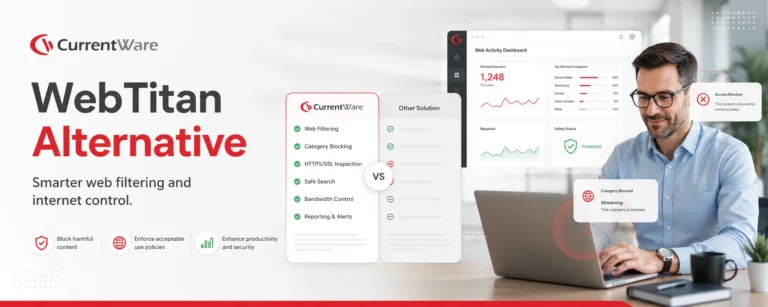
WebTitan Alternatives
-
Product Comparisons
Veriato Alternatives
-
Product Comparisons
Teramind Alternatives
-
Product Comparisons
SafeConsole Alternative
-
Product Comparisons
ManageEngine Alternative
-
Product Comparisons
InterGuard Alternative