Why Choose CurrentWare’s Alternatives to ActivTrak and Teramind?
Accessible Pricing
CurrentWare provides licensing options that are accessible to small teams
Stellar Support
We’re with you every step of the way. You can reach us by phone, email, or live chat.
Windows 7 Support
Neither ActivTrak nor Teramind support Windows 7, leaving a blind spot on legacy systems
Get Started Today With a Free Trial
Learn More About CurrentWare
Find an Employee Monitoring Software Solution for Your Needs
Teramind, ActivTrak, and CurrentWare are all suitable as employee monitoring and productivity management tools.
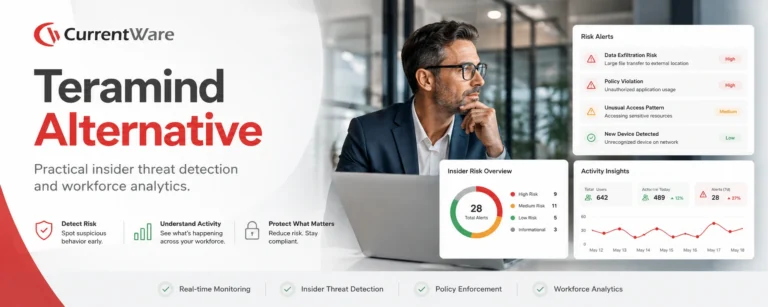
The main difference between these employee monitoring tools is that Teramind’s feature set focuses on user activity monitoring for insider threat prevention, ActivTrak emphasizes workforce analytics to optimize business processes, and CurrentWare combines the key features of both solutions to provide a powerful and fairly priced alternative.
| Use CurrentWare’s alternatives if… | Use Teramind if… | Use ActivTrak if… |
|---|---|---|
| You need greater control over the websites accessible to employees | You need complete visibility into each and every input from employees including emails, keystrokes, private messages, and clipboard data | You want to directly integrate your monitoring solution with third-party business intelligence tools |
| You want to avoid Teramind and ActivTrak’s steep subscription prices and reduce costs with CurrentWare’s advantageous pricing | You need to capture live audio and video recordings of employee computer activity | You need to monitor employees on Chromebooks |
| You need an easy-to-use solution for internet filtering, insider threat detection, and employee monitoring | You need to identify content through OCR and keywords | Your use case for monitoring is more focused on high-level workforce analytics rather than granular user activity insights |
| You need a lightweight solution for Windows and Mac computers with minimal system requirements | You need to monitor employees on Linux computers |
Compare Key Features of ActivTrak, Teramind, and CurrentWare
This section will compare the key features of each employee monitoring software solution so you can choose the right fit for your company.
Employee Monitoring
ActivTrak, Teramind, and CurrentWare are powerful employee monitoring software solutions to help you keep track of your remote workforce.
They all allow you to monitor user activity including measuring employee productivity, detecting insider threats, and measuring app usage.
CurrentWare offers a robust employee monitoring solution that helps businesses boost productivity and ensure compliance. With tools for tracking web usage, application activity, screen monitoring, and USB device access, CurrentWare provides comprehensive insights into employee performance.
Its real-time monitoring and detailed reporting capabilities enable managers to identify productivity trends, optimize workflows, and address potential issues promptly.
Whether you’re managing remote teams or ensuring adherence to company policies, CurrentWare’s intuitive interface and customizable features make it the ideal solution for streamlined, effective employee monitoring.
Web Filtering
CurrentWare’s BrowseControl provides the best alternatives to ActivTrak and Teramind’s web filtering features. BrowseControl makes blocking websites such as Google Drive, pornography sites, and distracting websites as easy as a few clicks with its Category Filtering feature.
While ActivTrak is not designed to be web filtering software, for an extra $2 USD user/month you can get the “Screen Details” add-on that adds screenshots, alarms, additional web activity details (title bars, URLs, subpages), and the website blocking function.
Teramind’s web filtering capabilities are more robust than ActivTrak, though they fall short of CurrentWare’s BrowseControl as it lacks the ability to block websites based on category; you can only block specific websites.
CurrentWare’s web filtering and internet security tools help businesses maintain a secure and productive online environment. With customizable filters, you can block access to inappropriate or non-work-related websites, reducing distractions and safeguarding sensitive data.
Additionally, CurrentWare’s web filtering features prevent employees from accessing malicious sites, helping to protect your organization from cybersecurity threats. By offering detailed reports on web activity, CurrentWare gives you the insights needed to ensure compliance, improve productivity, and minimize risks associated with internet usage in the workplace.
Data Loss Prevention
CurrentWare’s data loss prevention features make it an excellent alternative to ActivTrak and Teramind for protecting sensitive information from being illicitly transferred to portable storage devices, cloud storage services, and other egress points.
CurrentWare’s DLP capabilities include USB control to prevent data leaks to removable media devices, web category filtering to block web-based data egress points, and user activity monitoring to identify high-risk user behavior such as attempts to use blocked peripheral devices.
CurrentWare’s data loss prevention (DLP) tools help safeguard sensitive information from theft and leaks. With features like device control, file transfer monitoring, and real-time alerts, you can prevent data breaches and ensure compliance with industry regulations. By restricting the transfer of sensitive data via USB drives, external storage, or cloud services, CurrentWare minimizes the risk of data theft.
ActivTrak’s USB security features are limited to USB activity alarms that require an additional $2 PUPM. ActivTrak does not provide reports or dashboards to audit USB activity.
Data loss prevention is one of Teramind’s greatest assets; the platform provides advanced DLP features such as OCR, email monitoring, and printed document tracking.
Setup & Deployment
Thanks to its simple interface and setup process, getting started with CurrentWare is easy—whether or not you’re an experienced system administrator. CurrentWare offers a variety deployment options that suit the installation needs of organizations of all sizes.
While ActivTrak is compatible with both MacOS and Windows, they only provide support for Agents running on OS versions that are capable of receiving up-to-date security patches from their vendors. For this reason ActivTrak is not suitable for environments that need to monitor devices whose operating systems have reached end-of-support/end-of-life status.
While Teramind offers macOS support, it has limited functionality compared to its Windows-based counterpart. Teramind on Mac is also only supported on macOS 15 (Sequoia), macOS 14 (Sonoma), macOS 13 (Ventura), macOS 12 (Monterey), macOS 11 (Big Sur), macOS 10.15 (Catalina) and macOS 10.14 (Mojave).
The following features are NOT supported in Teramind’s Mac agent:
- Behavior Policies and Rules – Agent Schedule
- Email Monitoring
- Instant Messengers Monitoring
- Social Media Monitoring
- Camera Usage Monitoring
- Search Monitoring
- Console Commands Monitoring
- Audio Recording
- Remote Update from the Computers page (on-premise deployments)
- Automatic Agent Updates for cloud hosted customers can be enabled by request
Customer Support
ActivTrak, Teramind, and CurrentWare provide several customer support channels to ensure that their customers get the most out of their platforms.
CurrentWare Customer Support
CurrentWare’s live customer support is focused on core North American business hours of 8am-6pm EST, Monday to Friday. Outside of those hours, their training videos and knowledge base provide critical guidance for deploying and troubleshooting their solutions.
Teramind Customer Support
Teramind’s on-premise and private cloud (AWS, Azure, etc.) deployments are eligible for 24×7 follow-the-sun support and an Enterprise SLA, providing peace of mind for organizations that need high support availability for their employee monitoring software.
ActivTrak Customer Support*
ActivTrak’s support hours vary based on whether you stick with their Standard support tier that is included with all of their paid subscription plans or if you opt to pay extra for their Premier or Signature support plans.
ActivTrak’s Standard support tier includes 24×7 access to onboarding and educational resources as well as live chat, email support & scheduled calls for active support cases.
Their Premier support tier adds faster response times, on-demand coaching sessions, and technical configuration and tuning once per year.
Their Signature support tier includes the Premier tier’s perks alongside a dedicated technical account manager, annual health checks, priority ticket routing, a dedicated customer success manager, guided onboarding and 1:1 support, a tailored customer success plan, and up to 10 hours of integration support.
ActivTrak’s support hours are:
- Live Chat: Standard (M-F 8 a.m. – 6 p.m. CT) / Premier (M-S 8 a.m. – 6 p.m. CT) / Signature (24×7)
- Email operating hours and response times: Monday through Friday (8 a.m. – 6 p.m. CT), Standard < 12 hours / Premier < 8 hours / Signature < 2 hours
| Feature | CurrentWare | ActivTrak | Teramind |
|---|---|---|---|
| Stealth & Transparent Modes | ✅ | ✅ | ✅ |
| Bandwidth Usage Tracking | ✅ | ❌ | ✅ |
| Search Keyword Monitoring | ✅ | ❌ | ✅ |
| Internet & App Usage | ⚠️ Requires Add-On or Professional Plan For URL & Title Bar Tracking | ✅ | ✅ |
| Idle Time Tracking | ✅ | ✅ | ✅ |
| Employee Productivity Score | ✅ | ✅ | ✅ |
| User Logon & Shutdown Tracking | ✅ | ❌ | ✅ |
| Track File Transfers To/From Network Share Drives | ✅ | ❌ | ✅ |
| Track Downloads/Uploads | ✅ | ❌ | ✅ |
| Remote vs In-Office Insights | ✅ | ✅ | ✅ |
| Geolocation Insights (City/Region/Country) | ✅ | ❌ | ✅ |
| Web Category Tracking | ✅ | ✅ | ✅ |
| USB Activity Reports | ✅ | ✅ ⚠️ Alarms Only, No Historical Data Paid Add-On | ✅ |
| Email Reports & Alerts | ✅ | ✅ | ✅ |
| Computer Screen Capture | ✅ | ✅ | ✅ |
| Monitor Remote Employees | ✅ | ✅ | ✅ |
Case Study
From Hunch to Hard Evidence—How CurrentWare Informs HR Investigations
CurrentWare strikes the perfect balance between monitoring and trust. It’s easy to set up, and employees go about their work without noticing it.
When needed, we have the data to ensure resources are used properly.
ActivTrak vs Teramind Reviews
ActivTrak Reviews
✔️ ActivTrak Pros
Ease of Use
Once the initial client deployment and setup is complete, ActivTrak is easy to use for novice and advanced users alike.
“What I liked most about it is the ease of deployment and the stealth of the service, it is almost undetectable which makes it the perfect tool for the consulting services we offer as a company.”
Source: Capterra Reviewer, 2020
Level of Insights
ActivTrak’s detailed reports and key features provide insights into a variety of metrics, making it suitable as a traditional employee monitoring tool, time tracking software, user behavior analytics, and keeping track of employee performance.
“ActivTrak is well suited for companies looking to monitor the remote staff productivity and performance rather than sitting in front of the cams and watching many users at the same time to evaluate work efficiency”
Source: TrustRadius Reviewer, 2023
“I would recommend this to anyone who wants to make sure their employees are working at their best. It is an effective tool to weed out the ones who are more of a hindrance to a company.”
Source: Trustpilot Reviewer, 2018
❌ ActivTrak Cons
Billing & Renewal Management
“ActivTrak has absolutely no reliable option to cancel a subscription, once it is ongoing. Furthermore – apparently they, not the customer, decide when the subscription plan should be upgraded cost-wise…
ActivTrak cancellation practices actually breach European Union laws – in failing to provide easily accessible cancellation option”
Source: Trustpilot Review, 2023
“As a customer, it is disheartening to observe a SaaS provider insisting on renewing when the customer does not want to do so. It is imperative for them to enhance their billing policy, as adopting a confrontational stance ultimately benefits no one.”
Source: Trustpilot Review, 2023
“Product never worked well or synced to devices. We asked to cancel midway through the contract as we had not used it at all for 5 months and they held firm, charging us in full even though they knew we were not using it.
Not great service. Just do right by your clients. Why hold our feet to the fire for a few bucks. Bad business culture to do that when you know we were not using it.”
Source: Trustpilot Review, 2022
Teramind Reviews
✔️ Teramind Pros
Functions & Features
Teramind stands out for its robust feature set and versatility. Many reviewers praise its capabilities across various use cases.
Teramind is a fantastic tool for monitoring user activity/productivity but can also be used to help when troubleshooting IT issues.
Teramind allows us to monitor productivity across all employees and with the built-in policies, rules and alerts we are able to detect any anomalies in behaviour that could lead to potential data loss.
The product allows us to monitor/classify web traffic and also improve internal support, using the tool to assist in troubleshooting and resolve issues which would have taken a lot longer without Teramind.
Source: G2 Review, 2024
Our organization has received mulitple benefits from using Teramind and its features. It monitors activity quite capably and provides real-time insights into what employees are doing on their computers.
That kind of awareness and visibility allows us to identify and prevent threats while also monitoring employee productivity and compliance.
Source: G2 Review, 2023
The real-time monitoring capabilities have been incredibly helpful in keeping track of my team’s progress, and the user-friendly interface makes it easy to navigate and customize alerts. Secure data handling is also a big plus for me, as I work with sensitive client information.
What I appreciate most about Teramind is that it provides valuable insights into my team’s productivity and helps me make informed decisions to improve efficiency.
Source: G2 Review, 2023
Teramind allows us to monitor new and current employees and go back and review past activity from people that are no longer with our organization; this has proven invaluable at times.
Teramind has allowed us to bring people on board and not have to worry about having someone sit and babysit the users to make sure they are not fooling around or doing things incorrectly; we can use the reporting to give us results, and go back and view the way the people work to make corrections.
Source: G2 Review, 2023
🟡 Teramind Mixed Reviews
Customer Support
Reviews of Teramind’s customer support is polarized. Some commend their expertise and responsiveness, while others report delays and unaddressed issues.
Buyer beware. The platform is very advanced from the looks of it but since I have signed up 2 weeks ago, the system hasn’t tracked time or tasks properly and after spending hours on remote sessions, chat and email support, the system is still not working and when I request additional support they have no record of all of the tickets, meetings, etc.
As a new customer, this experience has been horrible. Again the platform may be advanced but all that technology doesn’t do any good if you can’t use it and support can’t support you.
Source: G2 Review, 2020
While Teramind’s features are impressive, I encountered occasional glitches in the system which disrupted workflow. However, their customer support team was incredibly responsive and worked tirelessly to resolve the issues promptly.
Despite the hiccups, their dedication to customer satisfaction shines through, making them a trustworthy partner in enhancing workplace efficiency.
Source: G2 Review, 2024
Ease of Use
Teramind’s steep learning curve and resource-intensive nature can pose challenges, especially for less tech-savvy users. But once familiarized, its extensive monitoring capabilities are highly effective.
The things we dislike about Teramind are for some users, it is sometimes difficult to understand all features.
Teramind comes with lots of features which is sometimes not used in our companies. Price could be better for small organization.
Source: G2 Review, 2023
Very easy to get the hang of the software. The support team is also very useful and ready to help. The software itself is very user-friendly and has a great flow to it.
Source: G2 Review, 2023
A lot of data is captured to work with, but takes a while to setup…There is an incredible learning curve to get up to speed.
A step by step procedure would help greatly and I would prefer better ways to process mass record classifications on categories.
Source: G2 Review, 2023
❌ Teramind Cons
Cost of Ownership/Price
While Teramind’s advanced features justify its cost for some use cases, small organizations or those scaling their user base often find the costs prohibitively high.
[I dislike] the cost, I see that it is a bit high based on the number of clients that one can have, since the higher the number of employees the cost becomes abysmal
Source: G2 Review, 2024
The cost is high, per user seems really high, I would like to add this to all 300 users but costs too much
Source: G2 Review, 2023
The only thing that is a little cumbersome is the pricing as we’ve grown quite large.
Source: G2 Review, 2023
The pricing package could be better. Plans for smaller organizations would be nice to have.
Source: G2 Review, 2023
Software Bugs
Reviews of Teramind have noted issues such as disconnects, crashes, and inconsistent functionality, eroding confidence in their dependability for mission-critical operations.
Unfortunately, while extremely helpful it is not perfect. The application disconnects or stops monitoring randomly, also it might be a challenge to troubleshoot it for non-tech savvy employees that are working remotely.
Source: G2 Review, 2022
Sometimes it crashes and it takes time to get back up
Source: G2 Review, 2023
Software stopped working when it needed an update
Source: G2 Review, 2023
We used it for one employee on a mac and it wasn’t functioning most of the time.
Source: G2 Review, 2023
The reveal application is very inconsistent and it keeps disconnecting or not connecting when attempting to log in making it frustrating to employees at times, but this is only with the reveal agent application.
Source: G2 Review, 2023
Get Started Today With a Free Trial
Compare ActivTrak vs Teramind Pricing
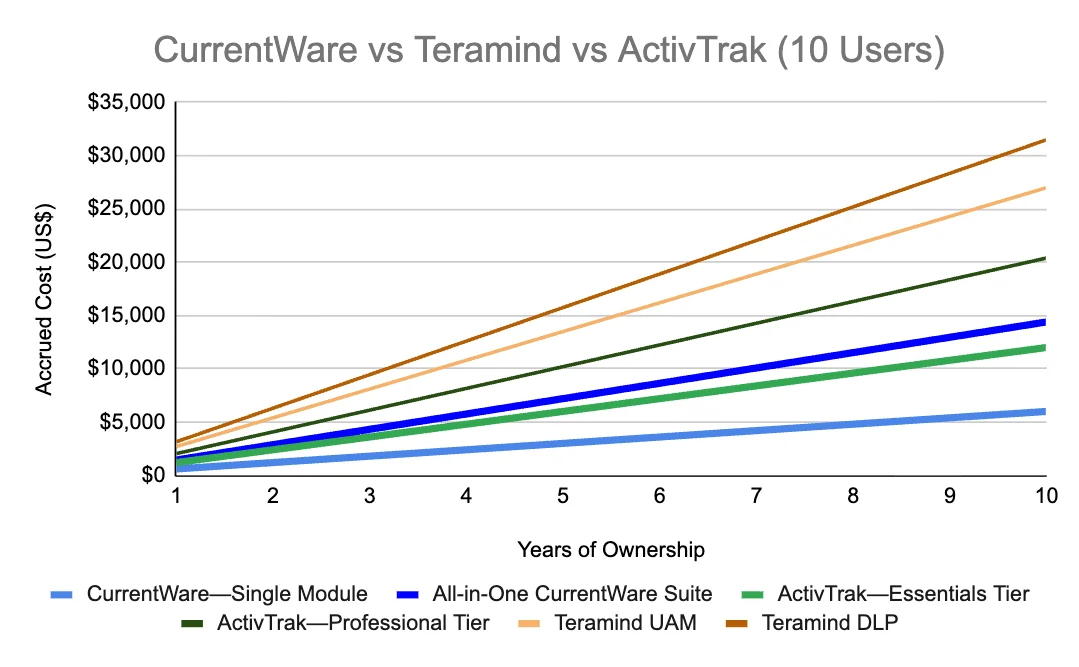
At a price range of $14-32 USD user/month on an annual contract, Teramind is by far the most expensive of the three employee monitoring solutions.
Even ActivTrak’s most basic paid plan starts at a staggering $10 user/month.
To unlock the full capabilities of ActivTrak’s platform you’re forced to spend $19 user/month and purchase several add-ons ranging from an additional $1-3 user/month!
For only $20 user/month you can access the entire CurrentWare Suite with all of its user activity monitoring, web filtering, USB device control, and PC power management capabilities.
If you only need to monitor web browsing, app usage, employee productivity, and bandwidth use you can get CurrentWare’s BrowseReporter as a standalone module starting at only $12 user/month.
CurrentWare Pricing
CurrentWare’s ActivTrak and Teramind alternatives are a cost effective solution for tracking the computer usage of your team members. CurrentWare offers fair prices and honest value to keep their products accessible to companies of all sizes.
CurrentWare’s solutions can be purchased individually for the greatest flexibility or as a full suite for the best value.
When purchased individually, the cost of BrowseReporter, AccessPatrol starts at $12/user/month and BrowseControl at $6 /user/ month (paid annually). The full CurrentWare Suite includes all 4 modules starting at $20/user/month.
Discounts Available:
- Pricing breaks are available for businesses that sign up for multi-year plans or have future growth planned and can commit to bulk orders.
- Volume license discounts are available starting for as low as 100 users, with discounts increasing depending on the number of licenses, and the length of the contract term.
- Educational organizations and nonprofits may qualify for a 10% license discount.
- Not satisfied with a competing vendor? Make the switch to CurrentWare today and you may save up to 25% on your first year!
ActivTrak Pricing
ActivTrak offers four pricing plans for its employee monitoring and time-tracking software. Each plan requires an annual contract commitment.
In addition to these plans, ActivTrak offers annual subscription add-ons for priority support, extended data history, additional monitoring capabilities, and the ability to use the data ActivTrak collects with other tools.
ActivTrak Free Plan ($0)
Their free plan is best for time tracking and visibility across very small teams or for companies that want to test out ActivTrak over an extended period of time with a small sample size. It is limited to 3 users and 30 days of data history.
ActivTrak Essentials Plan ($10 USD PUPM)
Their Essentials plan (formerly called “Advanced”) is best for basic employee monitoring for small companies. It includes unlimited users, 6 months of data storage, USB device and file transfer detection, and basic employee productivity tracking.
For this tier, full URL & title bar visibility is not available without also purchasing their Screen Details add-on, which is an additional $2 PUPM and must be purchased for every license you have.
ActivTrak Essentials Plus Plan ($15 USD PUPM)
Their Essentials Plus plan is best for enhanced monitoring for mid-to-large organizations. It adds activity trend analysis by user and team, full URL and title bar visibility, automated work hour policy violation alerts (“exception reporting”), and productivity goal-setting and tracking.
ActivTrak Professional Plan ($19 USD PUPM)
Their Professional plan (formerly called “Premium”) is best for productivity management and workforce planning. It provides 12 months of data history and adds additional features such as location policy adherence, a variety of productivity dashboards, personal insights for employees, capacity planning, and technology usage tracking.
ActivTrak Add-Ons
ActivConnect—$3 USD per user/month
- Export & query data
- App integrations
- BI starter templates for Power BI, Google Data Studio, Tableau
Screen Details—$2 USD per user/month
- Screenshots & Screen Views
- Alarms: App terminations, pop-ups, screenshots
- Web activity detailed title bars, URLs and subpages
- Website Blocking
Data History—$1 USD per user/month
- Extends ActivTrak’s data retention
- 1-year increments (max 3 years)
Teramind Pricing
Teramind has three pricing tiers for their employee computer tracking software.
- Starter – Starting price of $14 USD per user per month
- UAM – Starting price of $28 USD per user per month
- DLP – Starting price of $32 USD per user per month
- Enterprise – Custom pricing
Their Starter tier includes includes limited user activity monitoring and behavior rules. It’s designed to focus on screen recording and live view, website and apps tracking.
Their User Activity Monitoring (UAM) tier focuses on auditing and forensics with additional computer monitoring features such as email monitoring, online meeting tracking, SIEM integration, file transfers tracking, keystroke monitoring, print monitoring, regular expression support, anomaly detection, and OCR.
Their Data Loss Prevention (DLP) tier is designed with content-based data exfiltration prevention in mind. It further builds on the UAM tier with the addition of clipboard monitoring and a series of data protection features such as content based rules, malicious activity blocking, data exfiltration prevention, and data fingerprinting.
Teramind also provides an Enterprise plan that is designed for the most demanding enterprises and government organizations. It includes premium support, an SLA, professional services, and customizations.
Teramind is available as a cloud based solution or as an on-premises solution.
Not Satisfied With Your Vendor?
Make the switch to CurrentWare today to save up to 25% on your first year!
Trusted by teams across the United States, Canada & the United Kingdom
Join 100,000+ professionals across 55 countries.









What customers say about CurrentWare
Across the whole CurrentWare Suite.
90% of reviewers would recommend BrowseReporter (average likelihood to recommend: 9 out of 10).
90% of reviewers would recommend BrowseControl (average likelihood to recommend: 9 out of 10).
90% of reviewers would recommend AccessPatrol (average likelihood to recommend: 9 out of 10).
See What Our customers Have to Say
-
★★★★★
"Current Ware ensures that employees are productive WITHOUT MICROMANAGING. It's not about watching every move; it's about having the necessary data when needed."

See How CurrentWare Compares with Other Tools.
Side-by-side comparisons with the monitoring, web filtering and device control tools buyers shortlist most. Each page covers features, deployment and pricing, including where another tool may suit you better.
-
Product Comparisons
CurrentWare vs Teramind
-
Product Comparisons
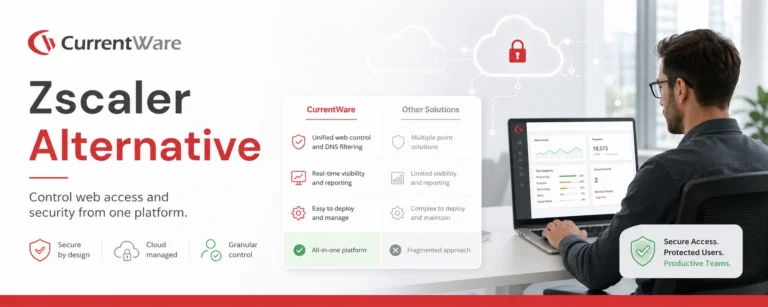
Zscaler Alternative
-
Product Comparisons
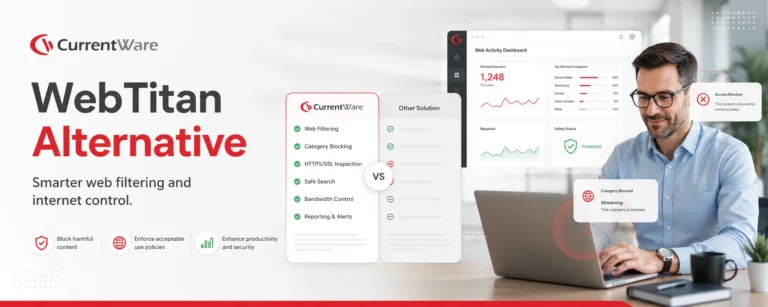
WebTitan Alternatives
-
Product Comparisons
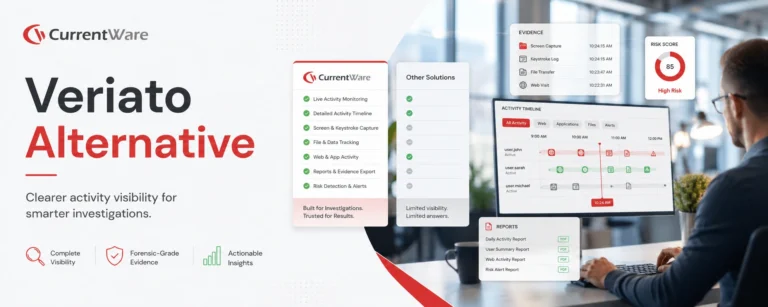
Veriato Alternatives
-
Product Comparisons
Teramind Alternatives
-
Product Comparisons
SafeConsole Alternative
-
Product Comparisons
ManageEngine Alternative
-
Product Comparisons
InterGuard Alternative