
4.8/5 on G2 Trusted by 100,000+ professionals in 55 countries
AccessPatrol: Stop USB Data Leaks Before They Start
Complete USB device control and data loss prevention – block unauthorized devices, monitor every file transfer, and prove compliance.
Lightweight, affordable, and built for hybrid teams. From $6/user/month.
*No credit card required · 14-day free trial · Easy setup
Trusted by local and state government agencies , healthcare organizations, professional services firms, and more.








Block Rogue Devices Before They Cause Damage
Unmanaged USBs and peripherals are one of the easiest ways for data to walk out the door. AccessPatrol makes control effortless and precise.
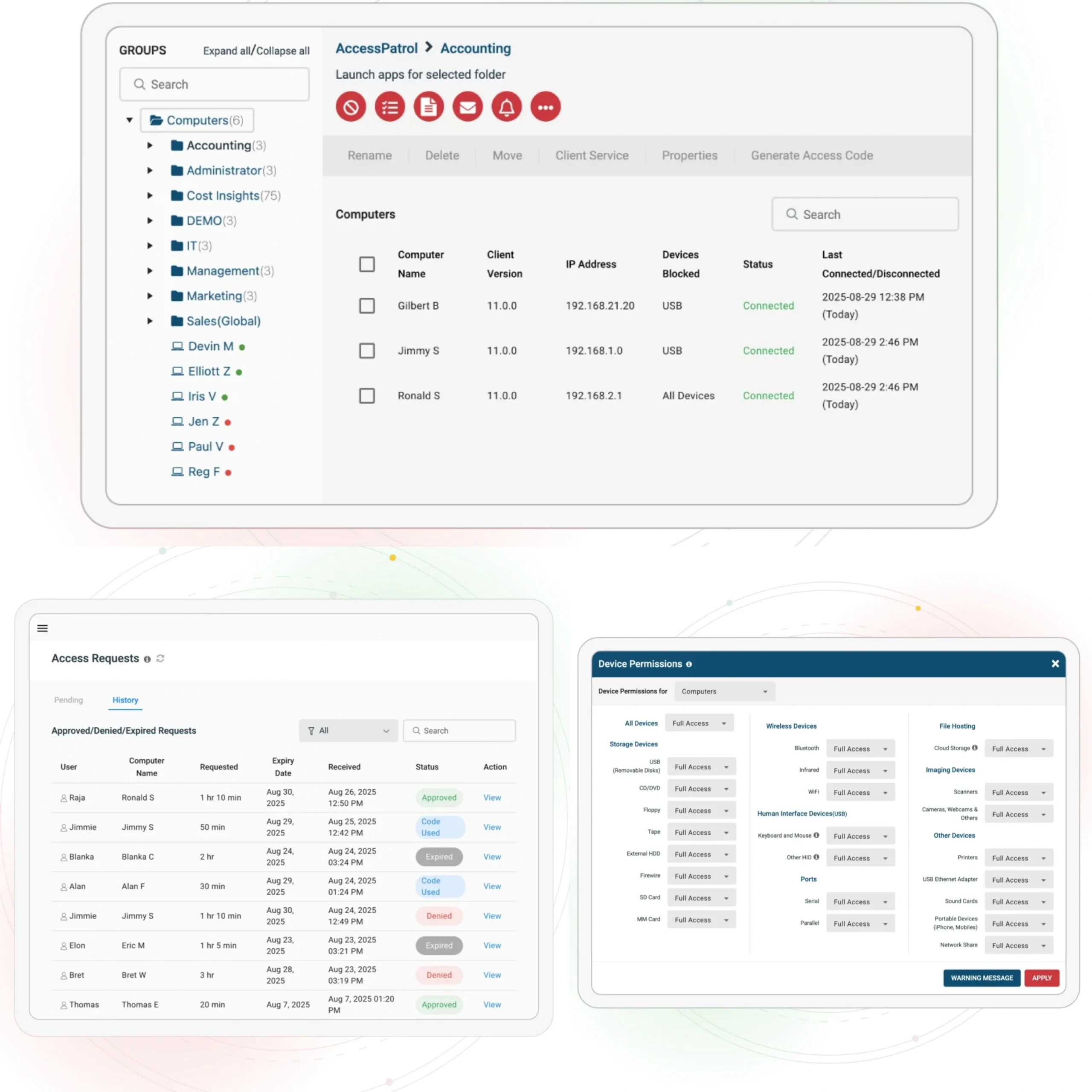
Block Unauthorized Devices
Granular Permissions That Keep Work Moving
Approve Only Trusted Devices
Protect Against Rogue Connections
Prove Compliance With Every File Transfer
Audits shouldn’t be a fire drill. AccessPatrol makes compliance automatic.
Control What Leaves Your Network
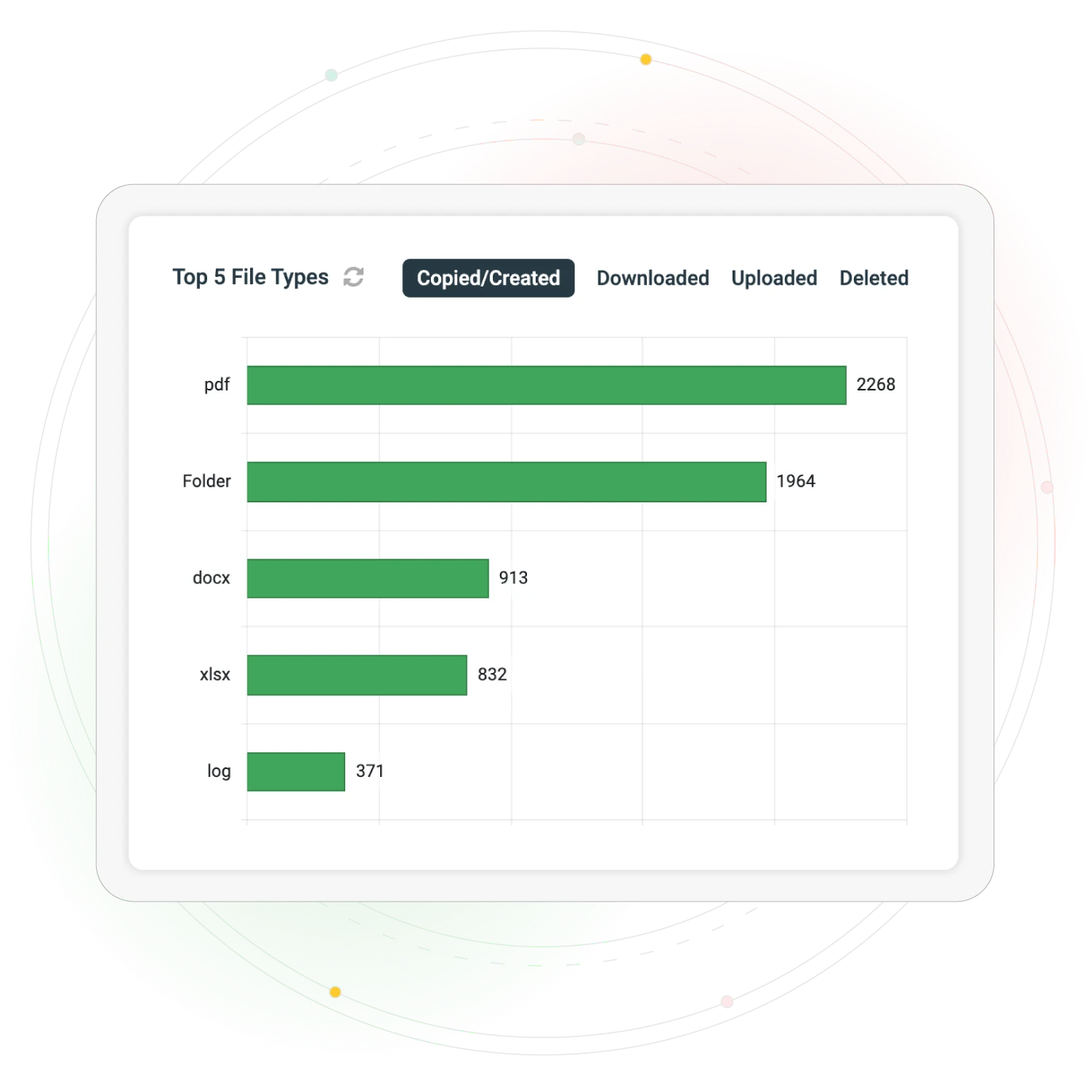
Block file transfers by extension (.pdf, .docx, .xls, etc.). Signature-based scanning detects renamed or masked files.
Know What Happens, When It Happens
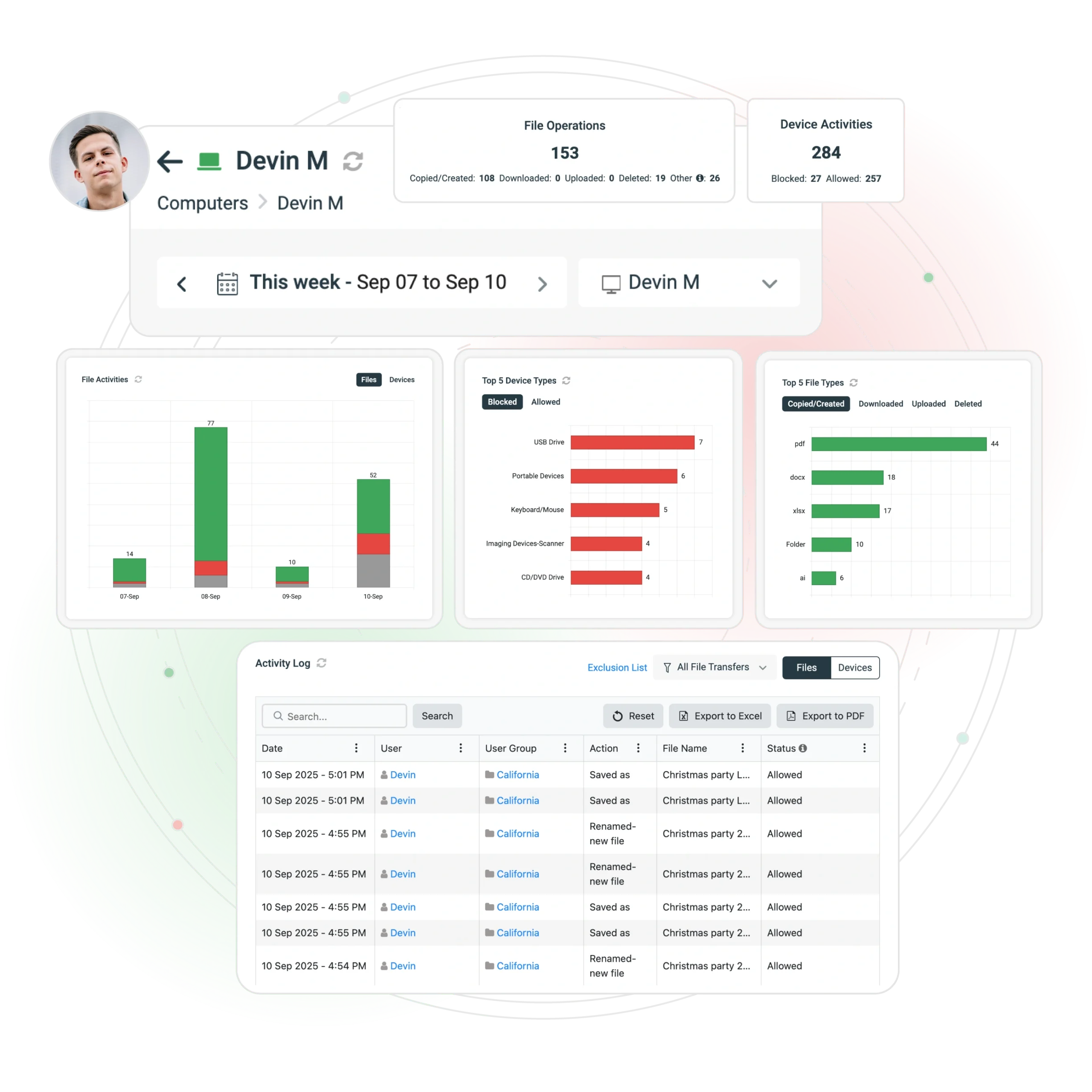
Monitor and log every copy, rename, and delete event with timestamp, user, device ID, and action.
Get Alerts Before Issues Escalate
Stay Flexible Without Losing Control
Among organizations that don’t restrict internet activity, 58% of employees spend the equivalent of 26 workdays per year on websites unrelated to their job
Department-Level Policies
Let engineering teams use USB tools while locking down finance or HR. No more “all-or-nothing” access.
Grant Temporary Access Safely
Generate single-use access codes with expiry times for vendors, auditors, or employees. Works even offline.
BYOD and Remote Scenarios
Enforce Security Everywhere — Onsite or Remote
Whether you manage 50 endpoints or 5,000, AccessPatrol enforces policies consistently across hybrid, remote, and on-premises environments.
Manage every endpoint from a single dashboard.
Active Directory Integration
Automatically enforce policies by OU or security group.
Transparent & Stealth Modes
Run silently in the background or provide notice of monitoring.
Always-On Protection
Policies remain active even when devices are offline or offsite.
Enterprise-Ready Architecture
Fast Deployment, Flexible Coverage
Deploy in minutes across remote, hybrid, or on-premises workforces.
Affordable Pricing, Transparent Terms
No hidden fees, no vendor lock-in. Start protecting your organization today
AccessPatrol (Standalone)
USB/device control + DLP
- USB and device control
- Data loss prevention
- Granular permissions
- Device whitelisting
- File transfer control
- Real-time monitoring
- Compliance reporting
Full CurrentWare Suite
AccessPatrol + BrowseReporter + BrowseControl + enPowerManager
- Everything in AccessPatrol
- Web browsing monitoring
- Website blocking
- Bandwidth management
- Power management
- Comprehensive reporting
- Multi-tool integration
Contract & Payment
- Minimum annual contract: ~$900 (≈5 users)
- Discounts for 100+ users, non-profits, education, MSPs
- Multi-year prepayment discounts available
- Payment methods: credit card, wire transfer, ACH
What’s Included
- Software upgrades included
- 24/5 support from our team
- Accepted currencies: USD, CAD, AUD, GBP, EUR, INR
- Ongoing updates and maintenance
Removable Media &
USB Security Policy
Complete policy guide with templates and best practices
Free Resource
Corporate Removable Media Policy Template
Give your organization a proven framework for balancing productivity with device security.
Editable USB & removable media policy template
Ready-to-use policy templates that ensure media security
Pre-written IT & HR disclosure forms
Save time with ready-to-use forms
Best practices for data security & compliance
Strategies to prevent costly data breaches.
Why Choose AccessPatrol Over Others?
| Feature / Vendor | AccessPatrol | Symantec DLP | Endpoint Protector | Teramind DLP |
|---|---|---|---|---|
| Price | $6/user/month (transparent) | $$$ opaque | From $6.40/user/mo | $$$ |
| Setup Time | Hours | Weeks–months | Days–weeks | Weeks+ |
| Device Control | Granular USB & peripherals | Yes (part of suite) | Yes | Yes |
| File Transfer Control | By extension, signature, policy | Advanced (overkill for SMBs) | Yes | Yes |
| Privacy & Compliance | Policy-based, audit-ready | Broad but complex | Moderate | Surveillance-heavy |
| Best For | SMBs, compliance-driven orgs, hybrid teams | Large enterprises | Mid-market & SMBs | Monitoring-heavy environments |
See What Our Customers Have to Say
4.8 Stars – Capterra 4.5 Stars – G2
"We never have to worry when someone plugs in a device. AccessPatrol made our lives easy. We just set it, forget it, and it works."
"CurrentWare lets us see which employees are trying to use unauthorized USB devices so we can take corrective action. Thankfully, the software's warnings when blocking a USB device have made our stance on random storage devices perfectly clear."
"This software helps us to achieve compliance with industry and government requirements with respect to controlling the use of removable storage media. It fits the bill perfectly."
“In my nearly 40 years… I appreciate CurrentWare going the extra mile to make sure things are done correctly. Great product, great support.”"
Take Control Before a Breach Happens
Stop USB Data Leaks. Prove Compliance. Stay Audit-Ready
No Credit Card Required
All subscriptions include ongoing updates and direct support from our team.
Blogs
USB Drive Security Best Practices You Need to Implement Now
January 23, 2026 6:13 AM
Best USB Control Software in 2026 (Top Tools for Data Security)
November 16, 2025 2:50 AM
Your Questions, Answered
AccessPatrol is a USB device control software that blocks unauthorized USB drives and monitors file transfers to prevent data theft.
Yes. AccessPatrol is designed for SMBs and mid-market teams that need affordable, easy-to-deploy device control. It installs in minutes, costs $5/user/month, and provides enterprise-grade USB security without the complexity of full DLP suites.
- AccessPatrol: Best for SMBs, transparent pricing, fast setup, compliance-focused.
- Symantec DLP: Enterprise-grade, but expensive and complex to manage.
- Endpoint Protector: Mid-market solution, strong features, higher cost.
AccessPatrol offers the best balance of control, affordability, and compliance readiness.
AccessPatrol blocks unauthorized devices, tracks file transfers, and creates detailed reports to keep your data secure.
Yes. AccessPatrol enforces USB and device policies across remote, hybrid, and on-premises environments. Policies remain active even when devices are offline or outside the corporate network.
AccessPatrol controls USB flash drives, external hard drives, smartphones, tablets, Bluetooth, Wi-Fi, printers, and other peripheral devices to prevent data leaks and unauthorized transfers.
AccessPatrol starts at $5 USD per user per month, with transparent pricing designed for SMBs and mid-market organizations.
Yes. Unlike enterprise DLP solutions that require weeks of setup, AccessPatrol can be deployed in minutes with centralized policy management and minimal IT overhead.
Yes. By blocking unauthorized devices, monitoring file transfers, and restricting risky file types, AccessPatrol reduces the risk of insider-driven data loss.
Still have questions?
Our team is here to help you implement USB Device Control the right way.